07Multi-lane compare toggle — two or more parallel bars fill to different values side by side
Each parallel bar's fill-width value rises at its own separate rate, so the gap between the bars widens or narrows.
Best forA readout comparing several targets' health on one screen, a progress-ranking comparison
valuesAt()JOLTSclassList.toggle()

<main class="stage">
<div class="gb is-demo" id="gb">
  <div class="gb__head">
    <span class="gb__label">Progress Compare</span>
  </div>
  <div class="gb__lanes" id="gbLanes"></div>
  <button type="button" class="gb__hit" id="gbJolt">Shake Ranking</button>
</div>
</main>
@use "../../../../site/static/demo-tokens" as *;
// 계산 겹: index.html render() 가 매 프레임 4레인 값을 계산해 내림차순 정렬하고
// 선두·2위 차이만큼만 밝은 겹을 얹는다. 왕관 표시는 DOM 순서를 바꾸지 않고
// translateY 로 현재 선두 행에만 옮겨진다 — 값의 사인 궤적도 계산이다.
@include stage($stage-orange);
.gb { width: 100%; max-width: 280px; background: $subject-cream; border-radius: $r-card; padding: $sp-5; box-shadow: $shadow-raised; box-sizing: border-box; }
.gb__head { margin-bottom: $sp-3; }
.gb__label { font-size: 12px; font-weight: 700; letter-spacing: .04em; color: rgba($subject-ink, .72); text-transform: uppercase; }
.gb__lanes { position: relative; display: flex; flex-direction: column; gap: $sp-2; }
.gb__row { display: flex; align-items: center; gap: $sp-2; height: 22px; }
.gb__laneLabel { width: 14px; font-size: 12px; font-weight: 700; color: $subject-ink; flex: 0 0 auto; }
.gb__laneTrack { position: relative; flex: 1 1 auto; height: 10px; border-radius: $r-pill; background: rgba($subject-ink, .1); overflow: hidden; }
.gb__laneFill { position: absolute; left: 0; top: 0; height: 100%; width: 0%; border-radius: $r-pill; background: $subject-blue; will-change: width; }
.gb__laneFill--lead { background: $subject-blue-deep; }
.gb__laneLead {
position: absolute; top: 0; height: 100%; width: 0%; left: 0%;
background: $subject-mint; opacity: 0; will-change: width, left, opacity;
}
.gb__crown {
position: absolute; left: -2px; top: 0;
width: 0; height: 0; border-style: solid;
border-width: 5px 0 5px 7px;
border-color: transparent transparent transparent $subject-orange-deep;
transform: translateY(0px); will-change: transform;
}
.gb__hit {
margin-top: $sp-4; width: 100%; border: none; border-radius: $r-control;
background: $subject-blue; color: $subject-cream;
font-weight: 700; font-size: 13px; line-height: 1;
padding: $sp-3 0; cursor: pointer;
}
.gb__hit:active { box-shadow: $shadow-press; }
@media (max-width: 340px) {
.gb { max-width: 220px; padding: $sp-3; }
.gb__head { margin-bottom: $sp-2; }
.gb__label { font-size: 10px; }
.gb__lanes { gap: $sp-1; }
.gb__row { height: 14px; gap: $sp-1; }
.gb__laneLabel { font-size: 10px; }
.gb__crown { border-width: 4px 0 4px 6px; }
.gb__hit { margin-top: $sp-2; padding: $sp-2 0; font-size: 12px; }
}
@media (prefers-reduced-motion: reduce) {
.gb__laneFill, .gb__laneLead, .gb__crown { transition: none !important; }
}html, body {
margin: 0;
overflow: hidden;
}
.stage {
box-sizing: border-box;
min-height: 100vh;
display: grid;
place-items: center;
margin: 0;
background: #ff4d1f;
font-family: -apple-system, "Segoe UI", "Noto Sans KR", sans-serif;
padding: clamp(8px, 4vw, 24px);
}
.gb {
width: 100%;
max-width: 280px;
background: #fff7e6;
border-radius: 16px;
padding: 20px;
box-shadow: 0 14px 24px rgba(23, 20, 26, 0.32);
box-sizing: border-box;
}
.gb__head {
margin-bottom: 12px;
}
.gb__label {
font-size: 12px;
font-weight: 700;
letter-spacing: 0.04em;
color: rgba(23, 20, 26, 0.72);
text-transform: uppercase;
}
.gb__lanes {
position: relative;
display: flex;
flex-direction: column;
gap: 8px;
}
.gb__row {
display: flex;
align-items: center;
gap: 8px;
height: 22px;
}
.gb__laneLabel {
width: 14px;
font-size: 12px;
font-weight: 700;
color: #17141a;
flex: 0 0 auto;
}
.gb__laneTrack {
position: relative;
flex: 1 1 auto;
height: 10px;
border-radius: 999px;
background: rgba(23, 20, 26, 0.1);
overflow: hidden;
}
.gb__laneFill {
position: absolute;
left: 0;
top: 0;
height: 100%;
width: 0%;
border-radius: 999px;
background: #2f6df6;
will-change: width;
}
.gb__laneFill--lead {
background: #0a4fe8;
}
.gb__laneLead {
position: absolute;
top: 0;
height: 100%;
width: 0%;
left: 0%;
background: #4cd4a6;
opacity: 0;
will-change: width, left, opacity;
}
.gb__crown {
position: absolute;
left: -2px;
top: 0;
width: 0;
height: 0;
border-style: solid;
border-width: 5px 0 5px 7px;
border-color: transparent transparent transparent #c93000;
transform: translateY(0px);
will-change: transform;
}
.gb__hit {
margin-top: 16px;
width: 100%;
border: none;
border-radius: 12px;
background: #2f6df6;
color: #fff7e6;
font-weight: 700;
font-size: 13px;
line-height: 1;
padding: 12px 0;
cursor: pointer;
}
.gb__hit:active {
box-shadow: 0 6px 12px rgba(23, 20, 26, 0.32);
}
@media (max-width: 340px) {
.gb {
max-width: 220px;
padding: 12px;
}
.gb__head {
margin-bottom: 8px;
}
.gb__label {
font-size: 10px;
}
.gb__lanes {
gap: 4px;
}
.gb__row {
height: 14px;
gap: 4px;
}
.gb__laneLabel {
font-size: 10px;
}
.gb__crown {
border-width: 4px 0 4px 6px;
}
.gb__hit {
margin-top: 8px;
padding: 8px 0;
font-size: 12px;
}
}
@media (prefers-reduced-motion: reduce) {
.gb__laneFill, .gb__laneLead, .gb__crown {
transition: none !important;
}
}(function () {
// 계산 겹 상수: 레인마다 다른 위상·주파수의 사인 궤적 — 시드 고정, Math.random 미사용
var LANES = [
{ label: 'A', base: 55, amp: 22, freq: .55, phase: 0.0, offset: 0 },
{ label: 'B', base: 60, amp: 18, freq: .70, phase: 1.3, offset: 0 },
{ label: 'C', base: 45, amp: 25, freq: .40, phase: 2.8, offset: 0 },
{ label: 'D', base: 50, amp: 20, freq: .62, phase: 4.1, offset: 0 }
];
var JOLTS = [
[0, 0, 20, 0],
[-15, 0, 0, 18],
[0, 22, -10, 0],
[16, -12, 0, 0]
]; // 클릭마다 순환 적용되는 레인별 고정 오프셋 증가량
var reduce = window.matchMedia('(prefers-reduced-motion: reduce)').matches;
var gb = document.getElementById('gb');
var lanesEl = document.getElementById('gbLanes');
var joltBtn = document.getElementById('gbJolt');
var rows = LANES.map(function (l) {
var row = document.createElement('div');
row.className = 'gb__row';
var label = document.createElement('span');
label.className = 'gb__laneLabel';
label.textContent = l.label;
var track = document.createElement('div');
track.className = 'gb__laneTrack';
var fill = document.createElement('div');
fill.className = 'gb__laneFill';
var lead = document.createElement('div');
lead.className = 'gb__laneLead';
track.appendChild(fill);
track.appendChild(lead);
row.appendChild(label);
row.appendChild(track);
lanesEl.appendChild(row);
return { row: row, fill: fill, lead: lead };
});
var crown = document.createElement('div');
crown.className = 'gb__crown';
lanesEl.appendChild(crown);
// 계산 겹: 왕관을 옮기는 간격은 고정 px 이 아니라 실제 행 간격을 측정한 값이다 — 320px 폭에서
// 행 높이·행간이 좁아져도(미디어 쿼리) 왕관이 항상 정확히 다음 행 위에 앉는다.
var rowStep = rows.length > 1
? rows[1].row.getBoundingClientRect().top - rows[0].row.getBoundingClientRect().top
: rows[0].row.getBoundingClientRect().height;
var isDemo = true;
var joltIdx = 0;
function valuesAt(t) {
return LANES.map(function (l) {
var v = l.base + l.offset + l.amp * Math.sin(l.freq * t / 1000 + l.phase);
return Math.max(4, Math.min(100, v));
});
}
function human() {
if (isDemo) { gb.classList.remove('is-demo'); isDemo = false; }
}
joltBtn.addEventListener('click', function () {
human();
var d = JOLTS[joltIdx % JOLTS.length];
for (var i = 0; i < LANES.length; i++) LANES[i].offset += d[i];
joltIdx++;
});
joltBtn.addEventListener('keydown', function (ev) {
if (ev.key !== 'Enter' && ev.key !== ' ') return;
ev.preventDefault();
joltBtn.click();
});
function render(t) {
var values = valuesAt(t);
var sorted = values.slice().sort(function (a, b) { return b - a; });
var leaderVal = sorted[0];
var secondVal = sorted[1];
var leaderIdx = values.indexOf(leaderVal);
for (var i = 0; i < rows.length; i++) {
var v = values[i];
rows[i].fill.style.width = v.toFixed(2) + '%';
var isLeader = i === leaderIdx;
rows[i].fill.classList.toggle('gb__laneFill--lead', isLeader);
// 계산 겹: 선두와 2위의 값 차이만큼만 밝은 겹으로 얹어 "얼마나 앞섰는지" 를 보인다
if (isLeader && leaderVal - secondVal > 0.3) {
rows[i].lead.style.left = secondVal.toFixed(2) + '%';
rows[i].lead.style.width = (leaderVal - secondVal).toFixed(2) + '%';
rows[i].lead.style.opacity = '1';
} else {
rows[i].lead.style.opacity = '0';
}
}
// 계산 겹: translateY 로 왕관 표시를 현재 선두 레인 행으로 옮긴다(DOM 재배치 없이 순위만 계산)
crown.style.transform = 'translateY(' + (leaderIdx * rowStep) + 'px)';
}
function loop(ts) {
render(ts);
requestAnimationFrame(loop);
}
if (!reduce) {
requestAnimationFrame(loop);
} else {
render(0);
}
})();import { useEffect, useRef, useState } from 'react';
import styles from './GaugeBarMultiLaneCompare.module.scss';
type Box<T> = { current: T };
// 계산 겹 상수: 레인마다 다른 위상·주파수의 사인 궤적 — 시드 고정, Math.random 미사용
type Lane = { label: string; base: number; amp: number; freq: number; phase: number; offset: number };
const LANES_INIT: Lane[] = [
{ label: 'A', base: 55, amp: 22, freq: 0.55, phase: 0.0, offset: 0 },
{ label: 'B', base: 60, amp: 18, freq: 0.70, phase: 1.3, offset: 0 },
{ label: 'C', base: 45, amp: 25, freq: 0.40, phase: 2.8, offset: 0 },
{ label: 'D', base: 50, amp: 20, freq: 0.62, phase: 4.1, offset: 0 },
];
const JOLTS = [
[0, 0, 20, 0],
[-15, 0, 0, 18],
[0, 22, -10, 0],
[16, -12, 0, 0],
]; // 클릭마다 순환 적용되는 레인별 고정 오프셋 증가량
function valuesAt(lanes: Lane[], t: number) {
return lanes.map((l) => {
const v = l.base + l.offset + l.amp * Math.sin((l.freq * t) / 1000 + l.phase);
return Math.max(4, Math.min(100, v));
});
}
export default function GaugeBarMultiLaneCompare() {
const fillRefs = useRef(Array.from({ length: 4 }, () => null)) as unknown as Box<(HTMLDivElement | null)[]>;
const leadRefs = useRef(Array.from({ length: 4 }, () => null)) as unknown as Box<(HTMLDivElement | null)[]>;
const rowRefs = useRef(Array.from({ length: 4 }, () => null)) as unknown as Box<(HTMLDivElement | null)[]>;
const crownRef = useRef(null) as unknown as Box<HTMLDivElement>;
const isDemoRef = useRef(true) as unknown as Box<boolean>;
const [isDemo, setIsDemo] = useState(true);
const lanesRef = useRef(LANES_INIT.map((l) => ({ ...l }))) as unknown as Box<Lane[]>;
const joltIdxRef = useRef(0) as unknown as Box<number>;
// 계산 겹: 왕관 이동 간격은 고정 px 이 아니라 실제 행 간격을 측정한 값이다(vanilla 와 동일 원칙)
const rowStepRef = useRef(30) as unknown as Box<number>;
function human() {
isDemoRef.current = false;
setIsDemo(false);
}
function render(t: number) {
const lanes = lanesRef.current;
const values = valuesAt(lanes, t);
const sorted = values.slice().sort((a, b) => b - a);
const leaderVal = sorted[0];
const secondVal = sorted[1];
const leaderIdx = values.indexOf(leaderVal);
for (let i = 0; i < lanes.length; i++) {
const v = values[i];
const fill = fillRefs.current[i];
const lead = leadRefs.current[i];
const isLeader = i === leaderIdx;
if (fill) {
fill.style.width = v.toFixed(2) + '%';
fill.classList.toggle(styles.gbLaneFillLead, isLeader);
}
// 계산 겹: 선두와 2위의 값 차이만큼만 밝은 겹으로 얹어 "얼마나 앞섰는지" 를 보인다
if (lead) {
if (isLeader && leaderVal - secondVal > 0.3) {
lead.style.left = secondVal.toFixed(2) + '%';
lead.style.width = (leaderVal - secondVal).toFixed(2) + '%';
lead.style.opacity = '1';
} else {
lead.style.opacity = '0';
}
}
}
// 계산 겹: translateY 로 왕관 표시를 현재 선두 레인 행으로 옮긴다(DOM 재배치 없이 순위만 계산)
const crown = crownRef.current;
if (crown) crown.style.transform = 'translateY(' + leaderIdx * rowStepRef.current + 'px)';
}
useEffect(() => {
const rows = rowRefs.current;
if (rows[0] && rows[1]) {
rowStepRef.current = rows[1].getBoundingClientRect().top - rows[0].getBoundingClientRect().top;
} else if (rows[0]) {
rowStepRef.current = rows[0].getBoundingClientRect().height;
}
const reduce = window.matchMedia('(prefers-reduced-motion: reduce)').matches;
let rafId = 0;
function loop(ts: number) {
render(ts);
rafId = requestAnimationFrame(loop);
}
if (!reduce) {
rafId = requestAnimationFrame(loop);
} else {
render(0);
}
return () => cancelAnimationFrame(rafId);
}, []);
function onJolt() {
human();
const d = JOLTS[joltIdxRef.current % JOLTS.length];
const lanes = lanesRef.current;
for (let i = 0; i < lanes.length; i++) lanes[i].offset += d[i];
joltIdxRef.current++;
}
function onKeyDown(e: { key: string; preventDefault: () => void }) {
if (e.key !== 'Enter' && e.key !== ' ') return;
e.preventDefault();
onJolt();
}
return (
<div className={`${styles.gb} ${isDemo ? styles.isDemo : ''}`}>
<div className={styles.gbHead}>
<span className={styles.gbLabel}>진행도 비교</span>
</div>
<div className={styles.gbLanes}>
{LANES_INIT.map((l, i) => (
<div
className={styles.gbRow}
key={l.label}
ref={(el: HTMLDivElement | null) => { rowRefs.current[i] = el; }}
>
<span className={styles.gbLaneLabel}>{l.label}</span>
<div className={styles.gbLaneTrack}>
<div className={styles.gbLaneFill} ref={(el: HTMLDivElement | null) => { fillRefs.current[i] = el; }} />
<div className={styles.gbLaneLead} ref={(el: HTMLDivElement | null) => { leadRefs.current[i] = el; }} />
</div>
</div>
))}
<div className={styles.gbCrown} ref={crownRef} />
</div>
<button type="button" className={styles.gbHit} onClick={onJolt} onKeyDown={onKeyDown}>
순위 흔들기
</button>
</div>
);
}07 Multi-lane compare toggle — two or more parallel bars fill to different values side by side — Measured area 2.979% · moving frames 23/23Original by GODRICH · SCSS and React ship in the zip · CSS Progress Bar: 9 Game-Style Fill Patterns
The post this demo lives in
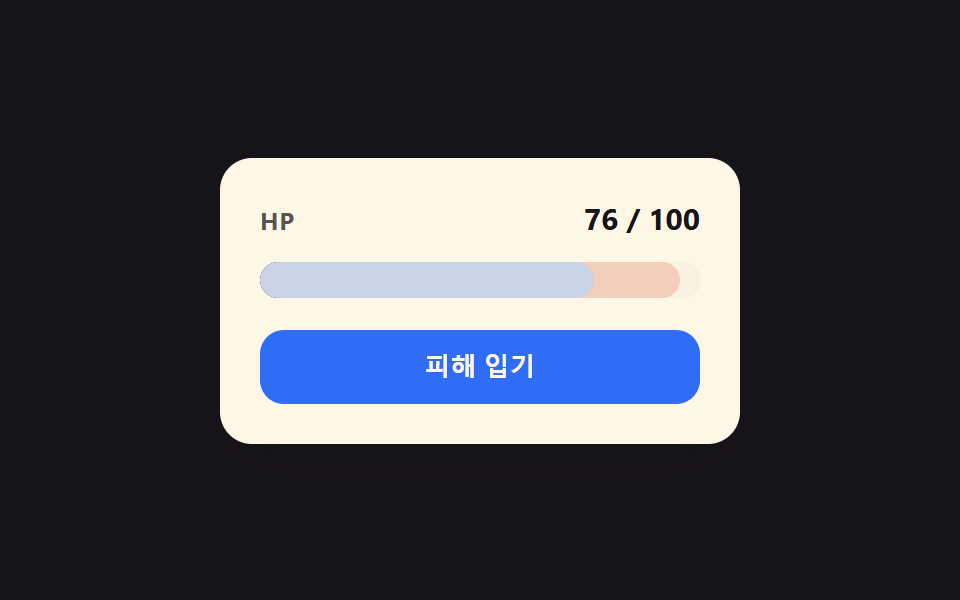 CSS Progress Bar: 9 Game-Style Fill PatternsCSS Progress Bar: One of nine narrows as its value drops while a red glow trails behind, one layers excess past its ceil See all demos in this post
If you like this effect - similar demos
 Loaders01 Linear fill9 CSS Progress Bar Circle Gauges, Copy-Paste Ready
 Loaders01 Parallel multi-file progress values — each file's progress value updates independently within a list while several downloads run at onceDownload Progress Bar: 9 Loading UI Patterns
 Loaders03 Signal-Bar Buffering MeterBuffering Animation CSS — 9 Loading Patterns