05Globe split by a day/night terminator
Brightness is computed from the dot product of the sun direction and surface normal, so the boundary turns naturally.
Best forA time-zone guide service, a widget showing global working hours
dot product shadingsun vectorradial gradient
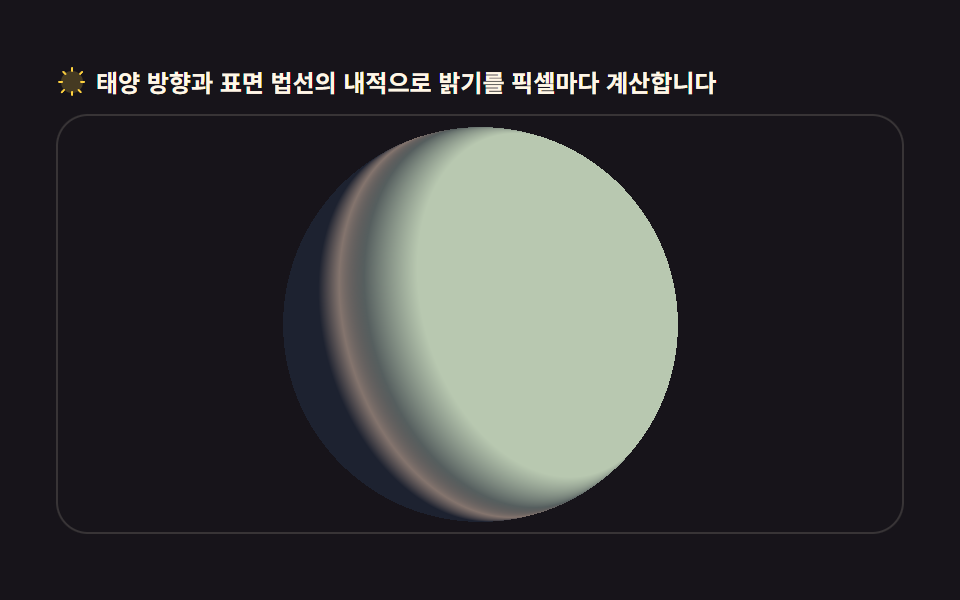
<main class="stage">
<div class="gn" id="gn">
  <p class="gn__hint">
    <svg class="gn__ico" viewBox="0 0 256 256" aria-hidden="true"><g fill="currentColor"><path d="M128 40a88 88 0 1 0 88 88a88.1 88.1 0 0 0-88-88" opacity=".2"/><path d="M120 40V16a8 8 0 0 1 16 0v24a8 8 0 0 1-16 0m112 88a8 8 0 0 1-8 8h-24a8 8 0 0 1 0-16h24a8 8 0 0 1 8 8M69.66 186.34a8 8 0 0 1 0 11.32l-16.97 17a8 8 0 0 1-11.32-11.32l17-17a8 8 0 0 1 11.29 0M56 128a8 8 0 0 0-8-8H24a8 8 0 0 0 0 16h24a8 8 0 0 0 8-8m13.66-58.34a8 8 0 0 0 11.32 0a8 8 0 0 0 0-11.32l-17-17a8 8 0 0 0-11.32 11.32Zm128 0l17-17a8 8 0 0 0-11.32-11.32l-17 17a8 8 0 0 0 11.32 11.32M128 200a8 8 0 0 0-8 8v24a8 8 0 0 0 16 0v-24a8 8 0 0 0-8-8m58.34-13.66a8 8 0 0 0-11.32 11.32l17 17a8 8 0 0 0 11.32-11.32Z" fill-rule="evenodd"/></g></svg>
    <span>Per-pixel brightness from the dot product of sun vector and surface normal</span>
  </p>
  <div class="gn__field" id="field" role="img" aria-label="Day-night terminator globe">
    <canvas class="gn__cv" id="cv"></canvas>
  </div>
</div>
</main>
@use "../../../../site/static/demo-tokens" as *;
// 낮밤 경계 지구본 — 캔버스 rAF(픽셀 단위 법선·태양 내적 셰이딩, ImageData).
// CSS 는 무대·판만. 파스텔 팔레트(BD26).
$duration: $dur-loop;
$easing: $ease-spring;
$color: $subject-cream;
@include stage($stage-ink);
.gn {
--gn-night: #1d2230; // 밤면 — 저채도 남색
--gn-day: #b8c8b0; // 낮면 — 세이지 파스텔
--gn-terminator: #d8b8a0; // 경계 노을 — 로즈 샌드 파스텔
display: flex; flex-direction: column; gap: $sp-2;
width: 100%; max-width: 424px;
}
.gn__hint {
display: flex; align-items: center; gap: $sp-1; margin: 0;
font-weight: 700; font-size: clamp(10px, 2.8vw, 12px); line-height: 1.35;
color: $subject-cream;
}
.gn__ico { width: 16px; height: 16px; flex: 0 0 auto; color: $stage-yellow; }
.gn__field {
position: relative; height: 210px;
border-radius: $r-card; overflow: hidden;
background: $stage-ink;
box-shadow: inset 0 0 0 1px rgba($subject-cream, .14);
}
.gn__field:focus-visible { outline: 2px solid $stage-yellow; outline-offset: 2px; }
.gn__cv { display: block; width: 100%; height: 100%; image-rendering: auto; }
@media (max-width: 340px) {
.gn { gap: $sp-1; }
.gn__field { height: 110px; }
.gn__hint { font-size: 10px; }
}
// reduce — 루프가 안 돈다. 경계가 보이는 한 장만.
@media (prefers-reduced-motion: reduce) {
.gn__field { cursor: default !important; }
}html, body {
margin: 0;
overflow: hidden;
}
.stage {
box-sizing: border-box;
min-height: 100vh;
display: grid;
place-items: center;
margin: 0;
background: #17141a;
font-family: -apple-system, "Segoe UI", "Noto Sans KR", sans-serif;
padding: clamp(8px, 4vw, 24px);
}
.gn {
--gn-night: #1d2230;
--gn-day: #b8c8b0;
--gn-terminator: #d8b8a0;
display: flex;
flex-direction: column;
gap: 8px;
width: 100%;
max-width: 424px;
}
.gn__hint {
display: flex;
align-items: center;
gap: 4px;
margin: 0;
font-weight: 700;
font-size: clamp(10px, 2.8vw, 12px);
line-height: 1.35;
color: #fff7e6;
}
.gn__ico {
width: 16px;
height: 16px;
flex: 0 0 auto;
color: #ffd23f;
}
.gn__field {
position: relative;
height: 210px;
border-radius: 16px;
overflow: hidden;
background: #17141a;
box-shadow: inset 0 0 0 1px rgba(255, 247, 230, 0.14);
}
.gn__field:focus-visible {
outline: 2px solid #ffd23f;
outline-offset: 2px;
}
.gn__cv {
display: block;
width: 100%;
height: 100%;
image-rendering: auto;
}
@media (max-width: 340px) {
.gn {
gap: 4px;
}
.gn__field {
height: 110px;
}
.gn__hint {
font-size: 10px;
}
}
@media (prefers-reduced-motion: reduce) {
.gn__field {
cursor: default !important;
}
}// Day-night terminator globe — 구 표면의 픽셀마다 법선(x,y,z)/R 을 구하고 태양 방향 벡터와 내적해 밝기를 얻는다
// (dot product shading). CSS 트윈이 아니라 매 프레임 ImageData 를 채워 넣는 픽셀 단위 계산이다(077 계열).
// 태양 방향은 시간에 따라 지구본을 도는 것처럼 천천히 회전 — 경계선이 자연스레 이동한다.
var field = document.getElementById('field');
var cv = document.getElementById('cv');
var ctx = cv.getContext('2d');
var TAU = Math.PI * 2;
var reduce = window.matchMedia('(prefers-reduced-motion: reduce)').matches;
var W = 0, H = 0, dpr = 1;
var buf = null; // ImageData 캐시 — 매 프레임 재할당하지 않는다
var last = 0, raf = 0;
var sunAngle = 0.6;
function fit() {
var r = field.getBoundingClientRect();
dpr = window.devicePixelRatio || 1;
// CSS(width:100%·height:100%) 로 화면 크기를 잡고 백킹스토어만 물리 픽셀로 —
// 인라인 width 를 심으면 좁은 화면에서 잔값이 남아 판이 그대로 벌어진다(320px 넘침).
W = Math.round(r.width * dpr);
H = Math.round(r.height * dpr);
cv.width = W; cv.height = H;
ctx.setTransform(1, 0, 0, 1, 0, 0);
buf = ctx.createImageData(W, H);
}
function hexToRgb(hex) {
var h = hex.replace('#', '');
if (h.length === 3) h = h.split('').map(function (c) { return c + c; }).join('');
var n = parseInt(h, 16);
return [(n >> 16) & 255, (n >> 8) & 255, n & 255];
}
function draw() {
var cx = W / 2, cy = H / 2;
var R = Math.min(W, H) * 0.47;
var Rsq = R * R;
var cs = getComputedStyle(document.getElementById('gn'));
var night = hexToRgb(cs.getPropertyValue('--gn-night').trim());
var day = hexToRgb(cs.getPropertyValue('--gn-day').trim());
var termGlow = hexToRgb(cs.getPropertyValue('--gn-terminator').trim());
// 태양 벡터 — 살짝 기울어진(자전축 경사 느낌) 채로 xz 평면을 천천히 돈다
var tilt = 0.22;
var sx = Math.cos(sunAngle), sz = Math.sin(sunAngle);
var sun = { x: sx, y: tilt, z: sz };
var sl = Math.sqrt(sun.x * sun.x + sun.y * sun.y + sun.z * sun.z);
sun.x /= sl; sun.y /= sl; sun.z /= sl;
var data = buf.data;
var minX = Math.max(0, Math.floor(cx - R - 1));
var maxX = Math.min(W, Math.ceil(cx + R + 1));
var minY = Math.max(0, Math.floor(cy - R - 1));
var maxY = Math.min(H, Math.ceil(cy + R + 1));
// 먼저 전체를 투명(알파 0)으로 밀어 둔다 — 원 밖은 무대 배경이 그대로 비친다
data.fill(0);
for (var y = minY; y < maxY; y++) {
var dy = y - cy;
var rowBase = y * W;
for (var x = minX; x < maxX; x++) {
var dx = x - cx;
var d2 = dx * dx + dy * dy;
if (d2 > Rsq) continue;
var nx = dx / R, ny = -dy / R;
var nzsq = 1 - nx * nx - ny * ny;
if (nzsq < 0) continue;
var nz = Math.sqrt(nzsq);
var ndotl = nx * sun.x + ny * sun.y + nz * sun.z; // 법선·태양 내적
var lit = Math.max(0, ndotl);
var t = Math.min(1, lit * 2.2); // 경계 부근을 넓혀 그라디언트로
var idx = (rowBase + x) * 4;
data[idx] = night[0] + (day[0] - night[0]) * t;
data[idx + 1] = night[1] + (day[1] - night[1]) * t;
data[idx + 2] = night[2] + (day[2] - night[2]) * t;
// 터미네이터 근접(내적이 0 근방)일 때 옅은 노을색 한 겹을 얹는다
var edge = 1 - Math.min(1, Math.abs(ndotl) * 6);
if (edge > 0) {
data[idx] = data[idx] + (termGlow[0] - data[idx]) * edge * 0.55;
data[idx + 1] = data[idx + 1] + (termGlow[1] - data[idx + 1]) * edge * 0.55;
data[idx + 2] = data[idx + 2] + (termGlow[2] - data[idx + 2]) * edge * 0.55;
}
data[idx + 3] = 255;
}
}
ctx.putImageData(buf, 0, 0);
}
function frame(now) {
var dt = last ? Math.min((now - last) / 1000, 0.05) : 0.016;
last = now;
sunAngle += dt * 0.55;
draw();
raf = requestAnimationFrame(frame);
}
window.addEventListener('resize', function () { fit(); draw(); });
fit();
if (reduce) {
draw();
} else {
raf = requestAnimationFrame(frame);
}// GlobeDayNight — vanilla 판(run/304/demo/05-globe-day-night-terminator/index.html) 의 React 포트.
// 구 표면의 픽셀마다 법선(x,y,z)/R 을 구하고 태양 방향 벡터와 내적해 밝기를 얻는다(dot product shading).
// CSS 트윈이 아니라 매 프레임 ImageData 를 채워 넣는 픽셀 단위 계산이다(077 계열).
// 움직임은 캔버스 rAF 루프가 전부 그리므로 @keyframes 미리보기가 없다 — props 는 CSS 변수로 무대 격식에만 내려간다.
import { useEffect, useRef } from "react";
import type { CSSProperties } from "react";
import styles from "./GlobeDayNight.module.scss";
export type GlobeDayNightProps = {
duration?: string;
easing?: string;
color?: string;
};
type Vars = CSSProperties & { "--duration"?: string; "--easing"?: string; "--color"?: string };
type Box<T> = { current: T };
const FIELD_LABEL = "낮밤 경계 지구본";
function hexToRgb(hex: string): number[] {
const h = hex.replace("#", "");
const hh = h.length === 3 ? h.split("").map((c) => c + c).join("") : h;
const n = parseInt(hh, 16);
return [(n >> 16) & 255, (n >> 8) & 255, n & 255];
}
export default function GlobeDayNight({
duration = "2s",
easing = "cubic-bezier(.2, .8, .2, 1)",
color = "#fff7e6",
}: GlobeDayNightProps) {
const fieldRef = useRef<HTMLDivElement | null>(null);
const cvRef = useRef<HTMLCanvasElement | null>(null);
const rootRef = useRef<HTMLDivElement | null>(null);
const ctxRef = useRef<CanvasRenderingContext2D | null>(null);
const sizeRef = useRef({ w: 0, h: 0 }) as Box<{ w: number; h: number }>;
const bufRef = useRef<ImageData | null>(null) as Box<ImageData | null>;
const sunRef = useRef(0.6) as Box<number>;
const lastRef = useRef(0) as Box<number>;
const rafRef = useRef(0) as Box<number>;
const vars: Vars = { "--duration": duration, "--easing": easing, "--color": color };
function reduced(): boolean {
return window.matchMedia("(prefers-reduced-motion: reduce)").matches;
}
function fit(): void {
const field = fieldRef.current;
const cv = cvRef.current;
const ctx = ctxRef.current;
if (!field || !cv || !ctx) return;
const r = field.getBoundingClientRect();
const dpr = window.devicePixelRatio || 1;
const W = Math.round(r.width * dpr);
const H = Math.round(r.height * dpr);
sizeRef.current.w = W;
sizeRef.current.h = H;
cv.width = W; cv.height = H;
// CSS(width:100%·height:100%) 로 화면 크기 — 인라인 width 는 좁은 화면에서 잔값이 남아 판을 벌린다(320px 넘침)
ctx.setTransform(1, 0, 0, 1, 0, 0);
bufRef.current = ctx.createImageData(W, H); // ImageData 캐시 — 매 프레임 재할당하지 않는다
}
function draw(): void {
const ctx = ctxRef.current;
const root = rootRef.current;
const buf = bufRef.current;
if (!ctx || !root || !buf) return;
const W = sizeRef.current.w, H = sizeRef.current.h;
const cx = W / 2, cy = H / 2;
const R = Math.min(W, H) * 0.47;
const Rsq = R * R;
const cs = getComputedStyle(root);
const night = hexToRgb(cs.getPropertyValue("--gn-night").trim());
const day = hexToRgb(cs.getPropertyValue("--gn-day").trim());
const termGlow = hexToRgb(cs.getPropertyValue("--gn-terminator").trim());
// 태양 벡터 — 살짝 기울어진(자전축 경사 느낌) 채로 xz 평면을 천천히 돈다
const tilt = 0.22;
const sunAngle = sunRef.current;
let sun = { x: Math.cos(sunAngle), y: tilt, z: Math.sin(sunAngle) };
const sl = Math.sqrt(sun.x * sun.x + sun.y * sun.y + sun.z * sun.z);
sun = { x: sun.x / sl, y: sun.y / sl, z: sun.z / sl };
const data = buf.data;
const minX = Math.max(0, Math.floor(cx - R - 1));
const maxX = Math.min(W, Math.ceil(cx + R + 1));
const minY = Math.max(0, Math.floor(cy - R - 1));
const maxY = Math.min(H, Math.ceil(cy + R + 1));
// 먼저 전체를 투명(알파 0)으로 밀어 둔다 — 원 밖은 무대 배경이 그대로 비친다
data.fill(0);
for (let y = minY; y < maxY; y++) {
const dy = y - cy;
const rowBase = y * W;
for (let x = minX; x < maxX; x++) {
const dx = x - cx;
const d2 = dx * dx + dy * dy;
if (d2 > Rsq) continue;
const nx = dx / R, ny = -dy / R;
const nzsq = 1 - nx * nx - ny * ny;
if (nzsq < 0) continue;
const nz = Math.sqrt(nzsq);
const ndotl = nx * sun.x + ny * sun.y + nz * sun.z; // 법선·태양 내적
const lit = Math.max(0, ndotl);
const t = Math.min(1, lit * 2.2); // 경계 부근을 넓혀 그라디언트로
const idx = (rowBase + x) * 4;
data[idx] = night[0] + (day[0] - night[0]) * t;
data[idx + 1] = night[1] + (day[1] - night[1]) * t;
data[idx + 2] = night[2] + (day[2] - night[2]) * t;
// 터미네이터 근접(내적이 0 근방)일 때 옅은 노을색 한 겹을 얹는다
const edge = 1 - Math.min(1, Math.abs(ndotl) * 6);
if (edge > 0) {
data[idx] = data[idx] + (termGlow[0] - data[idx]) * edge * 0.55;
data[idx + 1] = data[idx + 1] + (termGlow[1] - data[idx + 1]) * edge * 0.55;
data[idx + 2] = data[idx + 2] + (termGlow[2] - data[idx + 2]) * edge * 0.55;
}
data[idx + 3] = 255;
}
}
ctx.putImageData(buf, 0, 0);
}
function frame(now: number): void {
const dt = lastRef.current ? Math.min((now - lastRef.current) / 1000, 0.05) : 0.016;
lastRef.current = now;
sunRef.current += dt * 0.55;
draw();
rafRef.current = requestAnimationFrame(frame);
}
useEffect(() => {
const cv = cvRef.current;
if (!cv) return;
ctxRef.current = cv.getContext("2d");
if (!ctxRef.current) return;
fit();
const onResize = (): void => { fit(); draw(); };
window.addEventListener("resize", onResize);
if (reduced()) {
draw(); // reduce — 루프 없이 경계가 보이는 한 장만
} else {
lastRef.current = 0;
rafRef.current = requestAnimationFrame(frame);
}
return () => {
window.removeEventListener("resize", onResize);
cancelAnimationFrame(rafRef.current);
};
}, []);
return (
<main className={styles.stage}>
<div className={styles.root} ref={rootRef} style={vars}>
<p className={styles.hint}>
<svg className={styles.ico} viewBox="0 0 256 256" aria-hidden="true"><g fill="currentColor"><path d="M128 40a88 88 0 1 0 88 88a88.1 88.1 0 0 0-88-88" opacity=".2"/><path d="M120 40V16a8 8 0 0 1 16 0v24a8 8 0 0 1-16 0m112 88a8 8 0 0 1-8 8h-24a8 8 0 0 1 0-16h24a8 8 0 0 1 8 8M69.66 186.34a8 8 0 0 1 0 11.32l-16.97 17a8 8 0 0 1-11.32-11.32l17-17a8 8 0 0 1 11.29 0M56 128a8 8 0 0 0-8-8H24a8 8 0 0 0 0 16h24a8 8 0 0 0 8-8m13.66-58.34a8 8 0 0 0 11.32 0a8 8 0 0 0 0-11.32l-17-17a8 8 0 0 0-11.32 11.32Zm128 0l17-17a8 8 0 0 0-11.32-11.32l-17 17a8 8 0 0 0 11.32 11.32M128 200a8 8 0 0 0-8 8v24a8 8 0 0 0 16 0v-24a8 8 0 0 0-8-8m58.34-13.66a8 8 0 0 0-11.32 11.32l17 17a8 8 0 0 0 11.32-11.32Z" fillRule="evenodd"/></g></svg>
<span>태양 방향과 표면 법선의 내적으로 밝기를 픽셀마다 계산합니다</span>
</p>
<div
className={styles.field}
ref={fieldRef}
role="img"
aria-label={FIELD_LABEL}
>
<canvas className={styles.cv} ref={cvRef}></canvas>
</div>
</div>
</main>
);
}05 Globe split by a day/night terminator — Measured area 14.608% · moving frames 23/23Original by GODRICH · SCSS and React ship in the zip · 3D Globe Website: 9 Canvas Orbit Scenes
The post this demo lives in
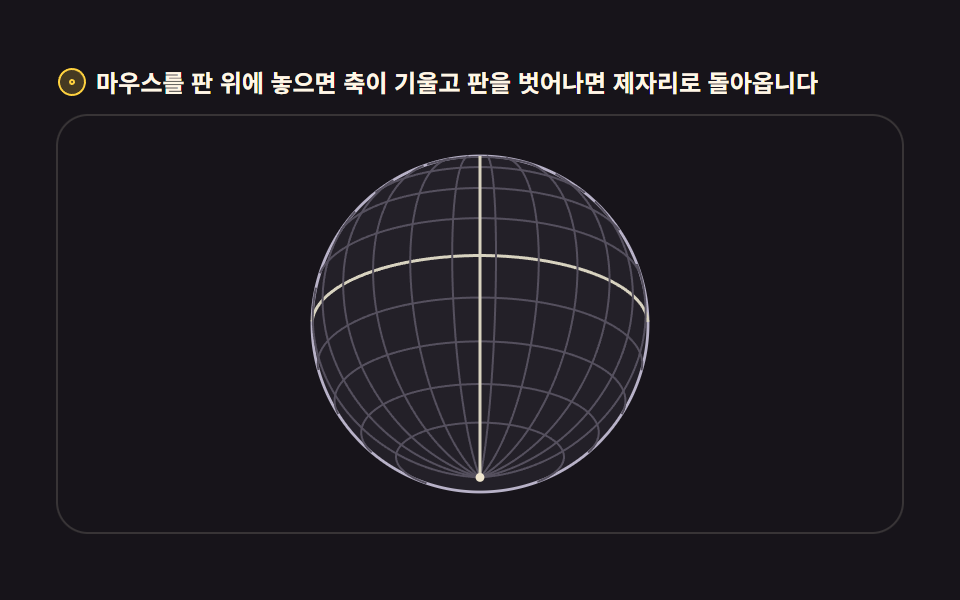 3D Globe Website: 9 Canvas Orbit ScenesA 3d globe website usually loads Three.js. These nine scenes run with no Three.js — just Canvas 2D math — and the widest See all demos in this post
If you like this effect - similar demos
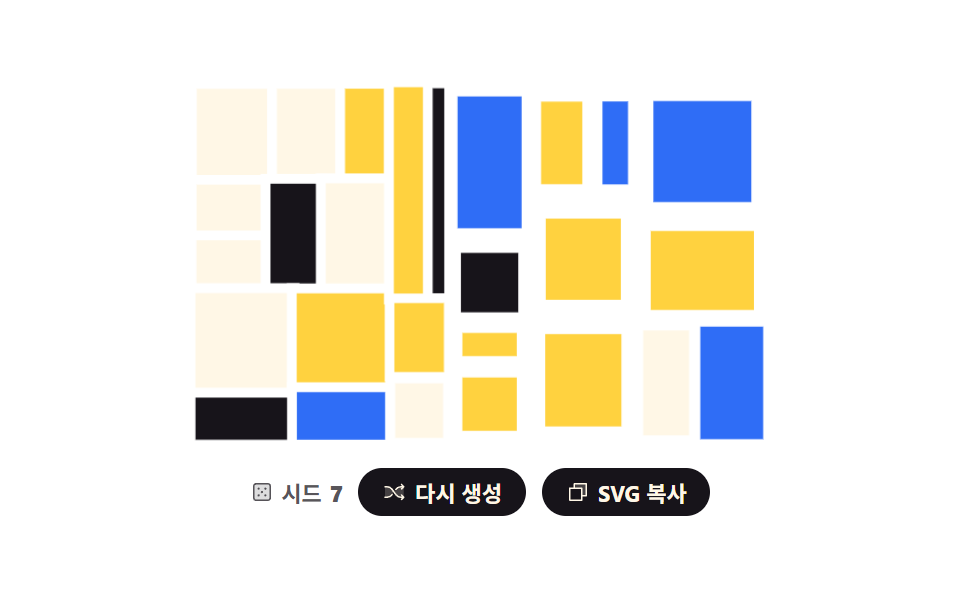 Creative UI07 Recursively split rectanglesCSS Background Pattern Generator: 9 Seeded Scenes
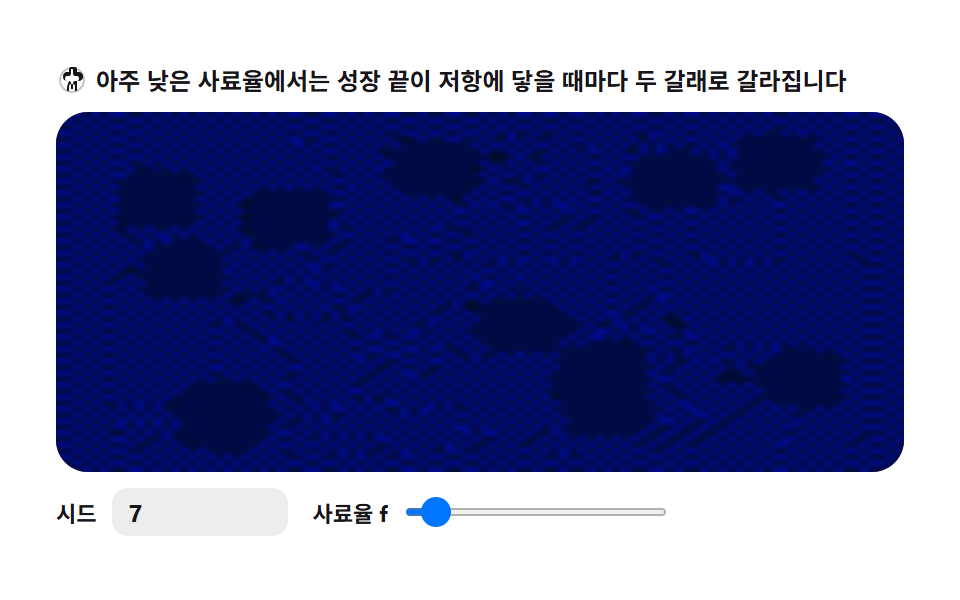 Creative UI09 Splitting fingers — growing tips keep forking9 Reaction Diffusion Simulations, No Library
 Creative UI08 Glowing plankton — a swarm shining in the night sea9 Canvas Boids Algorithm Flocking Birds Simulation