04Circle packing — most circles inside the mask
Circles are greedily placed inside the mask at shrinking diameters with collisions discarded, and the fixed seed means the same letters always get the same layout.
Best forEvent and keynote slide titles
arcgetImageDatafillText
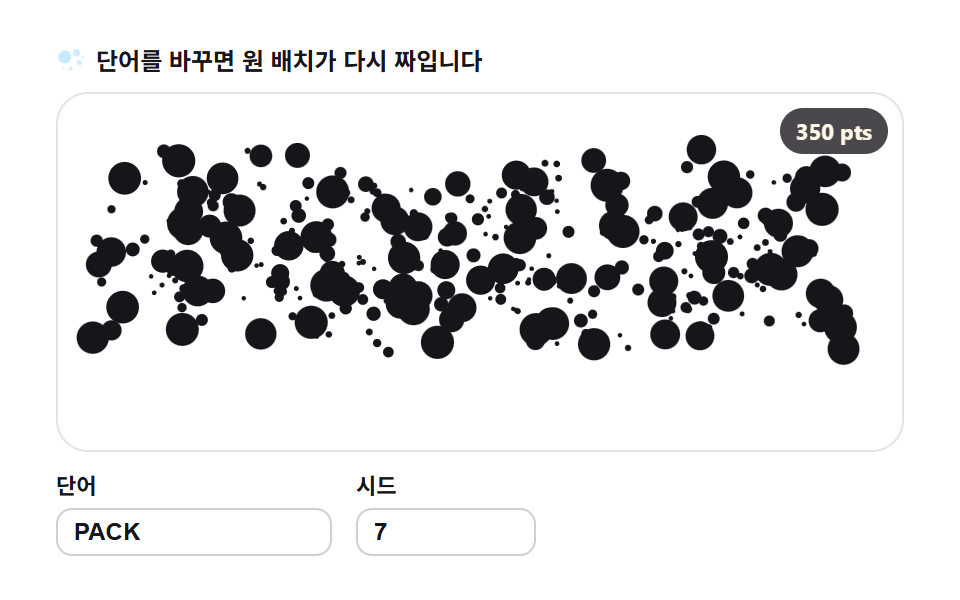
<main class="stage">
<div class="gc" id="gc">
  <p class="gc__hint">
    <svg class="gc__ico" viewBox="0 0 256 256" aria-hidden="true"><g fill="currentColor"><circle cx="70" cy="104" r="52" opacity=".9"/><circle cx="164" cy="70" r="30" opacity=".8"/><circle cx="186" cy="150" r="22" opacity=".7"/><circle cx="118" cy="196" r="16" opacity=".6"/><circle cx="212" cy="106" r="12" opacity=".55"/><circle cx="58" cy="196" r="10" opacity=".5"/></g></svg>
    <span>Change the word and the circles pack anew</span>
  </p>
  <div class="gc__field" id="field" role="application" aria-label="Circle packing playground" tabindex="0">
    <canvas class="gc__cv" id="cv"></canvas>
    <b class="gc__badge" aria-hidden="true" id="badge">0 pts</b>
  </div>
  <div class="gc__bar">
    <label class="gc__dial">Word
      <input type="text" id="word" value="PACK" maxlength="12" spellcheck="false" aria-label="Word">
    </label>
    <label class="gc__dial">Seed
      <input type="number" id="seed" min="1" max="9999" value="7" aria-label="Seed">
    </label>
  </div>
</div>
</main>
@use "../../../../site/static/demo-tokens" as *;
// 원 채우기 — 움직임은 전부 캔버스 rAF 루프 안에 있다(@keyframes 0개 — 077-03 패턴).
// 입자색은 파스텔 변수를 커스텀 프로퍼티로 내려 JS 가 읽어 쓴다. 리터럴 hex 는 없다(BD26).
$glyph-ink: $subject-ink; // 글릿 본색 — 잉크
$glyph-sky: mix($subject-sky, $stage-paper, 42%); // 파스텔 하늘
$glyph-mint: mix($subject-mint, $stage-paper, 42%); // 파스텔 민트
$glyph-peach: mix($subject-orange-deep, $stage-paper, 30%); // 파스텔 복숭아
@include stage($stage-paper);
.gc {
--g0: #{$glyph-ink};
--g1: #{$glyph-sky};
--g2: #{$glyph-mint};
--g3: #{$glyph-peach};
display: flex; flex-direction: column; gap: $sp-2;
width: 100%; max-width: 424px;
}
.gc__hint {
display: flex; align-items: center; gap: $sp-1; margin: 0;
font-weight: 700; font-size: clamp(10px, 2.8vw, 12px); line-height: 1.35;
color: $subject-ink;
}
.gc__ico { width: 16px; height: 16px; flex: 0 0 auto; color: $glyph-sky; }
.gc__field {
position: relative; height: 180px;
border-radius: $r-card; overflow: hidden;
background: $stage-paper;
box-shadow: inset 0 0 0 1px rgba($subject-ink, .12);
}
.gc__field:focus-visible { outline: 2px solid $glyph-sky; outline-offset: 2px; }
.gc__cv { display: block; width: 100%; height: 100%; }
// 놓인 원의 수를 화면에 적는다 — 런타임 샘플링이 이 데모의 요점이다
.gc__badge {
position: absolute; right: $sp-2; top: $sp-2;
padding: $sp-1 $sp-2; border-radius: $r-pill;
background: rgba($subject-ink, .78);
color: $subject-cream; font-weight: 700; font-size: 11px;
}
.gc__bar { display: flex; align-items: flex-end; gap: $sp-3; }
.gc__dial {
display: flex; flex-direction: column; gap: $sp-1;
font-weight: 700; font-size: 11px; color: $subject-ink;
}
.gc__dial input {
width: 120px; margin: 0; padding: $sp-1 $sp-2;
border: 1px solid rgba($subject-ink, .2); border-radius: $r-sm;
background: $stage-paper; color: $subject-ink;
font-weight: 700; font-size: 12px;
}
.gc__dial input[type="number"] { width: 72px; }
.gc__dial input:focus-visible { outline: 2px solid $glyph-sky; outline-offset: 1px; }
@media (max-width: 340px) {
.gc { gap: $sp-1; }
.gc__field { height: 100px; }
.gc__badge { font-size: 10px; padding: 0 $sp-1; }
.gc__dial input { width: 88px; }
.gc__dial input[type="number"] { width: 56px; }
.gc__hint { font-size: 10px; }
}
// reduce — 루프가 아예 안 돈다. 완성 포즈의 정지 한 장이 남는다.
@media (prefers-reduced-motion: reduce) {
.gc.is-still .gc__field { cursor: default !important; }
}html, body {
margin: 0;
overflow: hidden;
}
.stage {
box-sizing: border-box;
min-height: 100vh;
display: grid;
place-items: center;
margin: 0;
background: #ffffff;
font-family: -apple-system, "Segoe UI", "Noto Sans KR", sans-serif;
padding: clamp(8px, 4vw, 24px);
}
.gc {
--g0: #17141a;
--g1: rgb(76.1176470588%, 90.9411764706%, 100%);
--g2: rgb(70.5176470588%, 92.9176470588%, 85.3411764706%);
--g3: rgb(93.6470588235%, 75.6470588235%, 70%);
display: flex;
flex-direction: column;
gap: 8px;
width: 100%;
max-width: 424px;
}
.gc__hint {
display: flex;
align-items: center;
gap: 4px;
margin: 0;
font-weight: 700;
font-size: clamp(10px, 2.8vw, 12px);
line-height: 1.35;
color: #17141a;
}
.gc__ico {
width: 16px;
height: 16px;
flex: 0 0 auto;
color: rgb(76.1176470588%, 90.9411764706%, 100%);
}
.gc__field {
position: relative;
height: 180px;
border-radius: 16px;
overflow: hidden;
background: #ffffff;
box-shadow: inset 0 0 0 1px rgba(23, 20, 26, 0.12);
}
.gc__field:focus-visible {
outline: 2px solid rgb(76.1176470588%, 90.9411764706%, 100%);
outline-offset: 2px;
}
.gc__cv {
display: block;
width: 100%;
height: 100%;
}
.gc__badge {
position: absolute;
right: 8px;
top: 8px;
padding: 4px 8px;
border-radius: 999px;
background: rgba(23, 20, 26, 0.78);
color: #fff7e6;
font-weight: 700;
font-size: 11px;
}
.gc__bar {
display: flex;
align-items: flex-end;
gap: 12px;
}
.gc__dial {
display: flex;
flex-direction: column;
gap: 4px;
font-weight: 700;
font-size: 11px;
color: #17141a;
}
.gc__dial input {
width: 120px;
margin: 0;
padding: 4px 8px;
border: 1px solid rgba(23, 20, 26, 0.2);
border-radius: 8px;
background: #ffffff;
color: #17141a;
font-weight: 700;
font-size: 12px;
}
.gc__dial input[type=number] {
width: 72px;
}
.gc__dial input:focus-visible {
outline: 2px solid rgb(76.1176470588%, 90.9411764706%, 100%);
outline-offset: 1px;
}
@media (max-width: 340px) {
.gc {
gap: 4px;
}
.gc__field {
height: 100px;
}
.gc__badge {
font-size: 10px;
padding: 0 4px;
}
.gc__dial input {
width: 88px;
}
.gc__dial input[type=number] {
width: 56px;
}
.gc__hint {
font-size: 10px;
}
}
@media (prefers-reduced-motion: reduce) {
.gc.is-still .gc__field {
cursor: default !important;
}
}// 원 채우기 — 글자를 픽셀로 뜯어 그 안에 최대한 많은 원을 탐욕적으로 놓는다.
// 1) 오프스크린 캔버스에 fillText 로 단어를 그려 getImageData 로 알파 마스크를 뽑는다
// 2) 지름을 10px 에서 1.4px 까지 줄여가며 무작위 위치에 원을 놓고, 마스크 밖이거나 겹치면 버린다
// 3) Seed(mulberry32) 가 시도 순서를 정하므로 같은 Word+같은 시드는 항상 같은 배치가 나온다
// 완성 뒤에는 원들이 제각각의 위상으로 맥동한다(반경 ±7%) — 판이 숨쉰다.
var root = document.getElementById('gc');
var field = document.getElementById('field');
var cv = document.getElementById('cv');
var ctx = cv.getContext('2d');
var wordIn = document.getElementById('word');
var seedIn = document.getElementById('seed');
var badge = document.getElementById('badge');
var SW = 252, SH = 108; // 샘플 해상도 — 판 비율과 같다
var DIAMS = [9.2, 7.2, 5.6, 4.4, 3.4, 2.6, 1.9, 1.4]; // 지름 단계 — 큰 원부터 채운다
var TRIES = [1500, 2400, 3600, 5000, 6400, 7400, 8000, 8600]; // 단계별 시도 수
var CELL = 12, GW = 24; // 충돌 조회 격자(한 칸 12px — 최대 지름 10 보다 넉넉)
var reduce = window.matchMedia('(prefers-reduced-motion: reduce)').matches;
var W = 0, H = 0;
var circles = [];
var t0 = 0, raf = 0;
// 색 — scss 가 파스텔 커스텀 프로퍼티(--g0..--g3)로 내려준 넉 색을 읽어 쓴다
var css = getComputedStyle(root);
function hexOf(name) {
var v = css.getPropertyValue(name).trim().replace('#', '');
if (v.length === 3) v = v.charAt(0) + v.charAt(0) + v.charAt(1) + v.charAt(1) + v.charAt(2) + v.charAt(2);
return '#' + v;
}
var cols = [hexOf('--g0'), hexOf('--g1'), hexOf('--g2'), hexOf('--g3')];
// 결정적 난수 — Seed 하나가 시도 순서·원의 위상·색 전부를 정한다
function mulberry32(a) {
return function () {
a |= 0; a = a + 0x6D2B79F5 | 0;
var t = Math.imul(a ^ a >>> 15, 1 | a);
t = t + Math.imul(t ^ t >>> 7, 61 | t) ^ t;
return ((t ^ t >>> 14) >>> 0) / 4294967296;
};
}
// ── 1) 글자 → 알파 마스크 ────────────────────────────────────────
function buildMask(word) {
var off = document.createElement('canvas');
off.width = SW; off.height = SH;
var oc = off.getContext('2d', { willReadFrequently: true });
oc.textAlign = 'center'; oc.textBaseline = 'middle';
var fs = 200;
oc.font = '900 ' + fs + 'px Arial';
var w = oc.measureText(word).width || 1;
fs = Math.min(fs * ((SW - 8) / w), SH - 6); // 폭·높이 안에서 제일 큰 글자
oc.font = '900 ' + Math.round(fs) + 'px Arial';
oc.fillStyle = '#fff';
oc.fillText(word, SW / 2, SH / 2);
return oc.getImageData(0, 0, SW, SH).data;
}
function pickColor(r) {
if (r < 0.55) return 0; // 잉크 다수
if (r < 0.73) return 1; // 하늘
if (r < 0.88) return 2; // 민트
return 3; // 복숭아
}
// ── 2) 탐욕 원 채우기 — 격자 조회로 충돌 검사를 O(1) 에 가깝게 ──
// 각 원은 흩어진 시작 자리(sx,sy — 시드로 결정)를 함께 받는다. 등장 때 이 자리에서 목표로 날아든다.
function packCircles(data, seed) {
var rnd = mulberry32(seed);
var out = [];
var grid = []; // 칸 -> 원 인덱스 목록
function hits(x, y, r) {
var cx = Math.floor(x / CELL), cy = Math.floor(y / CELL);
for (var gy = cy - 1; gy <= cy + 1; gy++) {
for (var gx = cx - 1; gx <= cx + 1; gx++) {
if (gx < 0 || gy < 0 || gx >= GW) continue;
var cell = grid[gy * GW + gx];
if (!cell) continue;
for (var k = 0; k < cell.length; k++) {
var c = out[cell[k]];
var dx = c.x - x, dy = c.y - y, rr = c.r + r + 0.25;
if (dx * dx + dy * dy < rr * rr) return true;
}
}
}
return false;
}
for (var d = 0; d < DIAMS.length; d++) {
var r = DIAMS[d] / 2;
for (var i = 0; i < TRIES[d]; i++) {
var x = rnd() * SW, y = rnd() * SH;
var xi = x | 0, yi = y | 0;
if (data[(yi * SW + xi) * 4 + 3] <= 128) continue; // 마스크 밖 — 버린다
if (hits(x, y, r)) continue; // 겹침 — 버린다
var c = { x: x, y: y, r: r, ph: rnd() * 6.2832, ci: pickColor(rnd()), sx: rnd() * SW, sy: rnd() * SH };
var gi = (y / CELL | 0) * GW + (x / CELL | 0);
(grid[gi] || (grid[gi] = [])).push(out.length);
out.push(c);
}
}
return out;
}
// ── 3) Word·시드가 바뀌면 배치를 다시 계산한다 ───────────────────
var word = 'PACK', seed = 7;
function resample(nextWord, nextSeed) {
var w = String(nextWord == null ? word : nextWord).trim().toUpperCase();
if (w) word = w; // 빈 문자열이면 직전 값을 유지
var s = Math.floor(Number(nextSeed));
if (s >= 1) seed = s;
circles = packCircles(buildMask(word), seed);
window.__sampleInfo = { targets: circles.length, particles: circles.length };
badge.textContent = circles.length + ' pts';
if (reduce) {
paint(1); // 완성 포즈 한 장 — k=1
} else {
t0 = performance.now(); // 등장 연출을 처음부터 다시
}
}
function fit() {
var r = field.getBoundingClientRect();
var d = window.devicePixelRatio || 1;
W = r.width; H = r.height;
cv.width = Math.round(W * d); cv.height = Math.round(H * d);
ctx.setTransform(d, 0, 0, d, 0, 0);
}
// 등장 — 원들이 흩어진 자리에서 채워진 배치로 날아든다(0.55 초, easeOutQuad).
// 이후 2초 주기로 숨쉰다: 배치가 중심 쪽으로 0.78↔1.0 만큼 오그라들었다 펴진다.
function posK(t) {
var cyc = Math.floor(t / 2) * 2;
var u = t - cyc;
if (u < 0.55) {
var q = u / 0.55;
return 1 - (1 - q) * (1 - q); // 날아드는 중 — 목표를 향해 가속
}
var s = (u - 0.55) / 1.45;
return 0.78 + 0.22 * (0.5 - 0.5 * Math.cos(s * 6.2832)); // 정착부 — 호흡
}
function paint(t) {
ctx.clearRect(0, 0, W, H);
var sx = W / SW, sy = H / SH;
var k = reduce ? 1 : posK(t);
var ox = Math.sin(t * 0.8) * 1.2, oy = Math.cos(t * 0.6) * 1.0; // 판 등록 미세 흔들림
for (var i = 0; i < circles.length; i++) {
var c = circles[i];
var x = c.sx + (c.x - c.sx) * k; // 흩어진 자리 → 채워진 자리
var y = c.sy + (c.y - c.sy) * k;
var pulse = 1 + 0.07 * Math.sin(t * 6.2832 + c.ph); // 원마다 위상이 다른 맥동
ctx.fillStyle = cols[c.ci];
ctx.beginPath();
ctx.arc((x + ox) * sx, (y + oy) * sy, c.r * pulse * sx, 0, 6.2832);
ctx.fill();
}
}
function frame(now) {
paint((now - t0) / 1000);
raf = requestAnimationFrame(frame);
}
wordIn.addEventListener('input', function () { resample(wordIn.value, seedIn.value); });
seedIn.addEventListener('input', function () { resample(wordIn.value, seedIn.value); });
window.addEventListener('resize', function () { fit(); if (reduce) paint(1); });
fit();
resample(wordIn.value, seedIn.value);
if (reduce) {
root.classList.add('is-still'); // 루프 없이 정지 한 장
} else {
raf = requestAnimationFrame(frame);
}// GlyphCirclePacking — vanilla 판(run/310/demo/04-glyph-circle-packing/index.html) 의 React 포트.
// 오프스크린 캔버스에 fillText 로 단어를 그려 getImageData 로 알파 마스크를 뽑고,
// 지름을 9.2→1.4px 로 줄여가며 마스크 안에 겹치지 않게 원을 탐욕적으로 놓는다.
// 시도 순서·시작 자리·위상·색은 전부 mulberry32(시드) 로 정한다 — 같은 시드는 같은 배치.
// 움직임은 캔버스 rAF 루프가 전부 그리므로 @keyframes 는 없다 — props 는 CSS 변수로 내려간다.
import { useEffect, useRef, useState } from "react";
import type { CSSProperties } from "react";
import styles from "./GlyphCirclePacking.module.scss";
export type GlyphCirclePackingProps = {
duration?: string;
easing?: string;
color?: string;
};
type Vars = CSSProperties & { "--duration"?: string; "--easing"?: string; "--color"?: string };
type Box<T> = { current: T };
// React 이벤트 제네릭이 없는 환경이라 필요한 것만 로컬로 선언한다
type InputEvt = { target: { value: string } };
const SW = 252, SH = 108; // 샘플 해상도 — 판 비율과 같다
const DIAMS = [9.2, 7.2, 5.6, 4.4, 3.4, 2.6, 1.9, 1.4]; // 지름 단계 — 큰 원부터 채운다
const TRIES = [1500, 2400, 3600, 5000, 6400, 7400, 8000, 8600]; // 단계별 시도 수
const CELL = 12, GW = 24; // 충돌 조회 격자(한 칸 12px)
const FIELD_LABEL = "원 채우기 실험판";
// 결정적 난수 — mulberry32. 같은 시드면 같은 수열을 돌려준다
function mulberry32(a: number): () => number {
return function () {
a |= 0; a = (a + 0x6D2B79F5) | 0;
const t = Math.imul(a ^ (a >>> 15), 1 | a);
const u = (t + Math.imul(t ^ (t >>> 7), 61 | t)) ^ t;
return ((u ^ (u >>> 14)) >>> 0) / 4294967296;
};
}
type Circle = { x: number; y: number; r: number; ph: number; ci: number; sx: number; sy: number };
// 오프스크린 fillText → 알파 마스크 픽셀 배열
function buildMask(word: string): Uint8ClampedArray {
const off = document.createElement("canvas");
off.width = SW; off.height = SH;
const oc = off.getContext("2d", { willReadFrequently: true }) as CanvasRenderingContext2D;
oc.textAlign = "center"; oc.textBaseline = "middle";
let fs = 200;
oc.font = "900 " + fs + "px Arial";
const w = oc.measureText(word).width || 1;
fs = Math.min(fs * ((SW - 8) / w), SH - 6); // 폭·높이 안에서 제일 큰 글자
oc.font = "900 " + Math.round(fs) + "px Arial";
oc.fillStyle = "#fff";
oc.fillText(word, SW / 2, SH / 2);
return oc.getImageData(0, 0, SW, SH).data;
}
function pickColor(r: number): number {
if (r < 0.55) return 0; // 잉크 다수
if (r < 0.73) return 1; // 하늘
if (r < 0.88) return 2; // 민트
return 3; // 복숭아
}
// 탐욕 원 채우기 — 격자 조회로 충돌 검사를 O(1) 에 가깝게.
// 각 원은 흩어진 시작 자리(sx,sy — 시드로 결정)를 함께 받는다.
function packCircles(data: Uint8ClampedArray, seed: number): Circle[] {
const rnd = mulberry32(seed);
const out: Circle[] = [];
const grid: (number[] | undefined)[] = []; // 칸 -> 원 인덱스 목록
function hits(x: number, y: number, r: number): boolean {
const cx = Math.floor(x / CELL), cy = Math.floor(y / CELL);
for (let gy = cy - 1; gy <= cy + 1; gy++) {
for (let gx = cx - 1; gx <= cx + 1; gx++) {
if (gx < 0 || gy < 0 || gx >= GW) continue;
const cell = grid[gy * GW + gx];
if (!cell) continue;
for (let k = 0; k < cell.length; k++) {
const c = out[cell[k]];
const dx = c.x - x, dy = c.y - y, rr = c.r + r + 0.25;
if (dx * dx + dy * dy < rr * rr) return true;
}
}
}
return false;
}
for (let d = 0; d < DIAMS.length; d++) {
const r = DIAMS[d] / 2;
for (let i = 0; i < TRIES[d]; i++) {
const x = rnd() * SW, y = rnd() * SH;
const xi = x | 0, yi = y | 0;
if (data[(yi * SW + xi) * 4 + 3] <= 128) continue; // 마스크 밖 — 버린다
if (hits(x, y, r)) continue; // 겹침 — 버린다
const c: Circle = { x, y, r, ph: rnd() * 6.2832, ci: pickColor(rnd()), sx: rnd() * SW, sy: rnd() * SH };
const gi = ((y / CELL) | 0) * GW + ((x / CELL) | 0);
(grid[gi] || (grid[gi] = [])).push(out.length);
out.push(c);
}
}
return out;
}
// 등장(0.55 초 easeOutQuad) 뒤 2초 주기로 숨쉰다 — 배치가 0.78↔1.0 만큼 오그라들었다 펴진다
function posK(t: number): number {
const cyc = Math.floor(t / 2) * 2;
const u = t - cyc;
if (u < 0.55) {
const q = u / 0.55;
return 1 - (1 - q) * (1 - q); // 날아드는 중 — 목표를 향해 가속
}
const s = (u - 0.55) / 1.45;
return 0.78 + 0.22 * (0.5 - 0.5 * Math.cos(s * 6.2832)); // 정착부 — 호흡
}
export default function GlyphCirclePacking({
duration = "2s", // vanilla $duration: $dur-loop
easing = "cubic-bezier(.2, .8, .2, 1)", // vanilla $easing: $ease-spring
color = "#17141a", // vanilla $glyph-ink
}: GlyphCirclePackingProps) {
const rootRef = useRef<HTMLDivElement | null>(null);
const fieldRef = useRef<HTMLDivElement | null>(null);
const cvRef = useRef<HTMLCanvasElement | null>(null);
const ctxRef = useRef<CanvasRenderingContext2D | null>(null);
const circlesRef = useRef<Circle[]>([]) as Box<Circle[]>;
const colsRef = useRef<string[]>([]) as Box<string[]>;
const sizeRef = useRef({ w: 0, h: 0 }) as Box<{ w: number; h: number }>;
const stateRef = useRef({ word: "PACK", seed: 7, t0: 0 }) as Box<{ word: string; seed: number; t0: number }>;
const rafRef = useRef(0) as Box<number>;
const [count, setCount] = useState(0);
const [still, setStill] = useState(false);
const vars: Vars = { "--duration": duration, "--easing": easing, "--color": color };
function reduced(): boolean {
return window.matchMedia("(prefers-reduced-motion: reduce)").matches;
}
function hex3to6(v: string): string {
if (v.length === 3) return v.charAt(0) + v.charAt(0) + v.charAt(1) + v.charAt(1) + v.charAt(2) + v.charAt(2);
return v;
}
function colors(): string[] {
const root = rootRef.current;
if (!root) return ["#17141a", "#17141a", "#17141a", "#17141a"];
const one = (n: string) => hex3to6(getComputedStyle(root).getPropertyValue(n).trim());
return [one("--g0"), one("--g1"), one("--g2"), one("--g3")];
}
// 고DPI 대응 — 배킹 스토어는 devicePixelRatio 배, 그리기 좌표계는 CSS 픽셀 그대로
function fit(): void {
const field = fieldRef.current;
const cv = cvRef.current;
if (!field || !cv) return;
const r = field.getBoundingClientRect();
const dpr = window.devicePixelRatio || 1;
sizeRef.current.w = r.width;
sizeRef.current.h = r.height;
cv.width = Math.round(r.width * dpr);
cv.height = Math.round(r.height * dpr);
const ctx = ctxRef.current;
if (ctx) ctx.setTransform(dpr, 0, 0, dpr, 0, 0);
}
function paint(t: number): void {
const ctx = ctxRef.current;
const circles = circlesRef.current;
const cols = colsRef.current;
if (!ctx) return;
const W = sizeRef.current.w, H = sizeRef.current.h;
ctx.clearRect(0, 0, W, H);
const sx = W / SW, sy = H / SH;
const k = reduced() ? 1 : posK(t);
const ox = Math.sin(t * 0.8) * 1.2, oy = Math.cos(t * 0.6) * 1.0; // 판 등록 미세 흔들림
for (let i = 0; i < circles.length; i++) {
const c = circles[i];
const x = c.sx + (c.x - c.sx) * k; // 흩어진 자리 → 채워진 자리
const y = c.sy + (c.y - c.sy) * k;
const pulse = 1 + 0.07 * Math.sin(t * 6.2832 + c.ph); // 원마다 위상이 다른 맥동
ctx.fillStyle = cols[c.ci] || "#17141a";
ctx.beginPath();
ctx.arc((x + ox) * sx, (y + oy) * sy, c.r * pulse * sx, 0, 6.2832);
ctx.fill();
}
}
// 단어·시드가 바뀌면 배치를 다시 계산한다(런타임 샘플링)
function resample(nextWord: string, nextSeed: number): void {
const st = stateRef.current;
const w = String(nextWord == null ? st.word : nextWord).trim().toUpperCase();
if (w) st.word = w;
if (nextSeed >= 1) st.seed = Math.floor(nextSeed);
circlesRef.current = packCircles(buildMask(st.word), st.seed);
setCount(circlesRef.current.length);
if (reduced()) {
paint(1); // 완성 포즈 한 장 — k=1
} else {
st.t0 = performance.now(); // 등장 연출을 처음부터 다시
}
}
function frame(now: number): void {
paint((now - stateRef.current.t0) / 1000);
rafRef.current = requestAnimationFrame(frame);
}
function onWord(e: InputEvt): void {
resample(e.target.value, stateRef.current.seed);
}
function onSeed(e: InputEvt): void {
const v = Math.floor(Number(e.target.value)) || 1;
resample(stateRef.current.word, v);
}
function onResize(): void {
fit();
if (reduced()) paint(1);
}
useEffect(() => {
const cv = cvRef.current;
if (!cv) return;
ctxRef.current = cv.getContext("2d");
if (!ctxRef.current) return;
colsRef.current = colors();
fit();
resample("PACK", 7);
window.addEventListener("resize", onResize);
if (reduced()) {
// reduce — 루프를 시작하지 않고 완성 포즈 한 장만 그린다
setStill(true);
} else {
rafRef.current = requestAnimationFrame(frame);
}
return () => {
window.removeEventListener("resize", onResize);
cancelAnimationFrame(rafRef.current);
};
}, []);
const cls = [styles.root, still ? styles.isStill : ""].filter(Boolean).join(" ");
return (
<main className={styles.stage}>
<div className={cls} ref={rootRef} style={vars}>
<p className={styles.hint}>
<svg className={styles.ico} viewBox="0 0 256 256" aria-hidden="true"><g fill="currentColor"><circle cx="70" cy="104" r="52" opacity=".9"/><circle cx="164" cy="70" r="30" opacity=".8"/><circle cx="186" cy="150" r="22" opacity=".7"/><circle cx="118" cy="196" r="16" opacity=".6"/><circle cx="212" cy="106" r="12" opacity=".55"/><circle cx="58" cy="196" r="10" opacity=".5"/></g></svg>
<span>단어를 바꾸면 원 배치가 다시 짜입니다</span>
</p>
<div className={styles.field} ref={fieldRef} role="application" aria-label={FIELD_LABEL} tabIndex={0}>
<canvas className={styles.cv} ref={cvRef} id="cv"></canvas>
<b className={styles.badge} aria-hidden="true">{count} pts</b>
</div>
<div className={styles.bar}>
<label className={styles.dial}>단어
<input type="text" id="word" defaultValue="PACK" maxLength={12} spellCheck={false} aria-label="단어" onInput={onWord} />
</label>
<label className={styles.dial}>시드
<input type="number" id="seed" defaultValue={7} min={1} max={9999} aria-label="시드" onInput={onSeed} />
</label>
</div>
</div>
</main>
);
}04 Circle packing — most circles inside the mask — Measured area 32.033% · moving frames 23/23Original by GODRICH · SCSS and React ship in the zip · 9 Text Particle Effect CSS Ideas From Pixels
The post this demo lives in
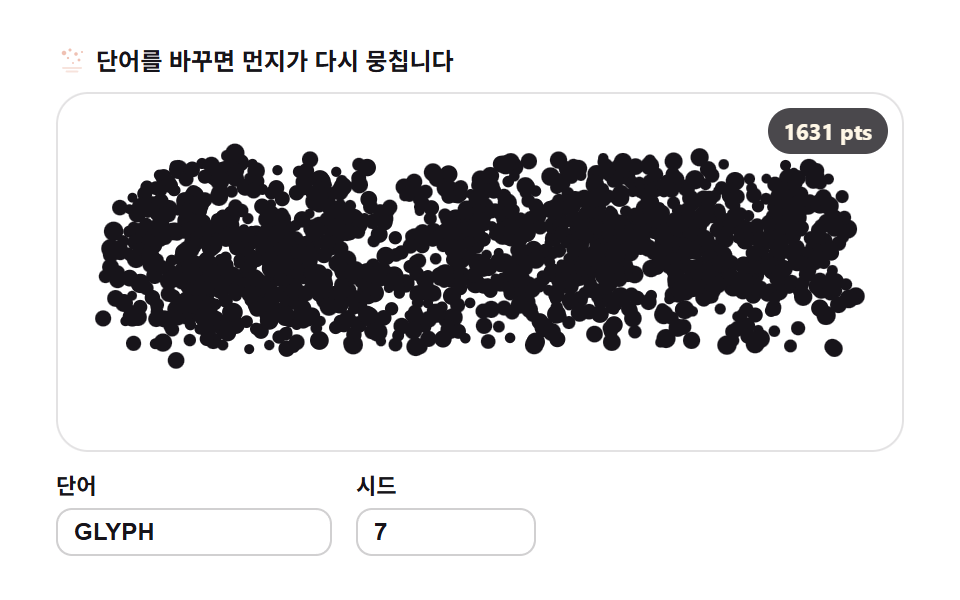 9 Text Particle Effect CSS Ideas From PixelsA text particle effect built with CSS keyframes always drags the whole letter as one block. These nine boards refuse tha See all demos in this post
If you like this effect - similar demos
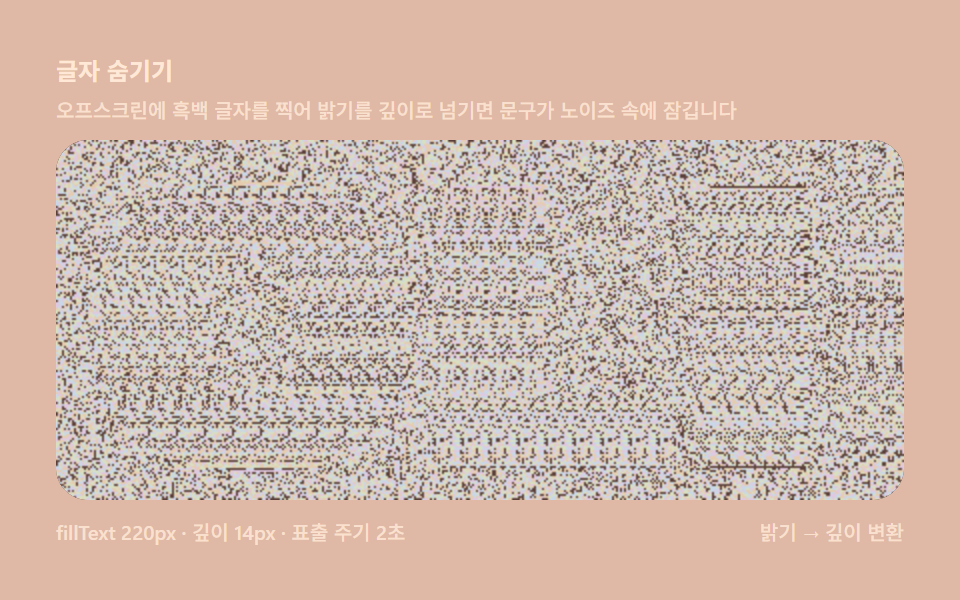 Creative UI03 Hiding text — fillText stamped straight into the depth mapMagic Eye Stereograms: 9 Depth Map Demos
 Creative UI08 Text that scatters into particlesCanvas Particle Animation: 9 Engine Patterns
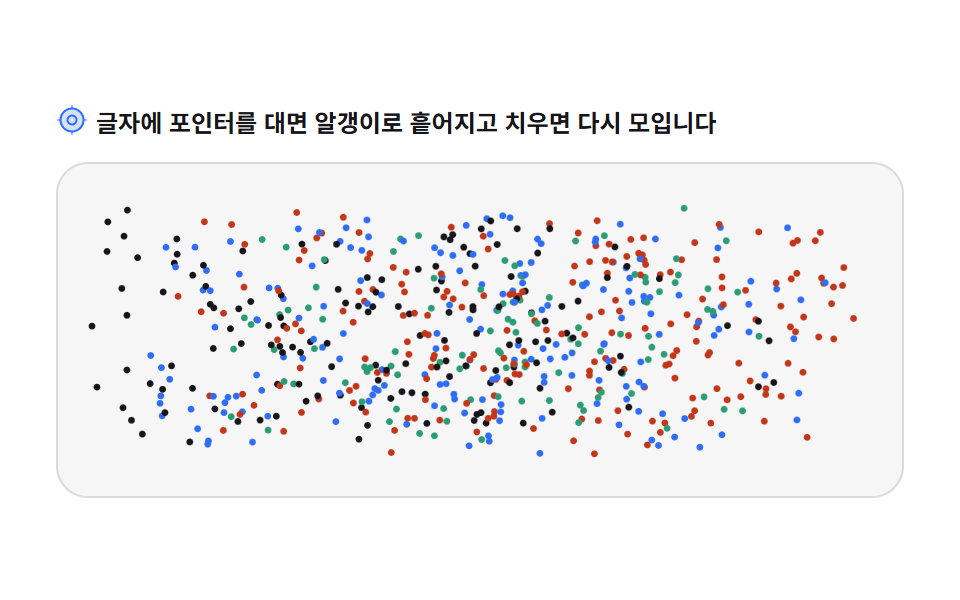
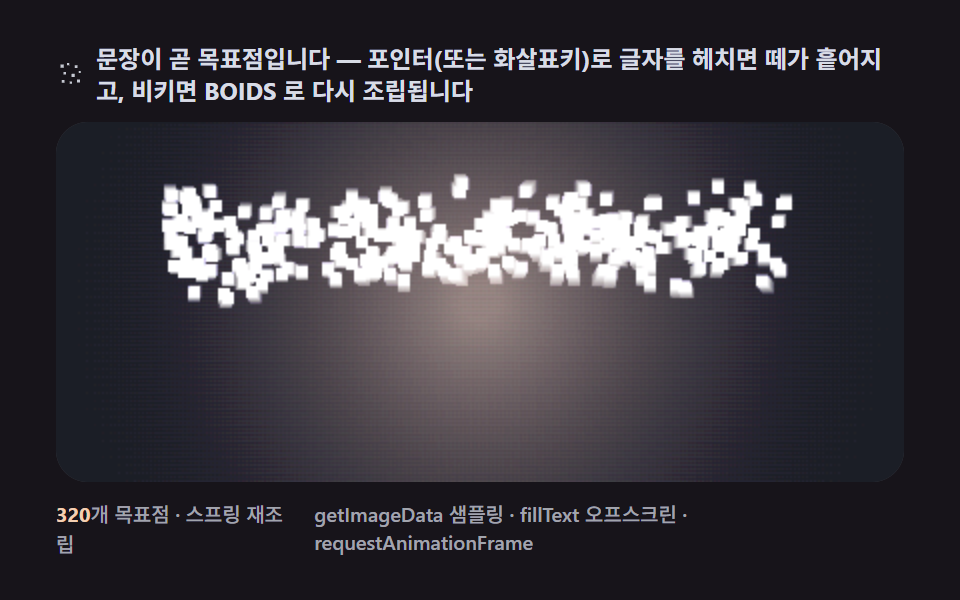 Creative UI09 A flock that spells — a sentence assembling while dodging the pointer9 Canvas Boids Algorithm Flocking Birds Simulation