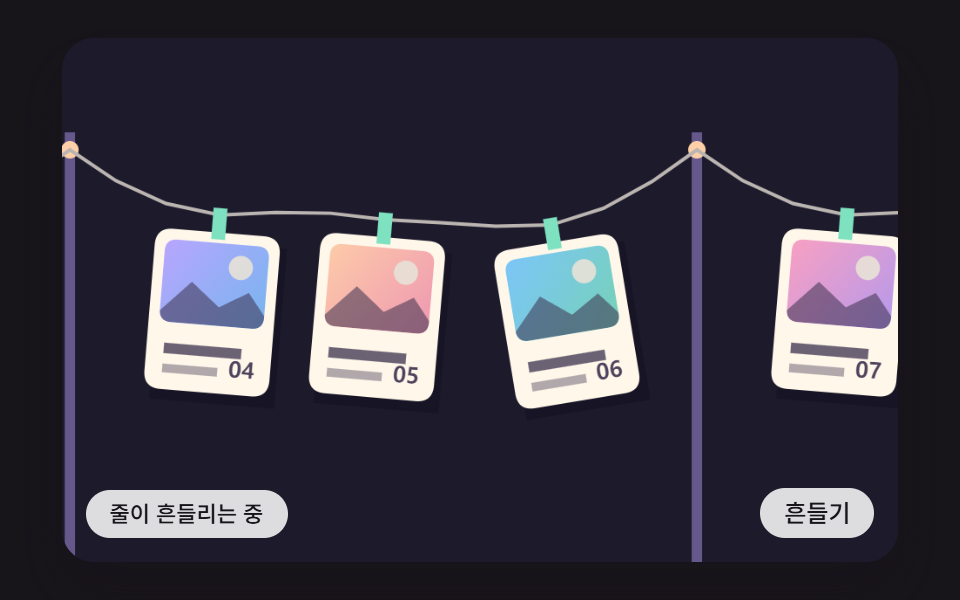
07A Row of Cards Hung on a Cord That Get Pulled Sideways After the Lead Card, Swing and Settle
Cord joints are integrated from their current and previous positions only, and the distance between neighbors is corrected several times per frame to keep the cord length. Each card hangs from its joint and turns with the cord's slope.
Best forPhoto gallery lines and event merchandise displays
SLACKGRAVITERCARD_WEIGHT
<main class="stage">
<div class="hs is-demo" id="hs">
  <canvas class="hs__canvas" data-role="canvas" width="480" height="300" tabindex="0" aria-label="Cards hanging on a cord between posts, where the cord lags behind and sways as the track is pushed sideways"></canvas>
  <p class="hs__status" data-role="status" aria-live="off">Settled</p>
  <div class="hs__tools">
    <button class="hs__btn" data-role="btn" type="button">Shake</button>
  </div>
</div>
</main>
@use "../../../../site/static/demo-tokens" as *;
@include stage($stage-ink);
.hs {
position: relative;
width: min(92vw, calc(160vh - 12.8vw));
aspect-ratio: 480 / 300;
margin: 0 auto;
border-radius: $r-card;
overflow: hidden;
box-shadow: $shadow-raised;
background: $subject-ink;
}
.hs__canvas {
display: block;
width: 100%;
height: 100%;
cursor: grab;
}
.hs__canvas:active {
cursor: grabbing;
}
.hs__canvas:focus-visible {
outline: 2px solid rgba(255, 255, 255, .85);
outline-offset: -6px;
}
.hs__status {
position: absolute;
left: $sp-3;
bottom: $sp-3;
max-width: 46%;
margin: 0;
padding: $sp-1 $sp-3;
border-radius: $r-control;
background: rgba(255, 255, 255, .85);
color: $subject-ink;
font-weight: 500;
font-size: 11px;
line-height: 1.4;
pointer-events: none;
}
.hs__tools {
position: absolute;
right: $sp-3;
bottom: $sp-3;
display: flex;
gap: $sp-2;
}
.hs__btn {
margin: 0;
padding: $sp-1 $sp-3;
border: 0;
border-radius: $r-pill;
background: rgba(255, 255, 255, .85);
color: $subject-ink;
font: inherit;
font-weight: 500;
font-size: 12px;
line-height: 1.4;
cursor: pointer;
transition: background-color $dur-quick ease-out;
}
.hs__btn:hover {
background: $subject-cream;
}
.hs__btn[aria-pressed="true"] {
background: $subject-mint;
}
.hs__btn:focus-visible {
outline: 2px solid rgba(255, 255, 255, .95);
outline-offset: 2px;
}
// 손가락 가로 끌기는 이 캔버스가 받고, 세로 쓸기는 브라우저에 남겨 페이지 스크롤이 막히지 않게 한다
.hs__canvas { touch-action: pan-y; }
@media (max-width: 340px) {
.hs__btn { font-size: 10px; padding: $sp-1 $sp-2; }
.hs__status { font-size: 10px; padding: $sp-1 $sp-2; }
}
@media (prefers-reduced-motion: reduce) {
.hs__btn { transition: none; }
}html, body {
margin: 0;
overflow: hidden;
}
.stage {
box-sizing: border-box;
min-height: 100vh;
display: grid;
place-items: center;
margin: 0;
background: #17141a;
font-family: -apple-system, "Segoe UI", "Noto Sans KR", sans-serif;
padding: clamp(8px, 4vw, 24px);
}
.hs {
position: relative;
width: min(92vw, 160vh - 12.8vw);
aspect-ratio: 480/300;
margin: 0 auto;
border-radius: 16px;
overflow: hidden;
box-shadow: 0 14px 24px rgba(23, 20, 26, 0.32);
background: #17141a;
}
.hs__canvas {
display: block;
width: 100%;
height: 100%;
cursor: grab;
}
.hs__canvas:active {
cursor: grabbing;
}
.hs__canvas:focus-visible {
outline: 2px solid rgba(255, 255, 255, 0.85);
outline-offset: -6px;
}
.hs__status {
position: absolute;
left: 12px;
bottom: 12px;
max-width: 46%;
margin: 0;
padding: 4px 12px;
border-radius: 12px;
background: rgba(255, 255, 255, 0.85);
color: #17141a;
font-weight: 500;
font-size: 11px;
line-height: 1.4;
pointer-events: none;
}
.hs__tools {
position: absolute;
right: 12px;
bottom: 12px;
display: flex;
gap: 8px;
}
.hs__btn {
margin: 0;
padding: 4px 12px;
border: 0;
border-radius: 999px;
background: rgba(255, 255, 255, 0.85);
color: #17141a;
font: inherit;
font-weight: 500;
font-size: 12px;
line-height: 1.4;
cursor: pointer;
transition: background-color 220ms ease-out;
}
.hs__btn:hover {
background: #fff7e6;
}
.hs__btn[aria-pressed=true] {
background: #4cd4a6;
}
.hs__btn:focus-visible {
outline: 2px solid rgba(255, 255, 255, 0.95);
outline-offset: 2px;
}
.hs__canvas {
touch-action: pan-y;
}
@media (max-width: 340px) {
.hs__btn {
font-size: 10px;
padding: 4px 8px;
}
.hs__status {
font-size: 10px;
padding: 4px 8px;
}
}
@media (prefers-reduced-motion: reduce) {
.hs__btn {
transition: none;
}
}(function () {
const root = document.getElementById("hs");
if (!root) return;
const W = 480;
const H = 300;
const FIXED_DT = 16;
// 파스텔 팔레트 — 어두운 무대 위에 밝은 카드를 얹어 명도 차로 읽힌다
const BG = [29, 26, 44];
const PAPER = [255, 248, 234];
const INK = [58, 48, 76];
const MINT = [126, 226, 192];
const SKY = [124, 196, 255];
const LILAC = [190, 164, 255];
const PINK = [255, 160, 190];
const PEACH = [255, 208, 168];
const TINTS = [SKY, PINK, MINT, LILAC, PEACH];
function clamp(v, lo, hi) { return v < lo ? lo : (v > hi ? hi : v); }
function lerp(a, b, k) { return a + (b - a) * k; }
function smooth(x) { const c = clamp(x, 0, 1); return c * c * (3 - 2 * c); }
function rgba(c, a) {
return 'rgba(' + Math.round(c[0]) + ',' + Math.round(c[1]) + ',' + Math.round(c[2]) + ',' + clamp(a, 0, 1).toFixed(3) + ')';
}
function mix(a, b, k) { return [lerp(a[0], b[0], k), lerp(a[1], b[1], k), lerp(a[2], b[2], k)]; }
const canvasEl = root.querySelector('[data-role="canvas"]');
const statusEl = root.querySelector('[data-role="status"]');
const ctxRaw = canvasEl ? canvasEl.getContext('2d') : null;
if (!canvasEl || !ctxRaw || !statusEl) {
return;
}
const cv = canvasEl;
const ctx = ctxRaw;
const status = statusEl;
const reduceQuery = window.matchMedia('(prefers-reduced-motion: reduce)');
const still = reduceQuery.matches;
// 자동 시연 중인가 — 사람이 처음 만지는 순간 시연을 멈추고 상태 줄을 읽어 주기 시작한다
let demo = root.classList.contains('is-demo');
function wake() {
if (!demo) {
return;
}
demo = false;
root.classList.remove('is-demo');
status.setAttribute('aria-live', 'polite');
}
function say(text) {
if (status.textContent !== text) {
status.textContent = text;
}
}
// 휠 한 번의 이동량을 px 로 — 줄 단위(deltaMode 1)·쪽 단위(deltaMode 2) 장치도 같은 눈금으로 맞춘다.
// 가로·세로 중 큰 쪽을 쓴다: 트랙패드의 가로 쓸기와 마우스 휠의 세로 굴림이 같은 방향으로 들어온다
function wheelPx(ev) {
const unit = ev.deltaMode === 1 ? 16 : (ev.deltaMode === 2 ? W : 1);
const d = Math.abs(ev.deltaX) > Math.abs(ev.deltaY) ? ev.deltaX : ev.deltaY;
return d * unit;
}
// 시연 시계가 loop 주기 안의 at 시각을 이번 스텝에 막 지났는가
function crossed(t, at, loop) {
const p = t % loop;
return p >= at && p - FIXED_DT < at;
}
function fitCanvas() {
const dpr = window.devicePixelRatio || 1;
cv.width = Math.round(W * dpr);
cv.height = Math.round(H * dpr);
ctx.setTransform(dpr, 0, 0, dpr, 0, 0);
}
function onResize() {
fitCanvas();
draw();
}
fitCanvas();
window.addEventListener('resize', onResize);
// 화면 좌표(CSS px) → 장면 좌표(480x300). 리사이즈 뒤에도 늘 현재 크기로 다시 잰다
function toScene(ev) {
const r = cv.getBoundingClientRect();
return [((ev.clientX - r.left) / r.width) * W, ((ev.clientY - r.top) / r.height) * H];
}
function roundRectPath(c, x, y, w, h, r) {
const rr = Math.min(r, w / 2, h / 2);
c.beginPath();
c.moveTo(x + rr, y);
c.lineTo(x + w - rr, y);
c.quadraticCurveTo(x + w, y, x + w, y + rr);
c.lineTo(x + w, y + h - rr);
c.quadraticCurveTo(x + w, y + h, x + w - rr, y + h);
c.lineTo(x + rr, y + h);
c.quadraticCurveTo(x, y + h, x, y + h - rr);
c.lineTo(x, y + rr);
c.quadraticCurveTo(x, y, x + rr, y);
c.closePath();
}
// 카드 한 장 — 사진 대신 계산한 그림 칸(그라디언트 하늘·해·언덕) + 글줄 막대 두 개 + 번호
function drawCard(c, x, y, w, h, i, light) {
const t1 = TINTS[i % TINTS.length];
const t2 = TINTS[(i + 2) % TINTS.length];
const k = clamp(light, 0, 1);
roundRectPath(c, x, y, w, h, 10);
c.fillStyle = rgba(mix(BG, PAPER, k), 1);
c.fill();
const ih = h * 0.58;
const g = c.createLinearGradient(x, y, x + w, y + ih);
g.addColorStop(0, rgba(mix(BG, t1, k), 1));
g.addColorStop(1, rgba(mix(BG, t2, k * 0.92), 1));
c.save();
roundRectPath(c, x + 6, y + 6, w - 12, ih - 6, 7);
c.fillStyle = g;
c.fill();
c.clip();
c.fillStyle = rgba(mix(BG, PAPER, k * 0.9), 0.9);
c.beginPath();
c.arc(x + w * 0.7, y + ih * 0.36, Math.min(w, ih) * 0.13, 0, Math.PI * 2);
c.fill();
c.fillStyle = rgba(mix(BG, INK, k), 0.55);
c.beginPath();
c.moveTo(x, y + ih);
c.lineTo(x + w * 0.32, y + ih * 0.55);
c.lineTo(x + w * 0.55, y + ih * 0.8);
c.lineTo(x + w * 0.78, y + ih * 0.62);
c.lineTo(x + w, y + ih);
c.closePath();
c.fill();
c.restore();
c.fillStyle = rgba(mix(BG, INK, k), 0.75);
c.fillRect(x + 10, y + ih + 12, w * 0.62, 6);
c.fillStyle = rgba(mix(BG, INK, k), 0.4);
c.fillRect(x + 10, y + ih + 24, w * 0.44, 5);
c.fillStyle = rgba(mix(BG, INK, k), 0.9);
c.font = '700 13px sans-serif';
c.textAlign = 'right';
c.textBaseline = 'alphabetic';
c.fillText(String(i + 1).padStart(2, '0'), x + w - 9, y + h - 10);
}
const NODE_N = 49;
const TRACK_L = 1440;
const SEG = TRACK_L / (NODE_N - 1);
const SLACK = 1.05;
const REST = SEG * SLACK;
const POST_EVERY = 12;
const CORD_Y = 64;
const PAD = 60;
const GRAV = 1400;
const DAMP = 0.99;
const ITER = 10;
const CARD_WEIGHT = 2.2;
const CARD_AT = [3, 6, 9, 15, 18, 21, 27, 30, 33, 39, 42, 45];
const CARD_W = 72;
const CARD_H = 92;
const CLIP = 10;
const MAX_SCROLL = TRACK_L + PAD * 2 - W;
const S_LERP = 0.09;
const CALM_V = 0.06;
const DEMO_LOOP = 4200;
const TXT_SWAY = 'The cord is swaying';
const TXT_CALM = 'Settled';
const shakeBtn = root.querySelector('[data-role="btn"]');
const px = [];
const py = [];
const ox = [];
const oy = [];
let target = 0;
let scroll = 0;
let calm = true;
function isPost(i) { return i % POST_EVERY === 0; }
// 기둥 자리는 스크롤만큼 옆으로 밀린 화면 좌표에 못 박혀 있다
function postX(i) { return PAD + i * SEG - scroll; }
function weight(i) { return CARD_AT.indexOf(i) >= 0 ? CARD_WEIGHT : 1; }
for (let i = 0; i < NODE_N; i += 1) {
px.push(postX(i));
py.push(CORD_Y);
ox.push(postX(i));
oy.push(CORD_Y);
}
// Verlet 한 스텝 — 속도를 따로 두지 않고 (현재 − Previous) 위치 차를 속도로 쓴다
function integrate(dt) {
for (let i = 0; i < NODE_N; i += 1) {
if (isPost(i)) {
continue;
}
const vx = (px[i] - ox[i]) * DAMP;
const vy = (py[i] - oy[i]) * DAMP;
ox[i] = px[i];
oy[i] = py[i];
px[i] += vx;
py[i] += vy + GRAV * weight(i) * dt * dt;
}
}
// 거리 제약 — 이웃 두 점 사이를 REST 로 되돌리는 일을 ITER 번 되풀이한다. 기둥 점은 움직이지 않는다
function relax() {
for (let it = 0; it < ITER; it += 1) {
for (let i = 0; i < NODE_N; i += 1) {
if (isPost(i)) {
px[i] = postX(i);
py[i] = CORD_Y;
}
}
for (let i = 0; i < NODE_N - 1; i += 1) {
const dx = px[i + 1] - px[i];
const dy = py[i + 1] - py[i];
const d = Math.sqrt(dx * dx + dy * dy) || 1;
if (d <= REST) {
continue;
}
const diff = (d - REST) / d;
const a = isPost(i) ? 0 : (isPost(i + 1) ? 1 : 0.5);
const b = isPost(i + 1) ? 0 : (isPost(i) ? 1 : 0.5);
px[i] += dx * diff * a;
py[i] += dy * diff * a;
px[i + 1] -= dx * diff * b;
py[i + 1] -= dy * diff * b;
}
}
}
// 집게 자리의 줄 기울기(라디안) — 양옆 이웃 점을 잇는 선의 각도
function slopeAt(i) {
const a = Math.max(0, i - 1);
const b = Math.min(NODE_N - 1, i + 1);
return Math.atan2(py[b] - py[a], px[b] - px[a]);
}
function step() {
const prevScroll = scroll;
scroll += (target - scroll) * S_LERP;
if (Math.abs(target - scroll) < 0.05) {
scroll = target;
}
const dt = FIXED_DT / 1000;
integrate(dt);
relax();
let maxV = Math.abs(scroll - prevScroll);
for (let i = 0; i < NODE_N; i += 1) {
maxV = Math.max(maxV, Math.abs(px[i] - ox[i]));
}
const now = maxV < CALM_V;
if (now !== calm) {
calm = now;
say(calm ? TXT_CALM : TXT_SWAY);
}
}
// 처음 모양 — 가만히 둔 줄이 늘어진 모습이 될 때까지 미리 돌려 둔다
function rest(n) {
for (let k = 0; k < n; k += 1) {
integrate(FIXED_DT / 1000);
relax();
for (let i = 0; i < NODE_N; i += 1) {
ox[i] = px[i];
oy[i] = py[i];
}
}
}
rest(240);
function settle() {
scroll = target;
rest(240);
say(TXT_CALM);
}
function demoTick(t) {
if (crossed(t, 200, DEMO_LOOP)) {
target = clamp(target + 420, 0, MAX_SCROLL);
}
if (crossed(t, 1150, DEMO_LOOP)) {
target = clamp(target - 420, 0, MAX_SCROLL);
}
}
function draw() {
ctx.fillStyle = rgba(BG, 1);
ctx.fillRect(0, 0, W, H);
// 기둥
for (let i = 0; i < NODE_N; i += POST_EVERY) {
const x = postX(i);
if (x < -10 || x > W + 10) {
continue;
}
ctx.fillStyle = rgba(mix(BG, LILAC, 0.45), 1);
ctx.fillRect(x - 3, CORD_Y - 10, 6, H);
ctx.fillStyle = rgba(PEACH, 1);
ctx.beginPath();
ctx.arc(x, CORD_Y, 5, 0, Math.PI * 2);
ctx.fill();
}
// 줄
ctx.strokeStyle = rgba(mix(BG, PAPER, 0.7), 1);
ctx.lineWidth = 2;
ctx.beginPath();
ctx.moveTo(px[0], py[0]);
for (let i = 1; i < NODE_N; i += 1) {
ctx.lineTo(px[i], py[i]);
}
ctx.stroke();
// 카드 — 집게 점에 매달려 그 자리의 줄 기울기만큼 기운다
for (let k = 0; k < CARD_AT.length; k += 1) {
const i = CARD_AT[k];
if (px[i] < -CARD_W || px[i] > W + CARD_W) {
continue;
}
ctx.save();
ctx.translate(px[i], py[i]);
ctx.rotate(slopeAt(i));
ctx.fillStyle = rgba([10, 8, 22], 0.35);
ctx.fillRect(-CARD_W / 2 + 4, CLIP + 6, CARD_W, CARD_H);
drawCard(ctx, -CARD_W / 2, CLIP, CARD_W, CARD_H, k, 1);
ctx.fillStyle = rgba(MINT, 1);
ctx.fillRect(-4, -4, 8, CLIP + 8);
ctx.restore();
}
}
function canMove(d) { return d > 0 ? target < MAX_SCROLL : target > 0; }
function moveTo(p) {
target = clamp(p, 0, MAX_SCROLL);
if (still) {
settle();
draw();
}
}
function onWheel(ev) {
const d = wheelPx(ev);
if (d === 0 || !canMove(d)) {
return;
}
ev.preventDefault();
wake();
moveTo(target + d);
}
cv.addEventListener('wheel', onWheel, { passive: false });
let dragId = -1;
let dragX = 0;
cv.addEventListener('pointerdown', function (ev) {
wake();
dragId = ev.pointerId;
cv.setPointerCapture(ev.pointerId);
dragX = toScene(ev)[0];
});
cv.addEventListener('pointermove', function (ev) {
if (ev.pointerId !== dragId) {
return;
}
const sx = toScene(ev)[0];
moveTo(target - (sx - dragX));
dragX = sx;
});
function endDrag(ev) { if (ev.pointerId === dragId) {
dragId = -1;
} }
cv.addEventListener('pointerup', endDrag);
cv.addEventListener('pointercancel', endDrag);
cv.addEventListener('keydown', function (ev) {
let goal = NaN;
if (ev.key === 'ArrowRight') {
goal = target + 180;
}
else if (ev.key === 'ArrowLeft') {
goal = target - 180;
}
else if (ev.key === 'Home') {
goal = 0;
}
else if (ev.key === 'End') {
goal = MAX_SCROLL;
}
if (Number.isNaN(goal) || !canMove(goal - target)) {
return;
}
ev.preventDefault();
wake();
moveTo(goal);
});
if (shakeBtn) {
shakeBtn.addEventListener('click', function () {
wake();
if (still) {
return;
}
// Previous 위치를 옆으로 밀어 두면 Next 스텝에 그만큼 속도가 생긴다
for (let i = 0; i < NODE_N; i += 1) {
if (!isPost(i)) {
ox[i] -= 9;
}
}
});
}
say(TXT_CALM);
let rafId = 0;
let lastTs = -1;
let acc = 0;
let clock = 0;
function frame(ts) {
if (lastTs < 0) {
lastTs = ts;
}
// 탭이 숨었다 돌아와도 한 번에 100ms 까지만 따라잡는다 — 순간이동 대신 이어서 움직인다
acc += Math.min(ts - lastTs, 100);
lastTs = ts;
let n = 0;
while (acc >= FIXED_DT && n < 6) {
clock += FIXED_DT;
if (demo) {
demoTick(clock);
}
step();
acc -= FIXED_DT;
n += 1;
}
draw();
rafId = window.requestAnimationFrame(frame);
}
if (still) {
settle();
draw();
}
else {
rafId = window.requestAnimationFrame(frame);
}
return function () {
window.cancelAnimationFrame(rafId);
window.removeEventListener('resize', onResize);
};
})();// HscVerletCordHangingCards - vanilla 판(07-hsc-verlet-cord-hanging-cards) 의 React 포트. 같은 계산을 useEffect 안에서 돌린다.
import { useEffect, useRef } from "react";
import styles from "./HscVerletCordHangingCards.module.scss";
const cx = (s: string): string => s.split(" ").map((n) => styles[n] ?? n).join(" ");
export default function HscVerletCordHangingCards() {
const rootRef = useRef<HTMLDivElement | null>(null);
useEffect(() => {
const rootEl = rootRef.current;
if (!rootEl) return;
const root: HTMLElement = rootEl;
type RGB = [number, number, number];
const W = 480;
const H = 300;
const FIXED_DT = 16;
// 파스텔 팔레트 — 어두운 무대 위에 밝은 카드를 얹어 명도 차로 읽힌다
const BG: RGB = [29, 26, 44];
const PAPER: RGB = [255, 248, 234];
const INK: RGB = [58, 48, 76];
const MINT: RGB = [126, 226, 192];
const SKY: RGB = [124, 196, 255];
const LILAC: RGB = [190, 164, 255];
const PINK: RGB = [255, 160, 190];
const PEACH: RGB = [255, 208, 168];
const TINTS: RGB[] = [SKY, PINK, MINT, LILAC, PEACH];
function clamp(v: number, lo: number, hi: number): number { return v < lo ? lo : (v > hi ? hi : v); }
function lerp(a: number, b: number, k: number): number { return a + (b - a) * k; }
function smooth(x: number): number { const c = clamp(x, 0, 1); return c * c * (3 - 2 * c); }
function rgba(c: RGB, a: number): string {
return 'rgba(' + Math.round(c[0]) + ',' + Math.round(c[1]) + ',' + Math.round(c[2]) + ',' + clamp(a, 0, 1).toFixed(3) + ')';
}
function mix(a: RGB, b: RGB, k: number): RGB { return [lerp(a[0], b[0], k), lerp(a[1], b[1], k), lerp(a[2], b[2], k)]; }
const canvasEl = root.querySelector('[data-role="canvas"]') as HTMLCanvasElement | null;
const statusEl = root.querySelector('[data-role="status"]') as HTMLElement | null;
const ctxRaw = canvasEl ? canvasEl.getContext('2d') : null;
if (!canvasEl || !ctxRaw || !statusEl) { return; }
const cv: HTMLCanvasElement = canvasEl;
const ctx: CanvasRenderingContext2D = ctxRaw;
const status: HTMLElement = statusEl;
const reduceQuery = window.matchMedia('(prefers-reduced-motion: reduce)');
const still = reduceQuery.matches;
// 자동 시연 중인가 — 사람이 처음 만지는 순간 시연을 멈추고 상태 줄을 읽어 주기 시작한다
let demo = root.classList.contains('is-demo');
function wake(): void {
if (!demo) { return; }
demo = false;
root.classList.remove('is-demo');
status.setAttribute('aria-live', 'polite');
}
function say(text: string): void {
if (status.textContent !== text) { status.textContent = text; }
}
// 휠 한 번의 이동량을 px 로 — 줄 단위(deltaMode 1)·쪽 단위(deltaMode 2) 장치도 같은 눈금으로 맞춘다.
// 가로·세로 중 큰 쪽을 쓴다: 트랙패드의 가로 쓸기와 마우스 휠의 세로 굴림이 같은 방향으로 들어온다
function wheelPx(ev: WheelEvent): number {
const unit = ev.deltaMode === 1 ? 16 : (ev.deltaMode === 2 ? W : 1);
const d = Math.abs(ev.deltaX) > Math.abs(ev.deltaY) ? ev.deltaX : ev.deltaY;
return d * unit;
}
// 시연 시계가 loop 주기 안의 at 시각을 이번 스텝에 막 지났는가
function crossed(t: number, at: number, loop: number): boolean {
const p = t % loop;
return p >= at && p - FIXED_DT < at;
}
function fitCanvas(): void {
const dpr = window.devicePixelRatio || 1;
cv.width = Math.round(W * dpr);
cv.height = Math.round(H * dpr);
ctx.setTransform(dpr, 0, 0, dpr, 0, 0);
}
function onResize(): void {
fitCanvas();
draw();
}
fitCanvas();
window.addEventListener('resize', onResize);
// 화면 좌표(CSS px) → 장면 좌표(480x300). 리사이즈 뒤에도 늘 현재 크기로 다시 잰다
function toScene(ev: PointerEvent): [number, number] {
const r = cv.getBoundingClientRect();
return [((ev.clientX - r.left) / r.width) * W, ((ev.clientY - r.top) / r.height) * H];
}
function roundRectPath(c: CanvasRenderingContext2D, x: number, y: number, w: number, h: number, r: number): void {
const rr = Math.min(r, w / 2, h / 2);
c.beginPath();
c.moveTo(x + rr, y);
c.lineTo(x + w - rr, y);
c.quadraticCurveTo(x + w, y, x + w, y + rr);
c.lineTo(x + w, y + h - rr);
c.quadraticCurveTo(x + w, y + h, x + w - rr, y + h);
c.lineTo(x + rr, y + h);
c.quadraticCurveTo(x, y + h, x, y + h - rr);
c.lineTo(x, y + rr);
c.quadraticCurveTo(x, y, x + rr, y);
c.closePath();
}
// 카드 한 장 — 사진 대신 계산한 그림 칸(그라디언트 하늘·해·언덕) + 글줄 막대 두 개 + 번호
function drawCard(c: CanvasRenderingContext2D, x: number, y: number, w: number, h: number, i: number, light: number): void {
const t1 = TINTS[i % TINTS.length];
const t2 = TINTS[(i + 2) % TINTS.length];
const k = clamp(light, 0, 1);
roundRectPath(c, x, y, w, h, 10);
c.fillStyle = rgba(mix(BG, PAPER, k), 1);
c.fill();
const ih = h * 0.58;
const g = c.createLinearGradient(x, y, x + w, y + ih);
g.addColorStop(0, rgba(mix(BG, t1, k), 1));
g.addColorStop(1, rgba(mix(BG, t2, k * 0.92), 1));
c.save();
roundRectPath(c, x + 6, y + 6, w - 12, ih - 6, 7);
c.fillStyle = g;
c.fill();
c.clip();
c.fillStyle = rgba(mix(BG, PAPER, k * 0.9), 0.9);
c.beginPath();
c.arc(x + w * 0.7, y + ih * 0.36, Math.min(w, ih) * 0.13, 0, Math.PI * 2);
c.fill();
c.fillStyle = rgba(mix(BG, INK, k), 0.55);
c.beginPath();
c.moveTo(x, y + ih);
c.lineTo(x + w * 0.32, y + ih * 0.55);
c.lineTo(x + w * 0.55, y + ih * 0.8);
c.lineTo(x + w * 0.78, y + ih * 0.62);
c.lineTo(x + w, y + ih);
c.closePath();
c.fill();
c.restore();
c.fillStyle = rgba(mix(BG, INK, k), 0.75);
c.fillRect(x + 10, y + ih + 12, w * 0.62, 6);
c.fillStyle = rgba(mix(BG, INK, k), 0.4);
c.fillRect(x + 10, y + ih + 24, w * 0.44, 5);
c.fillStyle = rgba(mix(BG, INK, k), 0.9);
c.font = '700 13px sans-serif';
c.textAlign = 'right';
c.textBaseline = 'alphabetic';
c.fillText(String(i + 1).padStart(2, '0'), x + w - 9, y + h - 10);
}
const NODE_N = 49;
const TRACK_L = 1440;
const SEG = TRACK_L / (NODE_N - 1);
const SLACK = 1.05;
const REST = SEG * SLACK;
const POST_EVERY = 12;
const CORD_Y = 64;
const PAD = 60;
const GRAV = 1400;
const DAMP = 0.99;
const ITER = 10;
const CARD_WEIGHT = 2.2;
const CARD_AT = [3, 6, 9, 15, 18, 21, 27, 30, 33, 39, 42, 45];
const CARD_W = 72;
const CARD_H = 92;
const CLIP = 10;
const MAX_SCROLL = TRACK_L + PAD * 2 - W;
const S_LERP = 0.09;
const CALM_V = 0.06;
const DEMO_LOOP = 4200;
const TXT_SWAY = '줄이 흔들리는 중';
const TXT_CALM = '가라앉음';
const shakeBtn = root.querySelector('[data-role="btn"]') as HTMLButtonElement | null;
const px: number[] = [];
const py: number[] = [];
const ox: number[] = [];
const oy: number[] = [];
let target = 0;
let scroll = 0;
let calm = true;
function isPost(i: number): boolean { return i % POST_EVERY === 0; }
// 기둥 자리는 스크롤만큼 옆으로 밀린 화면 좌표에 못 박혀 있다
function postX(i: number): number { return PAD + i * SEG - scroll; }
function weight(i: number): number { return CARD_AT.indexOf(i) >= 0 ? CARD_WEIGHT : 1; }
for (let i = 0; i < NODE_N; i += 1) {
px.push(postX(i));
py.push(CORD_Y);
ox.push(postX(i));
oy.push(CORD_Y);
}
// Verlet 한 스텝 — 속도를 따로 두지 않고 (현재 − 이전) 위치 차를 속도로 쓴다
function integrate(dt: number): void {
for (let i = 0; i < NODE_N; i += 1) {
if (isPost(i)) { continue; }
const vx = (px[i] - ox[i]) * DAMP;
const vy = (py[i] - oy[i]) * DAMP;
ox[i] = px[i];
oy[i] = py[i];
px[i] += vx;
py[i] += vy + GRAV * weight(i) * dt * dt;
}
}
// 거리 제약 — 이웃 두 점 사이를 REST 로 되돌리는 일을 ITER 번 되풀이한다. 기둥 점은 움직이지 않는다
function relax(): void {
for (let it = 0; it < ITER; it += 1) {
for (let i = 0; i < NODE_N; i += 1) {
if (isPost(i)) { px[i] = postX(i); py[i] = CORD_Y; }
}
for (let i = 0; i < NODE_N - 1; i += 1) {
const dx = px[i + 1] - px[i];
const dy = py[i + 1] - py[i];
const d = Math.sqrt(dx * dx + dy * dy) || 1;
if (d <= REST) { continue; }
const diff = (d - REST) / d;
const a = isPost(i) ? 0 : (isPost(i + 1) ? 1 : 0.5);
const b = isPost(i + 1) ? 0 : (isPost(i) ? 1 : 0.5);
px[i] += dx * diff * a;
py[i] += dy * diff * a;
px[i + 1] -= dx * diff * b;
py[i + 1] -= dy * diff * b;
}
}
}
// 집게 자리의 줄 기울기(라디안) — 양옆 이웃 점을 잇는 선의 각도
function slopeAt(i: number): number {
const a = Math.max(0, i - 1);
const b = Math.min(NODE_N - 1, i + 1);
return Math.atan2(py[b] - py[a], px[b] - px[a]);
}
function step(): void {
const prevScroll = scroll;
scroll += (target - scroll) * S_LERP;
if (Math.abs(target - scroll) < 0.05) { scroll = target; }
const dt = FIXED_DT / 1000;
integrate(dt);
relax();
let maxV = Math.abs(scroll - prevScroll);
for (let i = 0; i < NODE_N; i += 1) { maxV = Math.max(maxV, Math.abs(px[i] - ox[i])); }
const now = maxV < CALM_V;
if (now !== calm) { calm = now; say(calm ? TXT_CALM : TXT_SWAY); }
}
// 처음 모양 — 가만히 둔 줄이 늘어진 모습이 될 때까지 미리 돌려 둔다
function rest(n: number): void {
for (let k = 0; k < n; k += 1) {
integrate(FIXED_DT / 1000);
relax();
for (let i = 0; i < NODE_N; i += 1) { ox[i] = px[i]; oy[i] = py[i]; }
}
}
rest(240);
function settle(): void {
scroll = target;
rest(240);
say(TXT_CALM);
}
function demoTick(t: number): void {
if (crossed(t, 200, DEMO_LOOP)) { target = clamp(target + 420, 0, MAX_SCROLL); }
if (crossed(t, 1150, DEMO_LOOP)) { target = clamp(target - 420, 0, MAX_SCROLL); }
}
function draw(): void {
ctx.fillStyle = rgba(BG, 1);
ctx.fillRect(0, 0, W, H);
// 기둥
for (let i = 0; i < NODE_N; i += POST_EVERY) {
const x = postX(i);
if (x < -10 || x > W + 10) { continue; }
ctx.fillStyle = rgba(mix(BG, LILAC, 0.45), 1);
ctx.fillRect(x - 3, CORD_Y - 10, 6, H);
ctx.fillStyle = rgba(PEACH, 1);
ctx.beginPath();
ctx.arc(x, CORD_Y, 5, 0, Math.PI * 2);
ctx.fill();
}
// 줄
ctx.strokeStyle = rgba(mix(BG, PAPER, 0.7), 1);
ctx.lineWidth = 2;
ctx.beginPath();
ctx.moveTo(px[0], py[0]);
for (let i = 1; i < NODE_N; i += 1) { ctx.lineTo(px[i], py[i]); }
ctx.stroke();
// 카드 — 집게 점에 매달려 그 자리의 줄 기울기만큼 기운다
for (let k = 0; k < CARD_AT.length; k += 1) {
const i = CARD_AT[k];
if (px[i] < -CARD_W || px[i] > W + CARD_W) { continue; }
ctx.save();
ctx.translate(px[i], py[i]);
ctx.rotate(slopeAt(i));
ctx.fillStyle = rgba([10, 8, 22], 0.35);
ctx.fillRect(-CARD_W / 2 + 4, CLIP + 6, CARD_W, CARD_H);
drawCard(ctx, -CARD_W / 2, CLIP, CARD_W, CARD_H, k, 1);
ctx.fillStyle = rgba(MINT, 1);
ctx.fillRect(-4, -4, 8, CLIP + 8);
ctx.restore();
}
}
function canMove(d: number): boolean { return d > 0 ? target < MAX_SCROLL : target > 0; }
function moveTo(p: number): void {
target = clamp(p, 0, MAX_SCROLL);
if (still) { settle(); draw(); }
}
function onWheel(ev: WheelEvent): void {
const d = wheelPx(ev);
if (d === 0 || !canMove(d)) { return; }
ev.preventDefault();
wake();
moveTo(target + d);
}
cv.addEventListener('wheel', onWheel, { passive: false });
let dragId = -1;
let dragX = 0;
cv.addEventListener('pointerdown', function (ev: PointerEvent): void {
wake();
dragId = ev.pointerId;
cv.setPointerCapture(ev.pointerId);
dragX = toScene(ev)[0];
});
cv.addEventListener('pointermove', function (ev: PointerEvent): void {
if (ev.pointerId !== dragId) { return; }
const sx = toScene(ev)[0];
moveTo(target - (sx - dragX));
dragX = sx;
});
function endDrag(ev: PointerEvent): void { if (ev.pointerId === dragId) { dragId = -1; } }
cv.addEventListener('pointerup', endDrag);
cv.addEventListener('pointercancel', endDrag);
cv.addEventListener('keydown', function (ev: KeyboardEvent): void {
let goal = NaN;
if (ev.key === 'ArrowRight') { goal = target + 180; }
else if (ev.key === 'ArrowLeft') { goal = target - 180; }
else if (ev.key === 'Home') { goal = 0; }
else if (ev.key === 'End') { goal = MAX_SCROLL; }
if (Number.isNaN(goal) || !canMove(goal - target)) { return; }
ev.preventDefault();
wake();
moveTo(goal);
});
if (shakeBtn) {
shakeBtn.addEventListener('click', function (): void {
wake();
if (still) { return; }
// 이전 위치를 옆으로 밀어 두면 다음 스텝에 그만큼 속도가 생긴다
for (let i = 0; i < NODE_N; i += 1) { if (!isPost(i)) { ox[i] -= 9; } }
});
}
say(TXT_CALM);
let rafId = 0;
let lastTs = -1;
let acc = 0;
let clock = 0;
function frame(ts: number): void {
if (lastTs < 0) { lastTs = ts; }
// 탭이 숨었다 돌아와도 한 번에 100ms 까지만 따라잡는다 — 순간이동 대신 이어서 움직인다
acc += Math.min(ts - lastTs, 100);
lastTs = ts;
let n = 0;
while (acc >= FIXED_DT && n < 6) {
clock += FIXED_DT;
if (demo) { demoTick(clock); }
step();
acc -= FIXED_DT;
n += 1;
}
draw();
rafId = window.requestAnimationFrame(frame);
}
if (still) {
settle();
draw();
} else {
rafId = window.requestAnimationFrame(frame);
}
return function (): void {
window.cancelAnimationFrame(rafId);
window.removeEventListener('resize', onResize);
};
}, []);
return (
<div className={cx("hs") + " is-demo"} ref={rootRef}>
<canvas className={cx("hs__canvas")} data-role="canvas" width={480} height={300} tabIndex={0} aria-label="기둥 사이 줄에 매달린 카드들이 옆으로 밀릴 때 줄이 늦게 따라오며 흔들리는 장면"></canvas>
<p className={cx("hs__status")} data-role="status" aria-live="off">가라앉음</p>
<div className={cx("hs__tools")}>
<button className={cx("hs__btn")} data-role="btn" type="button">흔들기</button>
</div>
</div>
);
}07 A Row of Cards Hung on a Cord That Get Pulled Sideways After the Lead Card, Swing and Settle — Measured area 50.2% · moving frames 23/23Original by GODRICH · SCSS and React ship in the zip · Horizontal Scroll Animation CSS: 9 Inertia Scenes
The post this demo lives in
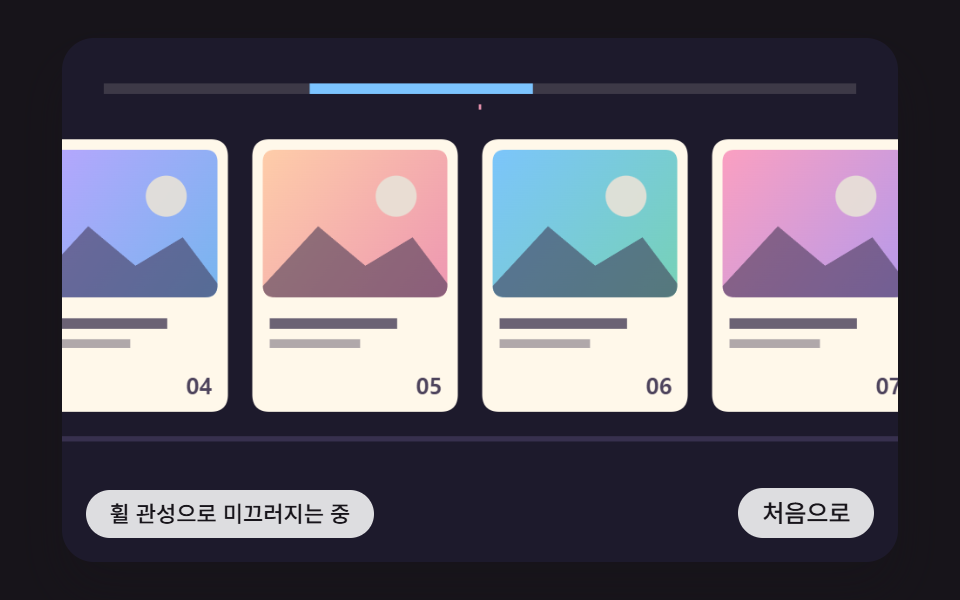 Horizontal Scroll Animation CSS: 9 Inertia ScenesHorizontal scroll animation css is more than turning wheel input sideways — scene 01 glides it on inertia, 06 projects c See all demos in this post
If you like this effect - similar demos
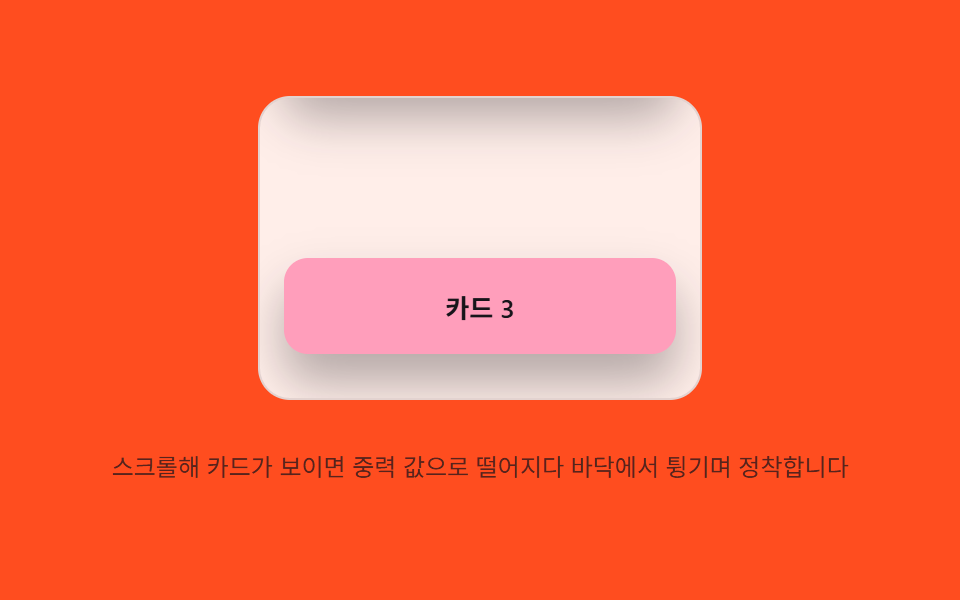 Scroll06 Gravity settle — on scroll entry, an element's position value falls under a gravity value and settles after bouncing off a floor valueScroll Inertia CSS — 9 Value Patterns
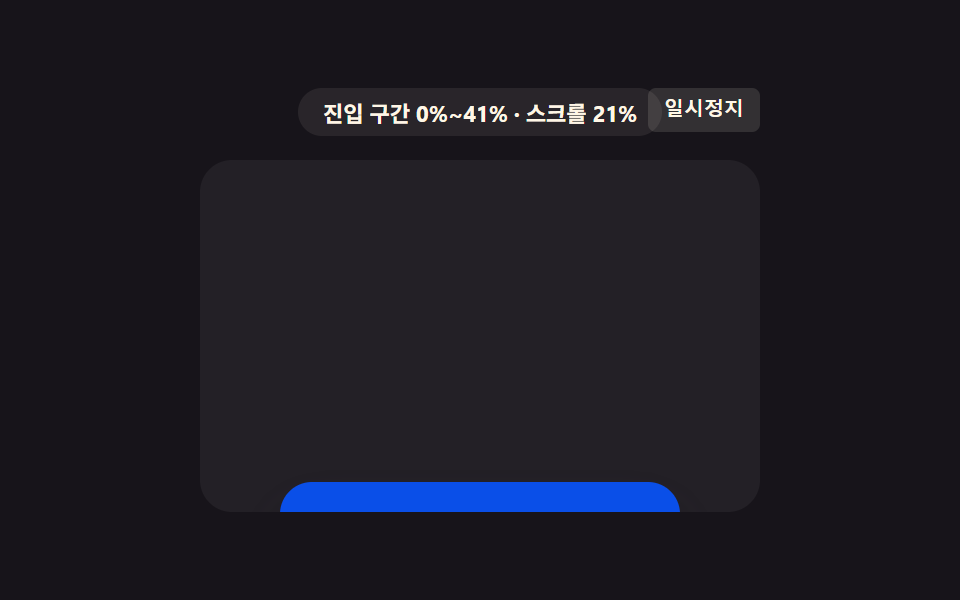 Scroll01 Card That Grows and Sharpens With the Range ValueCSS Scroll Animation: 9 View-Timeline Examples
 Scroll04 Thumb That Overshoots and Springs Back at the EndCustom Scrollbar CSS — 9 Patterns