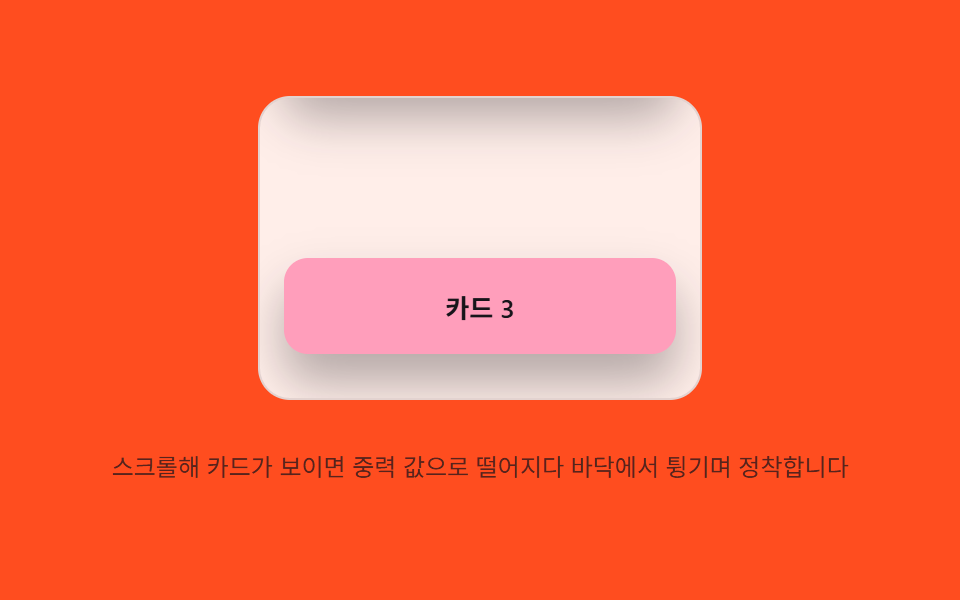
06Gravity settle — on scroll entry, an element's position value falls under a gravity value and settles after bouncing off a floor value
The entering element's position value falls and bounces off a floor value repeatedly, each bounce smaller.
Best forA card list, a product grid section
GRAVITYRESTITUTIONSTART_Y
<main class="stage">
<div class="gsc is-demo" id="gsc">
  <div class="gsc__viewport" id="gscViewport" role="application" aria-label="Drop-and-settle card list" tabindex="0">
    <div class="gsc__pad-top"></div>
    <div class="gsc__card" data-card>Card 1</div>
    <div class="gsc__spacer"></div>
    <div class="gsc__card" data-card>Card 2</div>
    <div class="gsc__spacer"></div>
    <div class="gsc__card" data-card>Card 3</div>
    <div class="gsc__pad-bottom"></div>
  </div>
  <p class="gsc__hint">Scroll until a card comes into view — it drops under a gravity value, bounces off the floor, and settles.</p>
</div>
</main>
@use "../../../../site/static/demo-tokens" as *;
// 계산 겹(중력 낙하·반동 적분)은 JS 에 있다 — 여기는 정적 배치만.
@include stage($stage-orange);
.stage { position: relative; }
.gsc {
display: flex;
flex-direction: column;
align-items: center;
gap: $sp-3;
}
.gsc__viewport {
position: relative;
width: 220px;
height: 150px;
overflow-y: auto;
overflow-x: hidden;
border-radius: $r-card;
background: rgba($stage-paper, .9);
border: 1px solid rgba($subject-ink, .12);
touch-action: pan-y;
overscroll-behavior: contain;
scrollbar-width: thin;
}
.gsc__pad-top { height: 24px; }
.gsc__pad-bottom { height: 24px; }
.gsc__spacer { height: 84px; }
.gsc__card {
margin: 0 $sp-3;
height: 48px;
border-radius: $r-control;
background: $subject-pink;
color: $subject-ink;
display: flex;
align-items: center;
justify-content: center;
font-size: 13px;
font-weight: 600;
box-shadow: $shadow-raised;
opacity: 0;
transform: translateY(-40px);
will-change: transform, opacity;
}
.gsc__hint {
color: rgba($subject-ink, .72);
font-size: 12px;
text-align: center;
}
@media (max-width: 340px) {
.gsc { gap: $sp-2; }
.gsc__viewport { width: 176px; height: 90px; }
.gsc__card { height: 34px; }
.gsc__spacer { height: 48px; }
.gsc__hint { font-size: 11px; }
}
@media (prefers-reduced-motion: reduce) {
.gsc__card { transition: none !important; animation: none !important; }
}html, body {
margin: 0;
overflow: hidden;
}
.stage {
box-sizing: border-box;
min-height: 100vh;
display: grid;
place-items: center;
margin: 0;
background: #ff4d1f;
font-family: -apple-system, "Segoe UI", "Noto Sans KR", sans-serif;
padding: clamp(8px, 4vw, 24px);
}
.stage {
position: relative;
}
.gsc {
display: flex;
flex-direction: column;
align-items: center;
gap: 12px;
}
.gsc__viewport {
position: relative;
width: 220px;
height: 150px;
overflow-y: auto;
overflow-x: hidden;
border-radius: 16px;
background: rgba(255, 255, 255, 0.9);
border: 1px solid rgba(23, 20, 26, 0.12);
touch-action: pan-y;
overscroll-behavior: contain;
scrollbar-width: thin;
}
.gsc__pad-top {
height: 24px;
}
.gsc__pad-bottom {
height: 24px;
}
.gsc__spacer {
height: 84px;
}
.gsc__card {
margin: 0 12px;
height: 48px;
border-radius: 12px;
background: #ff9ebb;
color: #17141a;
display: flex;
align-items: center;
justify-content: center;
font-size: 13px;
font-weight: 600;
box-shadow: 0 14px 24px rgba(23, 20, 26, 0.32);
opacity: 0;
transform: translateY(-40px);
will-change: transform, opacity;
}
.gsc__hint {
color: rgba(23, 20, 26, 0.72);
font-size: 12px;
text-align: center;
}
@media (max-width: 340px) {
.gsc {
gap: 8px;
}
.gsc__viewport {
width: 176px;
height: 90px;
}
.gsc__card {
height: 34px;
}
.gsc__spacer {
height: 48px;
}
.gsc__hint {
font-size: 11px;
}
}
@media (prefers-reduced-motion: reduce) {
.gsc__card {
transition: none !important;
animation: none !important;
}
}(function () {
var root = document.getElementById('gsc');
var viewport = document.getElementById('gscViewport');
var cards = Array.prototype.slice.call(document.querySelectorAll('[data-card]'));
var reduce = window.matchMedia('(prefers-reduced-motion: reduce)').matches;
// 계산 겹: 카드가 뷰포트에 들어오는 순간 위치 값(y)이 START_Y 에서 GRAVITY 가속으로 떨어지다
// FLOOR_Y(0) 에 닿으면 속도 값에 RESTITUTION 을 곱한 만큼만 되튀어(반동), STOP_VEL 밑이면 멈춘다.
var START_Y = -40;
var FLOOR_Y = 0;
var GRAVITY = 0.85;
var RESTITUTION = 0.42;
var STOP_VEL = 0.6;
function dropTick(card, y, vel) {
vel += GRAVITY;
y += vel;
if (y >= FLOOR_Y) {
y = FLOOR_Y;
vel = -vel * RESTITUTION;
if (Math.abs(vel) < STOP_VEL) {
card.style.transform = 'translateY(0px)';
card.dataset.done = '1';
return;
}
}
card.style.transform = 'translateY(' + y.toFixed(1) + 'px)';
requestAnimationFrame(function () { dropTick(card, y, vel); });
}
function settle(card) {
if (card.dataset.done) { return; }
card.style.opacity = '1';
if (reduce) { card.style.transform = 'translateY(0px)'; card.dataset.done = '1'; return; }
card.dataset.done = '1';
dropTick(card, START_Y, 0);
}
var io = new IntersectionObserver(function (entries) {
entries.forEach(function (en) { if (en.isIntersecting) { settle(en.target); } });
}, { root: viewport, threshold: 0.6 });
cards.forEach(function (c) { io.observe(c); });
// 프로그램이 scrollTop 을 옮길 때도 네이티브 scroll 이벤트가 뜬다 — 자동 루프 중임을 이 플래그로
// 표시해 "진짜 사용자 스크롤"과 구분한다(안 하면 자동 루프 첫 걸음에서 곧장 스스로를 멈춘다).
var autoScrolling = false;
function wireReal() {
viewport.addEventListener('scroll', function () {
if (autoScrolling) { return; }
root.classList.remove('is-demo'); stopAutoplay();
}, { passive: true });
viewport.addEventListener('keydown', function (e) {
if (e.key !== 'ArrowDown' && e.key !== 'ArrowUp') { return; }
root.classList.remove('is-demo'); stopAutoplay();
viewport.scrollTop += (e.key === 'ArrowDown' ? 40 : -40);
});
}
wireReal();
// 자동 루프: 스크롤 값을 아래로 서서히 옮겨 카드마다 진입 시점의 낙하 정착을 반복 재현한다.
var autoTimer = null, raf2 = null;
function autoStep() {
var max = viewport.scrollHeight - viewport.clientHeight;
var next = viewport.scrollTop + 1.6;
autoScrolling = true;
if (next >= max) {
viewport.scrollTop = max;
raf2 = null;
setTimeout(function () { if (root.classList.contains('is-demo')) { cards.forEach(function (c) { delete c.dataset.done; c.style.transform = 'translateY(' + START_Y + 'px)'; c.style.opacity = '0'; }); autoScrolling = true; viewport.scrollTop = 0; } }, 500);
return;
}
viewport.scrollTop = next;
raf2 = requestAnimationFrame(autoStep);
}
function stopAutoplay() { if (autoTimer) { clearInterval(autoTimer); autoTimer = null; } if (raf2) { cancelAnimationFrame(raf2); raf2 = null; } }
if (!reduce) { autoTimer = setInterval(function () { if (raf2 === null) { raf2 = requestAnimationFrame(autoStep); } }, 1800); autoTimer && requestAnimationFrame(autoStep); }
})();import { useEffect, useRef } from "react";
import styles from "./ScrollMomentumGravitySettleCard.module.scss";
export type ScrollMomentumGravitySettleCardProps = {
color?: string;
};
export default function ScrollMomentumGravitySettleCard({
color = "#f9a8d4",
}: ScrollMomentumGravitySettleCardProps) {
const rootRef = useRef<HTMLDivElement | null>(null);
useEffect(() => {
const root = rootRef.current;
if (!root) return;
const viewport = root.querySelector<HTMLDivElement>(`.${styles.viewport}`);
const cards = Array.from(root.querySelectorAll<HTMLDivElement>(`.${styles.card}`));
if (!viewport || cards.length === 0) return;
const reduce = window.matchMedia("(prefers-reduced-motion: reduce)").matches;
// 계산 겹: 카드가 뷰포트에 들어오는 순간 위치 값(y)이 START_Y 에서 GRAVITY 가속으로 떨어지다
// FLOOR_Y(0) 에 닿으면 속도 값에 RESTITUTION 을 곱한 만큼만 되튀어(반동), STOP_VEL 밑이면 멈춘다.
const START_Y = -40;
const FLOOR_Y = 0;
const GRAVITY = 0.85;
const RESTITUTION = 0.42;
const STOP_VEL = 0.6;
function dropTick(card: HTMLDivElement, y: number, vel: number) {
vel += GRAVITY;
y += vel;
if (y >= FLOOR_Y) {
y = FLOOR_Y;
vel = -vel * RESTITUTION;
if (Math.abs(vel) < STOP_VEL) {
card.style.transform = "translateY(0px)";
card.dataset.done = "1";
return;
}
}
card.style.transform = "translateY(" + y.toFixed(1) + "px)";
requestAnimationFrame(() => dropTick(card, y, vel));
}
function settle(card: HTMLDivElement) {
if (card.dataset.done) return;
card.style.opacity = "1";
if (reduce) { card.style.transform = "translateY(0px)"; card.dataset.done = "1"; return; }
card.dataset.done = "1";
dropTick(card, START_Y, 0);
}
const io = new IntersectionObserver((entries) => {
entries.forEach((en) => { if (en.isIntersecting) settle(en.target as HTMLDivElement); });
}, { root: viewport, threshold: 0.6 });
cards.forEach((c) => io.observe(c));
// 프로그램이 scrollTop 을 옮길 때도 네이티브 scroll 이벤트가 뜬다 — 자동 루프 중임을 이 플래그로
// 표시해 "진짜 사용자 스크롤"과 구분한다.
let autoScrolling = false;
function onScroll() {
if (autoScrolling) return;
root!.classList.remove(styles.isDemo);
stopAutoplay();
}
function onKeydown(e: KeyboardEvent) {
if (e.key !== "ArrowDown" && e.key !== "ArrowUp") return;
root!.classList.remove(styles.isDemo);
stopAutoplay();
viewport!.scrollTop += e.key === "ArrowDown" ? 40 : -40;
}
viewport.addEventListener("scroll", onScroll, { passive: true });
viewport.addEventListener("keydown", onKeydown);
let autoTimer: number | null = null;
let raf2: number | null = null;
function autoStep() {
const max = viewport!.scrollHeight - viewport!.clientHeight;
const next = viewport!.scrollTop + 1.6;
autoScrolling = true;
if (next >= max) {
viewport!.scrollTop = max;
raf2 = null;
window.setTimeout(() => {
if (root!.classList.contains(styles.isDemo)) {
cards.forEach((c) => { delete c.dataset.done; c.style.transform = "translateY(" + START_Y + "px)"; c.style.opacity = "0"; });
autoScrolling = true;
viewport!.scrollTop = 0;
}
}, 500);
return;
}
viewport!.scrollTop = next;
raf2 = requestAnimationFrame(autoStep);
}
function stopAutoplay() {
if (autoTimer !== null) { window.clearInterval(autoTimer); autoTimer = null; }
if (raf2 !== null) { cancelAnimationFrame(raf2); raf2 = null; }
}
if (!reduce) {
autoTimer = window.setInterval(() => { if (raf2 === null) raf2 = requestAnimationFrame(autoStep); }, 1800);
raf2 = requestAnimationFrame(autoStep);
}
return () => {
io.disconnect();
stopAutoplay();
viewport.removeEventListener("scroll", onScroll);
viewport.removeEventListener("keydown", onKeydown);
};
}, []);
return (
<div ref={rootRef} className={`${styles.stage} ${styles.isDemo}`}>
<div className={styles.gsc}>
<div
className={styles.viewport}
role="application"
aria-label="낙하 정착 카드 목록"
tabIndex={0}
>
<div className={styles.padTop} />
<div className={styles.card}>카드 1</div>
<div className={styles.spacer} />
<div className={styles.card} style={{ background: color }}>카드 2</div>
<div className={styles.spacer} />
<div className={styles.card}>카드 3</div>
<div className={styles.padBottom} />
</div>
<p className={styles.hint}>스크롤해 카드가 보이면 중력 값으로 떨어지다 바닥에서 튕기며 정착합니다</p>
</div>
</div>
);
}06 Gravity settle — on scroll entry, an element's position value falls under a gravity value and settles after bouncing off a floor value — Measured area 22.223% · moving frames 14/23Original by GODRICH · SCSS and React ship in the zip · Scroll Inertia CSS — 9 Value Patterns
The post this demo lives in
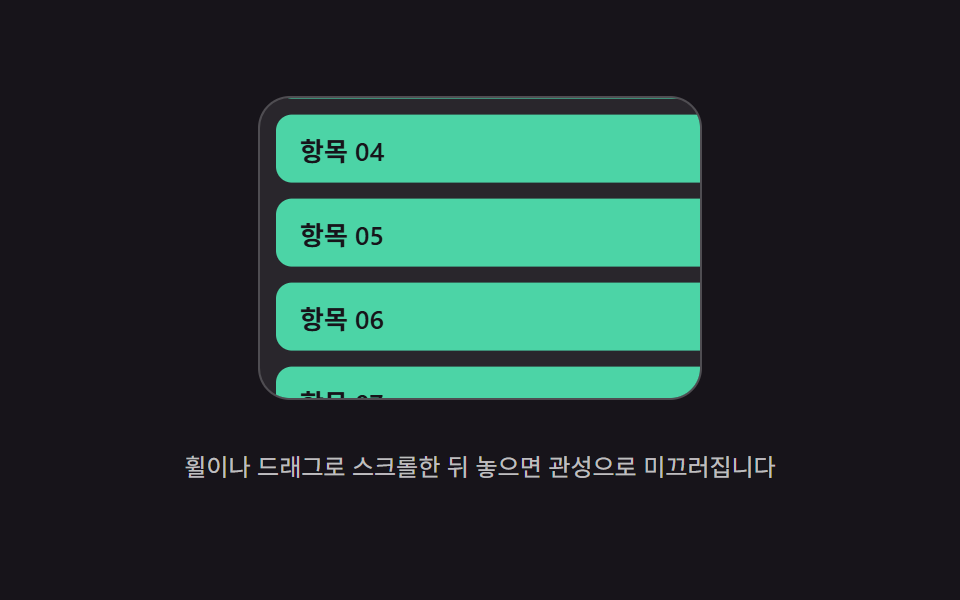 Scroll Inertia CSS — 9 Value PatternsOne value keeps its last scroll speed and shrinks to zero after stopping, one stretches past the boundary and springs ba See all demos in this post
If you like this effect - similar demos
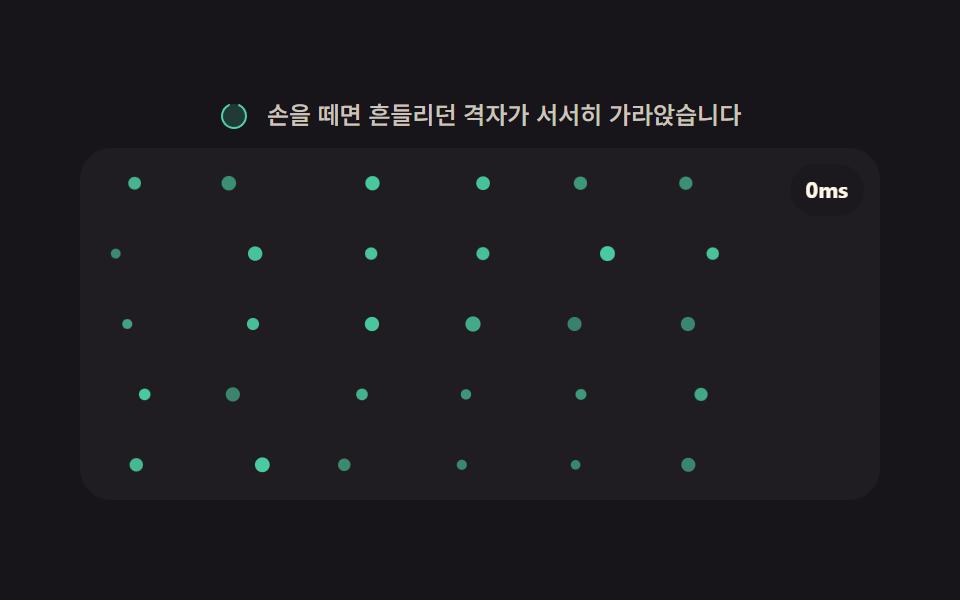 Scroll05 Idle settle — once scrolling stops, particles fall under a gravity value and settle slowly downwardMoving Particles Background CSS: 9 Scroll Scenes
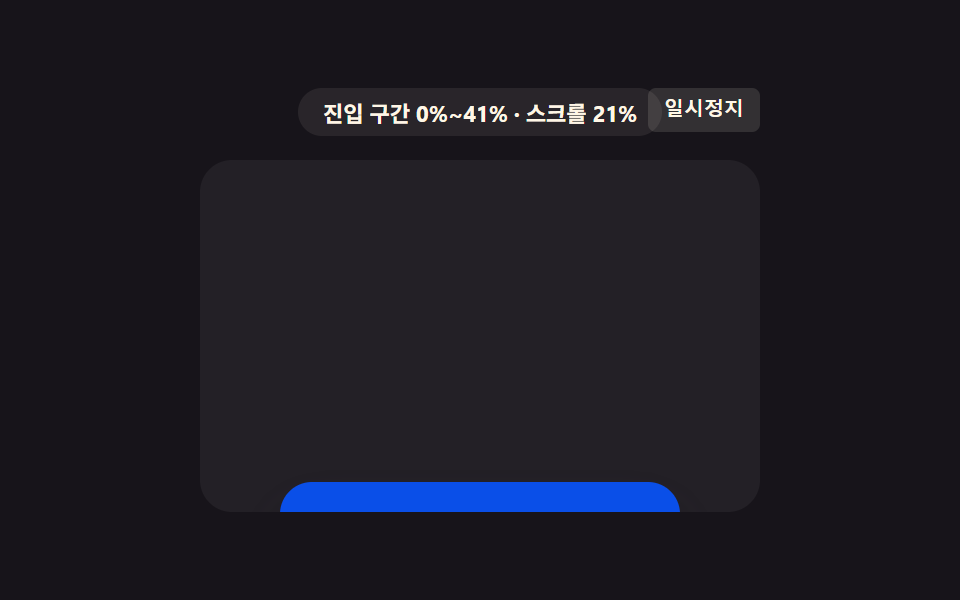 Scroll01 Card That Grows and Sharpens With the Range ValueCSS Scroll Animation: 9 View-Timeline Examples
 Scroll07 A Row of Cards Hung on a Cord That Get Pulled Sideways After the Lead Card, Swing and SettleHorizontal Scroll Animation CSS: 9 Inertia Scenes