03Load trigger threshold — a list recomputing how early it starts loading from the scroll speed value
Once the scroll speed increases, the value for how far ahead of the edge to start loading is recomputed and the next page is requested that much earlier, and once the speed slows that value shrinks back.
Best forA quickly-skimmed list app, a photo stream
recomputeThresholdSPEED_GAINperformance.now
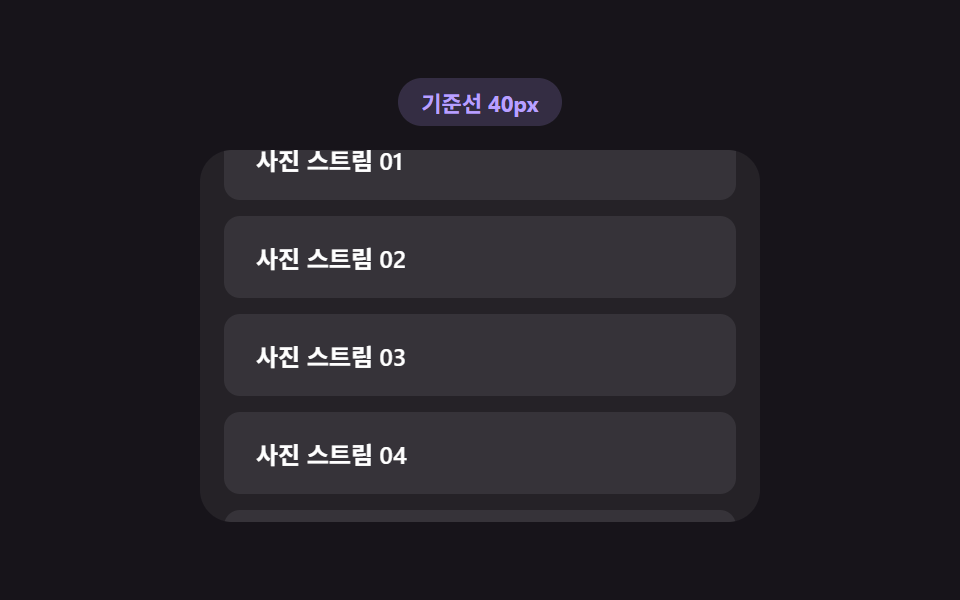
<main class="stage">
<div class="ltt is-demo" id="ltt">
  <div class="ltt__badge" id="lttBadge">Threshold 40px</div>
  <div class="ltt__view" id="lttView">
    <ul class="ltt__track" id="lttTrack">
      <li class="ltt__sentinel" id="lttSentinel" aria-hidden="true">
        <span class="ltt__dot" id="lttDot"></span>
      </li>
    </ul>
  </div>
</div>
</main>
@use "../../../../site/static/demo-tokens" as *;
// 로딩 시작 기준선 — recomputeThreshold() 가 스크롤 속도(px/ms)로 기준선 거리를 다시 계산한다.
// 점(dot)은 그 기준선 안에 들어오면 armed, 실제 로드 중이면 loading 클래스로 색이 바뀐다.
$duration: $dur-quick;
$easing: $ease-out;
$color: $subject-lilac;
@include stage($stage-ink);
.ltt {
display: flex;
flex-direction: column;
align-items: center;
gap: $sp-3;
width: min(100%, 280px);
}
.ltt__badge {
padding: $sp-1 $sp-3;
border-radius: $r-pill;
background: rgba(185, 160, 255, .18);
color: $color;
font-weight: 700;
font-size: 11px;
font-variant-numeric: tabular-nums;
}
.ltt__view {
box-sizing: border-box;
width: 100%;
height: 186px;
overflow-y: auto;
overflow-x: hidden;
border-radius: $r-card;
background: rgba(255, 255, 255, .06);
padding: $sp-3;
scrollbar-width: thin;
}
.ltt__track {
list-style: none;
margin: 0;
padding: 0;
display: flex;
flex-direction: column;
gap: $sp-2;
}
.ltt__row {
box-sizing: border-box;
padding: $sp-3 $sp-4;
border-radius: $r-sm;
background: rgba(255, 255, 255, .08);
color: $stage-paper;
font-weight: 600;
font-size: 12px;
}
.ltt__sentinel {
display: flex;
justify-content: center;
height: 26px;
align-items: center;
}
.ltt__dot {
width: 10px;
height: 10px;
border-radius: 50%;
background: rgba(255, 255, 255, .2);
transition: background $duration $easing, transform $duration $easing;
}
.ltt__dot--armed {
background: $color;
transform: scale(1.3);
}
.ltt__dot--loading {
background: $subject-sky;
transform: scale(1.6);
}
@media (max-width: 340px) {
.ltt { gap: $sp-1; }
.ltt__view { height: 90px; }
.ltt__row { padding: $sp-2 $sp-3; font-size: 11px; }
}
@media (prefers-reduced-motion: reduce) {
.ltt__dot { transition: none !important; }
}html, body {
margin: 0;
overflow: hidden;
}
.stage {
box-sizing: border-box;
min-height: 100vh;
display: grid;
place-items: center;
margin: 0;
background: #17141a;
font-family: -apple-system, "Segoe UI", "Noto Sans KR", sans-serif;
padding: clamp(8px, 4vw, 24px);
}
.ltt {
display: flex;
flex-direction: column;
align-items: center;
gap: 12px;
width: min(100%, 280px);
}
.ltt__badge {
padding: 4px 12px;
border-radius: 999px;
background: rgba(185, 160, 255, 0.18);
color: #b9a0ff;
font-weight: 700;
font-size: 11px;
font-variant-numeric: tabular-nums;
}
.ltt__view {
box-sizing: border-box;
width: 100%;
height: 186px;
overflow-y: auto;
overflow-x: hidden;
border-radius: 16px;
background: rgba(255, 255, 255, 0.06);
padding: 12px;
scrollbar-width: thin;
}
.ltt__track {
list-style: none;
margin: 0;
padding: 0;
display: flex;
flex-direction: column;
gap: 8px;
}
.ltt__row {
box-sizing: border-box;
padding: 12px 16px;
border-radius: 8px;
background: rgba(255, 255, 255, 0.08);
color: #ffffff;
font-weight: 600;
font-size: 12px;
}
.ltt__sentinel {
display: flex;
justify-content: center;
height: 26px;
align-items: center;
}
.ltt__dot {
width: 10px;
height: 10px;
border-radius: 50%;
background: rgba(255, 255, 255, 0.2);
transition: background 220ms ease-out, transform 220ms ease-out;
}
.ltt__dot--armed {
background: #b9a0ff;
transform: scale(1.3);
}
.ltt__dot--loading {
background: #6ec8ff;
transform: scale(1.6);
}
@media (max-width: 340px) {
.ltt {
gap: 4px;
}
.ltt__view {
height: 90px;
}
.ltt__row {
padding: 8px 12px;
font-size: 11px;
}
}
@media (prefers-reduced-motion: reduce) {
.ltt__dot {
transition: none !important;
}
}(function () {
var view = document.getElementById('lttView');
var track = document.getElementById('lttTrack');
var sentinel = document.getElementById('lttSentinel');
var dot = document.getElementById('lttDot');
var badge = document.getElementById('lttBadge');
var root = document.getElementById('ltt');
var BASE_THRESHOLD_PX = 40;
var MAX_THRESHOLD_PX = 220;
var SPEED_GAIN = 900; // px 임계값 = BASE + 속도(px/ms) * GAIN
var LOAD_DELAY_MS = 520;
var MAX_BATCHES = 5;
var rowSeq = 0;
var batches = 0;
var loading = false;
var lastTop = 0;
var lastTime = performance.now();
var threshold = BASE_THRESHOLD_PX;
var dir = 1;
var phase = 0;
var autoplayTimer = null;
function addRow() {
var li = document.createElement('li');
li.className = 'ltt__row';
li.textContent = 'Photo stream ' + String(rowSeq + 1).padStart(2, '0');
track.insertBefore(li, sentinel);
rowSeq += 1;
}
for (var i = 0; i < 6; i += 1) { addRow(); }
// 계산 겹: 이번 스크롤 이벤트와 지난 이벤트 사이의 이동 거리 값을 걸린 시간 값으로 나눠
// 속도(px/ms)를 구하고, 그 속도에 비례해 Threshold 거리 값을 다시 계산한다 — 빠르게 훑을수록
// 화면 끝에 닿기 전에 더 일찍 다음 목록을 부른다.
function recomputeThreshold() {
var now = performance.now();
var dt = Math.max(now - lastTime, 1);
var speed = Math.abs(view.scrollTop - lastTop) / dt;
lastTop = view.scrollTop;
lastTime = now;
threshold = Math.min(BASE_THRESHOLD_PX + speed * SPEED_GAIN, MAX_THRESHOLD_PX);
badge.textContent = 'Threshold ' + Math.round(threshold) + 'px';
}
function recompute() {
recomputeThreshold();
var remaining = sentinel.getBoundingClientRect().top - view.getBoundingClientRect().bottom;
dot.classList.toggle('ltt__dot--armed', remaining <= threshold);
if (remaining <= threshold && !loading && batches < MAX_BATCHES) { startLoad(); }
}
function startLoad() {
loading = true;
dot.classList.add('ltt__dot--loading');
setTimeout(function () {
for (var n = 0; n < 3; n += 1) { addRow(); }
loading = false;
batches += 1;
dot.classList.remove('ltt__dot--loading');
recompute();
}, LOAD_DELAY_MS);
}
view.addEventListener('scroll', recompute);
function userTakesOver() {
if (!root.classList.contains('is-demo')) { return; }
root.classList.remove('is-demo');
stopAutoplay();
}
view.addEventListener('wheel', userTakesOver, { passive: true });
view.addEventListener('touchstart', userTakesOver, { passive: true });
function autoplayTick() {
var max = view.scrollHeight - view.clientHeight;
if (batches >= MAX_BATCHES && view.scrollTop >= max - 1 && dir !== 0) {
dir = 0;
setTimeout(function () {
while (track.firstChild !== sentinel) { track.removeChild(track.firstChild); }
rowSeq = 0; batches = 0; phase = 0;
for (var i = 0; i < 6; i += 1) { addRow(); }
view.scrollTop = 0; lastTop = 0;
dir = 1;
}, 600);
return;
}
if (dir === 0) { return; }
phase += 1;
var step = (phase % 40 < 20) ? 2 : 14; // 느린 구간과 빠른 구간을 번갈아 속도 계산이 보이게
view.scrollTop = Math.min(view.scrollTop + step, max);
recompute();
}
function stopAutoplay() {
if (autoplayTimer) { clearInterval(autoplayTimer); autoplayTimer = null; }
}
var reduce = window.matchMedia('(prefers-reduced-motion: reduce)').matches;
if (!reduce) {
autoplayTimer = setInterval(autoplayTick, 55);
}
})();import { useEffect, useRef, useState, useCallback } from "react";
import styles from "./LoadTriggerThreshold.module.scss";
// 로딩 시작 기준선 — recomputeThreshold() 가 스크롤 속도(px/ms)로 기준선 거리를 다시 계산한다.
// 빠르게 훑을수록 화면 끝에 닿기 전에 더 일찍 다음 목록을 부른다.
const BASE_THRESHOLD_PX = 40;
const MAX_THRESHOLD_PX = 220;
const SPEED_GAIN = 900;
const LOAD_DELAY_MS = 520;
const MAX_BATCHES = 5;
export default function LoadTriggerThreshold() {
const rootRef = useRef<HTMLDivElement>(null);
const viewRef = useRef<HTMLDivElement>(null);
const sentinelRef = useRef<HTMLLIElement>(null);
const dotRef = useRef<HTMLSpanElement>(null);
const [badge, setBadge] = useState("기준선 40px");
const [rows, setRows] = useState(6);
const loadingRef = useRef(false);
const batchesRef = useRef(0);
const lastTopRef = useRef(0);
const lastTimeRef = useRef(0);
const thresholdRef = useRef(BASE_THRESHOLD_PX);
const phaseRef = useRef(0);
const dirRef = useRef(1);
const autoplayRef = useRef<number | null>(null);
// 계산 겹: 이번 스크롤 이벤트와 지난 이벤트 사이의 이동 거리 값을 걸린 시간 값으로 나눠
// 속도(px/ms)를 구하고, 그 속도에 비례해 기준선 거리 값을 다시 계산한다.
const recomputeThreshold = useCallback(() => {
const view = viewRef.current;
if (!view) { return; }
const now = performance.now();
const dt = Math.max(now - (lastTimeRef.current ?? now), 1);
const speed = Math.abs(view.scrollTop - (lastTopRef.current ?? 0)) / dt;
lastTopRef.current = view.scrollTop;
lastTimeRef.current = now;
thresholdRef.current = Math.min(BASE_THRESHOLD_PX + speed * SPEED_GAIN, MAX_THRESHOLD_PX);
setBadge("기준선 " + Math.round(thresholdRef.current) + "px");
}, []);
const recompute = useCallback(() => {
const view = viewRef.current;
const sentinel = sentinelRef.current;
const dot = dotRef.current;
if (!view || !sentinel || !dot) { return; }
recomputeThreshold();
const remaining = sentinel.getBoundingClientRect().top - view.getBoundingClientRect().bottom;
const threshold = thresholdRef.current ?? BASE_THRESHOLD_PX;
dot.classList.toggle(styles["ltt__dot--armed"], remaining <= threshold);
if (remaining <= threshold && !loadingRef.current && (batchesRef.current ?? 0) < MAX_BATCHES) {
loadingRef.current = true;
dot.classList.add(styles["ltt__dot--loading"]);
window.setTimeout(() => {
setRows((prev) => prev + 3);
loadingRef.current = false;
batchesRef.current = (batchesRef.current ?? 0) + 1;
dot.classList.remove(styles["ltt__dot--loading"]);
}, LOAD_DELAY_MS);
}
}, [recomputeThreshold]);
useEffect(() => {
lastTimeRef.current = performance.now();
const view = viewRef.current;
if (!view) { return; }
const onScroll = () => recompute();
view.addEventListener("scroll", onScroll);
const takeover = () => {
rootRef.current?.classList.remove(styles["is-demo"]);
if (autoplayRef.current !== null) { window.clearInterval(autoplayRef.current); }
};
view.addEventListener("wheel", takeover, { passive: true });
view.addEventListener("touchstart", takeover, { passive: true });
const reduce = window.matchMedia("(prefers-reduced-motion: reduce)").matches;
if (!reduce) {
autoplayRef.current = window.setInterval(() => {
const v = viewRef.current;
if (!v) { return; }
const max = v.scrollHeight - v.clientHeight;
if ((batchesRef.current ?? 0) >= MAX_BATCHES && v.scrollTop >= max - 1 && dirRef.current !== 0) {
dirRef.current = 0;
window.setTimeout(() => {
setRows(6);
batchesRef.current = 0;
phaseRef.current = 0;
v.scrollTop = 0;
lastTopRef.current = 0;
dirRef.current = 1;
}, 600);
return;
}
if (dirRef.current === 0) { return; }
phaseRef.current = (phaseRef.current ?? 0) + 1;
const step = ((phaseRef.current ?? 0) % 40 < 20) ? 2 : 14; // 느린/빠른 구간 번갈아
v.scrollTop = Math.min(v.scrollTop + step, max);
recompute();
}, 55);
}
return () => {
view.removeEventListener("scroll", onScroll);
view.removeEventListener("wheel", takeover);
view.removeEventListener("touchstart", takeover);
if (autoplayRef.current !== null) { window.clearInterval(autoplayRef.current); }
};
}, [recompute]);
const rowEls = [];
for (let i = 0; i < rows; i += 1) {
rowEls.push(
<li key={i} className={styles["ltt__row"]}>
사진 스트림 {String(i + 1).padStart(2, "0")}
</li>
);
}
return (
<main className={styles.stage}>
<div ref={rootRef} className={`${styles.ltt} ${styles["is-demo"]}`} id="ltt">
<div className={styles["ltt__badge"]}>{badge}</div>
<div ref={viewRef} className={styles["ltt__view"]}>
<ul className={styles["ltt__track"]}>
{rowEls}
<li ref={sentinelRef} className={styles["ltt__sentinel"]} aria-hidden="true">
<span ref={dotRef} className={styles["ltt__dot"]} />
</li>
</ul>
</div>
</div>
</main>
);
}03 Load trigger threshold — a list recomputing how early it starts loading from the scroll speed value — Measured area 33.015% · moving frames 23/23Original by GODRICH · SCSS and React ship in the zip · Infinite Scroll Loading: 9 Essential UI Patterns
The post this demo lives in
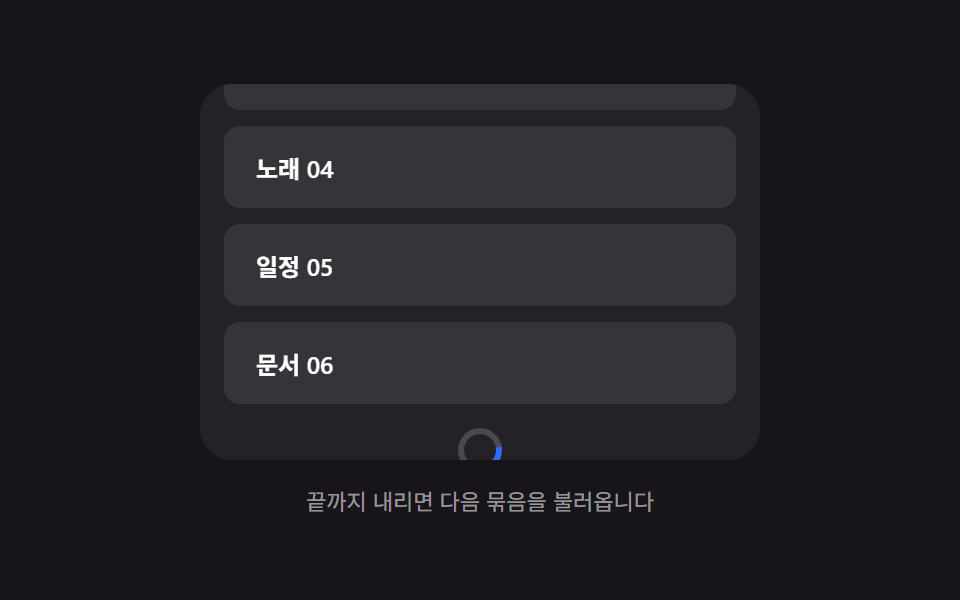 Infinite Scroll Loading: 9 Essential UI PatternsOne indicator recomputes opacity from the remaining scroll distance, one offsets scroll position by the height added abo See all demos in this post
If you like this effect - similar demos
 Loaders08 Below-fold Section Where a Scroll Value Computes a Threshold via Lazy LoadingLazy Loading Images: 9 CSS Placeholder Patterns
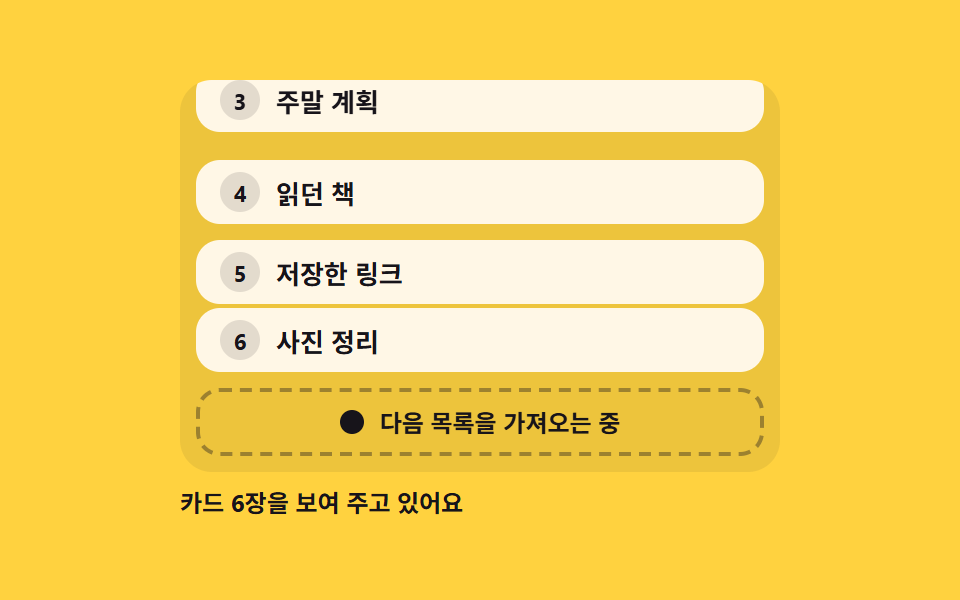 Loaders06 Footer loader that fetches the next page at the end of the listPage Loading Animation CSS: 9 Route-Change Demos
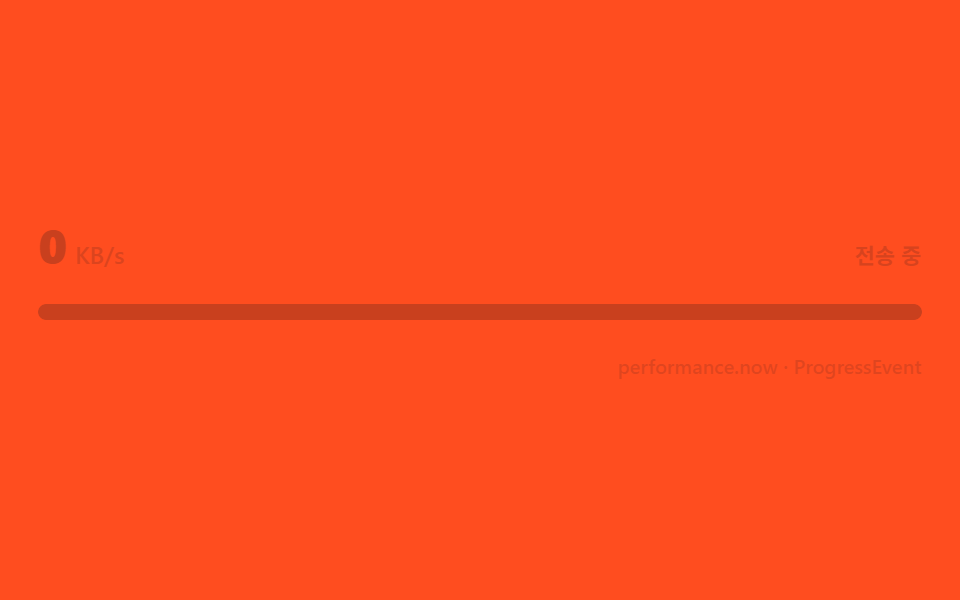 Loaders03 A speed label computed from elapsed-byte deltasFile Upload Progress Bar Loader: 9 UI Demos