08Below-fold Section Where a Scroll Value Computes a Threshold via Lazy Loading
A scroll value is computed against a set threshold, leaving a below-fold section empty until it's crossed, at which point real content fills it.
Best forLong about pages and pricing-comparison sections further down
SCROLL_THRESHOLD_PXAUTOSCROLL_STEP_PXcheckThreshold

<main class="stage">
<div class="lsr is-demo" id="lsr">
  <div class="lsr__view" id="lsrView">
    <div class="lsr__pad"></div>
    <p class="lsr__mark">— scroll threshold —</p>
    <div class="lsr__section" id="lsrSection">
      <div class="lsr__empty" id="lsrEmpty">Empty slot</div>
      <div class="lsr__content" id="lsrContent">
        <div class="lsr__row"></div>
        <div class="lsr__row"></div>
        <div class="lsr__row"></div>
      </div>
    </div>
  </div>
  <p class="lsr__hint">Scroll to fill the section below</p>
</div>
</main>
@use "../../../../site/static/demo-tokens" as *;
// 스크롤 컨테이너의 scrollTop 값을 정해 둔 임계치(px)와 비교해 넘어선
// 순간에만 아래 섹션이 빈 자리에서 실제 내용으로 바뀐다.
$duration: $dur-enter;
$easing: $ease-out;
$color: $subject-sky;
@include stage($stage-paper);
.lsr {
display: flex;
flex-direction: column;
align-items: center;
gap: $sp-2;
}
.lsr__view {
width: 220px;
height: 130px;
overflow-y: auto;
border-radius: $r-card;
background: $stage-ink;
scroll-behavior: auto;
}
.lsr__pad {
height: 90px;
}
.lsr__mark {
margin: 0;
padding: $sp-1 0;
text-align: center;
font-size: 9px;
color: rgba(255, 255, 255, .4);
}
.lsr__section {
position: relative;
height: 160px;
}
.lsr__empty {
position: absolute;
inset: $sp-2;
display: flex;
align-items: center;
justify-content: center;
border: 1px dashed rgba(255, 255, 255, .25);
border-radius: $r-sm;
color: rgba(255, 255, 255, .35);
font-size: 11px;
transition: opacity $dur-quick $ease-out;
}
.lsr__content {
position: absolute;
inset: $sp-2;
display: flex;
flex-direction: column;
justify-content: center;
gap: $sp-2;
opacity: 0;
transform: translateY(10px);
transition: opacity $duration $easing, transform $duration $easing;
pointer-events: none;
}
.lsr__row {
height: 20px;
border-radius: $r-sm;
background: linear-gradient(90deg, $subject-sky, $subject-blue-light);
}
.lsr__row:nth-child(2) { transition-delay: 60ms; opacity: .85; }
.lsr__row:nth-child(3) { transition-delay: 120ms; opacity: .7; }
.lsr__section--filled .lsr__empty { opacity: 0; }
.lsr__section--filled .lsr__content {
opacity: 1;
transform: translateY(0);
}
.lsr__hint {
margin: 0;
color: rgba(23, 20, 26, .55);
font-size: 11px;
}
@media (max-width: 340px) {
.lsr__view { width: 180px; height: 110px; }
.lsr__pad { height: 70px; }
.lsr__section { height: 130px; }
}
@media (prefers-reduced-motion: reduce) {
.lsr__empty, .lsr__content { transition: none !important; }
}html, body {
margin: 0;
overflow: hidden;
}
.stage {
box-sizing: border-box;
min-height: 100vh;
display: grid;
place-items: center;
margin: 0;
background: #ffffff;
font-family: -apple-system, "Segoe UI", "Noto Sans KR", sans-serif;
padding: clamp(8px, 4vw, 24px);
}
.lsr {
display: flex;
flex-direction: column;
align-items: center;
gap: 8px;
}
.lsr__view {
width: 220px;
height: 130px;
overflow-y: auto;
border-radius: 16px;
background: #17141a;
scroll-behavior: auto;
}
.lsr__pad {
height: 90px;
}
.lsr__mark {
margin: 0;
padding: 4px 0;
text-align: center;
font-size: 9px;
color: rgba(255, 255, 255, 0.4);
}
.lsr__section {
position: relative;
height: 160px;
}
.lsr__empty {
position: absolute;
inset: 8px;
display: flex;
align-items: center;
justify-content: center;
border: 1px dashed rgba(255, 255, 255, 0.25);
border-radius: 8px;
color: rgba(255, 255, 255, 0.35);
font-size: 11px;
transition: opacity 220ms ease-out;
}
.lsr__content {
position: absolute;
inset: 8px;
display: flex;
flex-direction: column;
justify-content: center;
gap: 8px;
opacity: 0;
transform: translateY(10px);
transition: opacity 600ms ease-out, transform 600ms ease-out;
pointer-events: none;
}
.lsr__row {
height: 20px;
border-radius: 8px;
background: linear-gradient(90deg, #6ec8ff, #5b8cf8);
}
.lsr__row:nth-child(2) {
transition-delay: 60ms;
opacity: 0.85;
}
.lsr__row:nth-child(3) {
transition-delay: 120ms;
opacity: 0.7;
}
.lsr__section--filled .lsr__empty {
opacity: 0;
}
.lsr__section--filled .lsr__content {
opacity: 1;
transform: translateY(0);
}
.lsr__hint {
margin: 0;
color: rgba(23, 20, 26, 0.55);
font-size: 11px;
}
@media (max-width: 340px) {
.lsr__view {
width: 180px;
height: 110px;
}
.lsr__pad {
height: 70px;
}
.lsr__section {
height: 130px;
}
}
@media (prefers-reduced-motion: reduce) {
.lsr__empty, .lsr__content {
transition: none !important;
}
}(function () {
var root = document.getElementById('lsr');
var view = document.getElementById('lsrView');
var section = document.getElementById('lsrSection');
var SCROLL_THRESHOLD_PX = 86;
var AUTOSCROLL_STEP_PX = 2.2;
var CYCLE_GAP_MS = 1400;
var filled = false;
var userActive = false;
// 계산 겹: 스크롤 컨테이너의 scrollTop 값을 정해 둔 임계치(px)와 비교해,
// 넘어선 순간에만 filled 상태로 바뀐다(넘기 전엔 Empty slot 유지).
function checkThreshold() {
var over = view.scrollTop >= SCROLL_THRESHOLD_PX;
if (over && !filled) {
filled = true;
section.classList.add('lsr__section--filled');
} else if (!over && filled) {
filled = false;
section.classList.remove('lsr__section--filled');
}
}
view.addEventListener('scroll', checkThreshold);
function takeover() {
if (userActive) { return; }
userActive = true;
root.classList.remove('is-demo');
}
view.addEventListener('wheel', takeover, { passive: true });
view.addEventListener('touchstart', takeover, { passive: true });
var reduce = window.matchMedia('(prefers-reduced-motion: reduce)').matches;
var raf = null;
var loopTimer = null;
function autoScrollTo(target, onDone) {
function step() {
if (userActive) { return; }
var cur = view.scrollTop;
var next = cur + (target > cur ? AUTOSCROLL_STEP_PX : -AUTOSCROLL_STEP_PX);
if ((target > cur && next >= target) || (target < cur && next <= target)) {
view.scrollTop = target;
checkThreshold();
onDone();
return;
}
view.scrollTop = next;
checkThreshold();
raf = requestAnimationFrame(step);
}
raf = requestAnimationFrame(step);
}
if (reduce) {
root.classList.remove('is-demo');
view.scrollTop = SCROLL_THRESHOLD_PX + 20;
checkThreshold();
} else {
(function loop() {
if (userActive) { return; }
view.scrollTop = 0;
checkThreshold();
loopTimer = setTimeout(function () {
if (userActive) { return; }
autoScrollTo(140, function () {
loopTimer = setTimeout(function () {
if (!userActive && root.classList.contains('is-demo')) { loop(); }
}, CYCLE_GAP_MS);
});
}, 500);
})();
}
})();import { useEffect, useRef, useCallback, useState } from "react";
import styles from "./SectionRevealBelowFold.module.scss";
// 스크롤 컨테이너의 scrollTop 값을 정해 둔 임계치(px)와 비교해 넘어선
// 순간에만 아래 섹션이 빈 자리에서 실제 내용으로 바뀐다.
const SCROLL_THRESHOLD_PX = 86;
const AUTOSCROLL_STEP_PX = 2.2;
const CYCLE_GAP_MS = 1400;
type Box<T> = { current: T };
function useBox<T>(initial: T): Box<T> {
return useRef(initial) as unknown as Box<T>;
}
export default function SectionRevealBelowFold() {
const rootRef = useRef<HTMLDivElement>(null);
const viewRef = useRef<HTMLDivElement>(null);
const [demo, setDemo] = useState(true);
const [filled, setFilled] = useState(false);
const userActiveRef = useBox<boolean>(false);
const rafRef = useBox<number | null>(null);
const checkThreshold = useCallback(() => {
const view = viewRef.current;
if (!view) { return; }
const over = view.scrollTop >= SCROLL_THRESHOLD_PX;
setFilled((prev) => (prev === over ? prev : over));
}, []);
const takeover = useCallback(() => {
if (userActiveRef.current) { return; }
userActiveRef.current = true;
setDemo(false);
}, [userActiveRef]);
const autoScrollTo = useCallback((target: number, onDone: () => void) => {
function step() {
const view = viewRef.current;
if (userActiveRef.current || !view) { return; }
const cur = view.scrollTop;
const next = cur + (target > cur ? AUTOSCROLL_STEP_PX : -AUTOSCROLL_STEP_PX);
if ((target > cur && next >= target) || (target < cur && next <= target)) {
view.scrollTop = target;
checkThreshold();
onDone();
return;
}
view.scrollTop = next;
checkThreshold();
rafRef.current = requestAnimationFrame(step);
}
rafRef.current = requestAnimationFrame(step);
}, [checkThreshold, rafRef, userActiveRef]);
useEffect(() => {
const view = viewRef.current;
view?.addEventListener("scroll", checkThreshold);
view?.addEventListener("wheel", takeover, { passive: true });
view?.addEventListener("touchstart", takeover, { passive: true });
return () => {
view?.removeEventListener("scroll", checkThreshold);
view?.removeEventListener("wheel", takeover);
view?.removeEventListener("touchstart", takeover);
};
}, [checkThreshold, takeover]);
useEffect(() => {
const reduce = window.matchMedia("(prefers-reduced-motion: reduce)").matches;
const view = viewRef.current;
if (reduce) {
setDemo(false);
if (view) { view.scrollTop = SCROLL_THRESHOLD_PX + 20; }
checkThreshold();
return;
}
let cancelled = false;
let t1: number | null = null;
let t2: number | null = null;
function loop() {
if (userActiveRef.current || cancelled) { return; }
if (view) { view.scrollTop = 0; }
checkThreshold();
t1 = window.setTimeout(() => {
if (userActiveRef.current || cancelled) { return; }
autoScrollTo(140, () => {
t2 = window.setTimeout(() => {
if (!userActiveRef.current && !cancelled && rootRef.current?.classList.contains(styles["is-demo"])) { loop(); }
}, CYCLE_GAP_MS);
});
}, 500);
}
loop();
return () => {
cancelled = true;
if (t1 !== null) { window.clearTimeout(t1); }
if (t2 !== null) { window.clearTimeout(t2); }
if (rafRef.current !== null) { cancelAnimationFrame(rafRef.current); }
};
// eslint-disable-next-line react-hooks/exhaustive-deps
}, []);
return (
<main className={styles.stage}>
<div ref={rootRef} className={`${styles.lsr} ${demo ? styles["is-demo"] : ""}`}>
<div ref={viewRef} className={styles["lsr__view"]}>
<div className={styles["lsr__pad"]} />
<p className={styles["lsr__mark"]}>{"— 스크롤 임계선 —"}</p>
<div className={`${styles["lsr__section"]} ${filled ? styles["lsr__section--filled"] : ""}`}>
<div className={styles["lsr__empty"]}>빈 자리</div>
<div className={styles["lsr__content"]}>
<div className={styles["lsr__row"]} />
<div className={styles["lsr__row"]} />
<div className={styles["lsr__row"]} />
</div>
</div>
</div>
<p className={styles["lsr__hint"]}>스크롤해서 아래 섹션을 채워보세요</p>
</div>
</main>
);
}08 Below-fold Section Where a Scroll Value Computes a Threshold via Lazy Loading — Measured area 16.765% · moving frames 12/23Original by GODRICH · SCSS and React ship in the zip · Lazy Loading Images: 9 CSS Placeholder Patterns
The post this demo lives in
 Lazy Loading Images: 9 CSS Placeholder PatternsAmong nine lazy loading images patterns, one computes a ratio to fade an image in, one computes timing to swap an iframe See all demos in this post
If you like this effect - similar demos
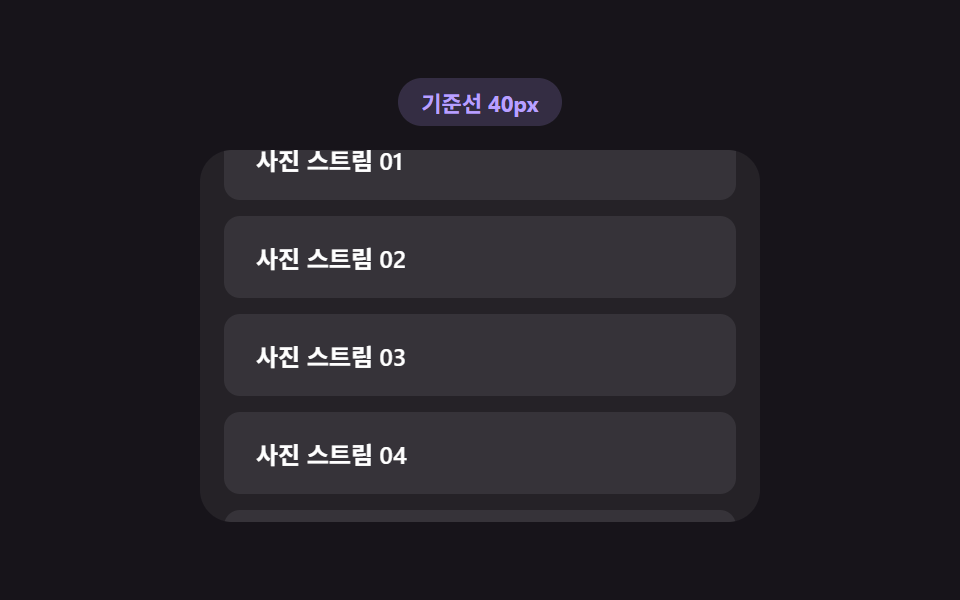 Loaders03 Load trigger threshold — a list recomputing how early it starts loading from the scroll speed valueInfinite Scroll Loading: 9 Essential UI Patterns
 Loaders08 Row stagger reveal — an effect where each list row appears following an order value once the refresh finishesPull to Refresh CSS: 9 Loading Patterns
 Loaders05 Result-card Stream Loading Where a Filled-line Count Value ClimbsAI Loading Animation: 9 Patterns by One Value