08Record and replay — a loop that rewinds your drawing
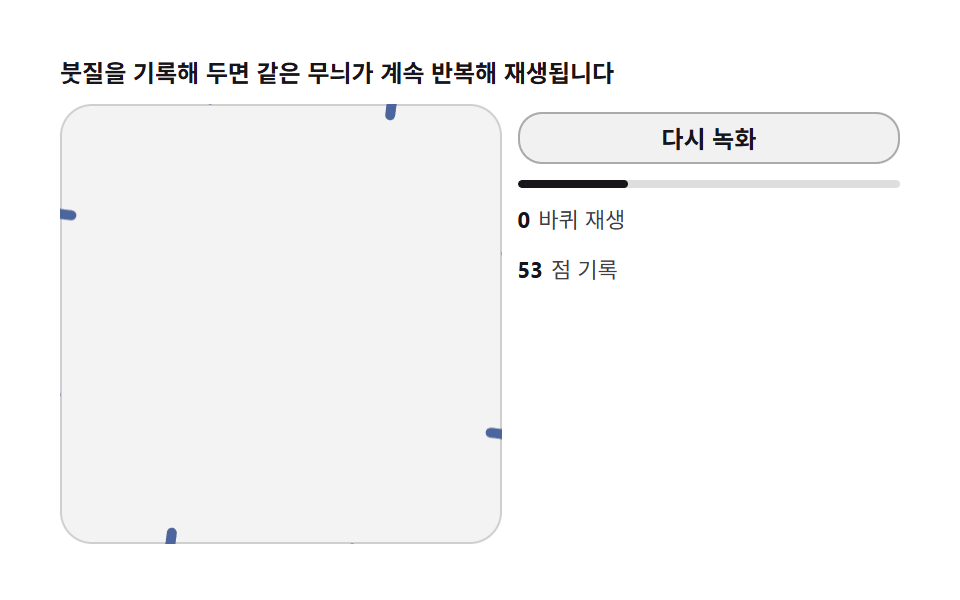
Stored coordinate arrays let the whole drawing be replayed in order after clearing. Autoplay starts from an accessible paused state, so it never hijacks reading.
Best forTutorials, artwork showcases
requestAnimationFramesetTransformarc(
<main class="stage">
<div class="krec" id="krec">
  <p class="krec__hint">Recorded strokes replay the same pattern forever</p>
  <div class="krec__row">
    <div class="krec__field" id="field" role="application" aria-label="Record-replay lab" tabindex="0">
      <canvas class="krec__cv" id="cv"></canvas>
    </div>
    <div class="krec__side">
      <button class="krec__btn" id="rec" type="button" aria-label="Record again">Record again</button>
      <div class="krec__bar"><div class="krec__fill" id="fill"></div></div>
      <p class="krec__meta"><b id="loop">0</b>loops played</p>
      <p class="krec__meta"><b id="pts">0</b>points recorded</p>
    </div>
  </div>
</div>
</main>
@use "../../../../site/static/demo-tokens" as *;
// 녹화 재생 루프(08) — rAF 캔버스 데모. 그린 좌표를 기록해 무한 재생한다.
// 종이 무대 위 짙은 파스텔 재생 궤적 — 초록 재생 커서.
$duration: $dur-loop;
$easing: $ease-out;
$color: $subject-ink;
@include stage($stage-paper);
.krec {
--c1: #4d659d; // 파랑 파스텔 짙음 — 녹화 붓
--c2: #9d4d54; // 붉은기 파스텔 짙음 — 재생 붓
--c3: #4d9d61; // 연두 파스텔 짙음 — 재생 커서
display: flex; flex-direction: column; gap: $sp-2;
width: 100%; max-width: 420px;
}
.krec__hint {
margin: 0; font-weight: 700; font-size: clamp(10px, 2.8vw, 12px); line-height: 1.35;
color: $subject-ink;
}
.krec__row { display: flex; gap: $sp-2; align-items: stretch; }
.krec__field {
position: relative; overflow: hidden;
flex: 0 0 auto;
width: clamp(176px, 46vw, 232px);
height: clamp(176px, 46vw, 232px);
border-radius: $r-card;
background: rgba($subject-ink, .05);
box-shadow: inset 0 0 0 1px rgba($subject-ink, .16);
cursor: crosshair; touch-action: none;
}
.krec__field:focus-visible { outline: 2px solid $color; outline-offset: 2px; }
.krec__cv { display: block; width: 100%; height: 100%; }
.krec__side {
flex: 1; min-width: 0;
display: flex; flex-direction: column; gap: $sp-2;
padding-top: $sp-1;
}
.krec__btn {
width: 100%; margin: 0; padding: $sp-1 $sp-2;
font-family: inherit; font-weight: 700; font-size: clamp(10px, 2.6vw, 12px); line-height: 1.4;
color: $subject-ink;
background: rgba($subject-ink, .06);
border: 1px solid rgba($subject-ink, .32); border-radius: $r-control;
cursor: pointer;
}
.krec__btn:focus-visible { outline: 2px solid $color; outline-offset: 2px; }
.krec__bar {
height: 4px; border-radius: $r-pill;
background: rgba($subject-ink, .14);
overflow: hidden;
}
.krec__fill {
height: 100%; width: 0%;
background: $subject-ink; border-radius: $r-pill;
}
.krec__meta { margin: 0; font-size: clamp(9px, 2.4vw, 11px); line-height: 1.5; color: rgba($subject-ink, .82); }
.krec__meta b { font-weight: 700; color: $subject-ink; font-variant-numeric: tabular-nums; margin-right: $sp-1; }
@media (max-width: 340px) {
.krec { gap: $sp-1; }
.krec__field { width: 150px; height: 150px; }
.krec__meta { font-size: 8px; }
}
// reduce — 루프가 안 돈다. 재생이 끝난 완성 궤적 한 장이 남는다.
@media (prefers-reduced-motion: reduce) {
.krec.is-still .krec__field { cursor: default !important; }
.krec.is-still .krec__btn { pointer-events: none !important; }
}html, body {
margin: 0;
overflow: hidden;
}
.stage {
box-sizing: border-box;
min-height: 100vh;
display: grid;
place-items: center;
margin: 0;
background: #ffffff;
font-family: -apple-system, "Segoe UI", "Noto Sans KR", sans-serif;
padding: clamp(8px, 4vw, 24px);
}
.krec {
--c1: #4d659d;
--c2: #9d4d54;
--c3: #4d9d61;
display: flex;
flex-direction: column;
gap: 8px;
width: 100%;
max-width: 420px;
}
.krec__hint {
margin: 0;
font-weight: 700;
font-size: clamp(10px, 2.8vw, 12px);
line-height: 1.35;
color: #17141a;
}
.krec__row {
display: flex;
gap: 8px;
align-items: stretch;
}
.krec__field {
position: relative;
overflow: hidden;
flex: 0 0 auto;
width: clamp(176px, 46vw, 232px);
height: clamp(176px, 46vw, 232px);
border-radius: 16px;
background: rgba(23, 20, 26, 0.05);
box-shadow: inset 0 0 0 1px rgba(23, 20, 26, 0.16);
cursor: crosshair;
touch-action: none;
}
.krec__field:focus-visible {
outline: 2px solid #17141a;
outline-offset: 2px;
}
.krec__cv {
display: block;
width: 100%;
height: 100%;
}
.krec__side {
flex: 1;
min-width: 0;
display: flex;
flex-direction: column;
gap: 8px;
padding-top: 4px;
}
.krec__btn {
width: 100%;
margin: 0;
padding: 4px 8px;
font-family: inherit;
font-weight: 700;
font-size: clamp(10px, 2.6vw, 12px);
line-height: 1.4;
color: #17141a;
background: rgba(23, 20, 26, 0.06);
border: 1px solid rgba(23, 20, 26, 0.32);
border-radius: 12px;
cursor: pointer;
}
.krec__btn:focus-visible {
outline: 2px solid #17141a;
outline-offset: 2px;
}
.krec__bar {
height: 4px;
border-radius: 999px;
background: rgba(23, 20, 26, 0.14);
overflow: hidden;
}
.krec__fill {
height: 100%;
width: 0%;
background: #17141a;
border-radius: 999px;
}
.krec__meta {
margin: 0;
font-size: clamp(9px, 2.4vw, 11px);
line-height: 1.5;
color: rgba(23, 20, 26, 0.82);
}
.krec__meta b {
font-weight: 700;
color: #17141a;
font-variant-numeric: tabular-nums;
margin-right: 4px;
}
@media (max-width: 340px) {
.krec {
gap: 4px;
}
.krec__field {
width: 150px;
height: 150px;
}
.krec__meta {
font-size: 8px;
}
}
@media (prefers-reduced-motion: reduce) {
.krec.is-still .krec__field {
cursor: default !important;
}
.krec.is-still .krec__btn {
pointer-events: none !important;
}
}// 녹화 재생 루프 — 붓질을 [x, y, 시각] 배열로 기록한다. 기록이 끝나면 처음부터
// 같은 속도로 재생하되, 반사 행렬 N 갈래 무늬는 매번 다시 찍힌다(기록은 한 Wedge
// 분량만). 재생 커서는 초록 점. 루프 카운터가 오르며 무한 반복한다.
(function () {
var root = document.getElementById('krec');
var field = document.getElementById('field');
var cv = document.getElementById('cv');
var rec = document.getElementById('rec');
var fill = document.getElementById('fill');
var loop = document.getElementById('loop');
var pts = document.getElementById('pts');
if (!root || !field || !cv || !rec || !fill || !loop || !pts) return;
var ctx = cv.getContext('2d');
var css = getComputedStyle(root);
var C1 = css.getPropertyValue('--c1').trim();
var C2 = css.getPropertyValue('--c2').trim();
var C3 = css.getPropertyValue('--c3').trim();
var N = 8;
var W = 0, H = 0, dpr = 1, cx = 0, cy = 0, R = 0;
function fit() {
W = field.clientWidth; H = field.clientHeight;
dpr = Math.min(2, window.devicePixelRatio || 1);
cv.width = Math.round(W * dpr); cv.height = Math.round(H * dpr);
cx = W / 2; cy = H / 2; R = Math.min(W, H) / 2 - 6;
}
// 반사 복제 스트로크 — 01 과 같은 코어
function mirroredSeg(x0, y0, x1, y1, col) {
for (var k = 0; k < N; k++) {
var a = k * 2 * Math.PI / N, c = Math.cos(a), s = Math.sin(a);
ctx.setTransform(dpr * c, dpr * s, dpr * s, -dpr * c, cx * dpr, cy * dpr);
ctx.strokeStyle = col;
ctx.lineWidth = 5; ctx.lineCap = 'round';
ctx.beginPath(); ctx.moveTo(x0, y0); ctx.lineTo(x1, y1); ctx.stroke();
}
ctx.setTransform(dpr, 0, 0, dpr, 0, 0);
}
// 시드 고정 녹화 경로 — 루프가 이어지는 나선 (끝점 = 시작점)
function pathAt(u) { // u: 0~1 루프 파라미터
var ang = u * 2 * Math.PI * 2 + Math.sin(u * 2 * Math.PI * 3) * 0.6;
var r = R * (0.16 + 0.60 * (0.5 - 0.5 * Math.cos(u * 2 * Math.PI)));
return [cx + r * Math.cos(ang), cy + r * Math.sin(ang)];
}
var reduce = window.matchMedia('(prefers-reduced-motion: reduce)').matches;
var REC_DUR = 3.0; // 한 바퀴 녹화 길이(초) — 시간 표기와 일치
var t = 0, last = 0;
var phase = 0; // 0 녹화 · 1 재생
var recU = 0; // 녹화 진행 0~1
var playU = 0; // 재생 진행 0~1
var loops = 0;
var record = []; // [u, x, y] — 재생 보간용
var playPrev = null;
function clear() {
ctx.setTransform(dpr, 0, 0, dpr, 0, 0);
ctx.clearRect(0, 0, W, H);
}
rec.addEventListener('click', function () {
phase = 0; recU = 0; playU = 0; loops = 0; record = []; playPrev = null;
loop.textContent = '0'; pts.textContent = '0'; fill.style.width = '0%';
clear();
});
// 녹화 — 붓이 지나간 자리만 즉시 반사 찍힌다 (잔상 축적)
function recStep(du) {
recU += du;
var u = Math.min(1, recU / REC_DUR);
var prev = record.length ? [record[record.length - 1][1], record[record.length - 1][2]] : null;
var p = pathAt(u);
record.push([u, p[0], p[1]]);
pts.textContent = String(record.length);
if (prev) mirroredSeg(prev[0], prev[1], p[0], p[1], C1);
fill.style.width = String(Math.round(u * 100)) + '%';
if (u >= 1) { phase = 1; playU = 0; playPrev = null; clear(); }
}
// 재생 — 기록을 같은 속도로 되찍는다. 루프마다 색이 번갈아 온다
function playStep(du) {
playU += du;
var u = playU / REC_DUR;
if (u >= 1) { loops += 1; loop.textContent = String(loops); playU = 0; playPrev = null; u = 0; }
var col = (loops % 2 === 0) ? C2 : C1;
// 기록 보간 — u 에 가장 가까운 두 점
var i = Math.min(record.length - 1, Math.floor(u * (record.length - 1)));
var a = record[i], b = record[Math.min(record.length - 1, i + 1)];
var f = (u * (record.length - 1)) - i;
var x = a[1] + (b[1] - a[1]) * f, y = a[2] + (b[2] - a[2]) * f;
if (playPrev) mirroredSeg(playPrev[0], playPrev[1], x, y, col);
playPrev = [x, y];
// 재생 커서 — 초록 점
ctx.setTransform(dpr, 0, 0, dpr, 0, 0);
ctx.fillStyle = C3;
ctx.beginPath(); ctx.arc(x, y, 4, 0, 2 * Math.PI); ctx.fill();
fill.style.width = String(Math.round(u * 100)) + '%';
}
function step(now) {
var dt = Math.min(64, now - last) / 1000; last = now;
t += dt;
if (phase === 0) recStep(dt);
else playStep(dt);
requestAnimationFrame(step);
}
fit();
window.addEventListener('resize', fit);
if (reduce) {
// 정지 한 장 — 녹화 완료 + 재생 1바퀴 궤적
clear();
var prevP = null;
for (var j = 0; j <= 120; j++) {
var u2 = j / 120;
var p2 = pathAt(u2);
if (prevP) mirroredSeg(prevP[0], prevP[1], p2[0], p2[1], C1);
prevP = p2;
}
prevP = null;
for (var j2 = 0; j2 <= 90; j2++) {
var u3 = j2 / 90;
var p3 = pathAt(u3);
if (prevP) mirroredSeg(prevP[0], prevP[1], p3[0], p3[1], C2);
prevP = p3;
}
pts.textContent = '121'; loop.textContent = '1'; fill.style.width = '100%';
root.classList.add('is-still');
} else {
last = performance.now();
requestAnimationFrame(step);
}
})();// KaleidoRecordReplayLoop — vanilla 판(run/331/demo/08-kaleido-record-replay-loop/index.html) 의 React 포트.
// 붓질을 [x, y, 시각] 배열로 기록한다. 기록이 끝나면 처음부터 같은 속도로 재생하되,
// 반사 행렬 N 갈래 무늬는 매번 다시 찍힌다(기록은 한 부채꼴 분량만). 재생 커서는
// 초록 점. 루프 카운터가 오르며 무한 반복한다. 한 바퀴 녹화 길이 REC_DUR = 3.0초 —
// 시간 표기와 소스 상수가 같다. 값·수치는 vanilla 와 같다.
// 움직임은 전부 캔버스 rAF 루프가 그리므로 CSS 애니메이션이 없다.
// reduce 에서는 루프를 돌리지 않고 녹화 완료 + 재생 1바퀴 궤적 한 장만 남긴다(.isStill).
import { useEffect, useRef, useState } from "react";
import type { CSSProperties } from "react";
import styles from "./KaleidoRecordReplayLoop.module.scss";
export type KaleidoRecordReplayLoopProps = {
duration?: string;
easing?: string;
color?: string;
};
type Vars = CSSProperties & { "--duration"?: string; "--easing"?: string; "--color"?: string };
// useRef 는 T | null 을 돌려준다. 처음부터 값이 있고 절대 비지 않는 상자는 이렇게 좁혀 쓴다
type Box<T> = { current: T };
const N = 8;
const C1 = "#4d659d"; // 파랑 파스텔 짙음 — 녹화 붓
const C2 = "#9d4d54"; // 붉은기 파스텔 짙음 — 재생 붓
const C3 = "#4d9d61"; // 연두 파스텔 짙음 — 재생 커서
const REC_DUR = 3.0; // 한 바퀴 녹화 길이(초) — 시간 표기와 일치
const HINT = "붓질을 기록해 두면 같은 무늬가 계속 반복해 재생됩니다";
const ARIA_FIELD = "녹화 재생 실험판";
const REC_BTN = "다시 녹화";
const REC_ARIA = "다시 녹화";
const LOOP_UNIT = "바퀴 재생";
const PTS_UNIT = "점 기록";
// 기록 점 [u, x, y] — 재생 보간용
type RecPt = [number, number, number];
export default function KaleidoRecordReplayLoop({
duration = "2s",
easing = "ease-out",
color = "#17141a"
}: KaleidoRecordReplayLoopProps) {
const fieldRef = useRef<HTMLDivElement | null>(null);
const cvRef = useRef<HTMLCanvasElement | null>(null);
const fillRef = useRef<HTMLDivElement | null>(null);
const loopRef = useRef<HTMLSpanElement | null>(null);
const ptsRef = useRef<HTMLSpanElement | null>(null);
const ctxRef = useRef<CanvasRenderingContext2D | null>(null);
const stRef = useRef({
W: 0, H: 0, dpr: 1, cx: 0, cy: 0, R: 0,
t: 0, phase: 0, recU: 0, playU: 0, loops: 0,
record: [] as RecPt[], playPrev: null as [number, number] | null
}) as Box<{
W: number; H: number; dpr: number; cx: number; cy: number; R: number;
t: number; phase: number; recU: number; playU: number; loops: number;
record: RecPt[]; playPrev: [number, number] | null;
}>;
const lastRef = useRef(0) as Box<number>;
const rafRef = useRef(0) as Box<number>;
const [still, setStill] = useState(false);
function reduced(): boolean {
return window.matchMedia("(prefers-reduced-motion: reduce)").matches;
}
function fit(): void {
const st = stRef.current;
const field = fieldRef.current, cv = cvRef.current;
if (!field || !cv) return;
const ctx = cv.getContext("2d");
if (!ctx) return;
st.W = field.clientWidth; st.H = field.clientHeight;
st.dpr = Math.min(2, window.devicePixelRatio || 1);
cv.width = Math.round(st.W * st.dpr); cv.height = Math.round(st.H * st.dpr);
st.cx = st.W / 2; st.cy = st.H / 2; st.R = Math.min(st.W, st.H) / 2 - 6;
ctxRef.current = ctx;
}
// 반사 복제 스트로크 — 01 과 같은 코어
function mirroredSeg(x0: number, y0: number, x1: number, y1: number, col: string): void {
const st = stRef.current;
const ctx = ctxRef.current;
if (!ctx) return;
for (let k = 0; k < N; k++) {
const a = k * 2 * Math.PI / N, c = Math.cos(a), s = Math.sin(a);
ctx.setTransform(st.dpr * c, st.dpr * s, st.dpr * s, -st.dpr * c, st.cx * st.dpr, st.cy * st.dpr);
ctx.strokeStyle = col;
ctx.lineWidth = 5; ctx.lineCap = "round";
ctx.beginPath(); ctx.moveTo(x0, y0); ctx.lineTo(x1, y1); ctx.stroke();
}
ctx.setTransform(st.dpr, 0, 0, st.dpr, 0, 0);
}
// 시드 고정 녹화 경로 — 루프가 이어지는 나선 (끝점 = 시작점)
function pathAt(u: number): [number, number] { // u: 0~1 루프 파라미터
const st = stRef.current;
const ang = u * 2 * Math.PI * 2 + Math.sin(u * 2 * Math.PI * 3) * 0.6;
const r = st.R * (0.16 + 0.60 * (0.5 - 0.5 * Math.cos(u * 2 * Math.PI)));
return [st.cx + r * Math.cos(ang), st.cy + r * Math.sin(ang)];
}
function clear(): void {
const st = stRef.current;
const ctx = ctxRef.current;
if (!ctx) return;
ctx.setTransform(st.dpr, 0, 0, st.dpr, 0, 0);
ctx.clearRect(0, 0, st.W, st.H);
}
function onRecClick(): void {
const st = stRef.current;
st.phase = 0; st.recU = 0; st.playU = 0; st.loops = 0; st.record = []; st.playPrev = null;
const loop = loopRef.current, pts = ptsRef.current, fill = fillRef.current;
if (loop) loop.textContent = "0";
if (pts) pts.textContent = "0";
if (fill) fill.style.width = "0%";
clear();
}
// 녹화 — 붓이 지나간 자리만 즉시 반사 찍힌다 (잔상 축적)
function recStep(du: number): void {
const st = stRef.current;
st.recU += du;
const u = Math.min(1, st.recU / REC_DUR);
const lastRec = st.record.length ? st.record[st.record.length - 1] : null;
const prev: [number, number] | null = lastRec ? [lastRec[1], lastRec[2]] : null;
const p = pathAt(u);
st.record.push([u, p[0], p[1]]);
const pts = ptsRef.current, fill = fillRef.current;
if (pts) pts.textContent = String(st.record.length);
if (prev) mirroredSeg(prev[0], prev[1], p[0], p[1], C1);
if (fill) fill.style.width = String(Math.round(u * 100)) + "%";
if (u >= 1) { st.phase = 1; st.playU = 0; st.playPrev = null; clear(); }
}
// 재생 — 기록을 같은 속도로 되찍는다. 루프마다 색이 번갈아 온다
function playStep(du: number): void {
const st = stRef.current;
st.playU += du;
let u = st.playU / REC_DUR;
if (u >= 1) {
st.loops += 1;
const loop = loopRef.current;
if (loop) loop.textContent = String(st.loops);
st.playU = 0; st.playPrev = null; u = 0;
}
const col = (st.loops % 2 === 0) ? C2 : C1;
// 기록 보간 — u 에 가장 가까운 두 점
const i = Math.min(st.record.length - 1, Math.floor(u * (st.record.length - 1)));
const a = st.record[i], b = st.record[Math.min(st.record.length - 1, i + 1)];
const f = (u * (st.record.length - 1)) - i;
const x = a[1] + (b[1] - a[1]) * f, y = a[2] + (b[2] - a[2]) * f;
if (st.playPrev) mirroredSeg(st.playPrev[0], st.playPrev[1], x, y, col);
st.playPrev = [x, y];
// 재생 커서 — 초록 점
const ctx = ctxRef.current;
if (ctx) {
ctx.setTransform(st.dpr, 0, 0, st.dpr, 0, 0);
ctx.fillStyle = C3;
ctx.beginPath(); ctx.arc(x, y, 4, 0, 2 * Math.PI); ctx.fill();
}
const fill = fillRef.current;
if (fill) fill.style.width = String(Math.round(u * 100)) + "%";
}
function step(now: number): void {
const st = stRef.current;
const dt = Math.min(64, now - lastRef.current) / 1000; lastRef.current = now;
st.t += dt;
if (st.phase === 0) recStep(dt);
else playStep(dt);
rafRef.current = requestAnimationFrame(step);
}
useEffect(() => {
fit();
function onResize(): void { fit(); }
window.addEventListener("resize", onResize);
if (reduced()) {
// 정지 한 장 — 녹화 완료 + 재생 1바퀴 궤적
clear();
let prevP: [number, number] | null = null;
for (let j = 0; j <= 120; j++) {
const u2 = j / 120;
const p2 = pathAt(u2);
if (prevP) mirroredSeg(prevP[0], prevP[1], p2[0], p2[1], C1);
prevP = p2;
}
prevP = null;
for (let j2 = 0; j2 <= 90; j2++) {
const u3 = j2 / 90;
const p3 = pathAt(u3);
if (prevP) mirroredSeg(prevP[0], prevP[1], p3[0], p3[1], C2);
prevP = p3;
}
const pts = ptsRef.current, loop = loopRef.current, fill = fillRef.current;
if (pts) pts.textContent = "121";
if (loop) loop.textContent = "1";
if (fill) fill.style.width = "100%";
setStill(true);
} else {
lastRef.current = performance.now();
rafRef.current = requestAnimationFrame(step);
}
return () => {
window.removeEventListener("resize", onResize);
cancelAnimationFrame(rafRef.current);
};
// eslint-disable-next-line react-hooks/exhaustive-deps
}, []);
const rootCls = still ? styles.krec + " " + styles.isStill : styles.krec;
return (
<main className={styles.stage}>
<div className={rootCls} style={{ "--duration": duration, "--easing": easing, "--color": color } as Vars}>
<p className={styles.hint}>{HINT}</p>
<div className={styles.row}>
<div
className={styles.field}
ref={fieldRef}
role="application"
aria-label={ARIA_FIELD}
tabIndex={0}
>
<canvas className={styles.cv} ref={cvRef}></canvas>
</div>
<div className={styles.side}>
<button className={styles.btn} type="button" aria-label={REC_ARIA} onClick={onRecClick}>{REC_BTN}</button>
<div className={styles.bar}><div className={styles.fill} ref={fillRef}></div></div>
<p className={styles.meta}><b><span ref={loopRef}>0</span></b>{LOOP_UNIT}</p>
<p className={styles.meta}><b><span ref={ptsRef}>0</span></b>{PTS_UNIT}</p>
</div>
</div>
</div>
</main>
);
}08 Record and replay — a loop that rewinds your drawing — Measured area 5.417% · moving frames 23/23Original by GODRICH · SCSS and React ship in the zip · Kaleidoscope Drawing: 9 Canvas Symmetry Tools
The post this demo lives in
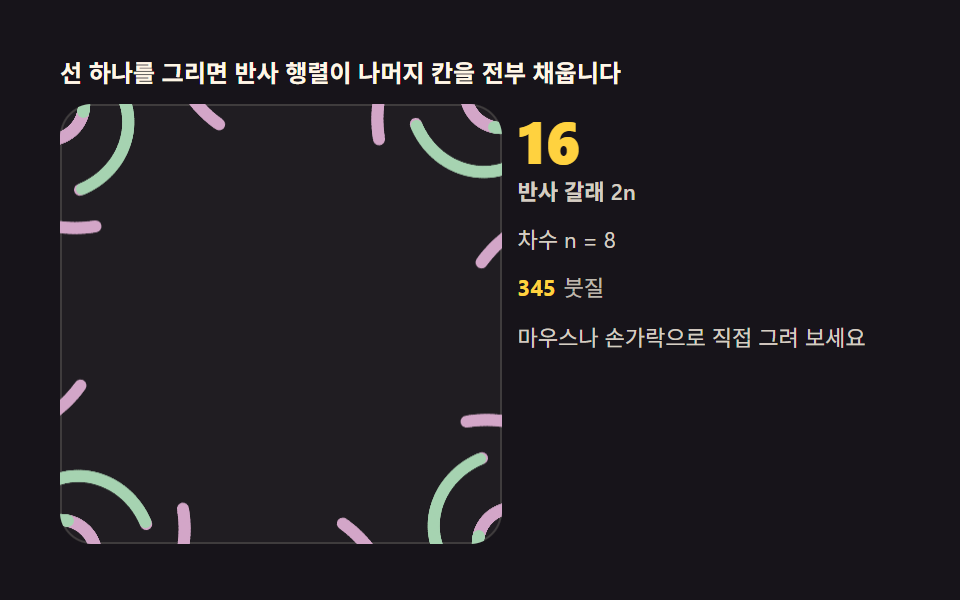 Kaleidoscope Drawing: 9 Canvas Symmetry ToolsDraw one stroke and reflection matrices fill every remaining wedge. Mirror angle, symmetry order and hue cycling are you See all demos in this post
If you like this effect - similar demos
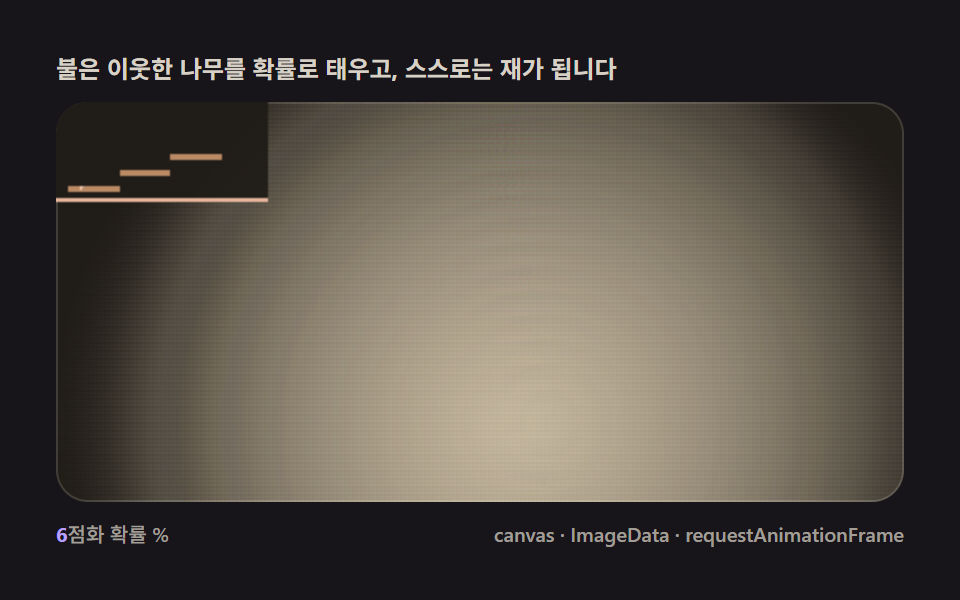 Creative UI04 Fire spread — a consumption rule that burns neighboring fuel and shrinksFalling Sand Simulator, 9 Ways (No Library)
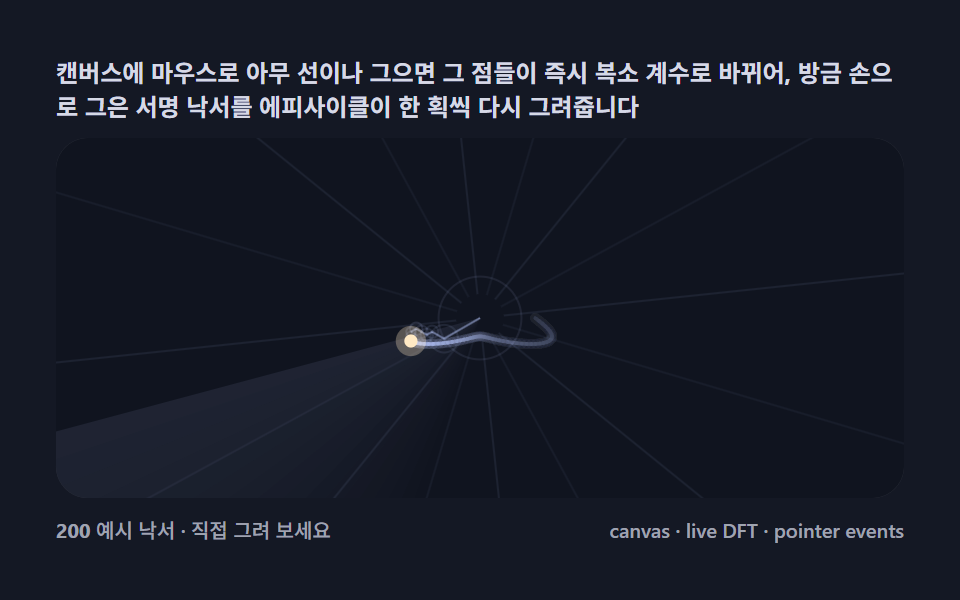 Creative UI05 Draw your own line — sketch it, and circles redraw it liveFourier Epicycles, 9 Ways (No Library)
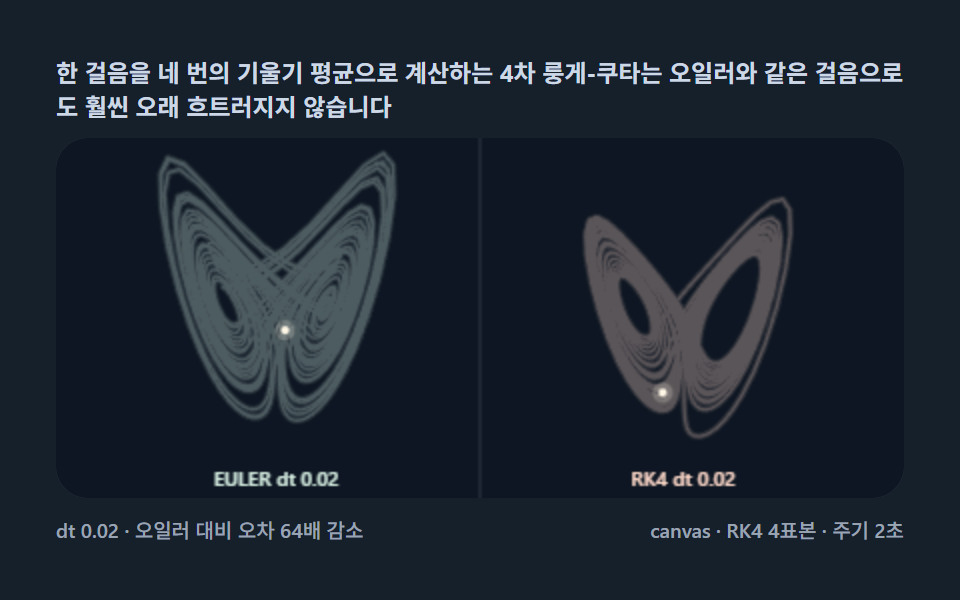 Creative UI03 RK4 integration — stepping up from Euler to fourth-order Runge-KuttaLorenz Attractor: 9 Butterfly Chaos Demos