01Text That Swaps a Fallback Font for the Real One via Lazy Loading
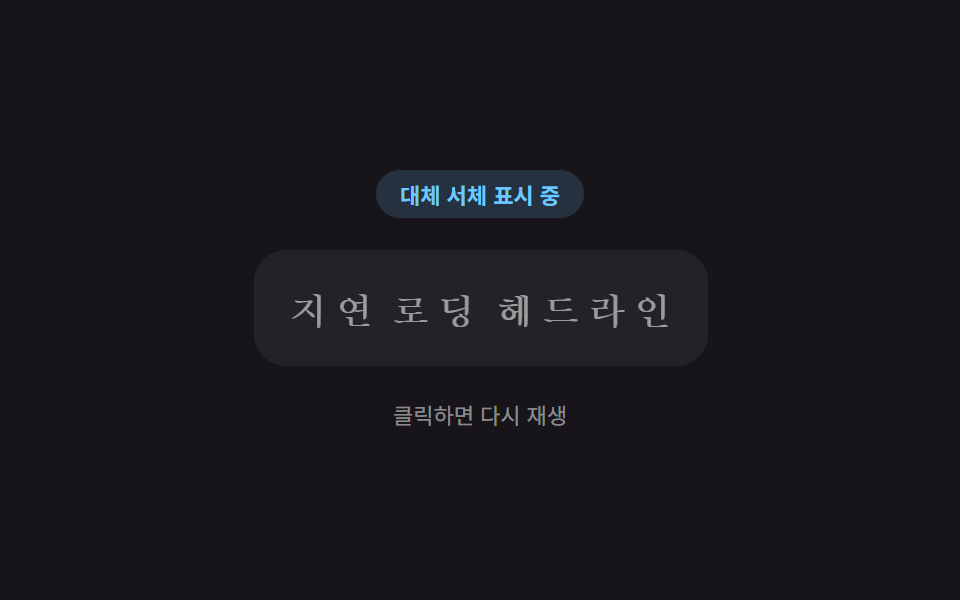
A font-ready value is computed to show a fallback typeface first, then swap the letterforms smoothly once the real font finishes loading.
Best forText-heavy landing pages and blog article openings
STAGGER_STEP_MSFOUT_DELAY_MSRESET_DELAY_MS
<main class="stage">
<div class="lff is-demo" id="lff">
  <div class="lff__badge" id="lffBadge">Showing fallback font</div>
  <h2 class="lff__head" id="lffHead" aria-label="Lazy-load headline"></h2>
  <p class="lff__hint">Click to replay</p>
</div>
</main>
@use "../../../../site/static/demo-tokens" as *;
// 대체 서체 → 실제 서체 지연 로딩. 글자마다 인덱스 값으로 transition-delay 를 미리 계산해
// 심어두면(자바스크립트) 클래스 하나만 켜져도 순서대로 스프링 오버슛이 번져 나간다.
$duration: $dur-enter;
$easing: $ease-elastic;
$color: $subject-sky;
@include stage($stage-ink);
.lff {
display: flex;
flex-direction: column;
align-items: center;
gap: $sp-4;
width: min(100%, 300px);
outline: none;
cursor: pointer;
}
.lff__badge {
padding: $sp-1 $sp-3;
border-radius: $r-pill;
background: rgba(110, 200, 255, .16);
color: $color;
font-weight: 700;
font-size: 11px;
font-variant-numeric: tabular-nums;
}
.lff__head {
margin: 0;
padding: $sp-4 $sp-4;
border-radius: $r-card;
background: rgba(255, 255, 255, .06);
color: $stage-paper;
font-size: 22px;
font-weight: 700;
font-family: "Times New Roman", Georgia, serif;
text-align: center;
transition: font-family 1ms linear;
}
.lff__char {
display: inline-block;
transform: scale(.82);
transform-origin: 50% 100%;
opacity: .55;
transition: transform $duration $easing, opacity $dur-base $ease-out;
}
.lff--loaded .lff__head {
font-family: -apple-system, "Segoe UI", "Noto Sans KR", sans-serif;
}
.lff__char--loaded {
transform: scale(1);
opacity: 1;
}
.lff__hint {
margin: 0;
color: rgba(255, 255, 255, .5);
font-size: 11px;
}
@media (max-width: 340px) {
.lff__head { font-size: 18px; padding: $sp-3 $sp-3; }
.lff { gap: $sp-2; }
}
@media (prefers-reduced-motion: reduce) {
.lff__char { transition: none !important; }
.lff__head { transition: none !important; }
}html, body {
margin: 0;
overflow: hidden;
}
.stage {
box-sizing: border-box;
min-height: 100vh;
display: grid;
place-items: center;
margin: 0;
background: #17141a;
font-family: -apple-system, "Segoe UI", "Noto Sans KR", sans-serif;
padding: clamp(8px, 4vw, 24px);
}
.lff {
display: flex;
flex-direction: column;
align-items: center;
gap: 16px;
width: min(100%, 300px);
outline: none;
cursor: pointer;
}
.lff__badge {
padding: 4px 12px;
border-radius: 999px;
background: rgba(110, 200, 255, 0.16);
color: #6ec8ff;
font-weight: 700;
font-size: 11px;
font-variant-numeric: tabular-nums;
}
.lff__head {
margin: 0;
padding: 16px 16px;
border-radius: 16px;
background: rgba(255, 255, 255, 0.06);
color: #ffffff;
font-size: 22px;
font-weight: 700;
font-family: "Times New Roman", Georgia, serif;
text-align: center;
transition: font-family 1ms linear;
}
.lff__char {
display: inline-block;
transform: scale(0.82);
transform-origin: 50% 100%;
opacity: 0.55;
transition: transform 600ms cubic-bezier(0.34, 1.56, 0.64, 1), opacity 300ms ease-out;
}
.lff--loaded .lff__head {
font-family: -apple-system, "Segoe UI", "Noto Sans KR", sans-serif;
}
.lff__char--loaded {
transform: scale(1);
opacity: 1;
}
.lff__hint {
margin: 0;
color: rgba(255, 255, 255, 0.5);
font-size: 11px;
}
@media (max-width: 340px) {
.lff__head {
font-size: 18px;
padding: 12px 12px;
}
.lff {
gap: 8px;
}
}
@media (prefers-reduced-motion: reduce) {
.lff__char {
transition: none !important;
}
.lff__head {
transition: none !important;
}
}(function () {
var root = document.getElementById('lff');
var badge = document.getElementById('lffBadge');
var head = document.getElementById('lffHead');
var TEXT = 'Lazy-load headline';
var STAGGER_STEP_MS = 45;
var FOUT_DELAY_MS = 700;
var HOLD_MS = 1800;
var RESET_DELAY_MS = 900;
var timer = null;
// 계산 겹: 글자 인덱스 값으로 전환 지연 시간을 계산해 순서대로 스프링 오버슛이 번진다.
var chars = [];
for (var i = 0; i < TEXT.length; i += 1) {
var span = document.createElement('span');
span.className = 'lff__char';
span.textContent = TEXT[i] === ' ' ? ' ' : TEXT[i];
span.style.transitionDelay = (i * STAGGER_STEP_MS) + 'ms';
head.appendChild(span);
chars.push(span);
}
function resetState() {
root.classList.remove('lff--loaded');
for (var i = 0; i < chars.length; i += 1) { chars[i].classList.remove('lff__char--loaded'); }
badge.textContent = 'Showing fallback font';
}
function swapToLoaded() {
root.classList.add('lff--loaded');
for (var i = 0; i < chars.length; i += 1) { chars[i].classList.add('lff__char--loaded'); }
badge.textContent = 'Real font loaded';
}
function playOnce(loop) {
resetState();
timer = setTimeout(function () {
swapToLoaded();
if (loop) {
timer = setTimeout(function () { playOnce(true); }, HOLD_MS + RESET_DELAY_MS);
}
}, FOUT_DELAY_MS);
}
function replay() {
if (timer) { clearTimeout(timer); }
root.classList.remove('is-demo');
playOnce(false);
}
root.addEventListener('click', replay);
root.addEventListener('keydown', function (e) {
if (e.key === 'Enter' || e.key === ' ') { e.preventDefault(); replay(); }
});
root.tabIndex = 0;
var reduce = window.matchMedia('(prefers-reduced-motion: reduce)').matches;
if (reduce) {
root.classList.remove('is-demo');
swapToLoaded();
} else {
playOnce(true);
}
})();import { useEffect, useRef, useState, useCallback } from "react";
import styles from "./FontSwapFout.module.scss";
// 대체 서체 → 실제 서체 지연 로딩. 글자 인덱스 값으로 transition-delay 를 계산해
// 순서대로 스프링 오버슛이 번지게 한다.
const TEXT = "지연 로딩 헤드라인";
const STAGGER_STEP_MS = 45;
const FOUT_DELAY_MS = 700;
const HOLD_MS = 1800;
const RESET_DELAY_MS = 900;
export default function FontSwapFout() {
const rootRef = useRef<HTMLDivElement>(null);
const [demo, setDemo] = useState(true);
const [loaded, setLoaded] = useState(false);
const [badge, setBadge] = useState("대체 서체 표시 중");
const timerRef = useRef<number | null>(null);
const playOnce = useCallback((loop: boolean) => {
setLoaded(false);
setBadge("대체 서체 표시 중");
timerRef.current = window.setTimeout(() => {
setLoaded(true);
setBadge("실제 서체 로드 완료");
if (loop) {
timerRef.current = window.setTimeout(() => { playOnce(true); }, HOLD_MS + RESET_DELAY_MS);
}
}, FOUT_DELAY_MS);
}, []);
const replay = useCallback(() => {
if (timerRef.current !== null) { window.clearTimeout(timerRef.current); }
setDemo(false);
playOnce(false);
}, [playOnce]);
useEffect(() => {
const reduce = window.matchMedia("(prefers-reduced-motion: reduce)").matches;
if (reduce) {
setDemo(false);
setLoaded(true);
setBadge("실제 서체 로드 완료");
} else {
playOnce(true);
}
const root = rootRef.current;
function onKeyDown(e: KeyboardEvent) {
if (e.key === "Enter" || e.key === " ") { e.preventDefault(); replay(); }
}
root?.addEventListener("keydown", onKeyDown);
return () => {
if (timerRef.current !== null) { window.clearTimeout(timerRef.current); }
root?.removeEventListener("keydown", onKeyDown);
};
}, [playOnce, replay]);
const chars = TEXT.split("").map((ch, i) => (
<span
key={i}
className={`${styles["lff__char"]} ${loaded ? styles["lff__char--loaded"] : ""}`}
style={{ transitionDelay: `${i * STAGGER_STEP_MS}ms` }}
>
{ch === " " ? " " : ch}
</span>
));
return (
<main className={styles.stage}>
<div
ref={rootRef}
className={`${styles.lff} ${demo ? styles["is-demo"] : ""} ${loaded ? styles["lff--loaded"] : ""}`}
tabIndex={0}
onClick={replay}
>
<div className={styles["lff__badge"]}>{badge}</div>
<h2 className={styles["lff__head"]} aria-label="지연 로딩 헤드라인">{chars}</h2>
<p className={styles["lff__hint"]}>클릭하면 다시 재생</p>
</div>
</main>
);
}01 Text That Swaps a Fallback Font for the Real One via Lazy Loading — Measured area 5.237% · moving frames 10/23Original by GODRICH · SCSS and React ship in the zip · Lazy Loading Images: 9 CSS Placeholder Patterns
The post this demo lives in
 Lazy Loading Images: 9 CSS Placeholder PatternsAmong nine lazy loading images patterns, one computes a ratio to fade an image in, one computes timing to swap an iframe See all demos in this post
If you like this effect - similar demos
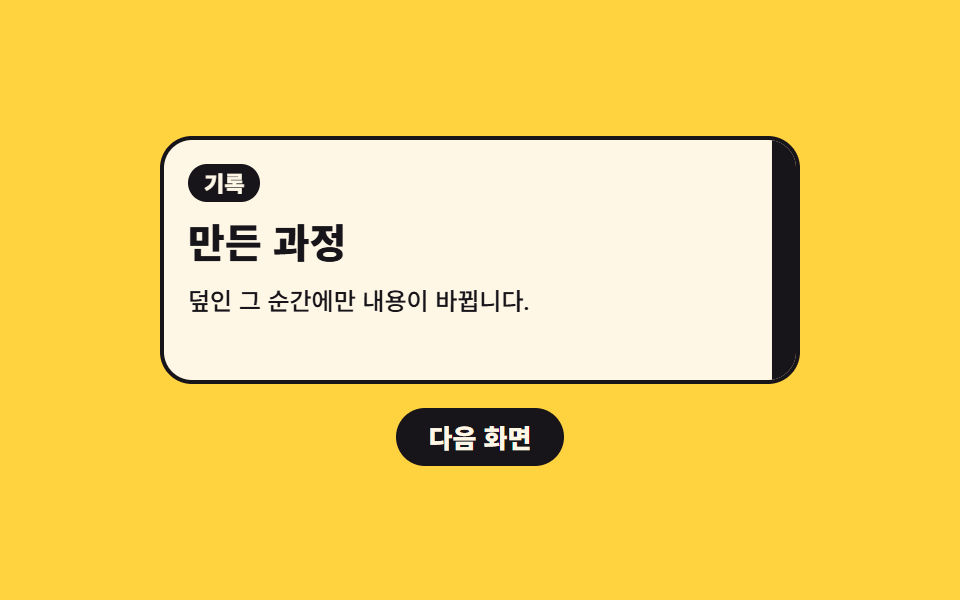 Loaders02 Color band that sweeps across and swaps the content behind itPage Loading Animation CSS: 9 Route-Change Demos
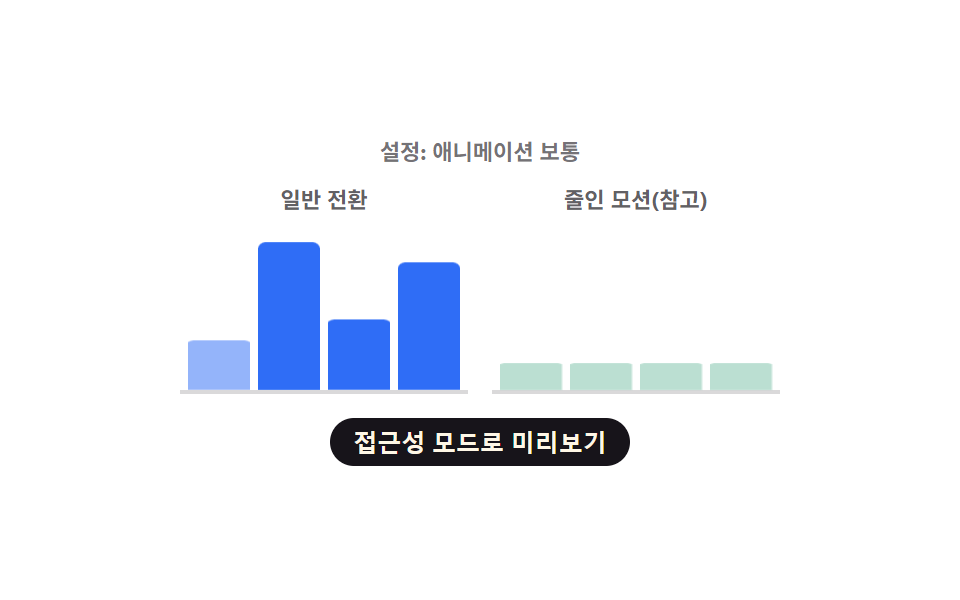 Loaders09 Chart Loading That Skips Computation and Swaps Instantly Under Reduced MotionChart Loading Animation — 9 Computed Patterns
 Loaders08 Ghost-text Reveal That Shows One More Letter as a Token-index Value RisesAI Loading Animation: 9 Patterns by One Value