06Video Poster Swap Judged by a Playback Value via Lazy Loading
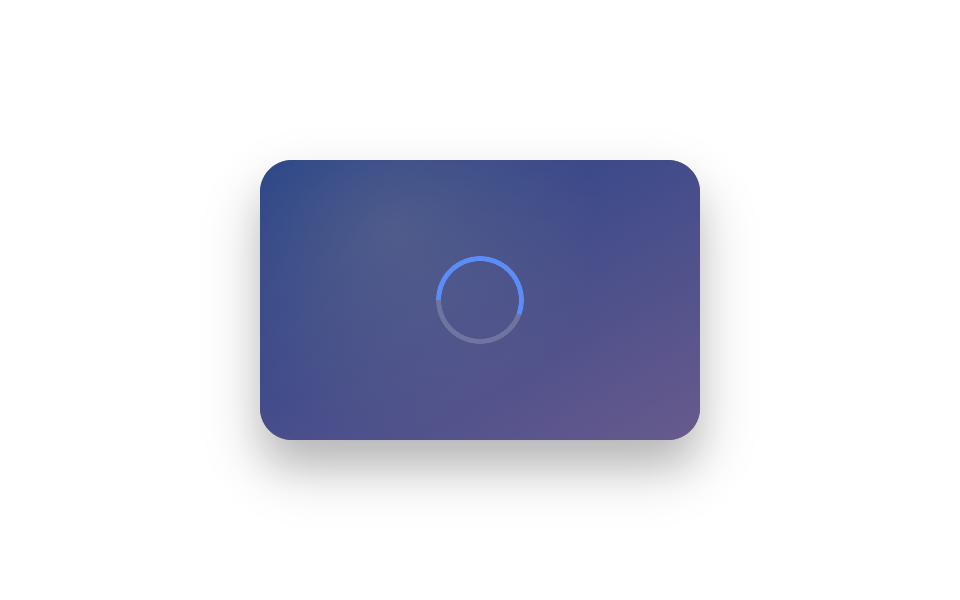
A playback-started value is computed to show only a poster image before play begins, handing the spot to the real video frame the instant that value changes.
Best forVideo review pages and course-listing thumbnails
BUFFER_DURATION_MSPLAY_HOLD_MSrunBuffering
<main class="stage">
<div class="lvp is-demo" id="lvp">
  <div class="lvp__frame" id="lvpFrame">
    <div class="lvp__poster" id="lvpPoster"></div>
    <div class="lvp__playing" id="lvpPlaying"></div>
    <div class="lvp__ring" id="lvpRing"></div>
    <button type="button" class="lvp__play" id="lvpPlay" aria-label="Play video">▶</button>
  </div>
</div>
</main>
@use "../../../../site/static/demo-tokens" as *;
// 재생 시작 여부 값(isPlaying) 이 포스터↔실제 프레임을 판정한다. 버퍼링 중엔
// 경과/전체 시간 진행률로 conic-gradient 각도를 매 프레임 계산해 링이 돈다.
// 포스터→재생 전환은 크로스페이드 없이 즉시 스위치(잔상 방지, 077 주의사항).
$duration: $dur-loop;
$easing: $ease-out;
$color: $subject-blue-light;
@include stage($stage-paper);
.lvp {
display: flex;
align-items: center;
justify-content: center;
}
.lvp__frame {
position: relative;
box-sizing: border-box;
width: 220px;
height: 140px;
border-radius: $r-card;
overflow: hidden;
background: $stage-ink;
box-shadow: $shadow-raised;
}
.lvp__poster {
position: absolute;
inset: 0;
background:
radial-gradient(circle at 30% 25%, rgba(255, 255, 255, .3), transparent 55%),
linear-gradient(150deg, $subject-blue, $subject-lilac);
}
.lvp__playing {
position: absolute;
inset: 0;
opacity: 0;
background: repeating-linear-gradient(120deg, $subject-blue-deep 0 18px, $subject-blue 18px 36px);
background-size: 200% 200%;
}
.lvp__frame--playing .lvp__poster { opacity: 0; }
.lvp__frame--playing .lvp__playing {
opacity: 1;
animation: lvp-scan $duration linear infinite;
}
@keyframes lvp-scan {
from { background-position: 0 0; }
to { background-position: 72px 0; }
}
.lvp__ring {
position: absolute;
top: 50%;
left: 50%;
width: 44px;
height: 44px;
margin: -22px 0 0 -22px;
border-radius: 50%;
opacity: 0;
mask: radial-gradient(circle, transparent 62%, #000 63%);
-webkit-mask: radial-gradient(circle, transparent 62%, #000 63%);
}
.lvp__frame--buffering .lvp__ring { opacity: 1; }
.lvp__frame--buffering .lvp__poster { opacity: .5; }
.lvp__play {
position: absolute;
top: 50%;
left: 50%;
transform: translate(-50%, -50%);
width: 44px;
height: 44px;
border-radius: 50%;
border: none;
background: rgba(255, 255, 255, .88);
color: $stage-ink;
font-size: 14px;
display: grid;
place-items: center;
cursor: pointer;
}
.lvp__frame--buffering .lvp__play { opacity: 0; pointer-events: none; }
@media (max-width: 340px) {
.lvp__frame { width: 170px; height: 110px; }
}
@media (prefers-reduced-motion: reduce) {
.lvp__playing { animation: none !important; }
}html, body {
margin: 0;
overflow: hidden;
}
.stage {
box-sizing: border-box;
min-height: 100vh;
display: grid;
place-items: center;
margin: 0;
background: #ffffff;
font-family: -apple-system, "Segoe UI", "Noto Sans KR", sans-serif;
padding: clamp(8px, 4vw, 24px);
}
.lvp {
display: flex;
align-items: center;
justify-content: center;
}
.lvp__frame {
position: relative;
box-sizing: border-box;
width: 220px;
height: 140px;
border-radius: 16px;
overflow: hidden;
background: #17141a;
box-shadow: 0 14px 24px rgba(23, 20, 26, 0.32);
}
.lvp__poster {
position: absolute;
inset: 0;
background: radial-gradient(circle at 30% 25%, rgba(255, 255, 255, 0.3), transparent 55%), linear-gradient(150deg, #2f6df6, #b9a0ff);
}
.lvp__playing {
position: absolute;
inset: 0;
opacity: 0;
background: repeating-linear-gradient(120deg, #0a4fe8 0 18px, #2f6df6 18px 36px);
background-size: 200% 200%;
}
.lvp__frame--playing .lvp__poster {
opacity: 0;
}
.lvp__frame--playing .lvp__playing {
opacity: 1;
animation: lvp-scan 2s linear infinite;
}
@keyframes lvp-scan {
from {
background-position: 0 0;
}
to {
background-position: 72px 0;
}
}
.lvp__ring {
position: absolute;
top: 50%;
left: 50%;
width: 44px;
height: 44px;
margin: -22px 0 0 -22px;
border-radius: 50%;
opacity: 0;
mask: radial-gradient(circle, transparent 62%, #000 63%);
-webkit-mask: radial-gradient(circle, transparent 62%, #000 63%);
}
.lvp__frame--buffering .lvp__ring {
opacity: 1;
}
.lvp__frame--buffering .lvp__poster {
opacity: 0.5;
}
.lvp__play {
position: absolute;
top: 50%;
left: 50%;
transform: translate(-50%, -50%);
width: 44px;
height: 44px;
border-radius: 50%;
border: none;
background: rgba(255, 255, 255, 0.88);
color: #17141a;
font-size: 14px;
display: grid;
place-items: center;
cursor: pointer;
}
.lvp__frame--buffering .lvp__play {
opacity: 0;
pointer-events: none;
}
@media (max-width: 340px) {
.lvp__frame {
width: 170px;
height: 110px;
}
}
@media (prefers-reduced-motion: reduce) {
.lvp__playing {
animation: none !important;
}
}(function () {
var root = document.getElementById('lvp');
var frame = document.getElementById('lvpFrame');
var ring = document.getElementById('lvpRing');
var playBtn = document.getElementById('lvpPlay');
var BUFFER_DURATION_MS = 620;
var PLAY_HOLD_MS = 1600;
var CYCLE_GAP_MS = 700;
var isPlaying = false;
var raf = null;
// 계산 겹: 경과 시간 값을 버퍼링 전체 시간 값으로 나눠 진행률을 구하고,
// 그 진행률을 conic-gradient 각도 변수로 매 프레임 다시 써 링이 돈다.
function runBuffering(onDone) {
var start = performance.now();
frame.classList.add('lvp__frame--buffering');
function step(now) {
var progress = Math.min((now - start) / BUFFER_DURATION_MS, 1);
ring.style.background = 'conic-gradient(from -90deg, #5b8cf8 ' + (progress * 360).toFixed(1) + 'deg, rgba(255,255,255,.18) 0)';
if (progress < 1) {
raf = requestAnimationFrame(step);
} else {
frame.classList.remove('lvp__frame--buffering');
onDone();
}
}
raf = requestAnimationFrame(step);
}
function setPlaying(v) {
isPlaying = v;
frame.classList.toggle('lvp__frame--playing', v);
playBtn.textContent = v ? '❚❚' : '▶';
playBtn.setAttribute('aria-label', v ? 'Stop video' : 'Play video');
}
function startPlay() {
if (isPlaying) { return; }
ring.style.background = 'conic-gradient(from -90deg, #5b8cf8 0deg, rgba(255,255,255,.18) 0)';
runBuffering(function () { setPlaying(true); });
}
function resetToPoster() {
if (raf) { cancelAnimationFrame(raf); }
frame.classList.remove('lvp__frame--buffering');
setPlaying(false);
}
playBtn.addEventListener('click', function () {
root.classList.remove('is-demo');
if (isPlaying) { resetToPoster(); } else { startPlay(); }
});
var reduce = window.matchMedia('(prefers-reduced-motion: reduce)').matches;
var loopTimer = null;
if (reduce) {
root.classList.remove('is-demo');
setPlaying(true);
} else {
(function loop() {
resetToPoster();
loopTimer = setTimeout(function () {
if (!root.classList.contains('is-demo')) { return; }
startPlay();
loopTimer = setTimeout(function () {
if (root.classList.contains('is-demo')) { loop(); }
}, PLAY_HOLD_MS);
}, CYCLE_GAP_MS);
})();
}
})();import { useEffect, useRef, useCallback, useState } from "react";
import styles from "./VideoPosterSwap.module.scss";
// 재생 시작 여부 값(isPlaying) 이 포스터↔실제 프레임을 판정한다. 버퍼링 중엔
// 경과/전체 시간 진행률로 conic-gradient 각도를 매 프레임 계산해 링이 돈다.
const BUFFER_DURATION_MS = 620;
const PLAY_HOLD_MS = 1600;
const CYCLE_GAP_MS = 700;
type Box<T> = { current: T };
function useBox<T>(initial: T): Box<T> {
return useRef(initial) as unknown as Box<T>;
}
export default function VideoPosterSwap() {
const rootRef = useRef<HTMLDivElement>(null);
const frameRef = useRef<HTMLDivElement>(null);
const ringRef = useRef<HTMLDivElement>(null);
const [demo, setDemo] = useState(true);
const [playing, setPlayingState] = useState(false);
const [buffering, setBuffering] = useState(false);
const rafRef = useBox<number | null>(null);
const isPlayingRef = useBox<boolean>(false);
const setPlaying = useCallback((v: boolean) => {
isPlayingRef.current = v;
setPlayingState(v);
}, [isPlayingRef]);
const runBuffering = useCallback((onDone: () => void) => {
const start = performance.now();
setBuffering(true);
function step(now: number) {
const progress = Math.min((now - start) / BUFFER_DURATION_MS, 1);
if (ringRef.current) {
ringRef.current.style.background =
"conic-gradient(from -90deg, #5b8cf8 " + (progress * 360).toFixed(1) + "deg, rgba(255,255,255,.18) 0)";
}
if (progress < 1) {
rafRef.current = requestAnimationFrame(step);
} else {
setBuffering(false);
onDone();
}
}
rafRef.current = requestAnimationFrame(step);
}, [rafRef, ringRef]);
const startPlay = useCallback(() => {
if (isPlayingRef.current) { return; }
if (ringRef.current) {
ringRef.current.style.background = "conic-gradient(from -90deg, #5b8cf8 0deg, rgba(255,255,255,.18) 0)";
}
runBuffering(() => setPlaying(true));
}, [isPlayingRef, ringRef, runBuffering, setPlaying]);
const resetToPoster = useCallback(() => {
if (rafRef.current !== null) { cancelAnimationFrame(rafRef.current); rafRef.current = null; }
setBuffering(false);
setPlaying(false);
}, [rafRef, setPlaying]);
const onActivate = useCallback(() => {
setDemo(false);
if (isPlayingRef.current) { resetToPoster(); } else { startPlay(); }
}, [isPlayingRef, resetToPoster, startPlay]);
useEffect(() => {
const reduce = window.matchMedia("(prefers-reduced-motion: reduce)").matches;
if (reduce) {
setDemo(false);
setPlaying(true);
return;
}
let cancelled = false;
let gapTimer: number | null = null;
let holdTimer: number | null = null;
function loop() {
if (cancelled) { return; }
resetToPoster();
gapTimer = window.setTimeout(() => {
if (cancelled || !rootRef.current?.classList.contains(styles["is-demo"])) { return; }
startPlay();
holdTimer = window.setTimeout(() => {
if (!cancelled && rootRef.current?.classList.contains(styles["is-demo"])) { loop(); }
}, PLAY_HOLD_MS);
}, CYCLE_GAP_MS);
}
loop();
return () => {
cancelled = true;
if (gapTimer !== null) { window.clearTimeout(gapTimer); }
if (holdTimer !== null) { window.clearTimeout(holdTimer); }
if (rafRef.current !== null) { cancelAnimationFrame(rafRef.current); }
};
// eslint-disable-next-line react-hooks/exhaustive-deps
}, []);
const frameClass = [
styles.lvp__frame,
playing ? styles["lvp__frame--playing"] : "",
buffering ? styles["lvp__frame--buffering"] : "",
].join(" ").trim();
return (
<main className={styles.stage}>
<div ref={rootRef} className={`${styles.lvp} ${demo ? styles["is-demo"] : ""}`}>
<div ref={frameRef} className={frameClass}>
<div className={styles["lvp__poster"]} />
<div className={styles["lvp__playing"]} />
<div ref={ringRef} className={styles["lvp__ring"]} />
<button
type="button"
className={styles["lvp__play"]}
aria-label={playing ? "영상 정지" : "영상 재생"}
onClick={onActivate}
>
{playing ? "❚❚" : "▶"}
</button>
</div>
</div>
</main>
);
}06 Video Poster Swap Judged by a Playback Value via Lazy Loading — Measured area 21.261% · moving frames 15/23Original by GODRICH · SCSS and React ship in the zip · Lazy Loading Images: 9 CSS Placeholder Patterns
The post this demo lives in
 Lazy Loading Images: 9 CSS Placeholder PatternsAmong nine lazy loading images patterns, one computes a ratio to fade an image in, one computes timing to swap an iframe See all demos in this post
If you like this effect - similar demos
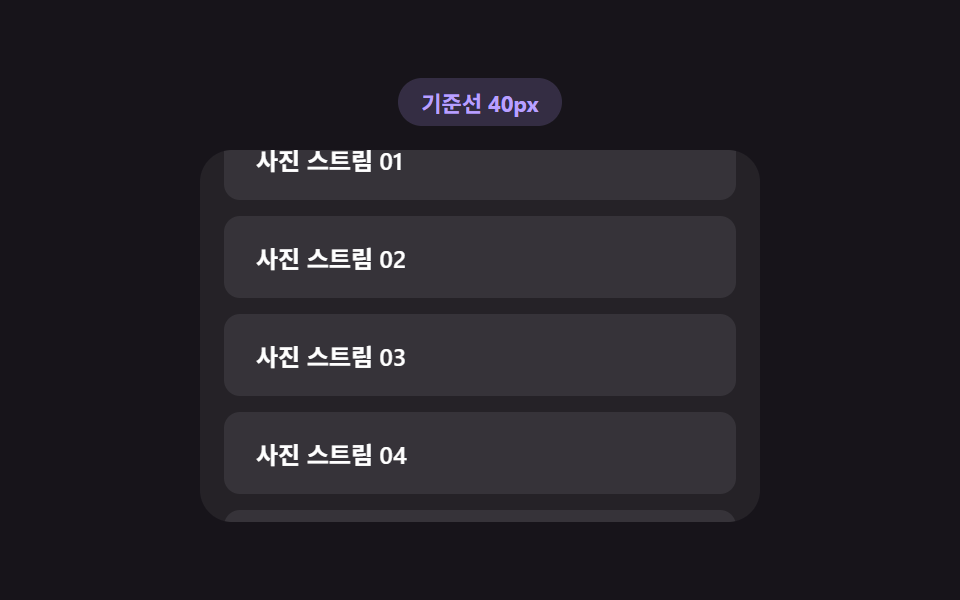 Loaders03 Load trigger threshold — a list recomputing how early it starts loading from the scroll speed valueInfinite Scroll Loading: 9 Essential UI Patterns
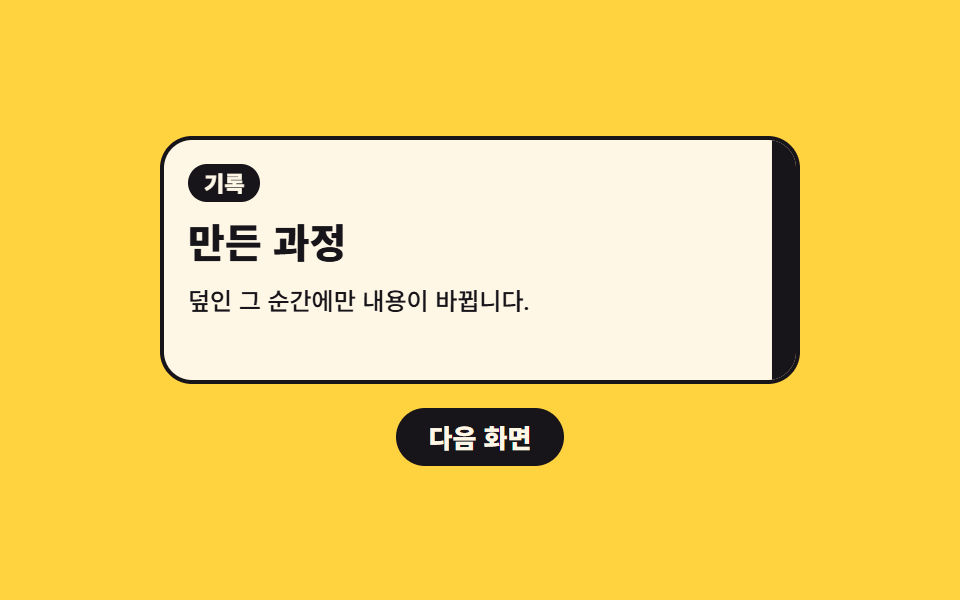 Loaders02 Color band that sweeps across and swaps the content behind itPage Loading Animation CSS: 9 Route-Change Demos
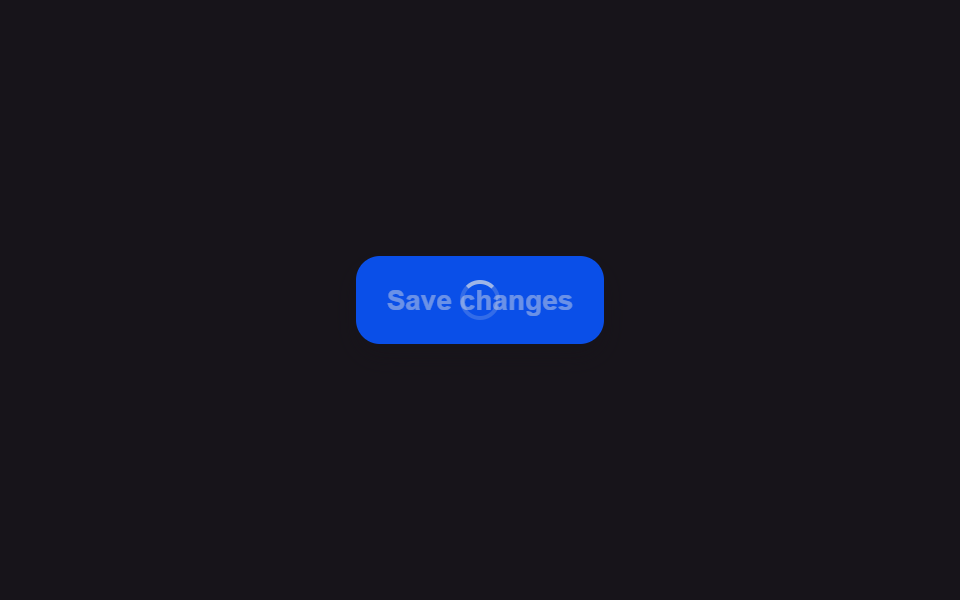 Loaders01 Button Whose Label Crossfades Into a Spinner IconLoading Button UI — 9 States, Spinner to Success