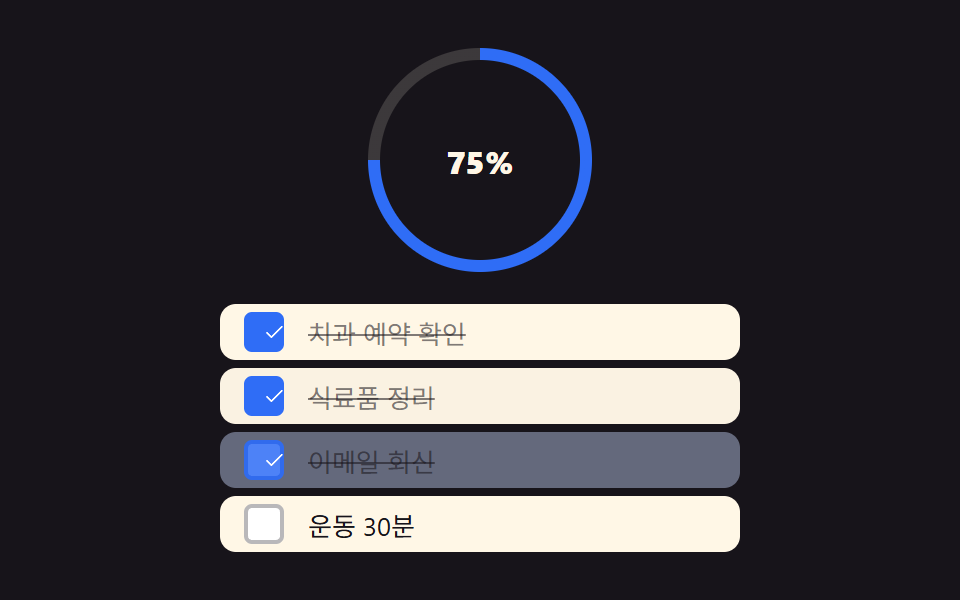
09Checklist strikethrough complete
Tapping the checkbox fills it with a candy color and pops in a check mark, while the text gets a left-to-right strikethrough and fades.
Best forMarking a to-do done, checking off a shopping list
scale(1.15) 체크scaleX 취소선캔디 파스텔 톤
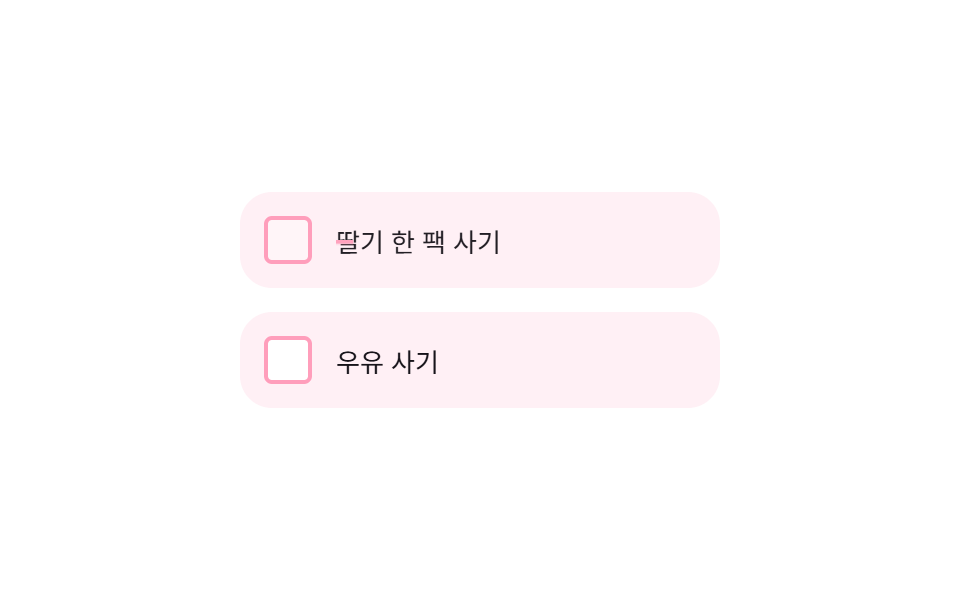
<main class="stage">
  <ul class="ck-list" aria-label="Shopping list">
    <li class="ck-item is-demo">
      <button class="ck-item__box" type="button" role="checkbox" aria-checked="false">
        <svg viewBox="0 0 256 256" aria-hidden="true"><g fill="currentColor"><path d="M232 56v144a16 16 0 0 1-16 16H40a16 16 0 0 1-16-16V56a16 16 0 0 1 16-16h176a16 16 0 0 1 16 16" opacity=".2"/><path d="m205.66 85.66l-96 96a8 8 0 0 1-11.32 0l-40-40a8 8 0 0 1 11.32-11.32L104 164.69l90.34-90.35a8 8 0 0 1 11.32 11.32"/></g></svg>
      </button>
      <span class="ck-item__text">Buy a pack of strawberries</span>
    </li>
    <li class="ck-item">
      <button class="ck-item__box" type="button" role="checkbox" aria-checked="false">
        <svg viewBox="0 0 256 256" aria-hidden="true"><g fill="currentColor"><path d="M232 56v144a16 16 0 0 1-16 16H40a16 16 0 0 1-16-16V56a16 16 0 0 1 16-16h176a16 16 0 0 1 16 16" opacity=".2"/><path d="m205.66 85.66l-96 96a8 8 0 0 1-11.32 0l-40-40a8 8 0 0 1 11.32-11.32L104 164.69l90.34-90.35a8 8 0 0 1 11.32 11.32"/></g></svg>
      </button>
      <span class="ck-item__text">Buy milk</span>
    </li>
  </ul>
</main>
@use "../../../../site/static/demo-tokens" as *;
$duration: $dur-base; // 체크·취소선 시간
$easing: $ease-pop;
$color: $subject-pink; // 캔디 체크 색
@include stage($stage-paper);
.ck-list {
list-style: none;
margin: 0;
padding: 0;
width: min(240px, 78vw);
display: flex;
flex-direction: column;
gap: $sp-3;
}
.ck-item {
display: flex;
align-items: center;
gap: $sp-3;
padding: $sp-3;
border-radius: $r-card;
background: #fff0f5; // $subject-pink 를 흰 배경에 옅게 섞은 불투명 톤
}
.ck-item__box {
position: relative;
width: 24px;
height: 24px;
flex: 0 0 auto;
border: 2px solid $color;
border-radius: $r-xs;
background: $stage-paper;
cursor: pointer;
display: grid;
place-items: center;
transition: background $duration $easing;
}
.ck-item__box:focus-visible { outline: 2px solid $subject-blue; outline-offset: 2px; }
.ck-item__box svg { width: 14px; height: 14px; color: $stage-paper; transform: scale(.4); opacity: 0; transition: transform $duration $easing, opacity $duration $easing; }
.ck-item.is-checked .ck-item__box { background: $color; }
.ck-item.is-checked .ck-item__box svg { transform: scale(1); opacity: 1; }
.ck-item__text {
position: relative;
font-size: 13px;
color: $stage-ink;
transition: opacity $duration $easing;
}
.ck-item__text::after {
content: "";
position: absolute;
left: 0;
right: 0;
top: 50%;
height: 2px;
background: $color;
transform: scaleX(0);
transform-origin: left; // 규칙8: 취소선 왼쪽 그리기
transition: transform $duration $easing;
}
.ck-item.is-checked .ck-item__text { opacity: .5; }
.ck-item.is-checked .ck-item__text::after { transform: scaleX(1); }
// 데모 강제 루프 — 체크 → 취소선 → 원복 을 keyframes 로
.ck-item.is-demo .ck-item__box { animation: ck-box-loop $dur-loop $easing infinite; }
.ck-item.is-demo .ck-item__box svg { animation: ck-check-loop $dur-loop $easing infinite; }
.ck-item.is-demo .ck-item__text { animation: ck-text-loop $dur-loop $easing infinite; }
.ck-item.is-demo .ck-item__text::after { animation: ck-line-loop $dur-loop $easing infinite; }
@keyframes ck-box-loop {
0%, 10% { background: $stage-paper; }
35%, 80% { background: $color; }
95%, 100% { background: $stage-paper; }
}
@keyframes ck-check-loop {
0%, 10% { transform: scale(.4); opacity: 0; }
40% { transform: scale(1.15); opacity: 1; }
50%, 80% { transform: scale(1); opacity: 1; }
95%, 100% { transform: scale(.4); opacity: 0; }
}
@keyframes ck-text-loop {
0%, 10% { opacity: 1; }
35%, 80% { opacity: .5; }
95%, 100% { opacity: 1; }
}
@keyframes ck-line-loop {
0%, 10% { transform: scaleX(0); }
40%, 80% { transform: scaleX(1); }
95%, 100% { transform: scaleX(0); }
}
@media (prefers-reduced-motion: reduce) {
.ck-item__box, .ck-item__box svg, .ck-item__text, .ck-item__text::after { transition: none; }
}html, body {
margin: 0;
overflow: hidden;
}
.stage {
box-sizing: border-box;
min-height: 100vh;
display: grid;
place-items: center;
margin: 0;
background: #ffffff;
font-family: -apple-system, "Segoe UI", "Noto Sans KR", sans-serif;
padding: clamp(8px, 4vw, 24px);
}
.ck-list {
list-style: none;
margin: 0;
padding: 0;
width: min(240px, 78vw);
display: flex;
flex-direction: column;
gap: 12px;
}
.ck-item {
display: flex;
align-items: center;
gap: 12px;
padding: 12px;
border-radius: 16px;
background: #fff0f5;
}
.ck-item__box {
position: relative;
width: 24px;
height: 24px;
flex: 0 0 auto;
border: 2px solid #ff9ebb;
border-radius: 4px;
background: #ffffff;
cursor: pointer;
display: grid;
place-items: center;
transition: background 300ms cubic-bezier(0.2, 1.4, 0.4, 1);
}
.ck-item__box:focus-visible {
outline: 2px solid #2f6df6;
outline-offset: 2px;
}
.ck-item__box svg {
width: 14px;
height: 14px;
color: #ffffff;
transform: scale(0.4);
opacity: 0;
transition: transform 300ms cubic-bezier(0.2, 1.4, 0.4, 1), opacity 300ms cubic-bezier(0.2, 1.4, 0.4, 1);
}
.ck-item.is-checked .ck-item__box {
background: #ff9ebb;
}
.ck-item.is-checked .ck-item__box svg {
transform: scale(1);
opacity: 1;
}
.ck-item__text {
position: relative;
font-size: 13px;
color: #17141a;
transition: opacity 300ms cubic-bezier(0.2, 1.4, 0.4, 1);
}
.ck-item__text::after {
content: "";
position: absolute;
left: 0;
right: 0;
top: 50%;
height: 2px;
background: #ff9ebb;
transform: scaleX(0);
transform-origin: left;
transition: transform 300ms cubic-bezier(0.2, 1.4, 0.4, 1);
}
.ck-item.is-checked .ck-item__text {
opacity: 0.5;
}
.ck-item.is-checked .ck-item__text::after {
transform: scaleX(1);
}
.ck-item.is-demo .ck-item__box {
animation: ck-box-loop 2s cubic-bezier(0.2, 1.4, 0.4, 1) infinite;
}
.ck-item.is-demo .ck-item__box svg {
animation: ck-check-loop 2s cubic-bezier(0.2, 1.4, 0.4, 1) infinite;
}
.ck-item.is-demo .ck-item__text {
animation: ck-text-loop 2s cubic-bezier(0.2, 1.4, 0.4, 1) infinite;
}
.ck-item.is-demo .ck-item__text::after {
animation: ck-line-loop 2s cubic-bezier(0.2, 1.4, 0.4, 1) infinite;
}
@keyframes ck-box-loop {
0%, 10% {
background: #ffffff;
}
35%, 80% {
background: #ff9ebb;
}
95%, 100% {
background: #ffffff;
}
}
@keyframes ck-check-loop {
0%, 10% {
transform: scale(0.4);
opacity: 0;
}
40% {
transform: scale(1.15);
opacity: 1;
}
50%, 80% {
transform: scale(1);
opacity: 1;
}
95%, 100% {
transform: scale(0.4);
opacity: 0;
}
}
@keyframes ck-text-loop {
0%, 10% {
opacity: 1;
}
35%, 80% {
opacity: 0.5;
}
95%, 100% {
opacity: 1;
}
}
@keyframes ck-line-loop {
0%, 10% {
transform: scaleX(0);
}
40%, 80% {
transform: scaleX(1);
}
95%, 100% {
transform: scaleX(0);
}
}
@media (prefers-reduced-motion: reduce) {
.ck-item__box, .ck-item__box svg, .ck-item__text, .ck-item__text::after {
transition: none;
}
}(function () {
document.querySelectorAll('.ck-item__box').forEach(function (box) {
box.addEventListener('click', function () {
var item = box.closest('.ck-item');
item.classList.remove('is-demo');
var checked = box.getAttribute('aria-checked') === 'true';
box.setAttribute('aria-checked', checked ? 'false' : 'true');
item.classList.toggle('is-checked', !checked);
});
});
})();import { useState, type CSSProperties } from "react";
import styles from "./ChecklistStrikethroughComplete.module.scss";
export type ChecklistStrikethroughCompleteProps = {
items: string[];
/** 체크·취소선 시간 (기본 300ms) */
duration?: number;
easing?: string;
/** 캔디 체크 색 */
color?: string;
};
type Vars = CSSProperties & { "--duration"?: string; "--easing"?: string; "--color"?: string };
/** 체크박스를 누르면 캔디 색으로 차오르고, 글자엔 왼쪽에서 오른쪽으로 취소선이 그어진다 */
export default function ChecklistStrikethroughComplete({
items,
duration = 300,
easing = "cubic-bezier(.2,1.4,.4,1)",
color = "#ff9ebb",
}: ChecklistStrikethroughCompleteProps) {
const [checked, setChecked] = useState<Record<number, boolean>>({});
const vars: Vars = { "--duration": `${duration}ms`, "--easing": easing, "--color": color };
return (
<ul className={styles.list} style={vars} aria-label="장보기 목록">
{items.map((text, i) => {
const done = !!checked[i];
return (
<li key={text} className={`${styles.item} ${done ? styles.checked : ""}`}>
<button
className={styles.box}
type="button"
role="checkbox"
aria-checked={done}
onClick={() => setChecked((c) => ({ ...c, [i]: !c[i] }))}
>
<svg viewBox="0 0 256 256" aria-hidden="true"><g fill="currentColor"><path d="M232 56v144a16 16 0 0 1-16 16H40a16 16 0 0 1-16-16V56a16 16 0 0 1 16-16h176a16 16 0 0 1 16 16" opacity=".2" /><path d="m205.66 85.66l-96 96a8 8 0 0 1-11.32 0l-40-40a8 8 0 0 1 11.32-11.32L104 164.69l90.34-90.35a8 8 0 0 1 11.32 11.32" /></g></svg>
</button>
<span className={styles.text}>{text}</span>
</li>
);
})}
</ul>
);
}09 Checklist strikethrough complete — Measured area 0.621% · moving frames 13/23Original by GODRICH · SCSS and React ship in the zip · 9 Accordion List UI Patterns (Copy-Paste)
The post this demo lives in
 9 Accordion List UI Patterns (Copy-Paste)An accordion list is a UI where clicking a row grows its height in place to reveal detail content. Here are nine working See all demos in this post