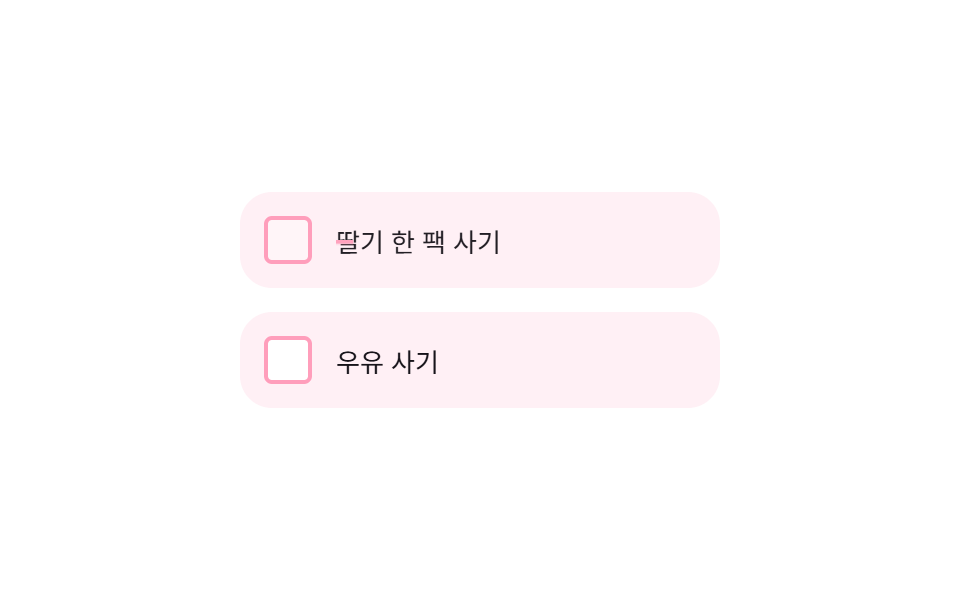
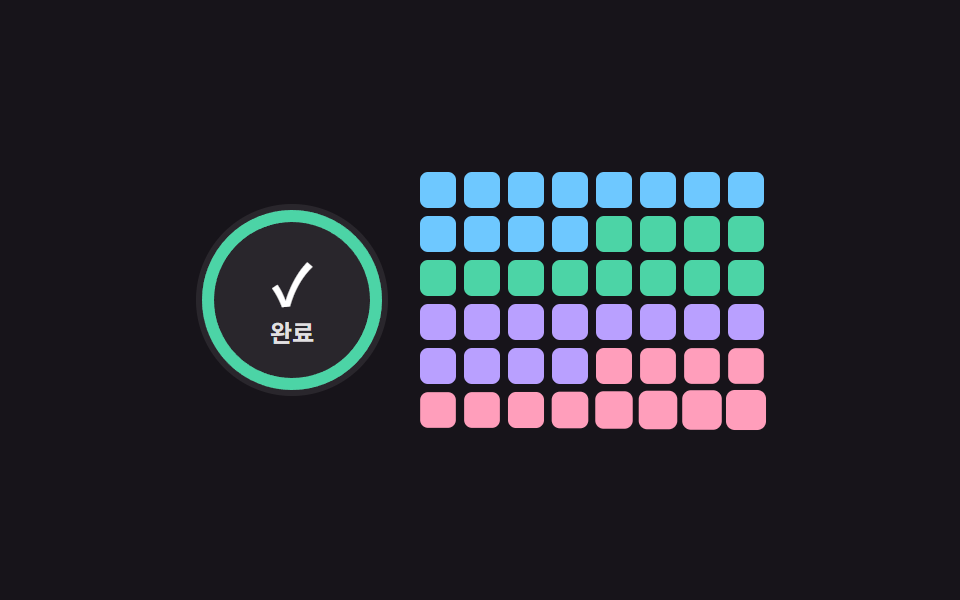
09Checklist Ring Gauge Sync
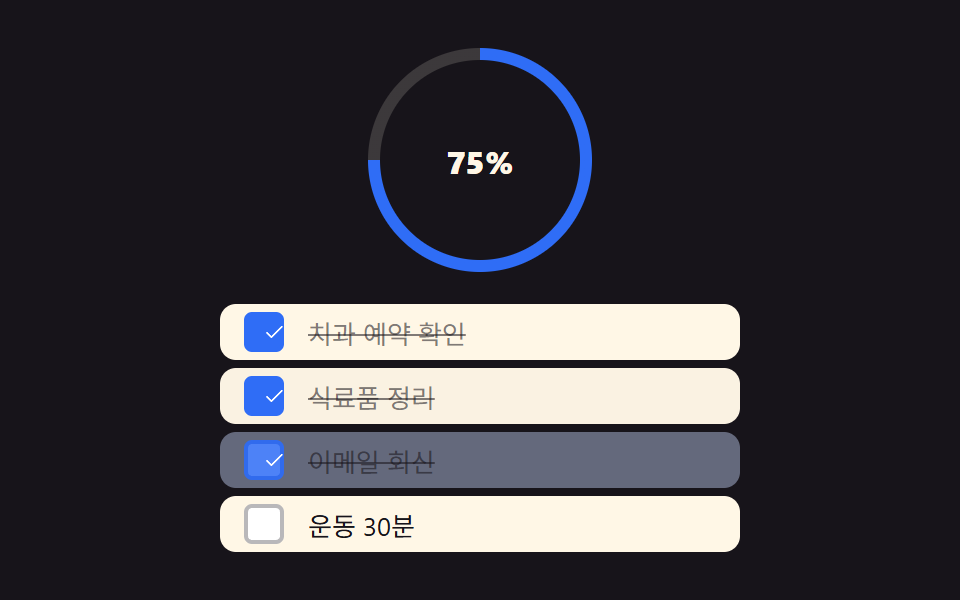
Checking each box instantly fills a ring gauge at the top by that exact ratio, and when everything's checked a shine sweeps once around the ring (different from 231's strikethrough animation — here the overall progress gauge is the point).
Best forOverall todo progress display, checklist completion celebration
paintGauge() 체크비율→각도 conic-gradientGAUGE_RING_WIDTH 링 두께100% shine 스윕 1회(반복 없음)
<main class="stage">
<div class="wrap is-demo" id="wrap">
  <div class="gauge" id="gauge" style="--fill-deg:0deg">
    <div class="gaugeHole" id="gaugeHole">
      <span class="gaugePct" id="gaugePct">0%</span>
    </div>
    <span class="shine" id="shine" aria-hidden="true"></span>
  </div>
  <ul class="list" id="list">
    <li class="row" data-id="0"><button class="check" type="button" role="checkbox" aria-checked="false" aria-label="Confirm dentist appointment"><span class="checkMark" aria-hidden="true"></span></button><span class="rowText">Confirm dentist appointment</span></li>
    <li class="row" data-id="1"><button class="check" type="button" role="checkbox" aria-checked="false" aria-label="Sort groceries"><span class="checkMark" aria-hidden="true"></span></button><span class="rowText">Sort groceries</span></li>
    <li class="row" data-id="2"><button class="check" type="button" role="checkbox" aria-checked="false" aria-label="Reply to email"><span class="checkMark" aria-hidden="true"></span></button><span class="rowText">Reply to email</span></li>
    <li class="row" data-id="3"><button class="check" type="button" role="checkbox" aria-checked="false" aria-label="30-min workout"><span class="checkMark" aria-hidden="true"></span></button><span class="rowText">30-min workout</span></li>
  </ul>
</div>
</main>
@use "../../../../site/static/demo-tokens" as *;
// 계산 겹은 index.html 의 paintGauge() 에 있다 — 체크 비율을 각도로 바꿔 conic-gradient 로 그린다.
// 100% 가 되는 순간에만 shine 스윕이 한 번 재생된다(반복 없음).
@include stage($stage-ink);
.wrap {
width: 260px;
display: grid;
justify-items: center;
gap: $sp-4;
}
.gauge {
--ring-w: 6px;
position: relative;
width: 112px;
height: 112px;
border-radius: 50%;
background: conic-gradient($subject-blue 0 var(--fill-deg), rgba($subject-cream, .16) var(--fill-deg) 360deg);
transition: background $dur-base $ease-out;
overflow: hidden;
}
.gaugeHole {
position: absolute;
inset: var(--ring-w);
border-radius: 50%;
background: $stage-ink;
display: grid;
place-items: center;
}
.gaugePct {
color: $subject-cream;
font-size: 16px;
font-weight: 800;
}
.shine {
position: absolute;
inset: -20%;
background: conic-gradient(from 0deg, transparent 0deg, rgba(255, 255, 255, .55) 12deg, transparent 26deg);
opacity: 0;
transform: rotate(0deg);
&.play { animation: shineSweep $dur-loop $ease-out 1; }
}
@keyframes shineSweep {
0% { opacity: 0; transform: rotate(0deg); }
15% { opacity: 1; }
100% { opacity: 0; transform: rotate(360deg); }
}
.list {
list-style: none;
margin: 0;
padding: 0;
width: 100%;
display: grid;
gap: $sp-1;
}
.row {
display: flex;
align-items: center;
gap: $sp-3;
padding: $sp-1 $sp-3;
border-radius: $r-sm;
background: $subject-cream;
transition: background $dur-base $ease-out;
&[data-done="1"] .rowText { text-decoration: line-through; color: rgba($subject-ink, .55); }
// 계산 겹 2: 토글 순간에만 행 전체 배경이 잠깐 밝아졌다 원래대로 — justToggled 는 JS 가 380ms 뒤 스스로 지운다
&.justToggled { background: rgba($subject-blue, .22); }
}
.check {
appearance: none;
border: 2px solid rgba($subject-ink, .3);
border-radius: $r-xs;
width: 20px;
height: 20px;
flex: none;
display: grid;
place-items: center;
background: #fff;
cursor: pointer;
transition: background $dur-quick $ease-out, border-color $dur-quick $ease-out;
&[aria-checked="true"] { background: $subject-blue; border-color: $subject-blue; }
&:focus-visible { outline: 2px solid $subject-blue-light; outline-offset: 2px; }
}
.checkMark {
width: 14px;
height: 14px;
color: #fff;
display: block;
}
.rowText {
color: $subject-ink;
font-size: 13px;
}
@media (max-width: 340px) {
.wrap { width: 200px; gap: $sp-2; }
.gauge { width: 64px; height: 64px; }
.row { padding: 0 $sp-3; }
}
@media (prefers-reduced-motion: reduce) {
// 실사용 경로에도 적용 — 게이지 값은 전환 없이 즉시 바뀌고, shine 스윕은 재생하지 않는다(js 쪽 분기)
.gauge { transition: none !important; }
.shine.play { animation: none !important; }
.check { transition: none !important; }
// 행 배경 플래시도 전환 없이 즉시 켜졌다 즉시 꺼진다(JS 타이머는 그대로, 애니메이션만 제거)
.row { transition: none !important; }
}html, body {
margin: 0;
overflow: hidden;
}
.stage {
box-sizing: border-box;
min-height: 100vh;
display: grid;
place-items: center;
margin: 0;
background: #17141a;
font-family: -apple-system, "Segoe UI", "Noto Sans KR", sans-serif;
padding: clamp(8px, 4vw, 24px);
}
.wrap {
width: 260px;
display: grid;
justify-items: center;
gap: 16px;
}
.gauge {
--ring-w: 6px;
position: relative;
width: 112px;
height: 112px;
border-radius: 50%;
background: conic-gradient(#2f6df6 0 var(--fill-deg), rgba(255, 247, 230, 0.16) var(--fill-deg) 360deg);
transition: background 300ms ease-out;
overflow: hidden;
}
.gaugeHole {
position: absolute;
inset: var(--ring-w);
border-radius: 50%;
background: #17141a;
display: grid;
place-items: center;
}
.gaugePct {
color: #fff7e6;
font-size: 16px;
font-weight: 800;
}
.shine {
position: absolute;
inset: -20%;
background: conic-gradient(from 0deg, transparent 0deg, rgba(255, 255, 255, 0.55) 12deg, transparent 26deg);
opacity: 0;
transform: rotate(0deg);
}
.shine.play {
animation: shineSweep 2s ease-out 1;
}
@keyframes shineSweep {
0% {
opacity: 0;
transform: rotate(0deg);
}
15% {
opacity: 1;
}
100% {
opacity: 0;
transform: rotate(360deg);
}
}
.list {
list-style: none;
margin: 0;
padding: 0;
width: 100%;
display: grid;
gap: 4px;
}
.row {
display: flex;
align-items: center;
gap: 12px;
padding: 4px 12px;
border-radius: 8px;
background: #fff7e6;
transition: background 300ms ease-out;
}
.row[data-done="1"] .rowText {
text-decoration: line-through;
color: rgba(23, 20, 26, 0.55);
}
.row.justToggled {
background: rgba(47, 109, 246, 0.22);
}
.check {
appearance: none;
border: 2px solid rgba(23, 20, 26, 0.3);
border-radius: 4px;
width: 20px;
height: 20px;
flex: none;
display: grid;
place-items: center;
background: #fff;
cursor: pointer;
transition: background 220ms ease-out, border-color 220ms ease-out;
}
.check[aria-checked=true] {
background: #2f6df6;
border-color: #2f6df6;
}
.check:focus-visible {
outline: 2px solid #5b8cf8;
outline-offset: 2px;
}
.checkMark {
width: 14px;
height: 14px;
color: #fff;
display: block;
}
.rowText {
color: #17141a;
font-size: 13px;
}
@media (max-width: 340px) {
.wrap {
width: 200px;
gap: 8px;
}
.gauge {
width: 64px;
height: 64px;
}
.row {
padding: 0 12px;
}
}
@media (prefers-reduced-motion: reduce) {
.gauge {
transition: none !important;
}
.shine.play {
animation: none !important;
}
.check {
transition: none !important;
}
.row {
transition: none !important;
}
}(function () {
var GAUGE_RING_WIDTH = 6; // px — 게이지 링 두께
var reduce = window.matchMedia('(prefers-reduced-motion: reduce)').matches;
var wrap = document.getElementById('wrap');
var gauge = document.getElementById('gauge');
var gaugeHole = document.getElementById('gaugeHole');
var gaugePct = document.getElementById('gaugePct');
var shine = document.getElementById('shine');
var list = document.getElementById('list');
var rows = Array.prototype.slice.call(list.querySelectorAll('.row'));
var CHECK_SVG = '<svg viewBox="0 0 256 256" aria-hidden="true"><g fill="currentColor"><path d="m205.66 85.66l-96 96a8 8 0 0 1-11.32 0l-40-40a8 8 0 0 1 11.32-11.32L104 164.69l90.34-90.35a8 8 0 0 1 11.32 11.32"/></g></svg>';
gauge.style.setProperty('--ring-w', GAUGE_RING_WIDTH + 'px');
rows.forEach(function (r) { r.querySelector('.checkMark').innerHTML = ''; });
var wasFull = false;
function human() { wrap.classList.remove('is-demo'); window.clearInterval(autoTimer); }
// 계산 겹: 체크된 개수/전체 개수 비율을 각도(0~360deg)로 바꿔 conic-gradient 로 그린다.
function paintGauge() {
var total = rows.length;
var done = rows.filter(function (r) { return r.dataset.done === '1'; }).length;
var ratio = done / total;
var deg = ratio * 360;
gauge.style.setProperty('--fill-deg', deg + 'deg');
gaugePct.textContent = Math.round(ratio * 100) + '%';
if (ratio >= 1 && !wasFull) {
wasFull = true;
if (!reduce) {
shine.classList.remove('play');
void shine.offsetWidth;
shine.classList.add('play');
}
} else if (ratio < 1) {
wasFull = false;
}
}
function toggle(row) {
var done = row.dataset.done === '1';
row.dataset.done = done ? '0' : '1';
var btn = row.querySelector('.check');
var mark = row.querySelector('.checkMark');
btn.setAttribute('aria-checked', done ? 'false' : 'true');
mark.innerHTML = done ? '' : CHECK_SVG;
paintGauge();
// 계산 겹 2: 토글된 행만 잠깐 밝아졌다가 스스로 꺼진다 — 클래스 자체가 380ms 뒤 타이머로 지워진다
row.classList.add('justToggled');
window.clearTimeout(row._flashTimer);
row._flashTimer = window.setTimeout(function () { row.classList.remove('justToggled'); }, 380);
}
rows.forEach(function (row) {
var btn = row.querySelector('.check');
btn.addEventListener('click', function () { human(); toggle(row); });
btn.addEventListener('keydown', function (e) {
if (e.key === 'Enter' || e.key === ' ') { e.preventDefault(); human(); toggle(row); }
});
});
paintGauge();
var cursor = 0;
function autoStep() {
if (cursor >= rows.length) {
rows.forEach(function (r) { r.dataset.done = '0'; r.querySelector('.check').setAttribute('aria-checked', 'false'); r.querySelector('.checkMark').innerHTML = ''; });
paintGauge();
cursor = 0;
return;
}
toggle(rows[cursor]);
cursor++;
}
var autoTimer;
if (!reduce) { autoStep(); autoTimer = window.setInterval(autoStep, 480); }
})();// Checklist — vanilla 판(run/377/demo/09-checklist/index.html) 의 React 포트.
// 계산 겹: 체크 비율을 각도로 바꿔 conic-gradient 로 그린다. 100% 가 되는 순간에만 shine 이 한 번 재생된다.
import { useEffect, useRef, useState } from "react";
import type { CSSProperties } from "react";
import styles from "./Checklist.module.scss";
type Box<T> = { current: T };
type WrapVars = CSSProperties & { "--ring-w"?: string };
type GaugeVars = CSSProperties & { "--fill-deg"?: string };
const GAUGE_RING_WIDTH = 6;
const ROWS = [
{ id: 0, text: "치과 예약 확인" },
{ id: 1, text: "식료품 정리" },
{ id: 2, text: "이메일 회신" },
{ id: 3, text: "운동 30분" },
];
export default function Checklist() {
const [isDemo, setIsDemo] = useState(true);
const [done, setDone] = useState(ROWS.map(function () { return false; }));
const [shineKey, setShineKey] = useState(0);
const [justToggled, setJustToggled] = useState(-1);
const wasFullRef = useRef(false) as unknown as Box<boolean>;
const timerRef = useRef(0) as unknown as Box<number>;
const flashTimerRef = useRef(0) as unknown as Box<number>;
const reduce = typeof window !== "undefined" && window.matchMedia("(prefers-reduced-motion: reduce)").matches;
function human() {
if (isDemo) { setIsDemo(false); window.clearInterval(timerRef.current); }
}
const total = ROWS.length;
const doneCount = done.filter(Boolean).length;
const ratio = doneCount / total;
const deg = ratio * 360;
const pct = Math.round(ratio * 100);
useEffect(function () {
if (ratio >= 1 && !wasFullRef.current) {
wasFullRef.current = true;
if (!reduce) setShineKey(function (k) { return k + 1; });
} else if (ratio < 1) {
wasFullRef.current = false;
}
// eslint-disable-next-line
}, [ratio]);
function toggle(i: number) {
human();
setDone(function (prev) {
const n = prev.slice();
n[i] = !n[i];
return n;
});
// 계산 겹 2: 토글된 행만 잠깐 밝아졌다가 스스로 꺼진다
setJustToggled(i);
window.clearTimeout(flashTimerRef.current);
flashTimerRef.current = window.setTimeout(function () { setJustToggled(-1); }, 380);
}
function resetAll() {
setDone(ROWS.map(function () { return false; }));
}
useEffect(function () {
if (reduce) return;
let cursor = 0;
function autoStep() {
if (cursor >= ROWS.length) { resetAll(); cursor = 0; return; }
const i = cursor;
setDone(function (prev) {
const n = prev.slice();
n[i] = true;
return n;
});
// 계산 겹 2: 자동 재생 중에도 방금 체크된 행이 잠깐 밝아진다(toggle() 과 동일한 플래시)
setJustToggled(i);
window.clearTimeout(flashTimerRef.current);
flashTimerRef.current = window.setTimeout(function () { setJustToggled(-1); }, 380);
cursor++;
}
autoStep();
timerRef.current = window.setInterval(autoStep, 480);
return function () { window.clearInterval(timerRef.current); window.clearTimeout(flashTimerRef.current); };
// eslint-disable-next-line
}, []);
return (
<main className={styles.stage}>
<div className={styles.wrap + (isDemo ? " " + styles.isDemo : "")} style={{ "--ring-w": GAUGE_RING_WIDTH + "px" } as WrapVars}>
<div className={styles.gauge} style={{ "--fill-deg": deg + "deg" } as GaugeVars}>
<div className={styles.gaugeHole}>
<span className={styles.gaugePct}>{pct}%</span>
</div>
<span key={shineKey} className={styles.shine + (shineKey > 0 ? " " + styles.play : "")} aria-hidden="true" />
</div>
<ul className={styles.list}>
{ROWS.map(function (row, i) {
return (
<li key={row.id} className={styles.row + (justToggled === i ? " " + styles.justToggled : "")} data-done={done[i] ? "1" : "0"}>
<button
className={styles.check}
type="button"
role="checkbox"
aria-checked={done[i]}
aria-label={row.text}
onClick={function () { toggle(i); }}
onKeyDown={function (e: KeyboardEvent) { if (e.key === "Enter" || e.key === " ") { e.preventDefault(); toggle(i); } }}
>
<span className={styles.checkMark} aria-hidden="true">
{done[i] ? (
<svg viewBox="0 0 256 256">
<g fill="currentColor">
<path d="m205.66 85.66l-96 96a8 8 0 0 1-11.32 0l-40-40a8 8 0 0 1 11.32-11.32L104 164.69l90.34-90.35a8 8 0 0 1 11.32 11.32" />
</g>
</svg>
) : null}
</span>
</button>
<span className={styles.rowText}>{row.text}</span>
</li>
);
})}
</ul>
</div>
</main>
);
}09 Checklist Ring Gauge Sync — Measured area 25.237% · moving frames 22/23Original by GODRICH · SCSS and React ship in the zip · Todo List UI: 9 Patterns From Ring Gauge to Rewind
The post this demo lives in
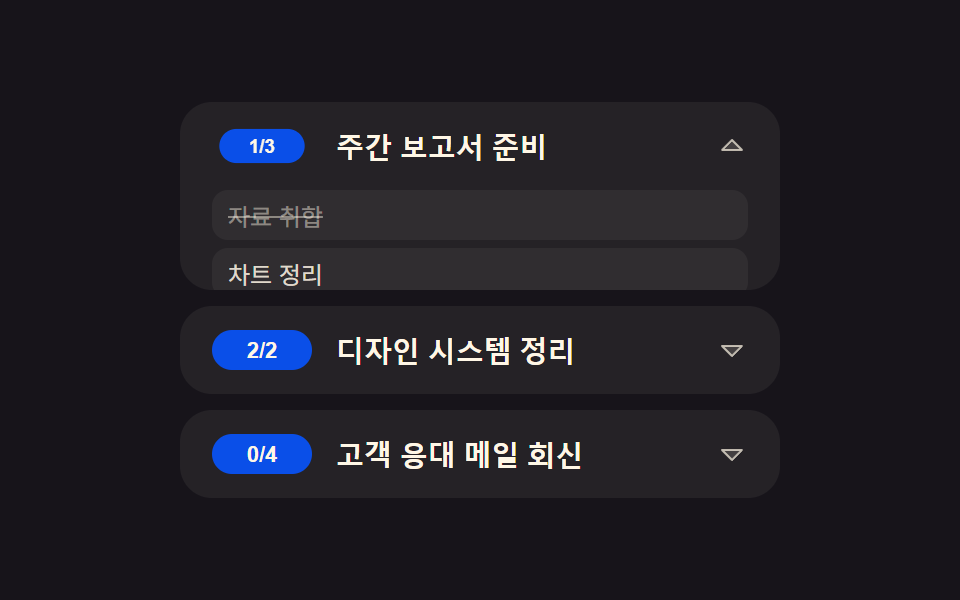 Todo List UI: 9 Patterns From Ring Gauge to RewindAmong nine todo list ui patterns, one doubles how many load each tap, one rewinds the timeline dot by dot, one fills a r See all demos in this post