05Bulk Select That Counts With a Badge, No Toolbar
Each time a checkbox is toggled on, only that row's background tints, and a small badge number in the header above the list updates to the current selection count (a different demo from 207's bulk-select-checkbox-toolbar, which slides a toolbar up from the bottom — this one signals selection with nothing but a header badge).
Best forMulti-selecting items in a mailbox or file list
applyRangeupdateBadgearia-checked
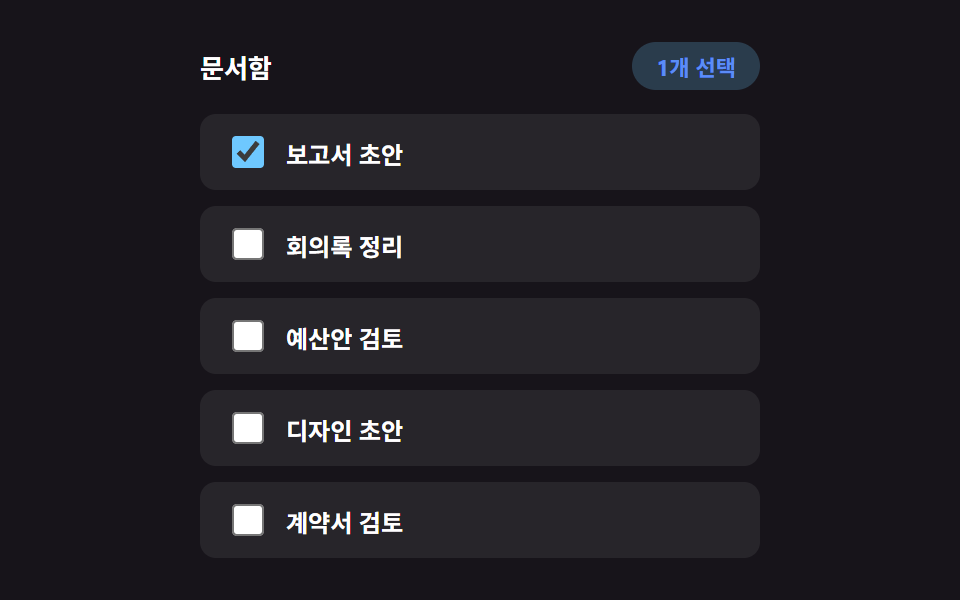
<main class="stage">
<div class="bks is-demo" id="bks">
  <div class="bks__header">
    <span class="bks__title">Document box</span>
    <span class="bks__badge" id="bksBadge" aria-live="polite" hidden>0 selected</span>
  </div>
  <ul class="bks__list" id="bksList">
    <li class="bks__row">
      <input type="checkbox" id="bksCb0" class="bks__checkbox" aria-checked="false">
      <label for="bksCb0" class="bks__label">Report draft</label>
    </li>
    <li class="bks__row">
      <input type="checkbox" id="bksCb1" class="bks__checkbox" aria-checked="false">
      <label for="bksCb1" class="bks__label">Meeting notes cleanup</label>
    </li>
    <li class="bks__row">
      <input type="checkbox" id="bksCb2" class="bks__checkbox" aria-checked="false">
      <label for="bksCb2" class="bks__label">Budget proposal review</label>
    </li>
    <li class="bks__row">
      <input type="checkbox" id="bksCb3" class="bks__checkbox" aria-checked="false">
      <label for="bksCb3" class="bks__label">Design draft</label>
    </li>
    <li class="bks__row">
      <input type="checkbox" id="bksCb4" class="bks__checkbox" aria-checked="false">
      <label for="bksCb4" class="bks__label">Contract review</label>
    </li>
  </ul>
</div>
</main>@use "../../../../site/static/demo-tokens" as *;
// 변수 3개
$duration: $dur-quick;
$easing: $ease-pop;
$color: $subject-sky;
// 계산 겹: index.html 의 applyRange() 가 마지막 인덱스~이번 인덱스 사이를 산술로 구해
// 시프트 클릭 한 번으로 그 구간 전체 체크 상태를 맞춘다.
@include stage($stage-ink);
.bks {
width: min(100%, 280px);
display: flex;
flex-direction: column;
gap: $sp-3;
}
.bks__header {
display: flex;
align-items: center;
justify-content: space-between;
min-height: 24px;
}
.bks__title {
color: $stage-paper;
font-weight: 700;
font-size: 13px;
}
.bks__badge {
box-sizing: border-box;
padding: $sp-1 $sp-3;
border-radius: $r-pill;
background: rgba($color, .22);
color: $subject-blue-light;
font-weight: 700;
font-size: 11px;
transform: scale(1);
&.is-pop {
animation-name: bksPop;
animation-duration: $duration;
animation-timing-function: $easing;
}
}
@keyframes bksPop {
0% { transform: scale(.7); opacity: .4; }
100% { transform: scale(1); opacity: 1; }
}
.bks__list {
list-style: none;
margin: 0;
padding: 0;
display: flex;
flex-direction: column;
gap: $sp-2;
}
.bks__row {
box-sizing: border-box;
display: flex;
align-items: center;
gap: $sp-2;
padding: $sp-2 $sp-3;
border-radius: $r-sm;
background: rgba(255, 255, 255, .07);
}
.bks__checkbox {
width: 16px;
height: 16px;
accent-color: $color;
cursor: pointer;
}
.bks__label {
color: $stage-paper;
font-weight: 600;
font-size: 12px;
cursor: pointer;
}
@media (max-width: 340px) {
.bks { gap: $sp-1; }
.bks__header { min-height: 0; }
.bks__badge { padding: 0 $sp-2; }
.bks__list { gap: $sp-1; }
.bks__row { padding: 0 $sp-2; }
.bks__checkbox { width: 14px; height: 14px; }
.bks__label { font-size: 11px; }
}
// reduce: 실사용 경로 적용 — 배지 팝 트윈만 멈춘다. 범위 선택 계산·체크 상태는 그대로 동작
@media (prefers-reduced-motion: reduce) {
.bks__badge.is-pop { animation: none; transform: scale(1); }
}html, body {
margin: 0;
overflow: hidden;
}
.stage {
box-sizing: border-box;
min-height: 100vh;
display: grid;
place-items: center;
margin: 0;
background: #17141a;
font-family: -apple-system, "Segoe UI", "Noto Sans KR", sans-serif;
padding: clamp(8px, 4vw, 24px);
}
.bks {
width: min(100%, 280px);
display: flex;
flex-direction: column;
gap: 12px;
}
.bks__header {
display: flex;
align-items: center;
justify-content: space-between;
min-height: 24px;
}
.bks__title {
color: #ffffff;
font-weight: 700;
font-size: 13px;
}
.bks__badge {
box-sizing: border-box;
padding: 4px 12px;
border-radius: 999px;
background: rgba(110, 200, 255, 0.22);
color: #5b8cf8;
font-weight: 700;
font-size: 11px;
transform: scale(1);
}
.bks__badge.is-pop {
animation-name: bksPop;
animation-duration: 220ms;
animation-timing-function: cubic-bezier(0.2, 1.4, 0.4, 1);
}
@keyframes bksPop {
0% {
transform: scale(0.7);
opacity: 0.4;
}
100% {
transform: scale(1);
opacity: 1;
}
}
.bks__list {
list-style: none;
margin: 0;
padding: 0;
display: flex;
flex-direction: column;
gap: 8px;
}
.bks__row {
box-sizing: border-box;
display: flex;
align-items: center;
gap: 8px;
padding: 8px 12px;
border-radius: 8px;
background: rgba(255, 255, 255, 0.07);
}
.bks__checkbox {
width: 16px;
height: 16px;
accent-color: #6ec8ff;
cursor: pointer;
}
.bks__label {
color: #ffffff;
font-weight: 600;
font-size: 12px;
cursor: pointer;
}
@media (max-width: 340px) {
.bks {
gap: 4px;
}
.bks__header {
min-height: 0;
}
.bks__badge {
padding: 0 8px;
}
.bks__list {
gap: 4px;
}
.bks__row {
padding: 0 8px;
}
.bks__checkbox {
width: 14px;
height: 14px;
}
.bks__label {
font-size: 11px;
}
}
@media (prefers-reduced-motion: reduce) {
.bks__badge.is-pop {
animation: none;
transform: scale(1);
}
}(function () {
var AUTO_STEP_MS = 550;
var AUTO_RESET_DELAY_MS = 900;
var AUTO_SEQ = [
{ idx: 0, shift: false },
{ idx: 3, shift: true },
{ idx: 1, shift: false }
];
var root = document.getElementById('bks');
var list = document.getElementById('bksList');
var badge = document.getElementById('bksBadge');
var rows = Array.prototype.slice.call(list.querySelectorAll('.bks__row'));
var checkboxes = rows.map(function (row) { return row.querySelector('input'); });
var lastIndex = null;
function setChecked(cb, checked) {
cb.checked = checked;
cb.setAttribute('aria-checked', checked ? 'true' : 'false');
}
function updateBadge() {
var n = checkboxes.filter(function (cb) { return cb.checked; }).length;
badge.hidden = n === 0;
badge.textContent = n + ' selected';
badge.classList.remove('is-pop');
void badge.offsetWidth;
badge.classList.add('is-pop');
}
// 계산 겹: 마지막으로 다룬 인덱스와 이번 인덱스 사이 범위를 산술로 구해
// 그 구간 전체를 한 번에 같은 상태로 맞춘다 — 하나씩 누르지 않아도 된다.
function applyRange(fromIdx, toIdx, checked) {
var lo = Math.min(fromIdx, toIdx);
var hi = Math.max(fromIdx, toIdx);
for (var i = lo; i <= hi; i += 1) {
setChecked(checkboxes[i], checked);
}
}
function clearAll() {
checkboxes.forEach(function (cb) { setChecked(cb, false); });
lastIndex = null;
updateBadge();
}
function human() {
if (root.classList.contains('is-demo')) {
root.classList.remove('is-demo');
if (timer) { window.clearInterval(timer); timer = null; }
}
}
checkboxes.forEach(function (cb, idx) {
cb.addEventListener('click', function (e) {
human();
if (e.shiftKey && lastIndex !== null) {
applyRange(lastIndex, idx, cb.checked);
}
lastIndex = idx;
updateBadge();
});
});
var timer = null;
var seqPos = 0;
function autoTick() {
if (seqPos >= AUTO_SEQ.length) {
window.clearInterval(timer);
timer = null;
window.setTimeout(function () {
clearAll();
seqPos = 0;
timer = window.setInterval(autoTick, AUTO_STEP_MS);
}, AUTO_RESET_DELAY_MS);
return;
}
var step = AUTO_SEQ[seqPos];
var cb = checkboxes[step.idx];
var nextChecked = !cb.checked;
if (step.shift && lastIndex !== null) {
applyRange(lastIndex, step.idx, nextChecked);
} else {
setChecked(cb, nextChecked);
}
lastIndex = step.idx;
updateBadge();
seqPos += 1;
}
var reduce = window.matchMedia('(prefers-reduced-motion: reduce)').matches;
if (!reduce) {
timer = window.setInterval(autoTick, AUTO_STEP_MS);
} else {
// reduce: 실사용 경로 적용 — 자동 선택 루프와 배지 팝 트윈을 멈춘다. 클릭·범위 선택 계산은 그대로 동작
}
})();// BulkSelect — vanilla 판(run/381/demo/05-bulk-select/index.html)의 React 포트.
// Shift 클릭 구간 선택은 마지막으로 다룬 인덱스와 이번 인덱스 사이를 산술로 구해
// 그 구간 전체를 클릭된 체크박스의 결과 상태로 한 번에 맞춘다.
import { useEffect, useRef } from "react";
import type { CSSProperties } from "react";
import styles from "./BulkSelect.module.scss";
export type BulkSelectProps = {
duration?: string;
easing?: string;
color?: string;
};
type Vars = CSSProperties & { "--duration"?: string; "--easing"?: string; "--color"?: string };
const LABELS = ["보고서 초안", "회의록 정리", "예산안 검토", "디자인 초안", "계약서 검토"];
type AutoStep = { idx: number; shift: boolean };
const AUTO_SEQ: AutoStep[] = [
{ idx: 0, shift: false },
{ idx: 3, shift: true },
{ idx: 1, shift: false },
];
export default function BulkSelect({
duration = "220ms", // vanilla $duration: $dur-quick
easing = "cubic-bezier(.2, 1.4, .4, 1)", // vanilla $easing: $ease-pop
color = "#6ec8ff", // vanilla $color: $subject-sky
}: BulkSelectProps) {
const rootRef = useRef<HTMLDivElement | null>(null);
useEffect(() => {
const root = rootRef.current;
if (!root) return;
const list = root.querySelector<HTMLUListElement>('[data-role="list"]');
const badge = root.querySelector<HTMLSpanElement>('[data-role="badge"]');
if (!list || !badge) return;
const rows = Array.prototype.slice.call(list.querySelectorAll("[data-row]")) as HTMLLIElement[];
const checkboxes = rows.map((row) => row.querySelector<HTMLInputElement>("input")!);
const AUTO_STEP_MS = 550;
const AUTO_RESET_DELAY_MS = 900;
let lastIndex: number | null = null;
function setChecked(cb: HTMLInputElement, checked: boolean): void {
cb.checked = checked;
cb.setAttribute("aria-checked", checked ? "true" : "false");
}
function updateBadge(): void {
const n = checkboxes.filter((cb) => cb.checked).length;
badge!.hidden = n === 0;
badge!.textContent = n + "개 선택";
badge!.classList.remove("is-pop");
void badge!.offsetWidth; // 리플로우 강제 — 연속 클릭에도 팝 애니메이션이 매번 재생되게
badge!.classList.add("is-pop");
}
// 계산 겹: 마지막으로 다룬 인덱스와 이번 인덱스 사이 범위를 산술로 구해
// 그 구간 전체를 한 번에 같은 상태로 맞춘다 — 하나씩 누르지 않아도 된다.
function applyRange(fromIdx: number, toIdx: number, checked: boolean): void {
const lo = Math.min(fromIdx, toIdx);
const hi = Math.max(fromIdx, toIdx);
for (let i = lo; i <= hi; i += 1) {
setChecked(checkboxes[i], checked);
}
}
function clearAll(): void {
checkboxes.forEach((cb) => setChecked(cb, false));
lastIndex = null;
updateBadge();
}
function human(): void {
if (root!.classList.contains("is-demo")) {
root!.classList.remove("is-demo");
if (timer) {
window.clearInterval(timer);
timer = null;
}
}
}
const clickHandlers: ((e: MouseEvent) => void)[] = [];
checkboxes.forEach((cb, idx) => {
const onClick = (e: MouseEvent) => {
human();
if (e.shiftKey && lastIndex !== null) {
applyRange(lastIndex, idx, cb.checked);
}
lastIndex = idx;
updateBadge();
};
cb.addEventListener("click", onClick);
clickHandlers.push(onClick);
});
let timer: number | null = null;
let seqPos = 0;
function autoTick(): void {
if (seqPos >= AUTO_SEQ.length) {
if (timer) {
window.clearInterval(timer);
timer = null;
}
window.setTimeout(() => {
clearAll();
seqPos = 0;
timer = window.setInterval(autoTick, AUTO_STEP_MS);
}, AUTO_RESET_DELAY_MS);
return;
}
const step = AUTO_SEQ[seqPos];
const cb = checkboxes[step.idx];
const nextChecked = !cb.checked;
if (step.shift && lastIndex !== null) {
applyRange(lastIndex, step.idx, nextChecked);
} else {
setChecked(cb, nextChecked);
}
lastIndex = step.idx;
updateBadge();
seqPos += 1;
}
const reduce = window.matchMedia("(prefers-reduced-motion: reduce)").matches;
if (!reduce) {
timer = window.setInterval(autoTick, AUTO_STEP_MS);
}
// reduce: 실사용 경로 적용 — 자동 선택 루프와 배지 팝 트윈을 멈춘다. 클릭·범위 선택 계산은 그대로 동작
return () => {
checkboxes.forEach((cb, idx) => {
cb.removeEventListener("click", clickHandlers[idx]);
});
if (timer) {
window.clearInterval(timer);
}
};
}, []);
const vars: Vars = { "--duration": duration, "--easing": easing, "--color": color };
return (
<main className={styles.stage}>
<div className={`${styles.bks} is-demo`} ref={rootRef} style={vars}>
<div className={styles.bks__header}>
<span className={styles.bks__title}>문서함</span>
<span className={styles.bks__badge} data-role="badge" aria-live="polite" hidden>
0개 선택
</span>
</div>
<ul className={styles.bks__list} data-role="list">
{LABELS.map((label, i) => (
<li className={styles.bks__row} data-row={i} key={i}>
<input
type="checkbox"
id={`bksCb${i}`}
className={styles.bks__checkbox}
aria-checked="false"
readOnly
/>
<label htmlFor={`bksCb${i}`} className={styles.bks__label}>
{label}
</label>
</li>
))}
</ul>
</div>
</main>
);
}05 Bulk Select That Counts With a Badge, No Toolbar — Measured area 1.725% · moving frames 9/23Original by GODRICH · SCSS and React ship in the zip · Infinite Scroll Implementation — 9 List UI Basics
The post this demo lives in
 Infinite Scroll Implementation — 9 List UI BasicsAmong nine infinite scroll implementation ideas, one slides in new rows with no spinner, one swaps row order on sort cli See all demos in this post
If you like this effect - similar demos
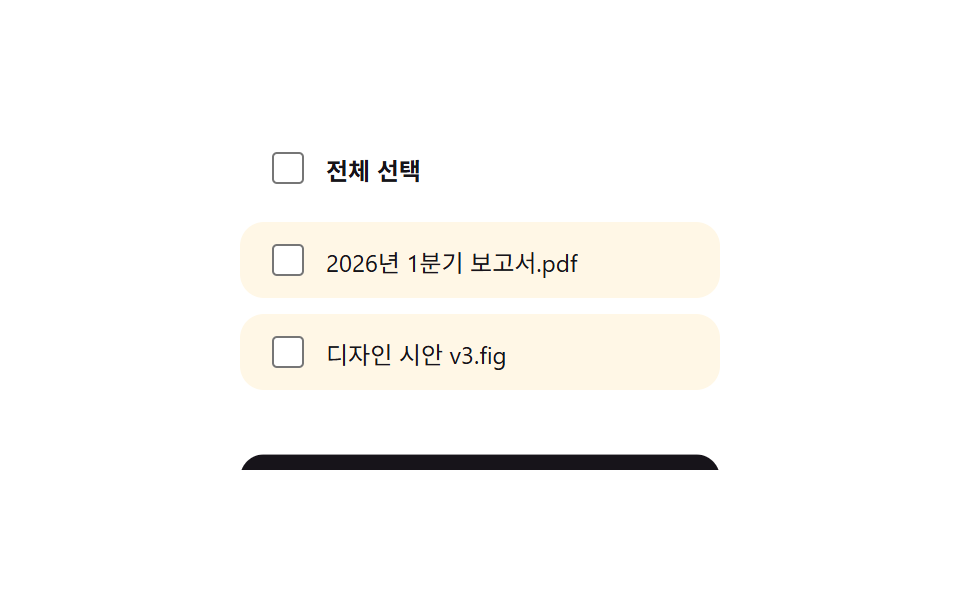 Lists & tables08 Bulk-select toolbar9 Swipe to Delete List UI Patterns (Copy-Paste)
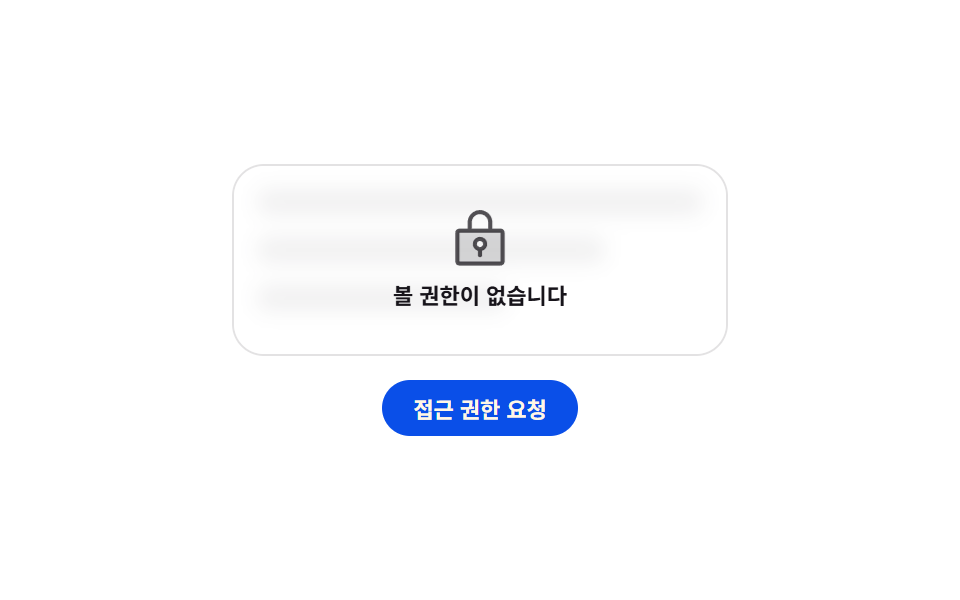 Lists & tables08 Permission lock with a padlock that bounces once9 Empty State UI Design Cards Drawn in Pure CSS
 Lists & tables09 Focus outline that walks cells with arrow keys9 Data Table UI Patterns — Drag, Resize, Select