09Fractal hero scene — a front-door stage layered with type and starlight
Lay a deep zoom under vignette, type and slow breathing and you have a front door ready for meditation apps and science channels — the assembly example where one computed canvas becomes a real product's first screen.
Best forFront-door heroes, splashes
createRadialGradientcreateImageDatarequestAnimationFrame
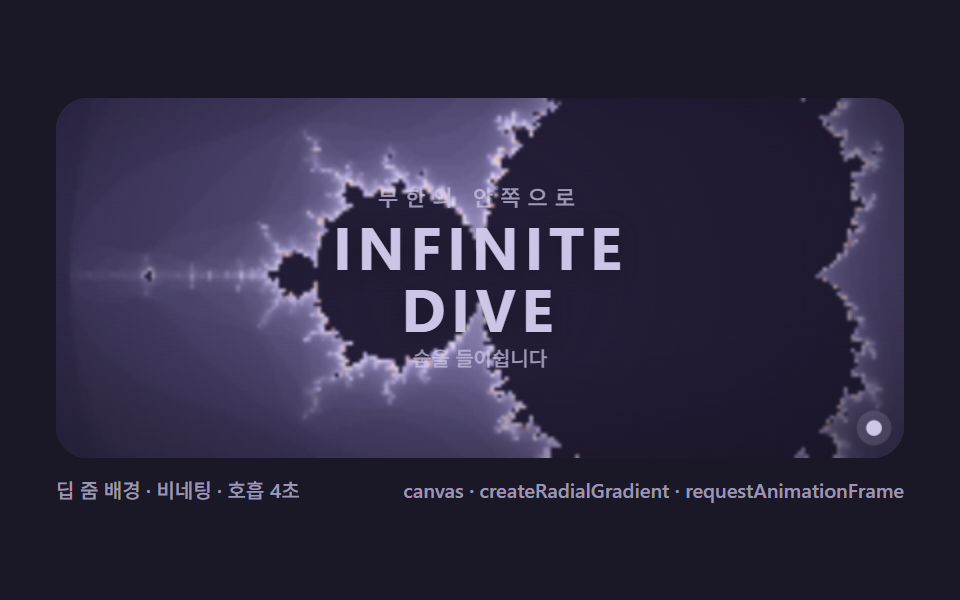
<main class="stage">
<div class="mb is-demo" id="mbRoot">
  <div class="mb__hero" role="application" aria-label="Fractal hero scene" tabindex="0">
    <canvas class="mb__cv" id="mbCv"></canvas>
    <div class="mb__veil" aria-hidden="true"></div>
    <div class="mb__copy">
      <p class="mb__kicker">INTO THE INFINITE</p>
      <p class="mb__title">INFINITE<br>DIVE</p>
      <p class="mb__breath" id="mbBreath">breathing in</p>
    </div>
    <span class="mb__star" aria-hidden="true"></span>
  </div>
  <div class="mb__bar">
    <span class="mb__meta">deep-zoom backdrop · vignette · 2s breath</span>
    <span class="mb__meta mb__meta--dim">canvas · createRadialGradient · requestAnimationFrame</span>
  </div>
</div>
</main>
@use "../../../../site/static/demo-tokens" as *;
// 프랙탈 히어로 씬(09). 캔버스 rAF(딥 줌 + 호흡 비네팅)이 배경을, CSS 애니메이션이 타이포 호흡을 만든다.
// 히어로는 다른 항목과 달리 관측창이 무대 전체를 쓴다 — 조립 예시라 실제 서비스 첫 화면 비율을 닮는다.
$duration: $dur-loop;
$easing: $ease-spring;
$color: $subject-cream;
// ── 편 공통 심야 프랙탈 팔레트 ──
$mb-stage: #1a1726;
@include stage($mb-stage);
$mb-ink: #14111f;
$mb-set: #241d38;
$mb-text: #cfc8e8;
.mb {
--mb-c0: #3d3560;
--mb-c1: #c9bdf2;
--mb-c2: #efeaff;
--mb-c3: #efc0b5;
--mb-c4: #3d3560;
--mb-set: #{$mb-set};
--mb-ink: #{$mb-ink};
display: flex; flex-direction: column; gap: $sp-2;
width: 100%; max-width: 424px;
}
.mb__hero {
position: relative; height: 180px;
border-radius: $r-card; overflow: hidden;
background: $mb-ink;
box-shadow: inset 0 0 0 1px rgba($mb-text, .18);
display: grid; place-items: center;
}
.mb__hero:focus-visible { outline: 2px solid $subject-cream; outline-offset: 2px; }
.mb__cv { position: absolute; inset: 0; display: block; width: 100%; height: 100%; }
// 비네팅 겹 — 캔버스 위·글자 아래. 배경 프랙탈의 가장자리를 잉크로 녹인다
.mb__veil {
position: absolute; inset: 0;
background: radial-gradient(120% 90% at 50% 40%, rgba(20, 17, 31, 0) 38%, rgba(20, 17, 31, .62) 100%);
pointer-events: none;
}
.mb__copy {
position: relative; z-index: 1;
display: flex; flex-direction: column; align-items: center; gap: $sp-1;
margin: 0; text-align: center;
}
.mb__kicker {
margin: 0;
font-weight: 500; font-size: clamp(9px, 2.4vw, 11px); line-height: 1;
letter-spacing: .32em;
color: rgba($mb-text, .72);
}
.mb__title {
margin: 0;
font-weight: 700; font-size: clamp(20px, 7vw, 30px); line-height: 1.04;
letter-spacing: .08em;
color: $mb-text;
text-shadow: 0 2px 12px rgba(20, 17, 31, .8);
.is-demo & { animation-name: mb-breathe; animation-duration: $dur-loop; animation-iteration-count: infinite; animation-timing-function: $ease-spring; }
}
// 타이틀 호흡 — 크기보다 투명도·이격으로 (scale 변화는 글자를 번지게 하지 않는다)
@keyframes mb-breathe {
0% { opacity: .96; letter-spacing: .08em; }
50% { opacity: 1; letter-spacing: .10em; }
100% { opacity: .96; letter-spacing: .08em; }
}
.mb__breath {
margin: 0;
font-weight: 500; font-size: 10px; line-height: 1;
color: rgba($mb-text, .72);
}
// 호흡 표식 — 별점. 2초 주기 확장·수축 (들숨·날숨 안내)
.mb__star {
position: absolute; right: $sp-3; bottom: $sp-3; z-index: 1;
width: 6px; height: 6px; border-radius: 50%;
background: $mb-text;
box-shadow: 0 0 0 0 rgba(207, 200, 232, .4);
.is-demo & { animation-name: mb-star; animation-duration: $dur-loop; animation-iteration-count: infinite; animation-timing-function: $ease-spring; }
}
@keyframes mb-star {
0% { transform: scale(1); box-shadow: 0 0 0 0 rgba(207, 200, 232, .40); }
50% { transform: scale(1.5); box-shadow: 0 0 0 6px rgba(207, 200, 232, 0); }
100% { transform: scale(1); box-shadow: 0 0 0 0 rgba(207, 200, 232, .40); }
}
.mb__bar { display: flex; align-items: baseline; justify-content: space-between; gap: $sp-2; }
.mb__meta { font-size: 10px; font-weight: 500; color: rgba($mb-text, .72); }
.mb__meta--dim { font-size: 10px; }
@media (max-width: 340px) {
.mb { gap: $sp-1; }
.mb__hero { height: 100px; }
.mb__meta--dim { display: none; }
.mb__breath { display: none; }
}
// reduce — 배경 줌·타이틀 호흡·별점 맥동 전부 끊고 잠수 중반 한 장을 고정한다.
@media (prefers-reduced-motion: reduce) {
.mb.is-demo .mb__title,
.mb.is-demo .mb__star { animation: none !important; }
}html, body {
margin: 0;
overflow: hidden;
}
.stage {
box-sizing: border-box;
min-height: 100vh;
display: grid;
place-items: center;
margin: 0;
background: #1a1726;
font-family: -apple-system, "Segoe UI", "Noto Sans KR", sans-serif;
padding: clamp(8px, 4vw, 24px);
}
.mb {
--mb-c0: #3d3560;
--mb-c1: #c9bdf2;
--mb-c2: #efeaff;
--mb-c3: #efc0b5;
--mb-c4: #3d3560;
--mb-set: #241d38;
--mb-ink: #14111f;
display: flex;
flex-direction: column;
gap: 8px;
width: 100%;
max-width: 424px;
}
.mb__hero {
position: relative;
height: 180px;
border-radius: 16px;
overflow: hidden;
background: #14111f;
box-shadow: inset 0 0 0 1px rgba(207, 200, 232, 0.18);
display: grid;
place-items: center;
}
.mb__hero:focus-visible {
outline: 2px solid #fff7e6;
outline-offset: 2px;
}
.mb__cv {
position: absolute;
inset: 0;
display: block;
width: 100%;
height: 100%;
}
.mb__veil {
position: absolute;
inset: 0;
background: radial-gradient(120% 90% at 50% 40%, rgba(20, 17, 31, 0) 38%, rgba(20, 17, 31, 0.62) 100%);
pointer-events: none;
}
.mb__copy {
position: relative;
z-index: 1;
display: flex;
flex-direction: column;
align-items: center;
gap: 4px;
margin: 0;
text-align: center;
}
.mb__kicker {
margin: 0;
font-weight: 500;
font-size: clamp(9px, 2.4vw, 11px);
line-height: 1;
letter-spacing: 0.32em;
color: rgba(207, 200, 232, 0.72);
}
.mb__title {
margin: 0;
font-weight: 700;
font-size: clamp(20px, 7vw, 30px);
line-height: 1.04;
letter-spacing: 0.08em;
color: #cfc8e8;
text-shadow: 0 2px 12px rgba(20, 17, 31, 0.8);
}
.is-demo .mb__title {
animation-name: mb-breathe;
animation-duration: 2s;
animation-iteration-count: infinite;
animation-timing-function: cubic-bezier(0.2, 0.8, 0.2, 1);
}
@keyframes mb-breathe {
0% {
opacity: 0.96;
letter-spacing: 0.08em;
}
50% {
opacity: 1;
letter-spacing: 0.1em;
}
100% {
opacity: 0.96;
letter-spacing: 0.08em;
}
}
.mb__breath {
margin: 0;
font-weight: 500;
font-size: 10px;
line-height: 1;
color: rgba(207, 200, 232, 0.72);
}
.mb__star {
position: absolute;
right: 12px;
bottom: 12px;
z-index: 1;
width: 6px;
height: 6px;
border-radius: 50%;
background: #cfc8e8;
box-shadow: 0 0 0 0 rgba(207, 200, 232, 0.4);
}
.is-demo .mb__star {
animation-name: mb-star;
animation-duration: 2s;
animation-iteration-count: infinite;
animation-timing-function: cubic-bezier(0.2, 0.8, 0.2, 1);
}
@keyframes mb-star {
0% {
transform: scale(1);
box-shadow: 0 0 0 0 rgba(207, 200, 232, 0.4);
}
50% {
transform: scale(1.5);
box-shadow: 0 0 0 6px rgba(207, 200, 232, 0);
}
100% {
transform: scale(1);
box-shadow: 0 0 0 0 rgba(207, 200, 232, 0.4);
}
}
.mb__bar {
display: flex;
align-items: baseline;
justify-content: space-between;
gap: 8px;
}
.mb__meta {
font-size: 10px;
font-weight: 500;
color: rgba(207, 200, 232, 0.72);
}
.mb__meta--dim {
font-size: 10px;
}
@media (max-width: 340px) {
.mb {
gap: 4px;
}
.mb__hero {
height: 100px;
}
.mb__meta--dim {
display: none;
}
.mb__breath {
display: none;
}
}
@media (prefers-reduced-motion: reduce) {
.mb.is-demo .mb__title,
.mb.is-demo .mb__star {
animation: none !important;
}
}// Fractal hero scene(09) — 계산 화면 하나가 서비스 첫 화면이 되는 조립.
// 층 4개: ① 딥 줌 캔버스(02 의 잠수 로직 재사용 — 명치 끝 나선으로) ② 방사 비네팅(createRadialGradient,
// 매 프레임 그린다 — 정적 오버레이가 아니라 호흡에 맞춰 짙어졌다 옅어진다) ③ 타이포(kicker·title)
// ④ 호흡 표식(별점이 2초 주기로 맥동 — 들이쉬고 내쉬는 안내). 글자 숨품은 CSS 애니메이션.
// 줌 속도를 02 보다 크게 낮춰(2초에 x3) 배경이란 느낌을 만든다 — 주인공은 글자다.
(function () {
// ── 변형 상수 블록 — 아래 값 하나만 바꿔 변형을 만든다 ──
var MAXIT0 = 90, MAXIT1 = 260; // 배율 1 → 루프 끝 최대 반복
var ZOOM2S = 3; // 2초 총 배율 — 배경용 느린 잠수
// ────────────────────────────────────────────────────
var root = document.getElementById('mbRoot');
var cv = document.getElementById('mbCv');
var hero = cv.parentElement;
var css = getComputedStyle(root);
function tokRGB(name) {
var s = css.getPropertyValue(name).trim();
var hx = s.length === 4
? s.charAt(1) + s.charAt(1) + s.charAt(2) + s.charAt(2) + s.charAt(3) + s.charAt(3)
: s.slice(1);
return [parseInt(hx.slice(0, 2), 16), parseInt(hx.slice(2, 4), 16), parseInt(hx.slice(4, 6), 16)];
}
var PAL = ['--mb-c0', '--mb-c1', '--mb-c2', '--mb-c3', '--mb-c4'].map(tokRGB);
var C_SET = tokRGB('--mb-set');
var C_INK = tokRGB('--mb-ink');
var reduce = window.matchMedia('(prefers-reduced-motion: reduce)').matches;
var raf = 0, t0 = -1;
var W = 0, H = 0, IRES = 240;
var ov, octx;
var TX = -0.743643887037, TY = 0.13182590421; // 명치 끝 나선
function fit() {
var r = hero.getBoundingClientRect();
W = Math.round(r.width); H = Math.round(r.height);
cv.width = W; cv.height = H;
ov = document.createElement('canvas');
ov.width = IRES; ov.height = Math.max(2, Math.round(IRES * H / W));
octx = ov.getContext('2d');
}
function renderFractal(cx, cy, scale, maxit) {
var iw = ov.width, ih = ov.height;
var img = octx.createImageData(iw, ih);
var px = img.data;
var dx = scale / iw, dy = scale / iw;
var oy0 = cy - (ih * dy) / 2;
var k = 0;
for (var j = 0; j < ih; j++) {
var ci = oy0 + j * dy;
for (var i = 0; i < iw; i++) {
var cr = cx - scale / 2 + i * dx;
var zr = 0, zi = 0, n = 0;
while (n < maxit && zr * zr + zi * zi <= 4) {
var t = zr * zr - zi * zi + cr;
zi = 2 * zr * zi + ci;
zr = t; n++;
}
var r, g, b;
if (n >= maxit) {
r = C_SET[0]; g = C_SET[1]; b = C_SET[2];
} else {
var u = (n / maxit) * 4;
var seg = u - Math.floor(u / 4) * 4;
var a = PAL[Math.floor(seg) % 4], bb = PAL[(Math.floor(seg) + 1) % 4];
var f = seg - Math.floor(seg);
r = a[0] + (bb[0] - a[0]) * f;
g = a[1] + (bb[1] - a[1]) * f;
b = a[2] + (bb[2] - a[2]) * f;
}
px[k++] = r; px[k++] = g; px[k++] = b; px[k++] = 255;
}
}
octx.putImageData(img, 0, 0);
return ov;
}
function draw(t) {
var k = Math.pow(ZOOM2S, t);
var cx = -0.75 + (TX + 0.75) * t;
var cy = TY * t;
var maxit = Math.round(MAXIT0 + (MAXIT1 - MAXIT0) * t);
var ctx = cv.getContext('2d');
ctx.drawImage(renderFractal(cx, cy, 2.9 / k, maxit), 0, 0, W, H);
// 방사 비네팅 — 중앙은 투명, 가장자리로 갈수록 잉크. 호흡(t 의 사인)에 맞춰 깊이가 운다
var breath = 0.5 + 0.5 * Math.sin(t * Math.PI * 2); // 0~1 — 2초 한 호흡
var vg = ctx.createRadialGradient(W / 2, H / 2, Math.min(W, H) * 0.18, W / 2, H / 2, Math.max(W, H) * 0.72);
vg.addColorStop(0, 'rgba(' + C_INK[0] + ',' + C_INK[1] + ',' + C_INK[2] + ',0)');
vg.addColorStop(1, 'rgba(' + C_INK[0] + ',' + C_INK[1] + ',' + C_INK[2] + ',' + (0.42 + breath * 0.20).toFixed(3) + ')');
ctx.fillStyle = vg;
ctx.fillRect(0, 0, W, H);
}
function frame(now) {
if (t0 < 0) t0 = now;
var loop = ((now - t0) / 1000) % 2.0;
draw(loop / 2.0);
raf = requestAnimationFrame(frame);
}
window.addEventListener('resize', function () { fit(); draw(reduce ? 0.4 : 0.4); });
fit();
if (reduce) {
draw(0.4);
root.classList.add('is-still');
} else {
raf = requestAnimationFrame(frame);
}
})();// FractalHeroScene — vanilla 판(run/323/demo/09-mb-fractal-hero-scene/index.html) 의 React 포트.
// 계산 화면 하나가 서비스 첫 화면이 되는 조립.
// 층 4개: ① 딥 줌 캔버스(02 의 잠수 로직 재사용 — 명치 끝 나선으로) ② 방사 비네팅(createRadialGradient,
// 매 프레임 그린다 — 정적 오버레이가 아니라 호흡에 맞춰 짙어졌다 옅어진다) ③ 타이포(kicker·title)
// ④ 호흡 표식(별점이 2초 주기로 맥동 — 들이쉬고 내쉬는 안내). 글자 숨품은 CSS 애니메이션.
// 줌 속도를 02 보다 크게 낮춰(2초에 x3) 배경이란 느낌을 만든다 — 주인공은 글자다.
import { useEffect, useRef, useState } from "react";
import type { CSSProperties } from "react";
import styles from "./FractalHeroScene.module.scss";
export type FractalHeroSceneProps = {
duration?: string;
easing?: string;
color?: string;
zoom2s?: number; // 2초 총 배율 — 변형 "잠수 속도"가 3 → 8
};
// ── 변형 상수(기본값) — vanilla 판과 동일 ──
const MAXIT0 = 90, MAXIT1 = 260; // 배율 1 → 루프 끝 최대 반복
const IRES = 240; // 내부 계산 해상도(가로 픽셀)
type Vars = CSSProperties & { "--duration"?: string; "--easing"?: string; "--color"?: string };
type Box<T> = { current: T };
type RGB = [number, number, number];
const FIELD_LABEL = "프랙탈 히어로 씬";
const META_LEFT = "딥 줌 배경 · 비네팅 · 호흡 2초";
const META_RIGHT = "canvas · createRadialGradient · requestAnimationFrame";
const KICKER = "무한의 안쪽으로";
const TITLE_A = "INFINITE";
const TITLE_B = "DIVE";
const BREATH = "숨을 들이쉽니다";
const TX = -0.743643887037, TY = 0.13182590421; // 명치 끝 나선
export default function FractalHeroScene({
duration = "2s",
easing = "cubic-bezier(.2, .8, .2, 1)",
color = "#efeaff",
zoom2s = 3
}: FractalHeroSceneProps) {
const rootRef = useRef<HTMLDivElement | null>(null);
const heroRef = useRef<HTMLDivElement | null>(null);
const cvRef = useRef<HTMLCanvasElement | null>(null);
const ctxRef = useRef<CanvasRenderingContext2D | null>(null);
const ovRef = useRef<HTMLCanvasElement | null>(null);
const octxRef = useRef<CanvasRenderingContext2D | null>(null);
const palRef = useRef<RGB[] | null>(null);
const setRef = useRef<RGB | null>(null);
const inkRef = useRef<RGB | null>(null);
const zoomRef = useRef(zoom2s) as Box<number>;
const wRef = useRef(0) as Box<number>;
const hRef = useRef(0) as Box<number>;
const rafRef = useRef(0) as Box<number>;
const [still, setStill] = useState(false);
const vars: Vars = { "--duration": duration, "--easing": easing, "--color": color };
function reduced(): boolean {
return window.matchMedia("(prefers-reduced-motion: reduce)").matches;
}
function tokRGB(root: HTMLDivElement, name: string): RGB {
const s = getComputedStyle(root).getPropertyValue(name).trim();
const hx = s.length === 4
? s.charAt(1) + s.charAt(1) + s.charAt(2) + s.charAt(2) + s.charAt(3) + s.charAt(3)
: s.slice(1);
return [parseInt(hx.slice(0, 2), 16), parseInt(hx.slice(2, 4), 16), parseInt(hx.slice(4, 6), 16)];
}
function fit(): void {
const hero = heroRef.current;
const cv = cvRef.current;
if (!hero || !cv) return;
const r = hero.getBoundingClientRect();
const W = Math.round(r.width), H = Math.round(r.height);
wRef.current = W; hRef.current = H;
cv.width = W; cv.height = H;
ctxRef.current = cv.getContext("2d");
const ov = document.createElement("canvas");
ov.width = IRES;
ov.height = Math.max(2, Math.round(IRES * H / W));
ovRef.current = ov;
octxRef.current = ov.getContext("2d");
}
function renderFractal(cx: number, cy: number, scale: number, maxit: number): HTMLCanvasElement | null {
const octx = octxRef.current;
const ov = ovRef.current;
const PAL = palRef.current;
const C_SET = setRef.current;
if (!octx || !ov || !PAL || !C_SET) return null;
const iw = ov.width, ih = ov.height;
const img = octx.createImageData(iw, ih);
const px = img.data;
const dx = scale / iw, dy = scale / iw;
const oy0 = cy - (ih * dy) / 2;
let k = 0;
for (let j = 0; j < ih; j++) {
const ci = oy0 + j * dy;
for (let i = 0; i < iw; i++) {
const cr = cx - scale / 2 + i * dx;
let zr = 0, zi = 0, n = 0;
while (n < maxit && zr * zr + zi * zi <= 4) {
const t = zr * zr - zi * zi + cr;
zi = 2 * zr * zi + ci;
zr = t; n++;
}
let r: number, g: number, b: number;
if (n >= maxit) {
r = C_SET[0]; g = C_SET[1]; b = C_SET[2];
} else {
const u = (n / maxit) * 4;
const seg = u - Math.floor(u / 4) * 4;
const a = PAL[Math.floor(seg) % 4], bb = PAL[(Math.floor(seg) + 1) % 4];
const f = seg - Math.floor(seg);
r = a[0] + (bb[0] - a[0]) * f;
g = a[1] + (bb[1] - a[1]) * f;
b = a[2] + (bb[2] - a[2]) * f;
}
px[k++] = r; px[k++] = g; px[k++] = b; px[k++] = 255;
}
}
octx.putImageData(img, 0, 0);
return ov;
}
function draw(t: number): void {
const ctx = ctxRef.current;
const C_INK = inkRef.current;
const W = wRef.current, H = hRef.current;
if (!ctx || !C_INK) return;
const k = Math.pow(zoomRef.current, t);
const cx = -0.75 + (TX + 0.75) * t;
const cy = TY * t;
const maxit = Math.round(MAXIT0 + (MAXIT1 - MAXIT0) * t);
const ov = renderFractal(cx, cy, 2.9 / k, maxit);
if (!ov) return;
ctx.drawImage(ov, 0, 0, W, H);
// 방사 비네팅 — 중앙은 투명, 가장자리로 갈수록 잉크. 호흡(t 의 사인)에 맞춰 깊이가 운다
const breath = 0.5 + 0.5 * Math.sin(t * Math.PI * 2); // 0~1 — 2초 한 호흡
const vg = ctx.createRadialGradient(W / 2, H / 2, Math.min(W, H) * 0.18, W / 2, H / 2, Math.max(W, H) * 0.72);
vg.addColorStop(0, "rgba(" + C_INK[0] + "," + C_INK[1] + "," + C_INK[2] + ",0)");
vg.addColorStop(1, "rgba(" + C_INK[0] + "," + C_INK[1] + "," + C_INK[2] + "," + (0.42 + breath * 0.20).toFixed(3) + ")");
ctx.fillStyle = vg;
ctx.fillRect(0, 0, W, H);
}
let t0 = -1;
function frame(now: number): void {
if (t0 < 0) t0 = now;
const loop = ((now - t0) / 1000) % 2.0;
draw(loop / 2.0);
rafRef.current = requestAnimationFrame(frame);
}
useEffect(() => {
const root = rootRef.current;
if (!root) return;
zoomRef.current = zoom2s;
palRef.current = ["--mb-c0", "--mb-c1", "--mb-c2", "--mb-c3", "--mb-c4"].map((nm) => tokRGB(root, nm));
setRef.current = tokRGB(root, "--mb-set");
inkRef.current = tokRGB(root, "--mb-ink");
fit();
function onResize(): void {
fit(); draw(0.4);
}
window.addEventListener("resize", onResize);
if (reduced()) {
draw(0.4); // reduce — 잠수 중반 한 장 고정
setStill(true);
} else {
t0 = -1;
rafRef.current = requestAnimationFrame(frame);
}
return () => {
window.removeEventListener("resize", onResize);
cancelAnimationFrame(rafRef.current);
};
// eslint-disable-next-line react-hooks/exhaustive-deps
}, [zoom2s]);
const rootCls = still
? `${styles.root} ${styles.isStill}`
: `${styles.root} ${styles.isDemo}`;
return (
<main className={styles.stage}>
<div className={rootCls} ref={rootRef} style={vars}>
<div className={styles.hero} ref={heroRef} role="application" aria-label={FIELD_LABEL} tabIndex={0}>
<canvas className={styles.cv} ref={cvRef}></canvas>
<div className={styles.veil} aria-hidden="true"></div>
<div className={styles.copy}>
<p className={styles.kicker}>{KICKER}</p>
<p className={styles.title}>{TITLE_A}<br />{TITLE_B}</p>
<p className={styles.breath}>{BREATH}</p>
</div>
<span className={styles.star} aria-hidden="true"></span>
</div>
<div className={styles.bar}>
<span className={styles.meta}>{META_LEFT}</span>
<span className={styles.metaDim}>{META_RIGHT}</span>
</div>
</div>
</main>
);
}09 Fractal hero scene — a front-door stage layered with type and starlight — Measured area 27.91% · moving frames 23/23Original by GODRICH · SCSS and React ship in the zip · Mandelbrot Zoom, 9 Ways (Escape-Time, No Library)
The post this demo lives in
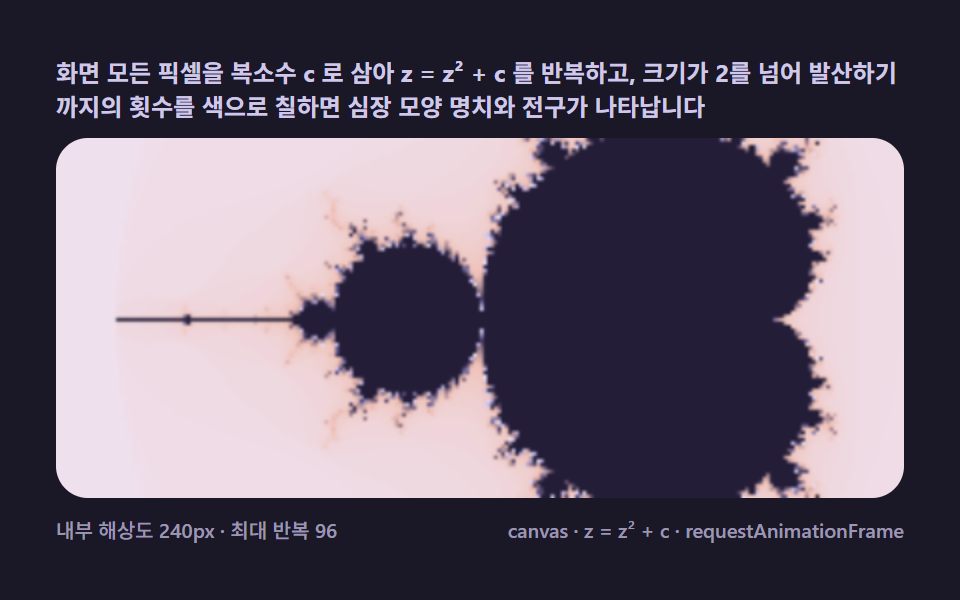 Mandelbrot Zoom, 9 Ways (Escape-Time, No Library)Iterate z = z² + c per pixel and count escapes — the Mandelbrot cardioid appears, and every zoom level hides new mini-ma See all demos in this post
If you like this effect - similar demos
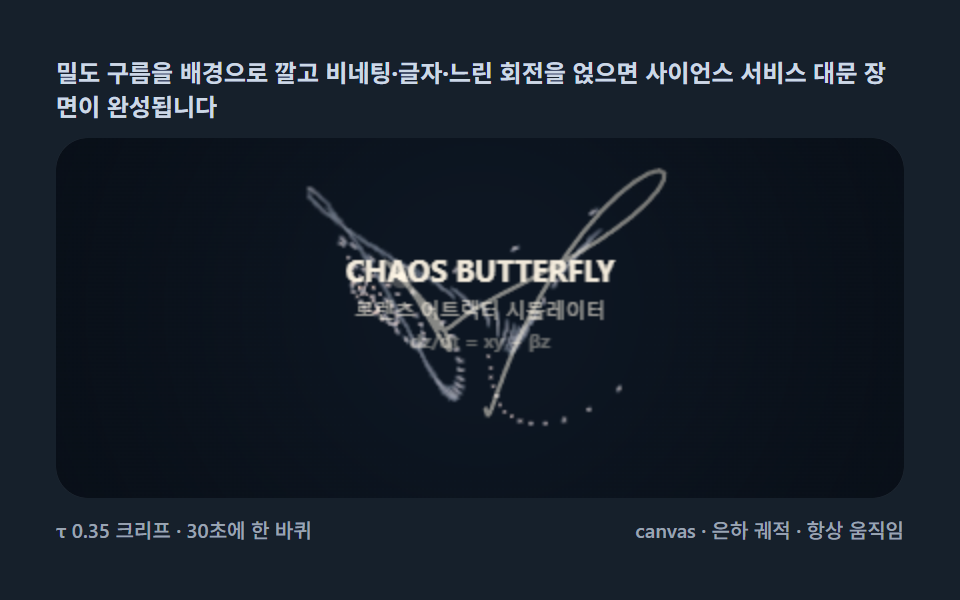 Creative UI09 Butterfly hero scene — a front-door stage layered with type and particlesLorenz Attractor: 9 Butterfly Chaos Demos
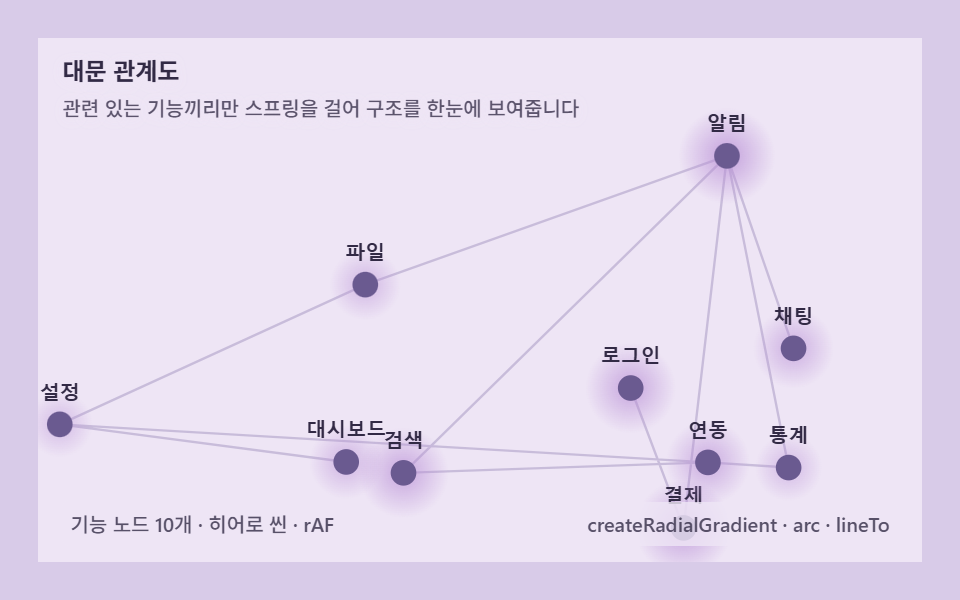 Creative UI09 Hero graph — a front door that knits a product's features together by forceForce Directed Graph: 9 Network Layout Demos
 Creative UI09 Hero weave — a front door knitting the brand in threadString Art: 9 Thread-Geometry Demos