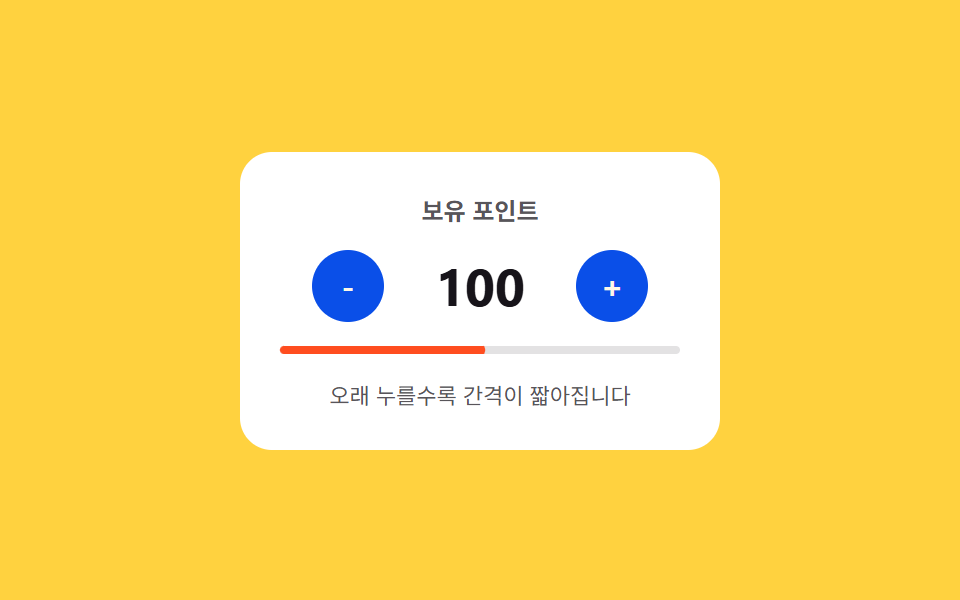
02Long-press acceleration — a stepper whose interval value shortens the longer it stays pressed
As the duration of the pressed state value grows, the interval value between changes shrinks so more units change in the same time, and once the pressed state ends the interval value returns to its starting size.
Best forAn input covering a wide quantity range, an inventory adjustment screen
START=480DECAY=0.82currentInterval
<main class="stage">
<div class="nspla is-demo" id="nspla">
  <div class="nspla__panel">
    <span class="nspla__label">Points balance</span>
    <div class="nspla__row">
      <button class="nspla__btn" id="nsplaMinus" type="button" aria-label="Decrease points">-</button>
      <span class="nspla__value" id="nsplaValue">80</span>
      <button class="nspla__btn" id="nsplaPlus" type="button" aria-label="Increase points">+</button>
    </div>
    <div class="nspla__meter">
      <span class="nspla__meterFill" id="nsplaMeterFill"></span>
    </div>
    <span class="nspla__hint">The longer you hold, the shorter the interval gets</span>
  </div>
</div>
</main>
@use "../../../../site/static/demo-tokens" as *;
// 계산 겹: 반복 간격을 START*DECAY^ticks 로 매 틱 다시 계산한다(지수 감쇠, 바닥 FLOOR) —
// 고정 주기가 아니라 누른 시간에 따라 간격 자체가 줄어든다. 속도 막대는 그 간격을 scaleX 로 보여준다.
$duration: $dur-instant;
$easing: $ease-out;
$color: $subject-blue-deep;
@include stage($stage-yellow);
.stage { position: relative; }
.nspla {
width: min(240px, 70vw);
}
.nspla__panel {
display: flex;
flex-direction: column;
align-items: center;
gap: $sp-3;
padding: $sp-5;
border-radius: $r-card;
background: $stage-paper;
}
.nspla__label {
color: rgba($subject-ink, .72);
font-weight: 700;
font-size: 12px;
}
.nspla__row {
display: flex;
align-items: center;
gap: $sp-4;
}
.nspla__btn {
width: 36px;
height: 36px;
border: 0;
border-radius: $r-pill;
background: $color;
color: $subject-cream;
font-family: inherit;
font-weight: 700;
font-size: 16px;
line-height: 1;
display: grid;
place-items: center;
cursor: pointer;
touch-action: none;
}
.nspla__value {
min-width: 64px;
text-align: center;
color: $subject-ink;
font-weight: 700;
font-size: 26px;
font-variant-numeric: tabular-nums;
}
.nspla__meter {
width: 100%;
height: $sp-1;
border-radius: $r-xs;
background: rgba($subject-ink, .12);
overflow: hidden;
}
.nspla__meterFill {
display: block;
width: 100%;
height: 100%;
border-radius: $r-xs;
background: $stage-orange;
transform: scaleX(0);
transform-origin: left center;
}
.nspla__hint {
color: rgba($subject-ink, .72);
font-size: 11px;
text-align: center;
}
@media (max-width: 340px) {
.nspla__panel { padding: $sp-4; gap: $sp-2; }
.nspla__btn { width: 32px; height: 32px; font-size: 14px; }
.nspla__value { font-size: 22px; }
}
@media (prefers-reduced-motion: reduce) {
.nspla__meterFill { transition: none !important; }
}html, body {
margin: 0;
overflow: hidden;
}
.stage {
box-sizing: border-box;
min-height: 100vh;
display: grid;
place-items: center;
margin: 0;
background: #ffd23f;
font-family: -apple-system, "Segoe UI", "Noto Sans KR", sans-serif;
padding: clamp(8px, 4vw, 24px);
}
.stage {
position: relative;
}
.nspla {
width: min(240px, 70vw);
}
.nspla__panel {
display: flex;
flex-direction: column;
align-items: center;
gap: 12px;
padding: 20px;
border-radius: 16px;
background: #ffffff;
}
.nspla__label {
color: rgba(23, 20, 26, 0.72);
font-weight: 700;
font-size: 12px;
}
.nspla__row {
display: flex;
align-items: center;
gap: 16px;
}
.nspla__btn {
width: 36px;
height: 36px;
border: 0;
border-radius: 999px;
background: #0a4fe8;
color: #fff7e6;
font-family: inherit;
font-weight: 700;
font-size: 16px;
line-height: 1;
display: grid;
place-items: center;
cursor: pointer;
touch-action: none;
}
.nspla__value {
min-width: 64px;
text-align: center;
color: #17141a;
font-weight: 700;
font-size: 26px;
font-variant-numeric: tabular-nums;
}
.nspla__meter {
width: 100%;
height: 4px;
border-radius: 4px;
background: rgba(23, 20, 26, 0.12);
overflow: hidden;
}
.nspla__meterFill {
display: block;
width: 100%;
height: 100%;
border-radius: 4px;
background: #ff4d1f;
transform: scaleX(0);
transform-origin: left center;
}
.nspla__hint {
color: rgba(23, 20, 26, 0.72);
font-size: 11px;
text-align: center;
}
@media (max-width: 340px) {
.nspla__panel {
padding: 16px;
gap: 8px;
}
.nspla__btn {
width: 32px;
height: 32px;
font-size: 14px;
}
.nspla__value {
font-size: 22px;
}
}
@media (prefers-reduced-motion: reduce) {
.nspla__meterFill {
transition: none !important;
}
}(function () {
var root = document.getElementById('nspla');
var valueEl = document.getElementById('nsplaValue');
var minusBtn = document.getElementById('nsplaMinus');
var plusBtn = document.getElementById('nsplaPlus');
var meterFill = document.getElementById('nsplaMeterFill');
var MIN = 0, MAX = 500, START = 480, FLOOR = 60, DECAY = 0.82;
var value = 80;
var timer = null;
var ticks = 0;
function render() { valueEl.textContent = String(value); }
// 계산 겹: 반복 간격을 START*DECAY^ticks 로 매 틱 다시 계산한다(지수 감쇠, 바닥은 FLOOR) —
// setInterval 고정 주기가 아니라 재귀 setTimeout 으로 간격 자체를 갱신한다.
function currentInterval() {
return Math.max(FLOOR, START * Math.pow(DECAY, ticks));
}
function paintMeter() {
var iv = currentInterval();
var speed = (START - iv) / (START - FLOOR); // 0(느림) ~ 1(가장 빠름)
meterFill.style.transform = 'scaleX(' + speed.toFixed(3) + ')';
}
function scheduleNext(dir) {
timer = setTimeout(function () {
value = Math.max(MIN, Math.min(MAX, value + dir * 5));
render();
ticks += 1;
paintMeter();
scheduleNext(dir);
}, currentInterval());
}
function start(dir) {
stop();
ticks = 0;
value = Math.max(MIN, Math.min(MAX, value + dir * 5));
render();
paintMeter();
scheduleNext(dir);
}
function stop() {
if (timer) { clearTimeout(timer); timer = null; }
ticks = 0;
meterFill.style.transform = 'scaleX(0)';
}
function wireReal(btn, dir) {
btn.addEventListener('pointerdown', function (e) {
root.classList.remove('is-demo'); stopAutoplay();
e.preventDefault(); start(dir);
});
['pointerup', 'pointerleave', 'pointercancel'].forEach(function (ev) {
btn.addEventListener(ev, stop);
});
}
wireReal(minusBtn, -1);
wireReal(plusBtn, 1);
var autoplayTimer = null;
function autoplayCycle() {
start(1);
setTimeout(stop, 1900);
setTimeout(function () { start(-1); }, 2300);
setTimeout(stop, 4200);
}
function stopAutoplay() { if (autoplayTimer) { clearInterval(autoplayTimer); autoplayTimer = null; } }
var reduce = window.matchMedia('(prefers-reduced-motion: reduce)').matches;
if (!reduce) {
autoplayCycle();
autoplayTimer = setInterval(autoplayCycle, 4700);
}
render();
})();import { useEffect, useRef } from "react";
import styles from "./NumberStepperLongpressAcceleration.module.scss";
export type NumberStepperLongpressAccelerationProps = {
color?: string;
};
export default function NumberStepperLongpressAcceleration({
color = "#0a4fe8",
}: NumberStepperLongpressAccelerationProps) {
const rootRef = useRef<HTMLDivElement | null>(null);
useEffect(() => {
const root = rootRef.current;
if (!root) return;
const valueEl = root.querySelector<HTMLSpanElement>(`.${styles.value}`);
const minusBtn = root.querySelector<HTMLButtonElement>(`.${styles.btnMinus}`);
const plusBtn = root.querySelector<HTMLButtonElement>(`.${styles.btnPlus}`);
const meterFill = root.querySelector<HTMLSpanElement>(`.${styles.meterFill}`);
if (!valueEl || !minusBtn || !plusBtn || !meterFill) return;
const MIN = 0, MAX = 500, START = 480, FLOOR = 60, DECAY = 0.82;
let value = 80;
let timer: ReturnType<typeof setTimeout> | null = null;
let ticks = 0;
function render() { valueEl!.textContent = String(value); }
// 계산 겹: 반복 간격을 START*DECAY^ticks 로 매 틱 다시 계산한다(지수 감쇠, 바닥은 FLOOR) —
// setInterval 고정 주기가 아니라 재귀 setTimeout 으로 간격 자체를 갱신한다.
function currentInterval() {
return Math.max(FLOOR, START * Math.pow(DECAY, ticks));
}
function paintMeter() {
const iv = currentInterval();
const speed = (START - iv) / (START - FLOOR);
meterFill!.style.transform = "scaleX(" + speed.toFixed(3) + ")";
}
function scheduleNext(dir: number) {
timer = setTimeout(() => {
value = Math.max(MIN, Math.min(MAX, value + dir * 5));
render();
ticks += 1;
paintMeter();
scheduleNext(dir);
}, currentInterval());
}
function start(dir: number) {
stop();
ticks = 0;
value = Math.max(MIN, Math.min(MAX, value + dir * 5));
render();
paintMeter();
scheduleNext(dir);
}
function stop() {
if (timer) { clearTimeout(timer); timer = null; }
ticks = 0;
meterFill!.style.transform = "scaleX(0)";
}
function stopAutoplay() {
if (autoplayTimer) { clearInterval(autoplayTimer); autoplayTimer = null; }
}
function wireReal(btn: HTMLButtonElement, dir: number) {
const onDown = (e: PointerEvent) => {
root!.classList.remove(styles.isDemo);
stopAutoplay();
e.preventDefault();
start(dir);
};
btn.addEventListener("pointerdown", onDown);
["pointerup", "pointerleave", "pointercancel"].forEach((ev) => btn.addEventListener(ev, stop));
return () => {
btn.removeEventListener("pointerdown", onDown);
["pointerup", "pointerleave", "pointercancel"].forEach((ev) => btn.removeEventListener(ev, stop));
};
}
const cleanMinus = wireReal(minusBtn, -1);
const cleanPlus = wireReal(plusBtn, 1);
let autoplayTimer: ReturnType<typeof setInterval> | null = null;
function autoplayCycle() {
start(1);
setTimeout(stop, 1900);
setTimeout(() => start(-1), 2300);
setTimeout(stop, 4200);
}
const reduce = window.matchMedia("(prefers-reduced-motion: reduce)").matches;
if (!reduce) {
autoplayCycle();
autoplayTimer = setInterval(autoplayCycle, 4700);
}
render();
return () => {
stopAutoplay();
stop();
cleanMinus();
cleanPlus();
};
}, []);
return (
<div ref={rootRef} className={`${styles.stage} ${styles.isDemo}`} style={{ ["--color" as string]: color }}>
<div className={styles.panel}>
<span className={styles.label}>보유 포인트</span>
<div className={styles.row}>
<button className={`${styles.btn} ${styles.btnMinus}`} type="button" aria-label="포인트 줄이기">-</button>
<span className={styles.value}>80</span>
<button className={`${styles.btn} ${styles.btnPlus}`} type="button" aria-label="포인트 늘리기">+</button>
</div>
<div className={styles.meter}>
<span className={styles.meterFill} />
</div>
<span className={styles.hint}>오래 누를수록 간격이 짧아집니다</span>
</div>
</div>
);
}02 Long-press acceleration — a stepper whose interval value shortens the longer it stays pressed — Measured area 0.872% · moving frames 8/23Original by GODRICH · SCSS and React ship in the zip · Number Stepper UI: 9 Interaction Patterns
The post this demo lives in
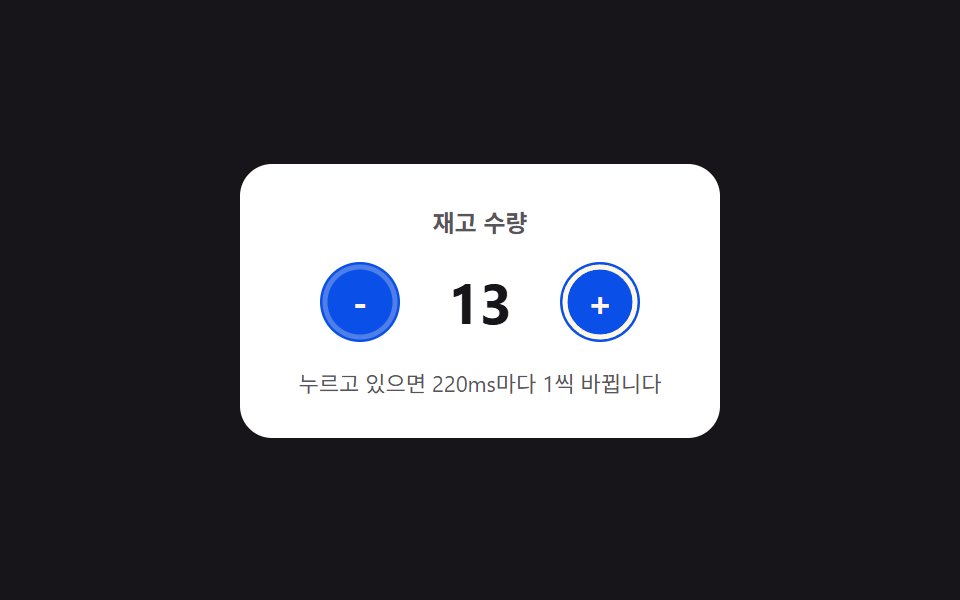 Number Stepper UI: 9 Interaction PatternsOne stepper shortens its repeat interval the longer it stays pressed, one settles past its limit along a spring curve, a See all demos in this post
If you like this effect - similar demos
 Inputs05 Long-Press That Fans Out Variants Once a Held-Time Value Crosses a LineEmoji Picker: 9 Patterns by One Value
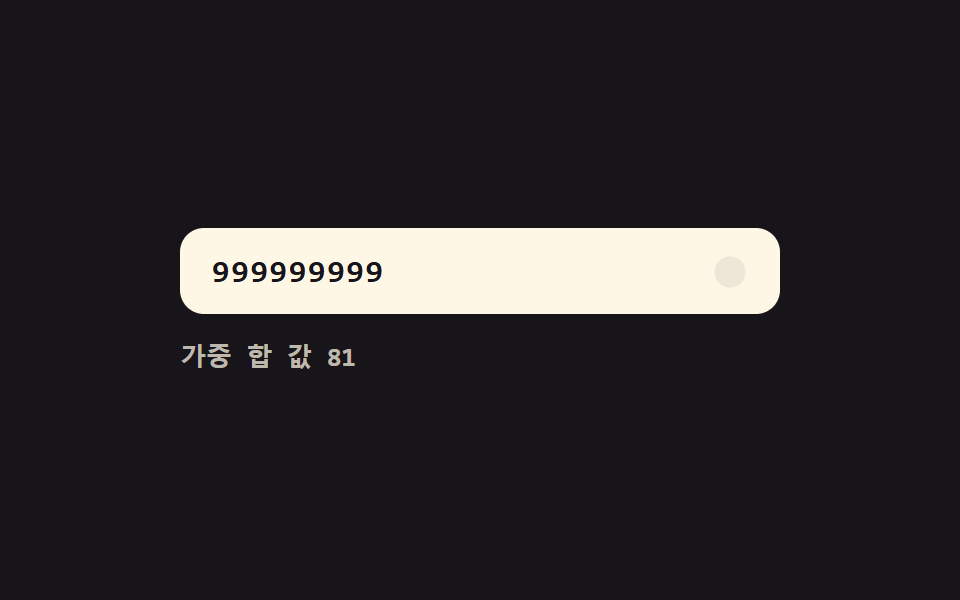 Inputs05 Live validity value toggle — each time a digit value fills in, the whole number's validity value is recalculated and the display value changesCredit Card Input UI: 9 Patterns
 Inputs01 Next button that stays locked until the rules are met9 Multi Step Form UI Patterns — Branch and Resume