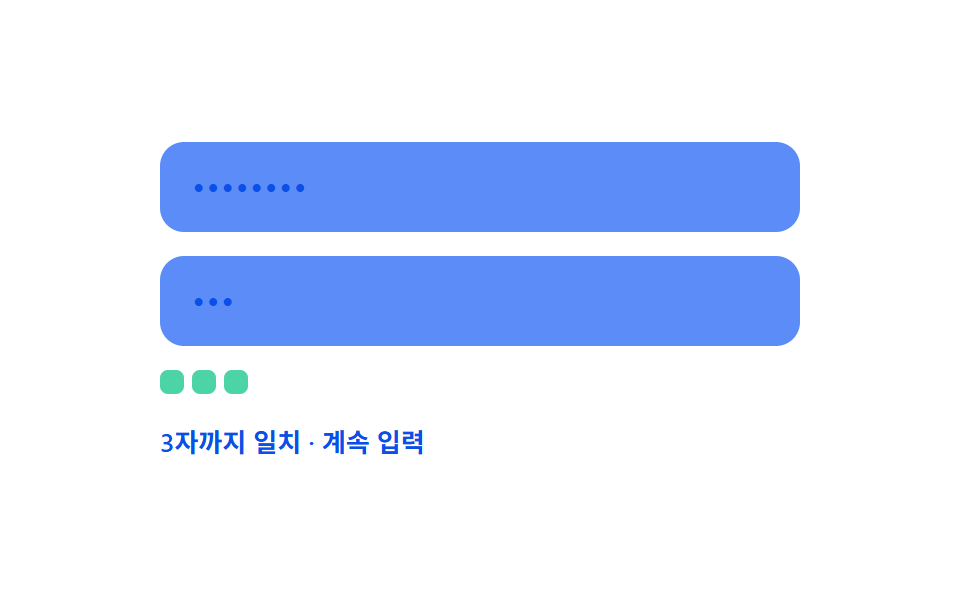
08Live confirm-match diff — the position value where a confirmation input first diverges from the original value is found in real time
The confirmation input value and the original value are compared character by character from the start, finding the position value where they first diverge in real time.
Best forA signup form with a confirm-password field, a match check on a reset screen
matchLenOf(a, b).md__chip--bad.md--full
<main class="stage">
<div class="md is-demo" id="md">
  <label class="md__field">
    <input class="md__input" id="mdPw" type="text" autocomplete="off" spellcheck="false" value="">
  </label>
  <label class="md__field">
    <input class="md__input" id="mdConfirm" type="text" autocomplete="off" spellcheck="false" value="">
  </label>
  <div class="md__chips" id="mdChips"></div>
  <div class="md__row">
    <span class="md__status" id="mdStatus">Waiting for input</span>
    <span class="md__ok" id="mdOk">
      <svg viewBox="0 0 20 20" width="12" height="12" aria-hidden="true"><path d="M4 10.5l3.5 3.5L16 5.5" fill="none" stroke="currentColor" stroke-width="2.4" stroke-linecap="round" stroke-linejoin="round"/></svg>
      Match
    </span>
  </div>
</div>
</main>
@use "../../../../site/static/demo-tokens" as *;
// 계산 겹: 두 입력값의 앞에서부터 일치하는 글자 수(일치 길이)를 구해, 확인 입력이
// 그 길이를 넘는 순간의 위치를 "처음 어긋난 자리"로 계산해 칩으로 나열한다.
@include stage($stage-paper);
.md {
width: 100%;
max-width: 320px;
display: grid;
gap: $sp-3;
}
.md__field { display: block; }
.md__input {
width: 100%;
box-sizing: border-box;
padding: $sp-3 $sp-4;
border-radius: $r-control;
border: 0;
background: $subject-blue-light;
color: $subject-blue-deep;
font: 500 16px/1.3 -apple-system, "Segoe UI", "Noto Sans KR", sans-serif;
letter-spacing: .04em;
-webkit-text-security: disc;
&:focus { outline: 2px solid $subject-blue-deep; outline-offset: 2px; }
}
.md__chips {
display: flex;
flex-wrap: wrap;
gap: $sp-1;
min-height: $sp-4;
}
.md__chip {
width: $sp-3;
height: $sp-3;
border-radius: $r-xs;
transform: scale(1);
transition: background-color $dur-quick $ease-out, transform $dur-quick $ease-spring;
}
.md__chip--ok { background: $subject-mint; }
.md__chip--bad { background: $error; transform: scale(1.15); }
.md__row {
display: flex;
align-items: center;
justify-content: space-between;
gap: $sp-2;
font: 600 13px/1.2 -apple-system, "Segoe UI", "Noto Sans KR", sans-serif;
color: $subject-blue-deep;
}
.md__ok {
display: flex;
align-items: center;
gap: 4px;
color: $subject-blue-deep;
opacity: 0;
transform: scale(.7);
transition: opacity $dur-base $ease-out, transform $dur-base $ease-spring;
}
.md--full .md__ok { opacity: 1; transform: scale(1); }
@media (max-width: 340px) {
.md { max-width: 260px; }
.md__input { padding: $sp-2 $sp-3; font-size: 14px; }
.md__row { font-size: 11px; }
}
@media (prefers-reduced-motion: reduce) {
.md__chip, .md__ok { transition: none; }
}html, body {
margin: 0;
overflow: hidden;
}
.stage {
box-sizing: border-box;
min-height: 100vh;
display: grid;
place-items: center;
margin: 0;
background: #ffffff;
font-family: -apple-system, "Segoe UI", "Noto Sans KR", sans-serif;
padding: clamp(8px, 4vw, 24px);
}
.md {
width: 100%;
max-width: 320px;
display: grid;
gap: 12px;
}
.md__field {
display: block;
}
.md__input {
width: 100%;
box-sizing: border-box;
padding: 12px 16px;
border-radius: 12px;
border: 0;
background: #5b8cf8;
color: #0a4fe8;
font: 500 16px/1.3 -apple-system, "Segoe UI", "Noto Sans KR", sans-serif;
letter-spacing: 0.04em;
-webkit-text-security: disc;
}
.md__input:focus {
outline: 2px solid #0a4fe8;
outline-offset: 2px;
}
.md__chips {
display: flex;
flex-wrap: wrap;
gap: 4px;
min-height: 16px;
}
.md__chip {
width: 12px;
height: 12px;
border-radius: 4px;
transform: scale(1);
transition: background-color 220ms ease-out, transform 220ms cubic-bezier(0.2, 0.8, 0.2, 1);
}
.md__chip--ok {
background: #4cd4a6;
}
.md__chip--bad {
background: #c2361a;
transform: scale(1.15);
}
.md__row {
display: flex;
align-items: center;
justify-content: space-between;
gap: 8px;
font: 600 13px/1.2 -apple-system, "Segoe UI", "Noto Sans KR", sans-serif;
color: #0a4fe8;
}
.md__ok {
display: flex;
align-items: center;
gap: 4px;
color: #0a4fe8;
opacity: 0;
transform: scale(0.7);
transition: opacity 300ms ease-out, transform 300ms cubic-bezier(0.2, 0.8, 0.2, 1);
}
.md--full .md__ok {
opacity: 1;
transform: scale(1);
}
@media (max-width: 340px) {
.md {
max-width: 260px;
}
.md__input {
padding: 8px 12px;
font-size: 14px;
}
.md__row {
font-size: 11px;
}
}
@media (prefers-reduced-motion: reduce) {
.md__chip, .md__ok {
transition: none;
}
}(function () {
var root = document.getElementById('md');
var pw = document.getElementById('mdPw');
var confirm = document.getElementById('mdConfirm');
var chipsBox = document.getElementById('mdChips');
var statusEl = document.getElementById('mdStatus');
var okEl = document.getElementById('mdOk');
// 계산 겹: 두 값의 앞에서부터 같은 글자가 이어지는 개수(Match 길이)를 구하고,
// 확인 입력이 그 길이를 넘어서면 그 지점이 곧 처음 어긋난 위치다.
function matchLenOf(a, b) {
var n = Math.min(a.length, b.length);
var i = 0;
while (i < n && a[i] === b[i]) i++;
return i;
}
function paint() {
var a = pw.value, b = confirm.value;
var matchLen = matchLenOf(a, b);
var full = b.length > 0 && a.length === b.length && matchLen === a.length;
chipsBox.innerHTML = '';
for (var i = 0; i < b.length; i++) {
var chip = document.createElement('span');
chip.className = 'md__chip ' + (i < matchLen ? 'md__chip--ok' : 'md__chip--bad');
chipsBox.appendChild(chip);
}
if (b.length === 0) statusEl.textContent = 'Waiting for input';
else if (full) statusEl.textContent = b.length + ' chars fully match';
else if (matchLen === b.length) statusEl.textContent = matchLen + ' chars match so far · keep typing';
else statusEl.textContent = matchLen + ' chars match so far · ' + (matchLen + 1) + 'th position mismatch';
root.classList.toggle('md--full', full);
}
pw.addEventListener('input', function () { root.classList.remove('is-demo'); stopAutoplay(); paint(); });
confirm.addEventListener('input', function () { root.classList.remove('is-demo'); stopAutoplay(); paint(); });
paint();
// 자동 루프: 비밀번호는 고정, 확인 입력만 시드 고정 배열로 오타→정정 과정을 보여준다.
var FIXED_PW = 'abcd1234';
var SEQ = ['', 'a', 'ab', 'abc', 'abcx', 'abcd', 'abcd1', 'abcd12', 'abcd123', 'abcd1234', ''];
var si = 0;
var autoTimer = null;
function autoTick() {
pw.value = FIXED_PW;
confirm.value = SEQ[si];
paint();
si = (si + 1) % SEQ.length;
}
function stopAutoplay() { if (autoTimer) { clearInterval(autoTimer); autoTimer = null; } }
var reduce = window.matchMedia('(prefers-reduced-motion: reduce)').matches;
if (!reduce) { autoTimer = setInterval(autoTick, 380); autoTick(); }
})();import { useEffect, useRef } from "react";
import styles from "./ConfirmMatchLiveDiff.module.scss";
type Box<T> = { current: T };
export default function ConfirmMatchLiveDiff() {
const rootRef = useRef(null) as unknown as Box<HTMLDivElement | null>;
useEffect(() => {
const root = rootRef.current;
if (!root) return;
const pw = root.querySelector(`.${styles.pwInput}`) as HTMLInputElement | null;
const confirm = root.querySelector(`.${styles.confirmInput}`) as HTMLInputElement | null;
const chipsBox = root.querySelector(`.${styles.chips}`) as HTMLElement | null;
const statusEl = root.querySelector(`.${styles.status}`) as HTMLElement | null;
if (!pw || !confirm || !chipsBox || !statusEl) return;
// 계산 겹: 두 값의 앞에서부터 같은 글자가 이어지는 개수(일치 길이)를 구하고,
// 확인 입력이 그 길이를 넘어서면 그 지점이 곧 처음 어긋난 위치다.
function matchLenOf(a: string, b: string) {
const n = Math.min(a.length, b.length);
let i = 0;
while (i < n && a[i] === b[i]) i++;
return i;
}
function paint() {
const a = pw!.value, b = confirm!.value;
const matchLen = matchLenOf(a, b);
const full = b.length > 0 && a.length === b.length && matchLen === a.length;
chipsBox!.innerHTML = "";
for (let i = 0; i < b.length; i++) {
const chip = document.createElement("span");
chip.className = styles.chip + " " + (i < matchLen ? styles["chip--ok"] : styles["chip--bad"]);
chipsBox!.appendChild(chip);
}
if (b.length === 0) statusEl!.textContent = "입력 대기";
else if (full) statusEl!.textContent = b.length + "자 전체 일치";
else if (matchLen === b.length) statusEl!.textContent = matchLen + "자까지 일치 · 계속 입력";
else statusEl!.textContent = matchLen + "자까지 일치 · " + (matchLen + 1) + "번째에서 어긋남";
root!.classList.toggle(styles["md--full"], full);
}
function onInput() { root!.classList.remove(styles["is-demo"]); stopAutoplay(); paint(); }
pw.addEventListener("input", onInput);
confirm.addEventListener("input", onInput);
paint();
// 자동 루프: 비밀번호는 고정, 확인 입력만 시드 고정 배열로 오타→정정 과정을 보여준다.
const FIXED_PW = "abcd1234";
const SEQ = ["", "a", "ab", "abc", "abcx", "abcd", "abcd1", "abcd12", "abcd123", "abcd1234", ""];
let si = 0;
let autoTimer: number | null = null;
function autoTick() {
pw!.value = FIXED_PW;
confirm!.value = SEQ[si];
paint();
si = (si + 1) % SEQ.length;
}
function stopAutoplay() { if (autoTimer !== null) { window.clearInterval(autoTimer); autoTimer = null; } }
const reduce = window.matchMedia("(prefers-reduced-motion: reduce)").matches;
if (!reduce) { autoTimer = window.setInterval(autoTick, 380); autoTick(); }
return () => {
stopAutoplay();
pw.removeEventListener("input", onInput);
confirm.removeEventListener("input", onInput);
};
}, []);
return (
<div ref={rootRef} className={`${styles.stage} ${styles.md} ${styles["is-demo"]}`}>
<label className={styles.field}>
<input className={`${styles.input} ${styles.pwInput}`} type="text" autoComplete="off" spellCheck={false} defaultValue="" />
</label>
<label className={styles.field}>
<input className={`${styles.input} ${styles.confirmInput}`} type="text" autoComplete="off" spellCheck={false} defaultValue="" />
</label>
<div className={styles.chips} />
<div className={styles.row}>
<span className={styles.status}>입력 대기</span>
<span className={styles.ok}>
<svg viewBox="0 0 20 20" width="12" height="12" aria-hidden="true">
<path d="M4 10.5l3.5 3.5L16 5.5" fill="none" stroke="currentColor" strokeWidth="2.4" strokeLinecap="round" strokeLinejoin="round" />
</svg>
일치
</span>
</div>
</div>
);
}08 Live confirm-match diff — the position value where a confirmation input first diverges from the original value is found in real time — Measured area 1.86% · moving frames 7/23Original by GODRICH · SCSS and React ship in the zip · Password Strength Meter UI: 9 Calculation Patterns
The post this demo lives in
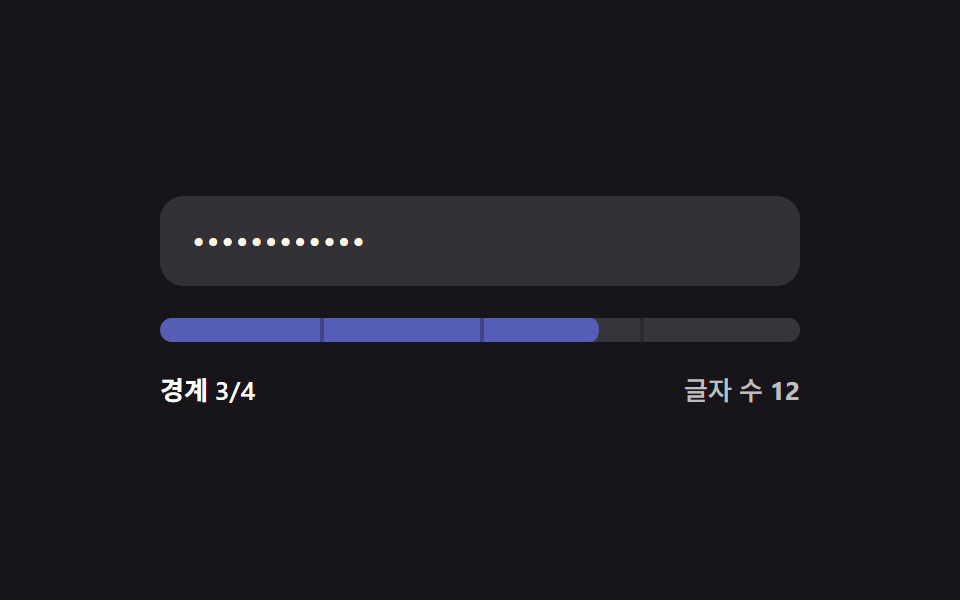 Password Strength Meter UI: 9 Calculation PatternsOne strength value is set by how many character types mix in, one drops when the input matches a common value, and one f See all demos in this post
If you like this effect - similar demos
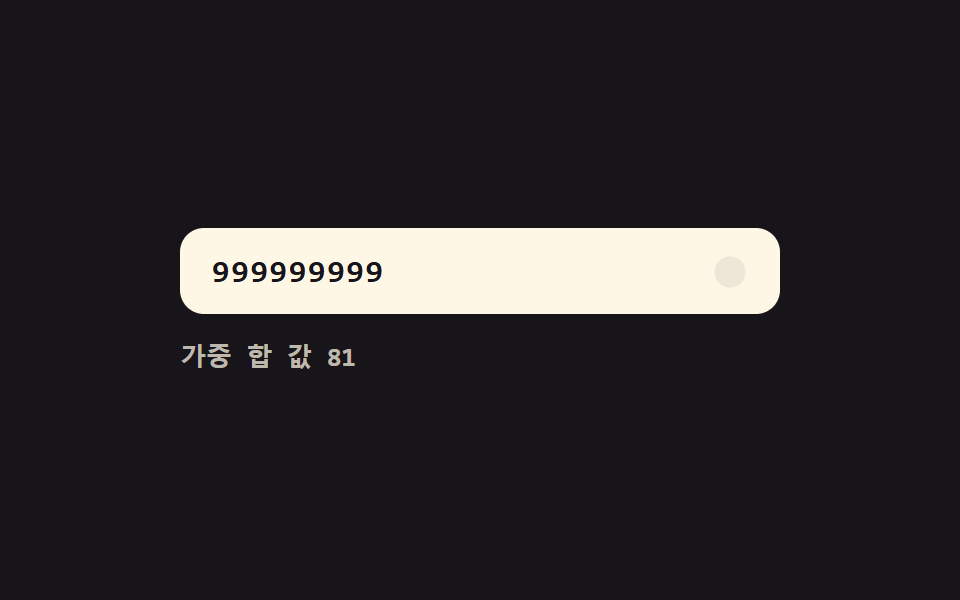 Inputs05 Live validity value toggle — each time a digit value fills in, the whole number's validity value is recalculated and the display value changesCredit Card Input UI: 9 Patterns
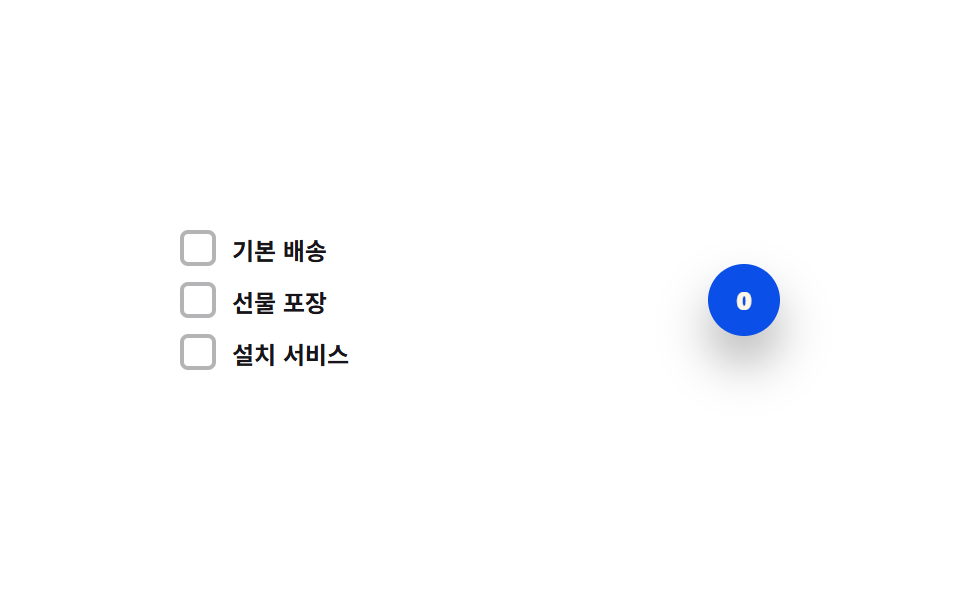 Inputs04 Count-badge roll toggle — each time the selected-count value rises or falls, the badge digit's position value rolls up or downCSS Custom Checkbox: 9 Interaction Patterns
 Inputs07 Live currency format — a stepper that recomputes digit-grouping positions every time its value changesNumber Stepper UI: 9 Interaction Patterns