03A 3D Pie Chart That Tilts the Disc and Draws Its Side Wall
It projects points on the circle into an ellipse by squashing them vertically by the cosine of the tilt angle, paints the side bands from the back slices to the front ones, and darkens each side by its angle. The pointer height changes the tilt.
Best forPresentation-style reports and hero metrics
TILT_DEGDEPTH_PXSIDE_SHADE
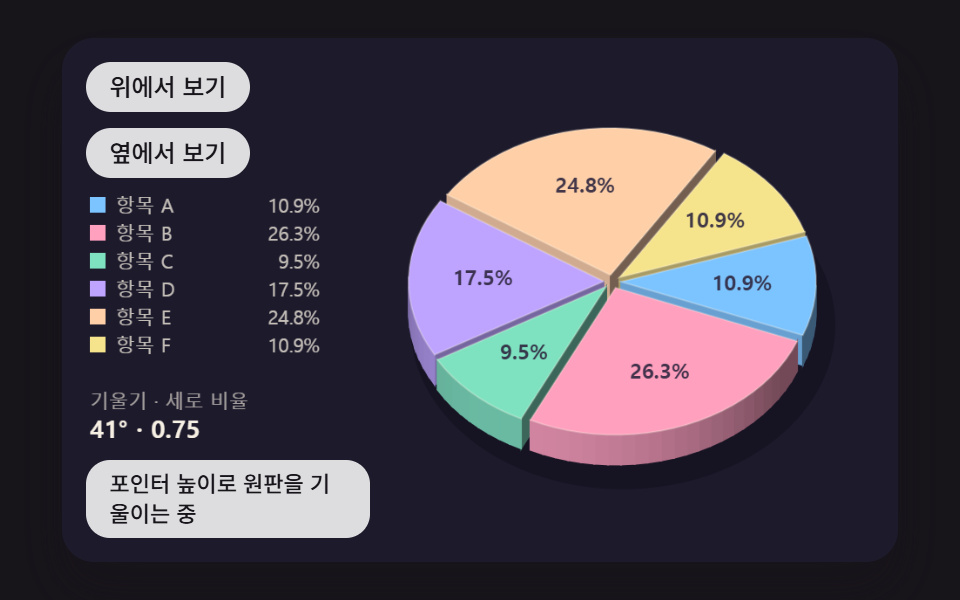
<main class="stage">
<div class="pc is-demo" id="pc">
  <canvas class="pc__canvas" data-role="canvas" width="480" height="300" tabindex="0" aria-label="A 3D pie chart that tilts the disc and draws its side wall. Change the tilt with pointer height or ↑/↓, and pick a slice with ←/→"></canvas>
  <p class="pc__status" data-role="status" aria-live="off">Tilting the disc by pointer height</p>
  <div class="pc__tools">
    <button class="pc__btn" data-role="top" type="button">View from above</button>
    <button class="pc__btn" data-role="side" type="button">View from the side</button>
  </div>
</div>
</main>
@use "../../../../site/static/demo-tokens" as *;
@include stage($stage-ink);
.pc {
position: relative;
width: min(92vw, calc(160vh - 12.8vw));
aspect-ratio: 480 / 300;
margin: 0 auto;
border-radius: $r-card;
overflow: hidden;
box-shadow: $shadow-raised;
background: $subject-ink;
}
.pc__canvas {
display: block;
width: 100%;
height: 100%;
cursor: crosshair;
}
.pc__canvas:focus-visible {
outline: 2px solid rgba(255, 255, 255, .85);
outline-offset: -6px;
}
.pc__status {
position: absolute;
left: $sp-3;
bottom: $sp-3;
box-sizing: border-box;
max-width: 34%;
margin: 0;
padding: $sp-1 $sp-3;
border-radius: $r-control;
background: rgba(255, 255, 255, .85);
color: $subject-ink;
font-weight: 500;
font-size: 11px;
line-height: 1.4;
pointer-events: none;
}
// 판은 오른쪽에 있다 — 버튼은 왼쪽 위 칸에 두고, 좁으면 줄을 바꿔 판을 덮지 않는다
.pc__tools {
position: absolute;
left: $sp-3;
top: $sp-3;
box-sizing: border-box;
max-width: 34%;
display: flex;
flex-wrap: wrap;
gap: $sp-2;
}
.pc__btn {
margin: 0;
padding: $sp-1 $sp-3;
border: 0;
border-radius: $r-pill;
background: rgba(255, 255, 255, .85);
color: $subject-ink;
font: inherit;
font-weight: 500;
font-size: 12px;
line-height: 1.4;
cursor: pointer;
transition: background-color $dur-quick ease-out;
}
.pc__btn:hover {
background: $subject-cream;
}
.pc__btn[aria-pressed="true"] {
background: $subject-mint;
}
.pc__btn:focus-visible {
outline: 2px solid rgba(255, 255, 255, .95);
outline-offset: 2px;
}
// 손가락 가로 끌기는 이 캔버스가 받고, 세로 쓸기는 브라우저에 남겨 페이지 스크롤이 막히지 않게 한다
.pc__canvas { touch-action: pan-y; }
@media (max-width: 340px) {
.pc__btn { font-size: 10px; padding: $sp-1 $sp-2; }
.pc__status { font-size: 10px; padding: $sp-1 $sp-2; }
}
@media (prefers-reduced-motion: reduce) {
.pc__btn { transition: none; }
}html, body {
margin: 0;
overflow: hidden;
}
.stage {
box-sizing: border-box;
min-height: 100vh;
display: grid;
place-items: center;
margin: 0;
background: #17141a;
font-family: -apple-system, "Segoe UI", "Noto Sans KR", sans-serif;
padding: clamp(8px, 4vw, 24px);
}
.pc {
position: relative;
width: min(92vw, 160vh - 12.8vw);
aspect-ratio: 480/300;
margin: 0 auto;
border-radius: 16px;
overflow: hidden;
box-shadow: 0 14px 24px rgba(23, 20, 26, 0.32);
background: #17141a;
}
.pc__canvas {
display: block;
width: 100%;
height: 100%;
cursor: crosshair;
}
.pc__canvas:focus-visible {
outline: 2px solid rgba(255, 255, 255, 0.85);
outline-offset: -6px;
}
.pc__status {
position: absolute;
left: 12px;
bottom: 12px;
box-sizing: border-box;
max-width: 34%;
margin: 0;
padding: 4px 12px;
border-radius: 12px;
background: rgba(255, 255, 255, 0.85);
color: #17141a;
font-weight: 500;
font-size: 11px;
line-height: 1.4;
pointer-events: none;
}
.pc__tools {
position: absolute;
left: 12px;
top: 12px;
box-sizing: border-box;
max-width: 34%;
display: flex;
flex-wrap: wrap;
gap: 8px;
}
.pc__btn {
margin: 0;
padding: 4px 12px;
border: 0;
border-radius: 999px;
background: rgba(255, 255, 255, 0.85);
color: #17141a;
font: inherit;
font-weight: 500;
font-size: 12px;
line-height: 1.4;
cursor: pointer;
transition: background-color 220ms ease-out;
}
.pc__btn:hover {
background: #fff7e6;
}
.pc__btn[aria-pressed=true] {
background: #4cd4a6;
}
.pc__btn:focus-visible {
outline: 2px solid rgba(255, 255, 255, 0.95);
outline-offset: 2px;
}
.pc__canvas {
touch-action: pan-y;
}
@media (max-width: 340px) {
.pc__btn {
font-size: 10px;
padding: 4px 8px;
}
.pc__status {
font-size: 10px;
padding: 4px 8px;
}
}
@media (prefers-reduced-motion: reduce) {
.pc__btn {
transition: none;
}
}(function () {
const root = document.getElementById("pc");
if (!root) return;
const W = 480;
const H = 300;
const FIXED_DT = 16;
const TAU = Math.PI * 2;
// 각도 원점 — 12시 방향에서 시계 방향으로 잰다 (캔버스는 y 가 아래로 커서 양의 각이 시계 방향)
const TOP = -Math.PI / 2;
// 파스텔 팔레트 — 어두운 무대 위에 밝은 조각을 얹어 명도 차로 경계가 읽힌다
const BG = [29, 26, 44];
const PANEL = [44, 39, 64];
const PAPER = [255, 248, 234];
const INK = [46, 38, 62];
const PAL = [
[124, 196, 255],
[255, 160, 190],
[126, 226, 192],
[190, 164, 255],
[255, 208, 168],
[246, 228, 140],
[150, 222, 236],
[232, 182, 228],
[196, 220, 160],
];
// 가상 데이터의 이름 — 실제 항목이 아니라 순서만 뜻한다
const LABELS = ['Item A', 'Item B', 'Item C', 'Item D', 'Item E', 'Item F', 'Item G', 'Item H', 'Item I'];
function clamp(v, lo, hi) { return v < lo ? lo : (v > hi ? hi : v); }
function lerp(a, b, k) { return a + (b - a) * k; }
function smooth(x) { const c = clamp(x, 0, 1); return c * c * (3 - 2 * c); }
function easeOutCubic(x) { const c = 1 - clamp(x, 0, 1); return 1 - c * c * c; }
// 앞뒤가 대칭인 거듭제곱 이징 — p 가 클수록 가운데에서 더 빨리 지나간다
function easeInOutPow(x, p) {
const c = clamp(x, 0, 1);
return c < 0.5 ? 0.5 * Math.pow(2 * c, p) : 1 - 0.5 * Math.pow(2 - 2 * c, p);
}
function rgba(c, a) {
return 'rgba(' + Math.round(c[0]) + ',' + Math.round(c[1]) + ',' + Math.round(c[2]) + ',' + clamp(a, 0, 1).toFixed(3) + ')';
}
function mix(a, b, k) { return [lerp(a[0], b[0], k), lerp(a[1], b[1], k), lerp(a[2], b[2], k)]; }
const canvasEl = root.querySelector('[data-role="canvas"]');
const statusEl = root.querySelector('[data-role="status"]');
const ctxRaw = canvasEl ? canvasEl.getContext('2d') : null;
if (!canvasEl || !ctxRaw || !statusEl) {
return;
}
const cv = canvasEl;
const ctx = ctxRaw;
const status = statusEl;
const reduceQuery = window.matchMedia('(prefers-reduced-motion: reduce)');
const still = reduceQuery.matches;
// 자동 시연 중인가 — 사람이 처음 만지는 순간 시연을 멈추고 상태 줄을 읽어 주기 시작한다
let demo = root.classList.contains('is-demo');
function wake() {
if (!demo) {
return;
}
demo = false;
root.classList.remove('is-demo');
status.setAttribute('aria-live', 'polite');
}
function say(text) {
if (status.textContent !== text) {
status.textContent = text;
}
}
function fitCanvas() {
// 배율은 2 에서 자른다 — 배율 3 기기에서 화소가 2.25배로 늘어 프레임마다 일이 그만큼 커지지 않게
const dpr = Math.min(window.devicePixelRatio || 1, 2);
cv.width = Math.round(W * dpr);
cv.height = Math.round(H * dpr);
ctx.setTransform(dpr, 0, 0, dpr, 0, 0);
}
function onResize() {
fitCanvas();
draw();
}
fitCanvas();
window.addEventListener('resize', onResize);
// 화면 좌표(CSS px) → 장면 좌표(480x300). 리사이즈 뒤에도 늘 현재 크기로 다시 잰다
function toScene(ev) {
const r = cv.getBoundingClientRect();
return [((ev.clientX - r.left) / r.width) * W, ((ev.clientY - r.top) / r.height) * H];
}
// 시드 고정 난수 — 같은 시드면 같은 가상 데이터가 다시 나온다 (32비트 정수 섞기)
function makeRng(seed) {
let s = seed >>> 0;
return function () {
s = (s + 0x6d2b79f5) >>> 0;
let t = s;
t = Math.imul(t ^ (t >>> 15), t | 1);
t ^= t + Math.imul(t ^ (t >>> 7), t | 61);
return ((t ^ (t >>> 14)) >>> 0) / 4294967296;
};
}
function seededValues(seed, n, lo, hi) {
const rnd = makeRng(seed);
const out = [];
for (let i = 0; i < n; i += 1) {
out.push(lo + Math.floor(rnd() * (hi - lo + 1)));
}
return out;
}
// 숫자 목록 → 부채꼴 — 합계로 나눈 몫을 앞에서부터 쌓아 시작 각과 끝 각을 만든다
function layout(values) {
let total = 0;
for (let i = 0; i < values.length; i += 1) {
total += values[i];
}
const out = [];
let acc = 0;
for (let i = 0; i < values.length; i += 1) {
const a0 = (acc / total) * TAU;
acc += values[i];
out.push({ value: values[i], share: values[i] / total, a0: a0, a1: (acc / total) * TAU });
}
return out;
}
function dirX(a) { return Math.cos(TOP + a); }
function dirY(a) { return Math.sin(TOP + a); }
// 포인터가 가리키는 각 — atan2 로 구한 화면 각을 12시 기준 0 ~ 2π 로 옮긴다
function angleAt(x, y, cx, cy) {
let a = Math.atan2(y - cy, x - cx) - TOP;
while (a < 0) {
a += TAU;
}
while (a >= TAU) {
a -= TAU;
}
return a;
}
function sliceAt(slices, a) {
for (let i = 0; i < slices.length; i += 1) {
if (a >= slices[i].a0 && a < slices[i].a1) {
return i;
}
}
return -1;
}
// 부채꼴 경로 — 안쪽 반지름 r0 이 0 이면 가운데 점까지, 아니면 도넛 조각
function wedgePath(c, cx, cy, r0, r1, a0, a1) {
c.beginPath();
c.arc(cx, cy, r1, TOP + a0, TOP + a1, false);
if (r0 > 0.5) {
c.arc(cx, cy, r0, TOP + a1, TOP + a0, true);
}
else {
c.lineTo(cx, cy);
}
c.closePath();
}
function pctText(share) { return (share * 100).toFixed(1) + '%'; }
function sayPick(i, share) { say(LABELS[i] + ' · ' + pctText(share)); }
// 세 자리마다 쉼표 — 지역 설정에 기대지 않는다
function groupDigits(n) {
const s = String(Math.round(Math.abs(n)));
let out = '';
for (let i = 0; i < s.length; i += 1) {
if (i > 0 && (s.length - i) % 3 === 0) {
out += ',';
}
out += s[i];
}
return (n < 0 ? '-' : '') + out;
}
// 왼쪽 범례 — 색 칩 + 이름 + 비율, 고른 줄은 밝게
const LEG_X = 16;
const LEG_Y = 100;
const LEG_ROW = 16;
function legendRow(row, label, value, c, on, dim) {
const y = LEG_Y + row * LEG_ROW;
ctx.fillStyle = rgba(c, dim ? 0.3 : 1);
ctx.fillRect(LEG_X, y - 9, 9, 9);
ctx.textBaseline = 'alphabetic';
ctx.textAlign = 'left';
ctx.font = (on ? '700' : '500') + ' 11px sans-serif';
ctx.fillStyle = rgba(PAPER, on ? 1 : (dim ? 0.4 : 0.74));
ctx.fillText(label, LEG_X + 15, y);
ctx.textAlign = 'right';
ctx.fillText(value, LEG_X + 132, y);
}
// 범례 아래 수치 한 줄 — 이름표 + 값
function statRow(y, label, value) {
ctx.textBaseline = 'alphabetic';
ctx.textAlign = 'left';
ctx.fillStyle = rgba(PAPER, 0.6);
ctx.font = '500 11px sans-serif';
ctx.fillText(label, LEG_X, y);
ctx.fillStyle = rgba(PAPER, 0.96);
ctx.font = '700 14px sans-serif';
ctx.fillText(value, LEG_X, y + 17);
}
function clearStage() {
ctx.fillStyle = rgba(BG, 1);
ctx.fillRect(0, 0, W, H);
}
// 시연 일정 — 루프 안의 시각(ms) 표를 지날 때마다 한 번씩 부른다
let schedCycle = -1;
let schedIdx = 0;
function runSchedule(t, loop, marks, fire) {
const cyc = Math.floor(t / loop);
const p = t - cyc * loop;
if (cyc !== schedCycle) {
schedCycle = cyc;
schedIdx = 0;
}
while (schedIdx < marks.length && p >= marks[schedIdx]) {
fire(schedIdx, cyc);
schedIdx += 1;
}
}
// 원판을 앞으로 눕히는 각(도) — 원 위의 점을 세로로 cos(기울기) 만큼 눌러 타원으로 투영한다
const TILT_DEG = 55;
// 원판 두께(px) — 화면에서는 sin(기울기) 를 곱한 만큼만 보인다 (위에서 보면 0, 옆에서 보면 전부)
const DEPTH_PX = 26;
// 옆면이 빛을 등질수록 어두워지는 몫 — 0 이면 옆면 밝기가 한결같다
const SIDE_SHADE = 0.45;
const GAP_PX = 5;
const LIFT_PX = 10;
const TILT_MIN = 20;
const TILT_MAX = 75;
// 시연 중에만 원판을 돌린다(rad/s)
const SPIN_SPEED = 0.8;
const SEG = (4 * Math.PI) / 180;
const DEG = Math.PI / 180;
// 빛은 왼쪽 앞에서 — 바깥 법선이 이쪽을 볼수록 옆면이 밝다
const LIGHT_X = -0.55;
const LIGHT_Y = 0.83;
const SLICE_N = 6;
const SEED = 467;
const CX = 316;
const CY = 148;
const R = 112;
const DEMO_LOOP = 2000;
const TXT_IDLE = 'Tilting the disc by pointer height';
const topBtn = root.querySelector('[data-role="top"]');
const sideBtn = root.querySelector('[data-role="side"]');
const slices = layout(seededValues(SEED, SLICE_N, 10, 36));
let tilt = TILT_DEG * DEG;
let tiltTo = tilt;
let rot = 0;
let rotTo = 0;
let pick = -1;
const lifts = slices.map(function () { return 0; });
function report() {
if (pick >= 0) {
sayPick(pick, slices[pick].share);
}
else {
say(TXT_IDLE);
}
}
function follow(cur, to, rate) {
return cur + (to - cur) * (1 - Math.exp(-rate * FIXED_DT / 1000));
}
function step() {
tilt = follow(tilt, tiltTo, 9);
rot = follow(rot, rotTo, 9);
for (let i = 0; i < SLICE_N; i += 1) {
lifts[i] = follow(lifts[i], i === pick ? LIFT_PX : 0, 10);
}
}
function settle() {
tilt = tiltTo;
rot = rotTo;
for (let i = 0; i < SLICE_N; i += 1) {
lifts[i] = i === pick ? LIFT_PX : 0;
}
}
function demoTick(t) {
if (t < 200) {
return;
}
const p = t - 200;
tiltTo = (TILT_DEG + 15 * Math.sin((TAU * p) / DEMO_LOOP)) * DEG;
rotTo = (SPIN_SPEED * p) / 1000;
}
// 판 위의 점(px, py, 높이 z) → 화면. 세로는 cos(기울기) 로 눌리고 높이는 sin(기울기) 만큼 위로 선다
function proj(px, py, z) {
return [CX + px, CY + py * Math.cos(tilt) + (DEPTH_PX / 2 - z) * Math.sin(tilt)];
}
function quad(p, c) {
ctx.beginPath();
ctx.moveTo(p[0][0], p[0][1]);
for (let k = 1; k < p.length; k += 1) {
ctx.lineTo(p[k][0], p[k][1]);
}
ctx.closePath();
ctx.fillStyle = rgba(c, 1);
ctx.fill();
// 이웃 띠 사이 머리카락 틈을 같은 색 선으로 메운다
ctx.strokeStyle = rgba(c, 1);
ctx.lineWidth = 0.8;
ctx.stroke();
}
// 옆면 밝기 — 판 위 법선(nx, ny)과 빛 방향의 내적, 등질수록 SIDE_SHADE 만큼 어두워진다
function sideColor(i, nx, ny) {
const f = 1 - SIDE_SHADE * (1 - Math.max(0, nx * LIGHT_X + ny * LIGHT_Y));
const base = mix(PAL[i], BG, 0.2);
return [base[0] * f, base[1] * f, base[2] * f];
}
function drawSlice(i) {
const s = slices[i];
const m = (s.a0 + s.a1) / 2 + rot;
const ox = Math.cos(TOP + m) * GAP_PX;
const oy = Math.sin(TOP + m) * GAP_PX;
const zb = lifts[i];
const zt = DEPTH_PX + lifts[i];
const f0 = TOP + s.a0 + rot;
const f1 = TOP + s.a1 + rot;
// 자른 면 두 장 — 바깥 법선이 보는 사람 쪽(+y)일 때만 보인다
const walls = [[f0, Math.sin(f0), -Math.cos(f0)], [f1, -Math.sin(f1), Math.cos(f1)]];
for (let w = 0; w < 2; w += 1) {
const f = walls[w][0];
const nx = walls[w][1];
const ny = walls[w][2];
if (ny <= 0) {
continue;
}
const ex = ox + Math.cos(f) * R;
const ey = oy + Math.sin(f) * R;
quad([proj(ox, oy, zt), proj(ex, ey, zt), proj(ex, ey, zb), proj(ox, oy, zb)], sideColor(i, nx, ny));
}
// 바깥 옆면 — 4° 띠마다 법선을 따로 재서 각도별로 밝기가 바뀐다
const n = Math.max(1, Math.ceil((f1 - f0) / SEG));
for (let k = 0; k < n; k += 1) {
const g0 = f0 + ((f1 - f0) * k) / n;
const g1 = f0 + ((f1 - f0) * (k + 1)) / n;
const gm = (g0 + g1) / 2;
if (Math.sin(gm) <= 0) {
continue;
}
const x0 = ox + Math.cos(g0) * R;
const y0 = oy + Math.sin(g0) * R;
const x1 = ox + Math.cos(g1) * R;
const y1 = oy + Math.sin(g1) * R;
quad([proj(x0, y0, zt), proj(x1, y1, zt), proj(x1, y1, zb), proj(x0, y0, zb)], sideColor(i, Math.cos(gm), Math.sin(gm)));
}
// 윗면 — 타원 위 부채꼴
ctx.beginPath();
const c0 = proj(ox, oy, zt);
ctx.moveTo(c0[0], c0[1]);
for (let k = 0; k <= n; k += 1) {
const g = f0 + ((f1 - f0) * k) / n;
const q = proj(ox + Math.cos(g) * R, oy + Math.sin(g) * R, zt);
ctx.lineTo(q[0], q[1]);
}
ctx.closePath();
ctx.fillStyle = rgba(i === pick ? mix(PAL[i], PAPER, 0.25) : PAL[i], 1);
ctx.fill();
ctx.strokeStyle = rgba(PAPER, 0.28);
ctx.lineWidth = 1;
ctx.stroke();
if (s.share >= 0.07) {
const t = proj(ox + Math.cos(m + TOP) * R * 0.62, oy + Math.sin(m + TOP) * R * 0.62, zt);
ctx.textAlign = 'center';
ctx.textBaseline = 'middle';
ctx.font = '700 12px sans-serif';
ctx.fillStyle = rgba(INK, 0.9);
ctx.fillText(pctText(s.share), t[0], t[1]);
}
}
function draw() {
clearStage();
// 바닥 그림자 — 원판 아래 타원
const g = proj(0, 0, 0);
ctx.fillStyle = 'rgba(8,6,16,0.35)';
ctx.beginPath();
ctx.ellipse(g[0] + 6, g[1] + 8, R + 10, (R + 10) * Math.cos(tilt) + 2, 0, 0, TAU);
ctx.fill();
// 화가 알고리즘 — 가운데 각이 화면 뒤(작은 y)인 조각부터 칠해 앞 조각이 뒤 조각의 옆면을 덮게 한다
const order = slices.map(function (_s, i) { return i; }).sort(function (a, b) {
const ma = (slices[a].a0 + slices[a].a1) / 2 + rot;
const mb = (slices[b].a0 + slices[b].a1) / 2 + rot;
return Math.sin(TOP + ma) - Math.sin(TOP + mb);
});
for (let k = 0; k < order.length; k += 1) {
drawSlice(order[k]);
}
for (let i = 0; i < SLICE_N; i += 1) {
legendRow(i, LABELS[i], pctText(slices[i].share), PAL[i], i === pick, false);
}
statRow(212, 'Tilt · vertical ratio', (tilt / DEG).toFixed(0) + '° · ' + Math.cos(tilt).toFixed(2));
}
function after() {
if (still) {
settle();
}
report();
draw();
}
// 화면 → 판 위 각 — 윗면 높이에서 투영을 거꾸로 풀고 atan2 로 각을 잰다
function hitSlice(x, y) {
const py = (y - CY + (DEPTH_PX / 2) * Math.sin(tilt)) / Math.cos(tilt);
const px = x - CX;
if (Math.hypot(px, py) > R + GAP_PX) {
return -1;
}
let a = angleAt(px, py, 0, 0) - rot;
a = ((a % TAU) + TAU) % TAU;
return sliceAt(slices, a);
}
function setTilt(deg) { tiltTo = clamp(deg, TILT_MIN, TILT_MAX) * DEG; }
function movePick(d) {
pick = pick < 0 ? (d > 0 ? 0 : SLICE_N - 1) : (pick + d + SLICE_N) % SLICE_N;
after();
}
cv.addEventListener('pointermove', function (ev) {
wake();
const p = toScene(ev);
setTilt(lerp(TILT_MIN, TILT_MAX, clamp((p[1] - 20) / 260, 0, 1)));
after();
});
cv.addEventListener('pointerdown', function (ev) {
wake();
const p = toScene(ev);
const i = hitSlice(p[0], p[1]);
pick = i === pick ? -1 : i;
after();
});
cv.addEventListener('keydown', function (ev) {
if (ev.key === 'ArrowRight') {
ev.preventDefault();
wake();
movePick(1);
}
else if (ev.key === 'ArrowLeft') {
ev.preventDefault();
wake();
movePick(-1);
}
else if (ev.key === 'ArrowUp') {
ev.preventDefault();
wake();
setTilt(tiltTo / DEG - 5);
after();
}
else if (ev.key === 'ArrowDown') {
ev.preventDefault();
wake();
setTilt(tiltTo / DEG + 5);
after();
}
else if (ev.key === 'Enter' || ev.key === ' ') {
ev.preventDefault();
wake();
pick = pick < 0 ? 0 : -1;
after();
}
else if (ev.key === 'Escape') {
ev.preventDefault();
wake();
pick = -1;
after();
}
});
if (topBtn) {
topBtn.addEventListener('click', function () { wake(); setTilt(TILT_MIN); after(); });
}
if (sideBtn) {
sideBtn.addEventListener('click', function () { wake(); setTilt(TILT_MAX); after(); });
}
report();
let rafId = 0;
let lastTs = -1;
let acc = 0;
let clock = 0;
function frame(ts) {
if (lastTs < 0) {
lastTs = ts;
}
// 탭이 숨었다 돌아와도 한 번에 100ms 까지만 따라잡는다 — 순간이동 대신 이어서 움직인다
acc += Math.min(ts - lastTs, 100);
lastTs = ts;
let n = 0;
while (acc >= FIXED_DT && n < 6) {
clock += FIXED_DT;
if (demo) {
demoTick(clock);
}
step();
acc -= FIXED_DT;
n += 1;
}
draw();
rafId = window.requestAnimationFrame(frame);
}
if (still) {
settle();
draw();
}
else {
rafId = window.requestAnimationFrame(frame);
}
return function () {
window.cancelAnimationFrame(rafId);
window.removeEventListener('resize', onResize);
};
})();// PieTiltSideWall3d - vanilla 판(03-pie-chart-3d-tilt-side-wall) 의 React 포트. 같은 계산을 useEffect 안에서 돌린다.
import { useEffect, useRef } from "react";
import styles from "./PieTiltSideWall3d.module.scss";
const cx = (s: string): string => s.split(" ").map((n) => styles[n] ?? n).join(" ");
export default function PieTiltSideWall3d() {
const rootRef = useRef<HTMLDivElement | null>(null);
useEffect(() => {
const rootEl = rootRef.current;
if (!rootEl) return;
const root: HTMLElement = rootEl;
type RGB = [number, number, number];
const W = 480;
const H = 300;
const FIXED_DT = 16;
const TAU = Math.PI * 2;
// 각도 원점 — 12시 방향에서 시계 방향으로 잰다 (캔버스는 y 가 아래로 커서 양의 각이 시계 방향)
const TOP = -Math.PI / 2;
// 파스텔 팔레트 — 어두운 무대 위에 밝은 조각을 얹어 명도 차로 경계가 읽힌다
const BG: RGB = [29, 26, 44];
const PANEL: RGB = [44, 39, 64];
const PAPER: RGB = [255, 248, 234];
const INK: RGB = [46, 38, 62];
const PAL: RGB[] = [
[124, 196, 255],
[255, 160, 190],
[126, 226, 192],
[190, 164, 255],
[255, 208, 168],
[246, 228, 140],
[150, 222, 236],
[232, 182, 228],
[196, 220, 160],
];
// 가상 데이터의 이름 — 실제 항목이 아니라 순서만 뜻한다
const LABELS = ['항목 A', '항목 B', '항목 C', '항목 D', '항목 E', '항목 F', '항목 G', '항목 H', '항목 I'];
function clamp(v: number, lo: number, hi: number): number { return v < lo ? lo : (v > hi ? hi : v); }
function lerp(a: number, b: number, k: number): number { return a + (b - a) * k; }
function smooth(x: number): number { const c = clamp(x, 0, 1); return c * c * (3 - 2 * c); }
function easeOutCubic(x: number): number { const c = 1 - clamp(x, 0, 1); return 1 - c * c * c; }
// 앞뒤가 대칭인 거듭제곱 이징 — p 가 클수록 가운데에서 더 빨리 지나간다
function easeInOutPow(x: number, p: number): number {
const c = clamp(x, 0, 1);
return c < 0.5 ? 0.5 * Math.pow(2 * c, p) : 1 - 0.5 * Math.pow(2 - 2 * c, p);
}
function rgba(c: RGB, a: number): string {
return 'rgba(' + Math.round(c[0]) + ',' + Math.round(c[1]) + ',' + Math.round(c[2]) + ',' + clamp(a, 0, 1).toFixed(3) + ')';
}
function mix(a: RGB, b: RGB, k: number): RGB { return [lerp(a[0], b[0], k), lerp(a[1], b[1], k), lerp(a[2], b[2], k)]; }
const canvasEl = root.querySelector('[data-role="canvas"]') as HTMLCanvasElement | null;
const statusEl = root.querySelector('[data-role="status"]') as HTMLElement | null;
const ctxRaw = canvasEl ? canvasEl.getContext('2d') : null;
if (!canvasEl || !ctxRaw || !statusEl) { return; }
const cv: HTMLCanvasElement = canvasEl;
const ctx: CanvasRenderingContext2D = ctxRaw;
const status: HTMLElement = statusEl;
const reduceQuery = window.matchMedia('(prefers-reduced-motion: reduce)');
const still = reduceQuery.matches;
// 자동 시연 중인가 — 사람이 처음 만지는 순간 시연을 멈추고 상태 줄을 읽어 주기 시작한다
let demo = root.classList.contains('is-demo');
function wake(): void {
if (!demo) { return; }
demo = false;
root.classList.remove('is-demo');
status.setAttribute('aria-live', 'polite');
}
function say(text: string): void {
if (status.textContent !== text) { status.textContent = text; }
}
function fitCanvas(): void {
// 배율은 2 에서 자른다 — 배율 3 기기에서 화소가 2.25배로 늘어 프레임마다 일이 그만큼 커지지 않게
const dpr = Math.min(window.devicePixelRatio || 1, 2);
cv.width = Math.round(W * dpr);
cv.height = Math.round(H * dpr);
ctx.setTransform(dpr, 0, 0, dpr, 0, 0);
}
function onResize(): void {
fitCanvas();
draw();
}
fitCanvas();
window.addEventListener('resize', onResize);
// 화면 좌표(CSS px) → 장면 좌표(480x300). 리사이즈 뒤에도 늘 현재 크기로 다시 잰다
function toScene(ev: PointerEvent): [number, number] {
const r = cv.getBoundingClientRect();
return [((ev.clientX - r.left) / r.width) * W, ((ev.clientY - r.top) / r.height) * H];
}
// 시드 고정 난수 — 같은 시드면 같은 가상 데이터가 다시 나온다 (32비트 정수 섞기)
function makeRng(seed: number): () => number {
let s = seed >>> 0;
return function (): number {
s = (s + 0x6d2b79f5) >>> 0;
let t = s;
t = Math.imul(t ^ (t >>> 15), t | 1);
t ^= t + Math.imul(t ^ (t >>> 7), t | 61);
return ((t ^ (t >>> 14)) >>> 0) / 4294967296;
};
}
function seededValues(seed: number, n: number, lo: number, hi: number): number[] {
const rnd = makeRng(seed);
const out: number[] = [];
for (let i = 0; i < n; i += 1) { out.push(lo + Math.floor(rnd() * (hi - lo + 1))); }
return out;
}
type Slice = { value: number; share: number; a0: number; a1: number };
// 숫자 목록 → 부채꼴 — 합계로 나눈 몫을 앞에서부터 쌓아 시작 각과 끝 각을 만든다
function layout(values: number[]): Slice[] {
let total = 0;
for (let i = 0; i < values.length; i += 1) { total += values[i]; }
const out: Slice[] = [];
let acc = 0;
for (let i = 0; i < values.length; i += 1) {
const a0 = (acc / total) * TAU;
acc += values[i];
out.push({ value: values[i], share: values[i] / total, a0: a0, a1: (acc / total) * TAU });
}
return out;
}
function dirX(a: number): number { return Math.cos(TOP + a); }
function dirY(a: number): number { return Math.sin(TOP + a); }
// 포인터가 가리키는 각 — atan2 로 구한 화면 각을 12시 기준 0 ~ 2π 로 옮긴다
function angleAt(x: number, y: number, cx: number, cy: number): number {
let a = Math.atan2(y - cy, x - cx) - TOP;
while (a < 0) { a += TAU; }
while (a >= TAU) { a -= TAU; }
return a;
}
function sliceAt(slices: Slice[], a: number): number {
for (let i = 0; i < slices.length; i += 1) {
if (a >= slices[i].a0 && a < slices[i].a1) { return i; }
}
return -1;
}
// 부채꼴 경로 — 안쪽 반지름 r0 이 0 이면 가운데 점까지, 아니면 도넛 조각
function wedgePath(c: CanvasRenderingContext2D, cx: number, cy: number, r0: number, r1: number, a0: number, a1: number): void {
c.beginPath();
c.arc(cx, cy, r1, TOP + a0, TOP + a1, false);
if (r0 > 0.5) { c.arc(cx, cy, r0, TOP + a1, TOP + a0, true); } else { c.lineTo(cx, cy); }
c.closePath();
}
function pctText(share: number): string { return (share * 100).toFixed(1) + '%'; }
function sayPick(i: number, share: number): void { say(LABELS[i] + ' · ' + pctText(share)); }
// 세 자리마다 쉼표 — 지역 설정에 기대지 않는다
function groupDigits(n: number): string {
const s = String(Math.round(Math.abs(n)));
let out = '';
for (let i = 0; i < s.length; i += 1) {
if (i > 0 && (s.length - i) % 3 === 0) { out += ','; }
out += s[i];
}
return (n < 0 ? '-' : '') + out;
}
// 왼쪽 범례 — 색 칩 + 이름 + 비율, 고른 줄은 밝게
const LEG_X = 16;
const LEG_Y = 100;
const LEG_ROW = 16;
function legendRow(row: number, label: string, value: string, c: RGB, on: boolean, dim: boolean): void {
const y = LEG_Y + row * LEG_ROW;
ctx.fillStyle = rgba(c, dim ? 0.3 : 1);
ctx.fillRect(LEG_X, y - 9, 9, 9);
ctx.textBaseline = 'alphabetic';
ctx.textAlign = 'left';
ctx.font = (on ? '700' : '500') + ' 11px sans-serif';
ctx.fillStyle = rgba(PAPER, on ? 1 : (dim ? 0.4 : 0.74));
ctx.fillText(label, LEG_X + 15, y);
ctx.textAlign = 'right';
ctx.fillText(value, LEG_X + 132, y);
}
// 범례 아래 수치 한 줄 — 이름표 + 값
function statRow(y: number, label: string, value: string): void {
ctx.textBaseline = 'alphabetic';
ctx.textAlign = 'left';
ctx.fillStyle = rgba(PAPER, 0.6);
ctx.font = '500 11px sans-serif';
ctx.fillText(label, LEG_X, y);
ctx.fillStyle = rgba(PAPER, 0.96);
ctx.font = '700 14px sans-serif';
ctx.fillText(value, LEG_X, y + 17);
}
function clearStage(): void {
ctx.fillStyle = rgba(BG, 1);
ctx.fillRect(0, 0, W, H);
}
// 시연 일정 — 루프 안의 시각(ms) 표를 지날 때마다 한 번씩 부른다
let schedCycle = -1;
let schedIdx = 0;
function runSchedule(t: number, loop: number, marks: number[], fire: (k: number, cycle: number) => void): void {
const cyc = Math.floor(t / loop);
const p = t - cyc * loop;
if (cyc !== schedCycle) { schedCycle = cyc; schedIdx = 0; }
while (schedIdx < marks.length && p >= marks[schedIdx]) {
fire(schedIdx, cyc);
schedIdx += 1;
}
}
// 원판을 앞으로 눕히는 각(도) — 원 위의 점을 세로로 cos(기울기) 만큼 눌러 타원으로 투영한다
const TILT_DEG = 55;
// 원판 두께(px) — 화면에서는 sin(기울기) 를 곱한 만큼만 보인다 (위에서 보면 0, 옆에서 보면 전부)
const DEPTH_PX = 26;
// 옆면이 빛을 등질수록 어두워지는 몫 — 0 이면 옆면 밝기가 한결같다
const SIDE_SHADE = 0.45;
const GAP_PX = 5;
const LIFT_PX = 10;
const TILT_MIN = 20;
const TILT_MAX = 75;
// 시연 중에만 원판을 돌린다(rad/s)
const SPIN_SPEED = 0.8;
const SEG = (4 * Math.PI) / 180;
const DEG = Math.PI / 180;
// 빛은 왼쪽 앞에서 — 바깥 법선이 이쪽을 볼수록 옆면이 밝다
const LIGHT_X = -0.55;
const LIGHT_Y = 0.83;
const SLICE_N = 6;
const SEED = 467;
const CX = 316;
const CY = 148;
const R = 112;
const DEMO_LOOP = 2000;
const TXT_IDLE = '포인터 높이로 원판을 기울이는 중';
const topBtn = root.querySelector('[data-role="top"]') as HTMLButtonElement | null;
const sideBtn = root.querySelector('[data-role="side"]') as HTMLButtonElement | null;
const slices: Slice[] = layout(seededValues(SEED, SLICE_N, 10, 36));
let tilt = TILT_DEG * DEG;
let tiltTo = tilt;
let rot = 0;
let rotTo = 0;
let pick = -1;
const lifts: number[] = slices.map(function (): number { return 0; });
function report(): void {
if (pick >= 0) { sayPick(pick, slices[pick].share); } else { say(TXT_IDLE); }
}
function follow(cur: number, to: number, rate: number): number {
return cur + (to - cur) * (1 - Math.exp(-rate * FIXED_DT / 1000));
}
function step(): void {
tilt = follow(tilt, tiltTo, 9);
rot = follow(rot, rotTo, 9);
for (let i = 0; i < SLICE_N; i += 1) { lifts[i] = follow(lifts[i], i === pick ? LIFT_PX : 0, 10); }
}
function settle(): void {
tilt = tiltTo;
rot = rotTo;
for (let i = 0; i < SLICE_N; i += 1) { lifts[i] = i === pick ? LIFT_PX : 0; }
}
function demoTick(t: number): void {
if (t < 200) { return; }
const p = t - 200;
tiltTo = (TILT_DEG + 15 * Math.sin((TAU * p) / DEMO_LOOP)) * DEG;
rotTo = (SPIN_SPEED * p) / 1000;
}
// 판 위의 점(px, py, 높이 z) → 화면. 세로는 cos(기울기) 로 눌리고 높이는 sin(기울기) 만큼 위로 선다
function proj(px: number, py: number, z: number): [number, number] {
return [CX + px, CY + py * Math.cos(tilt) + (DEPTH_PX / 2 - z) * Math.sin(tilt)];
}
function quad(p: [number, number][], c: RGB): void {
ctx.beginPath();
ctx.moveTo(p[0][0], p[0][1]);
for (let k = 1; k < p.length; k += 1) { ctx.lineTo(p[k][0], p[k][1]); }
ctx.closePath();
ctx.fillStyle = rgba(c, 1);
ctx.fill();
// 이웃 띠 사이 머리카락 틈을 같은 색 선으로 메운다
ctx.strokeStyle = rgba(c, 1);
ctx.lineWidth = 0.8;
ctx.stroke();
}
// 옆면 밝기 — 판 위 법선(nx, ny)과 빛 방향의 내적, 등질수록 SIDE_SHADE 만큼 어두워진다
function sideColor(i: number, nx: number, ny: number): RGB {
const f = 1 - SIDE_SHADE * (1 - Math.max(0, nx * LIGHT_X + ny * LIGHT_Y));
const base = mix(PAL[i], BG, 0.2);
return [base[0] * f, base[1] * f, base[2] * f];
}
function drawSlice(i: number): void {
const s = slices[i];
const m = (s.a0 + s.a1) / 2 + rot;
const ox = Math.cos(TOP + m) * GAP_PX;
const oy = Math.sin(TOP + m) * GAP_PX;
const zb = lifts[i];
const zt = DEPTH_PX + lifts[i];
const f0 = TOP + s.a0 + rot;
const f1 = TOP + s.a1 + rot;
// 자른 면 두 장 — 바깥 법선이 보는 사람 쪽(+y)일 때만 보인다
const walls: [number, number, number][] = [[f0, Math.sin(f0), -Math.cos(f0)], [f1, -Math.sin(f1), Math.cos(f1)]];
for (let w = 0; w < 2; w += 1) {
const f = walls[w][0];
const nx = walls[w][1];
const ny = walls[w][2];
if (ny <= 0) { continue; }
const ex = ox + Math.cos(f) * R;
const ey = oy + Math.sin(f) * R;
quad([proj(ox, oy, zt), proj(ex, ey, zt), proj(ex, ey, zb), proj(ox, oy, zb)], sideColor(i, nx, ny));
}
// 바깥 옆면 — 4° 띠마다 법선을 따로 재서 각도별로 밝기가 바뀐다
const n = Math.max(1, Math.ceil((f1 - f0) / SEG));
for (let k = 0; k < n; k += 1) {
const g0 = f0 + ((f1 - f0) * k) / n;
const g1 = f0 + ((f1 - f0) * (k + 1)) / n;
const gm = (g0 + g1) / 2;
if (Math.sin(gm) <= 0) { continue; }
const x0 = ox + Math.cos(g0) * R;
const y0 = oy + Math.sin(g0) * R;
const x1 = ox + Math.cos(g1) * R;
const y1 = oy + Math.sin(g1) * R;
quad([proj(x0, y0, zt), proj(x1, y1, zt), proj(x1, y1, zb), proj(x0, y0, zb)], sideColor(i, Math.cos(gm), Math.sin(gm)));
}
// 윗면 — 타원 위 부채꼴
ctx.beginPath();
const c0 = proj(ox, oy, zt);
ctx.moveTo(c0[0], c0[1]);
for (let k = 0; k <= n; k += 1) {
const g = f0 + ((f1 - f0) * k) / n;
const q = proj(ox + Math.cos(g) * R, oy + Math.sin(g) * R, zt);
ctx.lineTo(q[0], q[1]);
}
ctx.closePath();
ctx.fillStyle = rgba(i === pick ? mix(PAL[i], PAPER, 0.25) : PAL[i], 1);
ctx.fill();
ctx.strokeStyle = rgba(PAPER, 0.28);
ctx.lineWidth = 1;
ctx.stroke();
if (s.share >= 0.07) {
const t = proj(ox + Math.cos(m + TOP) * R * 0.62, oy + Math.sin(m + TOP) * R * 0.62, zt);
ctx.textAlign = 'center';
ctx.textBaseline = 'middle';
ctx.font = '700 12px sans-serif';
ctx.fillStyle = rgba(INK, 0.9);
ctx.fillText(pctText(s.share), t[0], t[1]);
}
}
function draw(): void {
clearStage();
// 바닥 그림자 — 원판 아래 타원
const g = proj(0, 0, 0);
ctx.fillStyle = 'rgba(8,6,16,0.35)';
ctx.beginPath();
ctx.ellipse(g[0] + 6, g[1] + 8, R + 10, (R + 10) * Math.cos(tilt) + 2, 0, 0, TAU);
ctx.fill();
// 화가 알고리즘 — 가운데 각이 화면 뒤(작은 y)인 조각부터 칠해 앞 조각이 뒤 조각의 옆면을 덮게 한다
const order: number[] = slices.map(function (_s: Slice, i: number): number { return i; }).sort(function (a: number, b: number): number {
const ma = (slices[a].a0 + slices[a].a1) / 2 + rot;
const mb = (slices[b].a0 + slices[b].a1) / 2 + rot;
return Math.sin(TOP + ma) - Math.sin(TOP + mb);
});
for (let k = 0; k < order.length; k += 1) { drawSlice(order[k]); }
for (let i = 0; i < SLICE_N; i += 1) { legendRow(i, LABELS[i], pctText(slices[i].share), PAL[i], i === pick, false); }
statRow(212, '기울기 · 세로 비율', (tilt / DEG).toFixed(0) + '° · ' + Math.cos(tilt).toFixed(2));
}
function after(): void {
if (still) { settle(); }
report();
draw();
}
// 화면 → 판 위 각 — 윗면 높이에서 투영을 거꾸로 풀고 atan2 로 각을 잰다
function hitSlice(x: number, y: number): number {
const py = (y - CY + (DEPTH_PX / 2) * Math.sin(tilt)) / Math.cos(tilt);
const px = x - CX;
if (Math.hypot(px, py) > R + GAP_PX) { return -1; }
let a = angleAt(px, py, 0, 0) - rot;
a = ((a % TAU) + TAU) % TAU;
return sliceAt(slices, a);
}
function setTilt(deg: number): void { tiltTo = clamp(deg, TILT_MIN, TILT_MAX) * DEG; }
function movePick(d: number): void {
pick = pick < 0 ? (d > 0 ? 0 : SLICE_N - 1) : (pick + d + SLICE_N) % SLICE_N;
after();
}
cv.addEventListener('pointermove', function (ev: PointerEvent): void {
wake();
const p = toScene(ev);
setTilt(lerp(TILT_MIN, TILT_MAX, clamp((p[1] - 20) / 260, 0, 1)));
after();
});
cv.addEventListener('pointerdown', function (ev: PointerEvent): void {
wake();
const p = toScene(ev);
const i = hitSlice(p[0], p[1]);
pick = i === pick ? -1 : i;
after();
});
cv.addEventListener('keydown', function (ev: KeyboardEvent): void {
if (ev.key === 'ArrowRight') { ev.preventDefault(); wake(); movePick(1); }
else if (ev.key === 'ArrowLeft') { ev.preventDefault(); wake(); movePick(-1); }
else if (ev.key === 'ArrowUp') { ev.preventDefault(); wake(); setTilt(tiltTo / DEG - 5); after(); }
else if (ev.key === 'ArrowDown') { ev.preventDefault(); wake(); setTilt(tiltTo / DEG + 5); after(); }
else if (ev.key === 'Enter' || ev.key === ' ') { ev.preventDefault(); wake(); pick = pick < 0 ? 0 : -1; after(); }
else if (ev.key === 'Escape') { ev.preventDefault(); wake(); pick = -1; after(); }
});
if (topBtn) { topBtn.addEventListener('click', function (): void { wake(); setTilt(TILT_MIN); after(); }); }
if (sideBtn) { sideBtn.addEventListener('click', function (): void { wake(); setTilt(TILT_MAX); after(); }); }
report();
let rafId = 0;
let lastTs = -1;
let acc = 0;
let clock = 0;
function frame(ts: number): void {
if (lastTs < 0) { lastTs = ts; }
// 탭이 숨었다 돌아와도 한 번에 100ms 까지만 따라잡는다 — 순간이동 대신 이어서 움직인다
acc += Math.min(ts - lastTs, 100);
lastTs = ts;
let n = 0;
while (acc >= FIXED_DT && n < 6) {
clock += FIXED_DT;
if (demo) { demoTick(clock); }
step();
acc -= FIXED_DT;
n += 1;
}
draw();
rafId = window.requestAnimationFrame(frame);
}
if (still) {
settle();
draw();
} else {
rafId = window.requestAnimationFrame(frame);
}
return function (): void {
window.cancelAnimationFrame(rafId);
window.removeEventListener('resize', onResize);
};
}, []);
return (
<div className={cx("pc") + " is-demo"} ref={rootRef}>
<canvas className={cx("pc__canvas")} data-role="canvas" width={480} height={300} tabIndex={0} aria-label="원판을 기울여 옆면 두께까지 그리는 3차원 원형 차트. 포인터 높이나 ↑/↓ 로 기울기를 바꾸고 ←/→ 로 조각을 고른다"></canvas>
<p className={cx("pc__status")} data-role="status" aria-live="off">포인터 높이로 원판을 기울이는 중</p>
<div className={cx("pc__tools")}>
<button className={cx("pc__btn")} data-role="top" type="button">위에서 보기</button>
<button className={cx("pc__btn")} data-role="side" type="button">옆에서 보기</button>
</div>
</div>
);
}03 A 3D Pie Chart That Tilts the Disc and Draws Its Side Wall — Measured area 19.733% · moving frames 23/23Original by GODRICH · SCSS and React ship in the zip · Pie Chart CSS: 9 Slices That Pop, Tilt and Morph
The post this demo lives in
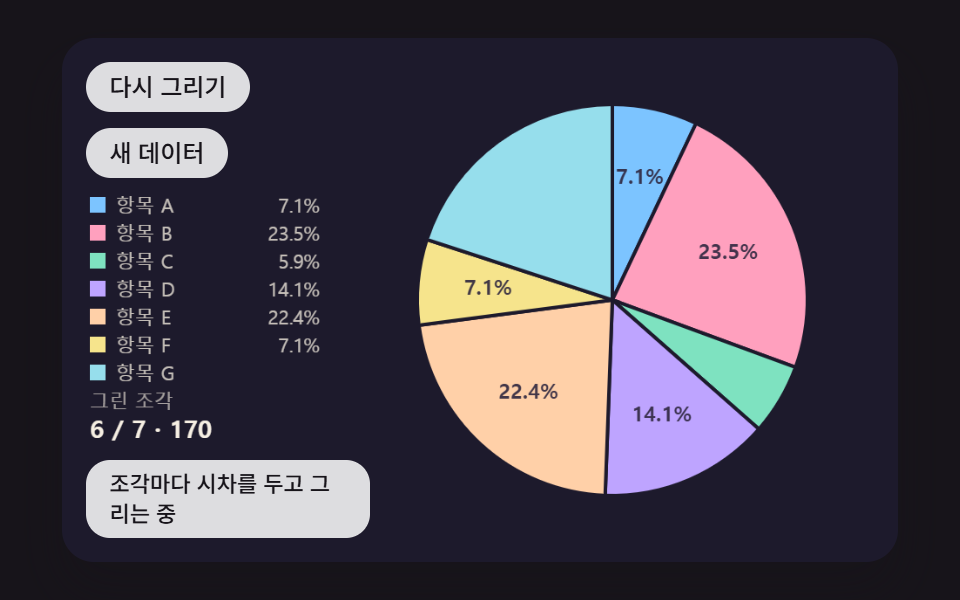 Pie Chart CSS: 9 Slices That Pop, Tilt and MorphA pie chart earns its keep after drawing — 02 springs the hovered slice out along its center line, 03 tilts the disc and See all demos in this post
If you like this effect - similar demos
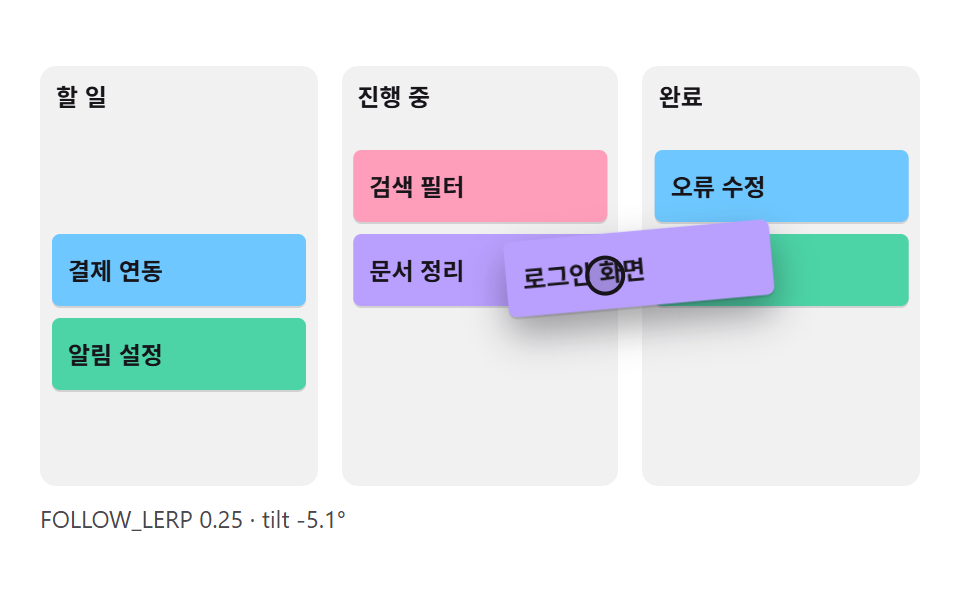 Dashboard UI01 A Card That Follows the Cursor and Tilts With Its MotionCSS Kanban Board: 9 Demos With Springs and Lerp
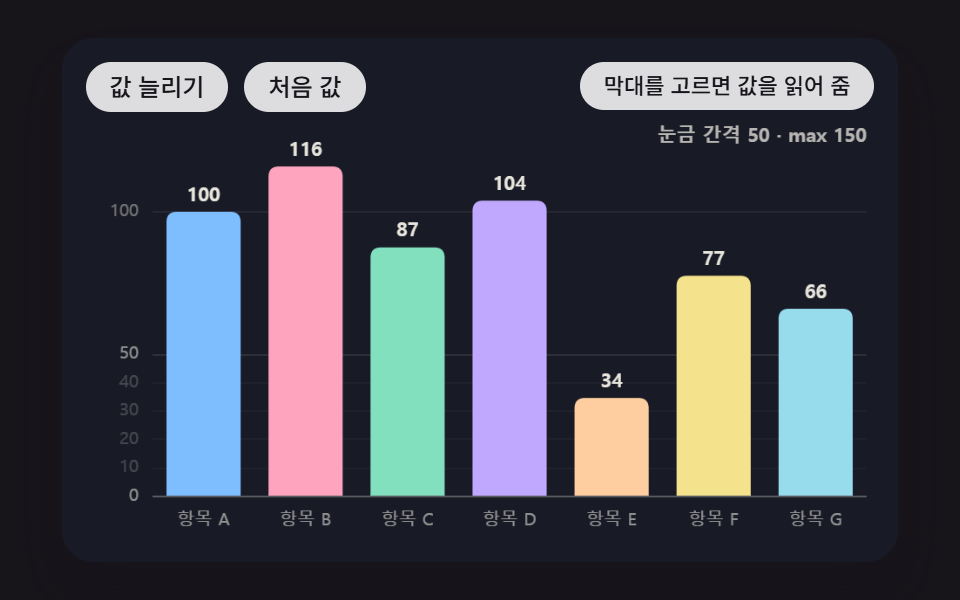 Dashboard UI05 An Axis That Re-Picks 1-2-5 Ticks and Shrinks Along With the BarsBar Chart Animation: 9 Demos From Spring to Race
 Dashboard UI01 Crosshair that snaps to the nearest pointChart UI Design: 9 Interactions You Can Drag