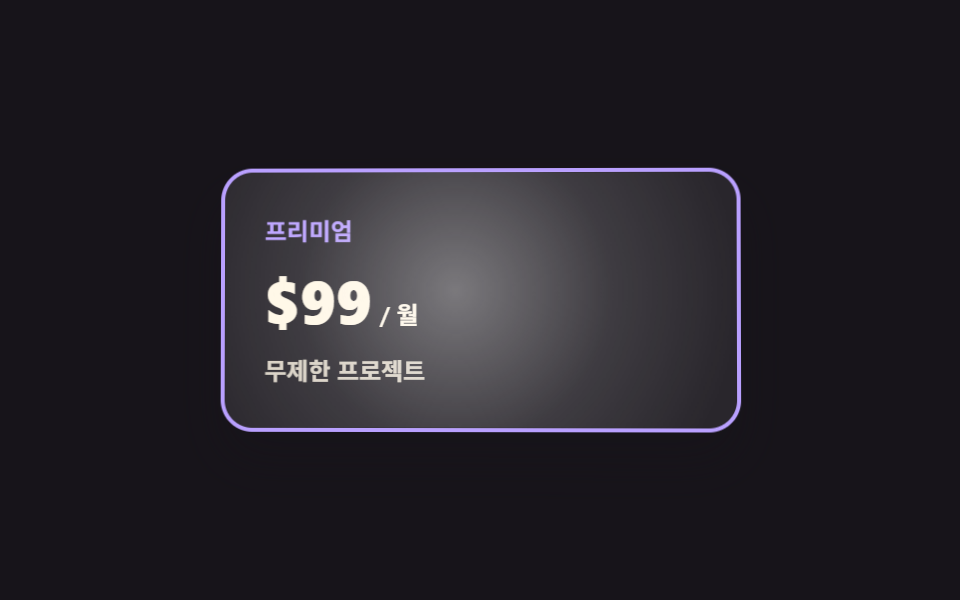
05Plan card that tilts toward the cursor
Moving the pointer over the card turns its coordinates into two rotation angles so the card leans toward your hand, and a bright band driven by the same coordinates follows across the surface.
Best forThe one premium card in a pricing table that has to feel special
perspectiverotateYpointermove
<main class="stage">
  <div class="ct is-demo">
    <div class="ct__scene" id="ct-scene">
      <div class="ct__card" id="ct-card">
        <span class="ct__name">Premium</span>
        <span class="ct__price">
          <span class="ct__amount">$99</span>
          <span class="ct__unit">/ mo</span>
        </span>
        <span class="ct__feat">Unlimited projects</span>
      </div>
    </div>
  </div>
</main>
@use "../../../../site/static/demo-tokens" as *;
$duration: $dur-base;
$easing: $ease-out;
$color: $subject-lilac;
@include stage($stage-ink);
.ct {
box-sizing: border-box;
font-family: -apple-system, "Segoe UI", "Noto Sans KR", sans-serif;
color: $subject-cream;
}
// 3D 는 감싸는 요소가 만든다 — perspective 가 여기 없으면 rotateX/Y 가 납작한 찌그러짐으로 보인다
.ct__scene {
perspective: 700px;
padding: $sp-2;
}
.ct__card {
box-sizing: border-box;
position: relative;
overflow: hidden;
width: min(260px, 76vw);
padding: $sp-5;
display: flex;
flex-direction: column;
align-items: flex-start;
gap: $sp-2;
border: 2px solid $color;
border-radius: $r-card;
background-color: rgba(255, 255, 255, .08);
box-shadow: $shadow-raised;
transform: rotateX(var(--rx, 0deg)) rotateY(var(--ry, 0deg));
}
// 커서를 따라가는 동안은 transition 없이(한 프레임 늦게 따라오면 고무처럼 늘어져 보인다),
// 떠날 때만 .is-idle 이 붙어 스르르 눕는다
.ct__card.is-idle { transition: transform $duration $easing; }
// 글레어 — 커서와 같은 좌표(--mx·--my)를 중심으로 밝은 띠가 얹힌다. 색은 투명 흰색만
.ct__card::after {
content: "";
position: absolute;
inset: -30%;
pointer-events: none;
background-image: radial-gradient(circle at var(--mx, 50%) var(--my, 50%),
rgba(255, 255, 255, .38), rgba(255, 255, 255, .10) 34%, rgba(255, 255, 255, 0) 62%);
}
.ct__name {
font-size: 12px;
line-height: 18px;
font-weight: 700;
color: $color;
}
.ct__price {
display: flex;
align-items: baseline;
gap: $sp-1;
}
.ct__amount {
font-size: 30px;
line-height: 36px;
font-weight: 800;
}
.ct__unit {
font-size: 12px;
line-height: 18px;
font-weight: 600;
opacity: 1;
}
.ct__feat {
font-size: 12px;
line-height: 18px;
font-weight: 600;
opacity: .82;
}
// ── 자동 루프: 8자(리사주 1:2)로 천천히 돈다. 90도 근처로 가지 않으니 컷(steps) 없이 linear 로 이어 붙인다 ──
.ct.is-demo .ct__card {
animation-name: ct-tilt;
animation-duration: $dur-loop;
animation-timing-function: linear;
animation-iteration-count: infinite;
}
@keyframes ct-tilt {
0% { transform: rotateX(0deg) rotateY(0deg); }
11% { transform: rotateX(5deg) rotateY(6.4deg); }
22% { transform: rotateX(0deg) rotateY(9deg); }
33% { transform: rotateX(-5deg) rotateY(6.4deg); }
44% { transform: rotateX(0deg) rotateY(0deg); }
55% { transform: rotateX(5deg) rotateY(-6.4deg); }
66% { transform: rotateX(0deg) rotateY(-9deg); }
77% { transform: rotateX(-5deg) rotateY(-6.4deg); }
88% { transform: rotateX(0deg) rotateY(0deg); }
100% { transform: rotateX(0deg) rotateY(0deg); }
}
// 글레어는 같은 시계로 같은 궤적을 돈다 — 기울기와 빛이 어긋나면 3D 로 안 읽힌다
.ct.is-demo .ct__card::after {
animation-name: ct-glare;
animation-duration: $dur-loop;
animation-timing-function: linear;
animation-iteration-count: infinite;
}
@keyframes ct-glare {
0% { transform: translate(0%, 0%); }
11% { transform: translate(18%, -14%); }
22% { transform: translate(26%, 0%); }
33% { transform: translate(18%, 14%); }
44% { transform: translate(0%, 0%); }
55% { transform: translate(-18%, -14%); }
66% { transform: translate(-26%, 0%); }
77% { transform: translate(-18%, 14%); }
88% { transform: translate(0%, 0%); }
100% { transform: translate(0%, 0%); }
}
@media (max-width: 340px) {
.ct__scene { padding: $sp-1; }
.ct__card { padding: $sp-4; gap: $sp-1; }
.ct__amount { font-size: 24px; line-height: 28px; }
.ct__name { font-size: 11px; line-height: 16px; }
.ct__unit { font-size: 11px; line-height: 16px; }
.ct__feat { font-size: 11px; line-height: 16px; }
}
@media (prefers-reduced-motion: reduce) {
.ct__card.is-idle { transition: none; }
.ct.is-demo .ct__card,
.ct.is-demo .ct__card::after { animation: none !important; }
.ct.is-demo .ct__card { transform: rotateX(0deg) rotateY(0deg); }
}html, body {
margin: 0;
overflow: hidden;
}
.stage {
box-sizing: border-box;
min-height: 100vh;
display: grid;
place-items: center;
margin: 0;
background: #17141a;
font-family: -apple-system, "Segoe UI", "Noto Sans KR", sans-serif;
padding: clamp(8px, 4vw, 24px);
}
.ct {
box-sizing: border-box;
font-family: -apple-system, "Segoe UI", "Noto Sans KR", sans-serif;
color: #fff7e6;
}
.ct__scene {
perspective: 700px;
padding: 8px;
}
.ct__card {
box-sizing: border-box;
position: relative;
overflow: hidden;
width: min(260px, 76vw);
padding: 20px;
display: flex;
flex-direction: column;
align-items: flex-start;
gap: 8px;
border: 2px solid #b9a0ff;
border-radius: 16px;
background-color: rgba(255, 255, 255, 0.08);
box-shadow: 0 14px 24px rgba(23, 20, 26, 0.32);
transform: rotateX(var(--rx, 0deg)) rotateY(var(--ry, 0deg));
}
.ct__card.is-idle {
transition: transform 300ms ease-out;
}
.ct__card::after {
content: "";
position: absolute;
inset: -30%;
pointer-events: none;
background-image: radial-gradient(circle at var(--mx, 50%) var(--my, 50%), rgba(255, 255, 255, 0.38), rgba(255, 255, 255, 0.1) 34%, rgba(255, 255, 255, 0) 62%);
}
.ct__name {
font-size: 12px;
line-height: 18px;
font-weight: 700;
color: #b9a0ff;
}
.ct__price {
display: flex;
align-items: baseline;
gap: 4px;
}
.ct__amount {
font-size: 30px;
line-height: 36px;
font-weight: 800;
}
.ct__unit {
font-size: 12px;
line-height: 18px;
font-weight: 600;
opacity: 1;
}
.ct__feat {
font-size: 12px;
line-height: 18px;
font-weight: 600;
opacity: 0.82;
}
.ct.is-demo .ct__card {
animation-name: ct-tilt;
animation-duration: 2s;
animation-timing-function: linear;
animation-iteration-count: infinite;
}
@keyframes ct-tilt {
0% {
transform: rotateX(0deg) rotateY(0deg);
}
11% {
transform: rotateX(5deg) rotateY(6.4deg);
}
22% {
transform: rotateX(0deg) rotateY(9deg);
}
33% {
transform: rotateX(-5deg) rotateY(6.4deg);
}
44% {
transform: rotateX(0deg) rotateY(0deg);
}
55% {
transform: rotateX(5deg) rotateY(-6.4deg);
}
66% {
transform: rotateX(0deg) rotateY(-9deg);
}
77% {
transform: rotateX(-5deg) rotateY(-6.4deg);
}
88% {
transform: rotateX(0deg) rotateY(0deg);
}
100% {
transform: rotateX(0deg) rotateY(0deg);
}
}
.ct.is-demo .ct__card::after {
animation-name: ct-glare;
animation-duration: 2s;
animation-timing-function: linear;
animation-iteration-count: infinite;
}
@keyframes ct-glare {
0% {
transform: translate(0%, 0%);
}
11% {
transform: translate(18%, -14%);
}
22% {
transform: translate(26%, 0%);
}
33% {
transform: translate(18%, 14%);
}
44% {
transform: translate(0%, 0%);
}
55% {
transform: translate(-18%, -14%);
}
66% {
transform: translate(-26%, 0%);
}
77% {
transform: translate(-18%, 14%);
}
88% {
transform: translate(0%, 0%);
}
100% {
transform: translate(0%, 0%);
}
}
@media (max-width: 340px) {
.ct__scene {
padding: 4px;
}
.ct__card {
padding: 16px;
gap: 4px;
}
.ct__amount {
font-size: 24px;
line-height: 28px;
}
.ct__name {
font-size: 11px;
line-height: 16px;
}
.ct__unit {
font-size: 11px;
line-height: 16px;
}
.ct__feat {
font-size: 11px;
line-height: 16px;
}
}
@media (prefers-reduced-motion: reduce) {
.ct__card.is-idle {
transition: none;
}
.ct.is-demo .ct__card,
.ct.is-demo .ct__card::after {
animation: none !important;
}
.ct.is-demo .ct__card {
transform: rotateX(0deg) rotateY(0deg);
}
}// 실제 동작: pointermove 로 커서의 카드 안 상대 좌표(0~1)를 읽어 --rx·--ry(기울기)와 --mx·--my(글레어 위치)로 넣는다.
// CSS 는 그 변수만 본다 — 각도 계산은 여기, 그리기는 저쪽.
var root = document.querySelector('.ct');
var scene = document.getElementById('ct-scene');
var card = document.getElementById('ct-card');
var LIMIT = 9; // deg — 이보다 크게 기울이면 카드가 모서리에서 본 그림이 된다
function tilt(e) {
root.classList.remove('is-demo');
card.classList.remove('is-idle'); // 따라다니는 동안은 transition 없이 바로 붙는다
var r = card.getBoundingClientRect();
var x = (e.clientX - r.left) / r.width;
var y = (e.clientY - r.top) / r.height;
card.style.setProperty('--ry', ((x - 0.5) * 2 * LIMIT).toFixed(2) + 'deg');
card.style.setProperty('--rx', ((0.5 - y) * 2 * LIMIT).toFixed(2) + 'deg');
card.style.setProperty('--mx', (x * 100).toFixed(1) + '%');
card.style.setProperty('--my', (y * 100).toFixed(1) + '%');
}
function rest() {
card.classList.add('is-idle'); // 떠날 때만 transition 이 걸려 스르르 눕는다
card.style.setProperty('--rx', '0deg');
card.style.setProperty('--ry', '0deg');
card.style.setProperty('--mx', '50%');
card.style.setProperty('--my', '50%');
}
scene.addEventListener('pointermove', tilt);
scene.addEventListener('pointerleave', rest);import { useState } from "react";
import type { CSSProperties } from "react";
import styles from "./CardTilt.module.scss";
// React 이벤트 타입은 'react' 앰비언트에 없다 — 쓰는 모양만 여기서 직접 적는다
type PtrEvt = {
clientX: number;
clientY: number;
currentTarget: { getBoundingClientRect(): { left: number; top: number; width: number; height: number } };
};
export type CardTiltProps = {
planName?: string;
amount?: string;
unit?: string;
feature?: string;
/** 기울기 한계(deg). 이보다 크면 모서리에서 본 그림이 된다 */
limit?: number;
duration?: number;
easing?: string;
color?: string;
};
type Vars = CSSProperties & {
"--duration"?: string;
"--easing"?: string;
"--color"?: string;
"--rx"?: string;
"--ry"?: string;
"--mx"?: string;
"--my"?: string;
};
const REST = { rx: 0, ry: 0, mx: 50, my: 50 };
export default function CardTilt({
planName = "Premium",
amount = "$99",
unit = "/ mo",
feature = "Unlimited projects",
limit = 9,
duration = 300,
easing = "ease-out",
color = "#b9a0ff",
}: CardTiltProps) {
const [demo, setDemo] = useState(true);
const [idle, setIdle] = useState(false);
const [t, setT] = useState(REST);
// 커서의 카드 안 상대 좌표(0~1)를 각도와 글레어 위치로 옮긴다
function move(e: PtrEvt) {
const r = e.currentTarget.getBoundingClientRect();
const x = (e.clientX - r.left) / r.width;
const y = (e.clientY - r.top) / r.height;
setDemo(false);
setIdle(false); // 따라다니는 동안은 transition 없이 바로 붙는다
setT({ rx: (0.5 - y) * 2 * limit, ry: (x - 0.5) * 2 * limit, mx: x * 100, my: y * 100 });
}
function leave() {
setIdle(true); // 떠날 때만 transition 이 걸려 스르르 눕는다
setT(REST);
}
const vars: Vars = {
"--duration": `${duration}ms`,
"--easing": easing,
"--color": color,
"--rx": `${t.rx.toFixed(2)}deg`,
"--ry": `${t.ry.toFixed(2)}deg`,
"--mx": `${t.mx.toFixed(1)}%`,
"--my": `${t.my.toFixed(1)}%`,
};
return (
<div className={`${styles.ct} ${demo ? styles.isDemo : ""}`} style={vars}>
<div className={styles.scene}>
<div
className={`${styles.card} ${idle ? styles.isIdle : ""}`}
onPointerMove={move}
onPointerLeave={leave}
>
<span className={styles.name}>{planName}</span>
<span className={styles.price}>
<span className={styles.amount}>{amount}</span>
<span className={styles.unit}>{unit}</span>
</span>
<span className={styles.feat}>{feature}</span>
</div>
</div>
</div>
);
}05 Plan card that tilts toward the cursor — Measured area 24.617% · moving frames 22/23Original by GODRICH · SCSS and React ship in the zip · Pricing Table Design: 9 Live Interactions
The post this demo lives in
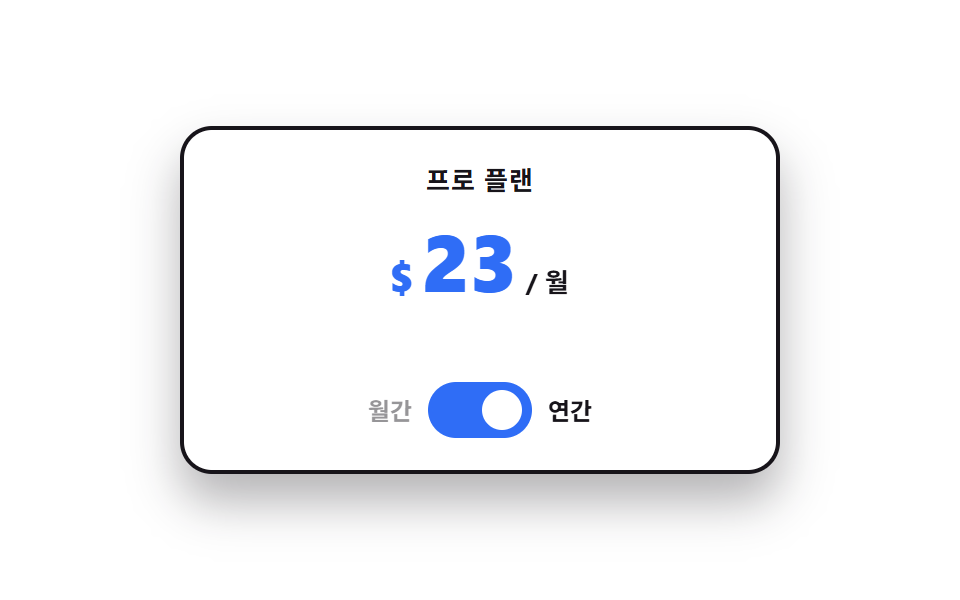 Pricing Table Design: 9 Live InteractionsIn pricing table design, the work happens on top of the cards, not inside them. All nine run on vanilla JS and SCSS, and See all demos in this post
If you like this effect - similar demos
 Landing sections01 Plan cards — a card row that recomputes its price on every billing switch9 Pricing Page Design Sections (Copy-Paste)
 Landing sections07 3D flip contact9 Profile Card Design Styles, Copy-Paste Ready
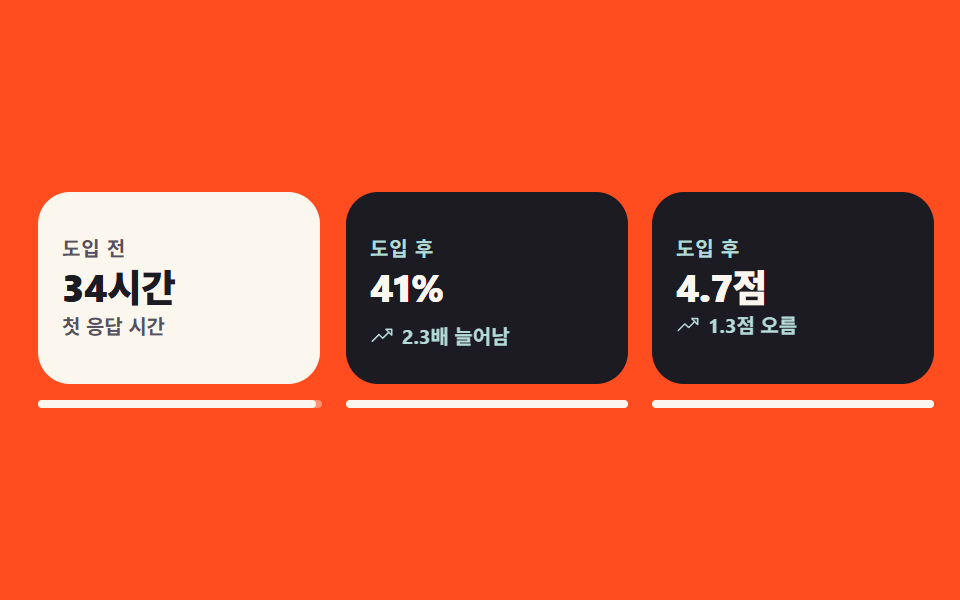 Landing sections06 Before-and-after flip cardTestimonial Section Design: 9 Social Proof Blocks