05Snapping guide lines
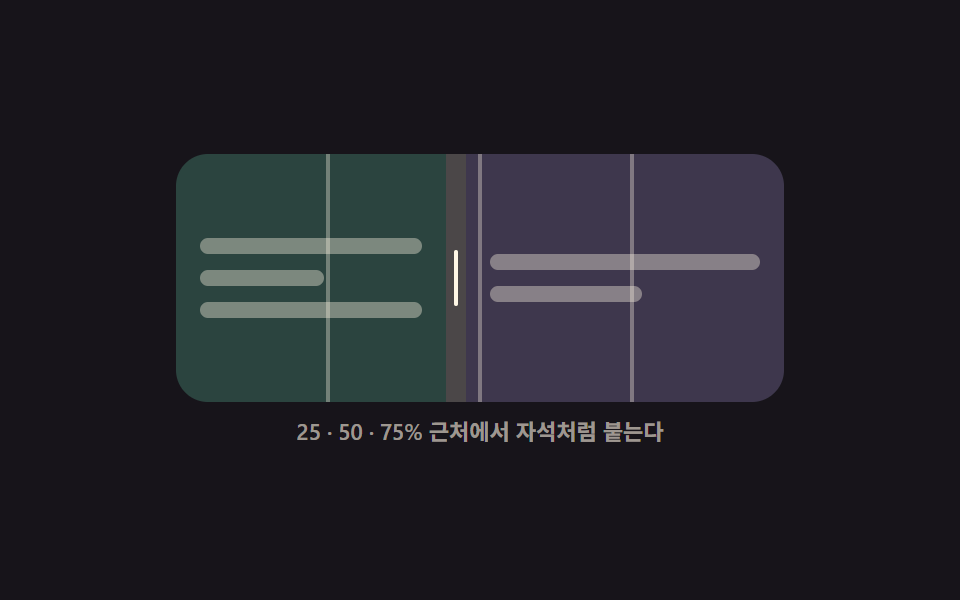
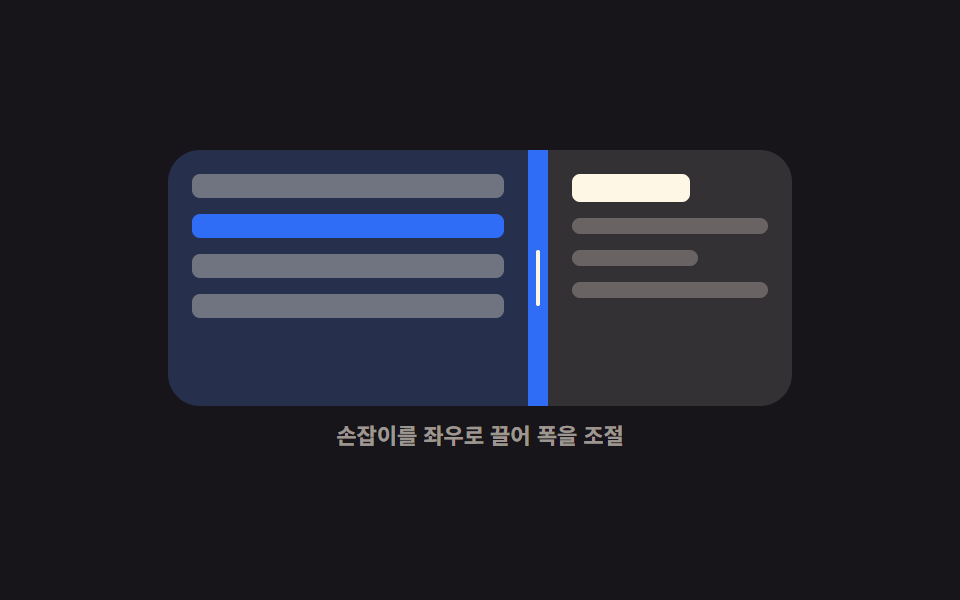
While dragging, guide lines sit at 25, 50 and 75 percent, and when the handle comes close one of them thickens and pulls the split onto that exact ratio.
Best forComparison views and editing tools where people end up hunting for a clean ratio like half and half
snapopacityMath.abs
<main class="stage">
  <div class="sg is-demo" id="sg-root">
    <div class="sg__box" id="sg-box">
      <div class="sg__guides" aria-hidden="true">
        <i class="sg__g sg__g--a"></i>
        <i class="sg__g sg__g--b"></i>
        <i class="sg__g sg__g--c"></i>
      </div>
      <section class="sg__pane sg__pane--l" aria-label="Left pane">
        <span class="sg__ln"></span>
        <span class="sg__ln sg__ln--s"></span>
        <span class="sg__ln"></span>
      </section>
      <div class="sg__bar" id="sg-bar" role="separator" tabindex="0"
           aria-orientation="vertical" aria-label="Split ratio" aria-valuemin="10" aria-valuemax="90" aria-valuenow="50">
        <i class="sg__grip" aria-hidden="true"></i>
      </div>
      <section class="sg__pane sg__pane--r" aria-label="Right pane">
        <span class="sg__ln"></span>
        <span class="sg__ln sg__ln--s"></span>
      </section>
    </div>
    <p class="sg__cap">It snaps at 25, 50 and 75 percent</p>
  </div>
</main>@use "../../../../site/static/demo-tokens" as *;
$duration: $dur-instant;
$easing: $ease-spring;
$color: $subject-mint;
@include stage($stage-ink);
@property --split {
syntax: "<percentage>";
inherits: true;
initial-value: 50%;
}
.sg {
--split: 50%;
width: min(304px, 88vw);
display: flex;
flex-direction: column;
gap: $sp-2;
}
.sg__box {
position: relative;
display: grid;
grid-template-columns: var(--split) 10px 1fr;
height: 124px;
border-radius: $r-card;
overflow: hidden;
background: rgba(255, 255, 255, .05);
}
.sg__pane {
box-sizing: border-box;
display: flex;
flex-direction: column;
justify-content: center;
gap: $sp-2;
padding: $sp-3;
overflow: hidden;
}
.sg__ln {
flex: 0 0 auto;
height: 8px;
border-radius: $r-xs;
background: rgba(255, 247, 230, .38);
}
.sg__ln--s { width: 56%; }
.sg__pane--l { background: rgba(76, 212, 166, .2); }
.sg__pane--r { background: rgba(185, 160, 255, .18); }
.sg__guides {
position: absolute;
inset: 0;
pointer-events: none;
z-index: 2;
opacity: 0;
transition: opacity $dur-quick $easing;
}
.sg.is-drag .sg__guides { opacity: 1; }
.sg__g {
position: absolute;
top: 0;
bottom: 0;
width: 2px;
transform: translateX(-1px);
background: rgba(255, 247, 230, .34);
}
.sg__g--a { left: 25%; }
.sg__g--b { left: 50%; }
.sg__g--c { left: 75%; }
.sg__bar {
position: relative;
z-index: 3;
display: grid;
place-items: center;
background: rgba(255, 247, 230, .18);
cursor: col-resize;
touch-action: none;
transition: background $duration $easing;
}
.sg__grip {
display: block;
width: 2px;
height: 28px;
border-radius: $r-pill;
background: $subject-cream;
}
.sg__bar:hover,
.sg.is-drag .sg__bar { background: $color; }
.sg.is-snapped .sg__bar { background: $color; }
.sg__bar:focus-visible { outline: 2px solid $subject-cream; outline-offset: -2px; }
.sg__cap {
margin: 0;
font-size: 11px;
line-height: 14px;
font-weight: 600;
color: rgba(255, 247, 230, .58);
text-align: center;
}
// ── 자동 루프: 안내선이 켜지고, 손잡이가 25 → 75 로 가며 두 번 달라붙는다 ──
.sg.is-demo { animation: sg-move $dur-loop $ease-out infinite; }
@keyframes sg-move {
0%, 6% { --split: 50%; }
22% { --split: 30%; }
26%, 40% { --split: 25%; }
60% { --split: 70%; }
64%, 78% { --split: 75%; }
88%, 100% { --split: 50%; }
}
.sg.is-demo .sg__guides { animation: sg-guides $dur-loop steps(1, end) infinite; }
@keyframes sg-guides {
0%, 7% { opacity: 0; }
8%, 84% { opacity: 1; }
85%, 100% { opacity: 0; }
}
// 달라붙은 구간에만 굵어지는 안내선 — 컷으로 바뀐다
.sg.is-demo .sg__g--a { animation: sg-hit-a $dur-loop steps(1, end) infinite; }
.sg.is-demo .sg__g--c { animation: sg-hit-c $dur-loop steps(1, end) infinite; }
@keyframes sg-hit-a {
0%, 25% { width: 2px; background: rgba(255, 247, 230, .34); }
26%, 40% { width: 4px; background: $subject-mint; }
41%, 100% { width: 2px; background: rgba(255, 247, 230, .34); }
}
@keyframes sg-hit-c {
0%, 63% { width: 2px; background: rgba(255, 247, 230, .34); }
64%, 78% { width: 4px; background: $subject-mint; }
79%, 100% { width: 2px; background: rgba(255, 247, 230, .34); }
}
.sg.is-demo .sg__bar { animation: sg-hot $dur-loop steps(1, end) infinite; }
@keyframes sg-hot {
0%, 25% { background: rgba(255, 247, 230, .18); }
26%, 40% { background: $subject-mint; }
41%, 63% { background: rgba(255, 247, 230, .18); }
64%, 78% { background: $subject-mint; }
79%, 100% { background: rgba(255, 247, 230, .18); }
}
@media (prefers-reduced-motion: reduce) {
.sg.is-demo,
.sg.is-demo .sg__guides,
.sg.is-demo .sg__g--a,
.sg.is-demo .sg__g--c,
.sg.is-demo .sg__bar { animation: none !important; }
.sg__guides, .sg__bar { transition: none; }
}
@media (max-width: 340px) {
.sg__box { height: 108px; }
.sg__grip { height: 24px; }
}html, body {
margin: 0;
overflow: hidden;
}
.stage {
box-sizing: border-box;
min-height: 100vh;
display: grid;
place-items: center;
margin: 0;
background: #17141a;
font-family: -apple-system, "Segoe UI", "Noto Sans KR", sans-serif;
padding: clamp(8px, 4vw, 24px);
}
@property --split {
syntax: "<percentage>";
inherits: true;
initial-value: 50%;
}
.sg {
--split: 50%;
width: min(304px, 88vw);
display: flex;
flex-direction: column;
gap: 8px;
}
.sg__box {
position: relative;
display: grid;
grid-template-columns: var(--split) 10px 1fr;
height: 124px;
border-radius: 16px;
overflow: hidden;
background: rgba(255, 255, 255, 0.05);
}
.sg__pane {
box-sizing: border-box;
display: flex;
flex-direction: column;
justify-content: center;
gap: 8px;
padding: 12px;
overflow: hidden;
}
.sg__ln {
flex: 0 0 auto;
height: 8px;
border-radius: 4px;
background: rgba(255, 247, 230, 0.38);
}
.sg__ln--s {
width: 56%;
}
.sg__pane--l {
background: rgba(76, 212, 166, 0.2);
}
.sg__pane--r {
background: rgba(185, 160, 255, 0.18);
}
.sg__guides {
position: absolute;
inset: 0;
pointer-events: none;
z-index: 2;
opacity: 0;
transition: opacity 220ms cubic-bezier(0.2, 0.8, 0.2, 1);
}
.sg.is-drag .sg__guides {
opacity: 1;
}
.sg__g {
position: absolute;
top: 0;
bottom: 0;
width: 2px;
transform: translateX(-1px);
background: rgba(255, 247, 230, 0.34);
}
.sg__g--a {
left: 25%;
}
.sg__g--b {
left: 50%;
}
.sg__g--c {
left: 75%;
}
.sg__bar {
position: relative;
z-index: 3;
display: grid;
place-items: center;
background: rgba(255, 247, 230, 0.18);
cursor: col-resize;
touch-action: none;
transition: background 140ms cubic-bezier(0.2, 0.8, 0.2, 1);
}
.sg__grip {
display: block;
width: 2px;
height: 28px;
border-radius: 999px;
background: #fff7e6;
}
.sg__bar:hover,
.sg.is-drag .sg__bar {
background: #4cd4a6;
}
.sg.is-snapped .sg__bar {
background: #4cd4a6;
}
.sg__bar:focus-visible {
outline: 2px solid #fff7e6;
outline-offset: -2px;
}
.sg__cap {
margin: 0;
font-size: 11px;
line-height: 14px;
font-weight: 600;
color: rgba(255, 247, 230, 0.58);
text-align: center;
}
.sg.is-demo {
animation: sg-move 2s ease-out infinite;
}
@keyframes sg-move {
0%, 6% {
--split: 50%;
}
22% {
--split: 30%;
}
26%, 40% {
--split: 25%;
}
60% {
--split: 70%;
}
64%, 78% {
--split: 75%;
}
88%, 100% {
--split: 50%;
}
}
.sg.is-demo .sg__guides {
animation: sg-guides 2s steps(1, end) infinite;
}
@keyframes sg-guides {
0%, 7% {
opacity: 0;
}
8%, 84% {
opacity: 1;
}
85%, 100% {
opacity: 0;
}
}
.sg.is-demo .sg__g--a {
animation: sg-hit-a 2s steps(1, end) infinite;
}
.sg.is-demo .sg__g--c {
animation: sg-hit-c 2s steps(1, end) infinite;
}
@keyframes sg-hit-a {
0%, 25% {
width: 2px;
background: rgba(255, 247, 230, 0.34);
}
26%, 40% {
width: 4px;
background: #4cd4a6;
}
41%, 100% {
width: 2px;
background: rgba(255, 247, 230, 0.34);
}
}
@keyframes sg-hit-c {
0%, 63% {
width: 2px;
background: rgba(255, 247, 230, 0.34);
}
64%, 78% {
width: 4px;
background: #4cd4a6;
}
79%, 100% {
width: 2px;
background: rgba(255, 247, 230, 0.34);
}
}
.sg.is-demo .sg__bar {
animation: sg-hot 2s steps(1, end) infinite;
}
@keyframes sg-hot {
0%, 25% {
background: rgba(255, 247, 230, 0.18);
}
26%, 40% {
background: #4cd4a6;
}
41%, 63% {
background: rgba(255, 247, 230, 0.18);
}
64%, 78% {
background: #4cd4a6;
}
79%, 100% {
background: rgba(255, 247, 230, 0.18);
}
}
@media (prefers-reduced-motion: reduce) {
.sg.is-demo,
.sg.is-demo .sg__guides,
.sg.is-demo .sg__g--a,
.sg.is-demo .sg__g--c,
.sg.is-demo .sg__bar {
animation: none !important;
}
.sg__guides, .sg__bar {
transition: none;
}
}
@media (max-width: 340px) {
.sg__box {
height: 108px;
}
.sg__grip {
height: 24px;
}
}// 실제 동작: 안내선 세 곳에서 6% 안으로 들어오면 그 비율로 스냅. Math.abs 로 거리만 본다.
var root = document.getElementById('sg-root');
var box = document.getElementById('sg-box');
var bar = document.getElementById('sg-bar');
var STOPS = [25, 50, 75], NEAR = 6, dragging = false;
function snap(pct) {
var best = pct;
for (var i = 0; i < STOPS.length; i++) {
if (Math.abs(pct - STOPS[i]) < NEAR) best = STOPS[i];
}
return Math.max(10, Math.min(best, 90));
}
function set(pct) {
var v = snap(pct);
root.style.setProperty('--split', v + '%');
bar.setAttribute('aria-valuenow', String(Math.round(v)));
root.classList.toggle('is-snapped', STOPS.indexOf(v) >= 0);
}
bar.addEventListener('pointerdown', function (e) {
root.classList.remove('is-demo');
dragging = true;
root.classList.add('is-drag');
bar.setPointerCapture(e.pointerId);
e.preventDefault();
});
bar.addEventListener('pointermove', function (e) {
if (!dragging) return;
set((e.clientX - box.getBoundingClientRect().left) / box.clientWidth * 100);
});
function drop() { dragging = false; root.classList.remove('is-drag'); }
bar.addEventListener('pointerup', drop);
bar.addEventListener('pointercancel', drop);
bar.addEventListener('keydown', function (e) {
var d = e.key === 'ArrowLeft' ? -5 : e.key === 'ArrowRight' ? 5 : 0;
if (!d) return;
root.classList.remove('is-demo');
set(Number(bar.getAttribute('aria-valuenow')) + d);
bar.focus({ preventScroll: true });
e.preventDefault();
});import { useRef, useState } from "react";
import type { CSSProperties } from "react";
import styles from "./SnapGuideSplitter.module.scss";
export type SnapGuideSplitterProps = {
/** 자석이 되는 비율들 */
stops?: number[];
/** 몇 % 안에 들어오면 붙는가 */
near?: number;
duration?: number;
easing?: string;
color?: string;
};
type PEvt = { clientX: number; pointerId: number; preventDefault(): void; currentTarget: { setPointerCapture(id: number): void } };
type KeyEvt = { key: string; preventDefault(): void };
type Vars = CSSProperties & { "--split"?: string; "--duration"?: string; "--easing"?: string; "--color"?: string };
export default function SnapGuideSplitter({
stops = [25, 50, 75],
near = 6,
duration = 140,
easing = "cubic-bezier(.2,.8,.2,1)",
color = "#4cd4a6",
}: SnapGuideSplitterProps) {
const [split, setSplit] = useState(50);
const [drag, setDrag] = useState(false);
const boxRef = useRef<HTMLDivElement>(null);
function snap(pct: number): number {
let best = pct;
for (let i = 0; i < stops.length; i += 1) {
if (Math.abs(pct - stops[i]) < near) best = stops[i];
}
return Math.max(10, Math.min(best, 90));
}
function set(pct: number): void { setSplit(snap(pct)); }
function onDown(e: PEvt): void {
setDrag(true);
e.currentTarget.setPointerCapture(e.pointerId);
e.preventDefault();
}
function onMove(e: PEvt): void {
const box = boxRef.current;
if (!drag || !box) return;
set(((e.clientX - box.getBoundingClientRect().left) / box.clientWidth) * 100);
}
function onUp(): void { setDrag(false); }
function onKey(e: KeyEvt): void {
const d = e.key === "ArrowLeft" ? -5 : e.key === "ArrowRight" ? 5 : 0;
if (!d) return;
set(split + d);
e.preventDefault();
}
const snapped = stops.indexOf(split) >= 0;
const vars: Vars = {
"--split": `${split}%`,
"--duration": `${duration}ms`,
"--easing": easing,
"--color": color,
};
const cls = [styles.sg, drag ? styles.isDrag : "", snapped ? styles.isSnapped : ""].join(" ").trim();
return (
<div className={cls} style={vars}>
<div className={styles.box} ref={boxRef}>
<div className={styles.guides} aria-hidden="true">
{stops.map((s) => (
<i key={s} className={styles.g} style={{ left: `${s}%` }} />
))}
</div>
<section className={`${styles.pane} ${styles.paneL}`} aria-label="Left pane">
<span className={styles.ln} />
<span className={`${styles.ln} ${styles.lnShort}`} />
<span className={styles.ln} />
</section>
<div
className={styles.bar}
role="separator"
tabIndex={0}
aria-orientation="vertical"
aria-label="Split ratio"
aria-valuemin={10}
aria-valuemax={90}
aria-valuenow={Math.round(split)}
onPointerDown={onDown}
onPointerMove={onMove}
onPointerUp={onUp}
onPointerCancel={onUp}
onKeyDown={onKey}
>
<i className={styles.grip} aria-hidden="true" />
</div>
<section className={`${styles.pane} ${styles.paneR}`} aria-label="Right pane">
<span className={styles.ln} />
<span className={`${styles.ln} ${styles.lnShort}`} />
</section>
</div>
<p className={styles.cap}>It snaps at 25, 50 and 75 percent</p>
</div>
);
}05 Snapping guide lines — Measured area 14.64% · moving frames 16/23Original by GODRICH · SCSS and React ship in the zip · 9 Resizable Split Pane Layouts With No Library
The post this demo lives in
 9 Resizable Split Pane Layouts With No LibraryA resizable split pane is a layout whose panes share one draggable boundary, so widening one side narrows the other. Eig See all demos in this post