Scratch Card Reveal: 9 Pixel-Calculated Patterns
Observation log 09:00 — a fingertip lands and item 03's foil flakes catch gravity. 09:04 — item 06's progress ring stalls at 62%.
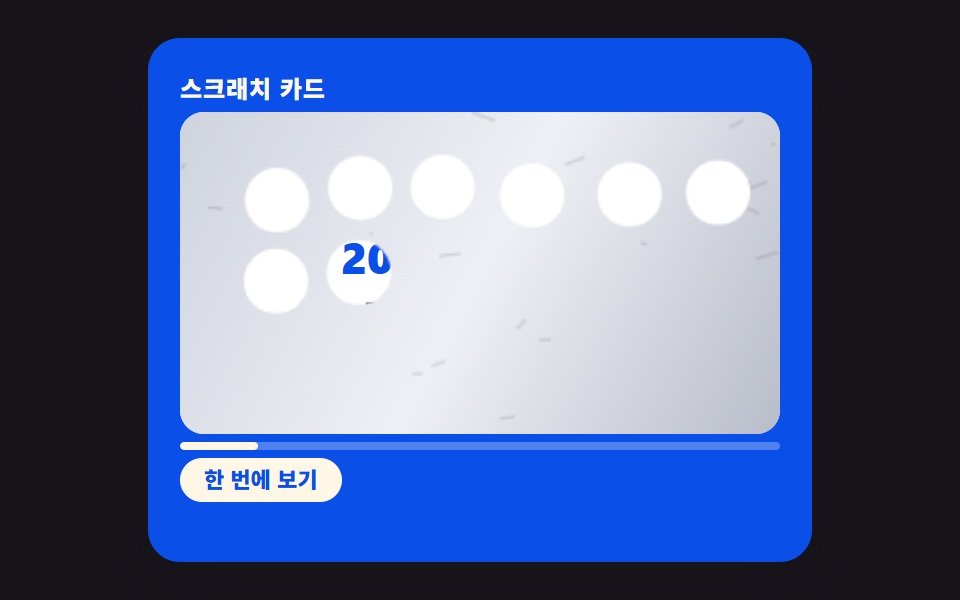 01 scratch-card-reveal-pixel-threshold-autopeel
 02 scratch-card-reveal-foil-noise-texture
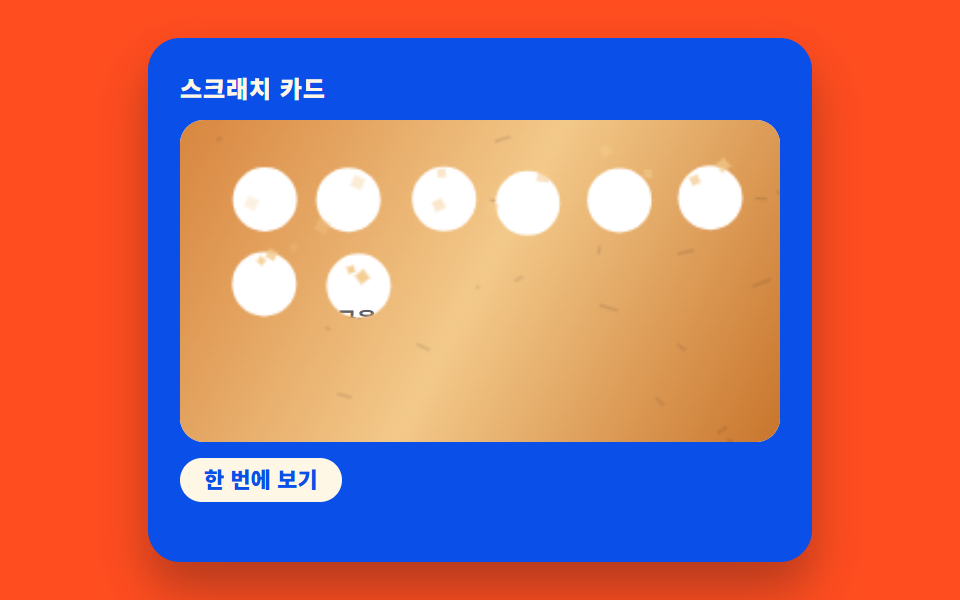 03 scratch-card-reveal-flake-gravity-particle
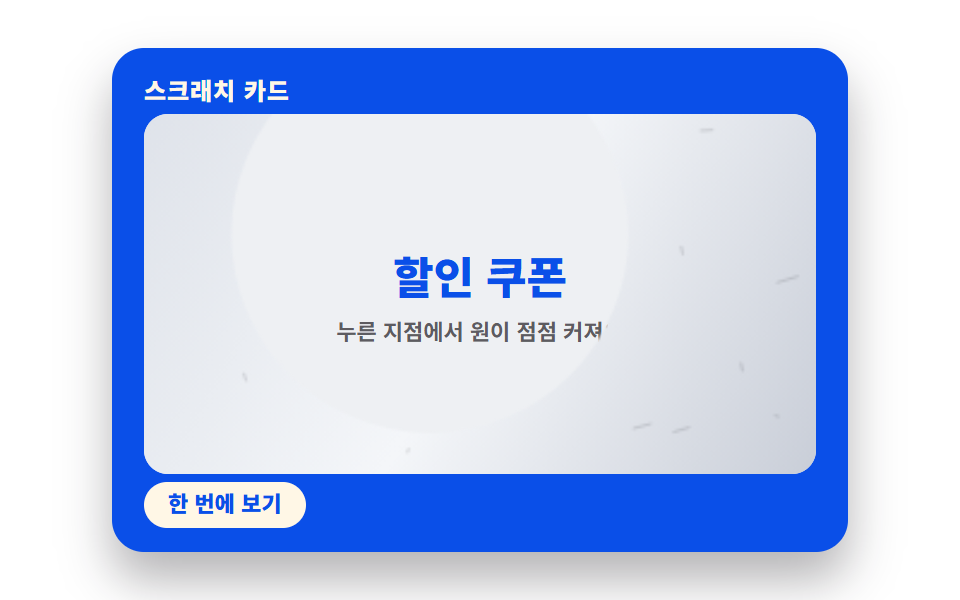 04 scratch-card-reveal-radial-wipe-lerp
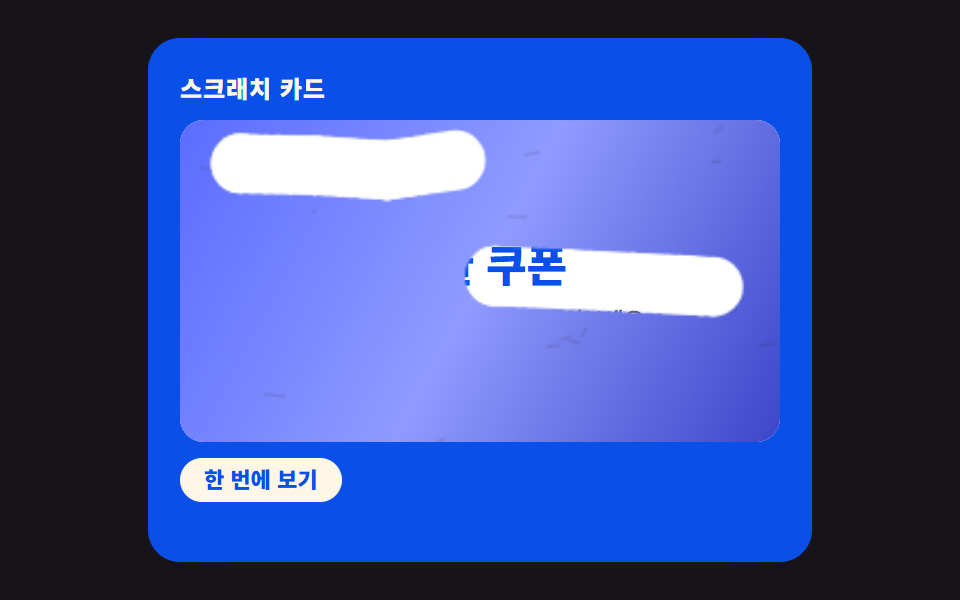 05 scratch-card-reveal-multitouch-pointer
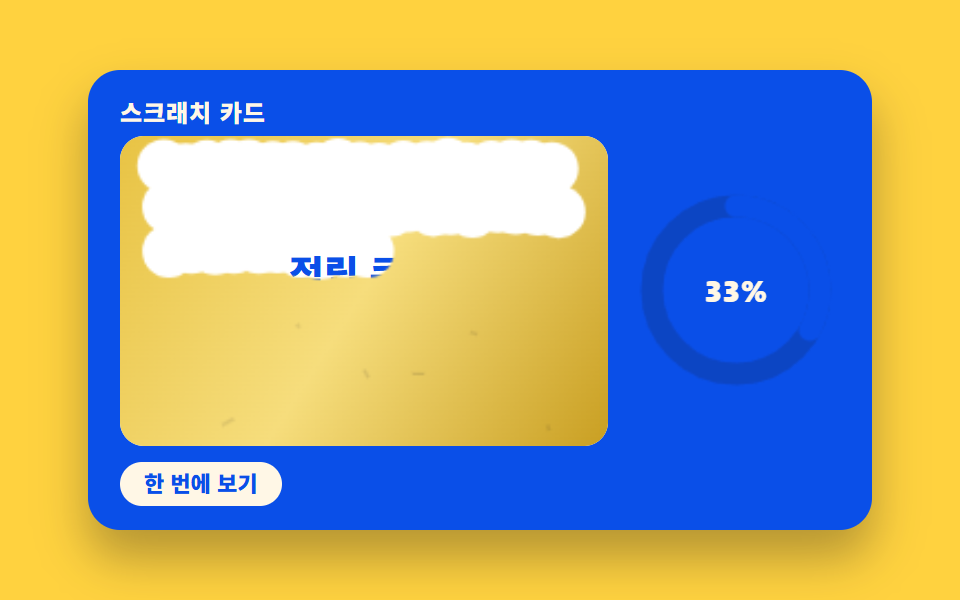 06 scratch-card-reveal-progress-ring-sync
 07 scratch-card-reveal-prize-confetti-burst
 08 scratch-card-reveal-keyboard-fallback
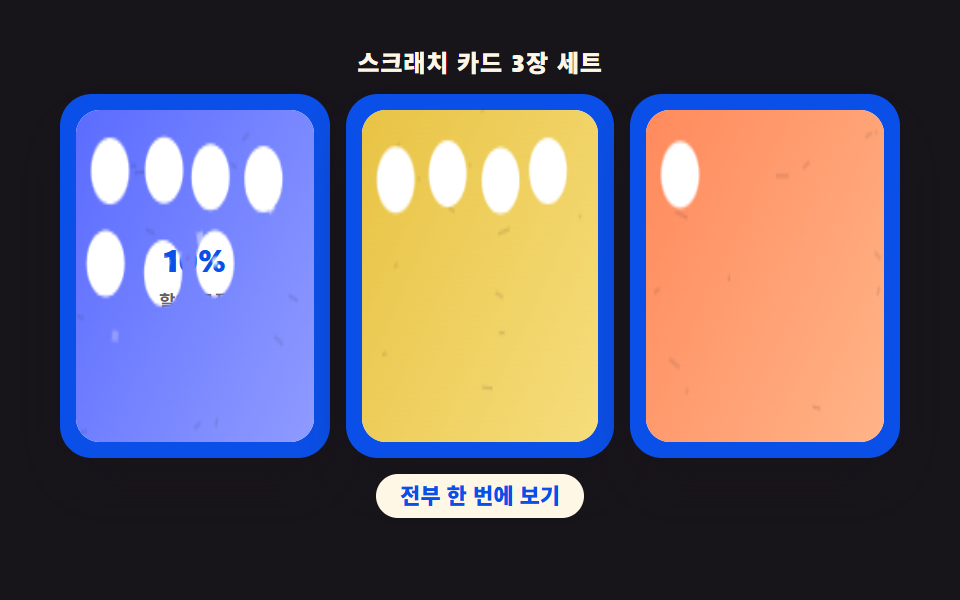 09 scratch-card-reveal-hero-multi-card-scene
Auto-plays · click a tile to jump to its section · all nine in one zip
- 01 Card That Auto-Peels Once Pixel-Measured Area Passes a Threshold
- 02 Foil Texture Procedurally Drawn With a Different Pattern Each Time
- 03 Foil Flakes That Fly Off Under Gravity
- 04 Reveal Radius That Spreads Outward From the Center
- 05 Multi-Touch Scratching Where Each Finger Erases Its Own Path
- 06 Progress Ring That Fills in Sync With the Scratched Ratio
- 07 Confetti Burst When the Card Is Fully Revealed
- 08 Keyboard Fallback That Opens the Same Result
- 09 Hero Scene Arranging Several Cards on One Screen
Scratch Card Reveal: How One Erased-Area Value Changes the Verdict
Every one of these nine builds answers the same question with a different number: how much of the foil has been erased right now? Item 01 reads that ratio straight off the canvas pixels and auto-peels the rest past a threshold; item 06 reuses the identical formula to fill a ring instead of opening a card; item 07 waits for the same ratio to approach 100% before it fires confetti. None of the nine reach for a physics library or a tween plugin to get there — getImageData, lerp, and a seeded pseudo-random generator do the whole job.
01Card That Auto-Peels Once Pixel-Measured Area Passes a Threshold
clearedPixelRatio() walks the canvas's alpha channel pixel by pixel and counts how many are below an opacity of 40, so the "erased" figure is measured, not estimated from stroke length. Once that ratio times 100 clears SCRATCH_REVEAL_THRESHOLD_PCT, autoPeelRemaining() calls openCard() and wipes whatever foil is left in one destination-out fill.
<main class="stage">
<div class="scv is-demo" id="scv">
  <div class="scv__card">
    <p class="scv__label">Scratch card</p>
    <div class="scv__zone" id="zone">
      <div class="scv__prize">
        <p class="scv__prizeTitle">20% off coupon</p>
        <p class="scv__prizeSub">Scratch to see the result</p>
      </div>
      <canvas class="scv__foil" id="foil" width="280" height="150" aria-hidden="true"></canvas>
    </div>
    <div class="scv__meter" aria-hidden="true"><div class="scv__meterFill" id="meterFill"></div></div>
    <button type="button" class="scv__reveal" id="revealBtn">Reveal instantly</button>
    <p class="scv__live" id="live" aria-live="polite"></p>
  </div>
</div>
</main>
@use "../../../../site/static/demo-tokens" as *;
// 스크래치 카드 01 — 실제 긁기는 canvas destination-out. 긁힌 알파 픽셀 비율을
// clearedPixelRatio() 로 계산해 SCRATCH_REVEAL_THRESHOLD_PCT 를 넘으면 autoPeelRemaining() 이
// 나머지를 한 번에 지운다. 격자 미리보기(.is-demo)는 같은 함수를 스케줄로 호출한다.
@include stage($stage-ink);
.scv { display: flex; justify-content: center; width: 100%; }
.scv__card {
width: min(100%, 300px); background: $subject-blue-deep; color: $subject-cream;
border-radius: $r-card; box-shadow: $shadow-raised; padding: $sp-4;
}
.scv__label { margin: 0 0 $sp-1; font-weight: 800; font-size: 12px; letter-spacing: .04em; }
.scv__zone {
position: relative; border-radius: $r-control; overflow: hidden;
aspect-ratio: 280 / 150; background: $stage-paper;
}
.scv__prize {
position: absolute; inset: 0; display: flex; flex-direction: column; align-items: center;
justify-content: center; gap: $sp-1; text-align: center; padding: $sp-2;
}
.scv__prizeTitle { margin: 0; font-weight: 800; font-size: clamp(18px, 6vw, 22px); color: $subject-blue-deep; }
.scv__prizeSub { margin: 0; font-weight: 700; font-size: 11px; color: rgba(23, 20, 26, .68); }
.scv__foil { position: absolute; inset: 0; width: 100%; height: 100%; touch-action: none; }
.scv.is-open .scv__foil { visibility: hidden; }
.scv__meter { margin-top: $sp-1; height: $sp-1; border-radius: $r-pill; background: rgba(255, 255, 255, .28); overflow: hidden; }
.scv__meterFill { height: 100%; width: 0%; background: $subject-cream; border-radius: inherit; }
.scv__reveal {
margin-top: $sp-1; border: 0; cursor: pointer; background: $subject-cream; color: $subject-blue-deep;
border-radius: $r-pill; font-family: inherit; font-weight: 800; font-size: 11px; padding: $sp-1 $sp-3; line-height: 1.3;
}
.scv__reveal:focus-visible { outline: 3px solid $stage-paper; outline-offset: 2px; }
.scv__live { margin: $sp-1 0 0; min-height: 1em; font-weight: 700; font-size: 10px; color: $subject-cream; }
@media (max-width: 340px) {
.scv__card { padding: $sp-3; }
.scv__prizeTitle { font-size: 16px; }
}
@media (max-height: 220px) {
.stage { padding: $sp-2; }
.scv__card { padding: $sp-2 $sp-3; }
.scv__label { margin: 0 0 $sp-1; }
.scv__zone { aspect-ratio: 280 / 76; }
.scv__meter { margin-top: $sp-1; }
.scv__reveal { margin-top: $sp-1; }
.scv__live { margin-top: $sp-1; min-height: .9em; }
}
@media (prefers-reduced-motion: reduce) {
.scv { cursor: default; }
}html, body {
margin: 0;
overflow: hidden;
}
.stage {
box-sizing: border-box;
min-height: 100vh;
display: grid;
place-items: center;
margin: 0;
background: #17141a;
font-family: -apple-system, "Segoe UI", "Noto Sans KR", sans-serif;
padding: clamp(8px, 4vw, 24px);
}
.scv {
display: flex;
justify-content: center;
width: 100%;
}
.scv__card {
width: min(100%, 300px);
background: #0a4fe8;
color: #fff7e6;
border-radius: 16px;
box-shadow: 0 14px 24px rgba(23, 20, 26, 0.32);
padding: 16px;
}
.scv__label {
margin: 0 0 4px;
font-weight: 800;
font-size: 12px;
letter-spacing: 0.04em;
}
.scv__zone {
position: relative;
border-radius: 12px;
overflow: hidden;
aspect-ratio: 280/150;
background: #ffffff;
}
.scv__prize {
position: absolute;
inset: 0;
display: flex;
flex-direction: column;
align-items: center;
justify-content: center;
gap: 4px;
text-align: center;
padding: 8px;
}
.scv__prizeTitle {
margin: 0;
font-weight: 800;
font-size: clamp(18px, 6vw, 22px);
color: #0a4fe8;
}
.scv__prizeSub {
margin: 0;
font-weight: 700;
font-size: 11px;
color: rgba(23, 20, 26, 0.68);
}
.scv__foil {
position: absolute;
inset: 0;
width: 100%;
height: 100%;
touch-action: none;
}
.scv.is-open .scv__foil {
visibility: hidden;
}
.scv__meter {
margin-top: 4px;
height: 4px;
border-radius: 999px;
background: rgba(255, 255, 255, 0.28);
overflow: hidden;
}
.scv__meterFill {
height: 100%;
width: 0%;
background: #fff7e6;
border-radius: inherit;
}
.scv__reveal {
margin-top: 4px;
border: 0;
cursor: pointer;
background: #fff7e6;
color: #0a4fe8;
border-radius: 999px;
font-family: inherit;
font-weight: 800;
font-size: 11px;
padding: 4px 12px;
line-height: 1.3;
}
.scv__reveal:focus-visible {
outline: 3px solid #ffffff;
outline-offset: 2px;
}
.scv__live {
margin: 4px 0 0;
min-height: 1em;
font-weight: 700;
font-size: 10px;
color: #fff7e6;
}
@media (max-width: 340px) {
.scv__card {
padding: 12px;
}
.scv__prizeTitle {
font-size: 16px;
}
}
@media (max-height: 220px) {
.stage {
padding: 8px;
}
.scv__card {
padding: 8px 12px;
}
.scv__label {
margin: 0 0 4px;
}
.scv__zone {
aspect-ratio: 280/76;
}
.scv__meter {
margin-top: 4px;
}
.scv__reveal {
margin-top: 4px;
}
.scv__live {
margin-top: 4px;
min-height: 0.9em;
}
}
@media (prefers-reduced-motion: reduce) {
.scv {
cursor: default;
}
}(function () {
// 기법: 긁을 때마다 canvas getImageData 로 지워진 알파 픽셀 수를 세어 전체 대비 비율을
// 계산한다. 그 비율이 SCRATCH_REVEAL_THRESHOLD_PCT 를 넘으면 나머지 은박을 한 번에
// destination-out 으로 지워 자동으로 카드를 연다 — 픽셀 계산 하나가 판정을 만든다.
var root = document.getElementById('scv');
var zone = document.getElementById('zone');
var foil = document.getElementById('foil');
var ctx = foil.getContext('2d');
var meterFill = document.getElementById('meterFill');
var revealBtn = document.getElementById('revealBtn');
var live = document.getElementById('live');
var SCRATCH_REVEAL_THRESHOLD_PCT = 50;
var SCRATCH_BRUSH_R = 15;
var opened = false;
function seedRand(seed) {
var s = seed >>> 0;
return function () { s = (s * 1664525 + 1013904223) >>> 0; return s / 4294967296; };
}
var foilRand = seedRand(424011);
function paintFoil() {
ctx.globalCompositeOperation = 'source-over';
ctx.clearRect(0, 0, foil.width, foil.height);
var grad = ctx.createLinearGradient(0, 0, foil.width, foil.height);
grad.addColorStop(0, '#cfd3dd');
grad.addColorStop(.5, '#eef0f5');
grad.addColorStop(1, '#b9bdc9');
ctx.fillStyle = grad;
ctx.fillRect(0, 0, foil.width, foil.height);
ctx.strokeStyle = 'rgba(23,20,26,.16)';
ctx.lineWidth = 1;
for (var i = 0; i < 22; i += 1) {
var x = foilRand() * foil.width, y = foilRand() * foil.height;
ctx.beginPath();
ctx.moveTo(x, y);
ctx.lineTo(x + (foilRand() * 22 - 11), y + (foilRand() * 8 - 4));
ctx.stroke();
}
}
function scratchAt(x, y) {
ctx.globalCompositeOperation = 'destination-out';
ctx.beginPath();
ctx.arc(x, y, SCRATCH_BRUSH_R, 0, Math.PI * 2);
ctx.fill();
}
  function clearedPixelRatio() {
    var data = ctx.getImageData(0, 0, foil.width, foil.height).data;
    var clear = 0, total = data.length / 4;
    for (var i = 3; i < data.length; i += 4) { if (data[i] < 40) clear += 1; }
    return clear / total;
  }

  function updateMeter(ratio) {
    meterFill.style.width = Math.round(ratio * 100) + '%';
  }

  function openCard() {
    if (opened) return;
    opened = true;
    ctx.globalCompositeOperation = 'destination-out';
    ctx.fillRect(0, 0, foil.width, foil.height);
    updateMeter(1);
    root.classList.add('is-open');
    live.textContent = 'The 20% off coupon is revealed';
  }

  function autoPeelRemaining(ratio) {
    if (ratio * 100 >= SCRATCH_REVEAL_THRESHOLD_PCT) openCard();
}
function pos(e) {
var r = foil.getBoundingClientRect();
return { x: (e.clientX - r.left) * (foil.width / r.width), y: (e.clientY - r.top) * (foil.height / r.height) };
}
paintFoil();
var reduce = window.matchMedia('(prefers-reduced-motion: reduce)').matches;
var dragging = false;
zone.addEventListener('pointerdown', function (e) {
if (opened) return;
root.classList.remove('is-demo');
dragging = true;
var p = pos(e);
scratchAt(p.x, p.y);
var ratio = clearedPixelRatio();
updateMeter(ratio);
autoPeelRemaining(ratio);
if (foil.setPointerCapture) foil.setPointerCapture(e.pointerId);
});
zone.addEventListener('pointermove', function (e) {
if (!dragging || opened) return;
var p = pos(e);
scratchAt(p.x, p.y);
var ratio = clearedPixelRatio();
updateMeter(ratio);
autoPeelRemaining(ratio);
});
window.addEventListener('pointerup', function () { dragging = false; });
revealBtn.addEventListener('click', function () {
root.classList.remove('is-demo');
openCard();
});
// 격자 미리보기 — 드래그 없이 같은 scratchAt·clearedPixelRatio 경로를 스케줄대로 호출한다
var demoRand = seedRand(424012);
var demoPath = [];
(function buildDemoPath() {
var n = 24;
for (var i = 0; i < n; i += 1) {
demoPath.push({
t: 220 + i * 78,
x: (foil.width * 0.16) + (i % 6) * (foil.width * 0.145) + (demoRand() - .5) * 8,
y: (foil.height * 0.26) + Math.floor(i / 6) * (foil.height * 0.24) + (demoRand() - .5) * 8
});
}
})();
var DEMO_LOOP_MS = 3600;
var demoStep = 0;
function resetDemo() {
opened = false;
root.classList.remove('is-open');
paintFoil();
updateMeter(0);
demoStep = 0;
}
function runDemo(tMod) {
while (demoStep < demoPath.length && demoPath[demoStep].t <= tMod) {
var p = demoPath[demoStep];
scratchAt(p.x, p.y);
demoStep += 1;
}
var ratio = clearedPixelRatio();
updateMeter(ratio);
autoPeelRemaining(ratio);
}
if (reduce) root.classList.remove('is-demo');
var elapsed = 0;
var lastTs = null;
function tick(ts) {
if (lastTs === null) lastTs = ts;
var dt = Math.min(ts - lastTs, 48);
lastTs = ts;
if (!reduce && root.classList.contains('is-demo')) {
elapsed += dt;
var tMod = elapsed % DEMO_LOOP_MS;
if (tMod < dt) resetDemo();
runDemo(tMod);
}
requestAnimationFrame(tick);
}
updateMeter(0);
requestAnimationFrame(tick);
})();import { useEffect, useRef } from "react";
import styles from "./ScratchCardRevealPixelThresholdAutopeel.module.scss";
export default function ScratchCardRevealPixelThresholdAutopeel() {
const rootRef = useRef<HTMLDivElement>(null);
const zoneRef = useRef<HTMLDivElement>(null);
const foilRef = useRef<HTMLCanvasElement>(null);
const meterRef = useRef<HTMLDivElement>(null);
const liveRef = useRef<HTMLParagraphElement>(null);
const revealBtnRef = useRef<HTMLButtonElement>(null);
useEffect(() => {
const root = rootRef.current;
const zone = zoneRef.current;
const foil = foilRef.current;
const meterFill = meterRef.current;
const live = liveRef.current;
const revealBtn = revealBtnRef.current;
if (!root || !zone || !foil || !meterFill || !live || !revealBtn) return;
const ctx = foil.getContext("2d");
if (!ctx) return;
const SCRATCH_REVEAL_THRESHOLD_PCT = 50;
const SCRATCH_BRUSH_R = 15;
let opened = false;
function seedRand(seed: number) {
let s = seed >>> 0;
return function () { s = (s * 1664525 + 1013904223) >>> 0; return s / 4294967296; };
}
const foilRand = seedRand(424011);
function paintFoil() {
ctx!.globalCompositeOperation = "source-over";
ctx!.clearRect(0, 0, foil!.width, foil!.height);
const grad = ctx!.createLinearGradient(0, 0, foil!.width, foil!.height);
grad.addColorStop(0, "#cfd3dd");
grad.addColorStop(.5, "#eef0f5");
grad.addColorStop(1, "#b9bdc9");
ctx!.fillStyle = grad;
ctx!.fillRect(0, 0, foil!.width, foil!.height);
ctx!.strokeStyle = "rgba(23,20,26,.16)";
ctx!.lineWidth = 1;
for (let i = 0; i < 22; i += 1) {
const x = foilRand() * foil!.width, y = foilRand() * foil!.height;
ctx!.beginPath();
ctx!.moveTo(x, y);
ctx!.lineTo(x + (foilRand() * 22 - 11), y + (foilRand() * 8 - 4));
ctx!.stroke();
}
}
function scratchAt(x: number, y: number) {
ctx!.globalCompositeOperation = "destination-out";
ctx!.beginPath();
ctx!.arc(x, y, SCRATCH_BRUSH_R, 0, Math.PI * 2);
ctx!.fill();
}
function clearedPixelRatio() {
const data = ctx!.getImageData(0, 0, foil!.width, foil!.height).data;
let clear = 0;
const total = data.length / 4;
for (let i = 3; i < data.length; i += 4) { if (data[i] < 40) clear += 1; }
return clear / total;
}
function updateMeter(ratio: number) {
meterFill!.style.width = Math.round(ratio * 100) + "%";
}
function openCard() {
if (opened) return;
opened = true;
ctx!.globalCompositeOperation = "destination-out";
ctx!.fillRect(0, 0, foil!.width, foil!.height);
updateMeter(1);
root!.classList.add("is-open");
live!.textContent = "20% 할인 쿠폰이 열렸어요";
}
function autoPeelRemaining(ratio: number) {
if (ratio * 100 >= SCRATCH_REVEAL_THRESHOLD_PCT) openCard();
}
function pos(e: PointerEvent) {
const r = foil!.getBoundingClientRect();
return { x: (e.clientX - r.left) * (foil!.width / r.width), y: (e.clientY - r.top) * (foil!.height / r.height) };
}
paintFoil();
const reduce = window.matchMedia("(prefers-reduced-motion: reduce)").matches;
let dragging = false;
function onDown(e: PointerEvent) {
if (opened) return;
root!.classList.remove("is-demo");
dragging = true;
const p = pos(e);
scratchAt(p.x, p.y);
const ratio = clearedPixelRatio();
updateMeter(ratio);
autoPeelRemaining(ratio);
foil!.setPointerCapture?.(e.pointerId);
}
function onMove(e: PointerEvent) {
if (!dragging || opened) return;
const p = pos(e);
scratchAt(p.x, p.y);
const ratio = clearedPixelRatio();
updateMeter(ratio);
autoPeelRemaining(ratio);
}
function onUp() { dragging = false; }
zone.addEventListener("pointerdown", onDown);
zone.addEventListener("pointermove", onMove);
window.addEventListener("pointerup", onUp);
function onReveal() {
root!.classList.remove("is-demo");
openCard();
}
revealBtn.addEventListener("click", onReveal);
const demoRand = seedRand(424012);
type DemoPt = { t: number; x: number; y: number };
const demoPath: DemoPt[] = [];
for (let i = 0; i < 24; i += 1) {
demoPath.push({
t: 220 + i * 78,
x: (foil.width * 0.16) + (i % 6) * (foil.width * 0.145) + (demoRand() - .5) * 8,
y: (foil.height * 0.26) + Math.floor(i / 6) * (foil.height * 0.24) + (demoRand() - .5) * 8
});
}
const DEMO_LOOP_MS = 3600;
let demoStep = 0;
function resetDemo() {
opened = false;
root!.classList.remove("is-open");
paintFoil();
updateMeter(0);
demoStep = 0;
}
function runDemo(tMod: number) {
while (demoStep < demoPath.length && demoPath[demoStep].t <= tMod) {
const p = demoPath[demoStep];
scratchAt(p.x, p.y);
demoStep += 1;
}
const ratio = clearedPixelRatio();
updateMeter(ratio);
autoPeelRemaining(ratio);
}
if (reduce) root.classList.remove("is-demo");
let elapsed = 0;
let lastTs: number | null = null;
let raf = 0;
function tick(ts: number) {
if (lastTs === null) lastTs = ts;
const dt = Math.min(ts - lastTs, 48);
lastTs = ts;
if (!reduce && root!.classList.contains("is-demo")) {
elapsed += dt;
const tMod = elapsed % DEMO_LOOP_MS;
if (tMod < dt) resetDemo();
runDemo(tMod);
}
raf = requestAnimationFrame(tick);
}
updateMeter(0);
raf = requestAnimationFrame(tick);
return () => {
cancelAnimationFrame(raf);
zone.removeEventListener("pointerdown", onDown);
zone.removeEventListener("pointermove", onMove);
window.removeEventListener("pointerup", onUp);
revealBtn.removeEventListener("click", onReveal);
};
}, []);
return (
<main className={styles.stage}>
<div className={`${styles.scv} is-demo`} ref={rootRef}>
<div className={styles.scv__card}>
<p className={styles.scv__label}>스크래치 카드</p>
<div className={styles.scv__zone} ref={zoneRef}>
<div className={styles.scv__prize}>
<p className={styles.scv__prizeTitle}>20% 할인 쿠폰</p>
<p className={styles.scv__prizeSub}>긁어서 결과를 확인하세요</p>
</div>
<canvas className={styles.scv__foil} ref={foilRef} width={280} height={150} aria-hidden="true" />
</div>
<div className={styles.scv__meter} aria-hidden="true"><div className={styles.scv__meterFill} ref={meterRef} /></div>
<button type="button" className={styles.scv__reveal} ref={revealBtnRef}>한 번에 보기</button>
<p className={styles.scv__live} ref={liveRef} aria-live="polite"></p>
</div>
</div>
</main>
);
}01 · Card That Auto-Peels Once Pixel-Measured Area Passes a Threshold — Measured area 12.103% · moving frames 15/23Original by GODRICH · SCSS and React ship in the zip · See the password
function clearedPixelRatio() {
var data = ctx.getImageData(0, 0, foil.width, foil.height).data;
var clear = 0, total = data.length / 4;
for (var i = 3; i < data.length; i += 4) { if (data[i] < 40) clear += 1; }
return clear / total;
}
function updateMeter(ratio) {
meterFill.style.width = Math.round(ratio * 100) + '%';
}
function openCard() {
if (opened) return;
opened = true;
ctx.globalCompositeOperation = 'destination-out';
ctx.fillRect(0, 0, foil.width, foil.height);
updateMeter(1);
root.classList.add('is-open');
live.textContent = 'The 20% off coupon is revealed';
}
function autoPeelRemaining(ratio) {
if (ratio * 100 >= SCRATCH_REVEAL_THRESHOLD_PCT) openCard();
Item 01 repainted 12.1% of the frame at an average intensity of 40.4 across 15/23 measured frames.
02Foil Texture Procedurally Drawn With a Different Pattern Each Time
buildNoiseFoil(seed) builds a lookup table once per card and samples it through valueNoise2D(), a bilinear interpolation between four noiseAt() corners, so the sheen never repeats between two cards drawn from different seeds. The result is written pixel by pixel into an ImageData buffer rather than laid down as a CSS gradient.
<main class="stage">
<div class="scv is-demo" id="scv">
  <div class="scv__card">
    <p class="scv__label">Scratch card</p>
    <div class="scv__zone" id="zone">
      <div class="scv__prize">
        <p class="scv__prizeTitle">Gift coupon</p>
        <p class="scv__prizeSub">Every new card has a different foil pattern</p>
      </div>
      <canvas class="scv__foil" id="foil" width="280" height="150" aria-hidden="true"></canvas>
    </div>
    <div class="scv__btnRow">
      <button type="button" class="scv__reveal" id="revealBtn">Reveal instantly</button>
      <button type="button" class="scv__redo" id="redoBtn">Make a new card</button>
    </div>
    <p class="scv__live" id="live" aria-live="polite"></p>
  </div>
</div>
</main>
@use "../../../../site/static/demo-tokens" as *;
// 스크래치 카드 02 — buildNoiseFoil(seed) 가 2D 값 노이즈(valueNoise2D)로 은박 표면을 계산해
// 그린다. 아이들 상태에서는 sheen 하이라이트가 오가고, 긁기 시작하면 이후로는 다시 칠하지
// 않고 destination-out 구멍만 쌓인다 — 그래서 새 카드를 만들 때만 seed 를 바꿔 다시 계산한다.
@include stage($stage-yellow);
.scv { display: flex; justify-content: center; width: 100%; }
.scv__card {
width: min(100%, 300px); background: $subject-blue-deep; color: $subject-cream;
border-radius: $r-card; box-shadow: $shadow-raised; padding: $sp-4;
}
.scv__label { margin: 0 0 $sp-2; font-weight: 800; font-size: 12px; letter-spacing: .04em; }
.scv__zone {
position: relative; border-radius: $r-control; overflow: hidden;
aspect-ratio: 280 / 150; background: $stage-paper;
}
.scv__prize {
position: absolute; inset: 0; display: flex; flex-direction: column; align-items: center;
justify-content: center; gap: $sp-1; text-align: center; padding: $sp-2; z-index: 0;
}
.scv__prizeTitle { margin: 0; font-weight: 800; font-size: clamp(17px, 5.6vw, 22px); color: $subject-blue-deep; }
.scv__prizeSub { margin: 0; font-weight: 700; font-size: 11px; color: rgba(23, 20, 26, .68); }
.scv__foil { position: absolute; inset: 0; width: 100%; height: 100%; touch-action: none; z-index: 1; }
.scv.is-open .scv__foil { visibility: hidden; }
.scv__btnRow { display: flex; gap: $sp-2; margin-top: $sp-2; }
.scv__reveal, .scv__redo {
flex: 0 0 auto; border: 0; cursor: pointer; border-radius: $r-pill;
font-family: inherit; font-weight: 800; font-size: 10.5px; padding: $sp-1 $sp-3; line-height: 1.3;
}
.scv__reveal { background: $subject-cream; color: $subject-blue-deep; }
.scv__redo { background: rgba(255, 255, 255, .18); color: $subject-cream; }
.scv__reveal:focus-visible, .scv__redo:focus-visible { outline: 3px solid $stage-paper; outline-offset: 2px; }
.scv__live { margin: $sp-1 0 0; min-height: 1em; font-weight: 700; font-size: 10px; color: $subject-cream; }
@media (max-width: 340px) {
.scv__card { padding: $sp-3; }
.scv__btnRow { flex-wrap: wrap; }
}
@media (max-height: 220px) {
.stage { padding: $sp-2; }
.scv__card { padding: $sp-2 $sp-3; }
.scv__label { margin: 0 0 $sp-1; }
.scv__zone { aspect-ratio: 280 / 88; }
.scv__reveal { margin-top: $sp-1; }
.scv__live { margin-top: $sp-1; min-height: .9em; }
}
@media (prefers-reduced-motion: reduce) {
.scv { cursor: default; }
}html, body {
margin: 0;
overflow: hidden;
}
.stage {
box-sizing: border-box;
min-height: 100vh;
display: grid;
place-items: center;
margin: 0;
background: #ffd23f;
font-family: -apple-system, "Segoe UI", "Noto Sans KR", sans-serif;
padding: clamp(8px, 4vw, 24px);
}
.scv {
display: flex;
justify-content: center;
width: 100%;
}
.scv__card {
width: min(100%, 300px);
background: #0a4fe8;
color: #fff7e6;
border-radius: 16px;
box-shadow: 0 14px 24px rgba(23, 20, 26, 0.32);
padding: 16px;
}
.scv__label {
margin: 0 0 8px;
font-weight: 800;
font-size: 12px;
letter-spacing: 0.04em;
}
.scv__zone {
position: relative;
border-radius: 12px;
overflow: hidden;
aspect-ratio: 280/150;
background: #ffffff;
}
.scv__prize {
position: absolute;
inset: 0;
display: flex;
flex-direction: column;
align-items: center;
justify-content: center;
gap: 4px;
text-align: center;
padding: 8px;
z-index: 0;
}
.scv__prizeTitle {
margin: 0;
font-weight: 800;
font-size: clamp(17px, 5.6vw, 22px);
color: #0a4fe8;
}
.scv__prizeSub {
margin: 0;
font-weight: 700;
font-size: 11px;
color: rgba(23, 20, 26, 0.68);
}
.scv__foil {
position: absolute;
inset: 0;
width: 100%;
height: 100%;
touch-action: none;
z-index: 1;
}
.scv.is-open .scv__foil {
visibility: hidden;
}
.scv__btnRow {
display: flex;
gap: 8px;
margin-top: 8px;
}
.scv__reveal, .scv__redo {
flex: 0 0 auto;
border: 0;
cursor: pointer;
border-radius: 999px;
font-family: inherit;
font-weight: 800;
font-size: 10.5px;
padding: 4px 12px;
line-height: 1.3;
}
.scv__reveal {
background: #fff7e6;
color: #0a4fe8;
}
.scv__redo {
background: rgba(255, 255, 255, 0.18);
color: #fff7e6;
}
.scv__reveal:focus-visible, .scv__redo:focus-visible {
outline: 3px solid #ffffff;
outline-offset: 2px;
}
.scv__live {
margin: 4px 0 0;
min-height: 1em;
font-weight: 700;
font-size: 10px;
color: #fff7e6;
}
@media (max-width: 340px) {
.scv__card {
padding: 12px;
}
.scv__btnRow {
flex-wrap: wrap;
}
}
@media (max-height: 220px) {
.stage {
padding: 8px;
}
.scv__card {
padding: 8px 12px;
}
.scv__label {
margin: 0 0 4px;
}
.scv__zone {
aspect-ratio: 280/88;
}
.scv__reveal {
margin-top: 4px;
}
.scv__live {
margin-top: 4px;
min-height: 0.9em;
}
}
@media (prefers-reduced-motion: reduce) {
.scv {
cursor: default;
}
}(function () {
// 기법: 2D 값 노이즈 함수(valueNoise2D)로 은박 표면의 밝기를 픽셀마다 계산해 금속 질감을
// 만든다. buildNoiseFoil(seed) 는 seed 하나로 결정된 무늬 하나를 만들고, "Make a new card" 는
// seed 를 바꿔 다른 무늬를 다시 계산한다 — 이미지 파일이 아니라 그때그때 계산으로 그린다.
var root = document.getElementById('scv');
var zone = document.getElementById('zone');
var foil = document.getElementById('foil');
var ctx = foil.getContext('2d');
var revealBtn = document.getElementById('revealBtn');
var redoBtn = document.getElementById('redoBtn');
var live = document.getElementById('live');
var FOIL_NOISE_DIM = 22;
var SCRATCH_BRUSH_R = 15;
var FW = foil.width, FH = foil.height;
function seedRand(seed) {
var s = seed >>> 0;
return function () { s = (s * 1664525 + 1013904223) >>> 0; return s / 4294967296; };
}
function smoothstep(t) { return t * t * (3 - 2 * t); }
function buildNoiseTable(seed) {
var rand = seedRand(seed);
var table = new Float32Array(FOIL_NOISE_DIM * FOIL_NOISE_DIM);
for (var i = 0; i < table.length; i += 1) table[i] = rand();
return table;
}
function noiseAt(table, xi, yi) {
var wx = ((xi % FOIL_NOISE_DIM) + FOIL_NOISE_DIM) % FOIL_NOISE_DIM;
var wy = ((yi % FOIL_NOISE_DIM) + FOIL_NOISE_DIM) % FOIL_NOISE_DIM;
return table[wy * FOIL_NOISE_DIM + wx];
}
  function valueNoise2D(table, x, y) {
    var x0 = Math.floor(x), y0 = Math.floor(y);
    var tx = smoothstep(x - x0), ty = smoothstep(y - y0);
    var v00 = noiseAt(table, x0, y0), v10 = noiseAt(table, x0 + 1, y0);
    var v01 = noiseAt(table, x0, y0 + 1), v11 = noiseAt(table, x0 + 1, y0 + 1);
    var a = v00 + (v10 - v00) * tx, b = v01 + (v11 - v01) * tx;
    return a + (b - a) * ty;
  }

  function buildNoiseFoil(seed) {
    var table = buildNoiseTable(seed);
    var crackRand = seedRand(seed + 1);
    var img = ctx.createImageData(FW, FH);
    var d = img.data;
    var scaleX = FOIL_NOISE_DIM / FW, scaleY = FOIL_NOISE_DIM / FH;
    for (var y = 0; y < FH; y += 1) {
      for (var x = 0; x < FW; x += 1) {
        var n = valueNoise2D(table, x * scaleX * 2.4, y * scaleY * 2.4);
        var lightness = 176 + n * 62;
        var idx = (y * FW + x) * 4;
d[idx] = lightness * 0.98;
d[idx + 1] = lightness;
d[idx + 2] = lightness * 1.03;
d[idx + 3] = 255;
}
}
ctx.putImageData(img, 0, 0);
ctx.strokeStyle = 'rgba(23,20,26,.14)';
ctx.lineWidth = 1;
for (var i = 0; i < 16; i += 1) {
var sx = crackRand() * FW, sy = crackRand() * FH;
ctx.beginPath();
ctx.moveTo(sx, sy);
ctx.lineTo(sx + (crackRand() * 26 - 13), sy + (crackRand() * 10 - 5));
ctx.stroke();
}
return img;
}
var seed = 424021;
var baseCache = null, baseSeed = null;
function getBase() {
if (baseSeed !== seed) { baseCache = buildNoiseFoil(seed); baseSeed = seed; }
return baseCache;
}
function renderIdle(sheenT) {
ctx.putImageData(getBase(), 0, 0);
ctx.save();
ctx.globalCompositeOperation = 'lighter';
var sheenX = FW * sheenT;
var g = ctx.createLinearGradient(sheenX - 34, 0, sheenX + 34, FH);
g.addColorStop(0, 'rgba(255,255,255,0)');
g.addColorStop(.5, 'rgba(255,255,255,.55)');
g.addColorStop(1, 'rgba(255,255,255,0)');
ctx.fillStyle = g;
ctx.fillRect(0, 0, FW, FH);
ctx.restore();
}
function scratchAt(x, y) {
ctx.globalCompositeOperation = 'destination-out';
ctx.beginPath();
ctx.arc(x, y, SCRATCH_BRUSH_R, 0, Math.PI * 2);
ctx.fill();
}
var opened = false, scratchStarted = false;
function openCard() {
if (opened) return;
opened = true;
scratchStarted = true;
ctx.globalCompositeOperation = 'destination-out';
ctx.fillRect(0, 0, FW, FH);
root.classList.add('is-open');
live.textContent = 'The gift coupon is revealed';
}
function newCard() {
seed += 1;
opened = false;
scratchStarted = false;
root.classList.remove('is-open');
renderIdle(0);
live.textContent = 'A new foil pattern has been computed';
}
function pos(e) {
var r = foil.getBoundingClientRect();
return { x: (e.clientX - r.left) * (FW / r.width), y: (e.clientY - r.top) * (FH / r.height) };
}
var reduce = window.matchMedia('(prefers-reduced-motion: reduce)').matches;
var dragging = false;
zone.addEventListener('pointerdown', function (e) {
if (opened) return;
root.classList.remove('is-demo');
scratchStarted = true;
dragging = true;
var p = pos(e);
scratchAt(p.x, p.y);
if (foil.setPointerCapture) foil.setPointerCapture(e.pointerId);
});
zone.addEventListener('pointermove', function (e) {
if (!dragging || opened) return;
var p = pos(e);
scratchAt(p.x, p.y);
});
window.addEventListener('pointerup', function () { dragging = false; });
revealBtn.addEventListener('click', function () { root.classList.remove('is-demo'); openCard(); });
redoBtn.addEventListener('click', function () { root.classList.remove('is-demo'); newCard(); });
// 격자 미리보기 — 반짝임(is idle) 뒤 긁기 스케줄 실행 후 새 무늬로 넘어가는 순환
var demoRand = seedRand(424022);
var demoPath = [];
(function buildDemoPath() {
for (var i = 0; i < 18; i += 1) {
demoPath.push({
t: 1400 + i * 90,
x: (FW * 0.15) + (i % 6) * (FW * 0.15) + (demoRand() - .5) * 8,
y: (FH * 0.28) + Math.floor(i / 6) * (FH * 0.24) + (demoRand() - .5) * 8
});
}
})();
var DEMO_LOOP_MS = 4400;
var demoStep = 0;
function runDemo(tMod) {
if (tMod < 1400) {
renderIdle((Math.sin(tMod * 0.0028) + 1) / 2);
return;
}
if (!scratchStarted) scratchStarted = true;
while (demoStep < demoPath.length && demoPath[demoStep].t <= tMod) {
var p = demoPath[demoStep];
scratchAt(p.x, p.y);
demoStep += 1;
}
}
function resetDemo() {
seed += 1;
opened = false;
scratchStarted = false;
root.classList.remove('is-open');
demoStep = 0;
}
if (reduce) root.classList.remove('is-demo');
var elapsed = 0;
var lastTs = null;
function tick(ts) {
if (lastTs === null) lastTs = ts;
var dt = Math.min(ts - lastTs, 48);
lastTs = ts;
if (!reduce && root.classList.contains('is-demo')) {
elapsed += dt;
var tMod = elapsed % DEMO_LOOP_MS;
if (tMod < dt) resetDemo();
runDemo(tMod);
}
requestAnimationFrame(tick);
}
renderIdle(0);
requestAnimationFrame(tick);
})();import { useEffect, useRef } from "react";
import styles from "./ScratchCardRevealFoilNoiseTexture.module.scss";
export default function ScratchCardRevealFoilNoiseTexture() {
const rootRef = useRef<HTMLDivElement>(null);
const zoneRef = useRef<HTMLDivElement>(null);
const foilRef = useRef<HTMLCanvasElement>(null);
const revealBtnRef = useRef<HTMLButtonElement>(null);
const redoBtnRef = useRef<HTMLButtonElement>(null);
const liveRef = useRef<HTMLParagraphElement>(null);
useEffect(() => {
const root = rootRef.current;
const zone = zoneRef.current;
const foil = foilRef.current;
const revealBtn = revealBtnRef.current;
const redoBtn = redoBtnRef.current;
const live = liveRef.current;
if (!root || !zone || !foil || !revealBtn || !redoBtn || !live) return;
const ctx = foil.getContext("2d");
if (!ctx) return;
const FOIL_NOISE_DIM = 22;
const SCRATCH_BRUSH_R = 15;
const FW = foil.width, FH = foil.height;
function seedRand(seed: number) {
let s = seed >>> 0;
return function () { s = (s * 1664525 + 1013904223) >>> 0; return s / 4294967296; };
}
function smoothstep(t: number) { return t * t * (3 - 2 * t); }
function buildNoiseTable(seed: number) {
const rand = seedRand(seed);
const table = new Float32Array(FOIL_NOISE_DIM * FOIL_NOISE_DIM);
for (let i = 0; i < table.length; i += 1) table[i] = rand();
return table;
}
function noiseAt(table: Float32Array, xi: number, yi: number) {
const wx = ((xi % FOIL_NOISE_DIM) + FOIL_NOISE_DIM) % FOIL_NOISE_DIM;
const wy = ((yi % FOIL_NOISE_DIM) + FOIL_NOISE_DIM) % FOIL_NOISE_DIM;
return table[wy * FOIL_NOISE_DIM + wx];
}
function valueNoise2D(table: Float32Array, x: number, y: number) {
const x0 = Math.floor(x), y0 = Math.floor(y);
const tx = smoothstep(x - x0), ty = smoothstep(y - y0);
const v00 = noiseAt(table, x0, y0), v10 = noiseAt(table, x0 + 1, y0);
const v01 = noiseAt(table, x0, y0 + 1), v11 = noiseAt(table, x0 + 1, y0 + 1);
const a = v00 + (v10 - v00) * tx, b = v01 + (v11 - v01) * tx;
return a + (b - a) * ty;
}
function buildNoiseFoil(seed: number) {
const table = buildNoiseTable(seed);
const crackRand = seedRand(seed + 1);
const img = ctx!.createImageData(FW, FH);
const d = img.data;
const scaleX = FOIL_NOISE_DIM / FW, scaleY = FOIL_NOISE_DIM / FH;
for (let y = 0; y < FH; y += 1) {
for (let x = 0; x < FW; x += 1) {
const n = valueNoise2D(table, x * scaleX * 2.4, y * scaleY * 2.4);
const lightness = 176 + n * 62;
const idx = (y * FW + x) * 4;
d[idx] = lightness * 0.98;
d[idx + 1] = lightness;
d[idx + 2] = lightness * 1.03;
d[idx + 3] = 255;
}
}
ctx!.putImageData(img, 0, 0);
ctx!.strokeStyle = "rgba(23,20,26,.14)";
ctx!.lineWidth = 1;
for (let i = 0; i < 16; i += 1) {
const sx = crackRand() * FW, sy = crackRand() * FH;
ctx!.beginPath();
ctx!.moveTo(sx, sy);
ctx!.lineTo(sx + (crackRand() * 26 - 13), sy + (crackRand() * 10 - 5));
ctx!.stroke();
}
return img;
}
let seed = 424021;
let baseCache: ImageData | null = null, baseSeed: number | null = null;
function getBase() {
if (baseSeed !== seed) { baseCache = buildNoiseFoil(seed); baseSeed = seed; }
return baseCache!;
}
function renderIdle(sheenT: number) {
ctx!.putImageData(getBase(), 0, 0);
ctx!.save();
ctx!.globalCompositeOperation = "lighter";
const sheenX = FW * sheenT;
const g = ctx!.createLinearGradient(sheenX - 34, 0, sheenX + 34, FH);
g.addColorStop(0, "rgba(255,255,255,0)");
g.addColorStop(.5, "rgba(255,255,255,.55)");
g.addColorStop(1, "rgba(255,255,255,0)");
ctx!.fillStyle = g;
ctx!.fillRect(0, 0, FW, FH);
ctx!.restore();
}
function scratchAt(x: number, y: number) {
ctx!.globalCompositeOperation = "destination-out";
ctx!.beginPath();
ctx!.arc(x, y, SCRATCH_BRUSH_R, 0, Math.PI * 2);
ctx!.fill();
}
let opened = false, scratchStarted = false;
function openCard() {
if (opened) return;
opened = true;
scratchStarted = true;
ctx!.globalCompositeOperation = "destination-out";
ctx!.fillRect(0, 0, FW, FH);
root!.classList.add("is-open");
live!.textContent = "선물 쿠폰이 열렸어요";
}
function newCard() {
seed += 1;
opened = false;
scratchStarted = false;
root!.classList.remove("is-open");
renderIdle(0);
live!.textContent = "새 은박 무늬를 계산했어요";
}
function pos(e: PointerEvent) {
const r = foil!.getBoundingClientRect();
return { x: (e.clientX - r.left) * (FW / r.width), y: (e.clientY - r.top) * (FH / r.height) };
}
const reduce = window.matchMedia("(prefers-reduced-motion: reduce)").matches;
let dragging = false;
function onDown(e: PointerEvent) {
if (opened) return;
root!.classList.remove("is-demo");
scratchStarted = true;
dragging = true;
const p = pos(e);
scratchAt(p.x, p.y);
foil!.setPointerCapture?.(e.pointerId);
}
function onMove(e: PointerEvent) {
if (!dragging || opened) return;
const p = pos(e);
scratchAt(p.x, p.y);
}
function onUp() { dragging = false; }
zone.addEventListener("pointerdown", onDown);
zone.addEventListener("pointermove", onMove);
window.addEventListener("pointerup", onUp);
function onReveal() { root!.classList.remove("is-demo"); openCard(); }
function onRedo() { root!.classList.remove("is-demo"); newCard(); }
revealBtn.addEventListener("click", onReveal);
redoBtn.addEventListener("click", onRedo);
const demoRand = seedRand(424022);
type DemoPt = { t: number; x: number; y: number };
const demoPath: DemoPt[] = [];
for (let i = 0; i < 18; i += 1) {
demoPath.push({
t: 1400 + i * 90,
x: (FW * 0.15) + (i % 6) * (FW * 0.15) + (demoRand() - .5) * 8,
y: (FH * 0.28) + Math.floor(i / 6) * (FH * 0.24) + (demoRand() - .5) * 8
});
}
const DEMO_LOOP_MS = 4400;
let demoStep = 0;
function runDemo(tMod: number) {
if (tMod < 1400) {
renderIdle((Math.sin(tMod * 0.0028) + 1) / 2);
return;
}
if (!scratchStarted) scratchStarted = true;
while (demoStep < demoPath.length && demoPath[demoStep].t <= tMod) {
const p = demoPath[demoStep];
scratchAt(p.x, p.y);
demoStep += 1;
}
}
function resetDemo() {
seed += 1;
opened = false;
scratchStarted = false;
root!.classList.remove("is-open");
demoStep = 0;
}
if (reduce) root.classList.remove("is-demo");
let elapsed = 0;
let lastTs: number | null = null;
let raf = 0;
function tick(ts: number) {
if (lastTs === null) lastTs = ts;
const dt = Math.min(ts - lastTs, 48);
lastTs = ts;
if (!reduce && root!.classList.contains("is-demo")) {
elapsed += dt;
const tMod = elapsed % DEMO_LOOP_MS;
if (tMod < dt) resetDemo();
runDemo(tMod);
}
raf = requestAnimationFrame(tick);
}
renderIdle(0);
raf = requestAnimationFrame(tick);
return () => {
cancelAnimationFrame(raf);
zone.removeEventListener("pointerdown", onDown);
zone.removeEventListener("pointermove", onMove);
window.removeEventListener("pointerup", onUp);
revealBtn.removeEventListener("click", onReveal);
redoBtn.removeEventListener("click", onRedo);
};
}, []);
return (
<main className={styles.stage}>
<div className={`${styles.scv} is-demo`} ref={rootRef}>
<div className={styles.scv__card}>
<p className={styles.scv__label}>스크래치 카드</p>
<div className={styles.scv__zone} ref={zoneRef}>
<div className={styles.scv__prize}>
<p className={styles.scv__prizeTitle}>선물 쿠폰</p>
<p className={styles.scv__prizeSub}>새 카드마다 다른 은박 무늬</p>
</div>
<canvas className={styles.scv__foil} ref={foilRef} width={280} height={150} aria-hidden="true" />
</div>
<div className={styles.scv__btnRow}>
<button type="button" className={styles.scv__reveal} ref={revealBtnRef}>한 번에 보기</button>
<button type="button" className={styles.scv__redo} ref={redoBtnRef}>새 카드 만들기</button>
</div>
<p className={styles.scv__live} ref={liveRef} aria-live="polite"></p>
</div>
</div>
</main>
);
}02 · Foil Texture Procedurally Drawn With a Different Pattern Each Time — Measured area 28.594% · moving frames 17/23Original by GODRICH · SCSS and React ship in the zip · See the password
function valueNoise2D(table, x, y) {
var x0 = Math.floor(x), y0 = Math.floor(y);
var tx = smoothstep(x - x0), ty = smoothstep(y - y0);
var v00 = noiseAt(table, x0, y0), v10 = noiseAt(table, x0 + 1, y0);
var v01 = noiseAt(table, x0, y0 + 1), v11 = noiseAt(table, x0 + 1, y0 + 1);
var a = v00 + (v10 - v00) * tx, b = v01 + (v11 - v01) * tx;
return a + (b - a) * ty;
}
function buildNoiseFoil(seed) {
var table = buildNoiseTable(seed);
var crackRand = seedRand(seed + 1);
var img = ctx.createImageData(FW, FH);
var d = img.data;
var scaleX = FOIL_NOISE_DIM / FW, scaleY = FOIL_NOISE_DIM / FH;
for (var y = 0; y < FH; y += 1) {
for (var x = 0; x < FW; x += 1) {
var n = valueNoise2D(table, x * scaleX * 2.4, y * scaleY * 2.4);
var lightness = 176 + n * 62;
var idx = (y * FW + x) * 4;
Item 02 repainted 28.6% of the frame at an average intensity of 37.2 across 17/23 measured frames.
03Foil Flakes That Fly Off Under Gravity
spawnFlake(x, y, vx, vy) gives each broken-off flake a random rotation and spin from a seeded generator, then stepFlakes() adds FLAKE_GRAVITY_PX_S2 to its vertical velocity every tick until FLAKE_LIFE_MS expires or it drifts past the card's edge. Under prefers-reduced-motion, spawnFlake() returns immediately and no flake is ever created.
<main class="stage">
<div class="scv is-demo" id="scv">
  <div class="scv__card">
    <p class="scv__label">Scratch card</p>
    <div class="scv__zone" id="zone">
      <div class="scv__prize">
        <p class="scv__prizeTitle">Birthday coupon</p>
        <p class="scv__prizeSub">Flakes fly off with every scratch</p>
      </div>
      <canvas class="scv__foil" id="foil" width="280" height="150" aria-hidden="true"></canvas>
      <canvas class="scv__flakes" id="flakes" width="280" height="150" aria-hidden="true"></canvas>
    </div>
    <button type="button" class="scv__reveal" id="revealBtn">Reveal instantly</button>
    <p class="scv__live" id="live" aria-live="polite"></p>
  </div>
</div>
</main>
@use "../../../../site/static/demo-tokens" as *;
// 스크래치 카드 03 — spawnFlake() 가 긁는 지점마다 작은 조각을 만들고 stepFlakes() 가
// FLAKE_GRAVITY_PX_S2 로 낙하·회전을 적분한다. 조각 캔버스(scv__flakes)는 은박 캔버스 위에
// pointer-events:none 으로 겹쳐 긁기 입력을 가리지 않는다.
@include stage($stage-orange);
.scv { display: flex; justify-content: center; width: 100%; }
.scv__card {
width: min(100%, 300px); background: $subject-blue-deep; color: $subject-cream;
border-radius: $r-card; box-shadow: $shadow-raised; padding: $sp-4;
}
.scv__label { margin: 0 0 $sp-2; font-weight: 800; font-size: 12px; letter-spacing: .04em; }
.scv__zone {
position: relative; border-radius: $r-control; overflow: hidden;
aspect-ratio: 280 / 150; background: $stage-paper;
}
.scv__prize {
position: absolute; inset: 0; display: flex; flex-direction: column; align-items: center;
justify-content: center; gap: $sp-1; text-align: center; padding: $sp-2; z-index: 0;
}
.scv__prizeTitle { margin: 0; font-weight: 800; font-size: clamp(18px, 6vw, 22px); color: $subject-blue-deep; }
.scv__prizeSub { margin: 0; font-weight: 700; font-size: 11px; color: rgba(23, 20, 26, .68); }
.scv__foil { position: absolute; inset: 0; width: 100%; height: 100%; touch-action: none; z-index: 1; }
.scv__flakes { position: absolute; inset: 0; width: 100%; height: 100%; pointer-events: none; z-index: 2; }
.scv.is-open .scv__foil { visibility: hidden; }
.scv__reveal {
margin-top: $sp-2; border: 0; cursor: pointer; background: $subject-cream; color: $subject-blue-deep;
border-radius: $r-pill; font-family: inherit; font-weight: 800; font-size: 11px; padding: $sp-1 $sp-3; line-height: 1.3;
}
.scv__reveal:focus-visible { outline: 3px solid $stage-paper; outline-offset: 2px; }
.scv__live { margin: $sp-1 0 0; min-height: 1em; font-weight: 700; font-size: 10px; color: $subject-cream; }
@media (max-width: 340px) {
.scv__card { padding: $sp-3; }
}
@media (max-height: 220px) {
.stage { padding: $sp-2; }
.scv__card { padding: $sp-2 $sp-3; }
.scv__label { margin: 0 0 $sp-1; }
.scv__zone { aspect-ratio: 280 / 88; }
.scv__reveal { margin-top: $sp-1; }
.scv__live { margin-top: $sp-1; min-height: .9em; }
}
@media (prefers-reduced-motion: reduce) {
.scv { cursor: default; }
}html, body {
margin: 0;
overflow: hidden;
}
.stage {
box-sizing: border-box;
min-height: 100vh;
display: grid;
place-items: center;
margin: 0;
background: #ff4d1f;
font-family: -apple-system, "Segoe UI", "Noto Sans KR", sans-serif;
padding: clamp(8px, 4vw, 24px);
}
.scv {
display: flex;
justify-content: center;
width: 100%;
}
.scv__card {
width: min(100%, 300px);
background: #0a4fe8;
color: #fff7e6;
border-radius: 16px;
box-shadow: 0 14px 24px rgba(23, 20, 26, 0.32);
padding: 16px;
}
.scv__label {
margin: 0 0 8px;
font-weight: 800;
font-size: 12px;
letter-spacing: 0.04em;
}
.scv__zone {
position: relative;
border-radius: 12px;
overflow: hidden;
aspect-ratio: 280/150;
background: #ffffff;
}
.scv__prize {
position: absolute;
inset: 0;
display: flex;
flex-direction: column;
align-items: center;
justify-content: center;
gap: 4px;
text-align: center;
padding: 8px;
z-index: 0;
}
.scv__prizeTitle {
margin: 0;
font-weight: 800;
font-size: clamp(18px, 6vw, 22px);
color: #0a4fe8;
}
.scv__prizeSub {
margin: 0;
font-weight: 700;
font-size: 11px;
color: rgba(23, 20, 26, 0.68);
}
.scv__foil {
position: absolute;
inset: 0;
width: 100%;
height: 100%;
touch-action: none;
z-index: 1;
}
.scv__flakes {
position: absolute;
inset: 0;
width: 100%;
height: 100%;
pointer-events: none;
z-index: 2;
}
.scv.is-open .scv__foil {
visibility: hidden;
}
.scv__reveal {
margin-top: 8px;
border: 0;
cursor: pointer;
background: #fff7e6;
color: #0a4fe8;
border-radius: 999px;
font-family: inherit;
font-weight: 800;
font-size: 11px;
padding: 4px 12px;
line-height: 1.3;
}
.scv__reveal:focus-visible {
outline: 3px solid #ffffff;
outline-offset: 2px;
}
.scv__live {
margin: 4px 0 0;
min-height: 1em;
font-weight: 700;
font-size: 10px;
color: #fff7e6;
}
@media (max-width: 340px) {
.scv__card {
padding: 12px;
}
}
@media (max-height: 220px) {
.stage {
padding: 8px;
}
.scv__card {
padding: 8px 12px;
}
.scv__label {
margin: 0 0 4px;
}
.scv__zone {
aspect-ratio: 280/88;
}
.scv__reveal {
margin-top: 4px;
}
.scv__live {
margin-top: 4px;
min-height: 0.9em;
}
}
@media (prefers-reduced-motion: reduce) {
.scv {
cursor: default;
}
}(function () {
// 기법: 긁는 지점마다 spawnFlake() 로 작은 은박 조각을 만들어 중력(FLAKE_GRAVITY_PX_S2)과
// 각속도를 준다. stepFlakes() 가 매 프레임 속도·회전을 적분해 조각이 카드 경계 밖으로
// 튕겨 나가며 사라지게 한다 — 파티클 엔진 없이 배열 하나로 발생·낙하·소멸을 계산한다.
var root = document.getElementById('scv');
var zone = document.getElementById('zone');
var foil = document.getElementById('foil');
var ctx = foil.getContext('2d');
var flakesCanvas = document.getElementById('flakes');
var fctx = flakesCanvas.getContext('2d');
var revealBtn = document.getElementById('revealBtn');
var live = document.getElementById('live');
var FW = foil.width, FH = foil.height;
var SCRATCH_BRUSH_R = 15;
var FLAKE_GRAVITY_PX_S2 = 400;
var FLAKE_LIFE_MS = 900;
function seedRand(seed) {
var s = seed >>> 0;
return function () { s = (s * 1664525 + 1013904223) >>> 0; return s / 4294967296; };
}
var foilRand = seedRand(424031);
var flakeRand = seedRand(424032);
function paintFoil() {
ctx.globalCompositeOperation = 'source-over';
ctx.clearRect(0, 0, FW, FH);
var grad = ctx.createLinearGradient(0, 0, FW, FH);
grad.addColorStop(0, '#d8863f');
grad.addColorStop(.5, '#f3c98a');
grad.addColorStop(1, '#c9752c');
ctx.fillStyle = grad;
ctx.fillRect(0, 0, FW, FH);
ctx.strokeStyle = 'rgba(23,20,26,.16)';
ctx.lineWidth = 1;
for (var i = 0; i < 20; i += 1) {
var x = foilRand() * FW, y = foilRand() * FH;
ctx.beginPath();
ctx.moveTo(x, y);
ctx.lineTo(x + (foilRand() * 22 - 11), y + (foilRand() * 8 - 4));
ctx.stroke();
}
}
var flakes = [];
  function spawnFlake(x, y, vx, vy) {
    if (reduce) return;
    flakes.push({
      x: x, y: y, vx: vx, vy: vy,
      rot: flakeRand() * Math.PI * 2,
      angVel: (flakeRand() - .5) * 10,
      born: 0, size: 3 + flakeRand() * 3
    });
  }
  function stepFlakes(dtMs, nowMs) {
    var dtS = dtMs / 1000;
    var alive = [];
    for (var i = 0; i < flakes.length; i += 1) {
      var f = flakes[i];
      f.vy += FLAKE_GRAVITY_PX_S2 * dtS;
      f.x += f.vx * dtS;
      f.y += f.vy * dtS;
      f.rot += f.angVel * dtS;
      f.born += dtMs;
      if (f.born < FLAKE_LIFE_MS && f.x > -8 && f.x < FW + 8 && f.y < FH + 8) alive.push(f);
    }
    flakes = alive;
}
function drawFlakes() {
fctx.clearRect(0, 0, FW, FH);
for (var i = 0; i < flakes.length; i += 1) {
var f = flakes[i];
var fade = Math.max(0, 1 - f.born / FLAKE_LIFE_MS);
fctx.save();
fctx.translate(f.x, f.y);
fctx.rotate(f.rot);
fctx.fillStyle = 'rgba(243,201,138,' + fade + ')';
fctx.fillRect(-f.size / 2, -f.size / 2, f.size, f.size);
fctx.restore();
}
}
function scratchAt(x, y, vx, vy) {
ctx.globalCompositeOperation = 'destination-out';
ctx.beginPath();
ctx.arc(x, y, SCRATCH_BRUSH_R, 0, Math.PI * 2);
ctx.fill();
spawnFlake(x, y, vx, vy - 30);
spawnFlake(x + (flakeRand() - .5) * 6, y + (flakeRand() - .5) * 6, -vx * .6, vy - 60);
}
function clearedRatio() {
var data = ctx.getImageData(0, 0, FW, FH).data;
var clear = 0, total = data.length / 4;
for (var i = 3; i < data.length; i += 4) { if (data[i] < 40) clear += 1; }
return clear / total;
}
var opened = false;
function openCard() {
if (opened) return;
opened = true;
ctx.globalCompositeOperation = 'destination-out';
ctx.fillRect(0, 0, FW, FH);
root.classList.add('is-open');
live.textContent = 'The birthday coupon is revealed';
}
function pos(e) {
var r = foil.getBoundingClientRect();
return { x: (e.clientX - r.left) * (FW / r.width), y: (e.clientY - r.top) * (FH / r.height) };
}
paintFoil();
var reduce = window.matchMedia('(prefers-reduced-motion: reduce)').matches;
var dragging = false, lastPos = null;
zone.addEventListener('pointerdown', function (e) {
if (opened) return;
root.classList.remove('is-demo');
dragging = true;
var p = pos(e);
scratchAt(p.x, p.y, 0, 0);
lastPos = p;
if (zone.setPointerCapture) zone.setPointerCapture(e.pointerId);
});
zone.addEventListener('pointermove', function (e) {
if (!dragging || opened) return;
var p = pos(e);
var vx = lastPos ? (p.x - lastPos.x) * 6 : 0;
var vy = lastPos ? (p.y - lastPos.y) * 6 : 0;
scratchAt(p.x, p.y, vx, vy);
lastPos = p;
if (clearedRatio() > .85) openCard();
});
window.addEventListener('pointerup', function () { dragging = false; lastPos = null; });
revealBtn.addEventListener('click', function () { root.classList.remove('is-demo'); openCard(); });
// 격자 미리보기 — 같은 scratchAt() 경로를 스케줄로 호출해 조각을 계속 만든다
var demoRand = seedRand(424033);
var demoPath = [];
(function buildDemoPath() {
for (var i = 0; i < 22; i += 1) {
demoPath.push({
t: 230 + i * 82,
x: (FW * 0.14) + (i % 6) * (FW * 0.15) + (demoRand() - .5) * 6,
y: (FH * 0.24) + Math.floor(i / 6) * (FH * 0.26) + (demoRand() - .5) * 6,
vx: (demoRand() - .5) * 90,
vy: -40 - demoRand() * 40
});
}
})();
var DEMO_LOOP_MS = 3800;
var demoStep = 0;
function resetDemo() {
opened = false;
root.classList.remove('is-open');
paintFoil();
flakes = [];
demoStep = 0;
}
function runDemo(tMod) {
while (demoStep < demoPath.length && demoPath[demoStep].t <= tMod) {
var p = demoPath[demoStep];
scratchAt(p.x, p.y, p.vx, p.vy);
demoStep += 1;
}
if (clearedRatio() > .85) openCard();
}
if (reduce) root.classList.remove('is-demo');
var elapsed = 0, lastTs = null;
function tick(ts) {
if (lastTs === null) lastTs = ts;
var dt = Math.min(ts - lastTs, 48);
lastTs = ts;
if (!reduce && root.classList.contains('is-demo')) {
elapsed += dt;
var tMod = elapsed % DEMO_LOOP_MS;
if (tMod < dt) resetDemo();
runDemo(tMod);
}
if (!reduce) stepFlakes(dt, elapsed);
drawFlakes();
requestAnimationFrame(tick);
}
requestAnimationFrame(tick);
})();import { useEffect, useRef } from "react";
import styles from "./ScratchCardRevealFlakeGravityParticle.module.scss";
type Flake = { x: number; y: number; vx: number; vy: number; rot: number; angVel: number; born: number; size: number };
export default function ScratchCardRevealFlakeGravityParticle() {
const rootRef = useRef<HTMLDivElement>(null);
const zoneRef = useRef<HTMLDivElement>(null);
const foilRef = useRef<HTMLCanvasElement>(null);
const flakesRef = useRef<HTMLCanvasElement>(null);
const revealBtnRef = useRef<HTMLButtonElement>(null);
const liveRef = useRef<HTMLParagraphElement>(null);
useEffect(() => {
const root = rootRef.current;
const zone = zoneRef.current;
const foil = foilRef.current;
const flakesCanvas = flakesRef.current;
const revealBtn = revealBtnRef.current;
const live = liveRef.current;
if (!root || !zone || !foil || !flakesCanvas || !revealBtn || !live) return;
const ctx = foil.getContext("2d");
const fctx = flakesCanvas.getContext("2d");
if (!ctx || !fctx) return;
const FW = foil.width, FH = foil.height;
const SCRATCH_BRUSH_R = 15;
const FLAKE_GRAVITY_PX_S2 = 400;
const FLAKE_LIFE_MS = 900;
function seedRand(seed: number) {
let s = seed >>> 0;
return function () { s = (s * 1664525 + 1013904223) >>> 0; return s / 4294967296; };
}
const foilRand = seedRand(424031);
const flakeRand = seedRand(424032);
function paintFoil() {
ctx!.globalCompositeOperation = "source-over";
ctx!.clearRect(0, 0, FW, FH);
const grad = ctx!.createLinearGradient(0, 0, FW, FH);
grad.addColorStop(0, "#d8863f");
grad.addColorStop(.5, "#f3c98a");
grad.addColorStop(1, "#c9752c");
ctx!.fillStyle = grad;
ctx!.fillRect(0, 0, FW, FH);
ctx!.strokeStyle = "rgba(23,20,26,.16)";
ctx!.lineWidth = 1;
for (let i = 0; i < 20; i += 1) {
const x = foilRand() * FW, y = foilRand() * FH;
ctx!.beginPath();
ctx!.moveTo(x, y);
ctx!.lineTo(x + (foilRand() * 22 - 11), y + (foilRand() * 8 - 4));
ctx!.stroke();
}
}
const reduce = window.matchMedia("(prefers-reduced-motion: reduce)").matches;
let flakes: Flake[] = [];
function spawnFlake(x: number, y: number, vx: number, vy: number) {
if (reduce) return;
flakes.push({
x, y, vx, vy,
rot: flakeRand() * Math.PI * 2,
angVel: (flakeRand() - .5) * 10,
born: 0, size: 3 + flakeRand() * 3
});
}
function stepFlakes(dtMs: number) {
const dtS = dtMs / 1000;
const alive: Flake[] = [];
for (let i = 0; i < flakes.length; i += 1) {
const f = flakes[i];
f.vy += FLAKE_GRAVITY_PX_S2 * dtS;
f.x += f.vx * dtS;
f.y += f.vy * dtS;
f.rot += f.angVel * dtS;
f.born += dtMs;
if (f.born < FLAKE_LIFE_MS && f.x > -8 && f.x < FW + 8 && f.y < FH + 8) alive.push(f);
}
flakes = alive;
}
function drawFlakes() {
fctx!.clearRect(0, 0, FW, FH);
for (let i = 0; i < flakes.length; i += 1) {
const f = flakes[i];
const fade = Math.max(0, 1 - f.born / FLAKE_LIFE_MS);
fctx!.save();
fctx!.translate(f.x, f.y);
fctx!.rotate(f.rot);
fctx!.fillStyle = "rgba(243,201,138," + fade + ")";
fctx!.fillRect(-f.size / 2, -f.size / 2, f.size, f.size);
fctx!.restore();
}
}
function scratchAt(x: number, y: number, vx: number, vy: number) {
ctx!.globalCompositeOperation = "destination-out";
ctx!.beginPath();
ctx!.arc(x, y, SCRATCH_BRUSH_R, 0, Math.PI * 2);
ctx!.fill();
spawnFlake(x, y, vx, vy - 30);
spawnFlake(x + (flakeRand() - .5) * 6, y + (flakeRand() - .5) * 6, -vx * .6, vy - 60);
}
function clearedRatio() {
const data = ctx!.getImageData(0, 0, FW, FH).data;
let clear = 0;
const total = data.length / 4;
for (let i = 3; i < data.length; i += 4) { if (data[i] < 40) clear += 1; }
return clear / total;
}
let opened = false;
function openCard() {
if (opened) return;
opened = true;
ctx!.globalCompositeOperation = "destination-out";
ctx!.fillRect(0, 0, FW, FH);
root!.classList.add("is-open");
live!.textContent = "생일 쿠폰이 열렸어요";
}
function pos(e: PointerEvent) {
const r = foil!.getBoundingClientRect();
return { x: (e.clientX - r.left) * (FW / r.width), y: (e.clientY - r.top) * (FH / r.height) };
}
paintFoil();
let dragging = false;
let lastPos: { x: number; y: number } | null = null;
function onDown(e: PointerEvent) {
if (opened) return;
root!.classList.remove("is-demo");
dragging = true;
const p = pos(e);
scratchAt(p.x, p.y, 0, 0);
lastPos = p;
zone!.setPointerCapture?.(e.pointerId);
}
function onMove(e: PointerEvent) {
if (!dragging || opened) return;
const p = pos(e);
const vx = lastPos ? (p.x - lastPos.x) * 6 : 0;
const vy = lastPos ? (p.y - lastPos.y) * 6 : 0;
scratchAt(p.x, p.y, vx, vy);
lastPos = p;
if (clearedRatio() > .85) openCard();
}
function onUp() { dragging = false; lastPos = null; }
zone.addEventListener("pointerdown", onDown);
zone.addEventListener("pointermove", onMove);
window.addEventListener("pointerup", onUp);
function onReveal() { root!.classList.remove("is-demo"); openCard(); }
revealBtn.addEventListener("click", onReveal);
const demoRand = seedRand(424033);
type DemoPt = { t: number; x: number; y: number; vx: number; vy: number };
const demoPath: DemoPt[] = [];
for (let i = 0; i < 22; i += 1) {
demoPath.push({
t: 230 + i * 82,
x: (FW * 0.14) + (i % 6) * (FW * 0.15) + (demoRand() - .5) * 6,
y: (FH * 0.24) + Math.floor(i / 6) * (FH * 0.26) + (demoRand() - .5) * 6,
vx: (demoRand() - .5) * 90,
vy: -40 - demoRand() * 40
});
}
const DEMO_LOOP_MS = 3800;
let demoStep = 0;
function resetDemo() {
opened = false;
root!.classList.remove("is-open");
paintFoil();
flakes = [];
demoStep = 0;
}
function runDemo(tMod: number) {
while (demoStep < demoPath.length && demoPath[demoStep].t <= tMod) {
const p = demoPath[demoStep];
scratchAt(p.x, p.y, p.vx, p.vy);
demoStep += 1;
}
if (clearedRatio() > .85) openCard();
}
if (reduce) root.classList.remove("is-demo");
let elapsed = 0;
let lastTs: number | null = null;
let raf = 0;
function tick(ts: number) {
if (lastTs === null) lastTs = ts;
const dt = Math.min(ts - lastTs, 48);
lastTs = ts;
if (!reduce && root!.classList.contains("is-demo")) {
elapsed += dt;
const tMod = elapsed % DEMO_LOOP_MS;
if (tMod < dt) resetDemo();
runDemo(tMod);
}
if (!reduce) stepFlakes(dt);
drawFlakes();
raf = requestAnimationFrame(tick);
}
raf = requestAnimationFrame(tick);
return () => {
cancelAnimationFrame(raf);
zone.removeEventListener("pointerdown", onDown);
zone.removeEventListener("pointermove", onMove);
window.removeEventListener("pointerup", onUp);
revealBtn.removeEventListener("click", onReveal);
};
}, []);
return (
<main className={styles.stage}>
<div className={`${styles.scv} is-demo`} ref={rootRef}>
<div className={styles.scv__card}>
<p className={styles.scv__label}>스크래치 카드</p>
<div className={styles.scv__zone} ref={zoneRef}>
<div className={styles.scv__prize}>
<p className={styles.scv__prizeTitle}>생일 쿠폰</p>
<p className={styles.scv__prizeSub}>긁을 때마다 조각이 튀어 나가요</p>
</div>
<canvas className={styles.scv__foil} ref={foilRef} width={280} height={150} aria-hidden="true" />
<canvas className={styles.scv__flakes} ref={flakesRef} width={280} height={150} aria-hidden="true" />
</div>
<button type="button" className={styles.scv__reveal} ref={revealBtnRef}>한 번에 보기</button>
<p className={styles.scv__live} ref={liveRef} aria-live="polite"></p>
</div>
</div>
</main>
);
}03 · Foil Flakes That Fly Off Under Gravity — Measured area 12.323% · moving frames 21/23Original by GODRICH · SCSS and React ship in the zip · See the password
function spawnFlake(x, y, vx, vy) {
if (reduce) return;
flakes.push({
x: x, y: y, vx: vx, vy: vy,
rot: flakeRand() * Math.PI * 2,
angVel: (flakeRand() - .5) * 10,
born: 0, size: 3 + flakeRand() * 3
});
}
function stepFlakes(dtMs, nowMs) {
var dtS = dtMs / 1000;
var alive = [];
for (var i = 0; i < flakes.length; i += 1) {
var f = flakes[i];
f.vy += FLAKE_GRAVITY_PX_S2 * dtS;
f.x += f.vx * dtS;
f.y += f.vy * dtS;
f.rot += f.angVel * dtS;
f.born += dtMs;
if (f.born < FLAKE_LIFE_MS && f.x > -8 && f.x < FW + 8 && f.y < FH + 8) alive.push(f);
}
flakes = alive;
Item 03 repainted 12.3% of the frame at an average intensity of 82.1 across 21/23 measured frames.
04Reveal Radius That Spreads Outward From the Center
While the pointer holds, press.r chases WIPE_TARGET_R by WIPE_LERP_RATE every frame — a lerp toward a fixed radius rather than a linear grow — and wipe() erases a circle of that current radius each tick. clearedRatio() is checked on the same tick and opens the card past 82% without waiting for the lerp to finish settling.
<main class="stage">
<div class="scv is-demo" id="scv">
  <div class="scv__card">
    <p class="scv__label">Scratch card</p>
    <div class="scv__zone" id="zone">
      <div class="scv__prize">
        <p class="scv__prizeTitle">Discount coupon</p>
        <p class="scv__prizeSub">The circle grows from where you press</p>
      </div>
      <canvas class="scv__foil" id="foil" width="280" height="150" aria-hidden="true"></canvas>
    </div>
    <button type="button" class="scv__reveal" id="revealBtn">Reveal instantly</button>
    <p class="scv__live" id="live" aria-live="polite"></p>
  </div>
</div>
</main>
@use "../../../../site/static/demo-tokens" as *;
// 스크래치 카드 04 — press.r 가 목표 반지름(WIPE_TARGET_R)까지 매 프레임
// lerp(WIPE_LERP_RATE) 로 가속 추적해 누르고만 있어도 원형으로 은박이 넓어진다.
@include stage($stage-paper);
.scv { display: flex; justify-content: center; width: 100%; }
.scv__card {
width: min(100%, 336px); background: $subject-blue-deep; color: $subject-cream;
border-radius: $r-card; box-shadow: $shadow-raised; padding: $sp-3 $sp-4;
}
.scv__label { margin: 0 0 $sp-1; font-weight: 800; font-size: 12px; letter-spacing: .04em; }
.scv__zone {
position: relative; border-radius: $r-control; overflow: hidden;
aspect-ratio: 280 / 150; background: #eef0f3;
}
.scv__prize {
position: absolute; inset: 0; display: flex; flex-direction: column; align-items: center;
justify-content: center; gap: $sp-1; text-align: center; padding: $sp-2; z-index: 0;
}
.scv__prizeTitle { margin: 0; font-weight: 800; font-size: clamp(18px, 6vw, 22px); color: $subject-blue-deep; }
.scv__prizeSub { margin: 0; font-weight: 700; font-size: 11px; color: rgba(23, 20, 26, .68); }
.scv__foil { position: absolute; inset: 0; width: 100%; height: 100%; touch-action: none; z-index: 1; }
.scv.is-open .scv__foil { visibility: hidden; }
.scv__reveal {
margin-top: $sp-1; border: 0; cursor: pointer; background: $subject-cream; color: $subject-blue-deep;
border-radius: $r-pill; font-family: inherit; font-weight: 800; font-size: 11px; padding: $sp-1 $sp-3; line-height: 1.3;
}
.scv__reveal:focus-visible { outline: 3px solid $stage-ink; outline-offset: 2px; }
.scv__live { margin: 0; min-height: 0; font-weight: 700; font-size: 10px; color: $subject-cream; }
@media (max-width: 340px) {
.scv__card { padding: $sp-3; }
}
@media (max-height: 220px) {
.stage { padding: $sp-2; }
.scv__card { padding: $sp-2 $sp-3; }
.scv__label { margin: 0 0 $sp-1; }
.scv__zone { aspect-ratio: 280 / 88; }
.scv__reveal { margin-top: $sp-1; }
.scv__live { margin-top: $sp-1; min-height: .9em; }
}
@media (prefers-reduced-motion: reduce) {
.scv { cursor: default; }
}html, body {
margin: 0;
overflow: hidden;
}
.stage {
box-sizing: border-box;
min-height: 100vh;
display: grid;
place-items: center;
margin: 0;
background: #ffffff;
font-family: -apple-system, "Segoe UI", "Noto Sans KR", sans-serif;
padding: clamp(8px, 4vw, 24px);
}
.scv {
display: flex;
justify-content: center;
width: 100%;
}
.scv__card {
width: min(100%, 336px);
background: #0a4fe8;
color: #fff7e6;
border-radius: 16px;
box-shadow: 0 14px 24px rgba(23, 20, 26, 0.32);
padding: 12px 16px;
}
.scv__label {
margin: 0 0 4px;
font-weight: 800;
font-size: 12px;
letter-spacing: 0.04em;
}
.scv__zone {
position: relative;
border-radius: 12px;
overflow: hidden;
aspect-ratio: 280/150;
background: #eef0f3;
}
.scv__prize {
position: absolute;
inset: 0;
display: flex;
flex-direction: column;
align-items: center;
justify-content: center;
gap: 4px;
text-align: center;
padding: 8px;
z-index: 0;
}
.scv__prizeTitle {
margin: 0;
font-weight: 800;
font-size: clamp(18px, 6vw, 22px);
color: #0a4fe8;
}
.scv__prizeSub {
margin: 0;
font-weight: 700;
font-size: 11px;
color: rgba(23, 20, 26, 0.68);
}
.scv__foil {
position: absolute;
inset: 0;
width: 100%;
height: 100%;
touch-action: none;
z-index: 1;
}
.scv.is-open .scv__foil {
visibility: hidden;
}
.scv__reveal {
margin-top: 4px;
border: 0;
cursor: pointer;
background: #fff7e6;
color: #0a4fe8;
border-radius: 999px;
font-family: inherit;
font-weight: 800;
font-size: 11px;
padding: 4px 12px;
line-height: 1.3;
}
.scv__reveal:focus-visible {
outline: 3px solid #17141a;
outline-offset: 2px;
}
.scv__live {
margin: 0;
min-height: 0;
font-weight: 700;
font-size: 10px;
color: #fff7e6;
}
@media (max-width: 340px) {
.scv__card {
padding: 12px;
}
}
@media (max-height: 220px) {
.stage {
padding: 8px;
}
.scv__card {
padding: 8px 12px;
}
.scv__label {
margin: 0 0 4px;
}
.scv__zone {
aspect-ratio: 280/88;
}
.scv__reveal {
margin-top: 4px;
}
.scv__live {
margin-top: 4px;
min-height: 0.9em;
}
}
@media (prefers-reduced-motion: reduce) {
.scv {
cursor: default;
}
}(function () {
// 기법: 누른 지점을 중심으로 반지름을 목표값까지 lerp(선형보간)로 매 프레임 가속 추적한다.
// 실제 드래그 없이 누르고 있기만 해도 반지름이 스스로 자라나 원형으로 은박이 사라진다.
var root = document.getElementById('scv');
var zone = document.getElementById('zone');
var foil = document.getElementById('foil');
var ctx = foil.getContext('2d');
var revealBtn = document.getElementById('revealBtn');
var live = document.getElementById('live');
var FW = foil.width, FH = foil.height;
var WIPE_TARGET_R = Math.ceil(Math.sqrt(FW * FW + FH * FH) / 2); // 카드 대각선 절반 — 어느 지점을 눌러도 끝까지 덮는다
var WIPE_LERP_RATE = 1.5; // 확장 과정이 눈에 오래 보이도록 가속을 늦춘다
function seedRand(seed) {
var s = seed >>> 0;
return function () { s = (s * 1664525 + 1013904223) >>> 0; return s / 4294967296; };
}
var foilRand = seedRand(424041);
function paintFoil() {
ctx.globalCompositeOperation = 'source-over';
ctx.clearRect(0, 0, FW, FH);
var grad = ctx.createLinearGradient(0, 0, FW, FH);
grad.addColorStop(0, '#dfe3ea');
grad.addColorStop(.5, '#f4f6f9');
grad.addColorStop(1, '#c9ced8');
ctx.fillStyle = grad;
ctx.fillRect(0, 0, FW, FH);
ctx.strokeStyle = 'rgba(23,20,26,.14)';
ctx.lineWidth = 1;
for (var i = 0; i < 18; i += 1) {
var x = foilRand() * FW, y = foilRand() * FH;
ctx.beginPath();
ctx.moveTo(x, y);
ctx.lineTo(x + (foilRand() * 20 - 10), y + (foilRand() * 8 - 4));
ctx.stroke();
}
}
var press = null; // {x,y,r}
function wipe() {
ctx.globalCompositeOperation = 'destination-out';
ctx.beginPath();
ctx.arc(press.x, press.y, press.r, 0, Math.PI * 2);
ctx.fill();
}
function clearedRatio() {
var data = ctx.getImageData(0, 0, FW, FH).data;
var clear = 0, total = data.length / 4;
for (var i = 3; i < data.length; i += 4) { if (data[i] < 40) clear += 1; }
return clear / total;
}
var opened = false;
function openCard() {
if (opened) return;
opened = true;
ctx.globalCompositeOperation = 'destination-out';
ctx.fillRect(0, 0, FW, FH);
root.classList.add('is-open');
live.textContent = 'The discount coupon is revealed';
}
function pos(e) {
var r = foil.getBoundingClientRect();
return { x: (e.clientX - r.left) * (FW / r.width), y: (e.clientY - r.top) * (FH / r.height) };
}
paintFoil();
var reduce = window.matchMedia('(prefers-reduced-motion: reduce)').matches;
var holding = false;
zone.addEventListener('pointerdown', function (e) {
if (opened) return;
root.classList.remove('is-demo');
holding = true;
var p = pos(e);
press = { x: p.x, y: p.y, r: 4 };
wipe();
if (zone.setPointerCapture) zone.setPointerCapture(e.pointerId);
});
zone.addEventListener('pointermove', function (e) {
if (!holding || opened) return;
var p = pos(e);
press.x = p.x; press.y = p.y;
});
window.addEventListener('pointerup', function () { holding = false; });
revealBtn.addEventListener('click', function () { root.classList.remove('is-demo'); openCard(); });
// 카드 끝까지 원형 확장 → 다시 덮임 → 다른 지점에서 재확장을 한 루프 안에서 반복한다.
var demoRand = seedRand(424042);
var DEMO_POINTS = [
{ x: FW * (0.30 + demoRand() * 0.08), y: FH * (0.36 + demoRand() * 0.08) },
{ x: FW * (0.66 + demoRand() * 0.08), y: FH * (0.58 + demoRand() * 0.08) },
{ x: FW * (0.42 + demoRand() * 0.08), y: FH * (0.30 + demoRand() * 0.08) }
];
var DEMO_STARTS = [220, 950, 1680];
var DEMO_LOOP_MS = 3200;
var demoCycle = -1;
var demoPress = null;
function resetDemo() {
opened = false;
root.classList.remove('is-open');
paintFoil();
demoCycle = -1;
demoPress = null;
}
function runDemo(tMod, dtS) {
var next = demoCycle + 1;
if (next < DEMO_STARTS.length && tMod >= DEMO_STARTS[next]) {
demoCycle = next;
var p = DEMO_POINTS[demoCycle];
demoPress = { x: p.x, y: p.y, r: 4 };
opened = false;
root.classList.remove('is-open');
paintFoil(); // 이전 사이클에서 열렸던 은박을 다시 덮는다
}
if (demoPress && !opened) {
demoPress.r += (WIPE_TARGET_R - demoPress.r) * Math.min(1, WIPE_LERP_RATE * dtS);
press = demoPress;
wipe();
if (clearedRatio() > .82) openCard();
}
}
if (reduce) root.classList.remove('is-demo');
var elapsed = 0, lastTs = null;
  function tick(ts) {
    if (lastTs === null) lastTs = ts;
    var dt = Math.min(ts - lastTs, 48);
    var dtS = dt / 1000;
    lastTs = ts;
    if (holding && !opened && press) {
      press.r += (WIPE_TARGET_R - press.r) * Math.min(1, WIPE_LERP_RATE * dtS);
      wipe();
      if (clearedRatio() > .82) openCard();
    }
    if (!reduce && root.classList.contains('is-demo')) {
      elapsed += dt;
      var tMod = elapsed % DEMO_LOOP_MS;
      if (tMod < dt) resetDemo();
      runDemo(tMod, dtS);
    }
    requestAnimationFrame(tick);
  }
  requestAnimationFrame(tick);
})();import { useEffect, useRef } from "react";
import styles from "./ScratchCardRevealRadialWipeLerp.module.scss";
type Press = { x: number; y: number; r: number };
export default function ScratchCardRevealRadialWipeLerp() {
const rootRef = useRef<HTMLDivElement>(null);
const zoneRef = useRef<HTMLDivElement>(null);
const foilRef = useRef<HTMLCanvasElement>(null);
const revealBtnRef = useRef<HTMLButtonElement>(null);
const liveRef = useRef<HTMLParagraphElement>(null);
useEffect(() => {
const root = rootRef.current;
const zone = zoneRef.current;
const foil = foilRef.current;
const revealBtn = revealBtnRef.current;
const live = liveRef.current;
if (!root || !zone || !foil || !revealBtn || !live) return;
const ctx = foil.getContext("2d");
if (!ctx) return;
const FW = foil.width, FH = foil.height;
const WIPE_TARGET_R = Math.ceil(Math.sqrt(FW * FW + FH * FH) / 2); // 카드 대각선 절반 — 어느 지점을 눌러도 끝까지 덮는다
const WIPE_LERP_RATE = 1.5; // 확장 과정이 눈에 오래 보이도록 가속을 늦춘다
function seedRand(seed: number) {
let s = seed >>> 0;
return function () { s = (s * 1664525 + 1013904223) >>> 0; return s / 4294967296; };
}
const foilRand = seedRand(424041);
function paintFoil() {
ctx!.globalCompositeOperation = "source-over";
ctx!.clearRect(0, 0, FW, FH);
const grad = ctx!.createLinearGradient(0, 0, FW, FH);
grad.addColorStop(0, "#dfe3ea");
grad.addColorStop(.5, "#f4f6f9");
grad.addColorStop(1, "#c9ced8");
ctx!.fillStyle = grad;
ctx!.fillRect(0, 0, FW, FH);
ctx!.strokeStyle = "rgba(23,20,26,.14)";
ctx!.lineWidth = 1;
for (let i = 0; i < 18; i += 1) {
const x = foilRand() * FW, y = foilRand() * FH;
ctx!.beginPath();
ctx!.moveTo(x, y);
ctx!.lineTo(x + (foilRand() * 20 - 10), y + (foilRand() * 8 - 4));
ctx!.stroke();
}
}
let press: Press | null = null;
function wipe() {
ctx!.globalCompositeOperation = "destination-out";
ctx!.beginPath();
ctx!.arc(press!.x, press!.y, press!.r, 0, Math.PI * 2);
ctx!.fill();
}
function clearedRatio() {
const data = ctx!.getImageData(0, 0, FW, FH).data;
let clear = 0;
const total = data.length / 4;
for (let i = 3; i < data.length; i += 4) { if (data[i] < 40) clear += 1; }
return clear / total;
}
let opened = false;
function openCard() {
if (opened) return;
opened = true;
ctx!.globalCompositeOperation = "destination-out";
ctx!.fillRect(0, 0, FW, FH);
root!.classList.add("is-open");
live!.textContent = "할인 쿠폰이 열렸어요";
}
function pos(e: PointerEvent) {
const r = foil!.getBoundingClientRect();
return { x: (e.clientX - r.left) * (FW / r.width), y: (e.clientY - r.top) * (FH / r.height) };
}
paintFoil();
const reduce = window.matchMedia("(prefers-reduced-motion: reduce)").matches;
let holding = false;
function onDown(e: PointerEvent) {
if (opened) return;
root!.classList.remove("is-demo");
holding = true;
const p = pos(e);
press = { x: p.x, y: p.y, r: 4 };
wipe();
zone!.setPointerCapture?.(e.pointerId);
}
function onMove(e: PointerEvent) {
if (!holding || opened || !press) return;
const p = pos(e);
press.x = p.x; press.y = p.y;
}
function onUp() { holding = false; }
zone.addEventListener("pointerdown", onDown);
zone.addEventListener("pointermove", onMove);
window.addEventListener("pointerup", onUp);
function onReveal() { root!.classList.remove("is-demo"); openCard(); }
revealBtn.addEventListener("click", onReveal);
// 카드 끝까지 원형 확장 → 다시 덮임 → 다른 지점에서 재확장을 한 루프 안에서 반복한다.
const demoRand = seedRand(424042);
const DEMO_POINTS: Array<{ x: number; y: number }> = [
{ x: FW * (0.30 + demoRand() * 0.08), y: FH * (0.36 + demoRand() * 0.08) },
{ x: FW * (0.66 + demoRand() * 0.08), y: FH * (0.58 + demoRand() * 0.08) },
{ x: FW * (0.42 + demoRand() * 0.08), y: FH * (0.30 + demoRand() * 0.08) }
];
const DEMO_STARTS = [220, 950, 1680];
const DEMO_LOOP_MS = 3200;
let demoCycle = -1;
let demoPress: Press | null = null;
function resetDemo() {
opened = false;
root!.classList.remove("is-open");
paintFoil();
demoCycle = -1;
demoPress = null;
}
function runDemo(tMod: number, dtS: number) {
const next = demoCycle + 1;
if (next < DEMO_STARTS.length && tMod >= DEMO_STARTS[next]) {
demoCycle = next;
const p = DEMO_POINTS[demoCycle];
demoPress = { x: p.x, y: p.y, r: 4 };
opened = false;
root!.classList.remove("is-open");
paintFoil(); // 이전 사이클에서 열렸던 은박을 다시 덮는다
}
if (demoPress && !opened) {
demoPress.r += (WIPE_TARGET_R - demoPress.r) * Math.min(1, WIPE_LERP_RATE * dtS);
press = demoPress;
wipe();
if (clearedRatio() > .82) openCard();
}
}
if (reduce) root.classList.remove("is-demo");
let elapsed = 0;
let lastTs: number | null = null;
let raf = 0;
function tick(ts: number) {
if (lastTs === null) lastTs = ts;
const dt = Math.min(ts - lastTs, 48);
const dtS = dt / 1000;
lastTs = ts;
if (holding && !opened && press) {
press.r += (WIPE_TARGET_R - press.r) * Math.min(1, WIPE_LERP_RATE * dtS);
wipe();
if (clearedRatio() > .82) openCard();
}
if (!reduce && root!.classList.contains("is-demo")) {
elapsed += dt;
const tMod = elapsed % DEMO_LOOP_MS;
if (tMod < dt) resetDemo();
runDemo(tMod, dtS);
}
raf = requestAnimationFrame(tick);
}
raf = requestAnimationFrame(tick);
return () => {
cancelAnimationFrame(raf);
zone.removeEventListener("pointerdown", onDown);
zone.removeEventListener("pointermove", onMove);
window.removeEventListener("pointerup", onUp);
revealBtn.removeEventListener("click", onReveal);
};
}, []);
return (
<main className={styles.stage}>
<div className={`${styles.scv} is-demo`} ref={rootRef}>
<div className={styles.scv__card}>
<p className={styles.scv__label}>스크래치 카드</p>
<div className={styles.scv__zone} ref={zoneRef}>
<div className={styles.scv__prize}>
<p className={styles.scv__prizeTitle}>할인 쿠폰</p>
<p className={styles.scv__prizeSub}>누른 지점에서 원이 점점 커져요</p>
</div>
<canvas className={styles.scv__foil} ref={foilRef} width={280} height={150} aria-hidden="true" />
</div>
<button type="button" className={styles.scv__reveal} ref={revealBtnRef}>한 번에 보기</button>
<p className={styles.scv__live} ref={liveRef} aria-live="polite"></p>
</div>
</div>
</main>
);
}04 · Reveal Radius That Spreads Outward From the Center — Measured area 23.424% · moving frames 23/23Original by GODRICH · SCSS and React ship in the zip · See the password
function tick(ts) {
if (lastTs === null) lastTs = ts;
var dt = Math.min(ts - lastTs, 48);
var dtS = dt / 1000;
lastTs = ts;
if (holding && !opened && press) {
press.r += (WIPE_TARGET_R - press.r) * Math.min(1, WIPE_LERP_RATE * dtS);
wipe();
if (clearedRatio() > .82) openCard();
}
if (!reduce && root.classList.contains('is-demo')) {
elapsed += dt;
var tMod = elapsed % DEMO_LOOP_MS;
if (tMod < dt) resetDemo();
runDemo(tMod, dtS);
}
requestAnimationFrame(tick);
}
requestAnimationFrame(tick);
Item 04 repainted 23.4% of the frame at an average intensity of 69.0 across 23/23 measured frames.
05Multi-Touch Scratching Where Each Finger Erases Its Own Path
A pointers map keyed by event.pointerId is what makes a scratch card for mobile behave correctly when two fingers land at once: pointermove looks up the previous point for that specific pointer, draws a line with scratchLine() from there to the new point, then overwrites the stored position. clearedRatio() runs inside that same handler for every pointer independently.
<main class="stage">
<div class="scv is-demo" id="scv">
  <div class="scv__card">
    <p class="scv__label">Scratch card</p>
    <div class="scv__zone" id="zone">
      <div class="scv__prize">
        <p class="scv__prizeTitle">Exchange coupon</p>
        <p class="scv__prizeSub">Try scratching with several fingers at once</p>
      </div>
      <canvas class="scv__foil" id="foil" width="280" height="150" aria-hidden="true"></canvas>
    </div>
    <button type="button" class="scv__reveal" id="revealBtn">Reveal instantly</button>
    <p class="scv__live" id="live" aria-live="polite"></p>
  </div>
</div>
</main>
@use "../../../../site/static/demo-tokens" as *;
// 스크래치 카드 05 — pointerdown 마다 e.pointerId 를 Map 키로 저장해 여러 포인터의
// 마지막 좌표를 독립적으로 추적한다. 한 손가락의 move 가 다른 손가락 좌표를 덮지 않는다.
@include stage($stage-ink);
.scv { display: flex; justify-content: center; width: 100%; }
.scv__card {
width: min(100%, 300px); background: $subject-blue-deep; color: $subject-cream;
border-radius: $r-card; box-shadow: $shadow-raised; padding: $sp-4;
}
.scv__label { margin: 0 0 $sp-2; font-weight: 800; font-size: 12px; letter-spacing: .04em; }
.scv__zone {
position: relative; border-radius: $r-control; overflow: hidden;
aspect-ratio: 280 / 150; background: $stage-paper;
}
.scv__prize {
position: absolute; inset: 0; display: flex; flex-direction: column; align-items: center;
justify-content: center; gap: $sp-1; text-align: center; padding: $sp-2; z-index: 0;
}
.scv__prizeTitle { margin: 0; font-weight: 800; font-size: clamp(18px, 6vw, 22px); color: $subject-blue-deep; }
.scv__prizeSub { margin: 0; font-weight: 700; font-size: 11px; color: rgba(23, 20, 26, .68); }
.scv__foil { position: absolute; inset: 0; width: 100%; height: 100%; touch-action: none; z-index: 1; }
.scv.is-open .scv__foil { visibility: hidden; }
.scv__reveal {
margin-top: $sp-2; border: 0; cursor: pointer; background: $subject-cream; color: $subject-blue-deep;
border-radius: $r-pill; font-family: inherit; font-weight: 800; font-size: 11px; padding: $sp-1 $sp-3; line-height: 1.3;
}
.scv__reveal:focus-visible { outline: 3px solid $stage-paper; outline-offset: 2px; }
.scv__live { margin: $sp-1 0 0; min-height: 1em; font-weight: 700; font-size: 10px; color: $subject-cream; }
@media (max-width: 340px) {
.scv__card { padding: $sp-3; }
}
@media (max-height: 220px) {
.stage { padding: $sp-2; }
.scv__card { padding: $sp-2 $sp-3; }
.scv__label { margin: 0 0 $sp-1; }
.scv__zone { aspect-ratio: 280 / 88; }
.scv__reveal { margin-top: $sp-1; }
.scv__live { margin-top: $sp-1; min-height: .9em; }
}
@media (prefers-reduced-motion: reduce) {
.scv { cursor: default; }
}html, body {
margin: 0;
overflow: hidden;
}
.stage {
box-sizing: border-box;
min-height: 100vh;
display: grid;
place-items: center;
margin: 0;
background: #17141a;
font-family: -apple-system, "Segoe UI", "Noto Sans KR", sans-serif;
padding: clamp(8px, 4vw, 24px);
}
.scv {
display: flex;
justify-content: center;
width: 100%;
}
.scv__card {
width: min(100%, 300px);
background: #0a4fe8;
color: #fff7e6;
border-radius: 16px;
box-shadow: 0 14px 24px rgba(23, 20, 26, 0.32);
padding: 16px;
}
.scv__label {
margin: 0 0 8px;
font-weight: 800;
font-size: 12px;
letter-spacing: 0.04em;
}
.scv__zone {
position: relative;
border-radius: 12px;
overflow: hidden;
aspect-ratio: 280/150;
background: #ffffff;
}
.scv__prize {
position: absolute;
inset: 0;
display: flex;
flex-direction: column;
align-items: center;
justify-content: center;
gap: 4px;
text-align: center;
padding: 8px;
z-index: 0;
}
.scv__prizeTitle {
margin: 0;
font-weight: 800;
font-size: clamp(18px, 6vw, 22px);
color: #0a4fe8;
}
.scv__prizeSub {
margin: 0;
font-weight: 700;
font-size: 11px;
color: rgba(23, 20, 26, 0.68);
}
.scv__foil {
position: absolute;
inset: 0;
width: 100%;
height: 100%;
touch-action: none;
z-index: 1;
}
.scv.is-open .scv__foil {
visibility: hidden;
}
.scv__reveal {
margin-top: 8px;
border: 0;
cursor: pointer;
background: #fff7e6;
color: #0a4fe8;
border-radius: 999px;
font-family: inherit;
font-weight: 800;
font-size: 11px;
padding: 4px 12px;
line-height: 1.3;
}
.scv__reveal:focus-visible {
outline: 3px solid #ffffff;
outline-offset: 2px;
}
.scv__live {
margin: 4px 0 0;
min-height: 1em;
font-weight: 700;
font-size: 10px;
color: #fff7e6;
}
@media (max-width: 340px) {
.scv__card {
padding: 12px;
}
}
@media (max-height: 220px) {
.stage {
padding: 8px;
}
.scv__card {
padding: 8px 12px;
}
.scv__label {
margin: 0 0 4px;
}
.scv__zone {
aspect-ratio: 280/88;
}
.scv__reveal {
margin-top: 4px;
}
.scv__live {
margin-top: 4px;
min-height: 0.9em;
}
}
@media (prefers-reduced-motion: reduce) {
.scv {
cursor: default;
}
}(function () {
// 기법: pointerdown 마다 e.pointerId 를 키로 하는 Map 에 마지막 좌표를 저장해
// 여러 포인터(멀티터치)가 서로를 덮어쓰지 않고 각자의 경로를 동시에 긁게 한다.
var root = document.getElementById('scv');
var zone = document.getElementById('zone');
var foil = document.getElementById('foil');
var ctx = foil.getContext('2d');
var revealBtn = document.getElementById('revealBtn');
var live = document.getElementById('live');
var FW = foil.width, FH = foil.height;
var SCRATCH_BRUSH_R = 14;
function seedRand(seed) {
var s = seed >>> 0;
return function () { s = (s * 1664525 + 1013904223) >>> 0; return s / 4294967296; };
}
var foilRand = seedRand(424051);
function paintFoil() {
ctx.globalCompositeOperation = 'source-over';
ctx.clearRect(0, 0, FW, FH);
var grad = ctx.createLinearGradient(0, 0, FW, FH);
grad.addColorStop(0, '#5b6cff');
grad.addColorStop(.5, '#8f9bff');
grad.addColorStop(1, '#3c46c9');
ctx.fillStyle = grad;
ctx.fillRect(0, 0, FW, FH);
ctx.strokeStyle = 'rgba(23,20,26,.16)';
ctx.lineWidth = 1;
for (var i = 0; i < 18; i += 1) {
var x = foilRand() * FW, y = foilRand() * FH;
ctx.beginPath();
ctx.moveTo(x, y);
ctx.lineTo(x + (foilRand() * 20 - 10), y + (foilRand() * 8 - 4));
ctx.stroke();
}
}
function scratchAt(x, y) {
ctx.globalCompositeOperation = 'destination-out';
ctx.beginPath();
ctx.arc(x, y, SCRATCH_BRUSH_R, 0, Math.PI * 2);
ctx.fill();
}
function scratchLine(x0, y0, x1, y1) {
var dx = x1 - x0, dy = y1 - y0;
var dist = Math.max(1, Math.hypot(dx, dy));
var steps = Math.max(1, Math.ceil(dist / 6));
for (var i = 0; i <= steps; i += 1) {
scratchAt(x0 + dx * (i / steps), y0 + dy * (i / steps));
}
}
function clearedRatio() {
var data = ctx.getImageData(0, 0, FW, FH).data;
var clear = 0, total = data.length / 4;
for (var i = 3; i < data.length; i += 4) { if (data[i] < 40) clear += 1; }
return clear / total;
}
var opened = false;
function openCard() {
if (opened) return;
opened = true;
ctx.globalCompositeOperation = 'destination-out';
ctx.fillRect(0, 0, FW, FH);
root.classList.add('is-open');
live.textContent = 'The exchange coupon is revealed';
}
function pos(e) {
var r = foil.getBoundingClientRect();
return { x: (e.clientX - r.left) * (FW / r.width), y: (e.clientY - r.top) * (FH / r.height) };
}
paintFoil();
var reduce = window.matchMedia('(prefers-reduced-motion: reduce)').matches;
var pointers = new Map(); // pointerId -> {x,y}
zone.addEventListener('pointerdown', function (e) {
    if (opened) return;
    root.classList.remove('is-demo');
    var p = pos(e);
    pointers.set(e.pointerId, p);
    scratchAt(p.x, p.y);
    if (zone.setPointerCapture) zone.setPointerCapture(e.pointerId);
  });
  zone.addEventListener('pointermove', function (e) {
    if (opened || !pointers.has(e.pointerId)) return;
    var prev = pointers.get(e.pointerId);
    var p = pos(e);
    scratchLine(prev.x, prev.y, p.x, p.y);
    pointers.set(e.pointerId, p);
    if (clearedRatio() > .82) openCard();
  });
  function release(e) { pointers.delete(e.pointerId); }
  window.addEventListener('pointerup', release);
window.addEventListener('pointercancel', release);
revealBtn.addEventListener('click', function () { root.classList.remove('is-demo'); openCard(); });
// 데모 경로 두 개를 서로 다른 pointerId(9001·9002)로 흉내내 동시 긁기를 재현한다
var demoRand = seedRand(424052);
function buildPath(baseX, baseY, count) {
var pts = [];
for (var i = 0; i < count; i += 1) {
pts.push({
t: 240 + i * 96,
x: baseX + (i % 4) * (FW * 0.12) + (demoRand() - .5) * 6,
y: baseY + Math.floor(i / 4) * (FH * 0.2) + (demoRand() - .5) * 6
});
}
return pts;
}
var pathA = buildPath(FW * 0.1, FH * 0.14, 12);
var pathB = buildPath(FW * 0.52, FH * 0.5, 12);
var DEMO_LOOP_MS = 4000;
var stepA = 0, stepB = 0;
var lastA = null, lastB = null;
function resetDemo() {
opened = false;
root.classList.remove('is-open');
paintFoil();
stepA = 0; stepB = 0; lastA = null; lastB = null;
}
function advance(path, stepRef, lastRef, tMod) {
var step = stepRef.v, last = lastRef.v;
while (step < path.length && path[step].t <= tMod) {
var p = path[step];
if (last) scratchLine(last.x, last.y, p.x, p.y); else scratchAt(p.x, p.y);
last = p;
step += 1;
}
stepRef.v = step; lastRef.v = last;
}
function runDemo(tMod) {
var sa = { v: stepA }, la = { v: lastA };
var sb = { v: stepB }, lb = { v: lastB };
advance(pathA, sa, la, tMod);
advance(pathB, sb, lb, tMod);
stepA = sa.v; lastA = la.v;
stepB = sb.v; lastB = lb.v;
if (clearedRatio() > .82) openCard();
}
if (reduce) root.classList.remove('is-demo');
var elapsed = 0, lastTs = null;
function tick(ts) {
if (lastTs === null) lastTs = ts;
var dt = Math.min(ts - lastTs, 48);
lastTs = ts;
if (!reduce && root.classList.contains('is-demo')) {
elapsed += dt;
var tMod = elapsed % DEMO_LOOP_MS;
if (tMod < dt) resetDemo();
runDemo(tMod);
}
requestAnimationFrame(tick);
}
requestAnimationFrame(tick);
})();import { useEffect, useRef } from "react";
import styles from "./ScratchCardRevealMultitouchPointer.module.scss";
type Pt = { x: number; y: number };
export default function ScratchCardRevealMultitouchPointer() {
const rootRef = useRef<HTMLDivElement>(null);
const zoneRef = useRef<HTMLDivElement>(null);
const foilRef = useRef<HTMLCanvasElement>(null);
const revealBtnRef = useRef<HTMLButtonElement>(null);
const liveRef = useRef<HTMLParagraphElement>(null);
useEffect(() => {
const root = rootRef.current;
const zone = zoneRef.current;
const foil = foilRef.current;
const revealBtn = revealBtnRef.current;
const live = liveRef.current;
if (!root || !zone || !foil || !revealBtn || !live) return;
const ctx = foil.getContext("2d");
if (!ctx) return;
const FW = foil.width, FH = foil.height;
const SCRATCH_BRUSH_R = 14;
function seedRand(seed: number) {
let s = seed >>> 0;
return function () { s = (s * 1664525 + 1013904223) >>> 0; return s / 4294967296; };
}
const foilRand = seedRand(424051);
function paintFoil() {
ctx!.globalCompositeOperation = "source-over";
ctx!.clearRect(0, 0, FW, FH);
const grad = ctx!.createLinearGradient(0, 0, FW, FH);
grad.addColorStop(0, "#5b6cff");
grad.addColorStop(.5, "#8f9bff");
grad.addColorStop(1, "#3c46c9");
ctx!.fillStyle = grad;
ctx!.fillRect(0, 0, FW, FH);
ctx!.strokeStyle = "rgba(23,20,26,.16)";
ctx!.lineWidth = 1;
for (let i = 0; i < 18; i += 1) {
const x = foilRand() * FW, y = foilRand() * FH;
ctx!.beginPath();
ctx!.moveTo(x, y);
ctx!.lineTo(x + (foilRand() * 20 - 10), y + (foilRand() * 8 - 4));
ctx!.stroke();
}
}
function scratchAt(x: number, y: number) {
ctx!.globalCompositeOperation = "destination-out";
ctx!.beginPath();
ctx!.arc(x, y, SCRATCH_BRUSH_R, 0, Math.PI * 2);
ctx!.fill();
}
function scratchLine(x0: number, y0: number, x1: number, y1: number) {
const dx = x1 - x0, dy = y1 - y0;
const dist = Math.max(1, Math.hypot(dx, dy));
const steps = Math.max(1, Math.ceil(dist / 6));
for (let i = 0; i <= steps; i += 1) scratchAt(x0 + dx * (i / steps), y0 + dy * (i / steps));
}
function clearedRatio() {
const data = ctx!.getImageData(0, 0, FW, FH).data;
let clear = 0;
const total = data.length / 4;
for (let i = 3; i < data.length; i += 4) { if (data[i] < 40) clear += 1; }
return clear / total;
}
let opened = false;
function openCard() {
if (opened) return;
opened = true;
ctx!.globalCompositeOperation = "destination-out";
ctx!.fillRect(0, 0, FW, FH);
root!.classList.add("is-open");
live!.textContent = "교환 쿠폰이 열렸어요";
}
function pos(e: PointerEvent) {
const r = foil!.getBoundingClientRect();
return { x: (e.clientX - r.left) * (FW / r.width), y: (e.clientY - r.top) * (FH / r.height) };
}
paintFoil();
const reduce = window.matchMedia("(prefers-reduced-motion: reduce)").matches;
const pointers = new Map<number, Pt>();
function onDown(e: PointerEvent) {
if (opened) return;
root!.classList.remove("is-demo");
const p = pos(e);
pointers.set(e.pointerId, p);
scratchAt(p.x, p.y);
zone!.setPointerCapture?.(e.pointerId);
}
function onMove(e: PointerEvent) {
if (opened || !pointers.has(e.pointerId)) return;
const prev = pointers.get(e.pointerId)!;
const p = pos(e);
scratchLine(prev.x, prev.y, p.x, p.y);
pointers.set(e.pointerId, p);
if (clearedRatio() > .82) openCard();
}
function release(e: PointerEvent) { pointers.delete(e.pointerId); }
zone.addEventListener("pointerdown", onDown);
zone.addEventListener("pointermove", onMove);
window.addEventListener("pointerup", release);
window.addEventListener("pointercancel", release);
function onReveal() { root!.classList.remove("is-demo"); openCard(); }
revealBtn.addEventListener("click", onReveal);
const demoRand = seedRand(424052);
type DemoPt = { t: number; x: number; y: number };
function buildPath(baseX: number, baseY: number, count: number) {
const pts: DemoPt[] = [];
for (let i = 0; i < count; i += 1) {
pts.push({
t: 240 + i * 96,
x: baseX + (i % 4) * (FW * 0.12) + (demoRand() - .5) * 6,
y: baseY + Math.floor(i / 4) * (FH * 0.2) + (demoRand() - .5) * 6
});
}
return pts;
}
const pathA = buildPath(FW * 0.1, FH * 0.14, 12);
const pathB = buildPath(FW * 0.52, FH * 0.5, 12);
const DEMO_LOOP_MS = 4000;
let stepA = 0, stepB = 0;
let lastA: DemoPt | null = null, lastB: DemoPt | null = null;
function resetDemo() {
opened = false;
root!.classList.remove("is-open");
paintFoil();
stepA = 0; stepB = 0; lastA = null; lastB = null;
}
function advance(path: DemoPt[], step: number, last: DemoPt | null, tMod: number): [number, DemoPt | null] {
while (step < path.length && path[step].t <= tMod) {
const p = path[step];
if (last) scratchLine(last.x, last.y, p.x, p.y); else scratchAt(p.x, p.y);
last = p;
step += 1;
}
return [step, last];
}
function runDemo(tMod: number) {
[stepA, lastA] = advance(pathA, stepA, lastA, tMod);
[stepB, lastB] = advance(pathB, stepB, lastB, tMod);
if (clearedRatio() > .82) openCard();
}
if (reduce) root.classList.remove("is-demo");
let elapsed = 0;
let lastTs: number | null = null;
let raf = 0;
function tick(ts: number) {
if (lastTs === null) lastTs = ts;
const dt = Math.min(ts - lastTs, 48);
lastTs = ts;
if (!reduce && root!.classList.contains("is-demo")) {
elapsed += dt;
const tMod = elapsed % DEMO_LOOP_MS;
if (tMod < dt) resetDemo();
runDemo(tMod);
}
raf = requestAnimationFrame(tick);
}
raf = requestAnimationFrame(tick);
return () => {
cancelAnimationFrame(raf);
zone.removeEventListener("pointerdown", onDown);
zone.removeEventListener("pointermove", onMove);
window.removeEventListener("pointerup", release);
window.removeEventListener("pointercancel", release);
revealBtn.removeEventListener("click", onReveal);
};
}, []);
return (
<main className={styles.stage}>
<div className={`${styles.scv} is-demo`} ref={rootRef}>
<div className={styles.scv__card}>
<p className={styles.scv__label}>스크래치 카드</p>
<div className={styles.scv__zone} ref={zoneRef}>
<div className={styles.scv__prize}>
<p className={styles.scv__prizeTitle}>교환 쿠폰</p>
<p className={styles.scv__prizeSub}>손가락 여러 개로 동시에 긁어보세요</p>
</div>
<canvas className={styles.scv__foil} ref={foilRef} width={280} height={150} aria-hidden="true" />
</div>
<button type="button" className={styles.scv__reveal} ref={revealBtnRef}>한 번에 보기</button>
<p className={styles.scv__live} ref={liveRef} aria-live="polite"></p>
</div>
</div>
</main>
);
}05 · Multi-Touch Scratching Where Each Finger Erases Its Own Path — Measured area 17.315% · moving frames 10/23Original by GODRICH · SCSS and React ship in the zip · See the password
if (opened) return;
root.classList.remove('is-demo');
var p = pos(e);
pointers.set(e.pointerId, p);
scratchAt(p.x, p.y);
if (zone.setPointerCapture) zone.setPointerCapture(e.pointerId);
});
zone.addEventListener('pointermove', function (e) {
if (opened || !pointers.has(e.pointerId)) return;
var prev = pointers.get(e.pointerId);
var p = pos(e);
scratchLine(prev.x, prev.y, p.x, p.y);
pointers.set(e.pointerId, p);
if (clearedRatio() > .82) openCard();
});
function release(e) { pointers.delete(e.pointerId); }
window.addEventListener('pointerup', release);
Item 05 repainted 17.3% of the frame at an average intensity of 121.7 across 10/23 measured frames.
06Progress Ring That Fills in Sync With the Scratched Ratio
The scratched-pixel ratio, measured with the same formula as item 01, updates a donut progress ring — but not on every frame. A full getImageData scan is heavy enough that calling it on every ~60fps tick was measured stalling the render pipeline past frame 17 of 23, so tick() only recomputes it on an actual scratch tick or once every three ticks.
<main class="stage">
<div class="scv is-demo" id="scv">
  <div class="scv__card">
    <p class="scv__label">Scratch card</p>
    <div class="scv__row">
      <div class="scv__zone" id="zone">
        <div class="scv__prize">
          <p class="scv__prizeTitle">Rewards coupon</p>
          <p class="scv__prizeSub">The ring fills as you scratch</p>
        </div>
        <canvas class="scv__foil" id="foil" width="220" height="140" aria-hidden="true"></canvas>
      </div>
      <div class="scv__ringWrap">
        <canvas class="scv__ring" id="ring" width="104" height="104" aria-hidden="true"></canvas>
        <p class="scv__ringPct" id="ringPct">0%</p>
      </div>
    </div>
    <button type="button" class="scv__reveal" id="revealBtn">Reveal instantly</button>
    <p class="scv__live" id="live" aria-live="polite"></p>
  </div>
</div>
</main>
@use "../../../../site/static/demo-tokens" as *;
// 스크래치 카드 06 — clearedPixelRatio() 는 01 항목과 동일한 getImageData 알파 카운트
// 계산식이다. 매 프레임 이 값을 진행 링(canvas arc)에도 그려 두 표시가 항상 같은 숫자를 공유한다.
@include stage($stage-yellow);
.scv { display: flex; justify-content: center; width: 100%; }
.scv__card {
width: min(100%, 360px); background: $subject-blue-deep; color: $subject-cream;
border-radius: $r-card; box-shadow: $shadow-raised; padding: $sp-3 $sp-4;
}
.scv__label { margin: 0 0 $sp-1; font-weight: 800; font-size: 12px; letter-spacing: .04em; }
.scv__row { display: flex; align-items: center; gap: $sp-3; }
.scv__zone {
position: relative; flex: 1 1 auto; border-radius: $r-control; overflow: hidden;
aspect-ratio: 220 / 140; background: $stage-paper;
}
.scv__prize {
position: absolute; inset: 0; display: flex; flex-direction: column; align-items: center;
justify-content: center; gap: $sp-1; text-align: center; padding: $sp-2; z-index: 0;
}
.scv__prizeTitle { margin: 0; font-weight: 800; font-size: clamp(15px, 5vw, 19px); color: $subject-blue-deep; }
.scv__prizeSub { margin: 0; font-weight: 700; font-size: 10px; color: rgba(23, 20, 26, .68); }
.scv__foil { position: absolute; inset: 0; width: 100%; height: 100%; touch-action: none; z-index: 1; }
.scv.is-open .scv__foil { visibility: hidden; }
.scv__ringWrap { position: relative; flex: 0 0 auto; width: 104px; height: 104px; display: grid; place-items: center; }
.scv__ring { width: 104px; height: 104px; }
.scv__ringPct { position: absolute; margin: 0; font-weight: 800; font-size: 15px; color: $subject-cream; }
.scv__reveal {
margin-top: $sp-2; border: 0; cursor: pointer; background: $subject-cream; color: $subject-blue-deep;
border-radius: $r-pill; font-family: inherit; font-weight: 800; font-size: 11px; padding: $sp-1 $sp-3; line-height: 1.3;
}
.scv__reveal:focus-visible { outline: 3px solid $stage-paper; outline-offset: 2px; }
.scv__live { margin: 0; min-height: 0; font-weight: 700; font-size: 10px; color: $subject-cream; }
@media (max-width: 340px) {
.scv__card { padding: $sp-3; }
.scv__row { flex-direction: column; }
.scv__zone { width: 100%; }
}
@media (max-height: 220px) {
.stage { padding: $sp-2; }
.scv__card { padding: $sp-2 $sp-3; }
.scv__label { margin: 0 0 $sp-1; }
.scv__row { flex-direction: row; gap: $sp-2; }
.scv__zone { width: auto; aspect-ratio: 220 / 68; }
.scv__ringWrap { width: 56px; height: 56px; }
.scv__ring { width: 56px; height: 56px; }
.scv__reveal { margin-top: $sp-1; }
.scv__live { margin-top: $sp-1; min-height: .9em; }
}
@media (prefers-reduced-motion: reduce) {
.scv { cursor: default; }
}html, body {
margin: 0;
overflow: hidden;
}
.stage {
box-sizing: border-box;
min-height: 100vh;
display: grid;
place-items: center;
margin: 0;
background: #ffd23f;
font-family: -apple-system, "Segoe UI", "Noto Sans KR", sans-serif;
padding: clamp(8px, 4vw, 24px);
}
.scv {
display: flex;
justify-content: center;
width: 100%;
}
.scv__card {
width: min(100%, 360px);
background: #0a4fe8;
color: #fff7e6;
border-radius: 16px;
box-shadow: 0 14px 24px rgba(23, 20, 26, 0.32);
padding: 12px 16px;
}
.scv__label {
margin: 0 0 4px;
font-weight: 800;
font-size: 12px;
letter-spacing: 0.04em;
}
.scv__row {
display: flex;
align-items: center;
gap: 12px;
}
.scv__zone {
position: relative;
flex: 1 1 auto;
border-radius: 12px;
overflow: hidden;
aspect-ratio: 220/140;
background: #ffffff;
}
.scv__prize {
position: absolute;
inset: 0;
display: flex;
flex-direction: column;
align-items: center;
justify-content: center;
gap: 4px;
text-align: center;
padding: 8px;
z-index: 0;
}
.scv__prizeTitle {
margin: 0;
font-weight: 800;
font-size: clamp(15px, 5vw, 19px);
color: #0a4fe8;
}
.scv__prizeSub {
margin: 0;
font-weight: 700;
font-size: 10px;
color: rgba(23, 20, 26, 0.68);
}
.scv__foil {
position: absolute;
inset: 0;
width: 100%;
height: 100%;
touch-action: none;
z-index: 1;
}
.scv.is-open .scv__foil {
visibility: hidden;
}
.scv__ringWrap {
position: relative;
flex: 0 0 auto;
width: 104px;
height: 104px;
display: grid;
place-items: center;
}
.scv__ring {
width: 104px;
height: 104px;
}
.scv__ringPct {
position: absolute;
margin: 0;
font-weight: 800;
font-size: 15px;
color: #fff7e6;
}
.scv__reveal {
margin-top: 8px;
border: 0;
cursor: pointer;
background: #fff7e6;
color: #0a4fe8;
border-radius: 999px;
font-family: inherit;
font-weight: 800;
font-size: 11px;
padding: 4px 12px;
line-height: 1.3;
}
.scv__reveal:focus-visible {
outline: 3px solid #ffffff;
outline-offset: 2px;
}
.scv__live {
margin: 0;
min-height: 0;
font-weight: 700;
font-size: 10px;
color: #fff7e6;
}
@media (max-width: 340px) {
.scv__card {
padding: 12px;
}
.scv__row {
flex-direction: column;
}
.scv__zone {
width: 100%;
}
}
@media (max-height: 220px) {
.stage {
padding: 8px;
}
.scv__card {
padding: 8px 12px;
}
.scv__label {
margin: 0 0 4px;
}
.scv__row {
flex-direction: row;
gap: 8px;
}
.scv__zone {
width: auto;
aspect-ratio: 220/68;
}
.scv__ringWrap {
width: 56px;
height: 56px;
}
.scv__ring {
width: 56px;
height: 56px;
}
.scv__reveal {
margin-top: 4px;
}
.scv__live {
margin-top: 4px;
min-height: 0.9em;
}
}
@media (prefers-reduced-motion: reduce) {
.scv {
cursor: default;
}
}(function () {
// 기법: clearedPixelRatio() 는 01 항목과 완전히 같은 getImageData 알파 카운트 계산식이다.
// 이 값을 매 프레임 진행 링(canvas arc)에도 그대로 반영해 두 시각 요소가 항상 같은 숫자를
// 공유하도록 한다 — 링은 별도 애니메이션이 아니라 같은 픽셀 계산의 또 다른 표현이다.
var root = document.getElementById('scv');
var zone = document.getElementById('zone');
var foil = document.getElementById('foil');
var ctx = foil.getContext('2d');
var ring = document.getElementById('ring');
var rctx = ring.getContext('2d');
var ringPct = document.getElementById('ringPct');
var revealBtn = document.getElementById('revealBtn');
var live = document.getElementById('live');
var FW = foil.width, FH = foil.height;
var RING_SYNC_THRESHOLD_PCT = 92; // 시연 내내 링·카드가 계속 움직이도록 자동 오픈을 뒤로 미룬다
var SCRATCH_BRUSH_R = 12;
function seedRand(seed) {
var s = seed >>> 0;
return function () { s = (s * 1664525 + 1013904223) >>> 0; return s / 4294967296; };
}
var foilRand = seedRand(424061);
function paintFoil() {
ctx.globalCompositeOperation = 'source-over';
ctx.clearRect(0, 0, FW, FH);
var grad = ctx.createLinearGradient(0, 0, FW, FH);
grad.addColorStop(0, '#e8c344');
grad.addColorStop(.5, '#f6dd7c');
grad.addColorStop(1, '#c99f22');
ctx.fillStyle = grad;
ctx.fillRect(0, 0, FW, FH);
ctx.strokeStyle = 'rgba(23,20,26,.16)';
ctx.lineWidth = 1;
for (var i = 0; i < 16; i += 1) {
var x = foilRand() * FW, y = foilRand() * FH;
ctx.beginPath();
ctx.moveTo(x, y);
ctx.lineTo(x + (foilRand() * 18 - 9), y + (foilRand() * 8 - 4));
ctx.stroke();
}
}
function scratchAt(x, y) {
ctx.globalCompositeOperation = 'destination-out';
ctx.beginPath();
ctx.arc(x, y, SCRATCH_BRUSH_R, 0, Math.PI * 2);
ctx.fill();
}
function clearedPixelRatio() {
var data = ctx.getImageData(0, 0, FW, FH).data;
var clear = 0, total = data.length / 4;
for (var i = 3; i < data.length; i += 4) { if (data[i] < 40) clear += 1; }
return clear / total;
}
function drawRing(ratio) {
var cx = ring.width / 2, cy = ring.height / 2, r = 42;
rctx.clearRect(0, 0, ring.width, ring.height);
rctx.lineWidth = 11;
rctx.strokeStyle = 'rgba(23,20,26,.18)';
rctx.beginPath();
rctx.arc(cx, cy, r, 0, Math.PI * 2);
rctx.stroke();
rctx.strokeStyle = '#0a4fe8';
rctx.lineCap = 'round';
rctx.beginPath();
rctx.arc(cx, cy, r, -Math.PI / 2, -Math.PI / 2 + Math.PI * 2 * ratio);
rctx.stroke();
ringPct.textContent = Math.round(ratio * 100) + '%';
}
var opened = false;
function openCard() {
if (opened) return;
opened = true;
ctx.globalCompositeOperation = 'destination-out';
ctx.fillRect(0, 0, FW, FH);
root.classList.add('is-open');
live.textContent = 'The rewards coupon is revealed';
}
function pos(e) {
var r = foil.getBoundingClientRect();
return { x: (e.clientX - r.left) * (FW / r.width), y: (e.clientY - r.top) * (FH / r.height) };
}
paintFoil();
drawRing(0);
var reduce = window.matchMedia('(prefers-reduced-motion: reduce)').matches;
var dragging = false;
zone.addEventListener('pointerdown', function (e) {
if (opened) return;
root.classList.remove('is-demo');
dragging = true;
var p = pos(e);
scratchAt(p.x, p.y);
if (zone.setPointerCapture) zone.setPointerCapture(e.pointerId);
});
zone.addEventListener('pointermove', function (e) {
if (!dragging || opened) return;
var p = pos(e);
scratchAt(p.x, p.y);
});
window.addEventListener('pointerup', function () { dragging = false; });
revealBtn.addEventListener('click', function () { root.classList.remove('is-demo'); openCard(); });
var demoRand = seedRand(424062);
// 격자를 미리 정해두고 순간이동하며 찍으면 캡처 간격(83ms)과 점 간격(58ms)이 어긋나
// 특정 프레임 구간이 통째로 비는 앨리어싱이 생긴다(실측: 12.8%·14/23 로 고정).
// 대신 실제 손가락 드래그처럼 매 rAF 틱마다 좌표를 연속으로 옮기며 긁어 — 캡처가
// 몇 ms 에 떨어지든 그 구간 안에 새로 지나간 궤적이 반드시 남는다.
var SWIPE_START = 180, SWIPE_DUR = 2200, SWIPE_ROWS = 7;
function swipePos(t) {
var f = Math.max(0, Math.min(1, (t - SWIPE_START) / SWIPE_DUR));
var rowF = f * SWIPE_ROWS;
var row = Math.min(SWIPE_ROWS - 1, Math.floor(rowF));
var frac = rowF - row;
var xFrac = (row % 2 === 0) ? frac : (1 - frac);
return {
x: FW * (0.08 + xFrac * 0.84) + (demoRand() - .5) * 3,
y: FH * (0.10 + (row / (SWIPE_ROWS - 1)) * 0.80) + (demoRand() - .5) * 3
};
}
var DEMO_LOOP_MS = 3600;
function resetDemo() {
opened = false;
root.classList.remove('is-open');
paintFoil();
}
function runDemo(tMod) {
if (tMod < SWIPE_START || tMod > SWIPE_START + SWIPE_DUR) return false;
var p = swipePos(tMod);
scratchAt(p.x, p.y);
return true;
}
if (reduce) root.classList.remove('is-demo');
var elapsed = 0, lastTs = null, ringTick = 0;
function tick(ts) {
if (lastTs === null) lastTs = ts;
var dt = Math.min(ts - lastTs, 48);
lastTs = ts;
var scratched = false;
if (!reduce && root.classList.contains('is-demo')) {
elapsed += dt;
var tMod = elapsed % DEMO_LOOP_MS;
if (tMod < dt) resetDemo();
scratched = runDemo(tMod);
}
// getImageData 전체 스캔은 무겁다 — 매 rAF 틱(약 60fps)마다 부르면 헤드리스 렌더 파이프라인이
// 밀려 일정 시점 뒤 rAF 자체가 멎는 현상이 실측됐다(23 프레임 중 17 부터 완전 정지).
// 실제로 긁은 틱과 3틱에 한 번(약 50ms, 출력 12fps 보다 촘촘)만 다시 재서 부하를 줄인다.
ringTick += 1;
if (scratched || ringTick % 3 === 0) {
var ratio = clearedPixelRatio();
drawRing(ratio);
// 시연 중엔 링·카드가 캡처 구간 내내 계속 움직여야 하므로 자동 오픈으로 멈추지 않는다 —
// 실제 사용자가 긁어서(is-demo 해제) 임계를 넘겼을 때만 카드가 열린다.
if (!root.classList.contains('is-demo') && ratio * 100 >= RING_SYNC_THRESHOLD_PCT) openCard();
}
requestAnimationFrame(tick);
}
requestAnimationFrame(tick);
})();import { useEffect, useRef } from "react";
import styles from "./ScratchCardRevealProgressRingSync.module.scss";
export default function ScratchCardRevealProgressRingSync() {
const rootRef = useRef<HTMLDivElement>(null);
const zoneRef = useRef<HTMLDivElement>(null);
const foilRef = useRef<HTMLCanvasElement>(null);
const ringRef = useRef<HTMLCanvasElement>(null);
const ringPctRef = useRef<HTMLParagraphElement>(null);
const revealBtnRef = useRef<HTMLButtonElement>(null);
const liveRef = useRef<HTMLParagraphElement>(null);
useEffect(() => {
const root = rootRef.current;
const zone = zoneRef.current;
const foil = foilRef.current;
const ring = ringRef.current;
const ringPct = ringPctRef.current;
const revealBtn = revealBtnRef.current;
const live = liveRef.current;
if (!root || !zone || !foil || !ring || !ringPct || !revealBtn || !live) return;
const ctx = foil.getContext("2d");
const rctx = ring.getContext("2d");
if (!ctx || !rctx) return;
const FW = foil.width, FH = foil.height;
const RING_SYNC_THRESHOLD_PCT = 92; // 시연 내내 링·카드가 계속 움직이도록 자동 오픈을 뒤로 미룬다
const SCRATCH_BRUSH_R = 12;
function seedRand(seed: number) {
let s = seed >>> 0;
return function () { s = (s * 1664525 + 1013904223) >>> 0; return s / 4294967296; };
}
const foilRand = seedRand(424061);
function paintFoil() {
ctx!.globalCompositeOperation = "source-over";
ctx!.clearRect(0, 0, FW, FH);
const grad = ctx!.createLinearGradient(0, 0, FW, FH);
grad.addColorStop(0, "#e8c344");
grad.addColorStop(.5, "#f6dd7c");
grad.addColorStop(1, "#c99f22");
ctx!.fillStyle = grad;
ctx!.fillRect(0, 0, FW, FH);
ctx!.strokeStyle = "rgba(23,20,26,.16)";
ctx!.lineWidth = 1;
for (let i = 0; i < 16; i += 1) {
const x = foilRand() * FW, y = foilRand() * FH;
ctx!.beginPath();
ctx!.moveTo(x, y);
ctx!.lineTo(x + (foilRand() * 18 - 9), y + (foilRand() * 8 - 4));
ctx!.stroke();
}
}
function scratchAt(x: number, y: number) {
ctx!.globalCompositeOperation = "destination-out";
ctx!.beginPath();
ctx!.arc(x, y, SCRATCH_BRUSH_R, 0, Math.PI * 2);
ctx!.fill();
}
function clearedPixelRatio() {
const data = ctx!.getImageData(0, 0, FW, FH).data;
let clear = 0;
const total = data.length / 4;
for (let i = 3; i < data.length; i += 4) { if (data[i] < 40) clear += 1; }
return clear / total;
}
function drawRing(ratio: number) {
const cx = ring!.width / 2, cy = ring!.height / 2, r = 42;
rctx!.clearRect(0, 0, ring!.width, ring!.height);
rctx!.lineWidth = 11;
rctx!.strokeStyle = "rgba(23,20,26,.18)";
rctx!.beginPath();
rctx!.arc(cx, cy, r, 0, Math.PI * 2);
rctx!.stroke();
rctx!.strokeStyle = "#0a4fe8";
rctx!.lineCap = "round";
rctx!.beginPath();
rctx!.arc(cx, cy, r, -Math.PI / 2, -Math.PI / 2 + Math.PI * 2 * ratio);
rctx!.stroke();
ringPct!.textContent = Math.round(ratio * 100) + "%";
}
let opened = false;
function openCard() {
if (opened) return;
opened = true;
ctx!.globalCompositeOperation = "destination-out";
ctx!.fillRect(0, 0, FW, FH);
root!.classList.add("is-open");
live!.textContent = "적립 쿠폰이 열렸어요";
}
function pos(e: PointerEvent) {
const r = foil!.getBoundingClientRect();
return { x: (e.clientX - r.left) * (FW / r.width), y: (e.clientY - r.top) * (FH / r.height) };
}
paintFoil();
drawRing(0);
const reduce = window.matchMedia("(prefers-reduced-motion: reduce)").matches;
let dragging = false;
function onDown(e: PointerEvent) {
if (opened) return;
root!.classList.remove("is-demo");
dragging = true;
const p = pos(e);
scratchAt(p.x, p.y);
zone!.setPointerCapture?.(e.pointerId);
}
function onMove(e: PointerEvent) {
if (!dragging || opened) return;
const p = pos(e);
scratchAt(p.x, p.y);
}
function onUp() { dragging = false; }
zone.addEventListener("pointerdown", onDown);
zone.addEventListener("pointermove", onMove);
window.addEventListener("pointerup", onUp);
function onReveal() { root!.classList.remove("is-demo"); openCard(); }
revealBtn.addEventListener("click", onReveal);
const demoRand = seedRand(424062);
// 격자를 미리 정해두고 순간이동하며 찍으면 캡처 간격(83ms)과 점 간격이 어긋나
// 특정 프레임 구간이 통째로 비는 앨리어싱이 생긴다(실측: 12.8%·14/23 로 고정).
// 대신 실제 손가락 드래그처럼 매 rAF 틱마다 좌표를 연속으로 옮기며 긁는다.
const SWIPE_START = 180, SWIPE_DUR = 2200, SWIPE_ROWS = 7;
function swipePos(t: number) {
const f = Math.max(0, Math.min(1, (t - SWIPE_START) / SWIPE_DUR));
const rowF = f * SWIPE_ROWS;
const row = Math.min(SWIPE_ROWS - 1, Math.floor(rowF));
const frac = rowF - row;
const xFrac = (row % 2 === 0) ? frac : (1 - frac);
return {
x: FW * (0.08 + xFrac * 0.84) + (demoRand() - .5) * 3,
y: FH * (0.10 + (row / (SWIPE_ROWS - 1)) * 0.80) + (demoRand() - .5) * 3
};
}
const DEMO_LOOP_MS = 3600;
function resetDemo() {
opened = false;
root!.classList.remove("is-open");
paintFoil();
}
function runDemo(tMod: number) {
if (tMod < SWIPE_START || tMod > SWIPE_START + SWIPE_DUR) return false;
const p = swipePos(tMod);
scratchAt(p.x, p.y);
return true;
}
if (reduce) root.classList.remove("is-demo");
let elapsed = 0;
let lastTs: number | null = null;
let ringTick = 0;
let raf = 0;
function tick(ts: number) {
if (lastTs === null) lastTs = ts;
const dt = Math.min(ts - lastTs, 48);
lastTs = ts;
let scratched = false;
if (!reduce && root!.classList.contains("is-demo")) {
elapsed += dt;
const tMod = elapsed % DEMO_LOOP_MS;
if (tMod < dt) resetDemo();
scratched = runDemo(tMod);
}
// getImageData 전체 스캔은 무겁다 — 매 rAF 틱(약 60fps)마다 부르면 헤드리스 렌더
// 파이프라인이 밀려 일정 시점 뒤 rAF 자체가 멎는 현상이 실측됐다(23 프레임 중 17 부터 정지).
// 실제로 긁은 틱과 3틱에 한 번(약 50ms, 출력 12fps 보다 촘촘)만 다시 재서 부하를 줄인다.
ringTick += 1;
if (scratched || ringTick % 3 === 0) {
const ratio = clearedPixelRatio();
drawRing(ratio);
// 시연 중엔 링·카드가 캡처 구간 내내 계속 움직여야 하므로 자동 오픈으로 멈추지 않는다 —
// 실제 사용자가 긁어서(is-demo 해제) 임계를 넘겼을 때만 카드가 열린다.
if (!root!.classList.contains("is-demo") && ratio * 100 >= RING_SYNC_THRESHOLD_PCT) openCard();
}
raf = requestAnimationFrame(tick);
}
raf = requestAnimationFrame(tick);
return () => {
cancelAnimationFrame(raf);
zone.removeEventListener("pointerdown", onDown);
zone.removeEventListener("pointermove", onMove);
window.removeEventListener("pointerup", onUp);
revealBtn.removeEventListener("click", onReveal);
};
}, []);
return (
<main className={styles.stage}>
<div className={`${styles.scv} is-demo`} ref={rootRef}>
<div className={styles.scv__card}>
<p className={styles.scv__label}>스크래치 카드</p>
<div className={styles.scv__row}>
<div className={styles.scv__zone} ref={zoneRef}>
<div className={styles.scv__prize}>
<p className={styles.scv__prizeTitle}>적립 쿠폰</p>
<p className={styles.scv__prizeSub}>긁은 만큼 링이 채워져요</p>
</div>
<canvas className={styles.scv__foil} ref={foilRef} width={220} height={140} aria-hidden="true" />
</div>
<div className={styles.scv__ringWrap}>
<canvas className={styles.scv__ring} ref={ringRef} width={104} height={104} aria-hidden="true" />
<p className={styles.scv__ringPct} ref={ringPctRef}>0%</p>
</div>
</div>
<button type="button" className={styles.scv__reveal} ref={revealBtnRef}>한 번에 보기</button>
<p className={styles.scv__live} ref={liveRef} aria-live="polite"></p>
</div>
</div>
</main>
);
}06 · Progress Ring That Fills in Sync With the Scratched Ratio — Measured area 24.568% · moving frames 19/23Original by GODRICH · SCSS and React ship in the zip · See the password
  function tick(ts) {
    if (lastTs === null) lastTs = ts;
    var dt = Math.min(ts - lastTs, 48);
    lastTs = ts;
    var scratched = false;
    if (!reduce && root.classList.contains('is-demo')) {
      elapsed += dt;
      var tMod = elapsed % DEMO_LOOP_MS;
      if (tMod < dt) resetDemo();
      scratched = runDemo(tMod);
    }
    // A full getImageData scan is expensive — calling it on every rAF tick (~60fps) backs up the
    // headless render pipeline until rAF itself stalls (measured: frame 17 of 23 stops it cold).
    // So it's only re-measured on an actual scratch tick or once every 3 ticks (~50ms, tighter than the 12fps capture).
    ringTick += 1;
    if (scratched || ringTick % 3 === 0) {
      var ratio = clearedPixelRatio();
      drawRing(ratio);
      // During the demo the ring/card must keep moving through the whole capture window, so auto-open never fires here —
      // only a real user scratching (which clears is-demo) past the threshold opens the card.
      if (!root.classList.contains('is-demo') && ratio * 100 >= RING_SYNC_THRESHOLD_PCT) openCard();
    }
    requestAnimationFrame(tick);
Item 06 repainted 24.6% of the frame at an average intensity of 133.3 across 19/23 measured frames.
07Confetti Burst When the Card Is Fully Revealed
Confetti fires once, guarded by a burst flag, when the cleared ratio passes 88%. From there stepConfetti() adds CONFETTI_GRAVITY to each piece's vertical velocity every tick and reverses it by -CONFETTI_BOUNCE when a piece lands past the floor, capped at three bounces before it settles.
<main class="stage">
<div class="scv is-demo" id="scv">
  <div class="scv__card">
    <p class="scv__label">Scratch card</p>
    <div class="scv__zone" id="zone">
      <div class="scv__prize">
        <p class="scv__prizeTitle">Celebration coupon</p>
        <p class="scv__prizeSub">Confetti bursts once you've nearly finished scratching</p>
      </div>
      <canvas class="scv__foil" id="foil" width="280" height="150" aria-hidden="true"></canvas>
      <canvas class="scv__confetti" id="confetti" width="280" height="150" aria-hidden="true"></canvas>
    </div>
    <button type="button" class="scv__reveal" id="revealBtn">Reveal instantly</button>
    <p class="scv__live" id="live" aria-live="polite"></p>
  </div>
</div>
</main>
@use "../../../../site/static/demo-tokens" as *;
// 스크래치 카드 07 — 긁은 비율이 88% 를 넘으면 burstConfetti() 가 CONFETTI_COUNT 개를
// 한 번에 만들고 stepConfetti() 가 중력·바닥 반발(bounce)을 매 프레임 적분한다.
@include stage($stage-orange);
.scv { display: flex; justify-content: center; width: 100%; }
.scv__card {
width: min(100%, 300px); background: $subject-blue-deep; color: $subject-cream;
border-radius: $r-card; box-shadow: $shadow-raised; padding: $sp-4;
}
.scv__label { margin: 0 0 $sp-2; font-weight: 800; font-size: 12px; letter-spacing: .04em; }
.scv__zone {
position: relative; border-radius: $r-control; overflow: hidden;
aspect-ratio: 280 / 150; background: $stage-paper;
}
.scv__prize {
position: absolute; inset: 0; display: flex; flex-direction: column; align-items: center;
justify-content: center; gap: $sp-1; text-align: center; padding: $sp-2; z-index: 0;
}
.scv__prizeTitle { margin: 0; font-weight: 800; font-size: clamp(18px, 6vw, 22px); color: $subject-blue-deep; }
.scv__prizeSub { margin: 0; font-weight: 700; font-size: 11px; color: rgba(23, 20, 26, .68); }
.scv__foil { position: absolute; inset: 0; width: 100%; height: 100%; touch-action: none; z-index: 1; }
.scv__confetti { position: absolute; inset: 0; width: 100%; height: 100%; pointer-events: none; z-index: 2; }
.scv.is-open .scv__foil { visibility: hidden; }
.scv__reveal {
margin-top: $sp-2; border: 0; cursor: pointer; background: $subject-cream; color: $subject-blue-deep;
border-radius: $r-pill; font-family: inherit; font-weight: 800; font-size: 11px; padding: $sp-1 $sp-3; line-height: 1.3;
}
.scv__reveal:focus-visible { outline: 3px solid $stage-paper; outline-offset: 2px; }
.scv__live { margin: $sp-1 0 0; min-height: 1em; font-weight: 700; font-size: 10px; color: $subject-cream; }
@media (max-width: 340px) {
.scv__card { padding: $sp-3; }
}
@media (max-height: 220px) {
.stage { padding: $sp-2; }
.scv__card { padding: $sp-2 $sp-3; }
.scv__label { margin: 0 0 $sp-1; }
.scv__zone { aspect-ratio: 280 / 88; }
.scv__reveal { margin-top: $sp-1; }
.scv__live { margin-top: $sp-1; min-height: .9em; }
}
@media (prefers-reduced-motion: reduce) {
.scv { cursor: default; }
}html, body {
margin: 0;
overflow: hidden;
}
.stage {
box-sizing: border-box;
min-height: 100vh;
display: grid;
place-items: center;
margin: 0;
background: #ff4d1f;
font-family: -apple-system, "Segoe UI", "Noto Sans KR", sans-serif;
padding: clamp(8px, 4vw, 24px);
}
.scv {
display: flex;
justify-content: center;
width: 100%;
}
.scv__card {
width: min(100%, 300px);
background: #0a4fe8;
color: #fff7e6;
border-radius: 16px;
box-shadow: 0 14px 24px rgba(23, 20, 26, 0.32);
padding: 16px;
}
.scv__label {
margin: 0 0 8px;
font-weight: 800;
font-size: 12px;
letter-spacing: 0.04em;
}
.scv__zone {
position: relative;
border-radius: 12px;
overflow: hidden;
aspect-ratio: 280/150;
background: #ffffff;
}
.scv__prize {
position: absolute;
inset: 0;
display: flex;
flex-direction: column;
align-items: center;
justify-content: center;
gap: 4px;
text-align: center;
padding: 8px;
z-index: 0;
}
.scv__prizeTitle {
margin: 0;
font-weight: 800;
font-size: clamp(18px, 6vw, 22px);
color: #0a4fe8;
}
.scv__prizeSub {
margin: 0;
font-weight: 700;
font-size: 11px;
color: rgba(23, 20, 26, 0.68);
}
.scv__foil {
position: absolute;
inset: 0;
width: 100%;
height: 100%;
touch-action: none;
z-index: 1;
}
.scv__confetti {
position: absolute;
inset: 0;
width: 100%;
height: 100%;
pointer-events: none;
z-index: 2;
}
.scv.is-open .scv__foil {
visibility: hidden;
}
.scv__reveal {
margin-top: 8px;
border: 0;
cursor: pointer;
background: #fff7e6;
color: #0a4fe8;
border-radius: 999px;
font-family: inherit;
font-weight: 800;
font-size: 11px;
padding: 4px 12px;
line-height: 1.3;
}
.scv__reveal:focus-visible {
outline: 3px solid #ffffff;
outline-offset: 2px;
}
.scv__live {
margin: 4px 0 0;
min-height: 1em;
font-weight: 700;
font-size: 10px;
color: #fff7e6;
}
@media (max-width: 340px) {
.scv__card {
padding: 12px;
}
}
@media (max-height: 220px) {
.stage {
padding: 8px;
}
.scv__card {
padding: 8px 12px;
}
.scv__label {
margin: 0 0 4px;
}
.scv__zone {
aspect-ratio: 280/88;
}
.scv__reveal {
margin-top: 4px;
}
.scv__live {
margin-top: 4px;
min-height: 0.9em;
}
}
@media (prefers-reduced-motion: reduce) {
.scv {
cursor: default;
}
}(function () {
// 기법: 긁은 비율이 88% 를 넘는 순간 CONFETTI_COUNT 개의 색종이를 한 번에 만들어
// 중력으로 낙하시키고 카드 바닥에 닿으면 반발계수만큼 튕기게(bounce) 물리 적분한다.
var root = document.getElementById('scv');
var zone = document.getElementById('zone');
var foil = document.getElementById('foil');
var ctx = foil.getContext('2d');
var confettiCanvas = document.getElementById('confetti');
var cctx = confettiCanvas.getContext('2d');
var revealBtn = document.getElementById('revealBtn');
var live = document.getElementById('live');
var FW = foil.width, FH = foil.height;
var CONFETTI_COUNT = 24;
var CONFETTI_GRAVITY = 620;
var CONFETTI_BOUNCE = 0.42;
var SCRATCH_BRUSH_R = 15;
function seedRand(seed) {
var s = seed >>> 0;
return function () { s = (s * 1664525 + 1013904223) >>> 0; return s / 4294967296; };
}
var foilRand = seedRand(424071);
var confettiRand = seedRand(424072);
function paintFoil() {
ctx.globalCompositeOperation = 'source-over';
ctx.clearRect(0, 0, FW, FH);
var grad = ctx.createLinearGradient(0, 0, FW, FH);
grad.addColorStop(0, '#ff8a5c');
grad.addColorStop(.5, '#ffb488');
grad.addColorStop(1, '#e85f2a');
ctx.fillStyle = grad;
ctx.fillRect(0, 0, FW, FH);
ctx.strokeStyle = 'rgba(23,20,26,.16)';
ctx.lineWidth = 1;
for (var i = 0; i < 20; i += 1) {
var x = foilRand() * FW, y = foilRand() * FH;
ctx.beginPath();
ctx.moveTo(x, y);
ctx.lineTo(x + (foilRand() * 22 - 11), y + (foilRand() * 8 - 4));
ctx.stroke();
}
}
function scratchAt(x, y) {
ctx.globalCompositeOperation = 'destination-out';
ctx.beginPath();
ctx.arc(x, y, SCRATCH_BRUSH_R, 0, Math.PI * 2);
ctx.fill();
}
function clearedRatio() {
var data = ctx.getImageData(0, 0, FW, FH).data;
var clear = 0, total = data.length / 4;
for (var i = 3; i < data.length; i += 4) { if (data[i] < 40) clear += 1; }
return clear / total;
}
var COLORS = ['#0a4fe8', '#fff7e6', '#ff4d1f', '#ffd23f'];
var confetti = [];
function burstConfetti() {
confetti = [];
for (var i = 0; i < CONFETTI_COUNT; i += 1) {
confetti.push({
x: FW * (0.3 + confettiRand() * 0.4),
y: FH * 0.3,
vx: (confettiRand() - .5) * 220,
        vy: -180 - confettiRand() * 140,
        rot: confettiRand() * Math.PI * 2,
        angVel: (confettiRand() - .5) * 8,
        w: 5 + confettiRand() * 3,
        h: 3 + confettiRand() * 2,
        color: COLORS[i % COLORS.length],
        bounces: 0
      });
    }
  }
  function stepConfetti(dtMs) {
    var dtS = dtMs / 1000;
    for (var i = 0; i < confetti.length; i += 1) {
      var c = confetti[i];
      c.vy += CONFETTI_GRAVITY * dtS;
      c.x += c.vx * dtS;
      c.y += c.vy * dtS;
      c.rot += c.angVel * dtS;
      if (c.y > FH - 6 && c.vy > 0 && c.bounces < 3) {
        c.y = FH - 6;
        c.vy *= -CONFETTI_BOUNCE;
        c.vx *= 0.7;
        c.bounces += 1;
      }
    }
}
function drawConfetti() {
cctx.clearRect(0, 0, FW, FH);
for (var i = 0; i < confetti.length; i += 1) {
var c = confetti[i];
cctx.save();
cctx.translate(c.x, c.y);
cctx.rotate(c.rot);
cctx.fillStyle = c.color;
cctx.fillRect(-c.w / 2, -c.h / 2, c.w, c.h);
cctx.restore();
}
}
var opened = false, burst = false;
function openCard() {
if (opened) return;
opened = true;
ctx.globalCompositeOperation = 'destination-out';
ctx.fillRect(0, 0, FW, FH);
root.classList.add('is-open');
live.textContent = 'The celebration coupon is revealed';
}
function maybeBurst(ratio) {
if (!burst && ratio > .88) { burst = true; burstConfetti(); }
if (ratio > .96) openCard();
}
function pos(e) {
var r = foil.getBoundingClientRect();
return { x: (e.clientX - r.left) * (FW / r.width), y: (e.clientY - r.top) * (FH / r.height) };
}
paintFoil();
var reduce = window.matchMedia('(prefers-reduced-motion: reduce)').matches;
var dragging = false;
zone.addEventListener('pointerdown', function (e) {
if (opened) return;
root.classList.remove('is-demo');
dragging = true;
var p = pos(e);
scratchAt(p.x, p.y);
maybeBurst(clearedRatio());
if (zone.setPointerCapture) zone.setPointerCapture(e.pointerId);
});
zone.addEventListener('pointermove', function (e) {
if (!dragging || opened) return;
var p = pos(e);
scratchAt(p.x, p.y);
maybeBurst(clearedRatio());
});
window.addEventListener('pointerup', function () { dragging = false; });
revealBtn.addEventListener('click', function () {
root.classList.remove('is-demo');
if (!burst) { burst = true; burstConfetti(); }
openCard();
});
var demoRand = seedRand(424073);
var demoPath = [];
(function buildDemoPath() {
for (var i = 0; i < 24; i += 1) {
demoPath.push({
t: 220 + i * 78,
x: (FW * 0.12) + (i % 6) * (FW * 0.15) + (demoRand() - .5) * 6,
y: (FH * 0.22) + Math.floor(i / 6) * (FH * 0.24) + (demoRand() - .5) * 6
});
}
})();
var DEMO_LOOP_MS = 4200;
var demoStep = 0;
function resetDemo() {
opened = false; burst = false;
root.classList.remove('is-open');
paintFoil();
confetti = [];
demoStep = 0;
}
function runDemo(tMod) {
while (demoStep < demoPath.length && demoPath[demoStep].t <= tMod) {
var p = demoPath[demoStep];
scratchAt(p.x, p.y);
demoStep += 1;
maybeBurst(clearedRatio());
}
}
if (reduce) root.classList.remove('is-demo');
var elapsed = 0, lastTs = null;
function tick(ts) {
if (lastTs === null) lastTs = ts;
var dt = Math.min(ts - lastTs, 48);
lastTs = ts;
if (!reduce && root.classList.contains('is-demo')) {
elapsed += dt;
var tMod = elapsed % DEMO_LOOP_MS;
if (tMod < dt) resetDemo();
runDemo(tMod);
}
if (!reduce) stepConfetti(dt);
drawConfetti();
requestAnimationFrame(tick);
}
requestAnimationFrame(tick);
})();import { useEffect, useRef } from "react";
import styles from "./ScratchCardRevealPrizeConfettiBurst.module.scss";
type Confetto = {
x: number; y: number; vx: number; vy: number; rot: number; angVel: number;
w: number; h: number; color: string; bounces: number;
};
export default function ScratchCardRevealPrizeConfettiBurst() {
const rootRef = useRef<HTMLDivElement>(null);
const zoneRef = useRef<HTMLDivElement>(null);
const foilRef = useRef<HTMLCanvasElement>(null);
const confettiRef = useRef<HTMLCanvasElement>(null);
const revealBtnRef = useRef<HTMLButtonElement>(null);
const liveRef = useRef<HTMLParagraphElement>(null);
useEffect(() => {
const root = rootRef.current;
const zone = zoneRef.current;
const foil = foilRef.current;
const confettiCanvas = confettiRef.current;
const revealBtn = revealBtnRef.current;
const live = liveRef.current;
if (!root || !zone || !foil || !confettiCanvas || !revealBtn || !live) return;
const ctx = foil.getContext("2d");
const cctx = confettiCanvas.getContext("2d");
if (!ctx || !cctx) return;
const FW = foil.width, FH = foil.height;
const CONFETTI_COUNT = 24;
const CONFETTI_GRAVITY = 620;
const CONFETTI_BOUNCE = 0.42;
const SCRATCH_BRUSH_R = 15;
function seedRand(seed: number) {
let s = seed >>> 0;
return function () { s = (s * 1664525 + 1013904223) >>> 0; return s / 4294967296; };
}
const foilRand = seedRand(424071);
const confettiRand = seedRand(424072);
function paintFoil() {
ctx!.globalCompositeOperation = "source-over";
ctx!.clearRect(0, 0, FW, FH);
const grad = ctx!.createLinearGradient(0, 0, FW, FH);
grad.addColorStop(0, "#ff8a5c");
grad.addColorStop(.5, "#ffb488");
grad.addColorStop(1, "#e85f2a");
ctx!.fillStyle = grad;
ctx!.fillRect(0, 0, FW, FH);
ctx!.strokeStyle = "rgba(23,20,26,.16)";
ctx!.lineWidth = 1;
for (let i = 0; i < 20; i += 1) {
const x = foilRand() * FW, y = foilRand() * FH;
ctx!.beginPath();
ctx!.moveTo(x, y);
ctx!.lineTo(x + (foilRand() * 22 - 11), y + (foilRand() * 8 - 4));
ctx!.stroke();
}
}
function scratchAt(x: number, y: number) {
ctx!.globalCompositeOperation = "destination-out";
ctx!.beginPath();
ctx!.arc(x, y, SCRATCH_BRUSH_R, 0, Math.PI * 2);
ctx!.fill();
}
function clearedRatio() {
const data = ctx!.getImageData(0, 0, FW, FH).data;
let clear = 0;
const total = data.length / 4;
for (let i = 3; i < data.length; i += 4) { if (data[i] < 40) clear += 1; }
return clear / total;
}
const COLORS = ["#0a4fe8", "#fff7e6", "#ff4d1f", "#ffd23f"];
let confetti: Confetto[] = [];
function burstConfetti() {
confetti = [];
for (let i = 0; i < CONFETTI_COUNT; i += 1) {
confetti.push({
x: FW * (0.3 + confettiRand() * 0.4),
y: FH * 0.3,
vx: (confettiRand() - .5) * 220,
vy: -180 - confettiRand() * 140,
rot: confettiRand() * Math.PI * 2,
angVel: (confettiRand() - .5) * 8,
w: 5 + confettiRand() * 3,
h: 3 + confettiRand() * 2,
color: COLORS[i % COLORS.length],
bounces: 0
});
}
}
function stepConfetti(dtMs: number) {
const dtS = dtMs / 1000;
for (let i = 0; i < confetti.length; i += 1) {
const c = confetti[i];
c.vy += CONFETTI_GRAVITY * dtS;
c.x += c.vx * dtS;
c.y += c.vy * dtS;
c.rot += c.angVel * dtS;
if (c.y > FH - 6 && c.vy > 0 && c.bounces < 3) {
c.y = FH - 6;
c.vy *= -CONFETTI_BOUNCE;
c.vx *= 0.7;
c.bounces += 1;
}
}
}
function drawConfetti() {
cctx!.clearRect(0, 0, FW, FH);
for (let i = 0; i < confetti.length; i += 1) {
const c = confetti[i];
cctx!.save();
cctx!.translate(c.x, c.y);
cctx!.rotate(c.rot);
cctx!.fillStyle = c.color;
cctx!.fillRect(-c.w / 2, -c.h / 2, c.w, c.h);
cctx!.restore();
}
}
let opened = false, burst = false;
function openCard() {
if (opened) return;
opened = true;
ctx!.globalCompositeOperation = "destination-out";
ctx!.fillRect(0, 0, FW, FH);
root!.classList.add("is-open");
live!.textContent = "축하 쿠폰이 열렸어요";
}
function maybeBurst(ratio: number) {
if (!burst && ratio > .88) { burst = true; burstConfetti(); }
if (ratio > .96) openCard();
}
function pos(e: PointerEvent) {
const r = foil!.getBoundingClientRect();
return { x: (e.clientX - r.left) * (FW / r.width), y: (e.clientY - r.top) * (FH / r.height) };
}
paintFoil();
const reduce = window.matchMedia("(prefers-reduced-motion: reduce)").matches;
let dragging = false;
function onDown(e: PointerEvent) {
if (opened) return;
root!.classList.remove("is-demo");
dragging = true;
const p = pos(e);
scratchAt(p.x, p.y);
maybeBurst(clearedRatio());
zone!.setPointerCapture?.(e.pointerId);
}
function onMove(e: PointerEvent) {
if (!dragging || opened) return;
const p = pos(e);
scratchAt(p.x, p.y);
maybeBurst(clearedRatio());
}
function onUp() { dragging = false; }
zone.addEventListener("pointerdown", onDown);
zone.addEventListener("pointermove", onMove);
window.addEventListener("pointerup", onUp);
function onReveal() {
root!.classList.remove("is-demo");
if (!burst) { burst = true; burstConfetti(); }
openCard();
}
revealBtn.addEventListener("click", onReveal);
const demoRand = seedRand(424073);
type DemoPt = { t: number; x: number; y: number };
const demoPath: DemoPt[] = [];
for (let i = 0; i < 24; i += 1) {
demoPath.push({
t: 220 + i * 78,
x: (FW * 0.12) + (i % 6) * (FW * 0.15) + (demoRand() - .5) * 6,
y: (FH * 0.22) + Math.floor(i / 6) * (FH * 0.24) + (demoRand() - .5) * 6
});
}
const DEMO_LOOP_MS = 4200;
let demoStep = 0;
function resetDemo() {
opened = false; burst = false;
root!.classList.remove("is-open");
paintFoil();
confetti = [];
demoStep = 0;
}
function runDemo(tMod: number) {
while (demoStep < demoPath.length && demoPath[demoStep].t <= tMod) {
const p = demoPath[demoStep];
scratchAt(p.x, p.y);
demoStep += 1;
maybeBurst(clearedRatio());
}
}
if (reduce) root.classList.remove("is-demo");
let elapsed = 0;
let lastTs: number | null = null;
let raf = 0;
function tick(ts: number) {
if (lastTs === null) lastTs = ts;
const dt = Math.min(ts - lastTs, 48);
lastTs = ts;
if (!reduce && root!.classList.contains("is-demo")) {
elapsed += dt;
const tMod = elapsed % DEMO_LOOP_MS;
if (tMod < dt) resetDemo();
runDemo(tMod);
}
if (!reduce) stepConfetti(dt);
drawConfetti();
raf = requestAnimationFrame(tick);
}
raf = requestAnimationFrame(tick);
return () => {
cancelAnimationFrame(raf);
zone.removeEventListener("pointerdown", onDown);
zone.removeEventListener("pointermove", onMove);
window.removeEventListener("pointerup", onUp);
revealBtn.removeEventListener("click", onReveal);
};
}, []);
return (
<main className={styles.stage}>
<div className={`${styles.scv} is-demo`} ref={rootRef}>
<div className={styles.scv__card}>
<p className={styles.scv__label}>스크래치 카드</p>
<div className={styles.scv__zone} ref={zoneRef}>
<div className={styles.scv__prize}>
<p className={styles.scv__prizeTitle}>축하 쿠폰</p>
<p className={styles.scv__prizeSub}>거의 다 긁으면 색종이가 터져요</p>
</div>
<canvas className={styles.scv__foil} ref={foilRef} width={280} height={150} aria-hidden="true" />
<canvas className={styles.scv__confetti} ref={confettiRef} width={280} height={150} aria-hidden="true" />
</div>
<button type="button" className={styles.scv__reveal} ref={revealBtnRef}>한 번에 보기</button>
<p className={styles.scv__live} ref={liveRef} aria-live="polite"></p>
</div>
</div>
</main>
);
}07 · Confetti Burst When the Card Is Fully Revealed — Measured area 14.252% · moving frames 16/23Original by GODRICH · SCSS and React ship in the zip · See the password
vy: -180 - confettiRand() * 140,
rot: confettiRand() * Math.PI * 2,
angVel: (confettiRand() - .5) * 8,
w: 5 + confettiRand() * 3,
h: 3 + confettiRand() * 2,
color: COLORS[i % COLORS.length],
bounces: 0
});
}
}
function stepConfetti(dtMs) {
var dtS = dtMs / 1000;
for (var i = 0; i < confetti.length; i += 1) {
var c = confetti[i];
c.vy += CONFETTI_GRAVITY * dtS;
c.x += c.vx * dtS;
c.y += c.vy * dtS;
c.rot += c.angVel * dtS;
if (c.y > FH - 6 && c.vy > 0 && c.bounces < 3) {
c.y = FH - 6;
c.vy *= -CONFETTI_BOUNCE;
c.vx *= 0.7;
c.bounces += 1;
}
}
Item 07 repainted 14.3% of the frame at an average intensity of 136.4 across 16/23 measured frames.
08Keyboard Fallback That Opens the Same Result
There's no empty handler standing in for mouse-only interaction here: keydown moves cursor.x/cursor.y by KEY_STEP on the arrow keys, and Enter or Space calls the exact same scratchAt() plus clearedRatio() path that a pointer drag would call, then opens the card past the same 82% threshold.
<main class="stage">
<div class="scv is-demo" id="scv">
  <div class="scv__card">
    <p class="scv__label">Scratch card</p>
    <div class="scv__zone" id="zone" tabindex="0" role="application" aria-label="Scratch card, move with arrow keys then scratch with space">
      <div class="scv__prize">
        <p class="scv__prizeTitle">Shipping fee coupon</p>
        <p class="scv__prizeSub">You can also scratch with arrow keys + space</p>
      </div>
      <canvas class="scv__foil" id="foil" width="280" height="150" aria-hidden="true"></canvas>
      <div class="scv__cursor" id="cursor" aria-hidden="true"></div>
    </div>
    <button type="button" class="scv__reveal" id="revealBtn">Reveal instantly</button>
    <p class="scv__live" id="live" aria-live="polite"></p>
  </div>
</div>
</main>
@use "../../../../site/static/demo-tokens" as *;
// 스크래치 카드 08 — 키보드 커서(cursor.x/y)와 포인터가 같은 scratchAt()/clearedRatio() 를
// 호출한다. 방향키로 이동(state 변화) + Enter/Space 로 긁기, 전부 preventDefault 처리.
@include stage($stage-paper);
.scv { display: flex; justify-content: center; width: 100%; }
.scv__card {
width: min(100%, 300px); background: $subject-blue-deep; color: $subject-cream;
border-radius: $r-card; box-shadow: $shadow-raised; padding: $sp-4;
}
.scv__label { margin: 0 0 $sp-2; font-weight: 800; font-size: 12px; letter-spacing: .04em; }
.scv__zone {
position: relative; border-radius: $r-control; overflow: hidden;
aspect-ratio: 280 / 150; background: #eef0f3; touch-action: none;
}
.scv__zone:focus-visible { outline: 3px solid $subject-cream; outline-offset: 2px; }
.scv__prize {
position: absolute; inset: 0; display: flex; flex-direction: column; align-items: center;
justify-content: center; gap: $sp-1; text-align: center; padding: $sp-2; z-index: 0;
}
.scv__prizeTitle { margin: 0; font-weight: 800; font-size: clamp(18px, 6vw, 22px); color: $subject-blue-deep; }
.scv__prizeSub { margin: 0; font-weight: 700; font-size: 11px; color: rgba(23, 20, 26, .68); }
.scv__foil { position: absolute; inset: 0; width: 100%; height: 100%; z-index: 1; }
.scv.is-open .scv__foil { visibility: hidden; }
.scv__cursor {
position: absolute; width: 18px; height: 18px; margin: -9px 0 0 -9px;
border: 2px solid $stage-ink; border-radius: 50%; z-index: 2; pointer-events: none;
box-shadow: 0 0 0 2px rgba(255, 255, 255, .8);
}
.scv.is-open .scv__cursor { display: none; }
.scv__reveal {
margin-top: $sp-2; border: 0; cursor: pointer; background: $subject-cream; color: $subject-blue-deep;
border-radius: $r-pill; font-family: inherit; font-weight: 800; font-size: 11px; padding: $sp-1 $sp-3; line-height: 1.3;
}
.scv__reveal:focus-visible { outline: 3px solid $stage-ink; outline-offset: 2px; }
.scv__live { margin: $sp-1 0 0; min-height: 1em; font-weight: 700; font-size: 10px; color: $subject-cream; }
@media (max-width: 340px) {
.scv__card { padding: $sp-3; }
}
@media (max-height: 220px) {
.stage { padding: $sp-2; }
.scv__card { padding: $sp-2 $sp-3; }
.scv__label { margin: 0 0 $sp-1; }
.scv__zone { aspect-ratio: 280 / 88; }
.scv__reveal { margin-top: $sp-1; }
.scv__live { margin-top: $sp-1; min-height: .9em; }
}
@media (prefers-reduced-motion: reduce) {
.scv { cursor: default; }
}html, body {
margin: 0;
overflow: hidden;
}
.stage {
box-sizing: border-box;
min-height: 100vh;
display: grid;
place-items: center;
margin: 0;
background: #ffffff;
font-family: -apple-system, "Segoe UI", "Noto Sans KR", sans-serif;
padding: clamp(8px, 4vw, 24px);
}
.scv {
display: flex;
justify-content: center;
width: 100%;
}
.scv__card {
width: min(100%, 300px);
background: #0a4fe8;
color: #fff7e6;
border-radius: 16px;
box-shadow: 0 14px 24px rgba(23, 20, 26, 0.32);
padding: 16px;
}
.scv__label {
margin: 0 0 8px;
font-weight: 800;
font-size: 12px;
letter-spacing: 0.04em;
}
.scv__zone {
position: relative;
border-radius: 12px;
overflow: hidden;
aspect-ratio: 280/150;
background: #eef0f3;
touch-action: none;
}
.scv__zone:focus-visible {
outline: 3px solid #fff7e6;
outline-offset: 2px;
}
.scv__prize {
position: absolute;
inset: 0;
display: flex;
flex-direction: column;
align-items: center;
justify-content: center;
gap: 4px;
text-align: center;
padding: 8px;
z-index: 0;
}
.scv__prizeTitle {
margin: 0;
font-weight: 800;
font-size: clamp(18px, 6vw, 22px);
color: #0a4fe8;
}
.scv__prizeSub {
margin: 0;
font-weight: 700;
font-size: 11px;
color: rgba(23, 20, 26, 0.68);
}
.scv__foil {
position: absolute;
inset: 0;
width: 100%;
height: 100%;
z-index: 1;
}
.scv.is-open .scv__foil {
visibility: hidden;
}
.scv__cursor {
position: absolute;
width: 18px;
height: 18px;
margin: -9px 0 0 -9px;
border: 2px solid #17141a;
border-radius: 50%;
z-index: 2;
pointer-events: none;
box-shadow: 0 0 0 2px rgba(255, 255, 255, 0.8);
}
.scv.is-open .scv__cursor {
display: none;
}
.scv__reveal {
margin-top: 8px;
border: 0;
cursor: pointer;
background: #fff7e6;
color: #0a4fe8;
border-radius: 999px;
font-family: inherit;
font-weight: 800;
font-size: 11px;
padding: 4px 12px;
line-height: 1.3;
}
.scv__reveal:focus-visible {
outline: 3px solid #17141a;
outline-offset: 2px;
}
.scv__live {
margin: 4px 0 0;
min-height: 1em;
font-weight: 700;
font-size: 10px;
color: #fff7e6;
}
@media (max-width: 340px) {
.scv__card {
padding: 12px;
}
}
@media (max-height: 220px) {
.stage {
padding: 8px;
}
.scv__card {
padding: 8px 12px;
}
.scv__label {
margin: 0 0 4px;
}
.scv__zone {
aspect-ratio: 280/88;
}
.scv__reveal {
margin-top: 4px;
}
.scv__live {
margin-top: 4px;
min-height: 0.9em;
}
}
@media (prefers-reduced-motion: reduce) {
.scv {
cursor: default;
}
}(function () {
// 기법: 키보드로 이동하는 가상 커서(cursorX, cursorY)를 두고 Enter/Space 가 포인터 드래그와
// 완전히 같은 scratchAt()/clearedRatio() 경로를 호출한다 — 별도의 "키보드용 처리"가 없다.
var root = document.getElementById('scv');
var zone = document.getElementById('zone');
var foil = document.getElementById('foil');
var ctx = foil.getContext('2d');
var cursorEl = document.getElementById('cursor');
var revealBtn = document.getElementById('revealBtn');
var live = document.getElementById('live');
var FW = foil.width, FH = foil.height;
var SCRATCH_BRUSH_R = 16;
var KEY_STEP = 22;
function seedRand(seed) {
var s = seed >>> 0;
return function () { s = (s * 1664525 + 1013904223) >>> 0; return s / 4294967296; };
}
var foilRand = seedRand(424081);
function paintFoil() {
ctx.globalCompositeOperation = 'source-over';
ctx.clearRect(0, 0, FW, FH);
var grad = ctx.createLinearGradient(0, 0, FW, FH);
grad.addColorStop(0, '#dfe3ea');
grad.addColorStop(.5, '#f4f6f9');
grad.addColorStop(1, '#c9ced8');
ctx.fillStyle = grad;
ctx.fillRect(0, 0, FW, FH);
ctx.strokeStyle = 'rgba(23,20,26,.14)';
ctx.lineWidth = 1;
for (var i = 0; i < 18; i += 1) {
var x = foilRand() * FW, y = foilRand() * FH;
ctx.beginPath();
ctx.moveTo(x, y);
ctx.lineTo(x + (foilRand() * 20 - 10), y + (foilRand() * 8 - 4));
ctx.stroke();
}
}
// 실제 긁기 경로 — 포인터도 키보드도 이 함수 하나만 호출한다
function scratchAt(x, y) {
ctx.globalCompositeOperation = 'destination-out';
ctx.beginPath();
ctx.arc(x, y, SCRATCH_BRUSH_R, 0, Math.PI * 2);
ctx.fill();
}
function clearedRatio() {
var data = ctx.getImageData(0, 0, FW, FH).data;
var clear = 0, total = data.length / 4;
for (var i = 3; i < data.length; i += 4) { if (data[i] < 40) clear += 1; }
return clear / total;
}
var opened = false;
function openCard() {
if (opened) return;
opened = true;
ctx.globalCompositeOperation = 'destination-out';
ctx.fillRect(0, 0, FW, FH);
root.classList.add('is-open');
live.textContent = 'The shipping fee coupon is revealed';
}
function pos(e) {
var r = foil.getBoundingClientRect();
return { x: (e.clientX - r.left) * (FW / r.width), y: (e.clientY - r.top) * (FH / r.height) };
}
paintFoil();
var reduce = window.matchMedia('(prefers-reduced-motion: reduce)').matches;
var dragging = false;
var cursor = { x: FW / 2, y: FH / 2 };
function placeCursor() {
var r = foil.getBoundingClientRect();
var scaleX = r.width / FW, scaleY = r.height / FH;
cursorEl.style.left = (cursor.x * scaleX) + 'px';
cursorEl.style.top = (cursor.y * scaleY) + 'px';
}
zone.addEventListener('pointerdown', function (e) {
if (opened) return;
root.classList.remove('is-demo');
dragging = true;
var p = pos(e);
cursor.x = p.x; cursor.y = p.y;
scratchAt(p.x, p.y);
placeCursor();
if (clearedRatio() > .82) openCard();
if (zone.setPointerCapture) zone.setPointerCapture(e.pointerId);
});
zone.addEventListener('pointermove', function (e) {
if (!dragging || opened) return;
var p = pos(e);
cursor.x = p.x; cursor.y = p.y;
scratchAt(p.x, p.y);
placeCursor();
if (clearedRatio() > .82) openCard();
});
window.addEventListener('pointerup', function () { dragging = false; });
// 키보드 경로 — 빈 핸들러 없음. 실제로 커서를 옮기고(state 변화) preventDefault 로 스크롤을 막는다.
zone.addEventListener('keydown', function (e) {
if (opened) return;
var moved = false;
if (e.key === 'ArrowUp') { cursor.y = Math.max(6, cursor.y - KEY_STEP); moved = true; }
else if (e.key === 'ArrowDown') { cursor.y = Math.min(FH - 6, cursor.y + KEY_STEP); moved = true; }
else if (e.key === 'ArrowLeft') { cursor.x = Math.max(6, cursor.x - KEY_STEP); moved = true; }
else if (e.key === 'ArrowRight') { cursor.x = Math.min(FW - 6, cursor.x + KEY_STEP); moved = true; }
else if (e.key === 'Enter' || e.key === ' ') {
root.classList.remove('is-demo');
scratchAt(cursor.x, cursor.y);
var ratio = clearedRatio();
live.textContent = Math.round(ratio * 100) + '% scratched';
if (ratio > .82) openCard();
e.preventDefault();
return;
} else { return; }
root.classList.remove('is-demo');
placeCursor();
e.preventDefault();
});
revealBtn.addEventListener('click', function () { root.classList.remove('is-demo'); openCard(); });
// 자동 재생도 같은 scratchAt() 를 호출 — 키보드 시뮬레이션과 같은 경로
var demoRand = seedRand(424082);
var demoPath = [];
(function buildDemoPath() {
for (var i = 0; i < 20; i += 1) {
demoPath.push({
t: 220 + i * 90,
x: (FW * 0.14) + (i % 5) * (FW * 0.18) + (demoRand() - .5) * 6,
y: (FH * 0.22) + Math.floor(i / 5) * (FH * 0.28) + (demoRand() - .5) * 6
});
}
})();
var DEMO_LOOP_MS = 3800;
var demoStep = 0;
function resetDemo() {
opened = false;
root.classList.remove('is-open');
paintFoil();
demoStep = 0;
}
function runDemo(tMod) {
while (demoStep < demoPath.length && demoPath[demoStep].t <= tMod) {
var p = demoPath[demoStep];
cursor.x = p.x; cursor.y = p.y;
scratchAt(p.x, p.y);
placeCursor();
demoStep += 1;
if (clearedRatio() > .82) openCard();
}
}
placeCursor();
if (reduce) root.classList.remove('is-demo');
var elapsed = 0, lastTs = null;
function tick(ts) {
if (lastTs === null) lastTs = ts;
var dt = Math.min(ts - lastTs, 48);
lastTs = ts;
if (!reduce && root.classList.contains('is-demo')) {
elapsed += dt;
var tMod = elapsed % DEMO_LOOP_MS;
if (tMod < dt) resetDemo();
runDemo(tMod);
}
requestAnimationFrame(tick);
}
requestAnimationFrame(tick);
})();import { useEffect, useRef } from "react";
import styles from "./ScratchCardRevealKeyboardFallback.module.scss";
export default function ScratchCardRevealKeyboardFallback() {
const rootRef = useRef<HTMLDivElement>(null);
const zoneRef = useRef<HTMLDivElement>(null);
const foilRef = useRef<HTMLCanvasElement>(null);
const cursorRef = useRef<HTMLDivElement>(null);
const revealBtnRef = useRef<HTMLButtonElement>(null);
const liveRef = useRef<HTMLParagraphElement>(null);
useEffect(() => {
const root = rootRef.current;
const zone = zoneRef.current;
const foil = foilRef.current;
const cursorEl = cursorRef.current;
const revealBtn = revealBtnRef.current;
const live = liveRef.current;
if (!root || !zone || !foil || !cursorEl || !revealBtn || !live) return;
const ctx = foil.getContext("2d");
if (!ctx) return;
const FW = foil.width, FH = foil.height;
const SCRATCH_BRUSH_R = 16;
const KEY_STEP = 22;
function seedRand(seed: number) {
let s = seed >>> 0;
return function () { s = (s * 1664525 + 1013904223) >>> 0; return s / 4294967296; };
}
const foilRand = seedRand(424081);
function paintFoil() {
ctx!.globalCompositeOperation = "source-over";
ctx!.clearRect(0, 0, FW, FH);
const grad = ctx!.createLinearGradient(0, 0, FW, FH);
grad.addColorStop(0, "#dfe3ea");
grad.addColorStop(.5, "#f4f6f9");
grad.addColorStop(1, "#c9ced8");
ctx!.fillStyle = grad;
ctx!.fillRect(0, 0, FW, FH);
ctx!.strokeStyle = "rgba(23,20,26,.14)";
ctx!.lineWidth = 1;
for (let i = 0; i < 18; i += 1) {
const x = foilRand() * FW, y = foilRand() * FH;
ctx!.beginPath();
ctx!.moveTo(x, y);
ctx!.lineTo(x + (foilRand() * 20 - 10), y + (foilRand() * 8 - 4));
ctx!.stroke();
}
}
function scratchAt(x: number, y: number) {
ctx!.globalCompositeOperation = "destination-out";
ctx!.beginPath();
ctx!.arc(x, y, SCRATCH_BRUSH_R, 0, Math.PI * 2);
ctx!.fill();
}
function clearedRatio() {
const data = ctx!.getImageData(0, 0, FW, FH).data;
let clear = 0;
const total = data.length / 4;
for (let i = 3; i < data.length; i += 4) { if (data[i] < 40) clear += 1; }
return clear / total;
}
let opened = false;
function openCard() {
if (opened) return;
opened = true;
ctx!.globalCompositeOperation = "destination-out";
ctx!.fillRect(0, 0, FW, FH);
root!.classList.add("is-open");
live!.textContent = "배송비 쿠폰이 열렸어요";
}
function pos(e: PointerEvent) {
const r = foil!.getBoundingClientRect();
return { x: (e.clientX - r.left) * (FW / r.width), y: (e.clientY - r.top) * (FH / r.height) };
}
paintFoil();
const reduce = window.matchMedia("(prefers-reduced-motion: reduce)").matches;
let dragging = false;
const cursor = { x: FW / 2, y: FH / 2 };
function placeCursor() {
const r = foil!.getBoundingClientRect();
const scaleX = r.width / FW, scaleY = r.height / FH;
cursorEl!.style.left = (cursor.x * scaleX) + "px";
cursorEl!.style.top = (cursor.y * scaleY) + "px";
}
function onDown(e: PointerEvent) {
if (opened) return;
root!.classList.remove("is-demo");
dragging = true;
const p = pos(e);
cursor.x = p.x; cursor.y = p.y;
scratchAt(p.x, p.y);
placeCursor();
if (clearedRatio() > .82) openCard();
zone!.setPointerCapture?.(e.pointerId);
}
function onMove(e: PointerEvent) {
if (!dragging || opened) return;
const p = pos(e);
cursor.x = p.x; cursor.y = p.y;
scratchAt(p.x, p.y);
placeCursor();
if (clearedRatio() > .82) openCard();
}
function onUp() { dragging = false; }
zone.addEventListener("pointerdown", onDown);
zone.addEventListener("pointermove", onMove);
window.addEventListener("pointerup", onUp);
function onKeydown(e: KeyboardEvent) {
if (opened) return;
let moved = false;
if (e.key === "ArrowUp") { cursor.y = Math.max(6, cursor.y - KEY_STEP); moved = true; }
else if (e.key === "ArrowDown") { cursor.y = Math.min(FH - 6, cursor.y + KEY_STEP); moved = true; }
else if (e.key === "ArrowLeft") { cursor.x = Math.max(6, cursor.x - KEY_STEP); moved = true; }
else if (e.key === "ArrowRight") { cursor.x = Math.min(FW - 6, cursor.x + KEY_STEP); moved = true; }
else if (e.key === "Enter" || e.key === " ") {
root!.classList.remove("is-demo");
scratchAt(cursor.x, cursor.y);
const ratio = clearedRatio();
live!.textContent = Math.round(ratio * 100) + "% 긁었어요";
if (ratio > .82) openCard();
e.preventDefault();
return;
} else { return; }
if (!moved) return;
root!.classList.remove("is-demo");
placeCursor();
e.preventDefault();
}
zone.addEventListener("keydown", onKeydown);
function onReveal() { root!.classList.remove("is-demo"); openCard(); }
revealBtn.addEventListener("click", onReveal);
const demoRand = seedRand(424082);
type DemoPt = { t: number; x: number; y: number };
const demoPath: DemoPt[] = [];
for (let i = 0; i < 20; i += 1) {
demoPath.push({
t: 220 + i * 90,
x: (FW * 0.14) + (i % 5) * (FW * 0.18) + (demoRand() - .5) * 6,
y: (FH * 0.22) + Math.floor(i / 5) * (FH * 0.28) + (demoRand() - .5) * 6
});
}
const DEMO_LOOP_MS = 3800;
let demoStep = 0;
function resetDemo() {
opened = false;
root!.classList.remove("is-open");
paintFoil();
demoStep = 0;
}
function runDemo(tMod: number) {
while (demoStep < demoPath.length && demoPath[demoStep].t <= tMod) {
const p = demoPath[demoStep];
cursor.x = p.x; cursor.y = p.y;
scratchAt(p.x, p.y);
placeCursor();
demoStep += 1;
if (clearedRatio() > .82) openCard();
}
}
placeCursor();
if (reduce) root.classList.remove("is-demo");
let elapsed = 0;
let lastTs: number | null = null;
let raf = 0;
function tick(ts: number) {
if (lastTs === null) lastTs = ts;
const dt = Math.min(ts - lastTs, 48);
lastTs = ts;
if (!reduce && root!.classList.contains("is-demo")) {
elapsed += dt;
const tMod = elapsed % DEMO_LOOP_MS;
if (tMod < dt) resetDemo();
runDemo(tMod);
}
raf = requestAnimationFrame(tick);
}
raf = requestAnimationFrame(tick);
return () => {
cancelAnimationFrame(raf);
zone.removeEventListener("pointerdown", onDown);
zone.removeEventListener("pointermove", onMove);
window.removeEventListener("pointerup", onUp);
zone.removeEventListener("keydown", onKeydown);
revealBtn.removeEventListener("click", onReveal);
};
}, []);
return (
<main className={styles.stage}>
<div className={`${styles.scv} is-demo`} ref={rootRef}>
<div className={styles.scv__card}>
<p className={styles.scv__label}>스크래치 카드</p>
<div
className={styles.scv__zone}
ref={zoneRef}
tabIndex={0}
role="application"
aria-label="스크래치 카드, 방향키로 이동 후 스페이스로 긁기"
>
<div className={styles.scv__prize}>
<p className={styles.scv__prizeTitle}>배송비 쿠폰</p>
<p className={styles.scv__prizeSub}>방향키 + 스페이스로도 긁을 수 있어요</p>
</div>
<canvas className={styles.scv__foil} ref={foilRef} width={280} height={150} aria-hidden="true" />
<div className={styles.scv__cursor} ref={cursorRef} aria-hidden="true" />
</div>
<button type="button" className={styles.scv__reveal} ref={revealBtnRef}>한 번에 보기</button>
<p className={styles.scv__live} ref={liveRef} aria-live="polite"></p>
</div>
</div>
</main>
);
}08 · Keyboard Fallback That Opens the Same Result — Measured area 4.137% · moving frames 15/23Original by GODRICH · SCSS and React ship in the zip · See the password
  // Keyboard path — no empty handler. It actually moves the cursor (state change) and blocks scroll with preventDefault.
  zone.addEventListener('keydown', function (e) {
    if (opened) return;
    var moved = false;
    if (e.key === 'ArrowUp') { cursor.y = Math.max(6, cursor.y - KEY_STEP); moved = true; }
    else if (e.key === 'ArrowDown') { cursor.y = Math.min(FH - 6, cursor.y + KEY_STEP); moved = true; }
    else if (e.key === 'ArrowLeft') { cursor.x = Math.max(6, cursor.x - KEY_STEP); moved = true; }
    else if (e.key === 'ArrowRight') { cursor.x = Math.min(FW - 6, cursor.x + KEY_STEP); moved = true; }
    else if (e.key === 'Enter' || e.key === ' ') {
      root.classList.remove('is-demo');
      scratchAt(cursor.x, cursor.y);
      var ratio = clearedRatio();
      live.textContent = Math.round(ratio * 100) + '% scratched';
      if (ratio > .82) openCard();
      e.preventDefault();
      return;
    } else { return; }
    root.classList.remove('is-demo');
    placeCursor();
    e.preventDefault();
  });
Item 08 repainted 4.1% of the frame at an average intensity of 84.9 across 15/23 measured frames.
09Hero Scene Arranging Several Cards on One Screen
makeCard() stamps out several cards that each run item 01's pixel calc and item 03's flake physics independently, and once a card's ratio crosses HERO_REVEAL_THRESHOLD_PCT, burstConfetti() reuses item 07's gravity-and-bounce step through the shared stepParticles() loop across the whole scene.
<main class="stage">
<div class="scv is-demo" id="scv">
  <p class="scv__label">Scratch card 3-pack</p>
  <div class="scv__grid" id="grid">
    <div class="scv__card" data-idx="0">
      <div class="scv__zone" id="zone0">
        <div class="scv__prize"><p class="scv__prizeTitle">10%</p><p class="scv__prizeSub">Discount coupon</p></div>
        <canvas class="scv__foil" id="foil0" width="150" height="120" aria-hidden="true"></canvas>
        <canvas class="scv__fx" id="fx0" width="150" height="120" aria-hidden="true"></canvas>
      </div>
    </div>
    <div class="scv__card" data-idx="1">
      <div class="scv__zone" id="zone1">
        <div class="scv__prize"><p class="scv__prizeTitle">Free shipping</p><p class="scv__prizeSub">Coupon</p></div>
        <canvas class="scv__foil" id="foil1" width="150" height="120" aria-hidden="true"></canvas>
        <canvas class="scv__fx" id="fx1" width="150" height="120" aria-hidden="true"></canvas>
      </div>
    </div>
    <div class="scv__card" data-idx="2">
      <div class="scv__zone" id="zone2">
        <div class="scv__prize"><p class="scv__prizeTitle">Reward points</p><p class="scv__prizeSub">₩2,000</p></div>
        <canvas class="scv__foil" id="foil2" width="150" height="120" aria-hidden="true"></canvas>
        <canvas class="scv__fx" id="fx2" width="150" height="120" aria-hidden="true"></canvas>
      </div>
    </div>
  </div>
  <button type="button" class="scv__reveal" id="revealBtn">Reveal all instantly</button>
  <p class="scv__live" id="live" aria-live="polite"></p>
</div>
</main>@use "../../../../site/static/demo-tokens" as *;
// 스크래치 카드 09 — 01(픽셀 임계값 자동 벗김)+03(조각 중력)+07(색종이 폭발) 로직을
// 카드 3장에 동시에 적용한다. HERO_ 접두 상수로 01/03/07 의 변형 플래그 상수와 이름이
// 겹치지 않게 한다.
@include stage($stage-ink);
.scv { display: flex; flex-direction: column; align-items: center; width: 100%; gap: $sp-2; }
.scv__label { margin: 0; font-weight: 800; font-size: 12px; letter-spacing: .04em; color: $subject-cream; }
.scv__grid {
display: grid; grid-template-columns: repeat(3, 1fr); gap: $sp-2;
width: min(100%, 420px);
}
.scv__card {
background: $subject-blue-deep; border-radius: $r-card; box-shadow: $shadow-raised; padding: $sp-2;
}
.scv__zone {
position: relative; border-radius: $r-control; overflow: hidden;
aspect-ratio: 150 / 210; background: $stage-paper;
}
.scv__prize {
position: absolute; inset: 0; display: flex; flex-direction: column; align-items: center;
justify-content: center; gap: $sp-1; text-align: center; padding: $sp-1; z-index: 0;
}
.scv__prizeTitle { margin: 0; font-weight: 800; font-size: clamp(13px, 4vw, 16px); color: $subject-blue-deep; }
.scv__prizeSub { margin: 0; font-weight: 700; font-size: 9px; color: rgba(23, 20, 26, .68); }
.scv__foil { position: absolute; inset: 0; width: 100%; height: 100%; touch-action: none; z-index: 1; }
.scv__fx { position: absolute; inset: 0; width: 100%; height: 100%; pointer-events: none; z-index: 2; }
.scv__zone.is-open .scv__foil { visibility: hidden; }
.scv__reveal {
border: 0; cursor: pointer; background: $subject-cream; color: $subject-blue-deep;
border-radius: $r-pill; font-family: inherit; font-weight: 800; font-size: 11px; padding: $sp-1 $sp-3; line-height: 1.3;
}
.scv__reveal:focus-visible { outline: 3px solid $stage-paper; outline-offset: 2px; }
.scv__live { margin: 0; min-height: 1.1em; font-weight: 700; font-size: 10px; color: $subject-cream; }
@media (max-width: 340px) {
.scv__grid { grid-template-columns: 1fr 1fr; }
}
@media (max-height: 220px) {
.stage { padding: $sp-2; }
.scv { gap: $sp-1; }
.scv__grid { grid-template-columns: repeat(3, 1fr); gap: $sp-1; }
.scv__card { padding: $sp-1; }
.scv__zone { aspect-ratio: 150 / 64; }
.scv__live { min-height: .9em; }
}
@media (prefers-reduced-motion: reduce) {
.scv { cursor: default; }
}html, body {
margin: 0;
overflow: hidden;
}
.stage {
box-sizing: border-box;
min-height: 100vh;
display: grid;
place-items: center;
margin: 0;
background: #17141a;
font-family: -apple-system, "Segoe UI", "Noto Sans KR", sans-serif;
padding: clamp(8px, 4vw, 24px);
}
.scv {
display: flex;
flex-direction: column;
align-items: center;
width: 100%;
gap: 8px;
}
.scv__label {
margin: 0;
font-weight: 800;
font-size: 12px;
letter-spacing: 0.04em;
color: #fff7e6;
}
.scv__grid {
display: grid;
grid-template-columns: repeat(3, 1fr);
gap: 8px;
width: min(100%, 420px);
}
.scv__card {
background: #0a4fe8;
border-radius: 16px;
box-shadow: 0 14px 24px rgba(23, 20, 26, 0.32);
padding: 8px;
}
.scv__zone {
position: relative;
border-radius: 12px;
overflow: hidden;
aspect-ratio: 150/210;
background: #ffffff;
}
.scv__prize {
position: absolute;
inset: 0;
display: flex;
flex-direction: column;
align-items: center;
justify-content: center;
gap: 4px;
text-align: center;
padding: 4px;
z-index: 0;
}
.scv__prizeTitle {
margin: 0;
font-weight: 800;
font-size: clamp(13px, 4vw, 16px);
color: #0a4fe8;
}
.scv__prizeSub {
margin: 0;
font-weight: 700;
font-size: 9px;
color: rgba(23, 20, 26, 0.68);
}
.scv__foil {
position: absolute;
inset: 0;
width: 100%;
height: 100%;
touch-action: none;
z-index: 1;
}
.scv__fx {
position: absolute;
inset: 0;
width: 100%;
height: 100%;
pointer-events: none;
z-index: 2;
}
.scv__zone.is-open .scv__foil {
visibility: hidden;
}
.scv__reveal {
border: 0;
cursor: pointer;
background: #fff7e6;
color: #0a4fe8;
border-radius: 999px;
font-family: inherit;
font-weight: 800;
font-size: 11px;
padding: 4px 12px;
line-height: 1.3;
}
.scv__reveal:focus-visible {
outline: 3px solid #ffffff;
outline-offset: 2px;
}
.scv__live {
margin: 0;
min-height: 1.1em;
font-weight: 700;
font-size: 10px;
color: #fff7e6;
}
@media (max-width: 340px) {
.scv__grid {
grid-template-columns: 1fr 1fr;
}
}
@media (max-height: 220px) {
.stage {
padding: 8px;
}
.scv {
gap: 4px;
}
.scv__grid {
grid-template-columns: repeat(3, 1fr);
gap: 4px;
}
.scv__card {
padding: 4px;
}
.scv__zone {
aspect-ratio: 150/64;
}
.scv__live {
min-height: 0.9em;
}
}
@media (prefers-reduced-motion: reduce) {
.scv {
cursor: default;
}
}(function () {
// 기법: 01 의 픽셀 임계값 자동 벗김, 03 의 조각 중력, 07 의 색종이 폭발을 카드 3장에
// 각각 적용한다. 이름 충돌을 피하려 HERO_ 접두 상수를 새로 둔다(01/03/07 의 상수와는 별개 값).
var root = document.getElementById('scv');
var revealBtn = document.getElementById('revealBtn');
var live = document.getElementById('live');
var HERO_REVEAL_THRESHOLD_PCT = 55;
var HERO_FLAKE_GRAVITY_PX_S2 = 500;
var HERO_CONFETTI_COUNT = 16;
var SCRATCH_BRUSH_R = 12;
var FLAKE_LIFE_MS = 800;
function seedRand(seed) {
var s = seed >>> 0;
return function () { s = (s * 1664525 + 1013904223) >>> 0; return s / 4294967296; };
}
var PRIZE_TEXT = ['The 10% off coupon is revealed', 'The free shipping coupon is revealed', 'The ₩2,000 rewards coupon is revealed'];
var COLORS = ['#0a4fe8', '#fff7e6', '#ff4d1f', '#ffd23f'];
function makeCard(idx) {
var foil = document.getElementById('foil' + idx);
var fxCanvas = document.getElementById('fx' + idx);
var zone = document.getElementById('zone' + idx);
var ctx = foil.getContext('2d');
var fctx = fxCanvas.getContext('2d');
var FW = foil.width, FH = foil.height;
var foilRand = seedRand(424091 + idx * 7);
var fxRand = seedRand(424092 + idx * 7);
var particles = [];
var opened = false, burst = false;
function paintFoil() {
ctx.globalCompositeOperation = 'source-over';
ctx.clearRect(0, 0, FW, FH);
var grad = ctx.createLinearGradient(0, 0, FW, FH);
var stops = idx === 0 ? ['#5b6cff', '#8f9bff'] : idx === 1 ? ['#e8c344', '#f6dd7c'] : ['#ff8a5c', '#ffb488'];
grad.addColorStop(0, stops[0]);
grad.addColorStop(1, stops[1]);
ctx.fillStyle = grad;
ctx.fillRect(0, 0, FW, FH);
ctx.strokeStyle = 'rgba(23,20,26,.16)';
ctx.lineWidth = 1;
for (var i = 0; i < 12; i += 1) {
var x = foilRand() * FW, y = foilRand() * FH;
ctx.beginPath();
ctx.moveTo(x, y);
ctx.lineTo(x + (foilRand() * 16 - 8), y + (foilRand() * 6 - 3));
ctx.stroke();
}
}
function spawnFlake(x, y) {
if (reduce) return;
particles.push({
kind: 'flake', x: x, y: y,
vx: (fxRand() - .5) * 60, vy: -40 - fxRand() * 30,
rot: fxRand() * Math.PI * 2, angVel: (fxRand() - .5) * 8,
born: 0, size: 3 + fxRand() * 2, color: 'rgba(255,255,255,.85)', bounces: 99
});
}
    function burstConfetti() {
      for (var i = 0; i < HERO_CONFETTI_COUNT; i += 1) {
        particles.push({
          kind: 'confetti', x: FW / 2, y: FH * 0.3,
          vx: (fxRand() - .5) * 160, vy: -140 - fxRand() * 100,
          rot: fxRand() * Math.PI * 2, angVel: (fxRand() - .5) * 7,
          born: 0, size: 4 + fxRand() * 2, color: COLORS[i % COLORS.length], bounces: 0
        });
      }
    }
    function stepParticles(dtMs) {
      var dtS = dtMs / 1000;
      var alive = [];
      for (var i = 0; i < particles.length; i += 1) {
        var p = particles[i];
        p.vy += HERO_FLAKE_GRAVITY_PX_S2 * dtS;
        p.x += p.vx * dtS;
        p.y += p.vy * dtS;
        p.rot += p.angVel * dtS;
        p.born += dtMs;
        if (p.kind === 'confetti' && p.y > FH - 4 && p.vy > 0 && p.bounces < 2) {
          p.y = FH - 4; p.vy *= -0.4; p.bounces += 1;
        }
var keepFlake = p.kind === 'flake' && p.born < FLAKE_LIFE_MS && p.y < FH + 8;
var keepConfetti = p.kind === 'confetti' && p.born < 1300;
if (keepFlake || keepConfetti) alive.push(p);
}
particles = alive;
}
function drawParticles() {
fctx.clearRect(0, 0, FW, FH);
for (var i = 0; i < particles.length; i += 1) {
var p = particles[i];
var fade = p.kind === 'flake' ? Math.max(0, 1 - p.born / FLAKE_LIFE_MS) : 1;
fctx.save();
fctx.translate(p.x, p.y);
fctx.rotate(p.rot);
fctx.globalAlpha = fade;
fctx.fillStyle = p.color;
fctx.fillRect(-p.size / 2, -p.size / 2, p.size, p.size);
fctx.restore();
}
}
function clearedRatio() {
var data = ctx.getImageData(0, 0, FW, FH).data;
var clear = 0, total = data.length / 4;
for (var i = 3; i < data.length; i += 4) { if (data[i] < 40) clear += 1; }
return clear / total;
}
function scratchAt(x, y) {
ctx.globalCompositeOperation = 'destination-out';
ctx.beginPath();
ctx.arc(x, y, SCRATCH_BRUSH_R, 0, Math.PI * 2);
ctx.fill();
spawnFlake(x, y);
}
function openCard() {
if (opened) return;
opened = true;
ctx.globalCompositeOperation = 'destination-out';
ctx.fillRect(0, 0, FW, FH);
zone.classList.add('is-open');
if (!burst) { burst = true; burstConfetti(); }
live.textContent = PRIZE_TEXT[idx];
}
function checkThreshold() {
var ratio = clearedRatio();
if (ratio * 100 >= HERO_REVEAL_THRESHOLD_PCT) openCard();
}
function pos(e) {
var r = foil.getBoundingClientRect();
return { x: (e.clientX - r.left) * (FW / r.width), y: (e.clientY - r.top) * (FH / r.height) };
}
paintFoil();
var dragging = false;
zone.addEventListener('pointerdown', function (e) {
if (opened) return;
root.classList.remove('is-demo');
dragging = true;
var p = pos(e);
scratchAt(p.x, p.y);
checkThreshold();
if (zone.setPointerCapture) zone.setPointerCapture(e.pointerId);
});
zone.addEventListener('pointermove', function (e) {
if (!dragging || opened) return;
var p = pos(e);
scratchAt(p.x, p.y);
checkThreshold();
});
window.addEventListener('pointerup', function () { dragging = false; });
var demoRand = seedRand(424093 + idx * 7);
var demoPath = [];
var pointCount = 14;
for (var i = 0; i < pointCount; i += 1) {
demoPath.push({
t: 220 + idx * 260 + i * 92,
x: (FW * 0.14) + (i % 4) * (FW * 0.22) + (demoRand() - .5) * 5,
y: (FH * 0.2) + Math.floor(i / 4) * (FH * 0.28) + (demoRand() - .5) * 5
});
}
var demoStep = 0;
return {
reset: function () {
opened = false; burst = false;
zone.classList.remove('is-open');
paintFoil();
particles = [];
demoStep = 0;
},
runDemo: function (tMod) {
while (demoStep < demoPath.length && demoPath[demoStep].t <= tMod) {
var p = demoPath[demoStep];
scratchAt(p.x, p.y);
demoStep += 1;
checkThreshold();
}
},
step: function (dt) { if (!reduce) stepParticles(dt); drawParticles(); },
revealAll: function () { scratchAt(FW / 2, FH / 2); openCard(); }
};
}
var reduce = window.matchMedia('(prefers-reduced-motion: reduce)').matches;
var cards = [makeCard(0), makeCard(1), makeCard(2)];
revealBtn.addEventListener('click', function () {
root.classList.remove('is-demo');
for (var i = 0; i < cards.length; i += 1) cards[i].revealAll();
});
var DEMO_LOOP_MS = 4600;
if (reduce) root.classList.remove('is-demo');
var elapsed = 0, lastTs = null;
function tick(ts) {
if (lastTs === null) lastTs = ts;
var dt = Math.min(ts - lastTs, 48);
lastTs = ts;
if (!reduce && root.classList.contains('is-demo')) {
elapsed += dt;
var tMod = elapsed % DEMO_LOOP_MS;
if (tMod < dt) { for (var i = 0; i < cards.length; i += 1) cards[i].reset(); }
for (var j = 0; j < cards.length; j += 1) cards[j].runDemo(tMod);
}
for (var k = 0; k < cards.length; k += 1) cards[k].step(dt);
requestAnimationFrame(tick);
}
requestAnimationFrame(tick);
})();import { useEffect, useRef } from "react";
import styles from "./ScratchCardRevealHeroMultiCardScene.module.scss";
type Particle = {
kind: "flake" | "confetti"; x: number; y: number; vx: number; vy: number;
rot: number; angVel: number; born: number; size: number; color: string; bounces: number;
};
const PRIZE_TEXT = ["10% 할인 쿠폰이 열렸어요", "무료배송 쿠폰이 열렸어요", "적립금 2,000원 쿠폰이 열렸어요"];
const COLORS = ["#0a4fe8", "#fff7e6", "#ff4d1f", "#ffd23f"];
export default function ScratchCardRevealHeroMultiCardScene() {
const rootRef = useRef<HTMLDivElement>(null);
const zoneRefs = useRef<(HTMLDivElement | null)[]>([null, null, null]);
const foilRefs = useRef<(HTMLCanvasElement | null)[]>([null, null, null]);
const fxRefs = useRef<(HTMLCanvasElement | null)[]>([null, null, null]);
const revealBtnRef = useRef<HTMLButtonElement>(null);
const liveRef = useRef<HTMLParagraphElement>(null);
useEffect(() => {
const root = rootRef.current;
const revealBtn = revealBtnRef.current;
const live = liveRef.current;
if (!root || !revealBtn || !live) return;
if (!zoneRefs.current || !foilRefs.current || !fxRefs.current) return;
if (zoneRefs.current.some((z) => !z) || foilRefs.current.some((f) => !f) || fxRefs.current.some((f) => !f)) return;
const zones = zoneRefs.current as HTMLDivElement[];
const foils = foilRefs.current as HTMLCanvasElement[];
const fxCanvases = fxRefs.current as HTMLCanvasElement[];
const HERO_REVEAL_THRESHOLD_PCT = 55;
const HERO_FLAKE_GRAVITY_PX_S2 = 500;
const HERO_CONFETTI_COUNT = 16;
const SCRATCH_BRUSH_R = 12;
const FLAKE_LIFE_MS = 800;
function seedRand(seed: number) {
let s = seed >>> 0;
return function () { s = (s * 1664525 + 1013904223) >>> 0; return s / 4294967296; };
}
const reduce = window.matchMedia("(prefers-reduced-motion: reduce)").matches;
function makeCard(idx: number) {
const foil = foils[idx]!;
const fxCanvas = fxCanvases[idx]!;
const zone = zones[idx]!;
const ctx = foil.getContext("2d")!;
const fctx = fxCanvas.getContext("2d")!;
const FW = foil.width, FH = foil.height;
const foilRand = seedRand(424091 + idx * 7);
const fxRand = seedRand(424092 + idx * 7);
let particles: Particle[] = [];
let opened = false, burst = false;
function paintFoil() {
ctx.globalCompositeOperation = "source-over";
ctx.clearRect(0, 0, FW, FH);
const grad = ctx.createLinearGradient(0, 0, FW, FH);
const stops = idx === 0 ? ["#5b6cff", "#8f9bff"] : idx === 1 ? ["#e8c344", "#f6dd7c"] : ["#ff8a5c", "#ffb488"];
grad.addColorStop(0, stops[0]);
grad.addColorStop(1, stops[1]);
ctx.fillStyle = grad;
ctx.fillRect(0, 0, FW, FH);
ctx.strokeStyle = "rgba(23,20,26,.16)";
ctx.lineWidth = 1;
for (let i = 0; i < 12; i += 1) {
const x = foilRand() * FW, y = foilRand() * FH;
ctx.beginPath();
ctx.moveTo(x, y);
ctx.lineTo(x + (foilRand() * 16 - 8), y + (foilRand() * 6 - 3));
ctx.stroke();
}
}
function spawnFlake(x: number, y: number) {
if (reduce) return;
particles.push({
kind: "flake", x, y,
vx: (fxRand() - .5) * 60, vy: -40 - fxRand() * 30,
rot: fxRand() * Math.PI * 2, angVel: (fxRand() - .5) * 8,
born: 0, size: 3 + fxRand() * 2, color: "rgba(255,255,255,.85)", bounces: 99
});
}
function burstConfetti() {
for (let i = 0; i < HERO_CONFETTI_COUNT; i += 1) {
particles.push({
kind: "confetti", x: FW / 2, y: FH * 0.3,
vx: (fxRand() - .5) * 160, vy: -140 - fxRand() * 100,
rot: fxRand() * Math.PI * 2, angVel: (fxRand() - .5) * 7,
born: 0, size: 4 + fxRand() * 2, color: COLORS[i % COLORS.length], bounces: 0
});
}
}
function stepParticles(dtMs: number) {
const dtS = dtMs / 1000;
const alive: Particle[] = [];
for (let i = 0; i < particles.length; i += 1) {
const p = particles[i];
p.vy += HERO_FLAKE_GRAVITY_PX_S2 * dtS;
p.x += p.vx * dtS;
p.y += p.vy * dtS;
p.rot += p.angVel * dtS;
p.born += dtMs;
if (p.kind === "confetti" && p.y > FH - 4 && p.vy > 0 && p.bounces < 2) {
p.y = FH - 4; p.vy *= -0.4; p.bounces += 1;
}
const keepFlake = p.kind === "flake" && p.born < FLAKE_LIFE_MS && p.y < FH + 8;
const keepConfetti = p.kind === "confetti" && p.born < 1300;
if (keepFlake || keepConfetti) alive.push(p);
}
particles = alive;
}
function drawParticles() {
fctx.clearRect(0, 0, FW, FH);
for (let i = 0; i < particles.length; i += 1) {
const p = particles[i];
const fade = p.kind === "flake" ? Math.max(0, 1 - p.born / FLAKE_LIFE_MS) : 1;
fctx.save();
fctx.translate(p.x, p.y);
fctx.rotate(p.rot);
fctx.globalAlpha = fade;
fctx.fillStyle = p.color;
fctx.fillRect(-p.size / 2, -p.size / 2, p.size, p.size);
fctx.restore();
}
}
function clearedRatio() {
const data = ctx.getImageData(0, 0, FW, FH).data;
let clear = 0;
const total = data.length / 4;
for (let i = 3; i < data.length; i += 4) { if (data[i] < 40) clear += 1; }
return clear / total;
}
function scratchAt(x: number, y: number) {
ctx.globalCompositeOperation = "destination-out";
ctx.beginPath();
ctx.arc(x, y, SCRATCH_BRUSH_R, 0, Math.PI * 2);
ctx.fill();
spawnFlake(x, y);
}
function openCard() {
if (opened) return;
opened = true;
ctx.globalCompositeOperation = "destination-out";
ctx.fillRect(0, 0, FW, FH);
zone.classList.add("is-open");
if (!burst) { burst = true; burstConfetti(); }
live!.textContent = PRIZE_TEXT[idx];
}
function checkThreshold() {
const ratio = clearedRatio();
if (ratio * 100 >= HERO_REVEAL_THRESHOLD_PCT) openCard();
}
function pos(e: PointerEvent) {
const r = foil.getBoundingClientRect();
return { x: (e.clientX - r.left) * (FW / r.width), y: (e.clientY - r.top) * (FH / r.height) };
}
paintFoil();
let dragging = false;
function onDown(e: PointerEvent) {
if (opened) return;
root!.classList.remove("is-demo");
dragging = true;
const p = pos(e);
scratchAt(p.x, p.y);
checkThreshold();
zone.setPointerCapture?.(e.pointerId);
}
function onMove(e: PointerEvent) {
if (!dragging || opened) return;
const p = pos(e);
scratchAt(p.x, p.y);
checkThreshold();
}
function onUp() { dragging = false; }
zone.addEventListener("pointerdown", onDown);
zone.addEventListener("pointermove", onMove);
window.addEventListener("pointerup", onUp);
const demoRand = seedRand(424093 + idx * 7);
type DemoPt = { t: number; x: number; y: number };
const demoPath: DemoPt[] = [];
const pointCount = 14;
for (let i = 0; i < pointCount; i += 1) {
demoPath.push({
t: 220 + idx * 260 + i * 92,
x: (FW * 0.14) + (i % 4) * (FW * 0.22) + (demoRand() - .5) * 5,
y: (FH * 0.2) + Math.floor(i / 4) * (FH * 0.28) + (demoRand() - .5) * 5
});
}
let demoStep = 0;
return {
reset() {
opened = false; burst = false;
zone.classList.remove("is-open");
paintFoil();
particles = [];
demoStep = 0;
},
runDemo(tMod: number) {
while (demoStep < demoPath.length && demoPath[demoStep].t <= tMod) {
const p = demoPath[demoStep];
scratchAt(p.x, p.y);
demoStep += 1;
checkThreshold();
}
},
step(dt: number) { if (!reduce) stepParticles(dt); drawParticles(); },
revealAll() { scratchAt(FW / 2, FH / 2); openCard(); },
dispose() {
zone.removeEventListener("pointerdown", onDown);
zone.removeEventListener("pointermove", onMove);
window.removeEventListener("pointerup", onUp);
}
};
}
const cards = [makeCard(0), makeCard(1), makeCard(2)];
function onReveal() {
root!.classList.remove("is-demo");
for (let i = 0; i < cards.length; i += 1) cards[i].revealAll();
}
revealBtn.addEventListener("click", onReveal);
const DEMO_LOOP_MS = 4600;
if (reduce) root.classList.remove("is-demo");
let elapsed = 0;
let lastTs: number | null = null;
let raf = 0;
function tick(ts: number) {
if (lastTs === null) lastTs = ts;
const dt = Math.min(ts - lastTs, 48);
lastTs = ts;
if (!reduce && root!.classList.contains("is-demo")) {
elapsed += dt;
const tMod = elapsed % DEMO_LOOP_MS;
if (tMod < dt) { for (let i = 0; i < cards.length; i += 1) cards[i].reset(); }
for (let j = 0; j < cards.length; j += 1) cards[j].runDemo(tMod);
}
for (let k = 0; k < cards.length; k += 1) cards[k].step(dt);
raf = requestAnimationFrame(tick);
}
raf = requestAnimationFrame(tick);
return () => {
cancelAnimationFrame(raf);
revealBtn.removeEventListener("click", onReveal);
for (let i = 0; i < cards.length; i += 1) cards[i].dispose();
};
}, []);
return (
<main className={styles.stage}>
<div className={`${styles.scv} is-demo`} ref={rootRef}>
<p className={styles.scv__label}>스크래치 카드 3장 세트</p>
<div className={styles.scv__grid}>
<div className={styles.scv__card}>
<div className={styles.scv__zone} ref={(el: HTMLDivElement | null) => { zoneRefs.current![0] = el; }}>
<div className={styles.scv__prize}><p className={styles.scv__prizeTitle}>10%</p><p className={styles.scv__prizeSub}>할인 쿠폰</p></div>
<canvas className={styles.scv__foil} ref={(el: HTMLCanvasElement | null) => { foilRefs.current![0] = el; }} width={150} height={120} aria-hidden="true" />
<canvas className={styles.scv__fx} ref={(el: HTMLCanvasElement | null) => { fxRefs.current![0] = el; }} width={150} height={120} aria-hidden="true" />
</div>
</div>
<div className={styles.scv__card}>
<div className={styles.scv__zone} ref={(el: HTMLDivElement | null) => { zoneRefs.current![1] = el; }}>
<div className={styles.scv__prize}><p className={styles.scv__prizeTitle}>무료배송</p><p className={styles.scv__prizeSub}>쿠폰</p></div>
<canvas className={styles.scv__foil} ref={(el: HTMLCanvasElement | null) => { foilRefs.current![1] = el; }} width={150} height={120} aria-hidden="true" />
<canvas className={styles.scv__fx} ref={(el: HTMLCanvasElement | null) => { fxRefs.current![1] = el; }} width={150} height={120} aria-hidden="true" />
</div>
</div>
<div className={styles.scv__card}>
<div className={styles.scv__zone} ref={(el: HTMLDivElement | null) => { zoneRefs.current![2] = el; }}>
<div className={styles.scv__prize}><p className={styles.scv__prizeTitle}>적립금</p><p className={styles.scv__prizeSub}>2,000원</p></div>
<canvas className={styles.scv__foil} ref={(el: HTMLCanvasElement | null) => { foilRefs.current![2] = el; }} width={150} height={120} aria-hidden="true" />
<canvas className={styles.scv__fx} ref={(el: HTMLCanvasElement | null) => { fxRefs.current![2] = el; }} width={150} height={120} aria-hidden="true" />
</div>
</div>
</div>
<button type="button" className={styles.scv__reveal} ref={revealBtnRef}>전부 한 번에 보기</button>
<p className={styles.scv__live} ref={liveRef} aria-live="polite"></p>
</div>
</main>
);
}09 · Hero Scene Arranging Several Cards on One Screen — Measured area 15.311% · moving frames 17/23Original by GODRICH · SCSS and React ship in the zip · See the password
function burstConfetti() {
for (var i = 0; i < HERO_CONFETTI_COUNT; i += 1) {
particles.push({
kind: 'confetti', x: FW / 2, y: FH * 0.3,
vx: (fxRand() - .5) * 160, vy: -140 - fxRand() * 100,
rot: fxRand() * Math.PI * 2, angVel: (fxRand() - .5) * 7,
born: 0, size: 4 + fxRand() * 2, color: COLORS[i % COLORS.length], bounces: 0
});
}
}
function stepParticles(dtMs) {
var dtS = dtMs / 1000;
var alive = [];
for (var i = 0; i < particles.length; i += 1) {
var p = particles[i];
p.vy += HERO_FLAKE_GRAVITY_PX_S2 * dtS;
p.x += p.vx * dtS;
p.y += p.vy * dtS;
p.rot += p.angVel * dtS;
p.born += dtMs;
if (p.kind === 'confetti' && p.y > FH - 4 && p.vy > 0 && p.bounces < 2) {
p.y = FH - 4; p.vy *= -0.4; p.bounces += 1;
}
Item 09 repainted 15.3% of the frame at an average intensity of 107.0 across 17/23 measured frames.
Nine Scratch Card Reveals, Measured in Area and Intensity
The same 24-frame capture window that timed every demo above also gives the nine builds a common yardstick — cumulative repainted area, peak area in a single frame, average intensity of the pixels that moved, and how many of the 23 measured deltas actually showed motion:
| # | Pattern | Area | Peak area | Avg intensity | Moved frames |
|---|---|---|---|---|---|
| 01 | Pixel-threshold auto-peel | 12.1% | 1.2% | 40.4 | 15/23 |
| 02 | Foil noise texture | 28.6% | 9.5% | 37.2 | 17/23 |
| 03 | Flake gravity particles | 12.3% | 1.7% | 82.1 | 21/23 |
| 04 | Radial wipe lerp | 23.4% | 19.4% | 69.0 | 23/23 |
| 05 | Multi-touch pointer | 17.3% | 4.9% | 121.7 | 10/23 |
| 06 | Progress ring sync | 24.6% | 1.8% | 133.3 | 19/23 |
| 07 | Prize confetti burst | 14.3% | 1.2% | 136.4 | 16/23 |
| 08 | Keyboard fallback | 4.1% | 0.8% | 84.9 | 15/23 |
| 09 | Hero multi-card scene | 15.3% | 2.1% | 107.0 | 17/23 |
Item 08 clears the least area of the nine not because its calculation differs — it runs the same cleared-pixel formula as items 01, 04, and 05 (clearedPixelRatio() in 01, clearedRatio() in 04, 05, and 08) — but because each keydown moves the cursor a fixed KEY_STEP rather than tracing a free-form drag, so the same capture window sees fewer pixels change.
Where the Value Changes the Reveal — Peel Threshold, Flake Gravity, Confetti Count
| Variant | Value | Feel |
|---|---|---|
| Adjust the peel threshold | 01 SCRATCH_REVEAL_THRESHOLD_PCT 50 → 80 |
Lowering the value auto-peels the rest after only a little scratching, while raising it demands far more scratching before the auto-peel fires. |
| Adjust the flake gravity acceleration | 03 FLAKE_GRAVITY_PX_S2 400 → 1200 |
Lowering the value makes flakes drift slowly and hang in the air, while raising it drops them fast so they vanish in an instant. |
| Adjust the confetti count | 07 CONFETTI_COUNT 24 → 60 |
Lowering the value scatters only a few sparse confetti pieces, while raising it bursts enough to fill the whole screen densely. |
None of these three values touch layout or the gravity-step math itself — they only move where the same calculation crosses its own threshold, which is why the row above reads as a feel change rather than a rebuild.
Where It Breaks — Reduced Motion, Rapid Consecutive Scratching, Frame Drops on Low-End Devices
All nine files check prefers-reduced-motion once, at startup, and stop their own idle demo loop the same way (if (reduce) root.classList.remove('is-demo') plus a !reduce guard before runDemo()); items 03, 07, and 09 go one step further and also skip stepFlakes()/stepConfetti()/stepParticles() under that same flag, so their loose particles never spawn at all rather than just not auto-playing.
Rapid, consecutive scratching is where these nine builds diverge most. Items 01, 04, 05, and 08 all recompute the cleared-pixel ratio straight from inside their pointer or key handler on every single move event with no throttle — clearedPixelRatio() in item 01, clearedRatio() in 04, 05, and 08 — fine at a mouse's event rate, but a fast multi-touch scribble on item 05 fires two independent pointermove streams, each running its own full-canvas getImageData scan. Item 06 is the only one of the nine that throttles this call on purpose, after its own unthrottled version was measured stalling requestAnimationFrame past frame 17 of 23 — the comment inside its tick() (see item 06 above) records that exact failure. On a low-end device, the same per-move getImageData cost is the first thing that drops frames, well before the flake or confetti physics get expensive. The same tradeoff between a full-canvas pixel scan and frame budget shows up in a different nine builds in HTML5 Canvas Animation: 9 Warp & Droplet Effects.
27qe6aea sits inside the nine index.html/style.scss pairs behind these builds, and reading them side by side is the fastest way to see why item 06 needed a throttle that items 01, 04, 05, and 08 don't have.
Three Variants and Accessibility
Each variant above only edits one named constant — SCRATCH_REVEAL_THRESHOLD_PCT, FLAKE_GRAVITY_PX_S2, or CONFETTI_COUNT — and every other line of the pattern it belongs to stays untouched, so the table doubles as a map of exactly where to change the feel of a scratch card game without touching its pixel math.
Item 08's keyboard path is real keyboard support, not a fallback in name only: arrow keys move a visible cursor, Enter/Space scratch at that cursor's position through the same clearedRatio() call every pointer-driven item uses, and e.preventDefault() on each key stops the page from scrolling underneath. For the reduced-motion behavior described above, MDN's prefers-reduced-motion reference and MDN's Canvas getImageData() reference cover the two browser APIs these nine builds lean on hardest.
What's the Difference Between a Scratch Card Reveal and Coupon Design?
Coupon Design: 9 CSS Coupons, Stamp to Spin is about the coupon's resting shape — a stamp, a ticket edge, a spinning wheel — built mostly with CSS and settled the moment a class toggles. A scratch card reveal gift works the opposite way: nothing about the card's look changes on a class toggle, because the "reveal" is a canvas pixel count crossing a threshold in real time, one erased pixel at a time. If a project just needs a coupon to look a certain way once it's active, reach for the coupon set; if the interaction itself — the erasing — is the point, these nine patterns are the ones built for that.
Questions Worth Answering Before You Scratch One of These Nine
Can any of these nine patterns be dropped onto a page without a build step?
Yes — each of the nine is a single self-contained index.html plus style.scss, with no external library or CDN script in any of the nine <script> tags. Compiling the Sass and pasting the markup is the only step.
Is a scratch card game like these safe to reuse for a real promotion without adding a physics library?
The gravity, bounce, and lerp math across all nine items is plain arithmetic inside requestAnimationFrame ticks — no Math.random() anywhere in any of the nine files, only a seeded seedRand() generator, which is what keeps the same card reproducible across a reload if a seed is fixed.
Why does item 06 recompute its progress ring only every third tick instead of every frame?
Because getImageData() scans the entire canvas's pixels, and item 06's own comment records the unthrottled version stalling requestAnimationFrame past frame 17 of its 23 measured frames — the throttle in the code fence above exists to keep the ring animation itself alive.
You might also like
 Feedback9 CSS Card Flip Animations (Copy-Paste, 20 Lines)
 FeedbackCookie Consent Banner UI — 9 Patterns to Paste In
 Feedback9 CSS Card Hover Effects — One Line, Copy-Paste
 Feedback9 CSS Toggle Switches — One Line, Copy-Paste
 Feedback9 CSS Checkbox Radio Animations — Copy-Paste
 Feedback9 CSS Button Click Feedback Effects, Copy-Paste
 Feedback9 CSS Input Focus Animations: One Line, Copy-Paste
 Feedback9 SVG Icon Animation CSS — One Line, Copy-Paste
 Feedback9 CSS Holographic Card Effects (Copy-Paste)
 Feedback9 CSS Badge Design Ideas — New, Sale, Verified