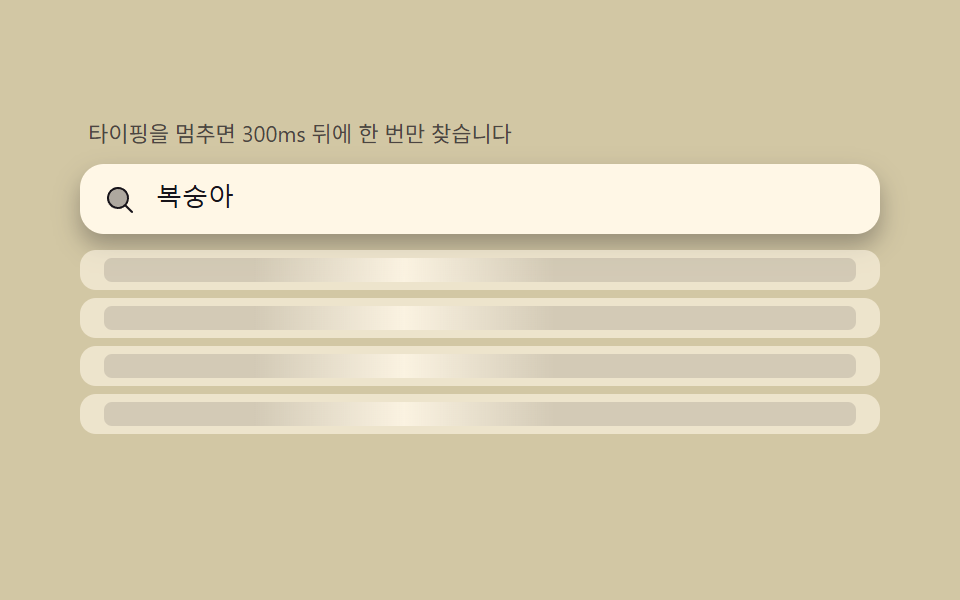
02Debounce shimmer — gathering input for 300ms while the list shimmers as a waiting state
A debounce that resets the timer on every keystroke refreshes the list only after the last letter, while skeleton rows shimmer left-to-right to show 'computing.' For real requests it also covers discarding the in-flight previous one with a flag.
Best forSaving search API calls
setTimeoutrequestAnimationFrametransition
<main class="stage">
<div class="db" id="db">
  <p class="db__hint">Waits 300ms after you stop typing, then searches just once.</p>
  <div class="db__field" role="combobox" aria-expanded="false" aria-owns="dbList" aria-haspopup="listbox" id="dbField">
    <svg class="db__ic" viewBox="0 0 256 256" aria-hidden="true"><g fill="currentColor"><path d="M192 112a80 80 0 1 1-80-80a80 80 0 0 1 80 80" opacity=".35"/><path d="m229.66 218.34l-50.06-50.06a88.21 88.21 0 1 0-11.32 11.31l50.06 50.07a8 8 0 0 0 11.32-11.32M40 112a72 72 0 1 1 72 72a72.08 72.08 0 0 1-72-72"/></g></svg>
    <input class="db__input" id="dbInput" type="text" role="searchbox" aria-autocomplete="list" aria-controls="dbList" aria-label="Search fruit" autocomplete="off">
  </div>
  <ul class="db__list" id="dbList" role="listbox" aria-label="Candidate list"></ul>
</div>
</main>
@use "../../../../site/static/demo-tokens" as *;
$duration: $dur-base;
$easing: $ease-out;
$color: $subject-ink;
// 파스텔 무대(도구/파스텔.py to_pastel 결과: 채도 .34 · 명도 +.11, $stage-yellow 기준)
$p-yellow: #d2c7a4;
@include stage($p-yellow);
.db {
width: 100%;
max-width: 400px;
display: flex;
flex-direction: column;
gap: $sp-2;
}
.db__hint {
margin: 0;
padding: 0 $sp-1;
font-weight: 400;
font-size: 11px;
line-height: 1.4;
color: rgba($subject-ink, .72);
}
.db__field {
display: flex;
align-items: center;
gap: $sp-2;
background: $subject-cream;
border-radius: $r-control;
padding: $sp-2 $sp-3;
box-shadow: $shadow-press;
}
.db__ic {
width: 16px;
height: 16px;
flex: 0 0 auto;
color: $subject-ink;
}
.db__input {
flex: 1 1 auto;
min-width: 0;
border: 0;
outline: 0;
background: transparent;
font-weight: 500;
font-size: 13px;
line-height: 1.3;
color: $subject-ink;
caret-color: $color;
}
.db__list {
margin: 0;
padding: 0;
list-style: none;
display: flex;
flex-direction: column;
gap: $sp-1;
min-height: 116px;
}
.db__item {
padding: $sp-1 $sp-3;
border-radius: $r-sm;
background: $subject-cream;
font-weight: 500;
font-size: 12px;
line-height: 1.6;
color: $subject-ink;
}
.db__item--empty {
color: rgba($subject-ink, .72);
font-weight: 400;
}
.db__item--skel {
background: rgba($subject-cream, .6);
overflow: hidden;
position: relative;
}
.db__bar {
display: block;
height: 12px;
border-radius: $r-xs;
background: rgba($subject-ink, .12);
overflow: hidden;
position: relative;
}
.db__sweep {
position: absolute;
top: 0;
left: 0;
width: 40%;
height: 100%;
background: linear-gradient(90deg, rgba($subject-cream, 0), rgba($subject-cream, .9), rgba($subject-cream, 0));
transform: translateX(-120%);
will-change: transform;
}
@media (max-width: 340px) {
.db { max-width: 280px; }
.db__item { font-size: 11px; }
.db__list { min-height: 80px; }
}
@media (prefers-reduced-motion: reduce) {
.db__sweep {
display: none;
}
.db__bar {
background: rgba($subject-ink, .2);
}
}html, body {
margin: 0;
overflow: hidden;
}
.stage {
box-sizing: border-box;
min-height: 100vh;
display: grid;
place-items: center;
margin: 0;
background: #d2c7a4;
font-family: -apple-system, "Segoe UI", "Noto Sans KR", sans-serif;
padding: clamp(8px, 4vw, 24px);
}
.db {
width: 100%;
max-width: 400px;
display: flex;
flex-direction: column;
gap: 8px;
}
.db__hint {
margin: 0;
padding: 0 4px;
font-weight: 400;
font-size: 11px;
line-height: 1.4;
color: rgba(23, 20, 26, 0.72);
}
.db__field {
display: flex;
align-items: center;
gap: 8px;
background: #fff7e6;
border-radius: 12px;
padding: 8px 12px;
box-shadow: 0 6px 12px rgba(23, 20, 26, 0.32);
}
.db__ic {
width: 16px;
height: 16px;
flex: 0 0 auto;
color: #17141a;
}
.db__input {
flex: 1 1 auto;
min-width: 0;
border: 0;
outline: 0;
background: transparent;
font-weight: 500;
font-size: 13px;
line-height: 1.3;
color: #17141a;
caret-color: #17141a;
}
.db__list {
margin: 0;
padding: 0;
list-style: none;
display: flex;
flex-direction: column;
gap: 4px;
min-height: 116px;
}
.db__item {
padding: 4px 12px;
border-radius: 8px;
background: #fff7e6;
font-weight: 500;
font-size: 12px;
line-height: 1.6;
color: #17141a;
}
.db__item--empty {
color: rgba(23, 20, 26, 0.72);
font-weight: 400;
}
.db__item--skel {
background: rgba(255, 247, 230, 0.6);
overflow: hidden;
position: relative;
}
.db__bar {
display: block;
height: 12px;
border-radius: 4px;
background: rgba(23, 20, 26, 0.12);
overflow: hidden;
position: relative;
}
.db__sweep {
position: absolute;
top: 0;
left: 0;
width: 40%;
height: 100%;
background: linear-gradient(90deg, rgba(255, 247, 230, 0), rgba(255, 247, 230, 0.9), rgba(255, 247, 230, 0));
transform: translateX(-120%);
will-change: transform;
}
@media (max-width: 340px) {
.db {
max-width: 280px;
}
.db__item {
font-size: 11px;
}
.db__list {
min-height: 80px;
}
}
@media (prefers-reduced-motion: reduce) {
.db__sweep {
display: none;
}
.db__bar {
background: rgba(23, 20, 26, 0.2);
}
}// 디바운스 스켈레톤(02) — 키 입력마다 타이머를 지운 뒤 새로 건다(디바운스). 대기 중엔
// 스켈레톤 행을 보이고, 타이머가 실제로 만료된 뒤에만 가짜 지연(FAKE_LATENCY_MS) 후 결과를
// 반영한다. 요청마다 번호를 매겨(pendingId) 응답이 도착했을 때 그 번호가 최신이 아니면
// 버린다(진행 중 요청 폐기 패턴) — 사용자가 다시 타이핑해 새 요청을 보냈는데 이전 응답이
// 늦게 와도 화면을 덮어쓰지 않는다.
(function () {
var field = document.getElementById('dbField');
var input = document.getElementById('dbInput');
var list = document.getElementById('dbList');
if (!field || !input || !list) return;
var WORDS = ['banana', 'papaya', 'avocado', 'pineapple', 'grapefruit', 'cherry', 'peach', 'watermelon'];
var DEBOUNCE_MS = 300;
var FAKE_LATENCY_MS = 220;
var SKELETON_ROWS = 4;
var reduce = window.matchMedia('(prefers-reduced-motion: reduce)').matches;
var pendingId = 0;
var debounceTimer = null;
var state = 'idle';
var results = [];
function renderSkeleton() {
var rows = [];
for (var i = 0; i < SKELETON_ROWS; i++) {
rows.push('<li class="db__item db__item--skel" aria-hidden="true"><span class="db__bar"><span class="db__sweep"></span></span></li>');
}
list.innerHTML = rows.join('');
field.setAttribute('aria-expanded', 'true');
}
function renderResults(query) {
if (!results.length) {
list.innerHTML = '<li class="db__item db__item--empty">No matching fruit.</li>';
field.setAttribute('aria-expanded', 'true');
return;
}
list.innerHTML = results.map(function (w) {
return '<li class="db__item" role="option">' + w + '</li>';
}).join('');
field.setAttribute('aria-expanded', 'true');
}
function renderIdle() {
list.innerHTML = '';
field.setAttribute('aria-expanded', 'false');
}
function onChange(value) {
clearTimeout(debounceTimer);
pendingId++;
var myId = pendingId;
if (!value) {
state = 'idle';
renderIdle();
return;
}
state = 'loading';
renderSkeleton();
debounceTimer = setTimeout(function () {
setTimeout(function () {
if (myId !== pendingId) return;
var q = value.toLowerCase();
results = WORDS.filter(function (w) { return w.toLowerCase().indexOf(q) !== -1; });
state = 'done';
renderResults(value);
}, FAKE_LATENCY_MS);
}, DEBOUNCE_MS);
}
renderIdle();
var playing = true;
function stop() { playing = false; }
input.addEventListener('input', function () { stop(); onChange(input.value); });
input.addEventListener('keydown', stop);
input.addEventListener('pointerdown', stop);
var KEY_INTERVAL_MS = 120;
var READ_HOLD_MS = 500;
var CLEAR_MS = 150;
var WORD_SEQUENCE = ['peach', 'grapefruit'];
function typeWord(word, cb) {
var i = 0;
(function nextChar() {
if (!playing) return;
i++;
input.value = word.slice(0, i);
onChange(input.value);
if (i < word.length) setTimeout(nextChar, KEY_INTERVAL_MS);
else setTimeout(cb, READ_HOLD_MS);
})();
}
function clearInput(cb) {
if (!playing) return;
input.value = '';
onChange('');
setTimeout(cb, CLEAR_MS);
}
function loopPlay(qi) {
if (!playing) return;
var word = WORD_SEQUENCE[qi % WORD_SEQUENCE.length];
typeWord(word, function () { clearInput(function () { loopPlay(qi + 1); }); });
}
if (reduce) {
input.value = WORD_SEQUENCE[0];
onChange(WORD_SEQUENCE[0]);
} else {
loopPlay(0);
(function sweep() {
var bars = list.querySelectorAll('.db__sweep');
var t = (performance.now() % 900) / 900;
var x = -120 + t * 240;
for (var i = 0; i < bars.length; i++) bars[i].style.transform = 'translateX(' + x + '%)';
requestAnimationFrame(sweep);
})();
}
})();// SearchAutocompleteDebounceShimmer — vanilla 판(run/335/demo/02-search-autocomplete-debounce-shimmer/index.html)
// 의 React 포트. 키 입력마다 타이머를 지운 뒤 새로 건다(디바운스). 대기 중엔 스켈레톤 행을
// 보이고, 타이머가 실제로 만료된 뒤에만 가짜 지연(FAKE_LATENCY_MS) 후 결과를 반영한다.
// 요청마다 번호를 매겨(pendingId) 응답이 도착했을 때 그 번호가 최신이 아니면 버린다.
import { useEffect, useRef } from "react";
import styles from "./SearchAutocompleteDebounceShimmer.module.scss";
export type SearchAutocompleteDebounceShimmerProps = {
duration?: string;
easing?: string;
color?: string;
};
type Box<T> = { current: T };
const HINT = "타이핑을 멈추면 300ms 뒤에 한 번만 찾습니다";
const ARIA_LABEL = "과일 검색";
const ARIA_LIST_LABEL = "후보 목록";
const EMPTY_TEXT = "일치하는 과일이 없습니다";
const WORDS = ["바나나", "파파야", "아보카도", "파인애플", "자몽", "체리", "복숭아", "수박"];
const DEBOUNCE_MS = 300;
const FAKE_LATENCY_MS = 220;
const SKELETON_ROWS = 4;
const KEY_INTERVAL_MS = 120;
const READ_HOLD_MS = 500;
const CLEAR_MS = 150;
const WORD_SEQUENCE = ["복숭아", "자몽"];
export default function SearchAutocompleteDebounceShimmer({
duration = "300ms",
easing = "ease-out",
color = "#17141a"
}: SearchAutocompleteDebounceShimmerProps) {
const fieldRef = useRef<HTMLDivElement | null>(null);
const inputRef = useRef<HTMLInputElement | null>(null);
const listRef = useRef<HTMLUListElement | null>(null);
const rafRef = useRef(0) as Box<number>;
useEffect(() => {
const field = fieldRef.current;
const input = inputRef.current;
const list = listRef.current;
if (!field || !input || !list) return;
let pendingId = 0;
let debounceTimer: ReturnType<typeof setTimeout> | null = null;
let results: string[] = [];
function renderSkeleton(): void {
const rows: string[] = [];
for (let i = 0; i < SKELETON_ROWS; i++) {
rows.push(
'<li class="' + styles.item + " " + styles.itemSkel + '" aria-hidden="true"><span class="' + styles.bar + '"><span class="' + styles.sweep + '"></span></span></li>'
);
}
list!.innerHTML = rows.join("");
field!.setAttribute("aria-expanded", "true");
}
function renderResults(): void {
if (!results.length) {
list!.innerHTML = '<li class="' + styles.item + " " + styles.itemEmpty + '">' + EMPTY_TEXT + "</li>";
field!.setAttribute("aria-expanded", "true");
return;
}
list!.innerHTML = results.map((w) => '<li class="' + styles.item + '" role="option">' + w + "</li>").join("");
field!.setAttribute("aria-expanded", "true");
}
function renderIdle(): void {
list!.innerHTML = "";
field!.setAttribute("aria-expanded", "false");
}
function onChange(value: string): void {
if (debounceTimer) clearTimeout(debounceTimer);
pendingId++;
const myId = pendingId;
if (!value) {
renderIdle();
return;
}
renderSkeleton();
debounceTimer = setTimeout(() => {
setTimeout(() => {
if (myId !== pendingId) return;
const q = value.toLowerCase();
results = WORDS.filter((w) => w.toLowerCase().indexOf(q) !== -1);
renderResults();
}, FAKE_LATENCY_MS);
}, DEBOUNCE_MS);
}
renderIdle();
let playing = true;
function stop(): void {
playing = false;
}
function onUserInput(): void {
stop();
onChange(input!.value);
}
input.addEventListener("input", onUserInput);
input.addEventListener("keydown", stop);
input.addEventListener("pointerdown", stop);
function typeWord(word: string, cb: () => void): void {
let i = 0;
const nextChar = (): void => {
if (!playing) return;
i++;
input!.value = word.slice(0, i);
onChange(input!.value);
if (i < word.length) setTimeout(nextChar, KEY_INTERVAL_MS);
else setTimeout(cb, READ_HOLD_MS);
};
nextChar();
}
function clearInput(cb: () => void): void {
if (!playing) return;
input!.value = "";
onChange("");
setTimeout(cb, CLEAR_MS);
}
function loopPlay(qi: number): void {
if (!playing) return;
const word = WORD_SEQUENCE[qi % WORD_SEQUENCE.length];
typeWord(word, () => {
clearInput(() => loopPlay(qi + 1));
});
}
const reduce = window.matchMedia("(prefers-reduced-motion: reduce)").matches;
if (reduce) {
input.value = WORD_SEQUENCE[0];
onChange(WORD_SEQUENCE[0]);
} else {
loopPlay(0);
const sweep = (): void => {
const bars = list!.querySelectorAll<HTMLElement>("." + styles.sweep);
const t = (performance.now() % 900) / 900;
const x = -120 + t * 240;
bars.forEach((b) => {
b.style.transform = "translateX(" + x + "%)";
});
rafRef.current = requestAnimationFrame(sweep);
};
rafRef.current = requestAnimationFrame(sweep);
}
return () => {
cancelAnimationFrame(rafRef.current);
if (debounceTimer) clearTimeout(debounceTimer);
input.removeEventListener("input", onUserInput);
input.removeEventListener("keydown", stop);
input.removeEventListener("pointerdown", stop);
};
// eslint-disable-next-line react-hooks/exhaustive-deps
}, []);
return (
<main className={styles.stage}>
<div className={styles.db}>
<p className={styles.hint}>{HINT}</p>
<div
className={styles.field}
ref={fieldRef}
role="combobox"
aria-expanded="false"
aria-owns="dbListReact"
aria-haspopup="listbox"
>
<svg className={styles.ic} viewBox="0 0 256 256" aria-hidden="true">
<g fill="currentColor">
<path d="M192 112a80 80 0 1 1-80-80a80 80 0 0 1 80 80" opacity=".2" />
<path d="m229.66 218.34l-50.06-50.06a88.21 88.21 0 1 0-11.32 11.31l50.06 50.07a8 8 0 0 0 11.32-11.32M40 112a72 72 0 1 1 72 72a72.08 72.08 0 0 1-72-72" />
</g>
</svg>
<input
className={styles.input}
ref={inputRef}
type="text"
role="searchbox"
aria-autocomplete="list"
aria-controls="dbListReact"
aria-label={ARIA_LABEL}
autoComplete="off"
style={{ caretColor: color, transitionDuration: duration, transitionTimingFunction: easing }}
/>
</div>
<ul className={styles.list} id="dbListReact" ref={listRef} role="listbox" aria-label={ARIA_LIST_LABEL} />
</div>
</main>
);
}02 Debounce shimmer — gathering input for 300ms while the list shimmers as a waiting state — Measured area 22.247% · moving frames 22/23Original by GODRICH · SCSS and React ship in the zip · Autocomplete Input: 9 Search Dropdowns
The post this demo lives in
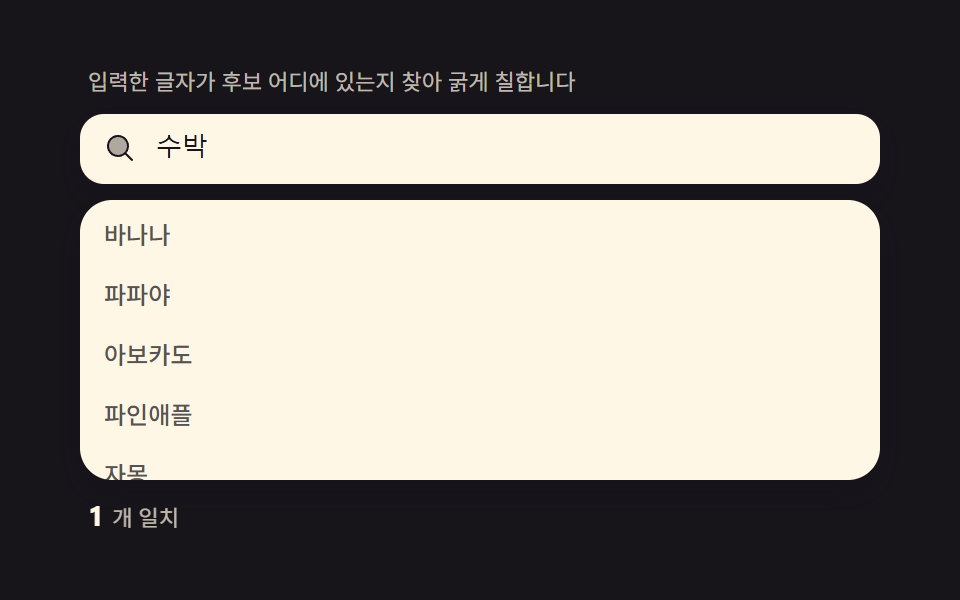 Autocomplete Input: 9 Search DropdownsAutocomplete input, explained: Bolds where letters sit in each suggestion, debounces requests, cycles the list by keyboa See all demos in this post
If you like this effect - similar demos
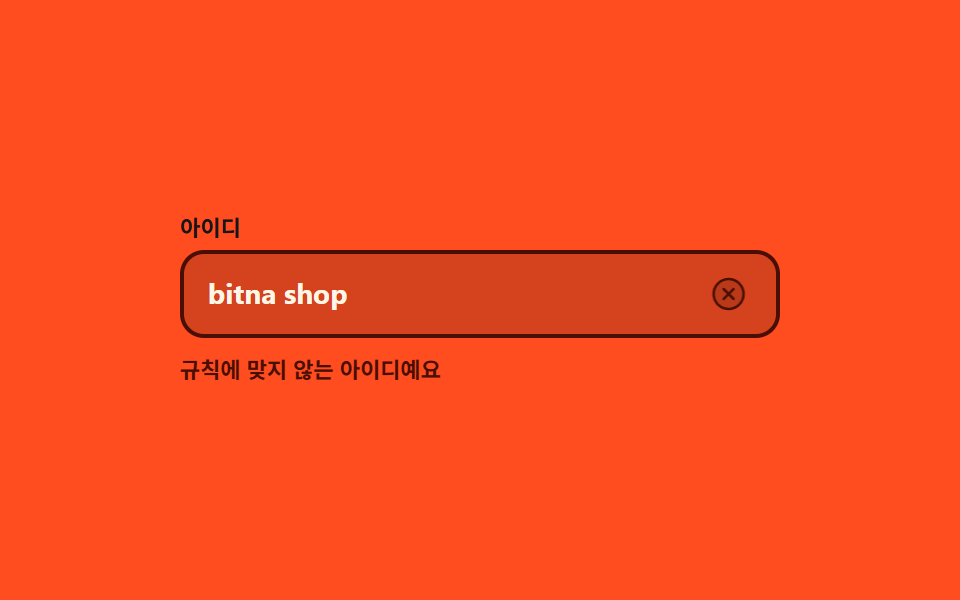 Inputs07 Status icon that waits, then rules9 Form Validation UI Patterns — As You Type
 Inputs01 Quantity change that tints the line total and the grand total togetherCheckout Page Design — 9 Cart Patterns, No Library
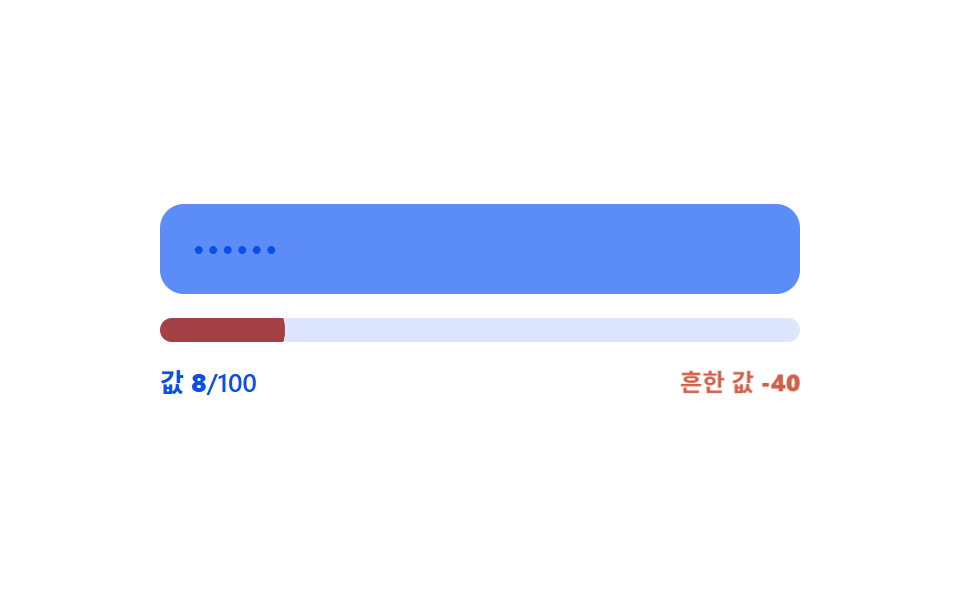 Inputs04 Common-value penalty — the strength value is docked when the input value matches an entry in a preset common-value listPassword Strength Meter UI: 9 Calculation Patterns