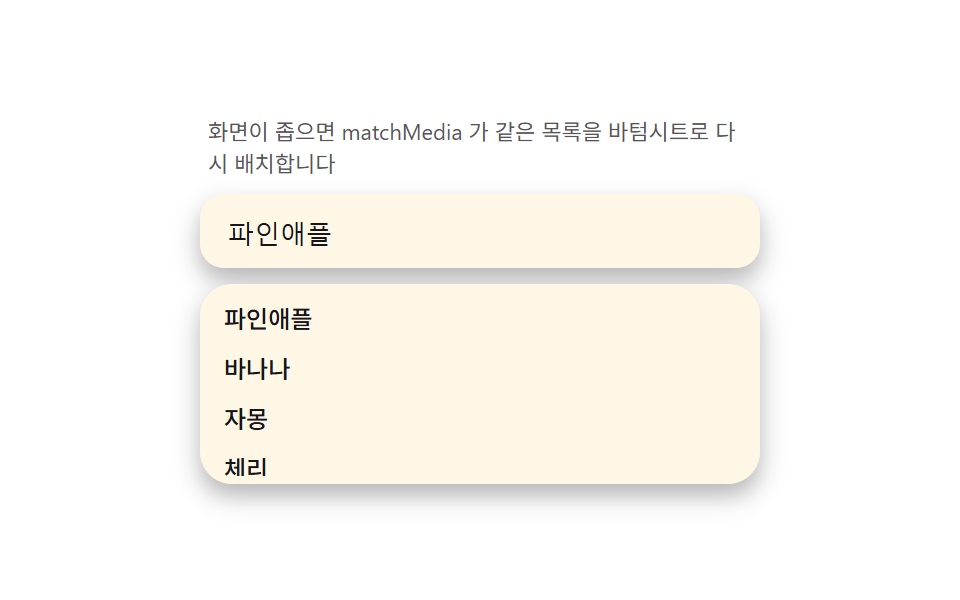
08Mobile sheet morph — the dropdown reshaping into a bottom sheet under a media query
Sensing viewport width with matchMedia and re-laying the same list DOM as a bottom sheet (pinned low, top grab handle) on narrow screens makes the sheet shrink to visualViewport height under the virtual keyboard. The demo measures both layouts in one item by resizing to a mobile width.
Best forMobile web search
visualViewporttransitionmatchMedia
<main class="stage">
<div class="ms" id="ms">
  <p class="ms__hint">When the screen is narrow, matchMedia rearranges the same list into a bottom sheet.</p>
  <div class="ms__field">
    <input class="ms__input" type="text" value="pineapple" readonly aria-label="Search fruit">
  </div>
  <div class="ms__sheet" id="msSheet">
    <span class="ms__handle" aria-hidden="true"></span>
    <ul class="ms__list" id="msList" role="listbox" aria-label="Suggestion list"></ul>
  </div>
</div>
</main>
@use "../../../../site/static/demo-tokens" as *;
$duration: $dur-base;
$easing: $ease-out;
$color: $subject-blue-deep;
@include stage($stage-paper);
.ms {
width: 100%;
max-width: 280px;
margin: 0 auto;
display: flex;
flex-direction: column;
gap: $sp-2;
}
.ms__hint {
margin: 0;
padding: 0 $sp-1;
font-weight: 400;
font-size: 11px;
line-height: 1.4;
color: rgba($subject-ink, .72);
}
.ms__field {
background: $subject-cream;
border-radius: $r-control;
padding: $sp-2 $sp-3;
box-shadow: $shadow-press;
}
.ms__input {
width: 100%;
border: 0;
outline: 0;
background: transparent;
font-weight: 500;
font-size: 13px;
color: $subject-ink;
}
.ms__sheet {
background: $subject-cream;
border-radius: $r-card;
box-shadow: $shadow-press;
padding: $sp-1;
}
.ms__handle {
display: none;
width: 32px;
height: 4px;
margin: 0 auto $sp-1;
border-radius: $r-xs;
background: rgba($subject-ink, .24);
}
.ms__list {
margin: 0;
padding: 0;
list-style: none;
overflow-y: hidden;
max-height: calc(28px + 64px * var(--kb, 0));
}
.ms__item {
padding: $sp-1 $sp-2;
border-radius: $r-sm;
font-weight: 500;
font-size: 12px;
color: $subject-ink;
}
.is-sheet .ms {
position: relative;
height: 130px;
}
.is-sheet .ms__hint {
display: none;
}
.is-sheet .ms__sheet {
position: absolute;
left: 0;
right: 0;
bottom: 0;
border-bottom-left-radius: 0;
border-bottom-right-radius: 0;
box-shadow: $shadow-raised;
}
.is-sheet .ms__handle {
display: block;
}
@media (max-width: 340px) {
.ms { max-width: 220px; }
.ms__input { font-size: 12px; }
}
@media (prefers-reduced-motion: reduce) {
.ms__list {
transition: none;
}
}html, body {
margin: 0;
overflow: hidden;
}
.stage {
box-sizing: border-box;
min-height: 100vh;
display: grid;
place-items: center;
margin: 0;
background: #ffffff;
font-family: -apple-system, "Segoe UI", "Noto Sans KR", sans-serif;
padding: clamp(8px, 4vw, 24px);
}
.ms {
width: 100%;
max-width: 280px;
margin: 0 auto;
display: flex;
flex-direction: column;
gap: 8px;
}
.ms__hint {
margin: 0;
padding: 0 4px;
font-weight: 400;
font-size: 11px;
line-height: 1.4;
color: rgba(23, 20, 26, 0.72);
}
.ms__field {
background: #fff7e6;
border-radius: 12px;
padding: 8px 12px;
box-shadow: 0 6px 12px rgba(23, 20, 26, 0.32);
}
.ms__input {
width: 100%;
border: 0;
outline: 0;
background: transparent;
font-weight: 500;
font-size: 13px;
color: #17141a;
}
.ms__sheet {
background: #fff7e6;
border-radius: 16px;
box-shadow: 0 6px 12px rgba(23, 20, 26, 0.32);
padding: 4px;
}
.ms__handle {
display: none;
width: 32px;
height: 4px;
margin: 0 auto 4px;
border-radius: 4px;
background: rgba(23, 20, 26, 0.24);
}
.ms__list {
margin: 0;
padding: 0;
list-style: none;
overflow-y: hidden;
max-height: calc(28px + 64px * var(--kb, 0));
}
.ms__item {
padding: 4px 8px;
border-radius: 8px;
font-weight: 500;
font-size: 12px;
color: #17141a;
}
.is-sheet .ms {
position: relative;
height: 130px;
}
.is-sheet .ms__hint {
display: none;
}
.is-sheet .ms__sheet {
position: absolute;
left: 0;
right: 0;
bottom: 0;
border-bottom-left-radius: 0;
border-bottom-right-radius: 0;
box-shadow: 0 14px 24px rgba(23, 20, 26, 0.32);
}
.is-sheet .ms__handle {
display: block;
}
@media (max-width: 340px) {
.ms {
max-width: 220px;
}
.ms__input {
font-size: 12px;
}
}
@media (prefers-reduced-motion: reduce) {
.ms__list {
transition: none;
}
}// 모바일 시트 변신(08) — matchMedia(340px) 로 좁은 화면을 감지해 같은 목록 DOM 을
// 인라인 드롭다운/바텀시트로 재배치한다(root 클래스 토글, 진짜 API). 가상 키보드는
// 정적 캡처에서 실제로 열리지 않으니, window.visualViewport 로 실측한 높이(있으면
// innerHeight 와의 차)를 기본값으로 삼고 그 위에 스크립트로 만든 0→1 목표값을
// lerp(관성 보간)로 뒤쫓게 해 "키보드가 밀어 올리는" 느낌을 재현한다 — 목록의
// max-height 를 --kb 변수로 calc() 에 물린다.
(function () {
var root = document.getElementById('ms');
var sheet = document.getElementById('msSheet');
var list = document.getElementById('msList');
if (!root || !sheet || !list) return;
var WORDS = ['pineapple', 'banana', 'grapefruit', 'cherry', 'watermelon', 'mango'];
list.innerHTML = WORDS.map(function (w) {
return '<li class="ms__item" role="option">' + w + '</li>';
}).join('');
var mq = window.matchMedia('(max-width: 340px)');
function applyLayout(m) { root.classList.toggle('is-sheet', m.matches); }
applyLayout(mq);
if (mq.addEventListener) mq.addEventListener('change', applyLayout);
else if (mq.addListener) mq.addListener(applyLayout);
var vv = window.visualViewport;
function realKbPx() {
if (!vv) return 0;
return Math.max(0, window.innerHeight - vv.height);
}
// 정적 캡처에서는 realKbPx() 가 대부분 0 이라 화면에 보이는 열림·닫힘은
// 아래 목표값 lerp 가 만든다 — 실제 기기에서는 이 값이 목표값을 대신한다.
var current = 0, target = 0;
var lastFlip = 0;
function tick(now) {
if (now - lastFlip > 900) {
target = target === 0 ? 1 : 0;
lastFlip = now;
}
current += (target - current) * 0.12;
sheet.style.setProperty('--kb', current.toFixed(4));
if (playing) requestAnimationFrame(tick);
}
var playing = true;
function stop() {
playing = false;
sheet.style.setProperty('--kb', '0');
}
root.addEventListener('pointerdown', stop);
var reduce = window.matchMedia('(prefers-reduced-motion: reduce)').matches;
if (reduce) {
sheet.style.setProperty('--kb', String(realKbPx() > 0 ? 1 : 0.4));
} else {
requestAnimationFrame(function (t) { lastFlip = t; tick(t); });
}
})();// SearchAutocompleteMobileSheetMorph — vanilla 판(run/335/demo/08-search-autocomplete-mobile-sheet-morph/index.html)
// 의 React 포트. matchMedia(340px) 로 좁은 화면을 감지해 같은 목록 DOM 을 인라인
// 드롭다운/바텀시트로 재배치한다(root 클래스 토글, 진짜 API). visualViewport 로
// 실측한 키보드 높이를 기본값으로 삼고, 그 위에 스크립트가 만든 0→1 목표값을
// lerp(관성 보간)로 뒤쫓게 해 "키보드가 밀어 올리는" 느낌을 재현한다 — 목록의
// max-height 를 --kb 변수로 calc() 에 물린다.
import { useEffect, useRef } from "react";
import styles from "./SearchAutocompleteMobileSheetMorph.module.scss";
export type SearchAutocompleteMobileSheetMorphProps = {
duration?: string;
easing?: string;
color?: string;
};
const HINT = "화면이 좁으면 matchMedia 가 같은 목록을 바텀시트로 다시 배치합니다";
const ARIA_LABEL = "과일 검색";
const LIST_LABEL = "제안 목록";
const WORDS = ["파인애플", "바나나", "자몽", "체리", "수박", "망고"];
export default function SearchAutocompleteMobileSheetMorph({
duration = "300ms",
easing = "ease-out",
color = "#0a4fe8"
}: SearchAutocompleteMobileSheetMorphProps) {
const rootRef = useRef<HTMLDivElement | null>(null);
const sheetRef = useRef<HTMLDivElement | null>(null);
const listRef = useRef<HTMLUListElement | null>(null);
useEffect(() => {
const root = rootRef.current;
const sheet = sheetRef.current;
const list = listRef.current;
if (!root || !sheet || !list) return;
list.innerHTML = WORDS.map((w) => '<li class="' + styles.item + '" role="option">' + w + "</li>").join("");
const mq = window.matchMedia("(max-width: 340px)");
function applyLayout(m: MediaQueryList | MediaQueryListEvent): void {
root!.classList.toggle(styles.isSheet, m.matches);
}
applyLayout(mq);
const mqAny = mq as MediaQueryList & { addListener?: (cb: (m: MediaQueryListEvent) => void) => void; removeListener?: (cb: (m: MediaQueryListEvent) => void) => void };
if (mq.addEventListener) mq.addEventListener("change", applyLayout);
else if (mqAny.addListener) mqAny.addListener(applyLayout);
const vv = window.visualViewport;
function realKbPx(): number {
if (!vv) return 0;
return Math.max(0, window.innerHeight - vv.height);
}
// 정적 캡처에서는 realKbPx() 가 대부분 0 이라 화면에 보이는 열림·닫힘은
// 아래 목표값 lerp 가 만든다 — 실제 기기에서는 이 값이 목표값을 대신한다.
let current = 0;
let target = 0;
let lastFlip = 0;
let playing = true;
let raf = 0;
function tick(now: number): void {
if (now - lastFlip > 900) {
target = target === 0 ? 1 : 0;
lastFlip = now;
}
current += (target - current) * 0.12;
sheet!.style.setProperty("--kb", current.toFixed(4));
if (playing) raf = requestAnimationFrame(tick);
}
function stop(): void {
playing = false;
sheet!.style.setProperty("--kb", "0");
}
root.addEventListener("pointerdown", stop);
const reduce = window.matchMedia("(prefers-reduced-motion: reduce)").matches;
if (reduce) {
sheet.style.setProperty("--kb", String(realKbPx() > 0 ? 1 : 0.4));
} else {
raf = requestAnimationFrame((t) => {
lastFlip = t;
tick(t);
});
}
return () => {
playing = false;
cancelAnimationFrame(raf);
root.removeEventListener("pointerdown", stop);
if (mq.removeEventListener) mq.removeEventListener("change", applyLayout);
else if (mqAny.removeListener) mqAny.removeListener(applyLayout);
};
// eslint-disable-next-line react-hooks/exhaustive-deps
}, []);
return (
<main className={styles.stage}>
<div className={styles.ms} ref={rootRef}>
<p className={styles.hint}>{HINT}</p>
<div className={styles.field}>
<input
className={styles.input}
type="text"
defaultValue="파인애플"
readOnly
aria-label={ARIA_LABEL}
style={{ caretColor: color, transitionDuration: duration, transitionTimingFunction: easing }}
/>
</div>
<div className={styles.sheet} ref={sheetRef}>
<span className={styles.handle} aria-hidden="true" />
<ul className={styles.list} ref={listRef} role="listbox" aria-label={LIST_LABEL} />
</div>
</div>
</main>
);
}08 Mobile sheet morph — the dropdown reshaping into a bottom sheet under a media query — Measured area 29.61% · moving frames 13/23Original by GODRICH · SCSS and React ship in the zip · Autocomplete Input: 9 Search Dropdowns
The post this demo lives in
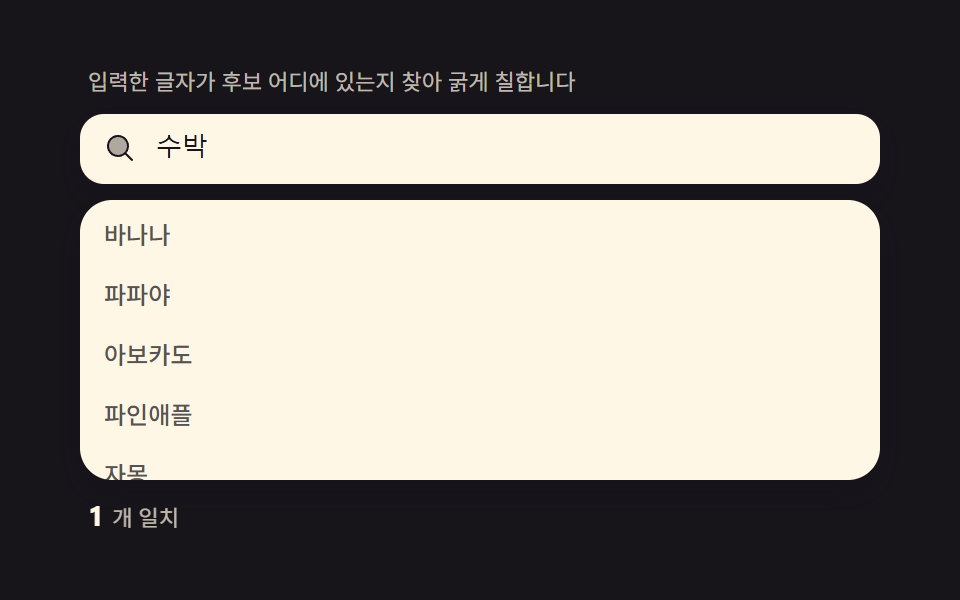 Autocomplete Input: 9 Search DropdownsAutocomplete input, explained: Bolds where letters sit in each suggestion, debounces requests, cycles the list by keyboa See all demos in this post
If you like this effect - similar demos
 Inputs01 Quantity change that tints the line total and the grand total togetherCheckout Page Design — 9 Cart Patterns, No Library
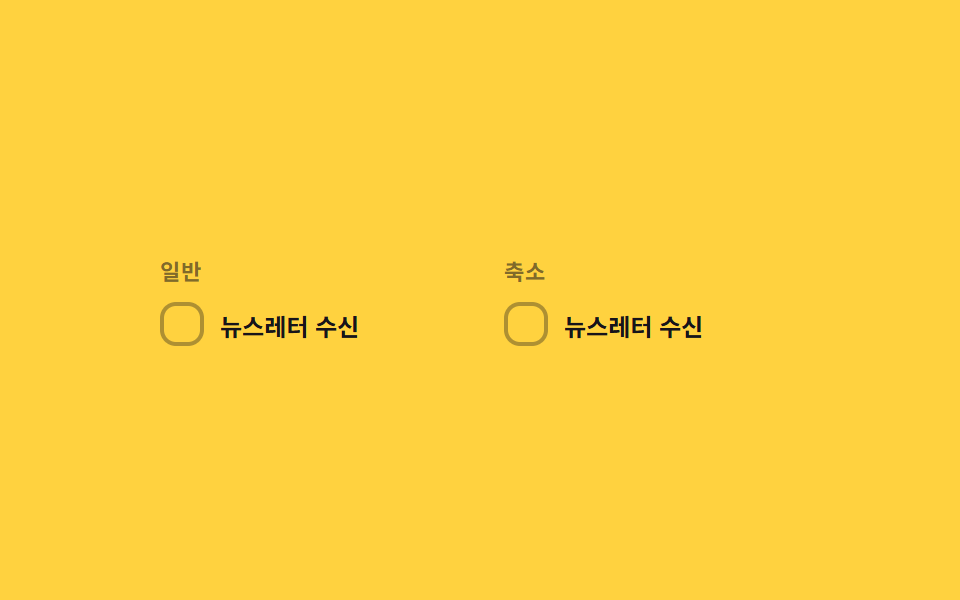 Inputs09 Reduced-motion comparison toggle — the same checked-value change draws its line-length value on the normal panel, and jumps straight to target with no in-between step on the reduced panelCSS Custom Checkbox: 9 Interaction Patterns
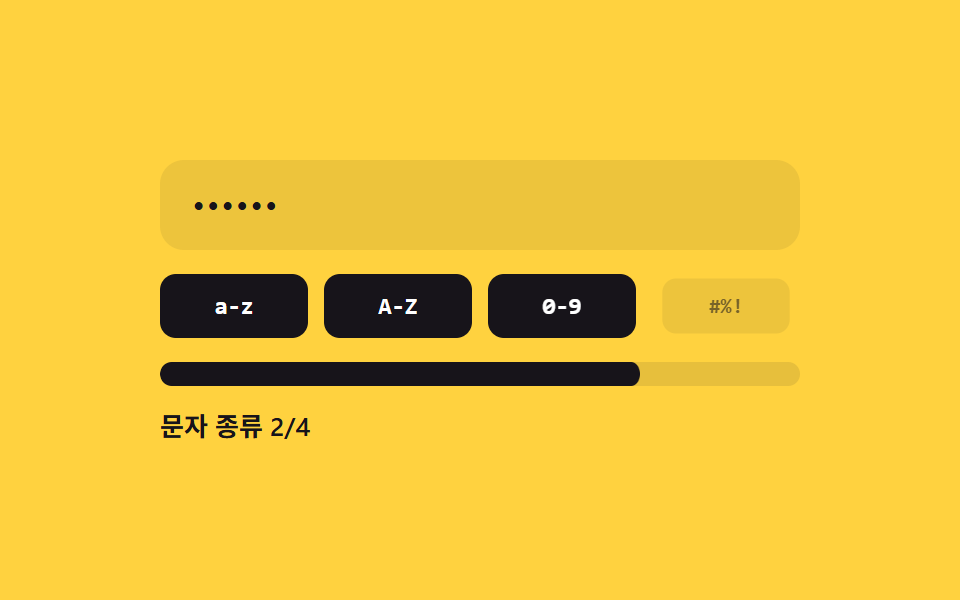 Inputs02 Character-class count fill — the strength value is set by how many distinct character-type values are mixed into the inputPassword Strength Meter UI: 9 Calculation Patterns