05Crossfade Panel a Progress Value Blurs Then Clears
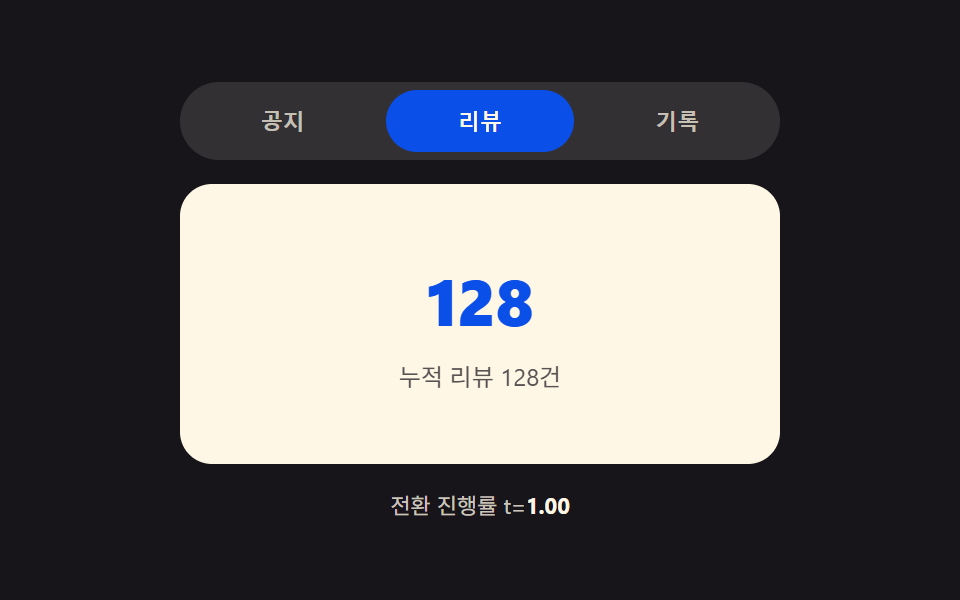
With transition progress as t (0 to 1), the outgoing panel's blur and transparency grow proportionally to t while the incoming panel's blur shrinks proportionally to (1-t), so the two panels cross like a shifting focus.
Best forBlog category tabs and before/after image panels
filter blur()BLUR_MAXt·(1-t)
<main class="stage">
<div class="bf is-demo" id="bf">
  <div class="bf__tabs" role="tablist" aria-label="Category tabs">
    <button type="button" class="bf__tab is-active" role="tab" id="bf-tab-0" aria-selected="true" aria-controls="bf-panel-0" data-idx="0">Notices</button>
    <button type="button" class="bf__tab" role="tab" id="bf-tab-1" aria-selected="false" aria-controls="bf-panel-1" data-idx="1" tabindex="-1">Reviews</button>
    <button type="button" class="bf__tab" role="tab" id="bf-tab-2" aria-selected="false" aria-controls="bf-panel-2" data-idx="2" tabindex="-1">Records</button>
  </div>
  <div class="bf__wrap" id="bfWrap">
    <div class="bf__panel is-front" id="bf-panel-0" role="tabpanel" aria-labelledby="bf-tab-0" tabindex="0"><span class="bf__num">03</span><p class="bf__line">3 notices this week</p></div>
    <div class="bf__panel" id="bf-panel-1" role="tabpanel" aria-labelledby="bf-tab-1" tabindex="0" hidden><span class="bf__num">128</span><p class="bf__line">128 cumulative reviews</p></div>
    <div class="bf__panel" id="bf-panel-2" role="tabpanel" aria-labelledby="bf-tab-2" tabindex="0" hidden><span class="bf__num">47</span><p class="bf__line">47 recent records</p></div>
  </div>
  <p class="bf__meta">Transition progress t=<b id="bfT">0.00</b></p>
</div>
</main>
@use "../../../../site/static/demo-tokens" as *;
// 계산 겹: index.html 의 frame() 이 rAF 로 실측 경과시간/총시간 = t(0~1) 를 구해 setT() 에 넘긴다.
// 나가는 패널은 blur(t*BLUR_MAX)·opacity(1-t), 들어오는 패널은 blur((1-t)*BLUR_MAX)·opacity(t) —
// 두 패널이 초점이 옮겨가듯 겹쳐 지나간다. transition 없이 매 프레임 직접 스타일을 쓴다(진짜 t 계산).
@include stage($stage-ink);
.bf { width: min(100%, 300px); display: flex; flex-direction: column; gap: $sp-3; }
.bf__tabs { display: flex; gap: $sp-1; background: rgba($subject-cream, .12); padding: $sp-1; border-radius: $r-pill; }
.bf__tab {
flex: 1 1 0; border: none; background: transparent; border-radius: $r-pill; cursor: pointer;
padding: $sp-2 $sp-2; font-size: 11px; font-weight: 700; color: rgba($subject-cream, .72);
}
.bf__tab.is-active { background: $subject-blue-deep; color: $subject-cream; }
.bf__tab:focus-visible { outline: 2px solid $subject-cream; outline-offset: 2px; }
.bf__wrap { position: relative; min-width: 0; height: 140px; border-radius: $r-card; background: $subject-cream; overflow: hidden; }
.bf__panel {
position: absolute; inset: 0; box-sizing: border-box; padding: $sp-4;
display: flex; flex-direction: column; align-items: center; justify-content: center; gap: $sp-2;
opacity: 0;
}
.bf__panel.is-front { z-index: 2; }
.bf__num { font-size: 32px; font-weight: 800; color: $subject-blue-deep; }
.bf__line { margin: 0; font-size: 12px; color: rgba($subject-ink, .72); }
.bf__meta { margin: 0; font-size: 11px; color: rgba($subject-cream, .78); text-align: center; }
.bf__meta b { color: $subject-cream; font-weight: 700; }
@media (max-width: 340px) {
.bf { width: 100%; gap: $sp-2; }
.bf__tab { padding: $sp-1 $sp-2; }
.bf__wrap { height: 96px; }
.bf__num { font-size: 26px; }
}
@media (prefers-reduced-motion: reduce) {
.bf__panel { transition: none; }
}html, body {
margin: 0;
overflow: hidden;
}
.stage {
box-sizing: border-box;
min-height: 100vh;
display: grid;
place-items: center;
margin: 0;
background: #17141a;
font-family: -apple-system, "Segoe UI", "Noto Sans KR", sans-serif;
padding: clamp(8px, 4vw, 24px);
}
.bf {
width: min(100%, 300px);
display: flex;
flex-direction: column;
gap: 12px;
}
.bf__tabs {
display: flex;
gap: 4px;
background: rgba(255, 247, 230, 0.12);
padding: 4px;
border-radius: 999px;
}
.bf__tab {
flex: 1 1 0;
border: none;
background: transparent;
border-radius: 999px;
cursor: pointer;
padding: 8px 8px;
font-size: 11px;
font-weight: 700;
color: rgba(255, 247, 230, 0.72);
}
.bf__tab.is-active {
background: #0a4fe8;
color: #fff7e6;
}
.bf__tab:focus-visible {
outline: 2px solid #fff7e6;
outline-offset: 2px;
}
.bf__wrap {
position: relative;
min-width: 0;
height: 140px;
border-radius: 16px;
background: #fff7e6;
overflow: hidden;
}
.bf__panel {
position: absolute;
inset: 0;
box-sizing: border-box;
padding: 16px;
display: flex;
flex-direction: column;
align-items: center;
justify-content: center;
gap: 8px;
opacity: 0;
}
.bf__panel.is-front {
z-index: 2;
}
.bf__num {
font-size: 32px;
font-weight: 800;
color: #0a4fe8;
}
.bf__line {
margin: 0;
font-size: 12px;
color: rgba(23, 20, 26, 0.72);
}
.bf__meta {
margin: 0;
font-size: 11px;
color: rgba(255, 247, 230, 0.78);
text-align: center;
}
.bf__meta b {
color: #fff7e6;
font-weight: 700;
}
@media (max-width: 340px) {
.bf {
width: 100%;
gap: 8px;
}
.bf__tab {
padding: 4px 8px;
}
.bf__wrap {
height: 96px;
}
.bf__num {
font-size: 26px;
}
}
@media (prefers-reduced-motion: reduce) {
.bf__panel {
transition: none;
}
}(function () {
var BLUR_MAX = 10; // 계산 겹 상수: 진행률 t=1 에서 나가는 패널이 도달하는 최대 블러(px)
var DUR_MS = 460;
var HOLD_MS = 760;
var COUNT = 3;
var reduce = window.matchMedia('(prefers-reduced-motion: reduce)').matches;
var root = document.getElementById('bf');
var tEl = document.getElementById('bfT');
var tabs = [0, 1, 2].map(function (i) { return document.getElementById('bf-tab-' + i); });
var panels = [0, 1, 2].map(function (i) { return document.getElementById('bf-panel-' + i); });
var isDemo = true;
var active = 0;
var raf = 0;
function human() {
if (isDemo) { root.classList.remove('is-demo'); isDemo = false; }
}
function setT(el, t, incoming) {
// 계산 겹: 나가는 패널은 t 에 비례해 블러·투명도가 늘고, 들어오는 패널은 (1-t) 에 비례해 블러가 준다
var blur = incoming ? (1 - t) * BLUR_MAX : t * BLUR_MAX;
var opacity = incoming ? t : 1 - t;
el.style.filter = 'blur(' + blur.toFixed(2) + 'px)';
el.style.opacity = String(opacity);
}
function select(idx) {
if (idx === active || raf) return;
var prevIdx = active;
var outEl = panels[prevIdx];
var inEl = panels[idx];
tabs[prevIdx].classList.remove('is-active');
tabs[prevIdx].setAttribute('aria-selected', 'false');
tabs[prevIdx].setAttribute('tabindex', '-1');
tabs[idx].classList.add('is-active');
tabs[idx].setAttribute('aria-selected', 'true');
tabs[idx].setAttribute('tabindex', '0');
inEl.removeAttribute('hidden');
inEl.classList.add('is-front');
setT(outEl, 0, false);
setT(inEl, 0, true);
var start = 0;
function frame(ts) {
if (!start) start = ts;
var t = Math.min(1, (ts - start) / DUR_MS); // 계산 겹: 실측 경과시간 / 총 시간 = 진행률 t(0~1)
setT(outEl, t, false);
setT(inEl, t, true);
tEl.textContent = t.toFixed(2);
if (t < 1) {
raf = requestAnimationFrame(frame);
} else {
raf = 0;
outEl.setAttribute('hidden', '');
outEl.classList.remove('is-front');
active = idx;
}
}
raf = requestAnimationFrame(frame);
}
tabs.forEach(function (t, i) {
t.addEventListener('click', function () { human(); select(i); });
});
root.addEventListener('keydown', function (e) {
var idx = tabs.indexOf(document.activeElement);
if (idx === -1) return;
var next = null;
if (e.key === 'ArrowRight') next = (idx + 1) % COUNT;
else if (e.key === 'ArrowLeft') next = (idx - 1 + COUNT) % COUNT;
else if (e.key === 'Home') next = 0;
else if (e.key === 'End') next = COUNT - 1;
if (next === null) return;
e.preventDefault();
human();
tabs[next].focus({ preventScroll: true });
select(next);
});
function loop() {
if (!isDemo) return;
select((active + 1) % COUNT);
window.setTimeout(loop, HOLD_MS);
}
if (!reduce) {
window.setTimeout(loop, HOLD_MS);
} else {
root.classList.remove('is-demo');
}
})();// TabBlurFocusCrossfade — vanilla 판(run/394/demo/05-tab-panel-blur-focus-crossfade/index.html) 의 React 포트.
// select() 의 frame() 이 rAF 로 실측 경과시간/총시간 = t(0~1) 를 구해, 나가는 패널은 blur(t*BLUR_MAX)·
// opacity(1-t), 들어오는 패널은 blur((1-t)*BLUR_MAX)·opacity(t) 로 매 프레임 직접 스타일을 쓴다.
import { useEffect, useRef } from "react";
import styles from "./TabBlurFocusCrossfade.module.scss";
type Box<T> = { current: T };
const BLUR_MAX = 10; // 계산 겹 상수: 진행률 t=1 에서 나가는 패널이 도달하는 최대 블러(px)
const DUR_MS = 460;
const HOLD_MS = 760;
const COUNT = 3;
export default function TabBlurFocusCrossfade() {
const rootRef = useRef(null) as unknown as Box<HTMLDivElement>;
const tEl = useRef(null) as unknown as Box<HTMLElement>;
const tabRefs = useRef([null, null, null]) as unknown as Box<(HTMLButtonElement | null)[]>;
const panelRefs = useRef([null, null, null]) as unknown as Box<(HTMLDivElement | null)[]>;
const timerRef = useRef(0) as unknown as Box<number>;
const rafRef = useRef(0) as unknown as Box<number>;
useEffect(() => {
const reduce = window.matchMedia("(prefers-reduced-motion: reduce)").matches;
let isDemo = true;
let active = 0;
function human() {
if (isDemo) { rootRef.current?.classList.remove(styles.isDemo); isDemo = false; }
}
function setT(el: HTMLElement, t: number, incoming: boolean) {
const blur = incoming ? (1 - t) * BLUR_MAX : t * BLUR_MAX; // 계산 겹
const opacity = incoming ? t : 1 - t;
el.style.filter = "blur(" + blur.toFixed(2) + "px)";
el.style.opacity = String(opacity);
}
function select(idx: number) {
if (idx === active || rafRef.current) return;
const prevIdx = active;
const outEl = panelRefs.current[prevIdx];
const inEl = panelRefs.current[idx];
if (!outEl || !inEl) return;
const prevTab = tabRefs.current[prevIdx], nextTab = tabRefs.current[idx];
prevTab?.classList.remove(styles.isActive);
prevTab?.setAttribute("aria-selected", "false");
prevTab?.setAttribute("tabindex", "-1");
nextTab?.classList.add(styles.isActive);
nextTab?.setAttribute("aria-selected", "true");
nextTab?.setAttribute("tabindex", "0");
inEl.removeAttribute("hidden");
inEl.classList.add(styles.isFront);
setT(outEl, 0, false);
setT(inEl, 0, true);
let start = 0;
function frame(ts: number) {
if (!start) start = ts;
const t = Math.min(1, (ts - start) / DUR_MS); // 계산 겹: 실측 경과시간 / 총 시간 = 진행률 t(0~1)
setT(outEl!, t, false);
setT(inEl!, t, true);
if (tEl.current) tEl.current.textContent = t.toFixed(2);
if (t < 1) {
rafRef.current = requestAnimationFrame(frame);
} else {
rafRef.current = 0;
outEl!.setAttribute("hidden", "");
outEl!.classList.remove(styles.isFront);
active = idx;
}
}
rafRef.current = requestAnimationFrame(frame);
}
function onKeydown(e: KeyboardEvent) {
const idx = tabRefs.current.indexOf(document.activeElement as HTMLButtonElement);
if (idx === -1) return;
let next: number | null = null;
if (e.key === "ArrowRight") next = (idx + 1) % COUNT;
else if (e.key === "ArrowLeft") next = (idx - 1 + COUNT) % COUNT;
else if (e.key === "Home") next = 0;
else if (e.key === "End") next = COUNT - 1;
if (next === null) return;
e.preventDefault();
human();
tabRefs.current[next]?.focus({ preventScroll: true });
select(next);
}
function onTabClick(i: number) { return () => { human(); select(i); }; }
const clickHandlers = [0, 1, 2].map(onTabClick);
tabRefs.current.forEach((t, i) => t?.addEventListener("click", clickHandlers[i]));
rootRef.current?.addEventListener("keydown", onKeydown);
function loop() {
if (!isDemo) return;
select((active + 1) % COUNT);
timerRef.current = window.setTimeout(loop, HOLD_MS);
}
if (!reduce) {
timerRef.current = window.setTimeout(loop, HOLD_MS);
} else {
rootRef.current?.classList.remove(styles.isDemo);
}
return () => {
window.clearTimeout(timerRef.current);
if (rafRef.current) cancelAnimationFrame(rafRef.current);
tabRefs.current.forEach((t, i) => t?.removeEventListener("click", clickHandlers[i]));
rootRef.current?.removeEventListener("keydown", onKeydown);
};
}, []);
const cats = [
{ name: "공지", num: "03", line: "이번 주 공지 3건" },
{ name: "리뷰", num: "128", line: "누적 리뷰 128건" },
{ name: "기록", num: "47", line: "최근 기록 47건" },
];
return (
<main className={styles.stage}>
<div className={styles.bf + " " + styles.isDemo} ref={rootRef}>
<div className={styles.tabs} role="tablist" aria-label="카테고리 탭">
{cats.map((c, i) => (
<button
key={c.name}
type="button"
className={styles.tab + (i === 0 ? " " + styles.isActive : "")}
role="tab"
aria-selected={i === 0 ? "true" : "false"}
tabIndex={i === 0 ? 0 : -1}
ref={(el: HTMLButtonElement | null) => { tabRefs.current[i] = el; }}
>{c.name}</button>
))}
</div>
<div className={styles.wrap}>
{cats.map((c, i) => (
<div
key={c.name}
className={styles.panel + (i === 0 ? " " + styles.isFront : "")}
role="tabpanel"
tabIndex={0}
hidden={i !== 0}
ref={(el: HTMLDivElement | null) => { panelRefs.current[i] = el; }}
>
<span className={styles.num}>{c.num}</span>
<p className={styles.line}>{c.line}</p>
</div>
))}
</div>
<p className={styles.meta}>
전환 진행률 t=<b ref={tEl}>0.00</b>
</p>
</div>
</main>
);
}05 Crossfade Panel a Progress Value Blurs Then Clears — Measured area 8.026% · moving frames 14/23Original by GODRICH · SCSS and React ship in the zip · 9 CSS Tab Panel Transition Patterns to Copy
The post this demo lives in
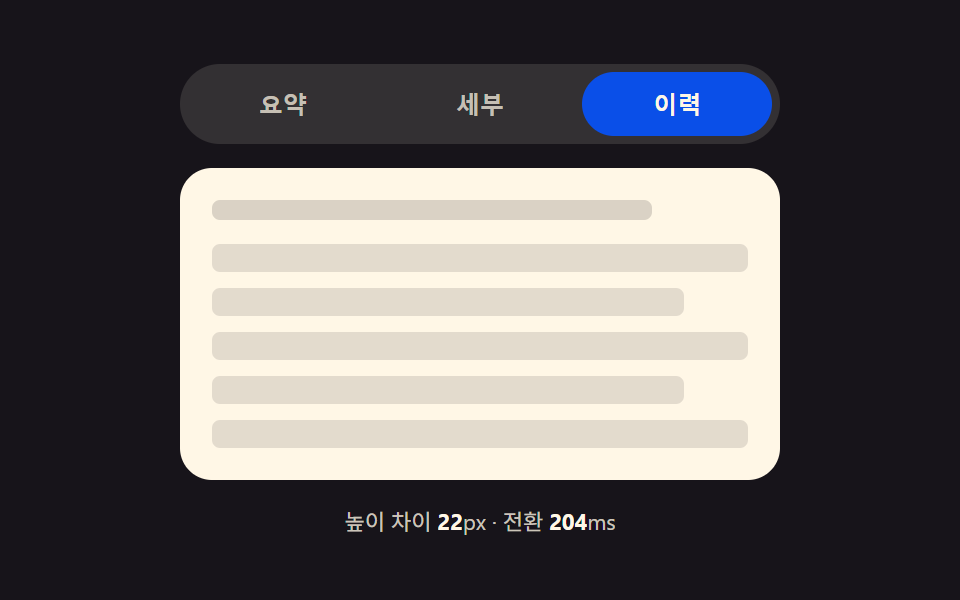 9 CSS Tab Panel Transition Patterns to CopyA css tab panel roundup: Height-morph times its stretch by the pixel gap between panels; stack shrinks by index distance See all demos in this post
If you like this effect - similar demos
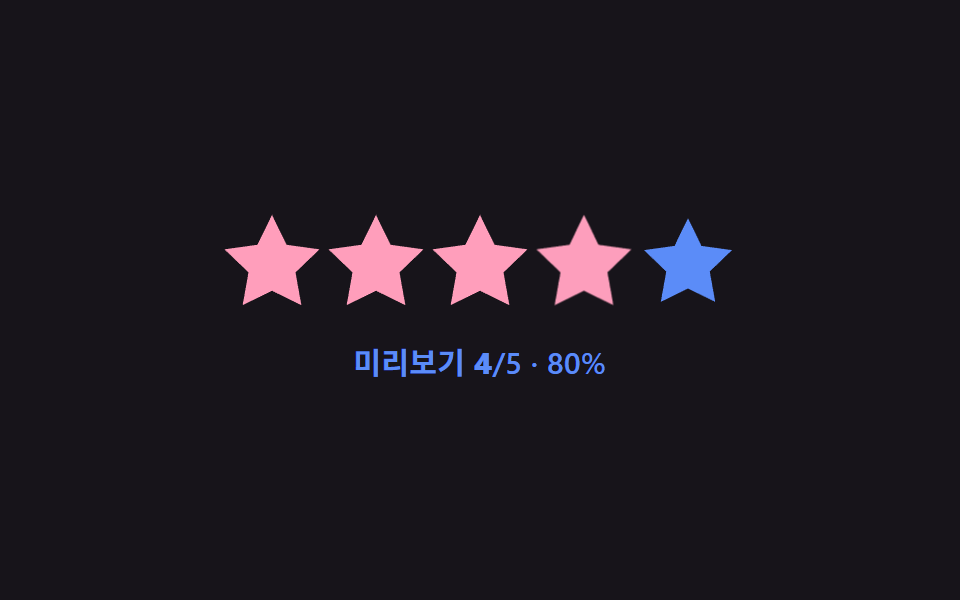 Pickers01 Hover preview fill — the filled value previews up to the hovered star's order value, then reverts once the pointer leavesStar Rating UI: 9 Interactive Rating Patterns
 Pickers01 Input-popover value toggle — when an input's focus value turns on, a calendar unfolds as a popover, and folds away when it turns offDate Picker UI: 9 Popover & Calendar Patterns
 Pickers01 Value bubble — converting track position to a percentage the label followsCSS Range Slider: 9 Physics-Grade Custom Sliders