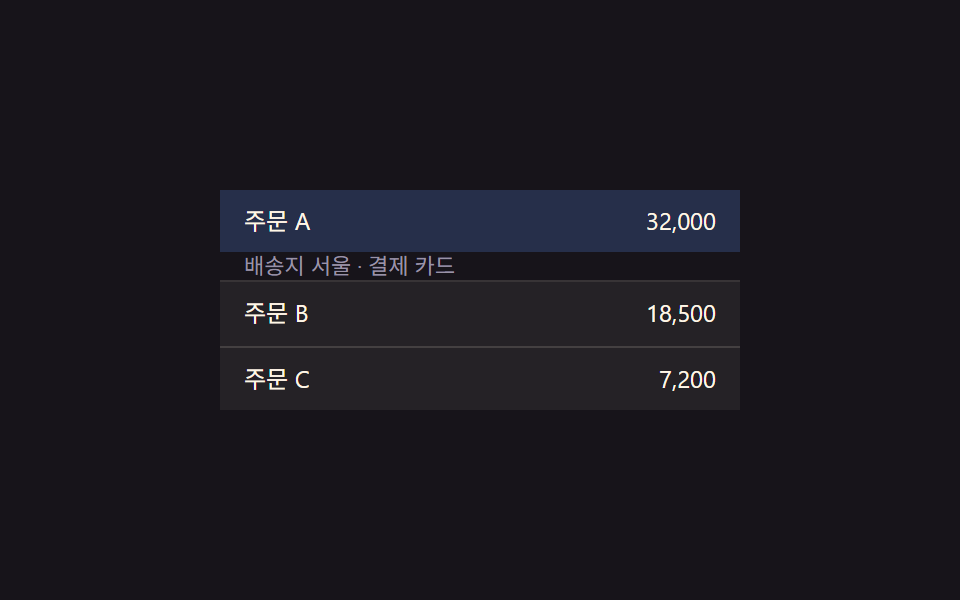
01Row expand-value toggle — when an item's expand value changes, the detail area's height value grows or shrinks along with it
When a row's expand value switches to open, the area beneath it grows in height value, and when it switches back, that height value shrinks again.
Best forAn admin dashboard revealing item detail, an order-history detail view
scrollHeightLERP 0.22.tre__detail

<main class="stage">
<table class="tre is-demo" id="tre">
  <tbody>
    <tr class="tre__row" data-idx="0" id="treRow0">
      <td class="tre__cell">Order A</td>
      <td class="tre__cell tre__cell--num">32,000</td>
    </tr>
    <tr class="tre__detail-row" id="treDetailRow0">
      <td colspan="2">
        <div class="tre__detail" id="treDetail0">Ship to Seoul · card payment</div>
      </td>
    </tr>
    <tr class="tre__row" data-idx="1" id="treRow1">
      <td class="tre__cell">Order B</td>
      <td class="tre__cell tre__cell--num">18,500</td>
    </tr>
    <tr class="tre__detail-row" id="treDetailRow1">
      <td colspan="2">
        <div class="tre__detail" id="treDetail1">Ship to Busan · bank transfer</div>
      </td>
    </tr>
    <tr class="tre__row" data-idx="2" id="treRow2">
      <td class="tre__cell">Order C</td>
      <td class="tre__cell tre__cell--num">7,200</td>
    </tr>
    <tr class="tre__detail-row" id="treDetailRow2">
      <td colspan="2">
        <div class="tre__detail" id="treDetail2">Ship to Daejeon · card payment</div>
      </td>
    </tr>
  </tbody>
</table>
</main>@use "../../../../site/static/demo-tokens" as *;
// 계산 겹: 행의 열림 값이 바뀌면 상세 영역 높이를 scrollHeight 로 실측해 목표로 삼고,
// 매 프레임 남은 거리의 22%씩 다가가는 보간(lerp) — index.html retarget()/tick() 참조
@include stage($stage-ink);
.tre {
width: 100%;
max-width: 260px;
border-collapse: collapse;
font: 400 12px/1.3 -apple-system, "Segoe UI", "Noto Sans KR", sans-serif;
color: $subject-cream;
}
.tre__row {
cursor: pointer;
}
.tre__row:not(:first-child) .tre__cell {
border-top: 1px solid rgba(255, 247, 230, .14);
}
.tre__cell {
padding: $sp-2 $sp-3;
background: rgba(255, 247, 230, .06);
transition: background $dur-quick $ease-out;
}
.tre__row--open .tre__cell {
background: rgba(91, 140, 248, .22);
}
.tre__cell--num {
text-align: right;
font-variant-numeric: tabular-nums;
}
.tre__detail-row td {
padding: 0;
}
.tre__detail {
overflow: hidden;
height: 0;
box-sizing: border-box;
padding: 0 $sp-3;
background: rgba(23, 20, 26, .5);
color: $tick-mute;
font-size: 11px;
display: flex;
align-items: center;
}
@media (max-width: 340px) {
.tre { max-width: 220px; font-size: 11px; }
.tre__cell { padding: $sp-1 $sp-2; }
}
@media (prefers-reduced-motion: reduce) {
.tre__cell { transition: none; }
}html, body {
margin: 0;
overflow: hidden;
}
.stage {
box-sizing: border-box;
min-height: 100vh;
display: grid;
place-items: center;
margin: 0;
background: #17141a;
font-family: -apple-system, "Segoe UI", "Noto Sans KR", sans-serif;
padding: clamp(8px, 4vw, 24px);
}
.tre {
width: 100%;
max-width: 260px;
border-collapse: collapse;
font: 400 12px/1.3 -apple-system, "Segoe UI", "Noto Sans KR", sans-serif;
color: #fff7e6;
}
.tre__row {
cursor: pointer;
}
.tre__row:not(:first-child) .tre__cell {
border-top: 1px solid rgba(255, 247, 230, 0.14);
}
.tre__cell {
padding: 8px 12px;
background: rgba(255, 247, 230, 0.06);
transition: background 220ms ease-out;
}
.tre__row--open .tre__cell {
background: rgba(91, 140, 248, 0.22);
}
.tre__cell--num {
text-align: right;
font-variant-numeric: tabular-nums;
}
.tre__detail-row td {
padding: 0;
}
.tre__detail {
overflow: hidden;
height: 0;
box-sizing: border-box;
padding: 0 12px;
background: rgba(23, 20, 26, 0.5);
color: #9a93a6;
font-size: 11px;
display: flex;
align-items: center;
}
@media (max-width: 340px) {
.tre {
max-width: 220px;
font-size: 11px;
}
.tre__cell {
padding: 4px 8px;
}
}
@media (prefers-reduced-motion: reduce) {
.tre__cell {
transition: none;
}
}(function () {
var root = document.getElementById('tre');
var rows = [0, 1, 2].map(function (i) { return document.getElementById('treRow' + i); });
var details = [0, 1, 2].map(function (i) { return document.getElementById('treDetail' + i); });
// 상수: 상세 영역 진입 상한(px, 넉넉히 잡고 실측 scrollHeight 로 대체) · 보간 속도 · 자동 루프 간격
var MAX_H = 80;
var LERP = 0.22;
var AUTO_TOGGLE_MS = 1100;
var openIdx = [false, false, false];
var h = [0, 0, 0]; // 각 상세 영역의 현재(보간 중) 높이값
var target = [0, 0, 0];
// 계산 겹: 열림 값이 바뀌면 목표 높이를 그 행의 실측 scrollHeight 로 다시 잰다
function retarget(i) {
if (openIdx[i]) {
details[i].style.height = 'auto';
var natural = Math.min(MAX_H, details[i].scrollHeight);
details[i].style.height = h[i].toFixed(1) + 'px';
target[i] = natural;
} else {
target[i] = 0;
}
}
function tick() {
for (var i = 0; i < 3; i++) {
h[i] += (target[i] - h[i]) * LERP;
if (Math.abs(target[i] - h[i]) < 0.3) h[i] = target[i];
details[i].style.height = h[i].toFixed(1) + 'px';
details[i].style.opacity = String(Math.min(1, h[i] / Math.max(1, target[i] || MAX_H)));
}
requestAnimationFrame(tick);
}
requestAnimationFrame(tick);
function toggle(i) {
openIdx[i] = !openIdx[i];
rows[i].classList.toggle('tre__row--open', openIdx[i]);
retarget(i);
}
rows.forEach(function (el, i) {
el.addEventListener('click', function () {
root.classList.remove('is-demo');
toggle(i);
});
});
// 자동 루프: 행의 확장 값을 순서대로 열고 닫는다
var autoI = 0;
function autoStep() {
if (root.classList.contains('is-demo')) {
toggle(autoI % 3);
}
autoI++;
setTimeout(autoStep, AUTO_TOGGLE_MS);
}
setTimeout(autoStep, AUTO_TOGGLE_MS);
})();import { useEffect, useRef } from "react";
import styles from "./TableRowExpandDetail.module.scss";
type Box<T> = { current: T };
export default function TableRowExpandDetail() {
const rootRef = useRef(null) as unknown as Box<HTMLTableElement | null>;
useEffect(() => {
const root = rootRef.current;
if (!root) return;
const rows = [0, 1, 2].map((i) => root.querySelector(`.${styles["row" + i]}`) as HTMLElement | null);
const details = [0, 1, 2].map((i) => root.querySelector(`.${styles["detail" + i]}`) as HTMLElement | null);
if (rows.some((el) => !el) || details.some((el) => !el)) return;
// 상수: 상세 영역 진입 상한(px, 넉넉히 잡고 실측 scrollHeight 로 대체) · 보간 속도 · 자동 루프 간격
const MAX_H = 80;
const LERP = 0.22;
const AUTO_TOGGLE_MS = 1100;
const openIdx = [false, false, false];
const h = [0, 0, 0];
const target = [0, 0, 0];
let stopped = false;
let rafId = 0;
let autoTimer = 0;
function retarget(i: number) {
const d = details[i]!;
if (openIdx[i]) {
d.style.height = "auto";
const natural = Math.min(MAX_H, d.scrollHeight);
d.style.height = h[i].toFixed(1) + "px";
target[i] = natural;
} else {
target[i] = 0;
}
}
function tick() {
if (stopped) return;
for (let i = 0; i < 3; i++) {
h[i] += (target[i] - h[i]) * LERP;
if (Math.abs(target[i] - h[i]) < 0.3) h[i] = target[i];
details[i]!.style.height = h[i].toFixed(1) + "px";
details[i]!.style.opacity = String(Math.min(1, h[i] / Math.max(1, target[i] || MAX_H)));
}
rafId = requestAnimationFrame(tick);
}
rafId = requestAnimationFrame(tick);
function toggle(i: number) {
openIdx[i] = !openIdx[i];
rows[i]!.classList.toggle(styles["row--open"], openIdx[i]);
retarget(i);
}
const cleanups: Array<() => void> = [];
rows.forEach((el, i) => {
function onClick() {
root!.classList.remove(styles["is-demo"]);
toggle(i);
}
el!.addEventListener("click", onClick);
cleanups.push(() => el!.removeEventListener("click", onClick));
});
let autoI = 0;
function autoStep() {
if (stopped) return;
if (root!.classList.contains(styles["is-demo"])) {
toggle(autoI % 3);
}
autoI++;
autoTimer = window.setTimeout(autoStep, AUTO_TOGGLE_MS);
}
autoTimer = window.setTimeout(autoStep, AUTO_TOGGLE_MS);
return () => {
stopped = true;
cancelAnimationFrame(rafId);
window.clearTimeout(autoTimer);
cleanups.forEach((fn) => fn());
};
}, []);
return (
<table ref={rootRef} className={`${styles.stage} ${styles.tre} ${styles["is-demo"]}`}>
<tbody>
<tr className={`${styles.row} ${styles.row0}`}>
<td className={styles.cell}>주문 A</td>
<td className={`${styles.cell} ${styles.cellNum}`}>32,000</td>
</tr>
<tr className={styles.detailRow}>
<td colSpan={2}>
<div className={`${styles.detail} ${styles.detail0}`}>배송지 서울 · 결제 카드</div>
</td>
</tr>
<tr className={`${styles.row} ${styles.row1}`}>
<td className={styles.cell}>주문 B</td>
<td className={`${styles.cell} ${styles.cellNum}`}>18,500</td>
</tr>
<tr className={styles.detailRow}>
<td colSpan={2}>
<div className={`${styles.detail} ${styles.detail1}`}>배송지 부산 · 결제 계좌</div>
</td>
</tr>
<tr className={`${styles.row} ${styles.row2}`}>
<td className={styles.cell}>주문 C</td>
<td className={`${styles.cell} ${styles.cellNum}`}>7,200</td>
</tr>
<tr className={styles.detailRow}>
<td colSpan={2}>
<div className={`${styles.detail} ${styles.detail2}`}>배송지 대전 · 결제 카드</div>
</td>
</tr>
</tbody>
</table>
);
}01 Row expand-value toggle — when an item's expand value changes, the detail area's height value grows or shrinks along with it — Measured area 19.903% · moving frames 6/23Original by GODRICH · SCSS and React ship in the zip · Collapsible Table Row: 9 UI Patterns
The post this demo lives in
 Collapsible Table Row: 9 UI PatternsCollapsible table row: One of nine grows a detail height as a row's expand value changes, one shrinks a removed row to z See all demos in this post
If you like this effect - similar demos
 Transitions08 Inset-resize toggle — when the bottom-inset value grows, the bar's overall height and inner-padding values grow together by that same differenceCSS Bottom Navigation Bar: 9 Transition Patterns
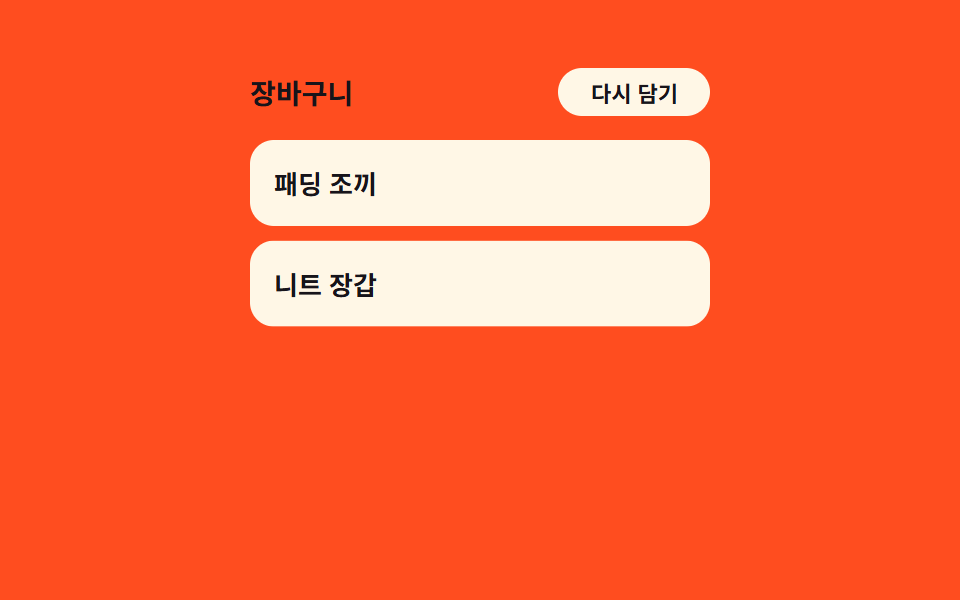 Transitions03 Item stagger cascade — each row's delay grows with its position value in the listCart Drawer UI Patterns: 9 Motion Techniques
 Transitions06 Category tree expand — a list recomputing height from child count9 Filter UI Patterns (Panel Slide to Chip Remove)