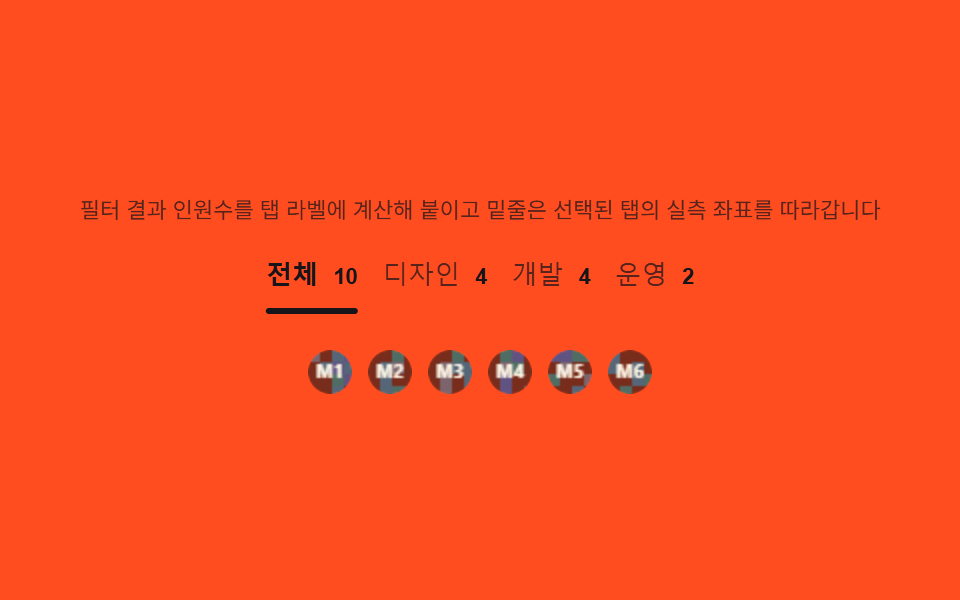
03Role tabs — a switch that computes the filtered count into its own label
Filtering the member array by role keeps each tab label's count ("Design (4)") live, and reading the selected tab's getBoundingClientRect gives the left offset and width that drive the underline indicator's translateX and width; adding more tabs never changes the calculation itself.
Best forDepartment-filtered team lists, role-based intro tabs
filtergetBoundingClientRecttransform: translateX
<main class="stage">
<section class="tabs" id="tabsWrap">
  <p class="tabs__hint" id="tabsHint">The filtered headcount is calculated and appended to each tab label, and the underline follows the selected tab's measured position.</p>
  <div class="tabs__bar" id="tabsBar" role="tablist" aria-label="Role filter">
    <button class="tabs__tab" id="tab-all" role="tab" aria-selected="true" type="button">All <span class="tabs__count" id="cnt-all">10</span></button>
    <button class="tabs__tab" id="tab-design" role="tab" aria-selected="false" type="button">Design <span class="tabs__count" id="cnt-design">4</span></button>
    <button class="tabs__tab" id="tab-dev" role="tab" aria-selected="false" type="button">Dev <span class="tabs__count" id="cnt-dev">4</span></button>
    <button class="tabs__tab" id="tab-ops" role="tab" aria-selected="false" type="button">Ops <span class="tabs__count" id="cnt-ops">2</span></button>
    <span class="tabs__indicator" id="tabsIndicator" aria-hidden="true"></span>
  </div>
  <div class="tabs__panel" id="tabsPanel" role="list" aria-label="Filter results"></div>
</section>
</main>
@use "../../../../site/static/demo-tokens" as *;
$duration: $dur-quick; // 220ms — 인디케이터 이동
$easing: $ease-out;
$color: $subject-ink;
@include stage($stage-orange);
.tabs {
width: 100%;
max-width: 420px;
display: flex;
flex-direction: column;
gap: $sp-3;
align-items: center;
text-align: center;
}
.tabs__hint {
margin: 0;
padding: 0 $sp-2;
font-weight: 400;
font-size: 11px;
line-height: 1.4;
color: rgba($subject-ink, .72);
}
.tabs__bar {
position: relative;
display: flex;
gap: $sp-3;
width: 100%;
justify-content: center;
padding-bottom: $sp-2;
}
.tabs__tab {
flex: 0 0 auto;
appearance: none;
border: 0;
background: none;
padding: $sp-1 0;
font-weight: 500;
font-size: 13px;
color: rgba($subject-ink, .72);
cursor: pointer;
}
.tabs__tab[aria-selected="true"] {
color: $subject-ink;
font-weight: 700;
}
.tabs__count {
display: inline-block;
margin-left: $sp-1;
font-weight: 700;
font-size: 11px;
color: $subject-ink;
}
.tabs__indicator {
position: absolute;
left: 0;
bottom: 0;
height: 3px;
width: var(--iw, 0px);
border-radius: $r-pill;
background: $color;
transform: translateX(var(--ix, 0px));
transition: transform $duration $easing, width $duration $easing;
}
.tabs__panel {
display: flex;
gap: $sp-2;
justify-content: center;
min-height: 34px;
}
.tabs__chip {
display: flex;
align-items: center;
justify-content: center;
opacity: 0;
transform: scale(.8);
transition: opacity $dur-quick $ease-out, transform $duration $ease-pop;
}
.tabs__panel.is-in .tabs__chip {
opacity: 1;
transform: scale(1);
}
.tabs__cv {
display: block;
width: 22px;
height: 22px;
border-radius: $r-pill;
}
@media (max-width: 340px) {
.tabs { max-width: 300px; gap: $sp-2; }
.tabs__hint { font-size: 9px; }
.tabs__bar { gap: $sp-2; }
.tabs__tab { font-size: 11px; }
.tabs__cv { width: 18px; height: 18px; }
}
@media (prefers-reduced-motion: reduce) {
.tabs__indicator,
.tabs__chip {
transition: none;
}
.tabs__chip {
opacity: 1;
transform: none;
}
}html, body {
margin: 0;
overflow: hidden;
}
.stage {
box-sizing: border-box;
min-height: 100vh;
display: grid;
place-items: center;
margin: 0;
background: #ff4d1f;
font-family: -apple-system, "Segoe UI", "Noto Sans KR", sans-serif;
padding: clamp(8px, 4vw, 24px);
}
.tabs {
width: 100%;
max-width: 420px;
display: flex;
flex-direction: column;
gap: 12px;
align-items: center;
text-align: center;
}
.tabs__hint {
margin: 0;
padding: 0 8px;
font-weight: 400;
font-size: 11px;
line-height: 1.4;
color: rgba(23, 20, 26, 0.72);
}
.tabs__bar {
position: relative;
display: flex;
gap: 12px;
width: 100%;
justify-content: center;
padding-bottom: 8px;
}
.tabs__tab {
flex: 0 0 auto;
appearance: none;
border: 0;
background: none;
padding: 4px 0;
font-weight: 500;
font-size: 13px;
color: rgba(23, 20, 26, 0.72);
cursor: pointer;
}
.tabs__tab[aria-selected=true] {
color: #17141a;
font-weight: 700;
}
.tabs__count {
display: inline-block;
margin-left: 4px;
font-weight: 700;
font-size: 11px;
color: #17141a;
}
.tabs__indicator {
position: absolute;
left: 0;
bottom: 0;
height: 3px;
width: var(--iw, 0px);
border-radius: 999px;
background: #17141a;
transform: translateX(var(--ix, 0px));
transition: transform 220ms ease-out, width 220ms ease-out;
}
.tabs__panel {
display: flex;
gap: 8px;
justify-content: center;
min-height: 34px;
}
.tabs__chip {
display: flex;
align-items: center;
justify-content: center;
opacity: 0;
transform: scale(0.8);
transition: opacity 220ms ease-out, transform 220ms cubic-bezier(0.2, 1.4, 0.4, 1);
}
.tabs__panel.is-in .tabs__chip {
opacity: 1;
transform: scale(1);
}
.tabs__cv {
display: block;
width: 22px;
height: 22px;
border-radius: 999px;
}
@media (max-width: 340px) {
.tabs {
max-width: 300px;
gap: 8px;
}
.tabs__hint {
font-size: 9px;
}
.tabs__bar {
gap: 8px;
}
.tabs__tab {
font-size: 11px;
}
.tabs__cv {
width: 18px;
height: 18px;
}
}
@media (prefers-reduced-motion: reduce) {
.tabs__indicator,
.tabs__chip {
transition: none;
}
.tabs__chip {
opacity: 1;
transform: none;
}
}// 역할 탭(03) — Members 배열을 role 값으로 filter 해 탭 라벨의 인원수를 계산하고, 선택된 탭의
// getBoundingClientRect 로 좌표·너비를 읽어 밑줄 인디케이터의 translateX·width 를 맞춘다(계산 한 겹).
(function () {
var wrap = document.getElementById('tabsWrap');
var bar = document.getElementById('tabsBar');
var indicator = document.getElementById('tabsIndicator');
var panel = document.getElementById('tabsPanel');
if (!wrap || !bar || !indicator || !panel) return;
var tabs = Array.prototype.slice.call(bar.querySelectorAll('.tabs__tab'));
var reduce = window.matchMedia('(prefers-reduced-motion: reduce)').matches;
var ROLES = ['design', 'design', 'design', 'design', 'dev', 'dev', 'dev', 'dev', 'ops', 'ops'];
var members = ROLES.map(function (role, i) { return { id: i, role: role }; });
var KEYS = ['all', 'design', 'dev', 'ops'];
function mulberry32(a) {
return function () {
a |= 0; a = a + 0x6D2B79F5 | 0;
var t = Math.imul(a ^ a >>> 15, 1 | a);
t = t + Math.imul(t ^ t >>> 7, 61 | t) ^ t;
return ((t ^ t >>> 14) >>> 0) / 4294967296;
};
}
var HEXES = ['#9fc9ec', '#93d9c0', '#b9a0ff', '#f6c6d3'];
function drawAvatar(cv, seed, label) {
var ctx = cv.getContext('2d');
if (!ctx) return;
var rnd = mulberry32(seed);
var s = cv.width;
ctx.save();
ctx.beginPath(); ctx.arc(s / 2, s / 2, s / 2, 0, Math.PI * 2); ctx.clip();
var cell = 6;
for (var y = 0; y < s; y += cell) {
for (var x = 0; x < s; x += cell) {
var v = rnd();
ctx.fillStyle = v > .5 ? HEXES[Math.floor(rnd() * HEXES.length)] : 'rgba(23,20,26,.08)';
ctx.fillRect(x, y, cell, cell);
}
}
ctx.restore();
ctx.fillStyle = 'rgba(23,20,26,.55)';
ctx.beginPath(); ctx.arc(s / 2, s / 2, s / 2, 0, Math.PI * 2); ctx.fill();
ctx.fillStyle = '#fff7e6';
ctx.font = '700 ' + Math.round(s * .4) + 'px -apple-system, "Segoe UI", sans-serif';
ctx.textAlign = 'center'; ctx.textBaseline = 'middle';
ctx.fillText(label, s / 2, s / 2 + 1);
}
// 인원수 계산 — role 값으로 filter 한 배열의 길이를 각 탭 라벨에 붙인다
KEYS.forEach(function (key) {
var span = document.getElementById('cnt-' + key);
if (!span) return;
var n = key === 'all' ? members.length : members.filter(function (m) { return m.role === key; }).length;
span.textContent = String(n);
});
function moveIndicator(tab) {
var barRect = bar.getBoundingClientRect();
var tabRect = tab.getBoundingClientRect();
var ix = tabRect.left - barRect.left;
var iw = tabRect.width;
indicator.style.setProperty('--ix', ix.toFixed(1) + 'px');
indicator.style.setProperty('--iw', iw.toFixed(1) + 'px');
}
function renderPanel(key) {
var list = key === 'all' ? members : members.filter(function (m) { return m.role === key; });
panel.innerHTML = '';
list.slice(0, 6).forEach(function (m) {
var chip = document.createElement('div');
chip.className = 'tabs__chip';
chip.setAttribute('role', 'listitem');
var cv = document.createElement('canvas');
cv.width = 22; cv.height = 22; cv.className = 'tabs__cv';
cv.setAttribute('aria-hidden', 'true');
chip.appendChild(cv);
panel.appendChild(chip);
drawAvatar(cv, 5 + m.id * 9, 'M' + (m.id + 1));
});
panel.classList.remove('is-in');
void panel.offsetWidth;
panel.classList.add('is-in');
}
function selectTab(key) {
var target = document.getElementById('tab-' + key);
if (!target) return;
tabs.forEach(function (t) { t.setAttribute('aria-selected', t === target ? 'true' : 'false'); });
moveIndicator(target);
renderPanel(key);
}
tabs.forEach(function (t) {
t.addEventListener('click', function () {
var key = t.id.replace('tab-', '');
idx = KEYS.indexOf(key);
selectTab(key);
});
});
var idx = 0;
selectTab(KEYS[0]);
window.addEventListener('resize', function () { selectTab(KEYS[idx]); });
if (!reduce) {
setInterval(function () {
idx = (idx + 1) % KEYS.length;
selectTab(KEYS[idx]);
}, 340);
}
})();// TeamRoleTabs — vanilla 판(run/338/demo/03-team-role-tabs/index.html) 의 React 포트.
// 팀원 배열을 role 값으로 filter 해 탭 라벨의 인원수를 계산하고, 선택된 탭의 getBoundingClientRect
// 로 좌표·너비를 읽어 밑줄 인디케이터의 translateX·width 를 맞춘다(계산 한 겹).
import { useEffect, useRef } from "react";
import styles from "./TeamRoleTabs.module.scss";
export type TeamRoleTabsProps = {
duration?: string;
easing?: string;
color?: string;
};
const HINT = "필터 결과 인원수를 탭 라벨에 계산해 붙이고 밑줄은 선택된 탭의 실측 좌표를 따라갑니다";
const BAR_LABEL = "역할 필터";
const PANEL_LABEL = "필터 결과";
type Role = "all" | "design" | "dev" | "ops";
type Member = { id: number; role: "design" | "dev" | "ops" };
const TAB_TEXT: { key: Role; label: string }[] = [
{ key: "all", label: "전체" },
{ key: "design", label: "디자인" },
{ key: "dev", label: "개발" },
{ key: "ops", label: "운영" }
];
const ROLES: Member["role"][] = ["design", "design", "design", "design", "dev", "dev", "dev", "dev", "ops", "ops"];
const MEMBERS: Member[] = ROLES.map((role, i) => ({ id: i, role }));
const KEYS: Role[] = ["all", "design", "dev", "ops"];
function mulberry32(a: number): () => number {
return function (): number {
a |= 0; a = a + 0x6d2b79f5 | 0;
let t = Math.imul(a ^ (a >>> 15), 1 | a);
t = (t + Math.imul(t ^ (t >>> 7), 61 | t)) ^ t;
return ((t ^ (t >>> 14)) >>> 0) / 4294967296;
};
}
const HEXES = ["#9fc9ec", "#93d9c0", "#b9a0ff", "#f6c6d3"];
function drawAvatar(cv: HTMLCanvasElement, seed: number, label: string): void {
const ctx = cv.getContext("2d");
if (!ctx) return;
const rnd = mulberry32(seed);
const s = cv.width;
ctx.save();
ctx.beginPath();
ctx.arc(s / 2, s / 2, s / 2, 0, Math.PI * 2);
ctx.clip();
const cell = 6;
for (let y = 0; y < s; y += cell) {
for (let x = 0; x < s; x += cell) {
const v = rnd();
ctx.fillStyle = v > 0.5 ? HEXES[Math.floor(rnd() * HEXES.length)] : "rgba(23,20,26,.08)";
ctx.fillRect(x, y, cell, cell);
}
}
ctx.restore();
ctx.fillStyle = "rgba(23,20,26,.55)";
ctx.beginPath();
ctx.arc(s / 2, s / 2, s / 2, 0, Math.PI * 2);
ctx.fill();
ctx.fillStyle = "#fff7e6";
ctx.font = "700 " + Math.round(s * 0.4) + 'px -apple-system, "Segoe UI", sans-serif';
ctx.textAlign = "center";
ctx.textBaseline = "middle";
ctx.fillText(label, s / 2, s / 2 + 1);
}
function countFor(key: Role): number {
return key === "all" ? MEMBERS.length : MEMBERS.filter((m) => m.role === key).length;
}
export default function TeamRoleTabs({
duration = "220ms",
easing = "ease-out",
color = "#17141a"
}: TeamRoleTabsProps) {
const barRef = useRef<HTMLDivElement | null>(null);
const indicatorRef = useRef<HTMLSpanElement | null>(null);
const panelRef = useRef<HTMLDivElement | null>(null);
useEffect(() => {
const bar = barRef.current;
const indicator = indicatorRef.current;
const panel = panelRef.current;
if (!bar || !indicator || !panel) return;
const tabs = Array.prototype.slice.call(bar.querySelectorAll("." + styles.tab)) as HTMLButtonElement[];
const reduce = window.matchMedia("(prefers-reduced-motion: reduce)").matches;
function moveIndicator(tab: HTMLElement): void {
const barRect = bar!.getBoundingClientRect();
const tabRect = tab.getBoundingClientRect();
const ix = tabRect.left - barRect.left;
const iw = tabRect.width;
indicator!.style.setProperty("--ix", ix.toFixed(1) + "px");
indicator!.style.setProperty("--iw", iw.toFixed(1) + "px");
}
function renderPanel(key: Role): void {
const list = key === "all" ? MEMBERS : MEMBERS.filter((m) => m.role === key);
panel!.innerHTML = "";
list.slice(0, 6).forEach((m) => {
const chip = document.createElement("div");
chip.className = styles.chip;
chip.setAttribute("role", "listitem");
const cv = document.createElement("canvas");
cv.width = 22; cv.height = 22; cv.className = styles.cv;
cv.setAttribute("aria-hidden", "true");
chip.appendChild(cv);
panel!.appendChild(chip);
drawAvatar(cv, 5 + m.id * 9, "M" + (m.id + 1));
});
panel!.classList.remove(styles.panelIn);
void panel!.offsetWidth;
panel!.classList.add(styles.panelIn);
}
function selectTab(key: Role): void {
const target = bar!.querySelector('[data-key="' + key + '"]') as HTMLElement | null;
if (!target) return;
tabs.forEach((t) => t.setAttribute("aria-selected", t === target ? "true" : "false"));
moveIndicator(target);
renderPanel(key);
}
let idx = 0;
tabs.forEach((t) => {
t.addEventListener("click", () => {
const key = t.getAttribute("data-key") as Role;
idx = KEYS.indexOf(key);
selectTab(key);
});
});
selectTab(KEYS[0]);
const onResize = (): void => selectTab(KEYS[idx]);
window.addEventListener("resize", onResize);
let timer = 0;
if (!reduce) {
timer = window.setInterval(() => {
idx = (idx + 1) % KEYS.length;
selectTab(KEYS[idx]);
}, 340);
}
return () => {
window.removeEventListener("resize", onResize);
if (timer) window.clearInterval(timer);
};
// eslint-disable-next-line react-hooks/exhaustive-deps
}, []);
return (
<main className={styles.stage}>
<section className={styles.tabs}>
<p className={styles.hint}>{HINT}</p>
<div className={styles.bar} ref={barRef} role="tablist" aria-label={BAR_LABEL}>
{TAB_TEXT.map((t, i) => (
<button
key={t.key}
className={styles.tab}
data-key={t.key}
role="tab"
aria-selected={i === 0 ? "true" : "false"}
type="button"
>
{t.label + " "}
<span className={styles.count}>{countFor(t.key)}</span>
</button>
))}
<span className={styles.indicator} ref={indicatorRef} aria-hidden="true" />
</div>
<div className={styles.panel} ref={panelRef} role="list" aria-label={PANEL_LABEL} />
</section>
</main>
);
}03 Role tabs — a switch that computes the filtered count into its own label — Measured area 2.572% · moving frames 7/23Original by GODRICH · SCSS and React ship in the zip · 9 Team Page Design Patterns (Copy-Paste)
The post this demo lives in
 9 Team Page Design Patterns (Copy-Paste)Nine team-page sections that compute their layout: columns balance by headcount, bios get read-more only past overflow, See all demos in this post
If you like this effect - similar demos
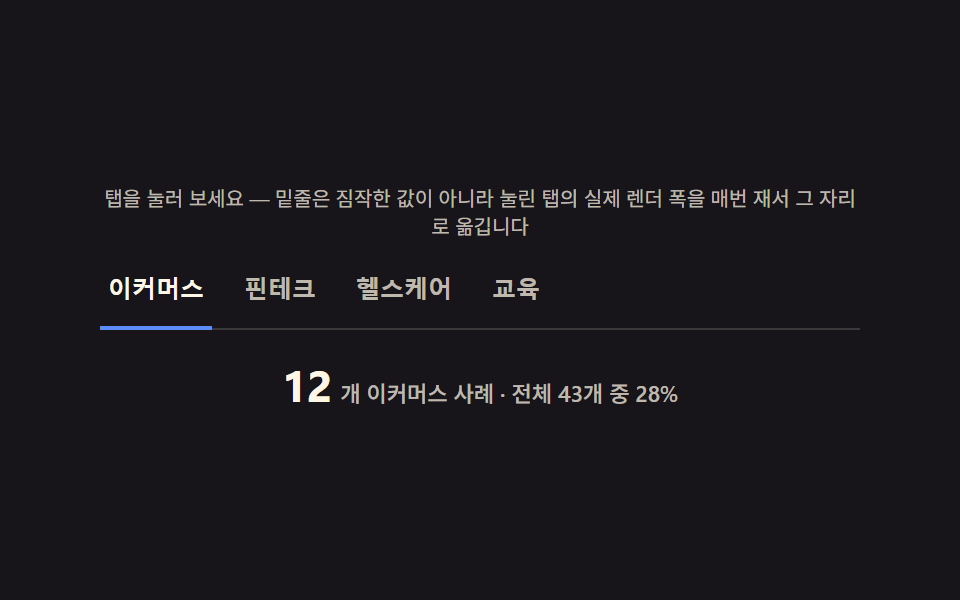 Landing sections05 Industry tabs — tabs that recount per-industry totals on every switch9 Case Study Page Design Sections (Copy-Paste)
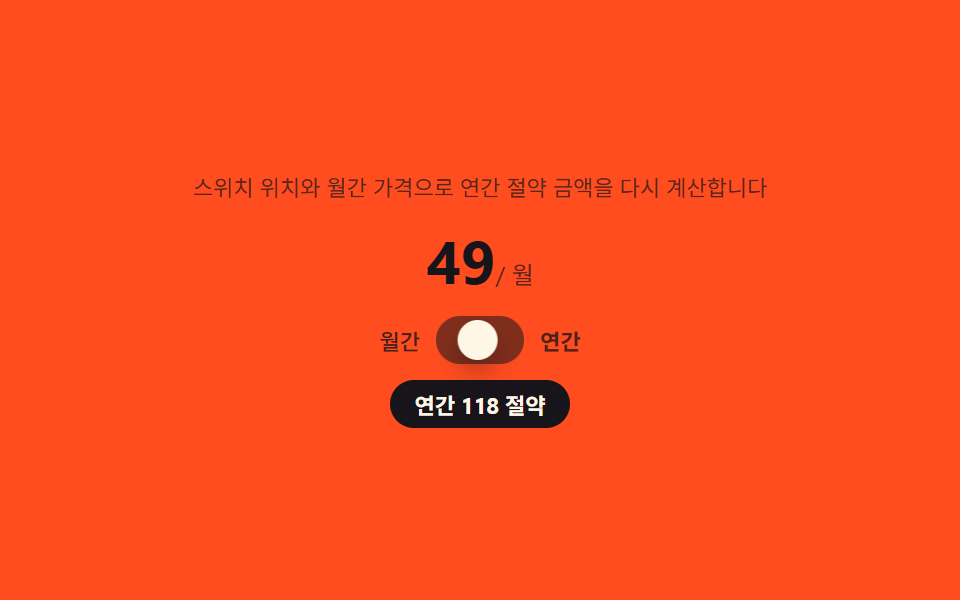 Landing sections03 Billing toggle — a switch that derives its own savings badge from its position9 Pricing Page Design Sections (Copy-Paste)
 Landing sections07 Footer — a link list recomputing underline width from zero to the text widthHero Section Design Examples: 9 Patterns