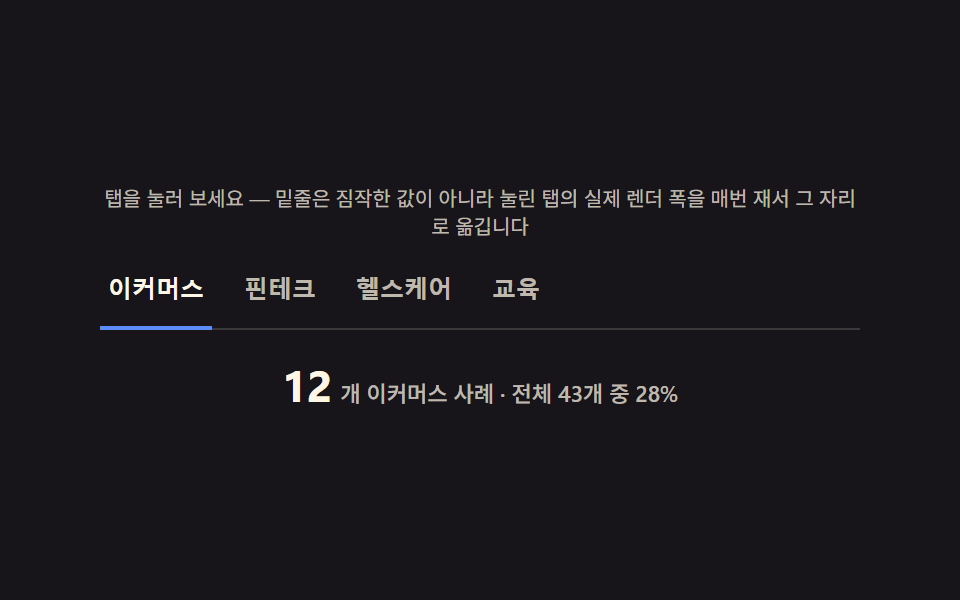
05Industry tabs — tabs that recount per-industry totals on every switch
Every tab change recounts how many stories belong to that industry to refresh the badge number, and the underline's position and width get recalculated from the newly selected tab's actual width.
Best forIndustry-filter tabs, category-switch navigation on case pages
getBoundingClientRectscaleXtranslateX
<main class="stage">
<section class="panel">
  <p class="hint" id="hint">Try clicking a tab — the underline doesn't guess a value, it measures the pressed tab's actual rendered width every time and moves there.</p>
  <div class="tabsWrap">
    <div class="tabs" id="tabs" role="tablist" aria-label="Industry">
      <button class="tab" id="tab-0" role="tab" aria-selected="true" data-idx="0">E-commerce</button>
      <button class="tab" id="tab-1" role="tab" aria-selected="false" data-idx="1">Fintech</button>
      <button class="tab" id="tab-2" role="tab" aria-selected="false" data-idx="2">Healthcare</button>
      <button class="tab" id="tab-3" role="tab" aria-selected="false" data-idx="3">Education</button>
    </div>
    <div class="underline" id="underline"></div>
  </div>
  <p class="countRow">
    <span class="countNum" id="countNum">12</span>
    <span class="countLabel" id="countLabel">E-commerce cases · 28% of 43 total</span>
  </p>
</section>
</main>
@use "../../../../site/static/demo-tokens" as *;
$duration: $dur-base;
$easing: $ease-spring;
$color: $subject-blue-light;
@include stage($stage-ink);
.panel {
width: 100%;
max-width: 380px;
display: flex;
flex-direction: column;
align-items: center;
gap: $sp-3;
text-align: center;
}
.hint {
margin: 0;
color: rgba($subject-cream, .72);
font-weight: 400;
font-size: 10px;
line-height: 1.35;
}
.tabsWrap {
position: relative;
width: 100%;
}
.tabs {
position: relative;
display: flex;
gap: $sp-3;
padding-bottom: $sp-2;
border-bottom: 1px solid rgba($subject-cream, .16);
}
.tab {
flex: 0 0 auto;
appearance: none;
border: 0;
background: transparent;
padding: $sp-1 $sp-1;
color: rgba($subject-cream, .72);
font-weight: 600;
font-size: 12px;
cursor: pointer;
&[aria-selected="true"] {
color: $subject-cream;
}
&:focus-visible {
outline: 2px solid $color;
outline-offset: 2px;
}
}
.underline {
position: absolute;
left: 0;
bottom: 0;
height: 2px;
width: 1px;
background: $color;
transform: translateX(0) scaleX(1);
transition: transform $duration $easing;
}
.countRow {
margin: 0;
display: flex;
align-items: baseline;
gap: $sp-1;
}
.countNum {
color: $subject-cream;
font-weight: 700;
font-size: 22px;
font-variant-numeric: tabular-nums;
}
.countLabel {
color: rgba($subject-cream, .72);
font-weight: 500;
font-size: 11px;
}
@media (max-width: 340px) {
.panel { max-width: 300px; gap: $sp-2; }
.tabs { gap: $sp-2; }
.tab { font-size: 10px; }
.countNum { font-size: 18px; }
.countLabel { font-size: 9px; }
.hint { font-size: 9px; }
}
@media (prefers-reduced-motion: reduce) {
.underline {
transition: none;
}
}html, body {
margin: 0;
overflow: hidden;
}
.stage {
box-sizing: border-box;
min-height: 100vh;
display: grid;
place-items: center;
margin: 0;
background: #17141a;
font-family: -apple-system, "Segoe UI", "Noto Sans KR", sans-serif;
padding: clamp(8px, 4vw, 24px);
}
.panel {
width: 100%;
max-width: 380px;
display: flex;
flex-direction: column;
align-items: center;
gap: 12px;
text-align: center;
}
.hint {
margin: 0;
color: rgba(255, 247, 230, 0.72);
font-weight: 400;
font-size: 10px;
line-height: 1.35;
}
.tabsWrap {
position: relative;
width: 100%;
}
.tabs {
position: relative;
display: flex;
gap: 12px;
padding-bottom: 8px;
border-bottom: 1px solid rgba(255, 247, 230, 0.16);
}
.tab {
flex: 0 0 auto;
appearance: none;
border: 0;
background: transparent;
padding: 4px 4px;
color: rgba(255, 247, 230, 0.72);
font-weight: 600;
font-size: 12px;
cursor: pointer;
}
.tab[aria-selected=true] {
color: #fff7e6;
}
.tab:focus-visible {
outline: 2px solid #5b8cf8;
outline-offset: 2px;
}
.underline {
position: absolute;
left: 0;
bottom: 0;
height: 2px;
width: 1px;
background: #5b8cf8;
transform: translateX(0) scaleX(1);
transition: transform 300ms cubic-bezier(0.2, 0.8, 0.2, 1);
}
.countRow {
margin: 0;
display: flex;
align-items: baseline;
gap: 4px;
}
.countNum {
color: #fff7e6;
font-weight: 700;
font-size: 22px;
font-variant-numeric: tabular-nums;
}
.countLabel {
color: rgba(255, 247, 230, 0.72);
font-weight: 500;
font-size: 11px;
}
@media (max-width: 340px) {
.panel {
max-width: 300px;
gap: 8px;
}
.tabs {
gap: 8px;
}
.tab {
font-size: 10px;
}
.countNum {
font-size: 18px;
}
.countLabel {
font-size: 9px;
}
.hint {
font-size: 9px;
}
}
@media (prefers-reduced-motion: reduce) {
.underline {
transition: none;
}
}// Industry 탭(05) — 실제 클릭 이벤트로 탭을 바꾼다. 밑줄은 고정 px 를 미리 적어두지 않고,
// 눌린 탭을 getBoundingClientRect 로 매번 실측해 translateX/scaleX 로 옮긴다(BD19).
// 사례 수도 매번 전체 대비 비율을 다시 나눠 구한다(계산 한 겹).
(function () {
var tabsEl = document.getElementById('tabs');
var underlineEl = document.getElementById('underline');
var countNumEl = document.getElementById('countNum');
var countLabelEl = document.getElementById('countLabel');
if (!tabsEl || !underlineEl || !countNumEl || !countLabelEl) return;
var reduce = window.matchMedia('(prefers-reduced-motion: reduce)').matches;
var TABS = [
{ label: 'E-commerce', count: 12 },
{ label: 'Fintech', count: 9 },
{ label: 'Healthcare', count: 15 },
{ label: 'Education', count: 7 }
];
var TOTAL = TABS.reduce(function (sum, t) { return sum + t.count; }, 0);
var buttons = Array.prototype.slice.call(tabsEl.querySelectorAll('.tab'));
var current = 0;
function measureAndMove(idx) {
var btn = buttons[idx];
var wrapRect = tabsEl.getBoundingClientRect();
var btnRect = btn.getBoundingClientRect();
var x = btnRect.left - wrapRect.left;
var w = btnRect.width;
underlineEl.style.transform = 'translateX(' + x.toFixed(2) + 'px) scaleX(' + w.toFixed(2) + ')';
}
function selectTab(idx) {
current = idx;
buttons.forEach(function (b, i) {
b.setAttribute('aria-selected', i === idx ? 'true' : 'false');
});
var tab = TABS[idx];
var percent = Math.round((tab.count / TOTAL) * 100);
countNumEl.textContent = String(tab.count);
countLabelEl.textContent = ' ' + tab.label + ' cases · ' + TOTAL + ' total, ' + percent + '%';
measureAndMove(idx);
}
buttons.forEach(function (btn, i) {
btn.addEventListener('click', function () {
selectTab(i);
});
});
underlineEl.style.transformOrigin = 'left center';
requestAnimationFrame(function () { selectTab(0); });
if (!reduce) {
setInterval(function () {
selectTab((current + 1) % TABS.length);
}, 500);
}
window.addEventListener('resize', function () { measureAndMove(current); });
})();// CaseIndustryTabs — vanilla 판(run/340/demo/05-case-industry-tabs/index.html) 의 React 포트.
// 실제 클릭 이벤트로 탭을 바꾼다. 밑줄은 고정 px 를 미리 적어두지 않고 눌린 탭을
// getBoundingClientRect 로 매번 실측해 translateX/scaleX 로 옮긴다(BD19). 사례 수도
// 매번 전체 대비 비율을 다시 나눠 구한다.
import { useEffect, useRef } from "react";
import styles from "./CaseIndustryTabs.module.scss";
export type CaseIndustryTabsProps = {
duration?: string;
easing?: string;
color?: string;
};
const HINT = "탭을 눌러 보세요 — 밑줄은 짐작한 값이 아니라 눌린 탭의 실제 렌더 폭을 매번 재서 그 자리로 옮깁니다";
type Tab = { label: string; count: number };
const TABS: Tab[] = [
{ label: "이커머스", count: 12 },
{ label: "핀테크", count: 9 },
{ label: "헬스케어", count: 15 },
{ label: "교육", count: 7 }
];
const TOTAL = TABS.reduce((sum, t) => sum + t.count, 0);
export default function CaseIndustryTabs({
duration = "220ms",
easing = "cubic-bezier(.2,.8,.2,1)",
color = "#5b8cf8"
}: CaseIndustryTabsProps) {
const tabsRef = useRef<HTMLDivElement | null>(null);
const underlineRef = useRef<HTMLDivElement | null>(null);
const countNumRef = useRef<HTMLSpanElement | null>(null);
const countLabelRef = useRef<HTMLSpanElement | null>(null);
const btnRefs = useRef<(HTMLButtonElement | null)[]>([]);
const currentRef = useRef(0);
useEffect(() => {
const tabsEl = tabsRef.current;
const underlineEl = underlineRef.current;
const countNumEl = countNumRef.current;
const countLabelEl = countLabelRef.current;
if (!tabsEl || !underlineEl || !countNumEl || !countLabelEl) return;
const reduce = window.matchMedia("(prefers-reduced-motion: reduce)").matches;
function measureAndMove(idx: number): void {
const btn = btnRefs.current![idx];
if (!btn) return;
const wrapRect = tabsEl!.getBoundingClientRect();
const btnRect = btn.getBoundingClientRect();
const x = btnRect.left - wrapRect.left;
const w = btnRect.width;
underlineEl!.style.transform = "translateX(" + x.toFixed(2) + "px) scaleX(" + w.toFixed(2) + ")";
}
function selectTab(idx: number): void {
currentRef.current = idx;
btnRefs.current!.forEach((b, i) => {
if (b) b.setAttribute("aria-selected", i === idx ? "true" : "false");
});
const tab = TABS[idx];
const percent = Math.round((tab.count / TOTAL) * 100);
countNumEl!.textContent = String(tab.count);
countLabelEl!.textContent = "개 " + tab.label + " 사례 · 전체 " + TOTAL + "개 중 " + percent + "%";
measureAndMove(idx);
}
const handlers: Array<() => void> = [];
btnRefs.current!.forEach((btn, i) => {
if (!btn) return;
const handler = () => selectTab(i);
handlers[i] = handler;
btn.addEventListener("click", handler);
});
underlineEl.style.transformOrigin = "left center";
const raf = requestAnimationFrame(() => selectTab(0));
let timer = 0;
if (!reduce) {
timer = window.setInterval(() => {
selectTab((currentRef.current! + 1) % TABS.length);
}, 500);
}
const onResize = () => measureAndMove(currentRef.current!);
window.addEventListener("resize", onResize);
return () => {
cancelAnimationFrame(raf);
if (timer) window.clearInterval(timer);
window.removeEventListener("resize", onResize);
btnRefs.current!.forEach((btn, i) => {
if (btn && handlers[i]) btn.removeEventListener("click", handlers[i]);
});
};
// eslint-disable-next-line react-hooks/exhaustive-deps
}, []);
return (
<main className={styles.stage}>
<section className={styles.panel}>
<p className={styles.hint}>{HINT}</p>
<div className={styles.tabsWrap}>
<div className={styles.tabs} ref={tabsRef} role="tablist" aria-label="업종">
{TABS.map((tab, i) => (
<button
key={tab.label}
className={styles.tab}
role="tab"
aria-selected={i === 0}
ref={(el: HTMLButtonElement | null) => {
btnRefs.current![i] = el;
}}
>
{tab.label}
</button>
))}
</div>
<div className={styles.underline} ref={underlineRef} />
</div>
<p className={styles.countRow}>
<span className={styles.countNum} ref={countNumRef}>12</span>
<span className={styles.countLabel} ref={countLabelRef}>개 이커머스 사례 · 전체 43개 중 28%</span>
</p>
</section>
</main>
);
}05 Industry tabs — tabs that recount per-industry totals on every switch — Measured area 2.14% · moving frames 9/23Original by GODRICH · SCSS and React ship in the zip · 9 Case Study Page Design Sections (Copy-Paste)
The post this demo lives in
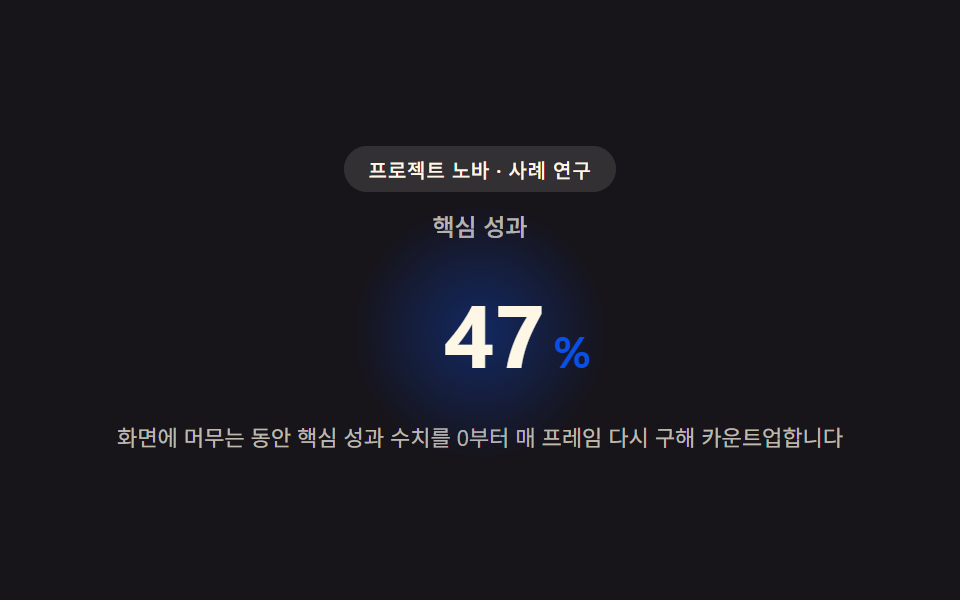 9 Case Study Page Design Sections (Copy-Paste)Nine case-study sections that compute: the hero recounts its metric frame by frame, tiles size from a computed impact sc See all demos in this post
If you like this effect - similar demos
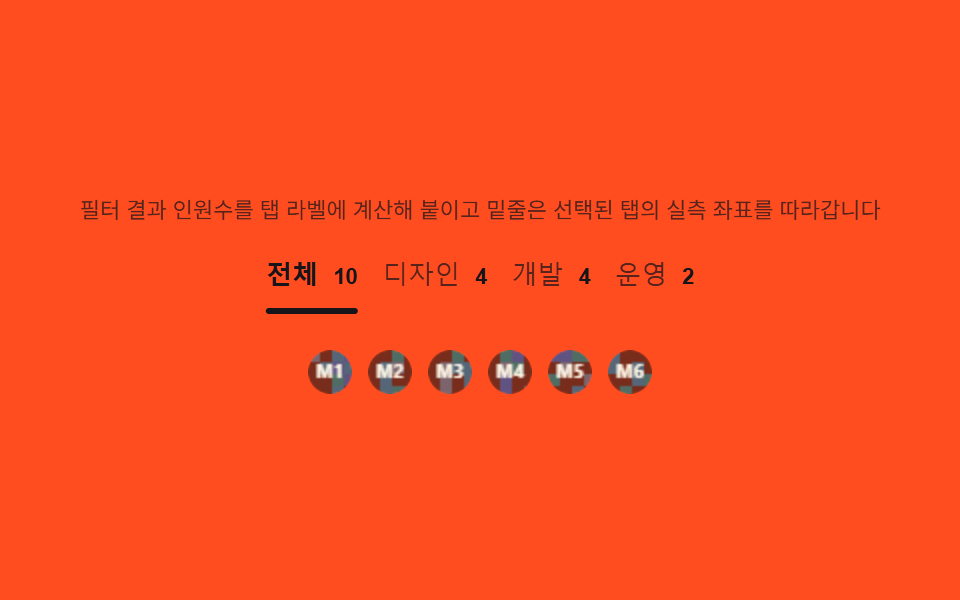 Landing sections03 Role tabs — a switch that computes the filtered count into its own label9 Team Page Design Patterns (Copy-Paste)
 Landing sections01 Plan cards — a card row that recomputes its price on every billing switch9 Pricing Page Design Sections (Copy-Paste)
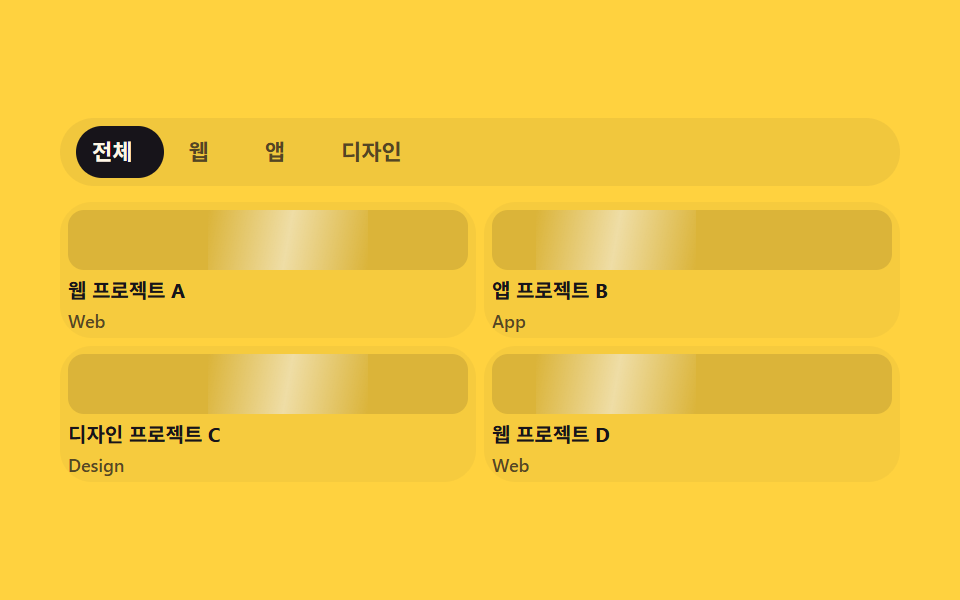 Landing sections02 Project grid9 Project Showcase Section Templates — Copy-Paste