09Letters Whose Depth Value Lifts When the Cursor Arrives
The instant the pointer lands on the letters, the shadow-depth value grows, so the letters read as if they've lifted off the background.
Best forPortfolio project card title
HOVER_LIFT_PXbuildLiftShadowrenderLift
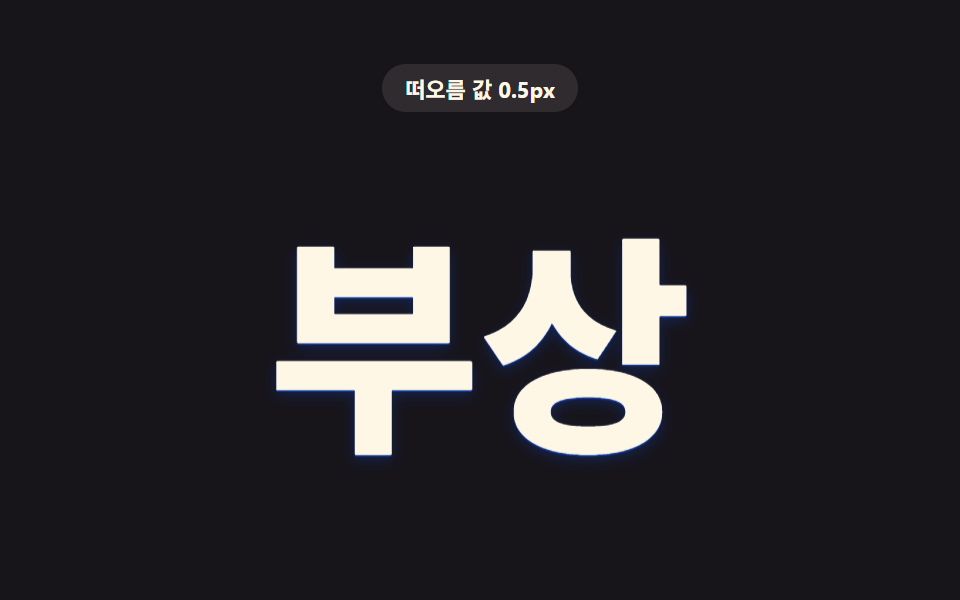
<main class="stage">
<div class="hv is-demo" id="hv">
  <p class="hv__badge"><span class="hv__badgeLabel">Lift value</span> <span class="hv__badgeValue" id="hvValue">0.0px</span></p>
  <div class="hv__scene" id="hvScene">
    <h1 class="hv__word" id="hvWord" tabindex="0">Lift</h1>
  </div>
</div>
</main>
@use "../../../../site/static/demo-tokens" as *;
// 핵심: 근접도 값(p 0~1) 하나로 그림자 오프셋·번짐 값을 함께 밀어 올린다.
// 포인터가 글자 위에 오르면 p 가 커지며 그림자 깊이가 늘고 글자가 살짝 떠오른다.
$duration: $dur-quick;
$easing: $ease-out;
$color: $subject-cream;
@include stage($stage-ink);
.hv {
display: grid;
gap: $sp-4;
justify-items: center;
text-align: center;
}
.hv__badge {
margin: 0;
padding: $sp-1 $sp-3;
border-radius: $r-pill;
background: rgba(255, 247, 230, .1);
color: $subject-cream;
font-weight: 700;
font-size: 11px;
font-variant-numeric: tabular-nums;
}
.hv__scene {
padding: $sp-10;
}
.hv__word {
margin: 0;
font-weight: 800;
font-size: clamp(72px, 24vw, 140px);
line-height: 1;
white-space: nowrap;
color: $color;
cursor: pointer;
will-change: text-shadow, transform;
}
.hv__word:focus-visible {
outline: 2px solid $subject-cream;
outline-offset: 8px;
}
@media (max-width: 340px) {
.hv__scene { padding: $sp-6; }
.hv__word { font-size: clamp(52px, 26vw, 92px); }
}
@media (prefers-reduced-motion: reduce) {
.hv__word { transition: none; }
}html, body {
margin: 0;
overflow: hidden;
}
.stage {
box-sizing: border-box;
min-height: 100vh;
display: grid;
place-items: center;
margin: 0;
background: #17141a;
font-family: -apple-system, "Segoe UI", "Noto Sans KR", sans-serif;
padding: clamp(8px, 4vw, 24px);
}
.hv {
display: grid;
gap: 16px;
justify-items: center;
text-align: center;
}
.hv__badge {
margin: 0;
padding: 4px 12px;
border-radius: 999px;
background: rgba(255, 247, 230, 0.1);
color: #fff7e6;
font-weight: 700;
font-size: 11px;
font-variant-numeric: tabular-nums;
}
.hv__scene {
padding: 40px;
}
.hv__word {
margin: 0;
font-weight: 800;
font-size: clamp(72px, 24vw, 140px);
line-height: 1;
white-space: nowrap;
color: #fff7e6;
cursor: pointer;
will-change: text-shadow, transform;
}
.hv__word:focus-visible {
outline: 2px solid #fff7e6;
outline-offset: 8px;
}
@media (max-width: 340px) {
.hv__scene {
padding: 24px;
}
.hv__word {
font-size: clamp(52px, 26vw, 92px);
}
}
@media (prefers-reduced-motion: reduce) {
.hv__word {
transition: none;
}
}(function () {
var HOVER_LIFT_PX = 4;
var LIFT_MULTIPLIER = 5;
var LERP = 0.18;
var PERIOD_MS = 1000;
var scene = document.getElementById('hvScene');
var word = document.getElementById('hvWord');
var value = document.getElementById('hvValue');
var reduce = window.matchMedia('(prefers-reduced-motion: reduce)').matches;
var targetP = 0;
var curP = 0;
var hasPointer = false;
// 근접도 값(p 0~1) 하나로 그림자 오프셋·번짐 값을 함께 밀어 올려, 글자가 배경에서
// 떠오르는 것처럼 보인다. Depth 기본 단위는 HOVER_LIFT_PX
function buildLiftShadow(p) {
var y = (p * HOVER_LIFT_PX * 1.6).toFixed(2);
var y2 = (p * HOVER_LIFT_PX * LIFT_MULTIPLIER).toFixed(2);
var blur = (4 + p * HOVER_LIFT_PX * 6.5).toFixed(1);
return [
'0px ' + y + 'px 0 rgba(10,79,232,' + (0.55 + p * 0.3).toFixed(2) + ')',
'0px ' + y2 + 'px ' + blur + 'px rgba(10,79,232,' + (0.22 + p * 0.36).toFixed(2) + ')'
].join(', ');
}
function renderLift(p) {
word.style.textShadow = buildLiftShadow(p);
word.style.transform = 'translateY(' + (-(p * HOVER_LIFT_PX * 1.2)).toFixed(2) + 'px)';
value.textContent = (p * HOVER_LIFT_PX).toFixed(1) + 'px';
}
function clamp(v, lo, hi) { return Math.max(lo, Math.min(hi, v)); }
var startTime = null;
function loop(now) {
if (startTime === null) startTime = now;
if (!hasPointer && !reduce) {
var t = (now - startTime) % PERIOD_MS;
var phase = (Math.sin((t / PERIOD_MS) * Math.PI * 2 - Math.PI / 2) + 1) / 2;
targetP = phase;
}
curP += (targetP - curP) * LERP;
renderLift(curP);
requestAnimationFrame(loop);
}
scene.addEventListener('pointerenter', function () {
hasPointer = true;
targetP = 1;
if (reduce) { curP = 1; renderLift(1); }
});
scene.addEventListener('pointerleave', function () {
hasPointer = false;
targetP = 0;
if (reduce) { curP = 0; renderLift(0); }
});
word.addEventListener('focus', function () {
hasPointer = true;
targetP = 1;
if (reduce) { curP = 1; renderLift(1); }
});
word.addEventListener('blur', function () {
hasPointer = false;
targetP = 0;
if (reduce) { curP = 0; renderLift(0); }
});
if (reduce) {
renderLift(0);
} else {
requestAnimationFrame(loop);
}
})();// TextShadowHoverDepthLift — vanilla 판(run/412/demo/09-text-shadow-hover-depth-lift/index.html) 의 React 포트.
// 근접도 값(p 0~1) 하나로 그림자 오프셋·번짐 값을 함께 밀어 올린다. 포인터가 글자 위에
// 오르면 p 가 커지며 그림자 깊이가 늘고 글자가 살짝 떠오른다.
import { useEffect, useRef, useState } from "react";
import styles from "./TextShadowHoverDepthLift.module.scss";
type Box<T> = { current: T };
const HOVER_LIFT_PX = 4;
const LIFT_MULTIPLIER = 5;
const LERP = 0.18;
const PERIOD_MS = 1000;
function buildLiftShadow(p: number): string {
const y = (p * HOVER_LIFT_PX * 1.6).toFixed(2);
const y2 = (p * HOVER_LIFT_PX * LIFT_MULTIPLIER).toFixed(2);
const blur = (4 + p * HOVER_LIFT_PX * 6.5).toFixed(1);
return [
"0px " + y + "px 0 rgba(10,79,232," + (0.55 + p * 0.3).toFixed(2) + ")",
"0px " + y2 + "px " + blur + "px rgba(10,79,232," + (0.22 + p * 0.36).toFixed(2) + ")"
].join(", ");
}
export default function TextShadowHoverDepthLift() {
const sceneRef = useRef<HTMLDivElement | null>(null);
const wordRef = useRef<HTMLHeadingElement | null>(null);
const valueRef = useRef<HTMLSpanElement | null>(null);
const targetPRef = useRef<number>(0) as Box<number>;
const curPRef = useRef<number>(0) as Box<number>;
const hasPointerRef = useRef<boolean>(false) as Box<boolean>;
const t0Ref = useRef<number>(0) as Box<number>;
const frameRef = useRef<number>(0) as Box<number>;
const [demo] = useState(true);
const [reduce, setReduce] = useState(false);
function render(p: number): void {
const word = wordRef.current;
const value = valueRef.current;
if (!word || !value) return;
word.style.textShadow = buildLiftShadow(p);
word.style.transform = "translateY(" + (-(p * HOVER_LIFT_PX * 1.2)).toFixed(2) + "px)";
value.textContent = (p * HOVER_LIFT_PX).toFixed(1) + "px";
}
useEffect(() => {
setReduce(window.matchMedia("(prefers-reduced-motion: reduce)").matches);
}, []);
useEffect(() => {
if (reduce) {
render(0);
return;
}
function loop(now: number): void {
if (t0Ref.current === 0) t0Ref.current = now;
if (!hasPointerRef.current) {
const t = (now - t0Ref.current) % PERIOD_MS;
const phase = (Math.sin((t / PERIOD_MS) * Math.PI * 2 - Math.PI / 2) + 1) / 2;
targetPRef.current = phase;
}
curPRef.current += (targetPRef.current - curPRef.current) * LERP;
render(curPRef.current);
frameRef.current = requestAnimationFrame(loop);
}
frameRef.current = requestAnimationFrame(loop);
return () => cancelAnimationFrame(frameRef.current);
}, [reduce]);
function onPointerEnter(): void {
hasPointerRef.current = true;
targetPRef.current = 1;
if (reduce) { curPRef.current = 1; render(1); }
}
function onPointerLeave(): void {
hasPointerRef.current = false;
targetPRef.current = 0;
if (reduce) { curPRef.current = 0; render(0); }
}
function onFocus(): void {
hasPointerRef.current = true;
targetPRef.current = 1;
if (reduce) { curPRef.current = 1; render(1); }
}
function onBlur(): void {
hasPointerRef.current = false;
targetPRef.current = 0;
if (reduce) { curPRef.current = 0; render(0); }
}
const cls = [styles.hv, demo ? styles.isDemo : ""].filter(Boolean).join(" ");
return (
<main className={styles.stage}>
<div className={cls}>
<p className={styles.badge}><span>떠오름 값</span> <span ref={valueRef}>0.0px</span></p>
<div className={styles.scene} ref={sceneRef} onPointerEnter={onPointerEnter} onPointerLeave={onPointerLeave}>
<h1 className={styles.word} ref={wordRef} tabIndex={0} onFocus={onFocus} onBlur={onBlur}>부상</h1>
</div>
</div>
</main>
);
}09 Letters Whose Depth Value Lifts When the Cursor Arrives — Measured area 11.546% · moving frames 23/23Original by GODRICH · SCSS and React ship in the zip · CSS Text Shadow Effects — 9 Patterns
The post this demo lives in
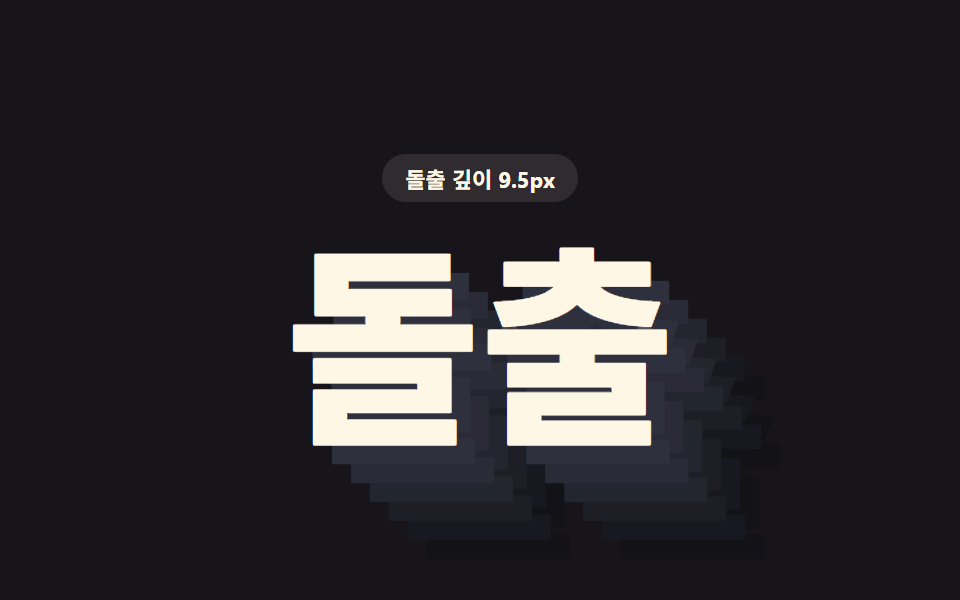 CSS Text Shadow Effects — 9 Patternscss text shadow effects: A shadow is where light goes missing, yet these nine letters shine by shadow alone — item 1 sta See all demos in this post
If you like this effect - similar demos
 Feedback04 Text label on hover9 Custom Cursor CSS Effects — One Line, Copy-Paste
 Feedback01 Lift with shadow9 CSS Card Hover Effects — One Line, Copy-Paste
 Feedback07 Save-conflict banner — a notice value appears and waits for a choice when the same item was already saved elsewhereAutosave Indicator: 9 Save-Status Patterns