07Save-conflict banner — a notice value appears and waits for a choice when the same item was already saved elsewhere
When the same item is detected as already saved elsewhere, the notice's appearance value flips to one and stays on screen, only returning to zero after a choice is made.
Best forA document open in multiple tabs, a collaborative spreadsheet's conflict notice
SPRING_KSPRING_CAUTO_RESOLVE_MS
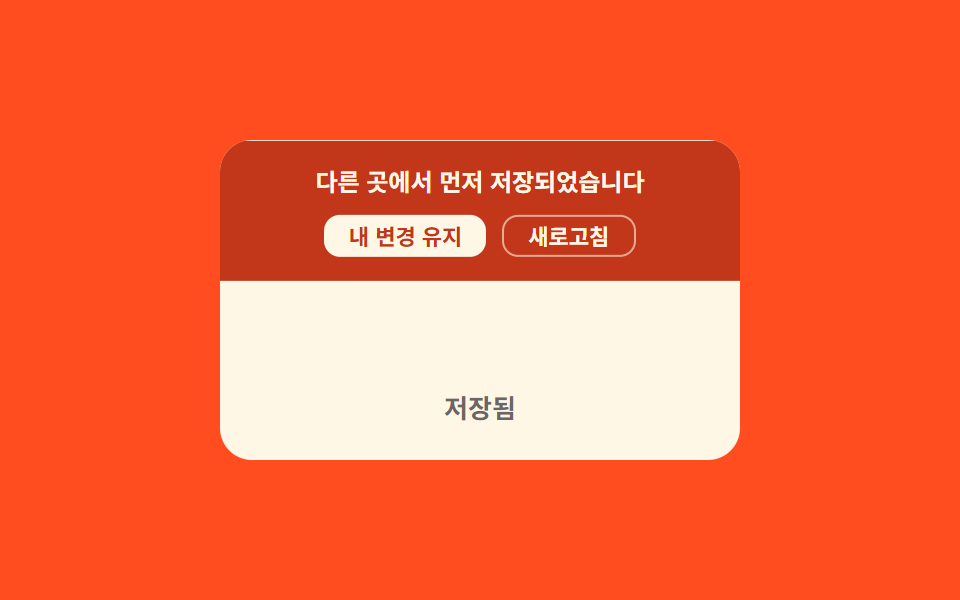
<main class="stage">
<div class="scb is-demo" id="scb">
  <div class="scb__banner" id="scbBanner">
    <span class="scb__msg">Saved elsewhere first</span>
    <div class="scb__actions">
      <button class="scb__choice" id="scbKeep" type="button">Keep my changes</button>
      <button class="scb__choice scb__choice--ghost" id="scbReload" type="button">Refresh</button>
    </div>
  </div>
  <div class="scb__idle">Saved</div>
</div>
</main>
@use "../../../../site/static/demo-tokens" as *;
// 계산 겹: 배너 위치를 스프링-감쇠 물리로 적분(강성·감쇠) — index.html 참조
@include stage($stage-orange);
.scb {
position: relative;
width: 100%;
max-width: 260px;
min-height: 160px;
display: grid;
align-content: end;
overflow: hidden;
border-radius: $r-card;
background: $subject-cream;
}
.scb__banner {
position: absolute;
top: 0;
left: 0;
right: 0;
transform: translateY(-60%);
display: grid;
gap: $sp-2;
background: $error;
color: $subject-cream;
padding: $sp-3 $sp-4;
text-align: center;
}
.scb__msg {
font: 700 12px/1.4 -apple-system, "Segoe UI", "Noto Sans KR", sans-serif;
}
.scb__actions {
display: flex;
gap: $sp-2;
justify-content: center;
}
.scb__choice {
border: 0;
border-radius: $r-sm;
padding: $sp-1 $sp-3;
background: $subject-cream;
color: $error;
font: 700 11px/1 -apple-system, "Segoe UI", "Noto Sans KR", sans-serif;
cursor: pointer;
}
.scb__choice--ghost {
background: transparent;
color: $subject-cream;
border: 1px solid rgba($subject-cream, .6);
}
.scb__idle {
padding: $sp-6 $sp-4 $sp-5;
text-align: center;
font: 600 13px/1 -apple-system, "Segoe UI", "Noto Sans KR", sans-serif;
color: rgba($stage-ink, .64);
}
@media (max-width: 340px) {
.scb { max-width: 200px; min-height: 140px; }
.scb__msg { font-size: 11px; }
}
@media (prefers-reduced-motion: reduce) {
.scb__choice { transition: none; }
}html, body {
margin: 0;
overflow: hidden;
}
.stage {
box-sizing: border-box;
min-height: 100vh;
display: grid;
place-items: center;
margin: 0;
background: #ff4d1f;
font-family: -apple-system, "Segoe UI", "Noto Sans KR", sans-serif;
padding: clamp(8px, 4vw, 24px);
}
.scb {
position: relative;
width: 100%;
max-width: 260px;
min-height: 160px;
display: grid;
align-content: end;
overflow: hidden;
border-radius: 16px;
background: #fff7e6;
}
.scb__banner {
position: absolute;
top: 0;
left: 0;
right: 0;
transform: translateY(-60%);
display: grid;
gap: 8px;
background: #c2361a;
color: #fff7e6;
padding: 12px 16px;
text-align: center;
}
.scb__msg {
font: 700 12px/1.4 -apple-system, "Segoe UI", "Noto Sans KR", sans-serif;
}
.scb__actions {
display: flex;
gap: 8px;
justify-content: center;
}
.scb__choice {
border: 0;
border-radius: 8px;
padding: 4px 12px;
background: #fff7e6;
color: #c2361a;
font: 700 11px/1 -apple-system, "Segoe UI", "Noto Sans KR", sans-serif;
cursor: pointer;
}
.scb__choice--ghost {
background: transparent;
color: #fff7e6;
border: 1px solid rgba(255, 247, 230, 0.6);
}
.scb__idle {
padding: 24px 16px 20px;
text-align: center;
font: 600 13px/1 -apple-system, "Segoe UI", "Noto Sans KR", sans-serif;
color: rgba(23, 20, 26, 0.64);
}
@media (max-width: 340px) {
.scb {
max-width: 200px;
min-height: 140px;
}
.scb__msg {
font-size: 11px;
}
}
@media (prefers-reduced-motion: reduce) {
.scb__choice {
transition: none;
}
}(function () {
var root = document.getElementById('scb');
var banner = document.getElementById('scbBanner');
var keepBtn = document.getElementById('scbKeep');
var reloadBtn = document.getElementById('scbReload');
// 상수: 스프링 강성·감쇠(질량 1) · 저절로 충돌이 나타나는 간격 · 선택 없을 때 자동 해소까지 Idle
var SPRING_K = 200;
var SPRING_C = 19;
var APPEAR_MS = 1400;
var AUTO_RESOLVE_MS = 850;
var reduce = window.matchMedia('(prefers-reduced-motion: reduce)').matches;
var pos = -60;
var vel = 0;
var target = -60;
var rafId = null;
var timer = null;
// 계산 겹: 배너 위치를 스프링-감쇠 물리로 적분 — 속도 += (−K×변위 − C×속도)×dt, 위치 += 속도×dt
function tick(ts, last) {
var dt = Math.min(32, ts - last) / 1000;
var disp = pos - target;
var acc = -SPRING_K * disp - SPRING_C * vel;
vel += acc * dt;
pos += vel * dt;
banner.style.transform = 'translateY(' + pos.toFixed(2) + '%)';
if (Math.abs(disp) > 0.3 || Math.abs(vel) > 0.5) {
rafId = requestAnimationFrame(function (t) { tick(t, ts); });
} else {
pos = target;
banner.style.transform = 'translateY(' + pos.toFixed(2) + '%)';
}
}
function spring(to) {
target = to;
if (reduce) { pos = to; vel = 0; banner.style.transform = 'translateY(' + pos + '%)'; return; }
if (rafId) cancelAnimationFrame(rafId);
rafId = requestAnimationFrame(function (ts) { tick(ts, ts - 16); });
}
function showConflict() {
root.classList.add('scb--conflict');
spring(0);
timer = setTimeout(resolve, AUTO_RESOLVE_MS);
}
function resolve() {
root.classList.remove('scb--conflict');
spring(-60);
timer = setTimeout(showConflict, APPEAR_MS);
}
timer = setTimeout(showConflict, APPEAR_MS);
function choose() {
root.classList.remove('is-demo');
if (timer) clearTimeout(timer);
resolve();
}
keepBtn.addEventListener('click', choose);
reloadBtn.addEventListener('click', choose);
})();import { useEffect, useRef } from "react";
import styles from "./SaveStatusConflictBanner.module.scss";
type Box<T> = { current: T };
export default function SaveStatusConflictBanner() {
const rootRef = useRef(null) as unknown as Box<HTMLDivElement | null>;
useEffect(() => {
const root = rootRef.current;
if (!root) return;
const banner = root.querySelector(`.${styles.banner}`) as HTMLElement | null;
const keepBtn = root.querySelector(`.${styles.choice}`) as HTMLElement | null;
const choiceEls = Array.from(root.querySelectorAll(`.${styles.choice}`)) as HTMLElement[];
const reloadBtn = choiceEls[1] as HTMLElement | undefined;
if (!banner || !keepBtn || !reloadBtn) return;
// 상수: 스프링 강성·감쇠(질량 1) · 저절로 충돌이 나타나는 간격 · 선택 없을 때 자동 해소까지 대기
const SPRING_K = 200;
const SPRING_C = 19;
const APPEAR_MS = 1400;
const AUTO_RESOLVE_MS = 850;
const reduce = window.matchMedia("(prefers-reduced-motion: reduce)").matches;
let pos = -60;
let vel = 0;
let target = -60;
let rafId = 0;
let timer = 0;
// 계산 겹: 배너 위치를 스프링-감쇠 물리로 적분 — 속도 += (−K×변위 − C×속도)×dt, 위치 += 속도×dt
function tick(ts: number, last: number) {
const dt = Math.min(32, ts - last) / 1000;
const disp = pos - target;
const acc = -SPRING_K * disp - SPRING_C * vel;
vel += acc * dt;
pos += vel * dt;
banner!.style.transform = "translateY(" + pos.toFixed(2) + "%)";
if (Math.abs(disp) > 0.3 || Math.abs(vel) > 0.5) {
rafId = requestAnimationFrame((t) => tick(t, ts));
} else {
pos = target;
banner!.style.transform = "translateY(" + pos.toFixed(2) + "%)";
}
}
function spring(to: number) {
target = to;
if (reduce) { pos = to; vel = 0; banner!.style.transform = "translateY(" + pos + "%)"; return; }
cancelAnimationFrame(rafId);
rafId = requestAnimationFrame((ts) => tick(ts, ts - 16));
}
function showConflict() {
root!.classList.add(styles["scb--conflict"]);
spring(0);
timer = window.setTimeout(resolve, AUTO_RESOLVE_MS);
}
function resolve() {
root!.classList.remove(styles["scb--conflict"]);
spring(-60);
timer = window.setTimeout(showConflict, APPEAR_MS);
}
timer = window.setTimeout(showConflict, APPEAR_MS);
function choose() {
root!.classList.remove(styles["is-demo"]);
window.clearTimeout(timer);
resolve();
}
keepBtn.addEventListener("click", choose);
reloadBtn.addEventListener("click", choose);
return () => {
window.clearTimeout(timer);
cancelAnimationFrame(rafId);
keepBtn.removeEventListener("click", choose);
reloadBtn.removeEventListener("click", choose);
};
}, []);
return (
<div ref={rootRef} className={`${styles.stage} ${styles.scb} ${styles["is-demo"]}`}>
<div className={styles.banner}>
<span className={styles.msg}>다른 곳에서 먼저 저장되었습니다</span>
<div className={styles.actions}>
<button className={styles.choice} type="button">내 변경 유지</button>
<button className={`${styles.choice} ${styles["choice--ghost"]}`} type="button">새로고침</button>
</div>
</div>
<div className={styles.idle}>저장됨</div>
</div>
);
}07 Save-conflict banner — a notice value appears and waits for a choice when the same item was already saved elsewhere — Measured area 11.108% · moving frames 10/23Original by GODRICH · SCSS and React ship in the zip · Autosave Indicator: 9 Save-Status Patterns
The post this demo lives in
 Autosave Indicator: 9 Save-Status PatternsIn this autosave collection: One of nine repeats a saving label with dots, another turns elapsed time into a minutes-ago See all demos in this post
If you like this effect - similar demos
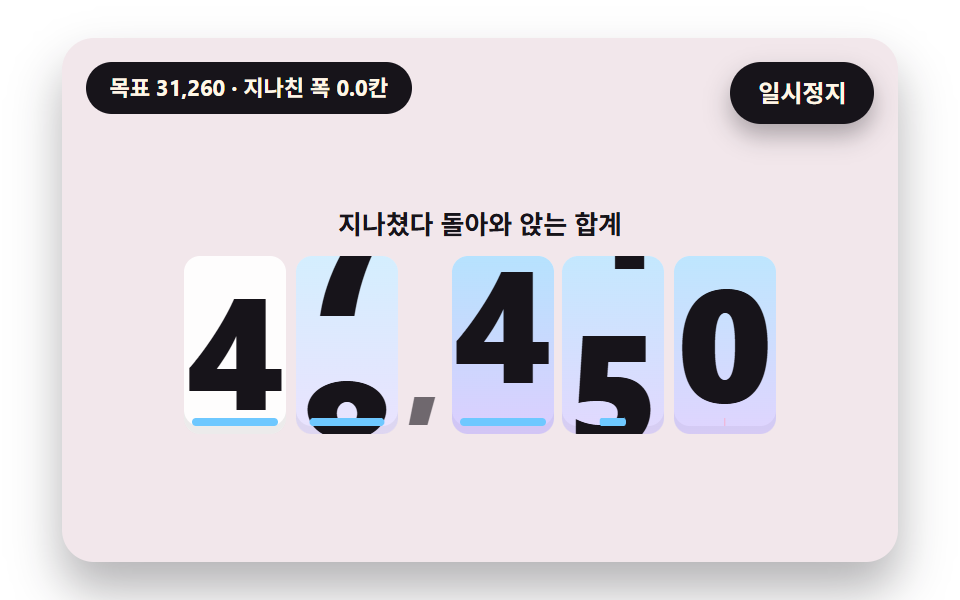 Feedback02 A Number That Overshoots and Springs Back to SettleNumber Rolling Animation JS: 9 Odometer Scenes
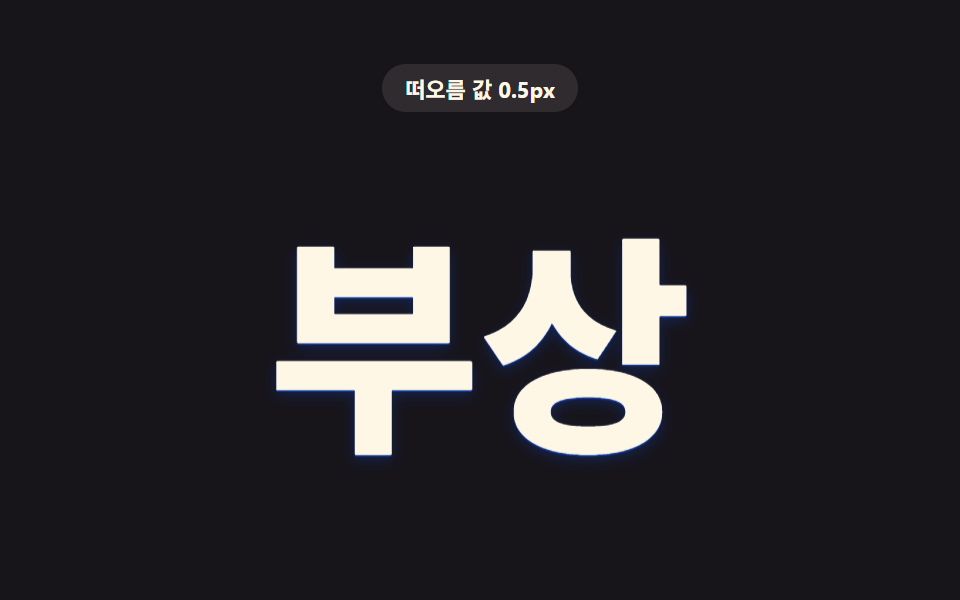 Feedback09 Letters Whose Depth Value Lifts When the Cursor ArrivesCSS Text Shadow Effects — 9 Patterns
 Feedback07 Confetti Burst When the Card Is Fully RevealedScratch Card Reveal: 9 Pixel-Calculated Patterns