03List-to-Detail Card Zoom Transition
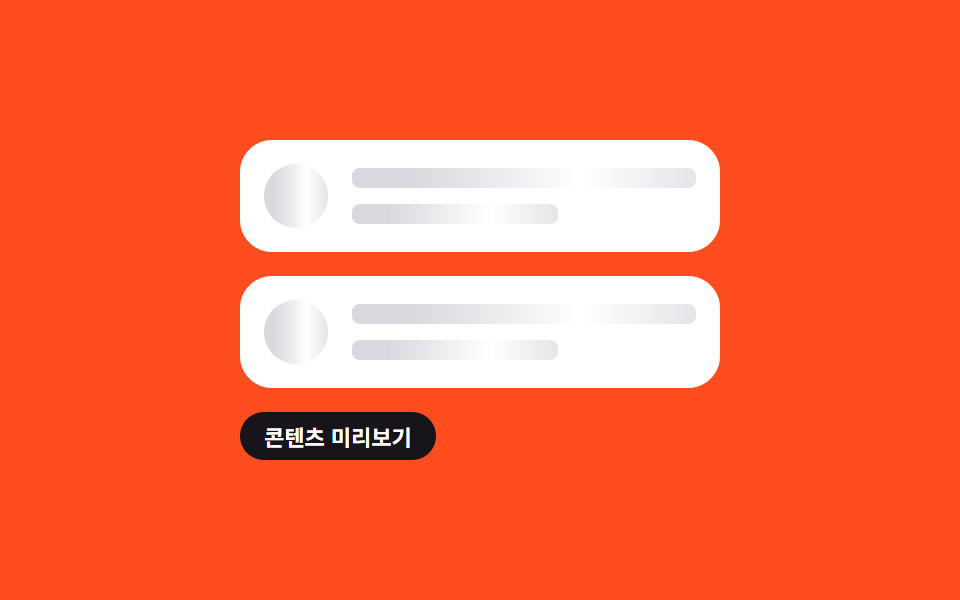
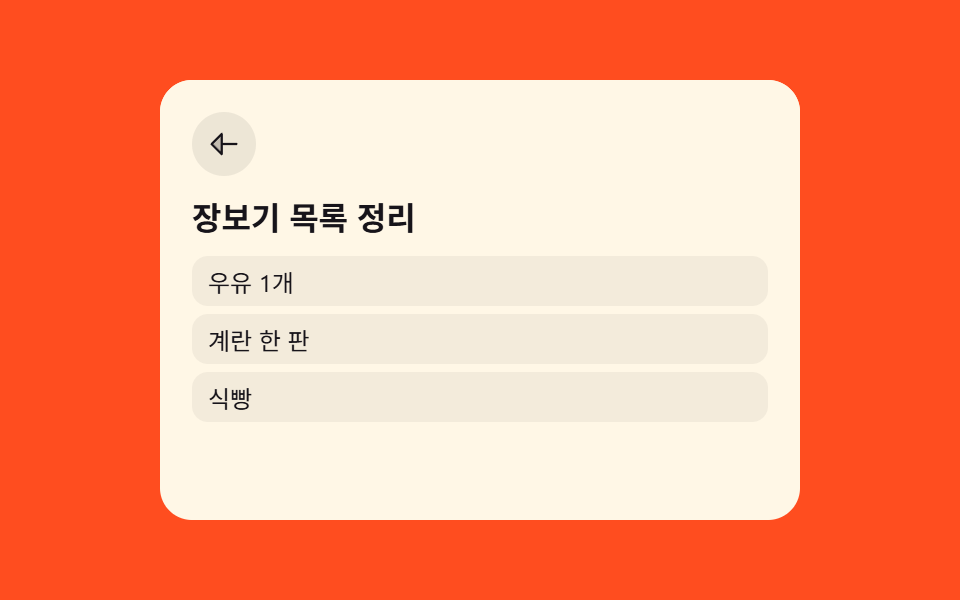
Tapping a todo card enlarges that very card into the full detail screen, and going back shrinks it right back to its original spot (different from 231's left-right slide — here the card itself scales up in place).
Best forTodo detail transitions, card-based lists
flipFrom() getBoundingClientRect 좌표차translate()·scale() 좌표 역전overflow:hidden 컨테이너
<main class="stage">
<div class="scene is-demo" id="scene">
  <ul class="cards" id="cards">
    <li>
      <button class="card" id="card-0" type="button" aria-haspopup="dialog">
        <span class="cardTitle">Organize grocery list</span>
        <span class="cardMeta">Today · 3 items</span>
      </button>
    </li>
    <li>
      <button class="card" id="card-1" type="button" aria-haspopup="dialog">
        <span class="cardTitle">Weekly meeting materials</span>
        <span class="cardMeta">Tomorrow · 5 items</span>
      </button>
    </li>
  </ul>
  <div class="detail" id="detail" role="dialog" aria-modal="true" aria-hidden="true">
    <button class="backBtn" id="backBtn" type="button" aria-label="Back to list">
      <svg viewBox="0 0 256 256" aria-hidden="true"><g fill="currentColor"><path d="M112 56v144l-72-72Z" opacity=".2"/><path d="M216 120h-96V56a8 8 0 0 0-13.66-5.66l-72 72a8 8 0 0 0 0 11.32l72 72A8 8 0 0 0 120 200v-64h96a8 8 0 0 0 0-16m-112 60.69L51.31 128L104 75.31Z"/></g></svg>
    </button>
    <h2 class="detailTitle" id="detailTitle">Organize grocery list</h2>
    <ul class="detailList" id="detailList">
      <li>Milk x1</li>
      <li>A tray of eggs</li>
      <li>Bread</li>
    </ul>
  </div>
</div>
</main>@use "../../../../site/static/demo-tokens" as *;
// 계산 겹은 index.html 의 flipFrom() 에 있다 — 카드의 실제 화면 좌표와 상세 패널이 이미
// 차지한 좌표 차이를 실측해 translate·scale 로 되돌린 뒤(Invert) 그 값을 지워(Play) 확대돼 보이게 한다.
@include stage($stage-orange);
.scene {
position: relative;
width: 320px;
height: 220px;
overflow: hidden;
--flip-ease: #{$ease-spring};
}
.cards {
list-style: none;
margin: 0;
padding: 0;
display: grid;
gap: $sp-2;
}
.card {
appearance: none;
border: none;
width: 100%;
box-sizing: border-box;
display: flex;
flex-direction: column;
gap: $sp-1;
align-items: flex-start;
padding: $sp-3 $sp-4;
border-radius: $r-card;
background: $subject-cream;
cursor: pointer;
text-align: left;
&:focus-visible { outline: 2px solid $subject-blue-light; outline-offset: 2px; }
}
.cardTitle {
color: $subject-ink;
font-size: 14px;
font-weight: 700;
}
.cardMeta {
color: rgba($subject-ink, .55);
font-size: 11px;
}
.detail {
display: none;
position: absolute;
inset: 0;
box-sizing: border-box;
flex-direction: column;
gap: $sp-2;
padding: $sp-4;
border-radius: $r-card;
background: $subject-cream;
transform-origin: top left;
will-change: transform;
overflow-y: auto;
}
.backBtn {
appearance: none;
border: none;
align-self: flex-start;
width: 32px;
height: 32px;
display: grid;
place-items: center;
border-radius: $r-pill;
background: rgba($subject-ink, .08);
color: $subject-ink;
cursor: pointer;
svg { width: 18px; height: 18px; }
&:focus-visible { outline: 2px solid $subject-blue-light; outline-offset: 2px; }
}
.detailTitle {
margin: 0;
color: $subject-ink;
font-size: 16px;
font-weight: 700;
}
.detailList {
list-style: none;
margin: 0;
padding: 0;
display: grid;
gap: $sp-1;
}
.detailList li {
padding: $sp-1 $sp-2;
border-radius: $r-sm;
background: rgba($subject-ink, .05);
color: $subject-ink;
font-size: 12px;
}
@media (max-width: 340px) {
.scene { width: 240px; height: 160px; }
.card { padding: $sp-2 $sp-3; gap: $sp-1; }
.cards { gap: $sp-1; }
}
@media (prefers-reduced-motion: reduce) {
.detail { transition: none !important; }
}html, body {
margin: 0;
overflow: hidden;
}
.stage {
box-sizing: border-box;
min-height: 100vh;
display: grid;
place-items: center;
margin: 0;
background: #ff4d1f;
font-family: -apple-system, "Segoe UI", "Noto Sans KR", sans-serif;
padding: clamp(8px, 4vw, 24px);
}
.scene {
position: relative;
width: 320px;
height: 220px;
overflow: hidden;
--flip-ease: cubic-bezier(0.2, 0.8, 0.2, 1);
}
.cards {
list-style: none;
margin: 0;
padding: 0;
display: grid;
gap: 8px;
}
.card {
appearance: none;
border: none;
width: 100%;
box-sizing: border-box;
display: flex;
flex-direction: column;
gap: 4px;
align-items: flex-start;
padding: 12px 16px;
border-radius: 16px;
background: #fff7e6;
cursor: pointer;
text-align: left;
}
.card:focus-visible {
outline: 2px solid #5b8cf8;
outline-offset: 2px;
}
.cardTitle {
color: #17141a;
font-size: 14px;
font-weight: 700;
}
.cardMeta {
color: rgba(23, 20, 26, 0.55);
font-size: 11px;
}
.detail {
display: none;
position: absolute;
inset: 0;
box-sizing: border-box;
flex-direction: column;
gap: 8px;
padding: 16px;
border-radius: 16px;
background: #fff7e6;
transform-origin: top left;
will-change: transform;
overflow-y: auto;
}
.backBtn {
appearance: none;
border: none;
align-self: flex-start;
width: 32px;
height: 32px;
display: grid;
place-items: center;
border-radius: 999px;
background: rgba(23, 20, 26, 0.08);
color: #17141a;
cursor: pointer;
}
.backBtn svg {
width: 18px;
height: 18px;
}
.backBtn:focus-visible {
outline: 2px solid #5b8cf8;
outline-offset: 2px;
}
.detailTitle {
margin: 0;
color: #17141a;
font-size: 16px;
font-weight: 700;
}
.detailList {
list-style: none;
margin: 0;
padding: 0;
display: grid;
gap: 4px;
}
.detailList li {
padding: 4px 8px;
border-radius: 8px;
background: rgba(23, 20, 26, 0.05);
color: #17141a;
font-size: 12px;
}
@media (max-width: 340px) {
.scene {
width: 240px;
height: 160px;
}
.card {
padding: 8px 12px;
gap: 4px;
}
.cards {
gap: 4px;
}
}
@media (prefers-reduced-motion: reduce) {
.detail {
transition: none !important;
}
}(function () {
var DUR_MS = 420;
var reduce = window.matchMedia('(prefers-reduced-motion: reduce)').matches;
var scene = document.getElementById('scene');
var detail = document.getElementById('detail');
var backBtn = document.getElementById('backBtn');
var detailTitle = document.getElementById('detailTitle');
var cards = [document.getElementById('card-0'), document.getElementById('card-1')];
var data = [
{ title: 'Organize grocery list', items: ['Milk x1', 'A tray of eggs', 'Bread'] },
{ title: 'Weekly meeting materials', items: ['Organize agenda', 'Print materials', 'Book meeting room', 'Confirm attendees', 'Charge laptop'] }
];
var back = null; // 닫을 때 되돌아갈 FLIP 값
function human() { scene.classList.remove('is-demo'); window.clearInterval(autoTimer); }
// 계산 겹: 카드의 실제 화면 좌표(First)와 상세 패널이 이미 차지한 화면 전체 좌표(Last)의
// 차이를 실측해 translate·scale 로 변환한다 — FLIP(First-Last-Invert-Play).
function flipFrom(cardEl) {
var c = cardEl.getBoundingClientRect();
var d = detail.getBoundingClientRect();
return {
dx: c.left - d.left,
dy: c.top - d.top,
sx: c.width / d.width,
sy: c.height / d.height
};
}
function openDetail(i) {
var item = data[i];
detailTitle.textContent = item.title;
document.getElementById('detailList').innerHTML = item.items.map(function (t) { return '<li>' + t + '</li>'; }).join('');
detail.setAttribute('aria-hidden', 'false');
detail.style.transition = 'none';
detail.style.display = 'flex';
back = flipFrom(cards[i]);
detail.style.transform = 'translate(' + back.dx + 'px,' + back.dy + 'px) scale(' + back.sx + ',' + back.sy + ')';
detail.style.opacity = '1';
// 강제 리플로 — Invert 상태를 실제로 그린 뒤에야 Play(역전 제거) 애니메이션이 성립한다
detail.getBoundingClientRect();
detail.style.transition = reduce ? 'none' : 'transform ' + DUR_MS + 'ms var(--flip-ease)';
detail.style.transform = 'translate(0,0) scale(1,1)';
}
function closeDetail() {
if (!back) { detail.style.display = 'none'; detail.setAttribute('aria-hidden', 'true'); return; }
detail.style.transition = reduce ? 'none' : 'transform ' + DUR_MS + 'ms var(--flip-ease)';
detail.style.transform = 'translate(' + back.dx + 'px,' + back.dy + 'px) scale(' + back.sx + ',' + back.sy + ')';
var done = function () {
detail.style.display = 'none';
detail.setAttribute('aria-hidden', 'true');
detail.removeEventListener('transitionend', done);
};
if (reduce) { done(); } else { detail.addEventListener('transitionend', done); }
}
cards.forEach(function (c, i) {
c.addEventListener('click', function () { human(); openDetail(i); });
});
backBtn.addEventListener('click', function () { human(); closeDetail(); });
document.addEventListener('keydown', function (e) {
if (e.key === 'Escape' && detail.getAttribute('aria-hidden') === 'false') { human(); closeDetail(); }
});
var cursor = 0;
function autoStep() {
openDetail(cursor);
window.setTimeout(function () {
if (scene.classList.contains('is-demo')) closeDetail();
}, 900);
cursor = (cursor + 1) % cards.length;
}
var autoTimer;
if (!reduce) { autoStep(); autoTimer = window.setInterval(autoStep, 1400); }
})();// ListToDetail — vanilla 판(run/377/demo/03-list-to-detail/index.html) 의 React 포트.
// FLIP: 카드의 실제 화면 좌표와 상세 패널이 이미 차지한 좌표 차이를 실측해 변환값을 만들고,
// 그 값을 적용한 뒤 지워서(역전 제거) 확대·축소돼 보이게 한다.
import { useEffect, useRef, useState } from "react";
import styles from "./ListToDetail.module.scss";
type Box<T> = { current: T };
type Flip = { dx: number; dy: number; sx: number; sy: number };
const DUR_MS = 420;
const DATA = [
{ title: "장보기 목록 정리", items: ["우유 1개", "계란 한 판", "식빵"] },
{ title: "주간 회의 자료", items: ["안건 정리", "자료 인쇄", "회의실 예약", "참석자 확인", "노트북 충전"] },
];
export default function ListToDetail() {
const [isDemo, setIsDemo] = useState(true);
const [openIndex, setOpenIndex] = useState<number | null>(null);
const [transform, setTransform] = useState("translate(0,0) scale(1,1)");
const [animate, setAnimate] = useState(false);
const cardRefs = useRef([]) as unknown as Box<(HTMLButtonElement | null)[]>;
const detailRef = useRef(null) as unknown as Box<HTMLDivElement>;
const backRef = useRef<Flip | null>(null) as unknown as Box<Flip | null>;
const timerRef = useRef(0) as unknown as Box<number>;
const stepRef = useRef(0) as unknown as Box<number>;
const reduce = typeof window !== "undefined" && window.matchMedia("(prefers-reduced-motion: reduce)").matches;
function flipFrom(cardEl: HTMLButtonElement) {
const c = cardEl.getBoundingClientRect();
const d = detailRef.current.getBoundingClientRect();
return { dx: c.left - d.left, dy: c.top - d.top, sx: c.width / d.width, sy: c.height / d.height };
}
function openDetail(i: number) {
const cardEl = cardRefs.current[i];
if (!cardEl) return;
setOpenIndex(i);
setAnimate(false);
requestAnimationFrame(function () {
const f = flipFrom(cardEl);
backRef.current = f;
setTransform("translate(" + f.dx + "px," + f.dy + "px) scale(" + f.sx + "," + f.sy + ")");
requestAnimationFrame(function () {
setAnimate(!reduce);
setTransform("translate(0,0) scale(1,1)");
});
});
}
function closeDetail() {
const f = backRef.current;
if (!f) { setOpenIndex(null); return; }
setAnimate(!reduce);
setTransform("translate(" + f.dx + "px," + f.dy + "px) scale(" + f.sx + "," + f.sy + ")");
}
function onDetailTransitionEnd() {
if (transform !== "translate(0,0) scale(1,1)") setOpenIndex(null);
}
function human() {
if (isDemo) { setIsDemo(false); window.clearInterval(timerRef.current); }
}
useEffect(function () {
if (reduce) return;
function autoStep() {
const i = stepRef.current;
openDetail(i);
window.setTimeout(function () { closeDetail(); }, 900);
stepRef.current = (i + 1) % DATA.length;
}
autoStep();
timerRef.current = window.setInterval(autoStep, 1400);
return function () { window.clearInterval(timerRef.current); };
// eslint-disable-next-line
}, []);
return (
<main className={styles.stage}>
<div className={styles.scene + (isDemo ? " " + styles.isDemo : "")}>
<ul className={styles.cards}>
{DATA.map(function (item, i) {
return (
<li key={item.title}>
<button
className={styles.card}
type="button"
aria-haspopup="dialog"
ref={function (el: HTMLButtonElement | null) { cardRefs.current[i] = el; }}
onClick={function () { human(); openDetail(i); }}
>
<span className={styles.cardTitle}>{item.title}</span>
<span className={styles.cardMeta}>{item.items.length}개 항목</span>
</button>
</li>
);
})}
</ul>
<div
className={styles.detail}
ref={detailRef}
role="dialog"
aria-modal="true"
aria-hidden={openIndex === null}
style={{
display: openIndex === null ? "none" : "flex",
transform: transform,
transition: animate ? "transform " + DUR_MS + "ms var(--flip-ease)" : "none",
}}
onTransitionEnd={onDetailTransitionEnd}
>
<button
className={styles.backBtn}
type="button"
aria-label="목록으로 돌아가기"
onClick={function () { human(); closeDetail(); }}
>
<svg viewBox="0 0 256 256" aria-hidden="true">
<g fill="currentColor">
<path d="M112 56v144l-72-72Z" opacity=".2" />
<path d="M216 120h-96V56a8 8 0 0 0-13.66-5.66l-72 72a8 8 0 0 0 0 11.32l72 72A8 8 0 0 0 120 200v-64h96a8 8 0 0 0 0-16m-112 60.69L51.31 128L104 75.31Z" />
</g>
</svg>
</button>
<h2 className={styles.detailTitle}>{openIndex !== null ? DATA[openIndex].title : ""}</h2>
<ul className={styles.detailList}>
{openIndex !== null ? DATA[openIndex].items.map(function (t) { return <li key={t}>{t}</li>; }) : null}
</ul>
</div>
</div>
</main>
);
}03 List-to-Detail Card Zoom Transition — Measured area 26.048% · moving frames 7/23Original by GODRICH · SCSS and React ship in the zip · Todo List UI: 9 Patterns From Ring Gauge to Rewind
The post this demo lives in
 Todo List UI: 9 Patterns From Ring Gauge to RewindAmong nine todo list ui patterns, one doubles how many load each tap, one rewinds the timeline dot by dot, one fills a r See all demos in this post