02Active-indicator slide — when the active-button value changes, the highlight background's position value glides to the new button along measured coordinates
When the active value moves to another button, the highlight's position value slides between the two buttons' measured coordinates.
Best forA tab-style button group, a sort-order selector
STIFF 210 / DAMP 18translateX + scaleXspring integrate

<main class="stage">
<div class="asi-wrap">
<div class="asi is-demo" id="asi" role="group" aria-label="Sort by">
  <span class="asi__indicator" id="asiIndicator" aria-hidden="true"></span>
  <button class="asi__btn asi__btn--on" data-i="0" aria-pressed="true">Newest</button>
  <button class="asi__btn" data-i="1" aria-pressed="false">Popular</button>
  <button class="asi__btn" data-i="2" aria-pressed="false">Price</button>
  <button class="asi__btn" data-i="3" aria-pressed="false">Top rated</button>
</div>
</div>
</main>
@use "../../../../site/static/demo-tokens" as *;
// 계산 겹: index.html 이 getBoundingClientRect 로 활성 버튼의 실측 좌표·폭을 재고, 감쇠 스프링
// 방정식(x'' = k*(target-x) - c*x')을 매 프레임 적분해 표시자를 오버슛 후 정착시킨다.
// 폭 변화는 CSS width 가 아니라 transform: scaleX 비율로만 표현해 레이아웃을 다시 계산하지 않는다.
@include stage($stage-ink);
.asi-wrap {
max-width: 100%;
overflow-x: auto;
overflow-y: hidden;
}
.asi {
position: relative;
display: inline-flex;
gap: 0;
padding: 4px;
border-radius: $r-pill;
background: rgba($subject-cream, .07);
}
.asi__indicator {
position: absolute;
top: 4px;
left: 4px;
height: calc(100% - #{$sp-2});
border-radius: $r-pill;
background: $subject-blue-deep;
transform-origin: left center;
will-change: transform;
z-index: 0;
}
.asi__btn {
position: relative;
z-index: 1;
appearance: none;
border: none;
background: transparent;
color: rgba($subject-cream, .78);
font-size: 13px;
font-weight: 600;
padding: $sp-2 $sp-4;
white-space: nowrap;
cursor: pointer;
border-radius: $r-pill;
transition: color $dur-quick $ease-out;
}
.asi__btn--on {
color: $subject-cream;
}
.asi__btn:focus-visible {
outline: 2px solid $subject-blue-light;
outline-offset: 2px;
}
@media (max-width: 340px) {
.asi__btn { font-size: 12px; padding: $sp-1 $sp-3; }
}
@media (prefers-reduced-motion: reduce) {
.asi__btn { transition: none; }
}html, body {
margin: 0;
overflow: hidden;
}
.stage {
box-sizing: border-box;
min-height: 100vh;
display: grid;
place-items: center;
margin: 0;
background: #17141a;
font-family: -apple-system, "Segoe UI", "Noto Sans KR", sans-serif;
padding: clamp(8px, 4vw, 24px);
}
.asi-wrap {
max-width: 100%;
overflow-x: auto;
overflow-y: hidden;
}
.asi {
position: relative;
display: inline-flex;
gap: 0;
padding: 4px;
border-radius: 999px;
background: rgba(255, 247, 230, 0.07);
}
.asi__indicator {
position: absolute;
top: 4px;
left: 4px;
height: calc(100% - 8px);
border-radius: 999px;
background: #0a4fe8;
transform-origin: left center;
will-change: transform;
z-index: 0;
}
.asi__btn {
position: relative;
z-index: 1;
appearance: none;
border: none;
background: transparent;
color: rgba(255, 247, 230, 0.78);
font-size: 13px;
font-weight: 600;
padding: 8px 16px;
white-space: nowrap;
cursor: pointer;
border-radius: 999px;
transition: color 220ms ease-out;
}
.asi__btn--on {
color: #fff7e6;
}
.asi__btn:focus-visible {
outline: 2px solid #5b8cf8;
outline-offset: 2px;
}
@media (max-width: 340px) {
.asi__btn {
font-size: 12px;
padding: 4px 12px;
}
}
@media (prefers-reduced-motion: reduce) {
.asi__btn {
transition: none;
}
}(function () {
var CYCLE_MS = 1100; // 자동 루프가 다음 버튼으로 넘어가는 간격
var STIFF = 210; // 계산 겹 상수: 스프링 강성(k) — 클수록 목표에 빨리 붙는다
var DAMP = 18; // 계산 겹 상수: 감쇠(c) — 작을수록 오버슛이 크게 남는다
var reduce = window.matchMedia('(prefers-reduced-motion: reduce)').matches;
var root = document.getElementById('asi');
var indicator = document.getElementById('asiIndicator');
var btns = Array.prototype.slice.call(root.querySelectorAll('.asi__btn'));
var isDemo = true;
// 계산 겹: 목표(버튼 실측 좌표)를 향해 감쇠 스프링 방정식으로 위치·폭 비율을 매 프레임 적분한다.
// x'' = STIFF*(target-x) - DAMP*x' — cubic-bezier 로는 못 만드는 오버슛 후 정착 곡선이다.
// 폭은 CSS width 가 아니라 scaleX(비율) 로만 바꿔 레이아웃을 다시 계산하지 않는다(transform 전용 규칙).
var x = 0, w = 0, vx = 0, vw = 0, targetX = 0, targetW = 0, last = 0, activeIdx = 0;
var maxW = 0;
function measure(idx) {
var rootRect = root.getBoundingClientRect();
var r = btns[idx].getBoundingClientRect();
return { x: r.left - rootRect.left, w: r.width };
}
// 시작 시 모든 버튼 폭을 실측해 인디케이터의 고정 기준 폭(maxW)을 정한다 — scaleX 는 이 기준에 대한 비율이다
btns.forEach(function (b) { maxW = Math.max(maxW, b.getBoundingClientRect().width); });
indicator.style.width = maxW + 'px';
function goTo(idx, ts) {
activeIdx = idx;
btns.forEach(function (b, i) {
b.classList.toggle('asi__btn--on', i === idx);
b.setAttribute('aria-pressed', String(i === idx));
});
var m = measure(idx);
targetX = m.x; targetW = m.w;
if (reduce) { x = targetX; w = targetW; vx = 0; vw = 0; }
}
function human() {
if (isDemo) { root.classList.remove('is-demo'); isDemo = false; }
}
btns.forEach(function (b, i) {
b.addEventListener('click', function () { human(); goTo(i, performance.now()); });
});
window.addEventListener('resize', function () { var m = measure(activeIdx); targetX = m.x; targetW = m.w; });
// 초기 위치를 즉시 실측값으로 놓는다
requestAnimationFrame(function () { var m = measure(0); x = targetX = m.x; w = targetW = m.w; render(); });
function render() {
var scale = maxW > 0 ? w / maxW : 1;
indicator.style.transform = 'translateX(' + x.toFixed(2) + 'px) scaleX(' + scale.toFixed(4) + ')';
}
var cycleStart = 0, lastIdx = -1;
function loop(ts) {
if (!last) last = ts;
var dt = Math.min(0.032, (ts - last) / 1000);
last = ts;
if (!cycleStart) cycleStart = ts;
if (isDemo && !reduce) {
var idx = Math.floor((ts - cycleStart) / CYCLE_MS) % btns.length;
if (idx !== lastIdx) { lastIdx = idx; goTo(idx, ts); }
}
var ax = STIFF * (targetX - x) - DAMP * vx;
var aw = STIFF * (targetW - w) - DAMP * vw;
vx += ax * dt; x += vx * dt;
vw += aw * dt; w += vw * dt;
render();
requestAnimationFrame(loop);
}
requestAnimationFrame(loop);
})();// ActiveSlideIndicator — vanilla 판(run/369/demo/02-btn-group-active-slide-indicator/index.html) 의 React 포트.
// getBoundingClientRect 로 활성 버튼의 실측 좌표·폭을 재고, 감쇠 스프링 방정식을 매 프레임 적분해
// 표시자를 오버슛 후 정착시킨다. 폭 변화는 transform: scaleX 비율로만 표현한다.
import { useEffect, useRef } from "react";
import styles from "./ActiveSlideIndicator.module.scss";
type Box<T> = { current: T };
const LABELS = ["최신순", "인기순", "가격순", "평점 높은순"];
export default function ActiveSlideIndicator() {
const rootRef = useRef(null) as unknown as Box<HTMLDivElement>;
const indicatorRef = useRef(null) as unknown as Box<HTMLSpanElement>;
const btnRefs = useRef([]) as unknown as Box<HTMLButtonElement[]>;
const rafRef = useRef(0) as unknown as Box<number>;
useEffect(() => {
const CYCLE_MS = 1100;
const STIFF = 210; // 계산 겹 상수: 스프링 강성(k)
const DAMP = 18; // 계산 겹 상수: 감쇠(c)
const reduce = window.matchMedia("(prefers-reduced-motion: reduce)").matches;
const root = rootRef.current;
const indicator = indicatorRef.current;
const btns = btnRefs.current;
if (!root || !indicator || btns.length === 0) return;
let isDemo = true;
let x = 0, w = 0, vx = 0, vw = 0, targetX = 0, targetW = 0, last = 0, activeIdx = 0;
let maxW = 0;
btns.forEach((b) => { maxW = Math.max(maxW, b.getBoundingClientRect().width); });
indicator.style.width = maxW + "px";
function measure(idx: number) {
const rootRect = root!.getBoundingClientRect();
const r = btns[idx].getBoundingClientRect();
return { x: r.left - rootRect.left, w: r.width };
}
function goTo(idx: number) {
activeIdx = idx;
btns.forEach((b, i) => {
b.classList.toggle(styles.btnOn, i === idx);
b.setAttribute("aria-pressed", String(i === idx));
});
const m = measure(idx);
targetX = m.x; targetW = m.w;
if (reduce) { x = targetX; w = targetW; vx = 0; vw = 0; }
}
function human() { if (isDemo) { root!.classList.remove(styles.isDemo); isDemo = false; } }
function onResize() { const m = measure(activeIdx); targetX = m.x; targetW = m.w; }
window.addEventListener("resize", onResize);
const clicks: (() => void)[] = [];
btns.forEach((b, i) => {
const fn = () => { human(); goTo(i); };
b.addEventListener("click", fn);
clicks.push(fn);
});
function render() {
const scale = maxW > 0 ? w / maxW : 1;
indicator!.style.transform = "translateX(" + x.toFixed(2) + "px) scaleX(" + scale.toFixed(4) + ")";
}
let cycleStart = 0, lastIdx = -1;
function loop(ts: number) {
if (!last) last = ts;
const dt = Math.min(0.032, (ts - last) / 1000);
last = ts;
if (!cycleStart) cycleStart = ts;
if (isDemo && !reduce) {
const idx = Math.floor((ts - cycleStart) / CYCLE_MS) % btns.length;
if (idx !== lastIdx) { lastIdx = idx; goTo(idx); }
}
const ax = STIFF * (targetX - x) - DAMP * vx;
const aw = STIFF * (targetW - w) - DAMP * vw;
vx += ax * dt; x += vx * dt;
vw += aw * dt; w += vw * dt;
render();
rafRef.current = requestAnimationFrame(loop);
}
requestAnimationFrame(() => { const m = measure(0); x = targetX = m.x; w = targetW = m.w; render(); });
rafRef.current = requestAnimationFrame(loop);
return () => {
window.removeEventListener("resize", onResize);
btns.forEach((b, i) => b.removeEventListener("click", clicks[i]));
cancelAnimationFrame(rafRef.current);
};
}, []);
return (
<main className={styles.stage}>
<div className={styles.asiWrap}>
<div className={styles.asi + " " + styles.isDemo} ref={rootRef} role="group" aria-label="정렬 기준">
<span className={styles.indicator} ref={indicatorRef} aria-hidden="true" />
{LABELS.map((label, i) => (
<button
key={label}
className={styles.btn + (i === 0 ? " " + styles.btnOn : "")}
aria-pressed={i === 0}
ref={(el: HTMLButtonElement | null) => { if (el) btnRefs.current[i] = el; }}
>
{label}
</button>
))}
</div>
</div>
</main>
);
}02 Active-indicator slide — when the active-button value changes, the highlight background's position value glides to the new button along measured coordinates — Measured area 4.878% · moving frames 13/23Original by GODRICH · SCSS and React ship in the zip · Button Group CSS: 9 Adjoined Patterns
The post this demo lives in
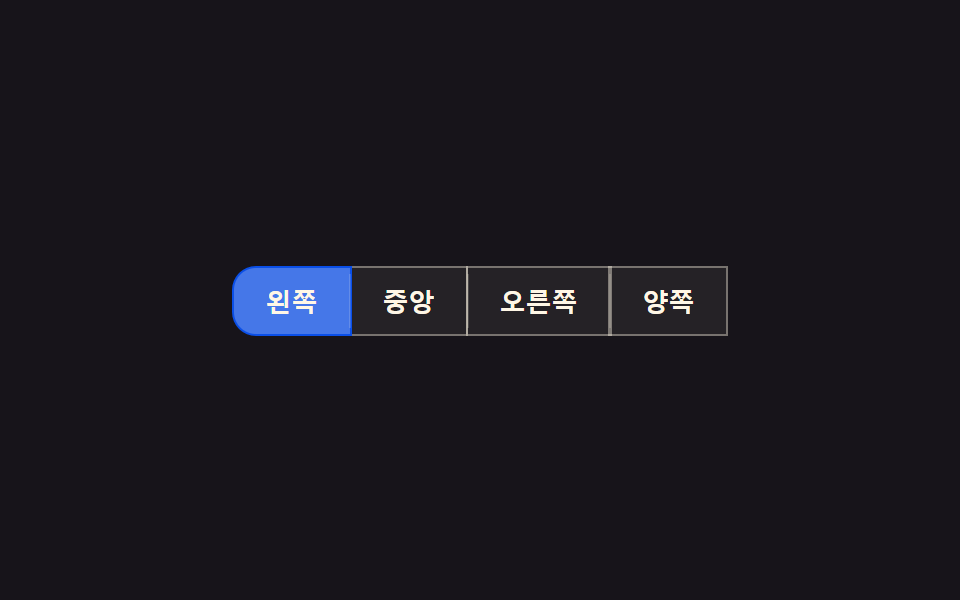 Button Group CSS: 9 Adjoined PatternsButton Group CSS: One of nine slides its indicator along measured coordinates, one folds overflow buttons into a more-va See all demos in this post
If you like this effect - similar demos
 Buttons01 Accordion-reveal value toggle — when the button's open value changes, its rounding and shadow values change along, presenting the content belowExpanding Button UI: 9 Shape-Morph Patterns
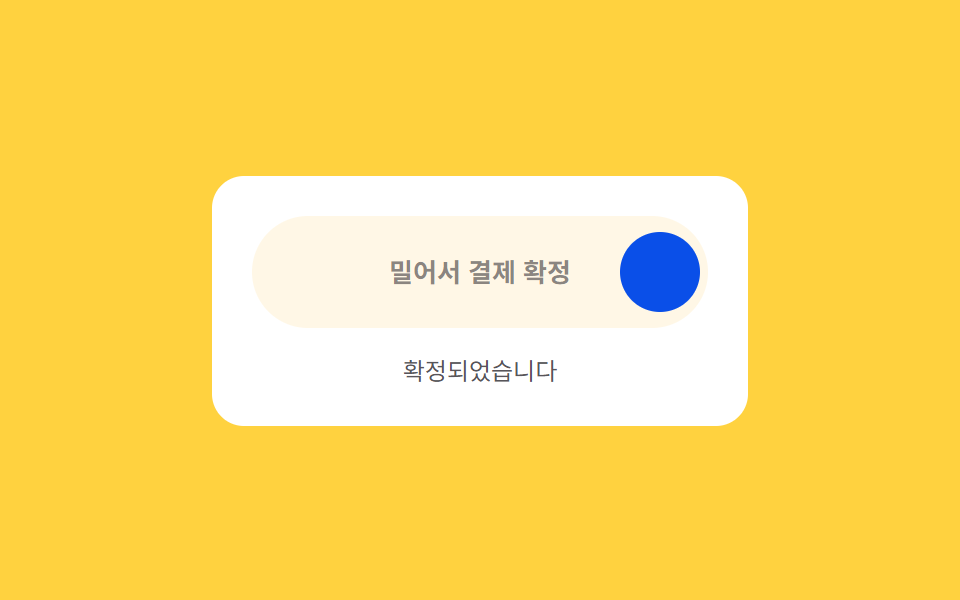 Buttons06 Drag-to-confirm — a button that reaches a confirmed state once a dragged position value passes a thresholdCTA Button Design: 9 Interaction Patterns
 Buttons02 Button that unlocks when the form is valid9 button state css patterns, loading to done