05Nested Cells That Mark Layers With Group Headers and Inner Padding
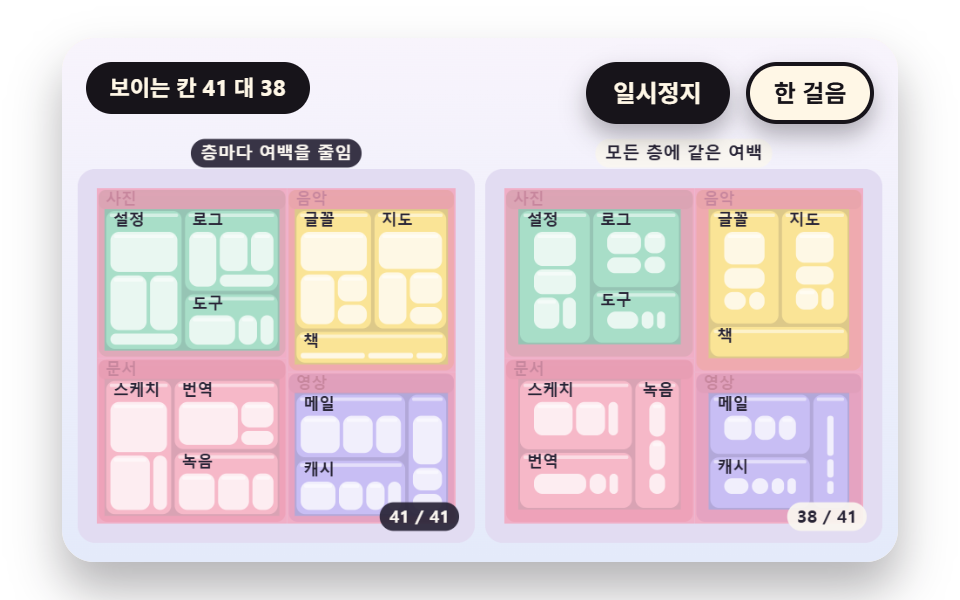
A header strip is cut from the top of a group cell, the remaining rectangle is shrunk by the inner padding, and the children are laid out again inside it. A shrink ratio multiplies the padding at each deeper layer so the innermost cells do not get too small, and the board on the right gives every layer the same padding so deep cells vanish as the contrast.
Best forViews of nested groups such as departments, teams and people
HEADER_HPAD_DECAYlayNode
<main class="stage">
<div class="vj is-demo" id="vj">
  <div class="vj__pad" data-role="pad" tabindex="0" role="application" aria-label="Treemap stage: arrow keys move between cells, Enter picks, P pauses, N steps once, R restarts">
    <canvas class="vj__canvas" data-role="canvas" width="480" height="300" role="img" aria-label="Nested cells appear level by level: four groups, each split into three bundles, each bundle split into three or four leaves. On the left the header strip is cut off and the padding shrinks with each level so inner cells survive, while on the right every level gets the same padding so deep cells thin out or vanish. A rose highlight lights the padding band of each level in turn, and the corner numbers are visible leaves out of all leaves"></canvas>
  </div>
  <p class="vj__status" data-role="status" aria-live="off">Treemap demo</p>
  <div class="vj__ctrl">
    <button class="vj__pause" data-role="pause" type="button" aria-pressed="false">Pause</button>
    <button class="vj__step" data-role="step" type="button">Step</button>
  </div>
  <p class="vj__done" data-role="done" role="status" aria-live="polite"></p>
</div>
</main>
@use "../../../../site/static/demo-tokens" as *;
@include stage($stage-paper);
.vj {
position: relative;
width: min(92vw, calc(160vh - 12.8vw));
aspect-ratio: 480 / 300;
margin: 0 auto;
border-radius: $r-card;
overflow: hidden;
box-shadow: $shadow-raised;
background: $subject-cream;
}
// 무대 상자 — 여기서 시작한 터치만 칸 누르기로 읽는다(touch-action: none 은 이 상자에만). 무대 밖 터치는 페이지 스크롤 그대로
.vj__pad {
position: absolute;
inset: 0;
border-radius: inherit;
outline: none;
touch-action: none;
cursor: pointer;
}
// 바깥 .vj 가 넘침을 자르므로 포커스 테두리는 안쪽으로 들인다
.vj__pad:focus-visible {
outline: 3px solid $subject-ink;
outline-offset: -3px;
}
.vj__canvas {
position: absolute;
inset: 0;
display: block;
width: 100%;
height: 100%;
}
.vj__ctrl {
position: absolute;
right: $sp-3;
top: $sp-3;
display: flex;
gap: $sp-2;
}
.vj__pause,
.vj__step {
padding: $sp-1 $sp-3;
border: 2px solid $subject-ink;
border-radius: $r-pill;
background: $subject-ink;
color: $subject-cream;
font-family: inherit;
font-weight: 700;
font-size: 12px;
line-height: 1.6;
cursor: pointer;
box-shadow: $shadow-press;
transition: transform $dur-quick $ease-spring;
}
.vj__step {
background: $subject-cream;
color: $subject-ink;
}
// 스크린리더에만 읽히는 완료 알림
.vj__done {
position: absolute;
width: 1px;
height: 1px;
margin: 0;
overflow: hidden;
clip-path: inset(50%);
white-space: nowrap;
}
// 눌린 상태(멈춤) — 바탕과 글자색을 뒤집어 aria-pressed 가 눈에도 보이게
.vj__pause[aria-pressed="true"] {
background: $subject-cream;
color: $subject-ink;
}
.vj__pause:hover,
.vj__step:hover {
transform: translateY(-2px);
}
.vj__pause:active,
.vj__step:active {
transform: translateY(1px);
}
.vj__pause:focus-visible,
.vj__step:focus-visible {
outline: 3px solid $subject-ink;
outline-offset: 3px;
}
// 상태 줄 — 지금 장면의 수치를 글자로. 시연 중에는 aria-live off, 사람이 처음 손대면 polite
.vj__status {
position: absolute;
left: $sp-3;
top: $sp-3;
max-width: calc(100% - 190px);
margin: 0;
padding: $sp-1 $sp-3;
border-radius: $r-pill;
background: $subject-ink;
color: $subject-cream;
font-weight: 700;
font-size: 11px;
line-height: 1.6;
white-space: nowrap;
overflow: hidden;
text-overflow: ellipsis;
pointer-events: none;
}
@media (max-width: 340px) {
.vj__pause,
.vj__step,
.vj__status { font-size: 10px; padding: 0 $sp-2; }
}
// 움직임 줄이기 — 장면은 스크립트가 정지 장면 한 장으로 멈춘다. 버튼도 떠오르지 않게
@media (prefers-reduced-motion: reduce) {
.vj__pause,
.vj__step { transition: none !important; }
.vj__pause:hover,
.vj__pause:active,
.vj__step:hover,
.vj__step:active { transform: none !important; }
}html, body {
margin: 0;
overflow: hidden;
}
.stage {
box-sizing: border-box;
min-height: 100vh;
display: grid;
place-items: center;
margin: 0;
background: #ffffff;
font-family: -apple-system, "Segoe UI", "Noto Sans KR", sans-serif;
padding: clamp(8px, 4vw, 24px);
}
.vj {
position: relative;
width: min(92vw, 160vh - 12.8vw);
aspect-ratio: 480/300;
margin: 0 auto;
border-radius: 16px;
overflow: hidden;
box-shadow: 0 14px 24px rgba(23, 20, 26, 0.32);
background: #fff7e6;
}
.vj__pad {
position: absolute;
inset: 0;
border-radius: inherit;
outline: none;
touch-action: none;
cursor: pointer;
}
.vj__pad:focus-visible {
outline: 3px solid #17141a;
outline-offset: -3px;
}
.vj__canvas {
position: absolute;
inset: 0;
display: block;
width: 100%;
height: 100%;
}
.vj__ctrl {
position: absolute;
right: 12px;
top: 12px;
display: flex;
gap: 8px;
}
.vj__pause,
.vj__step {
padding: 4px 12px;
border: 2px solid #17141a;
border-radius: 999px;
background: #17141a;
color: #fff7e6;
font-family: inherit;
font-weight: 700;
font-size: 12px;
line-height: 1.6;
cursor: pointer;
box-shadow: 0 6px 12px rgba(23, 20, 26, 0.32);
transition: transform 220ms cubic-bezier(0.2, 0.8, 0.2, 1);
}
.vj__step {
background: #fff7e6;
color: #17141a;
}
.vj__done {
position: absolute;
width: 1px;
height: 1px;
margin: 0;
overflow: hidden;
clip-path: inset(50%);
white-space: nowrap;
}
.vj__pause[aria-pressed=true] {
background: #fff7e6;
color: #17141a;
}
.vj__pause:hover,
.vj__step:hover {
transform: translateY(-2px);
}
.vj__pause:active,
.vj__step:active {
transform: translateY(1px);
}
.vj__pause:focus-visible,
.vj__step:focus-visible {
outline: 3px solid #17141a;
outline-offset: 3px;
}
.vj__status {
position: absolute;
left: 12px;
top: 12px;
max-width: calc(100% - 190px);
margin: 0;
padding: 4px 12px;
border-radius: 999px;
background: #17141a;
color: #fff7e6;
font-weight: 700;
font-size: 11px;
line-height: 1.6;
white-space: nowrap;
overflow: hidden;
text-overflow: ellipsis;
pointer-events: none;
}
@media (max-width: 340px) {
.vj__pause,
.vj__step,
.vj__status {
font-size: 10px;
padding: 0 8px;
}
}
@media (prefers-reduced-motion: reduce) {
.vj__pause,
.vj__step {
transition: none !important;
}
.vj__pause:hover,
.vj__pause:active,
.vj__step:hover,
.vj__step:active {
transform: none !important;
}
}(function () {
const root = document.getElementById("vj");
if (!root) return;
// 무대 좌표 — 캔버스 안 계산은 늘 480×300. 화면에 보이는 크기와 상관없다
const W = 480;
const H = 300;
const TAU = Math.PI * 2;
function clamp(v, lo, hi) { return v < lo ? lo : (v > hi ? hi : v); }
function lerp(a, b, k) { return a + (b - a) * k; }
function ease(x) { const c = clamp(x, 0, 1); return c * c * (3 - 2 * c); }
// 끝에서 한 번 넘쳤다 돌아오는 곡선 — 칸이 자리에 튀어 나올 때
function backOut(x) {
const c = clamp(x, 0, 1) - 1;
return 1 + 2.70158 * c * c * c + 1.70158 * c * c;
}
// 시드 고정 난수 — 선형 합동 생성기(곱 1664525, 더함 1013904223). 같은 시드면 같은 수열
function seeded(seed) {
let s = (seed >>> 0) || 1;
return function () {
s = (Math.imul(s, 1664525) + 1013904223) >>> 0;
return s / 4294967296;
};
}
// 파스텔 팔레트 — 칸은 연한 면, 글자는 늘 진한 잉크
const BG_TOP = [248, 244, 252];
const BG_BOT = [228, 234, 250];
const BED = [226, 220, 242];
const INK = [40, 36, 54];
const INK2 = [66, 60, 90];
const PAPER = [250, 246, 240];
const NEUTRAL = [234, 232, 240];
const ROSE = [244, 162, 186];
const MINT = [148, 212, 182];
const TILES = [
[200, 190, 244], [168, 222, 200], [250, 228, 150], [246, 184, 200],
[172, 208, 246], [250, 208, 170], [196, 222, 170], [222, 190, 240],
];
function mix(a, b, k) { return [lerp(a[0], b[0], k), lerp(a[1], b[1], k), lerp(a[2], b[2], k)]; }
function rgba(c, a) {
return 'rgba(' + Math.round(clamp(c[0], 0, 255)) + ',' + Math.round(clamp(c[1], 0, 255)) + ',' + Math.round(clamp(c[2], 0, 255)) + ',' + clamp(a, 0, 1).toFixed(3) + ')';
}
// 장면 시계(초)·판 반복 번호·시간표 — 시간표는 (시각, 할 일) 목록이고 시각이 지나면 한 번씩 부른다
let sceneT = 0;
let lap = 0;
let script = [];
let evAt = 0;
function inset(r, p) {
return { x: r.x + p, y: r.y + p, w: Math.max(0, r.w - 2 * p), h: Math.max(0, r.h - 2 * p) };
}
function aspectOf(r) {
if (r.w <= 1e-6 || r.h <= 1e-6) {
return 99;
}
return r.w >= r.h ? r.w / r.h : r.h / r.w;
}
// 한 줄의 최악 가로세로 비 — areas 는 그 줄 칸들의 넓이, side 는 줄을 놓을 짧은 변의 길이
function worstRow(areas, side) {
let s = 0;
let mx = 0;
let mn = Infinity;
for (const a of areas) {
s += a;
if (a > mx) {
mx = a;
}
if (a < mn) {
mn = a;
}
}
const s2 = s * s;
const d2 = side * side;
return Math.max(d2 * mx / s2, s2 / (d2 * mn));
}
function squarify(vals, R) {
const n = vals.length;
const idx = [];
let total = 0;
for (let i = 0; i < n; i += 1) {
idx.push(i);
total += Math.max(vals[i], 1e-6);
}
idx.sort(function (a, b) { return vals[b] - vals[a] || a - b; });
const k = R.w * R.h / total;
const rects = [];
const rowOf = [];
for (let i = 0; i < n; i += 1) {
rects.push({ x: R.x, y: R.y, w: 0, h: 0 });
rowOf.push(0);
}
const rows = [];
let rx = R.x;
let ry = R.y;
let rw = R.w;
let rh = R.h;
let at = 0;
while (at < n) {
const side = Math.max(Math.min(rw, rh), 1e-6);
const row = [];
const areas = [];
let cur = Infinity;
while (at < n) {
const a = Math.max(vals[idx[at]], 1e-6) * k;
const next = areas.slice();
next.push(a);
const wr = worstRow(next, side);
if (areas.length > 0 && wr > cur) {
break;
}
areas.push(a);
row.push(idx[at]);
cur = wr;
at += 1;
}
let s = 0;
for (const a of areas) {
s += a;
}
if (rw >= rh) {
const cw = s / Math.max(rh, 1e-6);
let y = ry;
row.forEach(function (id, j) {
const h = areas[j] / Math.max(cw, 1e-6);
rects[id] = { x: rx, y: y, w: cw, h: h };
rowOf[id] = rows.length;
y += h;
});
rx += cw;
rw -= cw;
}
else {
const ch = s / Math.max(rw, 1e-6);
let x = rx;
row.forEach(function (id, j) {
const w = areas[j] / Math.max(ch, 1e-6);
rects[id] = { x: x, y: ry, w: w, h: ch };
rowOf[id] = rows.length;
x += w;
});
ry += ch;
rh -= ch;
}
rows.push(row);
}
return { rects: rects, rowOf: rowOf, rows: rows };
}
// One direction slice — 줄을 나누지 않고 입력 순서대로 세로 띠로만 자른다
function slice(vals, R) {
let total = 0;
for (const v of vals) {
total += Math.max(v, 1e-6);
}
let x = R.x;
return vals.map(function (v) {
const w = R.w * Math.max(v, 1e-6) / total;
const r = { x: x, y: R.y, w: w, h: R.h };
x += w;
return r;
});
}
function worstAspect(rs) {
let m = 1;
for (const r of rs) {
const a = aspectOf(r);
if (a > m) {
m = a;
}
}
return m;
}
function meanAspect(rs) {
let s = 0;
for (const r of rs) {
s += aspectOf(r);
}
return rs.length ? s / rs.length : 1;
}
// 스프링 — 네 변(왼·위·오른·아래)을 따로 목표로 끌어당긴다. k 는 스프링 상수, zeta 는 감쇠비
function springStep(cur, vel, tgt, k, zeta, dt) {
const c = 2 * zeta * Math.sqrt(k);
const n = Math.max(1, Math.ceil(dt * 120));
const h = dt / n;
for (let s = 0; s < n; s += 1) {
for (let j = 0; j < cur.length; j += 1) {
vel[j] += (-k * (cur[j] - tgt[j]) - c * vel[j]) * h;
cur[j] += vel[j] * h;
}
}
}
function edgesOf(r) { return [r.x, r.y, r.x + r.w, r.y + r.h]; }
function rectOf(e) { return { x: e[0], y: e[1], w: e[2] - e[0], h: e[3] - e[1] }; }
// ── 자체 가상 데이터 ──────────────────────────────────────
const NAMES = [
'Video', 'Photos', 'Music', 'Docs', 'Games', 'Apps', 'Backup', 'Mail', 'Cache', 'Logs', 'Tools', 'Config',
'Fonts', 'Books', 'Maps', 'Translate', 'Sketch', 'Audio', 'Templates', 'Zips', 'Temp', 'Shared', 'Archive', 'Other',
];
// 큰 순서로 놓인 값 24개
const BASE = [34, 27, 22, 19, 16, 14, 12, 10, 9, 8, 7, 6, 5.5, 5, 4.4, 4, 3.4, 3, 2.6, 2.3, 2, 1.7, 1.5, 1.3];
function leafOf(name, v) { return { name: name, v: v, kids: [] }; }
function groupOf(name, kids) {
let s = 0;
for (const k of kids) {
s += k.v;
}
return { name: name, v: s, kids: kids };
}
function sumOf(vals) { let s = 0; for (const v of vals) {
s += v;
} return s; }
function pct(v, total) { return String(Math.round(v / total * 1000) / 10); }
// ── 라벨 맞춤 ─────────────────────────────────────────────
// 글자 너비는 문자 수 × 글자 크기 × CHAR_W 로 어림 — 한글 한 자가 글자 크기만큼 차지하니 CHAR_W 는 1
const CHAR_W = 1;
const FONT_MAX = 15;
const FONT_STEP = 2;
const HIDE_MIN = 8;
function estW(s, px) { return s.length * px * CHAR_W; }
// 칸 안쪽(양쪽 3px 여백)에 들어가는 가장 큰 글자 크기 — 최소 크기에서도 넘치면 0(감춤)
function fitPx(s, r) {
for (let px = FONT_MAX; px >= HIDE_MIN; px -= FONT_STEP) {
if (estW(s, px) <= r.w - 6 && px * 1.3 <= r.h - 4) {
return px;
}
}
return 0;
}
const canvasEl = root.querySelector('[data-role="canvas"]');
const padEl = root.querySelector('[data-role="pad"]');
const pauseEl = root.querySelector('[data-role="pause"]');
const statusEl = root.querySelector('[data-role="status"]');
const stepEl = root.querySelector('[data-role="step"]');
const doneEl = root.querySelector('[data-role="done"]');
const ctxRaw = canvasEl ? canvasEl.getContext('2d') : null;
if (!canvasEl || !ctxRaw || !pauseEl || !padEl || !stepEl || !doneEl) {
return;
}
const cv = canvasEl;
const ctx = ctxRaw;
const pauseBtn = pauseEl;
const stepBtn = stepEl;
const doneP = doneEl;
const pad = padEl;
// 외부 웹폰트는 부르지 않는다 — 기기에 있는 Fonts 목록만
const FONT_STACK = 'system-ui, -apple-system, "Segoe UI", "Noto Sans KR", sans-serif';
let dpr = 1;
function fitCanvas() {
// 배율은 2 에서 자른다 — 배율 3 기기에서 화소가 2.25배로 늘지 않게
dpr = Math.min(window.devicePixelRatio || 1, 2);
cv.width = Math.round(W * dpr);
cv.height = Math.round(H * dpr);
ctx.setTransform(dpr, 0, 0, dpr, 0, 0);
}
function skyFill(top, bot) {
const g = ctx.createLinearGradient(0, 0, 0, H);
g.addColorStop(0, rgba(top, 1));
g.addColorStop(1, rgba(bot, 1));
ctx.fillStyle = g;
ctx.fillRect(0, 0, W, H);
}
function disc(x, y, r, c, a) {
if (r <= 0.2 || a <= 0) {
return;
}
ctx.beginPath();
ctx.arc(x, y, r, 0, TAU);
ctx.fillStyle = rgba(c, a);
ctx.fill();
}
function box(x, y, w, h, r, c, a) {
if (w <= 0.2 || h <= 0.2 || a <= 0) {
return;
}
ctx.beginPath();
ctx.roundRect(x, y, w, h, Math.max(0, Math.min(r, w / 2, h / 2)));
ctx.fillStyle = rgba(c, a);
ctx.fill();
}
function outline(x, y, w, h, r, width, c, a) {
if (w <= 0.2 || h <= 0.2 || a <= 0) {
return;
}
ctx.beginPath();
ctx.roundRect(x, y, w, h, Math.max(0, Math.min(r, w / 2, h / 2)));
ctx.lineWidth = width;
ctx.strokeStyle = rgba(c, a);
ctx.stroke();
}
function text(s, x, y, c, a, px, weight, align) {
ctx.font = weight + ' ' + px + 'px ' + FONT_STACK;
ctx.textAlign = align;
ctx.textBaseline = 'middle';
ctx.fillStyle = rgba(c, a);
ctx.fillText(s, x, y);
}
// 글자 이름표 — 바탕 알약 위에 글자
function tag(s, x, y, bg, fg, px, align) {
ctx.font = '700 ' + px + 'px ' + FONT_STACK;
const w = ctx.measureText(s).width + px * 1.1;
const left = align === 'center' ? x - w / 2 : (align === 'right' ? x - w : x);
box(left, y - px * 0.82, w, px * 1.64, px * 0.82, bg, 0.92);
text(s, left + w / 2, y + 0.5, fg, 1, px, 700, 'center');
}
// 판 자리 — 왼쪽 판·오른쪽 판(대비판)·한 판짜리 히어로. 위쪽은 상태 줄·버튼 자리
const PANEL_L = { x: 12, y: 78, w: 222, h: 208 };
const PANEL_R = { x: 246, y: 78, w: 222, h: 208 };
const PANEL_ONE = { x: 12, y: 60, w: 456, h: 228 };
// 판 바닥 — 칸 사이 틈으로 비치는 연보라
function bed(R) {
box(R.x - 3, R.y - 3, R.w + 6, R.h + 6, 10, BED, 1);
}
function panelTags(a, b) {
tag(a, PANEL_L.x + PANEL_L.w / 2, 66, INK, PAPER, 10, 'center');
tag(b, PANEL_R.x + PANEL_R.w / 2, 66, PAPER, INK, 10, 'center');
}
// 칸 한 장 — 둥근 면과 윗면 하이라이트. pop 은 자리에 튀어 나오는 배율(1 이면 그대로)
function tile(r, c, a, pop) {
if (a <= 0 || pop <= 0) {
return;
}
const cx = r.x + r.w / 2;
const cy = r.y + r.h / 2;
const w = Math.max(0, (r.w - 2) * pop);
const h = Math.max(0, (r.h - 2) * pop);
box(cx - w / 2, cy - h / 2, w, h, 5, c, a);
if (h > 12 && w > 8) {
box(cx - w / 2 + 2, cy - h / 2 + 1.5, w - 4, 2, 1, [255, 255, 255], 0.5 * a);
}
}
// 칸 안 글자 — 맞는 크기가 있으면 이름(과 자리가 되면 아래 줄 부제), 없으면 감춘다
function cellText(r, name, sub, a) {
const px = fitPx(name, r);
if (px === 0 || a <= 0) {
return;
}
const cx = r.x + r.w / 2;
const cy = r.y + r.h / 2;
const two = sub !== '' && r.h >= px * 2.6 && estW(sub, px - 3) <= r.w - 6;
text(name, cx, cy - (two ? px * 0.55 : 0), INK, a, px, 700, 'center');
if (two) {
text(sub, cx, cy + px * 0.75, INK2, a, px - 3, 600, 'center');
}
}
let shownStatus = '';
function pushStatus(s) {
if (!statusEl || s === shownStatus) {
return;
}
shownStatus = s;
statusEl.textContent = s;
}
let paused = false;
const reduceQuery = window.matchMedia('(prefers-reduced-motion: reduce)');
// 페이지를 연 채 움직임 줄이기 설정을 바꿔도 change 리스너가 다시 읽는다
let still = reduceQuery.matches;
// 자동 시연 표시 — 사람이 처음 손대면 떼고 상태 줄을 polite 로 켠다
let demo = root.classList.contains('is-demo');
const off = new AbortController();
// 사람이 직접 하는 중이면 시간표는 멈추고 애니메이션만 흐른다
let manual = false;
// curOn 이면 키보드 칸 고르기가 켜진 것 — ki 가 hits() 안 번호
let curOn = false;
let ki = 0;
function wake() {
if (!demo) {
return;
}
demo = false;
root.classList.remove('is-demo');
if (statusEl) {
statusEl.setAttribute('aria-live', 'polite');
}
}
function takeOver() {
if (manual) {
return;
}
manual = true;
onTake();
wake();
if (!curOn) {
curOn = true;
ki = 0;
}
}
// 한 판 시연이 끝났음을 스크린리더에 한 번만 알린다 — 판이 되풀이돼도 다시 읽지 않는다
let doneSaid = false;
function checkDone() {
if (!manual && !doneSaid && sceneT >= LAP_S - 0.6) {
doneSaid = true;
doneP.textContent = statusText();
}
}
function advance(dt) {
sceneT += dt;
if (!manual) {
while (evAt < script.length && script[evAt].t <= sceneT) {
const ev = script[evAt];
evAt += 1;
ev.f();
}
if (sceneT >= LAP_S) {
lap += 1;
begin();
return;
}
}
update(dt);
}
// 첫 판은 START_S 만큼 앞서 시작한다 — 칸이 이미 움직이는 중인 장면에서 보인다
function runTo(t) {
while (sceneT < t - 1e-6) {
advance(Math.min(1 / 30, t - sceneT));
}
}
function begin() {
sceneT = 0;
evAt = 0;
script = [];
build();
if (lap === 0 && !still) {
runTo(START_S);
}
}
const DT_MAX = 0.05;
const SETTLE_FRAMES = 8;
const SETTLE_DT = 0.04;
function drawCursor() {
if (!curOn) {
return;
}
const hs = hits();
if (hs.length === 0) {
return;
}
const h = hs[clamp(ki, 0, hs.length - 1)];
outline(h.x + 1, h.y + 1, h.w - 2, h.h - 2, 5, 3, INK, 1);
outline(h.x - 1, h.y - 1, h.w + 2, h.h + 2, 6, 1.5, PAPER, 0.9);
}
function cursorLabel() {
const hs = hits();
return hs.length === 0 ? statusText() : hs[clamp(ki, 0, hs.length - 1)].label;
}
function showNow() {
draw();
drawCursor();
pushStatus(curOn ? cursorLabel() : statusText());
checkDone();
}
let rafId = 0;
let lastTs = -1;
function frame(ts) {
if (still || paused) {
rafId = 0;
return;
}
if (lastTs < 0) {
lastTs = ts;
}
const dt = Math.min((ts - lastTs) / 1000, DT_MAX);
lastTs = ts;
if (dt > 0) {
advance(dt);
}
showNow();
rafId = window.requestAnimationFrame(frame);
}
function startLoop() {
if (rafId) {
return;
}
// 멈췄던 사이의 시간을 첫 프레임 dt 로 넘기지 않는다
lastTs = -1;
rafId = window.requestAnimationFrame(frame);
}
function stopLoop() {
if (rafId) {
window.cancelAnimationFrame(rafId);
rafId = 0;
}
}
// 움직임 줄이기 — 루프 없이 배치가 끝난 정지 장면 한 장
function showRest() {
stopLoop();
lap = 0;
sceneT = 0;
evAt = 0;
script = [];
build();
runTo(REST_S);
showNow();
}
// 움직임 줄이기이거나 멈춘 채 입력이 들어오면 트윈 없이 곧바로 끝 배치로 — 시간을 3초 흘려 스프링·애니메이션을 다 끝낸다
function settleStill() {
for (let k = 0; k < 90; k += 1) {
sceneT += 1 / 30;
update(1 / 30);
}
}
function play() {
begin();
showNow();
if (!paused) {
startLoop();
}
}
function togglePause() {
paused = !paused;
pauseBtn.setAttribute('aria-pressed', paused ? 'true' : 'false');
wake();
if (paused) {
stopLoop();
}
else if (!still) {
startLoop();
}
}
function restart() {
manual = false;
curOn = false;
doneSaid = false;
lap += 1;
begin();
for (let k = 0; k < SETTLE_FRAMES; k += 1) {
update(SETTLE_DT);
}
showNow();
}
// Step — 멈춘 채 시간표의 다음 일 하나를 부른다. 더 부를 일이 없거나 직접 하던 중이면 다음 판을 연다
function stepOnce() {
wake();
if (!paused) {
paused = true;
pauseBtn.setAttribute('aria-pressed', 'true');
stopLoop();
}
if (manual || evAt >= script.length) {
restart();
return;
}
sceneT = Math.max(sceneT, script[evAt].t);
advance(0);
for (let k = 0; k < SETTLE_FRAMES; k += 1) {
sceneT += SETTLE_DT;
update(SETTLE_DT);
}
showNow();
}
function moveCur(d) {
const n = hits().length;
if (n === 0) {
return;
}
ki = (ki + d + n) % n;
}
function actCur(i) {
onAct(i);
// 멈춘 채·움직임 줄이기에서도 입력이 화면에 바로 반영되게 한다
if (still || paused) {
settleStill();
}
}
pauseBtn.addEventListener('click', togglePause, { signal: off.signal });
stepBtn.addEventListener('click', stepOnce, { signal: off.signal });
// 키보드 — 무대에 포커스가 있을 때만. 방향키는 칸 이동, Enter·Space 는 칸 고르기, P 는 Pause, N 은 Step, R 은 다시
pad.addEventListener('keydown', function (e) {
if (e.altKey || e.ctrlKey || e.metaKey) {
return;
}
const k = e.key;
if (k === 'ArrowLeft' || k === 'ArrowUp') {
e.preventDefault();
takeOver();
moveCur(-1);
showNow();
}
else if (k === 'ArrowRight' || k === 'ArrowDown') {
e.preventDefault();
takeOver();
moveCur(1);
showNow();
}
else if (k === 'Enter' || k === ' ') {
e.preventDefault();
takeOver();
actCur(ki);
showNow();
}
else if (k === 'p' || k === 'P') {
togglePause();
}
else if (k === 'n' || k === 'N') {
stepOnce();
}
else if (k === 'r' || k === 'R') {
restart();
}
}, { signal: off.signal });
// 마우스·터치 — 누른 자리의 칸을 고른다
pad.addEventListener('click', function (e) {
const rect = cv.getBoundingClientRect();
const px = (e.clientX - rect.left) / rect.width * W;
const py = (e.clientY - rect.top) / rect.height * H;
const hs = hits();
let at = -1;
for (let i = 0; i < hs.length; i += 1) {
if (px >= hs[i].x && px <= hs[i].x + hs[i].w && py >= hs[i].y && py <= hs[i].y + hs[i].h) {
at = i;
}
}
if (at < 0) {
return;
}
takeOver();
ki = at;
actCur(at);
showNow();
}, { signal: off.signal });
// 탭이 숨으면 멈추고, 돌아오면 시계를 다시 맞춰 시작 — 숨은 동안의 몇 초가 한 프레임에 몰리지 않게
document.addEventListener('visibilitychange', function () {
if (document.hidden) {
stopLoop();
}
else if (!paused && !still) {
startLoop();
}
}, { signal: off.signal });
// 설정이 바뀌면 — 켜지면 배치가 끝난 한 장, 꺼지면 다시 움직인다
reduceQuery.addEventListener('change', function () {
still = reduceQuery.matches;
if (still) {
showRest();
}
else {
lap = 0;
play();
}
}, { signal: off.signal });
window.addEventListener('resize', function () {
fitCanvas();
showNow();
}, { signal: off.signal });
// 05 — 그룹 칸 위쪽에 머리글 띠를 떼고 남은 사각형을 안쪽 여백만큼 줄여 그 안에서 다시 배치한다. 왼쪽은 층이 깊어질수록 여백을 PAD_DECAY 배씩 줄이고, 오른쪽은 모든 층에 같은 여백을 준다
const HEADER_H = 12;
const PAD = 8;
const PAD_DECAY = 0.55;
const MIN_SHOWN = 5;
const LAP_S = 9.8;
const START_S = 3.3;
const REST_S = 6.0;
// 층마다 여백 띠를 장미색으로 비추는 시각과 간격 — 깊이 0·1·2 순서
const PADLIGHT_T0 = 4.2;
const PADLIGHT_GAP = 0.9;
let treeRoot = leafOf(0, 1);
let boxL = { r: PANEL_L, inner: PANEL_L, depth: 0, name: 0, v: 1, at: 0, kids: [] };
let boxR = { r: PANEL_R, inner: PANEL_R, depth: 0, name: 0, v: 1, at: 0, kids: [] };
let pinned = null;
// 층 번호마다 나타나는 시각을 세는 카운터
let seen = [0, 0, 0, 0];
function makeTree(seed) {
const rnd = seeded(seed);
const groups = [];
for (let g = 0; g < 4; g += 1) {
const subs = [];
for (let s = 0; s < 3; s += 1) {
const leaves = [];
const n = 3 + Math.floor(rnd() * 2);
for (let k = 0; k < n; k += 1) {
leaves.push(leafOf(4 + (g * 5 + s * 3 + k) % 20, 3 + Math.round(rnd() * rnd() * 22)));
}
subs.push(groupOf(g * 3 + s + 6, leaves));
}
groups.push(groupOf(g, subs));
}
return groupOf(0, groups);
}
function padAt(depth, flat) { return flat ? PAD : PAD * Math.pow(PAD_DECAY, depth); }
// 노드 n 을 사각형 R 에 놓는다. 머리글(깊이 1·2)을 떼고 안쪽 여백만큼 줄인 사각형에서 자식을 다시 배치
function layNode(n, R, depth, flat) {
const b = { r: R, inner: R, depth: depth, name: n.name, v: n.v, at: 0, kids: [] };
seen[depth] += 1;
b.at = depth === 0 ? 0 : (depth === 1 ? 0.4 + (seen[1] - 1) * 0.15 : (depth === 2 ? 1.5 + (seen[2] - 1) * 0.08 : 2.8 + (seen[3] - 1) * 0.03));
if (n.kids.length === 0) {
return b;
}
const p = padAt(depth, flat);
const head = depth === 0 ? 0 : HEADER_H;
const innerR = { x: R.x + p, y: R.y + head + (depth === 0 ? p : 0), w: Math.max(0, R.w - 2 * p), h: Math.max(0, R.h - head - p - (depth === 0 ? p : 0)) };
b.inner = innerR;
const lay = squarify(n.kids.map(function (k) { return k.v; }), innerR);
b.kids = n.kids.map(function (k, i) { return layNode(k, lay.rects[i], depth + 1, flat); });
return b;
}
function leaves(b, out) {
if (b.kids.length === 0) {
out.push(b);
}
else {
for (const k of b.kids) {
leaves(k, out);
}
}
return out;
}
function shownCount(b) {
let c = 0;
for (const l of leaves(b, [])) {
if (Math.min(l.r.w, l.r.h) >= MIN_SHOWN) {
c += 1;
}
}
return c;
}
function build() {
treeRoot = makeTree(5071 + (lap % 2) * 97);
seen = [0, 0, 0, 0];
boxL = layNode(treeRoot, PANEL_L, 0, false);
seen = [0, 0, 0, 0];
boxR = layNode(treeRoot, PANEL_R, 0, true);
pinned = null;
}
function update(dt) { if (dt < 0) {
return;
} }
function fadeAll() { return 1 - clamp((sceneT - 8.6) / 1.0, 0, 1); }
function drawBox(b, group) {
const p = clamp((sceneT - b.at) / 0.4, 0, 1);
if (b.depth === 0) {
for (const k of b.kids) {
drawBox(k, group);
}
return;
}
if (p <= 0) {
return;
}
const a = fadeAll();
const base = TILES[group % 8];
const col = b.depth === 1 ? mix(base, INK, 0.14) : (b.depth === 2 ? base : mix(base, [255, 255, 255], 0.75));
const pop = 0.7 + 0.3 * backOut(p);
if (Math.min(b.r.w, b.r.h) >= 1.5) {
tile(b.r, col, a * p, pop);
}
if (b.depth <= 2 && b.r.w > 20 && b.r.h > HEADER_H + 2) {
const nm = NAMES[b.name];
if (b.depth === 1) {
box(b.r.x + 1, b.r.y + 1, b.r.w - 2, HEADER_H - 1, 4, mix(base, INK, 0.28), 0.9 * a * p);
}
if (estW(nm, 9) + 8 <= b.r.w) {
text(nm, b.r.x + 5, b.r.y + 1 + HEADER_H / 2, INK, a * p, 9, 700, 'left');
}
}
for (const k of b.kids) {
drawBox(k, group);
}
}
// 깊이 d 인 칸의 여백 띠(바깥 사각형에서 안쪽 사각형을 뺀 틀)를 한 번 비춘다
function padLight(b, d, k) {
if (b.kids.length === 0) {
return;
}
if (b.depth === d && Math.min(b.r.w, b.r.h) >= 1.5) {
ctx.beginPath();
ctx.rect(b.r.x, b.r.y, b.r.w, b.r.h);
ctx.rect(b.inner.x, b.inner.y, b.inner.w, b.inner.h);
ctx.fillStyle = rgba(ROSE, 0.85 * k);
ctx.fill('evenodd');
}
for (const c of b.kids) {
padLight(c, d, k);
}
}
function drawPanel(R, b) {
bed(R);
b.kids.forEach(function (g, i) { drawBox(g, i); });
for (let d = 0; d < 3; d += 1) {
const age = sceneT - PADLIGHT_T0 - d * PADLIGHT_GAP;
if (age >= 0 && age < PADLIGHT_GAP) {
padLight(b, d, Math.sin(age / PADLIGHT_GAP * Math.PI) * fadeAll());
}
}
tag(shownCount(b) + ' / ' + leaves(b, []).length, R.x + R.w - 6, R.y + R.h - 12, R === PANEL_L ? INK : PAPER, R === PANEL_L ? PAPER : INK, 10, 'right');
}
function draw() {
skyFill(BG_TOP, BG_BOT);
panelTags('Padding shrinks per level', 'Same padding every level');
drawPanel(PANEL_L, boxL);
drawPanel(PANEL_R, boxR);
if (pinned) {
outline(pinned.r.x + 1, pinned.r.y + 1, pinned.r.w - 2, pinned.r.h - 2, 4, 3, ROSE, 1);
}
}
function statusText() {
return 'Visible cells {a} vs {b}'.replace('{a}', String(shownCount(boxL))).replace('{b}', String(shownCount(boxR)));
}
// 그룹과 안쪽 묶음(깊이 1·2)을 차례로 — 키보드로 한 칸씩
function flatBoxes() {
const out = [];
for (const g of boxL.kids) {
out.push(g);
for (const s of g.kids) {
out.push(s);
}
}
return out;
}
function hits() {
return flatBoxes().map(function (b) {
return { x: b.r.x, y: b.r.y, w: b.r.w, h: b.r.h, label: '{n} total {v} - depth {d}'.replace('{n}', NAMES[b.name]).replace('{v}', String(b.v)).replace('{d}', String(b.depth)) };
});
}
function onAct(i) { const b = flatBoxes()[i]; pinned = pinned === b ? null : b; }
function onTake() { return; }
fitCanvas();
if (still) {
showRest();
}
else {
play();
}
return function () {
stopLoop();
off.abort();
};
})();// NestedHeaderPaddingInset - 같은 항목 vanilla index.html 의 React 판. 같은 계산을 useEffect 안에서 돌린다
import { useEffect, useRef } from "react";
import styles from "./NestedHeaderPaddingInset.module.scss";
const cx = (s: string): string => s.split(" ").map((n) => styles[n] ?? n).join(" ");
export default function NestedHeaderPaddingInset() {
const rootRef = useRef<HTMLDivElement | null>(null);
useEffect(() => {
const rootEl = rootRef.current;
if (!rootEl) return;
const root: HTMLElement = rootEl;
type RGB = [number, number, number];
type RGBA = [number, number, number, number];
// 무대 좌표 — 캔버스 안 계산은 늘 480×300. 화면에 보이는 크기와 상관없다
const W = 480;
const H = 300;
const TAU = Math.PI * 2;
function clamp(v: number, lo: number, hi: number): number { return v < lo ? lo : (v > hi ? hi : v); }
function lerp(a: number, b: number, k: number): number { return a + (b - a) * k; }
function ease(x: number): number { const c = clamp(x, 0, 1); return c * c * (3 - 2 * c); }
// 끝에서 한 번 넘쳤다 돌아오는 곡선 — 칸이 자리에 튀어 나올 때
function backOut(x: number): number {
const c = clamp(x, 0, 1) - 1;
return 1 + 2.70158 * c * c * c + 1.70158 * c * c;
}
// 시드 고정 난수 — 선형 합동 생성기(곱 1664525, 더함 1013904223). 같은 시드면 같은 수열
function seeded(seed: number): () => number {
let s = (seed >>> 0) || 1;
return function (): number {
s = (Math.imul(s, 1664525) + 1013904223) >>> 0;
return s / 4294967296;
};
}
// 파스텔 팔레트 — 칸은 연한 면, 글자는 늘 진한 잉크
const BG_TOP: RGB = [248, 244, 252];
const BG_BOT: RGB = [228, 234, 250];
const BED: RGB = [226, 220, 242];
const INK: RGB = [40, 36, 54];
const INK2: RGB = [66, 60, 90];
const PAPER: RGB = [250, 246, 240];
const NEUTRAL: RGB = [234, 232, 240];
const ROSE: RGB = [244, 162, 186];
const MINT: RGB = [148, 212, 182];
const TILES: RGB[] = [
[200, 190, 244], [168, 222, 200], [250, 228, 150], [246, 184, 200],
[172, 208, 246], [250, 208, 170], [196, 222, 170], [222, 190, 240],
];
function mix(a: RGB, b: RGB, k: number): RGB { return [lerp(a[0], b[0], k), lerp(a[1], b[1], k), lerp(a[2], b[2], k)]; }
function rgba(c: RGB, a: number): string {
return 'rgba(' + Math.round(clamp(c[0], 0, 255)) + ',' + Math.round(clamp(c[1], 0, 255)) + ',' + Math.round(clamp(c[2], 0, 255)) + ',' + clamp(a, 0, 1).toFixed(3) + ')';
}
// 장면 시계(초)·판 반복 번호·시간표 — 시간표는 (시각, 할 일) 목록이고 시각이 지나면 한 번씩 부른다
let sceneT = 0;
let lap = 0;
type Ev = { t: number; f: () => void };
let script: Ev[] = [];
let evAt = 0;
// ── 트리맵 계산 ───────────────────────────────────────────
type Rect = { x: number; y: number; w: number; h: number };
// 키보드·클릭 대상 — 칸 하나의 사각형(캔버스 좌표)과 읽어 줄 문장
type Hit = { x: number; y: number; w: number; h: number; label: string };
function inset(r: Rect, p: number): Rect {
return { x: r.x + p, y: r.y + p, w: Math.max(0, r.w - 2 * p), h: Math.max(0, r.h - 2 * p) };
}
function aspectOf(r: Rect): number {
if (r.w <= 1e-6 || r.h <= 1e-6) { return 99; }
return r.w >= r.h ? r.w / r.h : r.h / r.w;
}
// 한 줄의 최악 가로세로 비 — areas 는 그 줄 칸들의 넓이, side 는 줄을 놓을 짧은 변의 길이
function worstRow(areas: number[], side: number): number {
let s = 0;
let mx = 0;
let mn = Infinity;
for (const a of areas) { s += a; if (a > mx) { mx = a; } if (a < mn) { mn = a; } }
const s2 = s * s;
const d2 = side * side;
return Math.max(d2 * mx / s2, s2 / (d2 * mn));
}
// 줄 단위 배치 — 값을 큰 순서로 세우고, 줄에 칸을 더할 때마다 그 줄의 최악 비를 다시 재서 나빠지기 직전에 줄을 닫는다
type Lay = { rects: Rect[]; rowOf: number[]; rows: number[][] };
function squarify(vals: number[], R: Rect): Lay {
const n = vals.length;
const idx: number[] = [];
let total = 0;
for (let i = 0; i < n; i += 1) { idx.push(i); total += Math.max(vals[i], 1e-6); }
idx.sort(function (a: number, b: number): number { return vals[b] - vals[a] || a - b; });
const k = R.w * R.h / total;
const rects: Rect[] = [];
const rowOf: number[] = [];
for (let i = 0; i < n; i += 1) { rects.push({ x: R.x, y: R.y, w: 0, h: 0 }); rowOf.push(0); }
const rows: number[][] = [];
let rx = R.x;
let ry = R.y;
let rw = R.w;
let rh = R.h;
let at = 0;
while (at < n) {
const side = Math.max(Math.min(rw, rh), 1e-6);
const row: number[] = [];
const areas: number[] = [];
let cur = Infinity;
while (at < n) {
const a = Math.max(vals[idx[at]], 1e-6) * k;
const next = areas.slice();
next.push(a);
const wr = worstRow(next, side);
if (areas.length > 0 && wr > cur) { break; }
areas.push(a);
row.push(idx[at]);
cur = wr;
at += 1;
}
let s = 0;
for (const a of areas) { s += a; }
if (rw >= rh) {
const cw = s / Math.max(rh, 1e-6);
let y = ry;
row.forEach(function (id: number, j: number): void {
const h = areas[j] / Math.max(cw, 1e-6);
rects[id] = { x: rx, y: y, w: cw, h: h };
rowOf[id] = rows.length;
y += h;
});
rx += cw;
rw -= cw;
} else {
const ch = s / Math.max(rw, 1e-6);
let x = rx;
row.forEach(function (id: number, j: number): void {
const w = areas[j] / Math.max(ch, 1e-6);
rects[id] = { x: x, y: ry, w: w, h: ch };
rowOf[id] = rows.length;
x += w;
});
ry += ch;
rh -= ch;
}
rows.push(row);
}
return { rects: rects, rowOf: rowOf, rows: rows };
}
// 한 방향 슬라이스 — 줄을 나누지 않고 입력 순서대로 세로 띠로만 자른다
function slice(vals: number[], R: Rect): Rect[] {
let total = 0;
for (const v of vals) { total += Math.max(v, 1e-6); }
let x = R.x;
return vals.map(function (v: number): Rect {
const w = R.w * Math.max(v, 1e-6) / total;
const r = { x: x, y: R.y, w: w, h: R.h };
x += w;
return r;
});
}
function worstAspect(rs: Rect[]): number {
let m = 1;
for (const r of rs) { const a = aspectOf(r); if (a > m) { m = a; } }
return m;
}
function meanAspect(rs: Rect[]): number {
let s = 0;
for (const r of rs) { s += aspectOf(r); }
return rs.length ? s / rs.length : 1;
}
// 스프링 — 네 변(왼·위·오른·아래)을 따로 목표로 끌어당긴다. k 는 스프링 상수, zeta 는 감쇠비
function springStep(cur: number[], vel: number[], tgt: number[], k: number, zeta: number, dt: number): void {
const c = 2 * zeta * Math.sqrt(k);
const n = Math.max(1, Math.ceil(dt * 120));
const h = dt / n;
for (let s = 0; s < n; s += 1) {
for (let j = 0; j < cur.length; j += 1) {
vel[j] += (-k * (cur[j] - tgt[j]) - c * vel[j]) * h;
cur[j] += vel[j] * h;
}
}
}
function edgesOf(r: Rect): number[] { return [r.x, r.y, r.x + r.w, r.y + r.h]; }
function rectOf(e: number[]): Rect { return { x: e[0], y: e[1], w: e[2] - e[0], h: e[3] - e[1] }; }
// ── 자체 가상 데이터 ──────────────────────────────────────
const NAMES: string[] = [
'영상', '사진', '음악', '문서', '게임', '앱', '백업', '메일', '캐시', '로그', '도구', '설정',
'글꼴', '책', '지도', '번역', '스케치', '녹음', '템플릿', '압축', '임시', '공유', '보관', '기타',
];
// 큰 순서로 놓인 값 24개
const BASE: number[] = [34, 27, 22, 19, 16, 14, 12, 10, 9, 8, 7, 6, 5.5, 5, 4.4, 4, 3.4, 3, 2.6, 2.3, 2, 1.7, 1.5, 1.3];
// 계층 한 칸 — name 은 NAMES 번호, 잎이면 v 가 값이고 가지면 kids 값의 합
type Tree = { name: number; v: number; kids: Tree[] };
function leafOf(name: number, v: number): Tree { return { name: name, v: v, kids: [] }; }
function groupOf(name: number, kids: Tree[]): Tree {
let s = 0;
for (const k of kids) { s += k.v; }
return { name: name, v: s, kids: kids };
}
function sumOf(vals: number[]): number { let s = 0; for (const v of vals) { s += v; } return s; }
function pct(v: number, total: number): string { return String(Math.round(v / total * 1000) / 10); }
// ── 라벨 맞춤 ─────────────────────────────────────────────
// 글자 너비는 문자 수 × 글자 크기 × CHAR_W 로 어림 — 한글 한 자가 글자 크기만큼 차지하니 CHAR_W 는 1
const CHAR_W = 1;
const FONT_MAX = 15;
const FONT_STEP = 2;
const HIDE_MIN = 8;
function estW(s: string, px: number): number { return s.length * px * CHAR_W; }
// 칸 안쪽(양쪽 3px 여백)에 들어가는 가장 큰 글자 크기 — 최소 크기에서도 넘치면 0(감춤)
function fitPx(s: string, r: Rect): number {
for (let px = FONT_MAX; px >= HIDE_MIN; px -= FONT_STEP) {
if (estW(s, px) <= r.w - 6 && px * 1.3 <= r.h - 4) { return px; }
}
return 0;
}
const canvasEl = root.querySelector('[data-role="canvas"]') as HTMLCanvasElement | null;
const padEl = root.querySelector('[data-role="pad"]') as HTMLElement | null;
const pauseEl = root.querySelector('[data-role="pause"]') as HTMLButtonElement | null;
const statusEl = root.querySelector('[data-role="status"]') as HTMLElement | null;
const stepEl = root.querySelector('[data-role="step"]') as HTMLButtonElement | null;
const doneEl = root.querySelector('[data-role="done"]') as HTMLElement | null;
const ctxRaw = canvasEl ? canvasEl.getContext('2d') : null;
if (!canvasEl || !ctxRaw || !pauseEl || !padEl || !stepEl || !doneEl) { return; }
const cv: HTMLCanvasElement = canvasEl;
const ctx: CanvasRenderingContext2D = ctxRaw;
const pauseBtn: HTMLButtonElement = pauseEl;
const stepBtn: HTMLButtonElement = stepEl;
const doneP: HTMLElement = doneEl;
const pad: HTMLElement = padEl;
// 외부 웹폰트는 부르지 않는다 — 기기에 있는 글꼴 목록만
const FONT_STACK = 'system-ui, -apple-system, "Segoe UI", "Noto Sans KR", sans-serif';
let dpr = 1;
function fitCanvas(): void {
// 배율은 2 에서 자른다 — 배율 3 기기에서 화소가 2.25배로 늘지 않게
dpr = Math.min(window.devicePixelRatio || 1, 2);
cv.width = Math.round(W * dpr);
cv.height = Math.round(H * dpr);
ctx.setTransform(dpr, 0, 0, dpr, 0, 0);
}
function skyFill(top: RGB, bot: RGB): void {
const g = ctx.createLinearGradient(0, 0, 0, H);
g.addColorStop(0, rgba(top, 1));
g.addColorStop(1, rgba(bot, 1));
ctx.fillStyle = g;
ctx.fillRect(0, 0, W, H);
}
function disc(x: number, y: number, r: number, c: RGB, a: number): void {
if (r <= 0.2 || a <= 0) { return; }
ctx.beginPath();
ctx.arc(x, y, r, 0, TAU);
ctx.fillStyle = rgba(c, a);
ctx.fill();
}
function box(x: number, y: number, w: number, h: number, r: number, c: RGB, a: number): void {
if (w <= 0.2 || h <= 0.2 || a <= 0) { return; }
ctx.beginPath();
ctx.roundRect(x, y, w, h, Math.max(0, Math.min(r, w / 2, h / 2)));
ctx.fillStyle = rgba(c, a);
ctx.fill();
}
function outline(x: number, y: number, w: number, h: number, r: number, width: number, c: RGB, a: number): void {
if (w <= 0.2 || h <= 0.2 || a <= 0) { return; }
ctx.beginPath();
ctx.roundRect(x, y, w, h, Math.max(0, Math.min(r, w / 2, h / 2)));
ctx.lineWidth = width;
ctx.strokeStyle = rgba(c, a);
ctx.stroke();
}
function text(s: string, x: number, y: number, c: RGB, a: number, px: number, weight: number, align: CanvasTextAlign): void {
ctx.font = weight + ' ' + px + 'px ' + FONT_STACK;
ctx.textAlign = align;
ctx.textBaseline = 'middle';
ctx.fillStyle = rgba(c, a);
ctx.fillText(s, x, y);
}
// 글자 이름표 — 바탕 알약 위에 글자
function tag(s: string, x: number, y: number, bg: RGB, fg: RGB, px: number, align: CanvasTextAlign): void {
ctx.font = '700 ' + px + 'px ' + FONT_STACK;
const w = ctx.measureText(s).width + px * 1.1;
const left = align === 'center' ? x - w / 2 : (align === 'right' ? x - w : x);
box(left, y - px * 0.82, w, px * 1.64, px * 0.82, bg, 0.92);
text(s, left + w / 2, y + 0.5, fg, 1, px, 700, 'center');
}
// 판 자리 — 왼쪽 판·오른쪽 판(대비판)·한 판짜리 히어로. 위쪽은 상태 줄·버튼 자리
const PANEL_L: Rect = { x: 12, y: 78, w: 222, h: 208 };
const PANEL_R: Rect = { x: 246, y: 78, w: 222, h: 208 };
const PANEL_ONE: Rect = { x: 12, y: 60, w: 456, h: 228 };
// 판 바닥 — 칸 사이 틈으로 비치는 연보라
function bed(R: Rect): void {
box(R.x - 3, R.y - 3, R.w + 6, R.h + 6, 10, BED, 1);
}
function panelTags(a: string, b: string): void {
tag(a, PANEL_L.x + PANEL_L.w / 2, 66, INK, PAPER, 10, 'center');
tag(b, PANEL_R.x + PANEL_R.w / 2, 66, PAPER, INK, 10, 'center');
}
// 칸 한 장 — 둥근 면과 윗면 하이라이트. pop 은 자리에 튀어 나오는 배율(1 이면 그대로)
function tile(r: Rect, c: RGB, a: number, pop: number): void {
if (a <= 0 || pop <= 0) { return; }
const cx = r.x + r.w / 2;
const cy = r.y + r.h / 2;
const w = Math.max(0, (r.w - 2) * pop);
const h = Math.max(0, (r.h - 2) * pop);
box(cx - w / 2, cy - h / 2, w, h, 5, c, a);
if (h > 12 && w > 8) { box(cx - w / 2 + 2, cy - h / 2 + 1.5, w - 4, 2, 1, [255, 255, 255], 0.5 * a); }
}
// 칸 안 글자 — 맞는 크기가 있으면 이름(과 자리가 되면 아래 줄 부제), 없으면 감춘다
function cellText(r: Rect, name: string, sub: string, a: number): void {
const px = fitPx(name, r);
if (px === 0 || a <= 0) { return; }
const cx = r.x + r.w / 2;
const cy = r.y + r.h / 2;
const two = sub !== '' && r.h >= px * 2.6 && estW(sub, px - 3) <= r.w - 6;
text(name, cx, cy - (two ? px * 0.55 : 0), INK, a, px, 700, 'center');
if (two) { text(sub, cx, cy + px * 0.75, INK2, a, px - 3, 600, 'center'); }
}
let shownStatus = '';
function pushStatus(s: string): void {
if (!statusEl || s === shownStatus) { return; }
shownStatus = s;
statusEl.textContent = s;
}
let paused = false;
const reduceQuery = window.matchMedia('(prefers-reduced-motion: reduce)');
// 페이지를 연 채 움직임 줄이기 설정을 바꿔도 change 리스너가 다시 읽는다
let still = reduceQuery.matches;
// 자동 시연 표시 — 사람이 처음 손대면 떼고 상태 줄을 polite 로 켠다
let demo = root.classList.contains('is-demo');
const off = new AbortController();
// 사람이 직접 하는 중이면 시간표는 멈추고 애니메이션만 흐른다
let manual = false;
// curOn 이면 키보드 칸 고르기가 켜진 것 — ki 가 hits() 안 번호
let curOn = false;
let ki = 0;
function wake(): void {
if (!demo) { return; }
demo = false;
root.classList.remove('is-demo');
if (statusEl) { statusEl.setAttribute('aria-live', 'polite'); }
}
function takeOver(): void {
if (manual) { return; }
manual = true;
onTake();
wake();
if (!curOn) { curOn = true; ki = 0; }
}
// 한 판 시연이 끝났음을 스크린리더에 한 번만 알린다 — 판이 되풀이돼도 다시 읽지 않는다
let doneSaid = false;
function checkDone(): void {
if (!manual && !doneSaid && sceneT >= LAP_S - 0.6) {
doneSaid = true;
doneP.textContent = statusText();
}
}
function advance(dt: number): void {
sceneT += dt;
if (!manual) {
while (evAt < script.length && script[evAt].t <= sceneT) {
const ev = script[evAt];
evAt += 1;
ev.f();
}
if (sceneT >= LAP_S) { lap += 1; begin(); return; }
}
update(dt);
}
// 첫 판은 START_S 만큼 앞서 시작한다 — 칸이 이미 움직이는 중인 장면에서 보인다
function runTo(t: number): void {
while (sceneT < t - 1e-6) { advance(Math.min(1 / 30, t - sceneT)); }
}
function begin(): void {
sceneT = 0;
evAt = 0;
script = [];
build();
if (lap === 0 && !still) { runTo(START_S); }
}
const DT_MAX = 0.05;
const SETTLE_FRAMES = 8;
const SETTLE_DT = 0.04;
function drawCursor(): void {
if (!curOn) { return; }
const hs = hits();
if (hs.length === 0) { return; }
const h = hs[clamp(ki, 0, hs.length - 1)];
outline(h.x + 1, h.y + 1, h.w - 2, h.h - 2, 5, 3, INK, 1);
outline(h.x - 1, h.y - 1, h.w + 2, h.h + 2, 6, 1.5, PAPER, 0.9);
}
function cursorLabel(): string {
const hs = hits();
return hs.length === 0 ? statusText() : hs[clamp(ki, 0, hs.length - 1)].label;
}
function showNow(): void {
draw();
drawCursor();
pushStatus(curOn ? cursorLabel() : statusText());
checkDone();
}
let rafId = 0;
let lastTs = -1;
function frame(ts: number): void {
if (still || paused) { rafId = 0; return; }
if (lastTs < 0) { lastTs = ts; }
const dt = Math.min((ts - lastTs) / 1000, DT_MAX);
lastTs = ts;
if (dt > 0) { advance(dt); }
showNow();
rafId = window.requestAnimationFrame(frame);
}
function startLoop(): void {
if (rafId) { return; }
// 멈췄던 사이의 시간을 첫 프레임 dt 로 넘기지 않는다
lastTs = -1;
rafId = window.requestAnimationFrame(frame);
}
function stopLoop(): void {
if (rafId) { window.cancelAnimationFrame(rafId); rafId = 0; }
}
// 움직임 줄이기 — 루프 없이 배치가 끝난 정지 장면 한 장
function showRest(): void {
stopLoop();
lap = 0;
sceneT = 0;
evAt = 0;
script = [];
build();
runTo(REST_S);
showNow();
}
// 움직임 줄이기이거나 멈춘 채 입력이 들어오면 트윈 없이 곧바로 끝 배치로 — 시간을 3초 흘려 스프링·애니메이션을 다 끝낸다
function settleStill(): void {
for (let k = 0; k < 90; k += 1) { sceneT += 1 / 30; update(1 / 30); }
}
function play(): void {
begin();
showNow();
if (!paused) { startLoop(); }
}
function togglePause(): void {
paused = !paused;
pauseBtn.setAttribute('aria-pressed', paused ? 'true' : 'false');
wake();
if (paused) { stopLoop(); } else if (!still) { startLoop(); }
}
function restart(): void {
manual = false;
curOn = false;
doneSaid = false;
lap += 1;
begin();
for (let k = 0; k < SETTLE_FRAMES; k += 1) { update(SETTLE_DT); }
showNow();
}
// 한 걸음 — 멈춘 채 시간표의 다음 일 하나를 부른다. 더 부를 일이 없거나 직접 하던 중이면 다음 판을 연다
function stepOnce(): void {
wake();
if (!paused) {
paused = true;
pauseBtn.setAttribute('aria-pressed', 'true');
stopLoop();
}
if (manual || evAt >= script.length) {
restart();
return;
}
sceneT = Math.max(sceneT, script[evAt].t);
advance(0);
for (let k = 0; k < SETTLE_FRAMES; k += 1) { sceneT += SETTLE_DT; update(SETTLE_DT); }
showNow();
}
function moveCur(d: number): void {
const n = hits().length;
if (n === 0) { return; }
ki = (ki + d + n) % n;
}
function actCur(i: number): void {
onAct(i);
// 멈춘 채·움직임 줄이기에서도 입력이 화면에 바로 반영되게 한다
if (still || paused) { settleStill(); }
}
pauseBtn.addEventListener('click', togglePause, { signal: off.signal });
stepBtn.addEventListener('click', stepOnce, { signal: off.signal });
// 키보드 — 무대에 포커스가 있을 때만. 방향키는 칸 이동, Enter·Space 는 칸 고르기, P 는 일시정지, N 은 한 걸음, R 은 다시
pad.addEventListener('keydown', function (e: KeyboardEvent): void {
if (e.altKey || e.ctrlKey || e.metaKey) { return; }
const k = e.key;
if (k === 'ArrowLeft' || k === 'ArrowUp') {
e.preventDefault();
takeOver();
moveCur(-1);
showNow();
} else if (k === 'ArrowRight' || k === 'ArrowDown') {
e.preventDefault();
takeOver();
moveCur(1);
showNow();
} else if (k === 'Enter' || k === ' ') {
e.preventDefault();
takeOver();
actCur(ki);
showNow();
} else if (k === 'p' || k === 'P') {
togglePause();
} else if (k === 'n' || k === 'N') {
stepOnce();
} else if (k === 'r' || k === 'R') {
restart();
}
}, { signal: off.signal });
// 마우스·터치 — 누른 자리의 칸을 고른다
pad.addEventListener('click', function (e: MouseEvent): void {
const rect = cv.getBoundingClientRect();
const px = (e.clientX - rect.left) / rect.width * W;
const py = (e.clientY - rect.top) / rect.height * H;
const hs = hits();
let at = -1;
for (let i = 0; i < hs.length; i += 1) {
if (px >= hs[i].x && px <= hs[i].x + hs[i].w && py >= hs[i].y && py <= hs[i].y + hs[i].h) { at = i; }
}
if (at < 0) { return; }
takeOver();
ki = at;
actCur(at);
showNow();
}, { signal: off.signal });
// 탭이 숨으면 멈추고, 돌아오면 시계를 다시 맞춰 시작 — 숨은 동안의 몇 초가 한 프레임에 몰리지 않게
document.addEventListener('visibilitychange', function (): void {
if (document.hidden) { stopLoop(); } else if (!paused && !still) { startLoop(); }
}, { signal: off.signal });
// 설정이 바뀌면 — 켜지면 배치가 끝난 한 장, 꺼지면 다시 움직인다
reduceQuery.addEventListener('change', function (): void {
still = reduceQuery.matches;
if (still) { showRest(); } else { lap = 0; play(); }
}, { signal: off.signal });
window.addEventListener('resize', function (): void {
fitCanvas();
showNow();
}, { signal: off.signal });
// 05 — 그룹 칸 위쪽에 머리글 띠를 떼고 남은 사각형을 안쪽 여백만큼 줄여 그 안에서 다시 배치한다. 왼쪽은 층이 깊어질수록 여백을 PAD_DECAY 배씩 줄이고, 오른쪽은 모든 층에 같은 여백을 준다
const HEADER_H = 12;
const PAD = 8;
const PAD_DECAY = 0.55;
const MIN_SHOWN = 5;
const LAP_S = 9.8;
const START_S = 3.3;
const REST_S = 6.0;
type Box = { r: Rect; inner: Rect; depth: number; name: number; v: number; at: number; kids: Box[] };
// 층마다 여백 띠를 장미색으로 비추는 시각과 간격 — 깊이 0·1·2 순서
const PADLIGHT_T0 = 4.2;
const PADLIGHT_GAP = 0.9;
let treeRoot: Tree = leafOf(0, 1);
let boxL: Box = { r: PANEL_L, inner: PANEL_L, depth: 0, name: 0, v: 1, at: 0, kids: [] };
let boxR: Box = { r: PANEL_R, inner: PANEL_R, depth: 0, name: 0, v: 1, at: 0, kids: [] };
let pinned: Box | null = null;
// 층 번호마다 나타나는 시각을 세는 카운터
let seen: number[] = [0, 0, 0, 0];
function makeTree(seed: number): Tree {
const rnd = seeded(seed);
const groups: Tree[] = [];
for (let g = 0; g < 4; g += 1) {
const subs: Tree[] = [];
for (let s = 0; s < 3; s += 1) {
const leaves: Tree[] = [];
const n = 3 + Math.floor(rnd() * 2);
for (let k = 0; k < n; k += 1) { leaves.push(leafOf(4 + (g * 5 + s * 3 + k) % 20, 3 + Math.round(rnd() * rnd() * 22))); }
subs.push(groupOf(g * 3 + s + 6, leaves));
}
groups.push(groupOf(g, subs));
}
return groupOf(0, groups);
}
function padAt(depth: number, flat: boolean): number { return flat ? PAD : PAD * Math.pow(PAD_DECAY, depth); }
// 노드 n 을 사각형 R 에 놓는다. 머리글(깊이 1·2)을 떼고 안쪽 여백만큼 줄인 사각형에서 자식을 다시 배치
function layNode(n: Tree, R: Rect, depth: number, flat: boolean): Box {
const b: Box = { r: R, inner: R, depth: depth, name: n.name, v: n.v, at: 0, kids: [] };
seen[depth] += 1;
b.at = depth === 0 ? 0 : (depth === 1 ? 0.4 + (seen[1] - 1) * 0.15 : (depth === 2 ? 1.5 + (seen[2] - 1) * 0.08 : 2.8 + (seen[3] - 1) * 0.03));
if (n.kids.length === 0) { return b; }
const p = padAt(depth, flat);
const head = depth === 0 ? 0 : HEADER_H;
const innerR: Rect = { x: R.x + p, y: R.y + head + (depth === 0 ? p : 0), w: Math.max(0, R.w - 2 * p), h: Math.max(0, R.h - head - p - (depth === 0 ? p : 0)) };
b.inner = innerR;
const lay = squarify(n.kids.map(function (k: Tree): number { return k.v; }), innerR);
b.kids = n.kids.map(function (k: Tree, i: number): Box { return layNode(k, lay.rects[i], depth + 1, flat); });
return b;
}
function leaves(b: Box, out: Box[]): Box[] {
if (b.kids.length === 0) { out.push(b); } else { for (const k of b.kids) { leaves(k, out); } }
return out;
}
function shownCount(b: Box): number {
let c = 0;
for (const l of leaves(b, [])) { if (Math.min(l.r.w, l.r.h) >= MIN_SHOWN) { c += 1; } }
return c;
}
function build(): void {
treeRoot = makeTree(5071 + (lap % 2) * 97);
seen = [0, 0, 0, 0];
boxL = layNode(treeRoot, PANEL_L, 0, false);
seen = [0, 0, 0, 0];
boxR = layNode(treeRoot, PANEL_R, 0, true);
pinned = null;
}
function update(dt: number): void { if (dt < 0) { return; } }
function fadeAll(): number { return 1 - clamp((sceneT - 8.6) / 1.0, 0, 1); }
function drawBox(b: Box, group: number): void {
const p = clamp((sceneT - b.at) / 0.4, 0, 1);
if (b.depth === 0) { for (const k of b.kids) { drawBox(k, group); } return; }
if (p <= 0) { return; }
const a = fadeAll();
const base = TILES[group % 8];
const col = b.depth === 1 ? mix(base, INK, 0.14) : (b.depth === 2 ? base : mix(base, [255, 255, 255], 0.75));
const pop = 0.7 + 0.3 * backOut(p);
if (Math.min(b.r.w, b.r.h) >= 1.5) { tile(b.r, col, a * p, pop); }
if (b.depth <= 2 && b.r.w > 20 && b.r.h > HEADER_H + 2) {
const nm = NAMES[b.name];
if (b.depth === 1) { box(b.r.x + 1, b.r.y + 1, b.r.w - 2, HEADER_H - 1, 4, mix(base, INK, 0.28), 0.9 * a * p); }
if (estW(nm, 9) + 8 <= b.r.w) { text(nm, b.r.x + 5, b.r.y + 1 + HEADER_H / 2, INK, a * p, 9, 700, 'left'); }
}
for (const k of b.kids) { drawBox(k, group); }
}
// 깊이 d 인 칸의 여백 띠(바깥 사각형에서 안쪽 사각형을 뺀 틀)를 한 번 비춘다
function padLight(b: Box, d: number, k: number): void {
if (b.kids.length === 0) { return; }
if (b.depth === d && Math.min(b.r.w, b.r.h) >= 1.5) {
ctx.beginPath();
ctx.rect(b.r.x, b.r.y, b.r.w, b.r.h);
ctx.rect(b.inner.x, b.inner.y, b.inner.w, b.inner.h);
ctx.fillStyle = rgba(ROSE, 0.85 * k);
ctx.fill('evenodd');
}
for (const c of b.kids) { padLight(c, d, k); }
}
function drawPanel(R: Rect, b: Box): void {
bed(R);
b.kids.forEach(function (g: Box, i: number): void { drawBox(g, i); });
for (let d = 0; d < 3; d += 1) {
const age = sceneT - PADLIGHT_T0 - d * PADLIGHT_GAP;
if (age >= 0 && age < PADLIGHT_GAP) { padLight(b, d, Math.sin(age / PADLIGHT_GAP * Math.PI) * fadeAll()); }
}
tag(shownCount(b) + ' / ' + leaves(b, []).length, R.x + R.w - 6, R.y + R.h - 12, R === PANEL_L ? INK : PAPER, R === PANEL_L ? PAPER : INK, 10, 'right');
}
function draw(): void {
skyFill(BG_TOP, BG_BOT);
panelTags('층마다 여백을 줄임', '모든 층에 같은 여백');
drawPanel(PANEL_L, boxL);
drawPanel(PANEL_R, boxR);
if (pinned) { outline(pinned.r.x + 1, pinned.r.y + 1, pinned.r.w - 2, pinned.r.h - 2, 4, 3, ROSE, 1); }
}
function statusText(): string {
return '보이는 칸 {a} 대 {b}'.replace('{a}', String(shownCount(boxL))).replace('{b}', String(shownCount(boxR)));
}
// 그룹과 안쪽 묶음(깊이 1·2)을 차례로 — 키보드로 한 칸씩
function flatBoxes(): Box[] {
const out: Box[] = [];
for (const g of boxL.kids) { out.push(g); for (const s of g.kids) { out.push(s); } }
return out;
}
function hits(): Hit[] {
return flatBoxes().map(function (b: Box): Hit {
return { x: b.r.x, y: b.r.y, w: b.r.w, h: b.r.h, label: '{n} 합계 {v} · 깊이 {d}'.replace('{n}', NAMES[b.name]).replace('{v}', String(b.v)).replace('{d}', String(b.depth)) };
});
}
function onAct(i: number): void { const b = flatBoxes()[i]; pinned = pinned === b ? null : b; }
function onTake(): void { return; }
fitCanvas();
if (still) { showRest(); } else { play(); }
return function (): void {
stopLoop();
off.abort();
};
}, []);
return (
<div className={cx("vj") + " is-demo"} ref={rootRef}>
<div className={cx("vj__pad")} data-role="pad" tabIndex={0} role="application" aria-label={'트리맵 시연 무대 — 방향키로 칸 이동, Enter 로 고르기, P 로 일시정지, N 으로 한 걸음, R 로 다시'}>
<canvas className={cx("vj__canvas")} data-role="canvas" width={480} height={300} role="img" aria-label={'네 그룹이 묶음 셋으로, 묶음이 잎 셋 또는 넷으로 나뉘는 중첩 칸이 층별로 나타난다. 왼쪽은 머리글 띠를 떼고 층마다 여백을 줄여 안쪽 칸이 남고, 오른쪽은 모든 층에 같은 여백을 줘 깊은 칸이 가늘어지거나 사라진다. 깊이마다 여백 띠가 장미색으로 차례로 비치고, 구석 숫자는 보이는 잎 수와 전체 잎 수다'}></canvas>
</div>
<p className={cx("vj__status")} data-role="status" aria-live="off">{'트리맵 시연'}</p>
<div className={cx("vj__ctrl")}>
<button className={cx("vj__pause")} data-role="pause" type="button" aria-pressed="false">{'일시정지'}</button>
<button className={cx("vj__step")} data-role="step" type="button">{'한 걸음'}</button>
</div>
<p className={cx("vj__done")} data-role="done" role="status" aria-live="polite"></p>
</div>
);
}05 Nested Cells That Mark Layers With Group Headers and Inner Padding — Measured area 39.463% · moving frames 18/23Original by GODRICH · SCSS and React ship in the zip · Treemap Chart: 9 Canvas Layout Scenes
The post this demo lives in
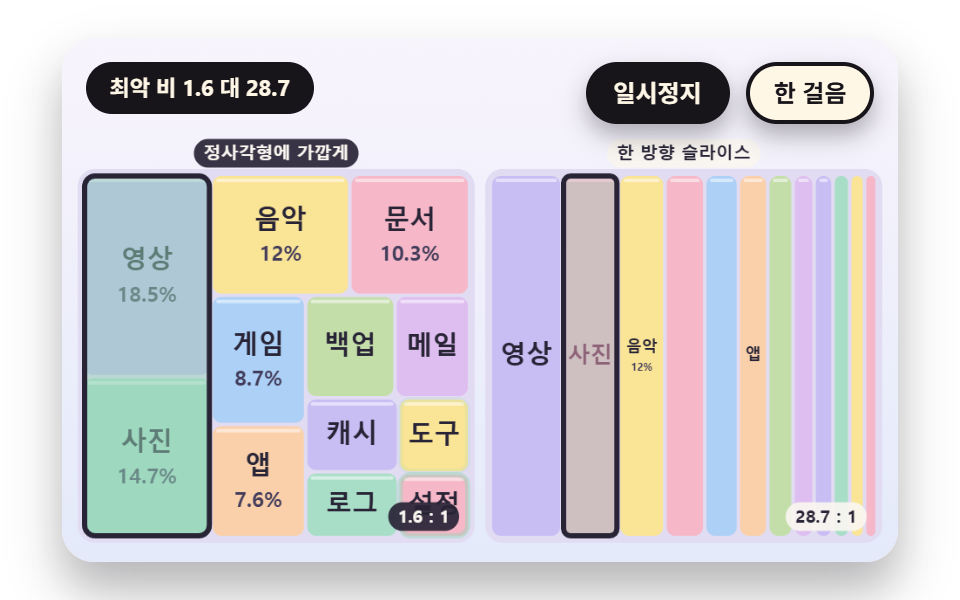 Treemap Chart: 9 Canvas Layout ScenesHow does a treemap chart split cells? 01 re-measures the worst ratio as each cell joins a row, 02 springs cells to new s See all demos in this post
If you like this effect - similar demos
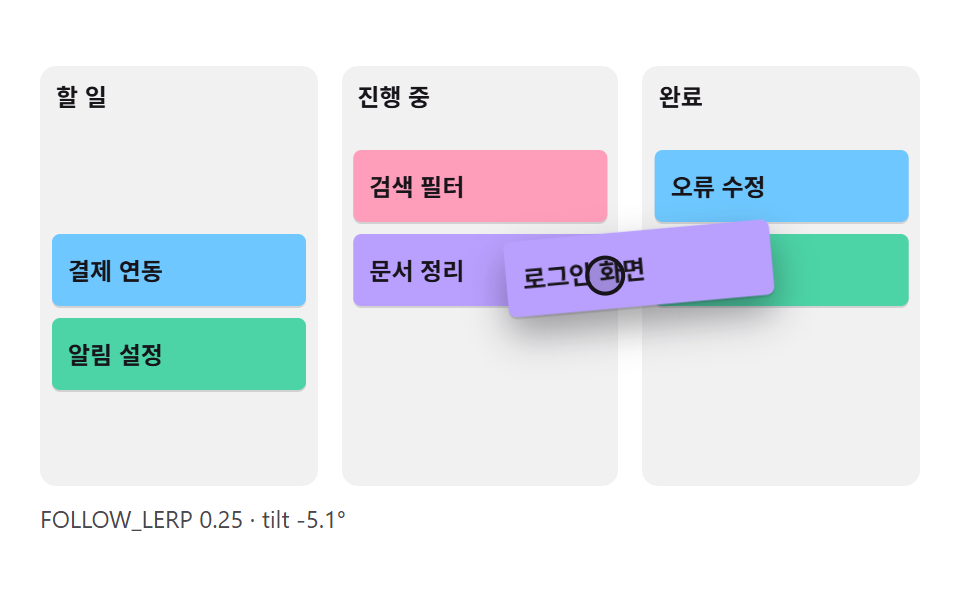 Dashboard UI01 A Card That Follows the Cursor and Tilts With Its MotionCSS Kanban Board: 9 Demos With Springs and Lerp
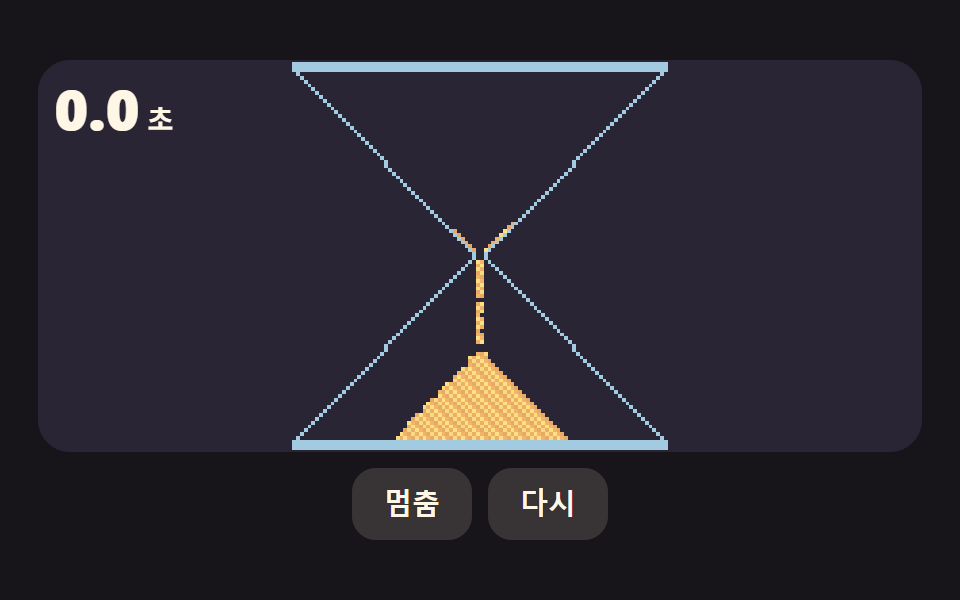 Dashboard UI03 An Hourglass That Counts Time With Grains Squeezing Through the Neck and Piling UpCSS Countdown Timer: 9 Clocks That Drain and Flip
 Dashboard UI07 A Sunburst That Splits Into Inner and Outer Rings and Expands a Branch on ClickPie Chart CSS: 9 Slices That Pop, Tilt and Morph