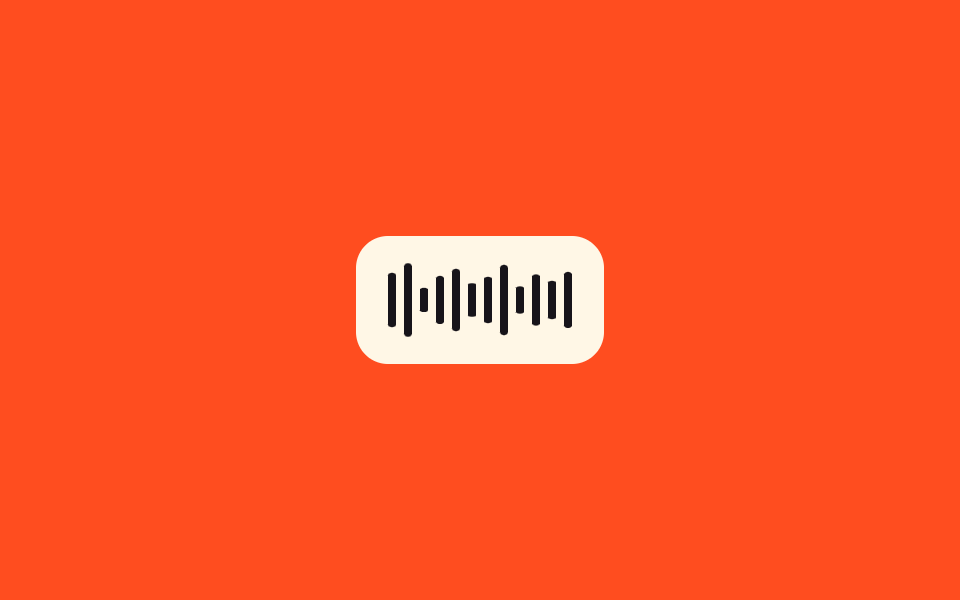
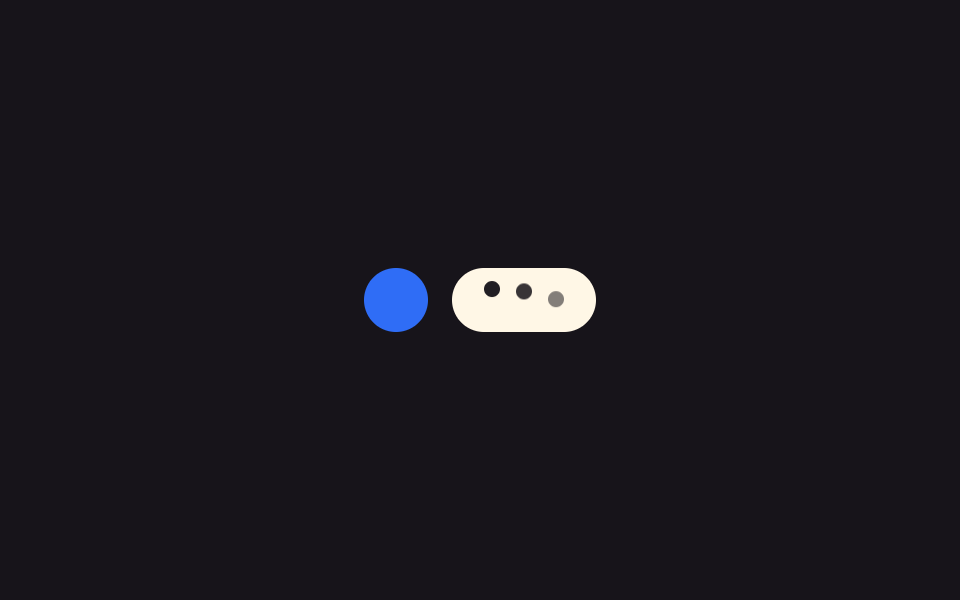
07Voice-input waveform — bars redrawn from an amplitude array
While a voice message is being recorded, a preset array of amplitude values is read in order to recompute each bar's height, looping back to the first value once the array ends.
Best forA voice-message recording screen, a podcast app's live display
setIntervaltransform-originscaleY(
<main class="stage">
<section class="panel">
  <div class="waveform" role="status" aria-live="polite" aria-label="Recording voice message">
    <span class="bar"></span><span class="bar"></span><span class="bar"></span><span class="bar"></span>
    <span class="bar"></span><span class="bar"></span><span class="bar"></span><span class="bar"></span>
    <span class="bar"></span><span class="bar"></span><span class="bar"></span><span class="bar"></span>
  </div>
</section>
</main>
@use "../../../../site/static/demo-tokens" as *;
@include stage($stage-orange);
.panel { display: flex; align-items: center; justify-content: center; }
.waveform {
display: flex;
align-items: center;
gap: $sp-1;
height: 40px;
padding: $sp-3 $sp-4;
border-radius: $r-card;
background: $subject-cream;
}
.bar {
width: 4px;
height: 100%;
border-radius: $r-xs;
background: $subject-ink;
transform: scaleY(.3);
transform-origin: center;
}
@media (max-width: 340px) {
.waveform { height: 32px; padding: $sp-2 $sp-3; }
}
@media (prefers-reduced-motion: reduce) {
.bar { transition: none; transform: scaleY(.5); }
}html, body {
margin: 0;
overflow: hidden;
}
.stage {
box-sizing: border-box;
min-height: 100vh;
display: grid;
place-items: center;
margin: 0;
background: #ff4d1f;
font-family: -apple-system, "Segoe UI", "Noto Sans KR", sans-serif;
padding: clamp(8px, 4vw, 24px);
}
.panel {
display: flex;
align-items: center;
justify-content: center;
}
.waveform {
display: flex;
align-items: center;
gap: 4px;
height: 40px;
padding: 12px 16px;
border-radius: 16px;
background: #fff7e6;
}
.bar {
width: 4px;
height: 100%;
border-radius: 4px;
background: #17141a;
transform: scaleY(0.3);
transform-origin: center;
}
@media (max-width: 340px) {
.waveform {
height: 32px;
padding: 8px 12px;
}
}
@media (prefers-reduced-motion: reduce) {
.bar {
transition: none;
transform: scaleY(0.5);
}
}// 음성 입력 파형 — 미리 정한 진폭 값 배열을 순서대로 읽어 막대마다 높이를 다시 계산한다.
// 계산 겹: 진폭 배열 인덱스 순회 → scaleY 재계산(고정 배열, 오디오 API 미호출). 자동 재생만, 실사용자 리스너 없음.
(function () {
var bars = document.querySelectorAll('.bar');
if (!bars.length) return;
var AMPLITUDE_TICK_MS = 80;
var AMPLITUDES = [.25, .55, .82, .38, .68, .92, .30, .60, .78, .42, .58, .88, .34, .64, .48, .70];
var idx = 0;
function tick() {
bars.forEach(function (bar, i) {
var v = AMPLITUDES[(idx + i) % AMPLITUDES.length];
bar.style.transform = 'scaleY(' + v.toFixed(2) + ')';
});
idx = (idx + 1) % AMPLITUDES.length;
}
tick();
var reduce = window.matchMedia('(prefers-reduced-motion: reduce)').matches;
if (reduce) return;
setInterval(tick, AMPLITUDE_TICK_MS);
})();import { useEffect, useRef } from "react";
import styles from "./TypingVoiceWaveform.module.scss";
// 음성 입력 파형 — 미리 정한 진폭 값 배열을 순서대로 읽어 막대마다 높이를 다시 계산한다.
// 계산 겹: 진폭 배열 인덱스 순회 → scaleY 재계산(고정 배열, 오디오 API 미호출). 자동 재생만, 실사용자 리스너 없음.
const AMPLITUDE_TICK_MS = 80;
const AMPLITUDES = [.25, .55, .82, .38, .68, .92, .30, .60, .78, .42, .58, .88, .34, .64, .48, .70];
const BAR_COUNT = 12;
export default function TypingVoiceWaveform() {
const barsRef = useRef<(HTMLSpanElement | null)[]>([]);
useEffect(() => {
let idx = 0;
function tick() {
barsRef.current!.forEach((bar, i) => {
if (!bar) return;
const v = AMPLITUDES[(idx + i) % AMPLITUDES.length];
bar.style.transform = "scaleY(" + v.toFixed(2) + ")";
});
idx = (idx + 1) % AMPLITUDES.length;
}
tick();
const reduce = window.matchMedia("(prefers-reduced-motion: reduce)").matches;
if (reduce) return;
const id = setInterval(tick, AMPLITUDE_TICK_MS);
return () => clearInterval(id);
}, []);
return (
<div className={styles.stage}>
<section className={styles.panel}>
<div className={styles.waveform} role="status" aria-live="polite" aria-label="음성 메시지 녹음 중">
{Array.from({ length: BAR_COUNT }).map((_, i) => (
<span
key={i}
ref={(el: HTMLSpanElement | null) => { barsRef.current![i] = el; }}
className={styles.bar}
/>
))}
</div>
</section>
</div>
);
}07 Voice-input waveform — bars redrawn from an amplitude array — Measured area 1.029% · moving frames 23/23Original by GODRICH · SCSS and React ship in the zip · 9 Typing Indicator CSS Patterns (Chat UI)
The post this demo lives in
 9 Typing Indicator CSS Patterns (Chat UI)One of nine typing indicators slows its avatar pulse as typing runs longer, one redraws a group name tag from remaining See all demos in this post