07Transition That Falls Back After Checking a Support Value First
A support value is checked first, and when it comes back false the screen swaps instantly with no animation while the transition only runs when the value is true, so no browser is left with a stuck or blank screen.
Best forPublic sites with a mix of older browser visitors
startViewTransition::view-transition-old(sf-card)SUPPORTS_VT
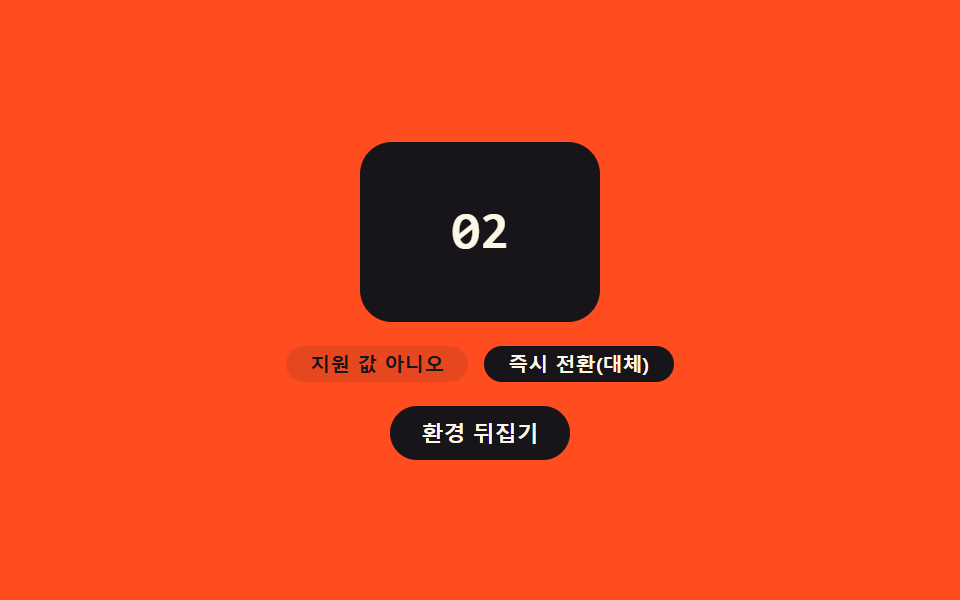
<main class="stage">
<div class="sf is-demo" id="sf">
  <div class="sf__card" id="sfCard">
    <p class="sf__num" id="sfNum">01</p>
  </div>
  <p class="sf__meta">
    <span class="sf__pill" id="sfSupport">Supported: yes</span>
    <span class="sf__pill sf__pill--path" id="sfPath">Transition used</span>
  </p>
  <button type="button" class="sf__btn" id="sfBtn" aria-label="Flip the support value to switch the path">Flip environment</button>
</div>
</main>
@use "../../../../site/static/demo-tokens" as *;
// ── 변수 3개 ──────────────────────────────────────────
$duration: $dur-enter;
$easing: $ease-spring;
$color: $subject-ink;
@include stage($stage-orange);
.sf { width: min(100%, 260px); display: flex; flex-direction: column; align-items: center; gap: $sp-3; }
.sf__card {
view-transition-name: sf-card;
width: 120px; height: 90px; border-radius: $r-card; background: $subject-cream;
display: grid; place-items: center;
}
.sf__card.is-alt { background: $color; }
.sf__num { margin: 0; font: 700 26px/1 "Space Mono", monospace; color: $color; }
.sf__card.is-alt .sf__num { color: $subject-cream; }
::view-transition-old(sf-card),
::view-transition-new(sf-card) {
animation-duration: $duration;
animation-timing-function: $easing;
}
.sf__meta { margin: 0; display: flex; gap: $sp-2; }
.sf__pill {
border-radius: $r-pill; background: rgba($subject-ink, .1); color: $subject-ink;
font: 700 10px/1 -apple-system, sans-serif; padding: $sp-1 $sp-3;
}
.sf__pill--path.is-fallback { background: $subject-ink; color: $subject-cream; }
.sf__btn {
border: none; border-radius: $r-pill; cursor: pointer; background: $subject-ink;
color: $subject-cream; font: 700 11px/1 -apple-system, sans-serif; padding: $sp-2 $sp-4;
}
.sf__btn:focus-visible { outline: 2px solid $subject-ink; outline-offset: 2px; }
@media (max-width: 340px) {
.sf__card { width: 96px; height: 72px; }
.sf__num { font-size: 20px; }
.sf__pill { font-size: 9px; padding: $sp-1 $sp-2; }
}
@media (prefers-reduced-motion: reduce) {
::view-transition-group(*),
::view-transition-old(*),
::view-transition-new(*) { animation: none !important; }
}html, body {
margin: 0;
overflow: hidden;
}
.stage {
box-sizing: border-box;
min-height: 100vh;
display: grid;
place-items: center;
margin: 0;
background: #ff4d1f;
font-family: -apple-system, "Segoe UI", "Noto Sans KR", sans-serif;
padding: clamp(8px, 4vw, 24px);
}
.sf {
width: min(100%, 260px);
display: flex;
flex-direction: column;
align-items: center;
gap: 12px;
}
.sf__card {
view-transition-name: sf-card;
width: 120px;
height: 90px;
border-radius: 16px;
background: #fff7e6;
display: grid;
place-items: center;
}
.sf__card.is-alt {
background: #17141a;
}
.sf__num {
margin: 0;
font: 700 26px/1 "Space Mono", monospace;
color: #17141a;
}
.sf__card.is-alt .sf__num {
color: #fff7e6;
}
::view-transition-old(sf-card),
::view-transition-new(sf-card) {
animation-duration: 600ms;
animation-timing-function: cubic-bezier(0.2, 0.8, 0.2, 1);
}
.sf__meta {
margin: 0;
display: flex;
gap: 8px;
}
.sf__pill {
border-radius: 999px;
background: rgba(23, 20, 26, 0.1);
color: #17141a;
font: 700 10px/1 -apple-system, sans-serif;
padding: 4px 12px;
}
.sf__pill--path.is-fallback {
background: #17141a;
color: #fff7e6;
}
.sf__btn {
border: none;
border-radius: 999px;
cursor: pointer;
background: #17141a;
color: #fff7e6;
font: 700 11px/1 -apple-system, sans-serif;
padding: 8px 16px;
}
.sf__btn:focus-visible {
outline: 2px solid #17141a;
outline-offset: 2px;
}
@media (max-width: 340px) {
.sf__card {
width: 96px;
height: 72px;
}
.sf__num {
font-size: 20px;
}
.sf__pill {
font-size: 9px;
padding: 4px 8px;
}
}
@media (prefers-reduced-motion: reduce) {
::view-transition-group(*),
::view-transition-old(*),
::view-transition-new(*) {
animation: none !important;
}
}(function () {
var SUPPORTS_VT = 'startViewTransition' in document;
var root = document.getElementById('sf');
var card = document.getElementById('sfCard');
var numEl = document.getElementById('sfNum');
var supportEl = document.getElementById('sfSupport');
var pathEl = document.getElementById('sfPath');
var btn = document.getElementById('sfBtn');
var reduce = window.matchMedia('(prefers-reduced-motion: reduce)').matches;
var STATES = ['01', '02', '03'];
var si = 0;
var isDemo = true;
// 데모 전용: 실제로는 지원하는 환경이지만, 지원하지 않는 환경의 물러나는 경로를 눈에 보이도록
// 번갈아 흉내 낸다. 판정 코드 자체는 실제 SUPPORTS_VT 값을 그대로 쓴다.
var simulateUnsupported = false;
function human() {
if (isDemo) { root.classList.remove('is-demo'); isDemo = false; }
}
function renderLabels(usedTransition) {
supportEl.textContent = simulateUnsupported ? 'Supported: no' : 'Supported: yes';
pathEl.textContent = usedTransition ? 'Transition used' : 'Instant switch (fallback)';
pathEl.classList.toggle('is-fallback', !usedTransition);
}
function applyState() {
si = (si + 1) % STATES.length;
numEl.textContent = STATES[si];
card.classList.toggle('is-alt', si % 2 === 1);
}
// 이 함수가 규칙의 핵심이다: 지원 여부 값을 먼저 확인하고(SUPPORTS_VT), 시뮬레이션으로
// "지원하지 않는 환경"을 흉내 낼 때는 지원 여부와 무관하게 Instant switch (fallback) 경로로 물러난다.
function step() {
var willUseTransition = SUPPORTS_VT && !simulateUnsupported;
if (willUseTransition) {
document.startViewTransition(applyState);
} else {
applyState();
}
renderLabels(willUseTransition);
}
btn.addEventListener('click', function () { human(); simulateUnsupported = !simulateUnsupported; step(); });
root.addEventListener('keydown', function (e) {
if (e.key === 'Enter' || e.key === ' ') { human(); e.preventDefault(); simulateUnsupported = !simulateUnsupported; step(); }
});
var HOLD_MS = 600;
function loop() {
if (!isDemo) return;
simulateUnsupported = !simulateUnsupported;
step();
window.setTimeout(loop, HOLD_MS);
}
renderLabels(SUPPORTS_VT);
if (!reduce) {
window.setTimeout(loop, HOLD_MS);
} else {
root.classList.remove('is-demo');
}
})();// SkipFallback — vanilla 판(run/401/demo/07-view-transition-skip-fallback/index.html) 의 React 포트.
// 이 함수가 규칙의 핵심이다: 지원 여부 값을 먼저 확인하고(SUPPORTS_VT), 시뮬레이션으로
// "지원하지 않는 환경"을 흉내 낼 때는 지원 여부와 무관하게 즉시 전환(대체) 경로로 물러난다.
import { useEffect, useRef } from "react";
import styles from "./SkipFallback.module.scss";
type Box<T> = { current: T };
const STATES = ["01", "02", "03"];
const HOLD_MS = 600;
export default function SkipFallback() {
const rootRef = useRef(null) as unknown as Box<HTMLDivElement>;
const cardRef = useRef(null) as unknown as Box<HTMLDivElement>;
const numRef = useRef(null) as unknown as Box<HTMLElement>;
const supportRef = useRef(null) as unknown as Box<HTMLElement>;
const pathRef = useRef(null) as unknown as Box<HTMLElement>;
const btnRef = useRef(null) as unknown as Box<HTMLButtonElement>;
const timerRef = useRef(0) as unknown as Box<number>;
useEffect(() => {
const SUPPORTS_VT = "startViewTransition" in document;
const reduce = window.matchMedia("(prefers-reduced-motion: reduce)").matches;
let isDemo = true;
let si = 0;
// 데모 전용: 실제로는 지원하는 환경이지만, 지원하지 않는 환경의 물러나는 경로를 눈에 보이도록
// 번갈아 흉내 낸다. 판정 코드 자체는 실제 SUPPORTS_VT 값을 그대로 쓴다.
let simulateUnsupported = false;
function human() {
if (isDemo) { rootRef.current?.classList.remove(styles.isDemo); isDemo = false; }
}
function renderLabels(usedTransition: boolean) {
if (supportRef.current) supportRef.current.textContent = simulateUnsupported ? "지원 값 아니오" : "지원 값 예";
if (pathRef.current) {
pathRef.current.textContent = usedTransition ? "전환 사용" : "즉시 전환(대체)";
pathRef.current.classList.toggle(styles.isFallback, !usedTransition);
}
}
function applyState() {
si = (si + 1) % STATES.length;
if (numRef.current) numRef.current.textContent = STATES[si];
cardRef.current?.classList.toggle(styles.isAlt, si % 2 === 1);
}
function step() {
const willUseTransition = SUPPORTS_VT && !simulateUnsupported;
if (willUseTransition) {
document.startViewTransition(applyState);
} else {
applyState();
}
renderLabels(willUseTransition);
}
function onClick() { human(); simulateUnsupported = !simulateUnsupported; step(); }
function onKeydown(e: KeyboardEvent) {
if (e.key === "Enter" || e.key === " ") { human(); e.preventDefault(); simulateUnsupported = !simulateUnsupported; step(); }
}
btnRef.current?.addEventListener("click", onClick);
rootRef.current?.addEventListener("keydown", onKeydown);
function loop() {
if (!isDemo) return;
simulateUnsupported = !simulateUnsupported;
step();
timerRef.current = window.setTimeout(loop, HOLD_MS);
}
renderLabels(SUPPORTS_VT);
if (!reduce) {
timerRef.current = window.setTimeout(loop, HOLD_MS);
} else {
rootRef.current?.classList.remove(styles.isDemo);
}
return () => {
window.clearTimeout(timerRef.current);
btnRef.current?.removeEventListener("click", onClick);
rootRef.current?.removeEventListener("keydown", onKeydown);
};
}, []);
return (
<main className={styles.stage}>
<div className={styles.sf + " " + styles.isDemo} ref={rootRef}>
<div className={styles.card} ref={cardRef}>
<p className={styles.num} ref={numRef}>01</p>
</div>
<p className={styles.meta}>
<span className={styles.pill} ref={supportRef}>지원 값 예</span>
<span className={styles.pill + " " + styles.pillPath} ref={pathRef}>전환 사용</span>
</p>
<button type="button" className={styles.btn} ref={btnRef} aria-label="지원 여부 값을 뒤집어 경로 전환">환경 뒤집기</button>
</div>
</main>
);
}07 Transition That Falls Back After Checking a Support Value First — Measured area 9.112% · moving frames 9/23Original by GODRICH · SCSS and React ship in the zip · View Transitions API: 9 Patterns by One Value
The post this demo lives in
 View Transitions API: 9 Patterns by One ValueView transitions api: The page seems to carry over, but the browser keeps the outgoing view as a snapshot value layered See all demos in this post
If you like this effect - similar demos
 Transitions03 Badge count-bump toggle — each time a notification count value rises, that display's size value grows once then settles backCSS Bottom Navigation Bar: 9 Transition Patterns
 Transitions08 Screen Transition Where a Tear-offset Value Locks Back Together9 CSS Glitch Effect Transitions (No Codepen)
 Transitions01 Notification Panel That Opens After Its Badge Value PulsesNotification Animation CSS: 9 Panel UI Patterns