02Two-source ripple interference field
The distance to each pixel is measured with Math.hypot, then the amplitude of two circular ripples is summed and written via getImageData. Where phases align the result glows bright, where they cancel it leaves dark banding.
Best forPhysics-class interference diagrams, ambient background effects
createImageDataputImageDataMath.hypot
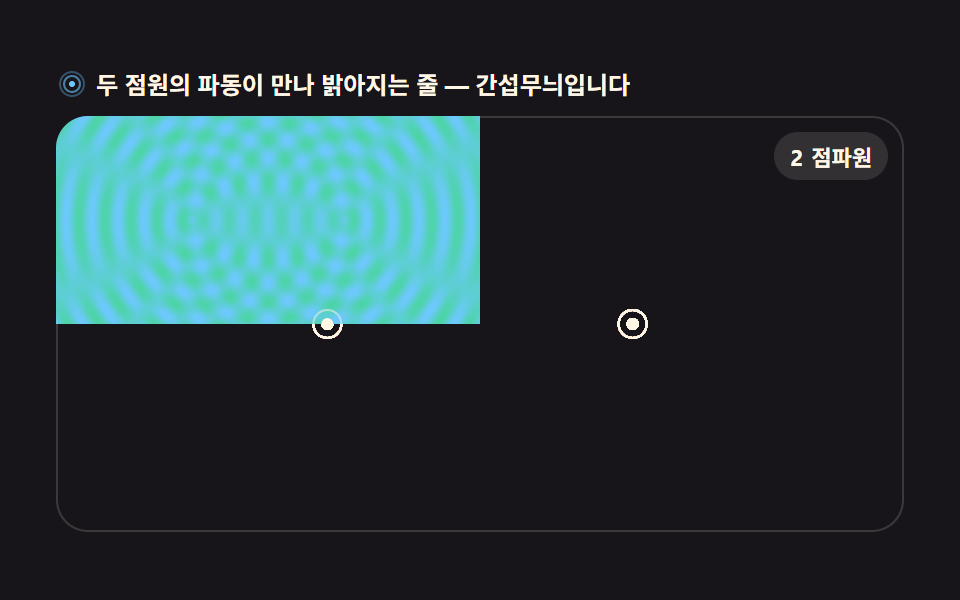
<main class="stage">
<div class="ri" id="ri">
  <p class="ri__hint">
    <svg class="ri__ico" viewBox="0 0 256 256" aria-hidden="true"><g fill="currentColor"><path d="M128 24a104 104 0 1 0 104 104A104.11 104.11 0 0 0 128 24Zm0 192a88 88 0 1 1 88-88a88.1 88.1 0 0 1-88 88Z" opacity=".35"/><path d="M128 56a72 72 0 1 0 72 72a72.08 72.08 0 0 0-72-72Zm0 128a56 56 0 1 1 56-56a56.06 56.06 0 0 1-56 56Z" opacity=".6"/><circle cx="128" cy="128" r="24"/></g></svg>
    <span>Where the two source waves meet they brighten into bands — interference</span>
  </p>
  <div class="ri__field" id="field" role="application" aria-label="Wave interference playground">
    <canvas class="ri__cv" id="cv"></canvas>
    <b class="ri__badge" aria-hidden="true"><span class="ri__badgeNum">2</span><span class="ri__badgeUnit">point sources</span></b>
  </div>
</div>
</main>
@use "../../../../site/static/demo-tokens" as *;
// 이중 점파원 간섭 필드 — 두 점원에서 퍼지는 원형 파동의 겹침을 픽셀 단위로 계산한다.
// 움직임은 전부 캔버스 rAF 루프(getImageData/putImageData) 안에 있다. @keyframes 0개.
$duration: $dur-loop;
$easing: $ease-spring;
$color: $subject-sky;
@include stage($stage-ink);
.ri {
--field-bg: #{$stage-ink};
--ink-line: #{$subject-sky};
--halo: #{$subject-mint};
--badge-bg: #{rgba($subject-cream, .12)};
--badge-fg: #{$subject-cream};
display: flex; flex-direction: column; gap: $sp-2;
width: 100%; max-width: 424px;
}
.ri__hint {
display: flex; align-items: center; gap: $sp-1; margin: 0;
font-weight: 700; font-size: clamp(10px, 2.8vw, 12px); line-height: 1.35;
color: $subject-cream;
}
.ri__ico { width: 16px; height: 16px; flex: 0 0 auto; color: $subject-sky; }
.ri__field {
position: relative; height: 208px;
border-radius: $r-card; overflow: hidden;
background: var(--field-bg);
box-shadow: inset 0 0 0 1px rgba($subject-cream, .16);
}
.ri__cv { display: block; width: 100%; height: 100%; }
.ri__badge {
position: absolute; right: $sp-2; top: $sp-2;
display: flex; align-items: baseline; gap: $sp-1;
padding: $sp-1 $sp-2; border-radius: $r-pill;
background: var(--badge-bg);
color: var(--badge-fg); font-weight: 700; font-size: 11px;
}
@media (max-width: 340px) {
.ri__field { height: 124px; }
.ri__badge { font-size: 10px; padding: 0 $sp-1; }
}
@media (prefers-reduced-motion: reduce) {
.ri.is-still .ri__badge { opacity: .92 !important; }
}html, body {
margin: 0;
overflow: hidden;
}
.stage {
box-sizing: border-box;
min-height: 100vh;
display: grid;
place-items: center;
margin: 0;
background: #17141a;
font-family: -apple-system, "Segoe UI", "Noto Sans KR", sans-serif;
padding: clamp(8px, 4vw, 24px);
}
.ri {
--field-bg: #17141a;
--ink-line: #6ec8ff;
--halo: #4cd4a6;
--badge-bg: rgba(255, 247, 230, 0.12);
--badge-fg: #fff7e6;
display: flex;
flex-direction: column;
gap: 8px;
width: 100%;
max-width: 424px;
}
.ri__hint {
display: flex;
align-items: center;
gap: 4px;
margin: 0;
font-weight: 700;
font-size: clamp(10px, 2.8vw, 12px);
line-height: 1.35;
color: #fff7e6;
}
.ri__ico {
width: 16px;
height: 16px;
flex: 0 0 auto;
color: #6ec8ff;
}
.ri__field {
position: relative;
height: 208px;
border-radius: 16px;
overflow: hidden;
background: var(--field-bg);
box-shadow: inset 0 0 0 1px rgba(255, 247, 230, 0.16);
}
.ri__cv {
display: block;
width: 100%;
height: 100%;
}
.ri__badge {
position: absolute;
right: 8px;
top: 8px;
display: flex;
align-items: baseline;
gap: 4px;
padding: 4px 8px;
border-radius: 999px;
background: var(--badge-bg);
color: var(--badge-fg);
font-weight: 700;
font-size: 11px;
}
@media (max-width: 340px) {
.ri__field {
height: 124px;
}
.ri__badge {
font-size: 10px;
padding: 0 4px;
}
}
@media (prefers-reduced-motion: reduce) {
.ri.is-still .ri__badge {
opacity: 0.92 !important;
}
}// 이중 point sources 간섭 필드 — 매 픽셀에서 두 점원까지의 거리를 Math.hypot 으로 잰 뒤
// 두 파동의 사인 합으로 진폭을 계산한다. 위상이 맞는 곳(보강 간섭)은 밝게,
// 어긋나는 곳(상쇄 간섭)은 어두운 쌍곡선 줄이 된다.
var root = document.getElementById('ri');
var field = document.getElementById('field');
var cv = document.getElementById('cv');
// willReadFrequently — 매 프레임 putImageData 로 되돌리는 캔버스는 이 힌트로 GPU 왕복을 줄인다
var ctx = cv.getContext('2d', { willReadFrequently: true });
var css = getComputedStyle(root);
var INK = css.getPropertyValue('--ink-line').trim();
var HALO = css.getPropertyValue('--halo').trim();
var BGN = css.getPropertyValue('--field-bg').trim();
var LOOP = 2; // 파동 한 주기(초). 캡처 창과 같아 gif 가 이어진다
var WAVE = 26; // 파장(CSS px) — 짧을수록 무늬가 촘촘해진다
var STEP = 2; // 계산 픽셀 간격 — 2px 씩 계산해 4픽셀 뭉치로 찍는다(속도)
var reduce = window.matchMedia('(prefers-reduced-motion: reduce)').matches;
var W = 0, H = 0, dpr = 1, raf = 0;
var img = null, buf = null; // createImageData 로 만든 프레임 버퍼
// 색을 [r,g,b] 로 미리 풀어둔다 — 매 픽셀마다 파싱하면 느리다
function parse(c) {
var m = c.match(/^#([0-9a-f]{6})$/i);
if (!m) return [110, 200, 255];
return [parseInt(m[1].slice(0, 2), 16), parseInt(m[1].slice(2, 4), 16), parseInt(m[1].slice(4, 6), 16)];
}
var C1 = parse(INK);
var C2 = parse(HALO);
var BGC = parse(BGN);
function fit() {
var r = field.getBoundingClientRect();
dpr = window.devicePixelRatio || 1;
W = Math.round(r.width); H = Math.round(r.height);
cv.width = Math.round(W * dpr);
cv.height = Math.round(H * dpr);
ctx.setTransform(dpr, 0, 0, dpr, 0, 0);
img = ctx.createImageData(W, H);
buf = img.data;
}
// 두 점원의 위치 — 화면 폭의 32% 지점에 좌우로 마주 본다
function sources() {
return [
{ x: W * 0.32, y: H * 0.5 },
{ x: W * 0.68, y: H * 0.5 }
];
}
// 간섭 계산 — 픽셀마다 sin(d/λ·2π − t·2π) 두 개를 더해 진폭(-2..2)을 밝기로 눕힌다
function interference(sec) {
var s = sources();
var t = (sec % LOOP) / LOOP * Math.PI * 2;
var k = Math.PI * 2 / WAVE;
var cx1 = s[0].x, cy1 = s[0].y, cx2 = s[1].x, cy2 = s[1].y;
for (var y = 0; y < H; y++) {
for (var x = 0; x < W; x++) {
var d1 = Math.hypot(x - cx1, y - cy1);
var d2 = Math.hypot(x - cx2, y - cy2);
// 보강(+)·상쇄(-)를 같은 비율로 두고 0.5 오프셋으로 밝기 축에 올린다
var a1 = Math.sin(k * d1 - t);
var a2 = Math.sin(k * d2 - t);
var v = (a1 + a2) * 0.25 + 0.5; // 0..1
var i = (y * W + x) * 4;
// 파랑(바다) → 민트(고 에너지) 두 색을 v 로 섞는다 — 파스텔 톤 안에서 대비를 만든다
buf[i] = Math.round(C1[0] + (C2[0] - C1[0]) * v);
buf[i + 1] = Math.round(C1[1] + (C2[1] - C1[1]) * v);
buf[i + 2] = Math.round(C1[2] + (C2[2] - C1[2]) * v);
buf[i + 3] = 255;
}
}
ctx.putImageData(img, 0, 0);
// point sources 두 개 표시 — 흰 점과 얇은 고리
for (var j = 0; j < 2; j++) {
ctx.fillStyle = '#fff7e6';
ctx.beginPath();
ctx.arc(s[j].x, s[j].y, 3, 0, Math.PI * 2);
ctx.fill();
ctx.strokeStyle = 'rgba(255,247,230,0.5)';
ctx.lineWidth = 1;
ctx.beginPath();
ctx.arc(s[j].x, s[j].y, 7, 0, Math.PI * 2);
ctx.stroke();
}
}
function frame(now) {
interference(now / 1000);
raf = requestAnimationFrame(frame);
}
fit();
window.addEventListener('resize', function () { fit(); if (reduce) interference(0.25); });
if (reduce) {
// reduce — 루프 없이 위상 0.25의 한 장만 그린다(빈 화면이 아니다)
root.classList.add('is-still');
interference(0.25);
} else {
raf = requestAnimationFrame(frame);
}// RippleInterferenceField — vanilla 판(run/303/demo/02-wave-ripple-interference-field/index.html) 의 React 포트.
// 매 픽셀에서 두 점원까지의 거리를 Math.hypot 으로 잰 뒤 두 파동의 사인 합으로 진폭을
// 계산한다. 위상이 맞는 곳(보강)은 밝게, 어긋나는 곳(상쇄)은 어두운 쌍곡선 줄이 된다.
import { useEffect, useRef } from "react";
import type { CSSProperties } from "react";
import styles from "./RippleInterferenceField.module.scss";
export type RippleInterferenceFieldProps = {
duration?: number;
easing?: string;
accentColor?: string;
};
type Vars = CSSProperties & { "--duration"?: string; "--easing"?: string; "--color"?: string };
const TITLE = "이중 점파원 간섭 필드 데모";
const HINT = "두 점원의 파동이 만나 밝아지는 줄 — 간섭무늬입니다";
const FIELD_LABEL = "파동 간섭 실험판";
const BADGE_NUM = "2";
const BADGE_UNIT = "점파원";
const LOOP = 2; // 파동 한 주기(초)
const WAVE = 26; // 파장(CSS px) — 짧을수록 무늬가 촘촘해진다
// 색을 [r,g,b] 로 미리 풀어둔다 — 매 픽셀마다 파싱하면 느리다
function parse(c: string): [number, number, number] {
const m = c.match(/^#([0-9a-f]{6})$/i);
if (!m) return [110, 200, 255];
return [
parseInt(m[1].slice(0, 2), 16),
parseInt(m[1].slice(2, 4), 16),
parseInt(m[1].slice(4, 6), 16),
];
}
export default function RippleInterferenceField({
duration = 2000,
easing = "cubic-bezier(.2, .8, .2, 1)",
accentColor = "#6ec8ff",
}: RippleInterferenceFieldProps) {
const rootRef = useRef<HTMLDivElement>(null);
const fieldRef = useRef<HTMLDivElement>(null);
const cvRef = useRef<HTMLCanvasElement>(null);
const vars: Vars = { "--duration": `${duration}ms`, "--easing": easing, "--color": accentColor };
useEffect(() => {
const root0 = rootRef.current;
const field0 = fieldRef.current;
const cv0 = cvRef.current;
if (!root0 || !field0 || !cv0) return;
// willReadFrequently — 매 프레임 putImageData 로 되돌리는 캔버스는 이 힌트로 GPU 왕복을 줄인다
const ctx0 = cv0.getContext("2d", { willReadFrequently: true });
if (!ctx0) return;
// 중첩 함수(클로저) 안에서는 가드로 좁힌 널 타입이 전달되지 않는다 — 확인된 값으로 다시 상수를 묶는다
const root: HTMLDivElement = root0;
const field: HTMLDivElement = field0;
const cv: HTMLCanvasElement = cv0;
const ctx: CanvasRenderingContext2D = ctx0;
const css = getComputedStyle(root);
const INK = css.getPropertyValue("--ink-line").trim();
const HALO = css.getPropertyValue("--halo").trim();
const C1 = parse(INK);
const C2 = parse(HALO);
const reduce = window.matchMedia("(prefers-reduced-motion: reduce)").matches;
let W = 0, H = 0, dpr = 1, raf = 0;
let img: ImageData | null = null;
let buf: Uint8ClampedArray | null = null; // createImageData 로 만든 프레임 버퍼
function fit() {
const r = field.getBoundingClientRect();
dpr = window.devicePixelRatio || 1;
W = Math.round(r.width); H = Math.round(r.height);
cv.width = Math.round(W * dpr);
cv.height = Math.round(H * dpr);
ctx.setTransform(dpr, 0, 0, dpr, 0, 0);
img = ctx.createImageData(W, H);
buf = img.data;
}
// 두 점원의 위치 — 화면 폭의 32% 지점에 좌우로 마주 본다
function sources() {
return [
{ x: W * 0.32, y: H * 0.5 },
{ x: W * 0.68, y: H * 0.5 },
];
}
// 간섭 계산 — 픽셀마다 sin(d/λ·2π − t·2π) 두 개를 더해 진폭(-2..2)을 밝기로 눕힌다
function interference(sec: number) {
if (!img || !buf) return;
const s = sources();
const t = ((sec % LOOP) / LOOP) * Math.PI * 2;
const k = (Math.PI * 2) / WAVE;
const cx1 = s[0].x, cy1 = s[0].y, cx2 = s[1].x, cy2 = s[1].y;
for (let y = 0; y < H; y++) {
for (let x = 0; x < W; x++) {
const d1 = Math.hypot(x - cx1, y - cy1);
const d2 = Math.hypot(x - cx2, y - cy2);
// 보강(+)·상쇄(-)를 같은 비율로 두고 0.5 오프셋으로 밝기 축에 올린다
const a1 = Math.sin(k * d1 - t);
const a2 = Math.sin(k * d2 - t);
const v = (a1 + a2) * 0.25 + 0.5; // 0..1
const i = (y * W + x) * 4;
// 파랑(바다) → 민트(고 에너지) 두 색을 v 로 섞는다 — 파스텔 톤 안에서 대비를 만든다
buf[i] = Math.round(C1[0] + (C2[0] - C1[0]) * v);
buf[i + 1] = Math.round(C1[1] + (C2[1] - C1[1]) * v);
buf[i + 2] = Math.round(C1[2] + (C2[2] - C1[2]) * v);
buf[i + 3] = 255;
}
}
ctx.putImageData(img, 0, 0);
// 점파원 두 개 표시 — 흰 점과 얇은 고리
for (let j = 0; j < 2; j++) {
ctx.fillStyle = "#fff7e6";
ctx.beginPath();
ctx.arc(s[j].x, s[j].y, 3, 0, Math.PI * 2);
ctx.fill();
ctx.strokeStyle = "rgba(255,247,230,0.5)";
ctx.lineWidth = 1;
ctx.beginPath();
ctx.arc(s[j].x, s[j].y, 7, 0, Math.PI * 2);
ctx.stroke();
}
}
function frame(now: number) {
interference(now / 1000);
raf = requestAnimationFrame(frame);
}
function onResize() {
fit();
if (reduce) interference(0.25);
}
fit();
window.addEventListener("resize", onResize);
if (reduce) {
// reduce — 루프 없이 위상 0.25의 한 장만 그린다(빈 화면이 아니다)
root.classList.add("is-still");
interference(0.25);
} else {
raf = requestAnimationFrame(frame);
}
return () => {
cancelAnimationFrame(raf);
window.removeEventListener("resize", onResize);
};
}, []);
return (
<main className={styles.stage}>
<div className={styles.ri} style={vars} ref={rootRef}>
<p className={styles["ri__hint"]}>
<svg className={styles["ri__ico"]} viewBox="0 0 256 256" aria-hidden="true" focusable="false">
<g fill="currentColor">
<path d="M128 24a104 104 0 1 0 104 104A104.11 104.11 0 0 0 128 24Zm0 192a88 88 0 1 1 88-88a88.1 88.1 0 0 1-88 88Z" opacity=".35" />
<path d="M128 56a72 72 0 1 0 72 72a72.08 72.08 0 0 0-72-72Zm0 128a56 56 0 1 1 56-56a56.06 56.06 0 0 1-56 56Z" opacity=".6" />
<circle cx="128" cy="128" r="24" />
</g>
</svg>
<span>{HINT}</span>
</p>
<div className={styles["ri__field"]} role="application" aria-label={FIELD_LABEL} ref={fieldRef}>
<canvas className={styles["ri__cv"]} ref={cvRef} aria-label={TITLE} />
<b className={styles["ri__badge"]} aria-hidden="true">
<span className={styles["ri__badgeNum"]}>{BADGE_NUM}</span>
<span className={styles["ri__badgeUnit"]}>{BADGE_UNIT}</span>
</b>
</div>
</div>
</main>
);
}02 Two-source ripple interference field — Measured area 54.069% · moving frames 23/23Original by GODRICH · SCSS and React ship in the zip · Wave Interference Simulation: 9 Canvas Scenes
The post this demo lives in
 Wave Interference Simulation: 9 Canvas ScenesA wave interference simulation shows what happens on screen when two or more waves combine, and this set builds nine of See all demos in this post
If you like this effect - similar demos
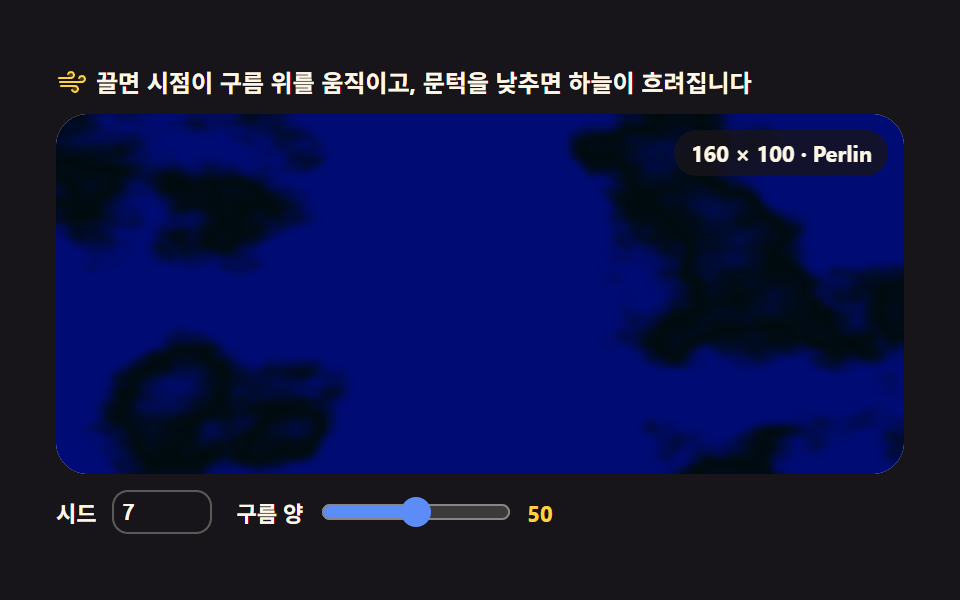 Creative UI03 Cloud field — drifting fbm cloud layer9 Perlin Noise Animations, No Libraries, Pure Math
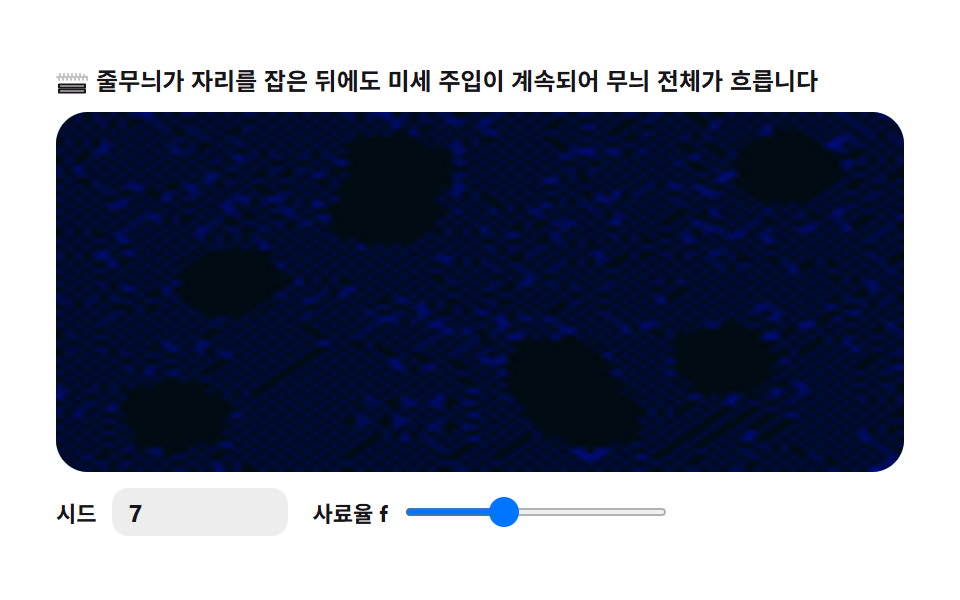 Creative UI07 Wave ripple — the whole pattern drifts9 Reaction Diffusion Simulations, No Library
 Creative UI02 Depth attenuation — shallow-water cross-section9 Canvas Wave Animation Scenes: Gerstner Field