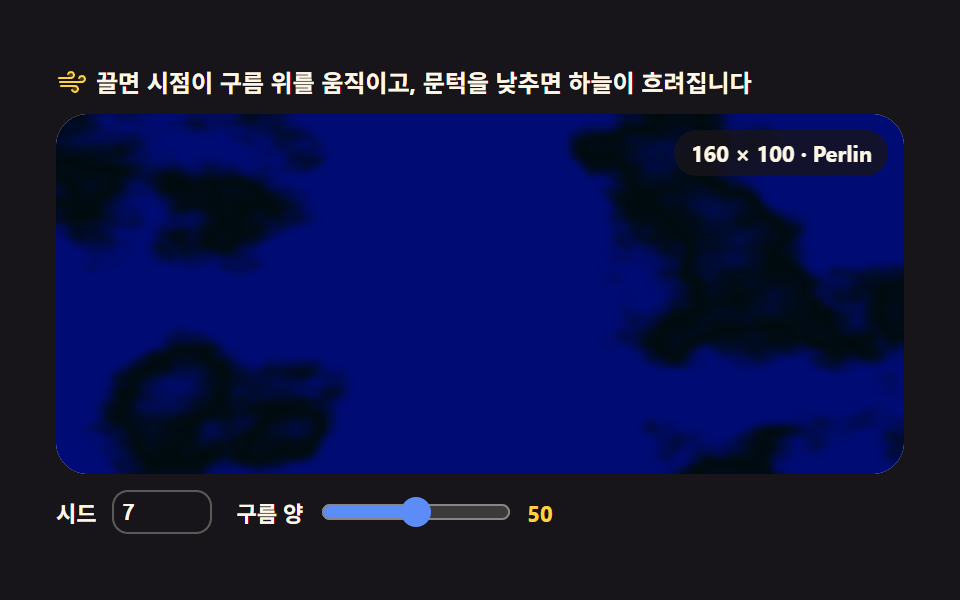
03Cloud field — drifting fbm cloud layer
Using time as the third noise axis, fbm values are rewritten into a createImageData buffer every frame, and only values above a threshold stay opaque so cloud clumps drift slowly.
Best forWeather app and travel site background decoration
createImageDataputImageDatarequestAnimationFrame
<main class="stage">
<div class="cf" id="cf">
<p class="cf__hint">
<svg class="cf__ico" viewBox="0 0 256 256" aria-hidden="true"><g fill="currentColor"><path d="M120 96a24 24 0 1 1 24-24a24 24 0 0 1-24 24m88-16a24 24 0 1 0 24 24a24 24 0 0 0-24-24m-56 80a24 24 0 1 0 24 24a24 24 0 0 0-24-24" opacity=".2"/><path d="M184 184a32 32 0 0 1-32 32c-13.7 0-26.95-8.93-31.5-21.22a8 8 0 0 1 15-5.56C137.74 195.27 145 200 152 200a16 16 0 0 0 0-32H40a8 8 0 0 1 0-16h112a32 32 0 0 1 32 32m-64-80a32 32 0 0 0 0-64c-13.7 0-26.95 8.93-31.5 21.22a8 8 0 0 0 15 5.56C105.74 60.73 113 56 120 56a16 16 0 0 1 0 32H24a8 8 0 0 0 0 16Zm88-32c-13.7 0-26.95 8.93-31.5 21.22a8 8 0 0 0 15 5.56C193.74 92.73 201 88 208 88a16 16 0 0 1 0 32H32a8 8 0 0 0 0 16h176a32 32 0 0 0 0-64"/></g></svg>
<span>Drag to move the viewpoint over the clouds, and lower the threshold to cloud the sky</span>
</p>
<div class="cf__field" id="field" role="application" aria-label="Cloud field experiment panel" tabindex="0">
<canvas class="cf__cv" id="cv"></canvas>
<b class="cf__badge" aria-hidden="true">160 × 100 · Perlin</b>
</div>
<div class="cf__bar">
<label class="cf__dial">Seed
<input type="number" id="seed" min="1" max="9999" step="1" value="7">
</label>
<label class="cf__dial">Cloud amount
<input type="range" id="thr" min="0" max="100" step="1" value="50">
<b class="cf__val" id="thrVal">50</b>
</label>
</div>
</div>
</main>@use "../../../../site/static/demo-tokens" as *;
// 구름 필드 — 흐르는 fbm 구름 층. 움직임은 전부 캔버스 rAF 루프 안에 있다. CSS 는 무대·판·다이얼만 맡는다.
// @keyframes 를 두지 않는다 — CSS 애니메이션이 0개라야 렌더러가 시계를 고정하지 않고 실시간 24장을 찍는다.
// 하늘·안개층·구름 두 단계를 커스텀 프로퍼티로 내려보내고, JS 가 그 색을 픽셀에 직접 섞는다
// (077-03 처럼 LUT 로 펴지 않는다 — 이 항목은 문턱값 경계에서 스텝으로 갈라 구름 vs 빈 하늘을 만든다).
$duration: $dur-loop;
$easing: $ease-out;
$color: mix($subject-sky, $stage-paper, 46%);
@include stage($stage-ink);
.cf {
--sky: #{mix($subject-sky, $stage-paper, 46%)}; // 옅은 하늘색 — 문턱 아래(빈 하늘)
--haze: #{mix($subject-lilac, $stage-paper, 24%)}; // 얇은 권운 — 하늘보다 한 단계 흰
--cloud1: #{mix($subject-pink, $stage-paper, 8%)}; // 구름 볕든 능선 — 거의 흰색
--cloud2: #{mix($subject-blue, $stage-paper, 40%)}; // 구름 그늘진 배 — 차가운 파스텔
display: flex; flex-direction: column; gap: $sp-2;
width: 100%; max-width: 424px;
}
.cf__hint {
display: flex; align-items: center; gap: $sp-1; margin: 0;
font-weight: 700; font-size: clamp(10px, 2.8vw, 12px); line-height: 1.35;
color: $subject-cream;
}
.cf__ico { width: 16px; height: 16px; flex: 0 0 auto; color: $stage-yellow; }
.cf__field {
position: relative; height: 180px;
border-radius: $r-card; overflow: hidden;
background: mix($subject-sky, $stage-paper, 46%);
box-shadow: inset 0 0 0 1px rgba($subject-cream, .14);
cursor: grab; touch-action: none;
}
.cf__field:active { cursor: grabbing; }
.cf__field:focus-visible { outline: 2px solid $stage-yellow; outline-offset: 2px; }
.cf__cv { display: block; width: 100%; height: 100%; }
// 버퍼 해상도 + 알고리즘 이름을 화면에 적어 둔다 — 077-03(값 노이즈)과 다른 길임을 바로 알 수 있게
.cf__badge {
position: absolute; right: $sp-2; top: $sp-2;
padding: $sp-1 $sp-2; border-radius: $r-pill;
background: rgba($subject-ink, .78);
color: $subject-cream; font-weight: 700; font-size: 11px;
}
.cf__bar { display: flex; align-items: center; gap: $sp-3; flex-wrap: wrap; }
.cf__dial {
display: flex; align-items: center; gap: $sp-2;
font-weight: 700; font-size: 11px; color: $subject-cream;
}
.cf__dial input[type="range"] { width: 96px; margin: 0; accent-color: $subject-blue-light; }
.cf__dial input[type="number"] {
width: $sp-10; margin: 0; padding: $sp-1;
border-radius: $r-sm; border: 1px solid rgba($subject-cream, .3);
background: rgba($subject-ink, .4); color: $subject-cream; font-weight: 700; font-size: 11px;
}
.cf__val { color: $stage-yellow; font-size: 11px; font-weight: 700; }
@media (max-width: 340px) {
.cf { gap: $sp-1; }
.cf__field { height: 100px; }
.cf__badge { font-size: 10px; padding: 0 $sp-1; }
.cf__bar { gap: $sp-2; }
.cf__dial { gap: $sp-1; }
.cf__dial input[type="range"] { width: 60px; }
.cf__dial input[type="number"] { width: $sp-8; }
.cf__hint { font-size: 10px; }
}
// reduce — 루프가 아예 안 돌므로 끄고 말고 할 애니메이션이 없다.
// 구름이 멈춰 선 한 장이 그대로 남으므로 끌 수 있다는 커서 신호만 거둔다.
@media (prefers-reduced-motion: reduce) {
.cf.is-still .cf__field { cursor: default !important; }
.cf.is-still .cf__field:active { cursor: default !important; }
}html, body {
margin: 0;
overflow: hidden;
}
.stage {
box-sizing: border-box;
min-height: 100vh;
display: grid;
place-items: center;
margin: 0;
background: #17141a;
font-family: -apple-system, "Segoe UI", "Noto Sans KR", sans-serif;
padding: clamp(8px, 4vw, 24px);
}
.cf {
--sky: rgb(73.8431372549%, 90.0784313725%, 100%);
--haze: rgb(93.4117647059%, 91.0588235294%, 100%);
--cloud1: rgb(100%, 96.9568627451%, 97.8666666667%);
--cloud2: rgb(67.3725490196%, 77.0980392157%, 98.5882352941%);
display: flex;
flex-direction: column;
gap: 8px;
width: 100%;
max-width: 424px;
}
.cf__hint {
display: flex;
align-items: center;
gap: 4px;
margin: 0;
font-weight: 700;
font-size: clamp(10px, 2.8vw, 12px);
line-height: 1.35;
color: #fff7e6;
}
.cf__ico {
width: 16px;
height: 16px;
flex: 0 0 auto;
color: #ffd23f;
}
.cf__field {
position: relative;
height: 180px;
border-radius: 16px;
overflow: hidden;
background: rgb(73.8431372549%, 90.0784313725%, 100%);
box-shadow: inset 0 0 0 1px rgba(255, 247, 230, 0.14);
cursor: grab;
touch-action: none;
}
.cf__field:active {
cursor: grabbing;
}
.cf__field:focus-visible {
outline: 2px solid #ffd23f;
outline-offset: 2px;
}
.cf__cv {
display: block;
width: 100%;
height: 100%;
}
.cf__badge {
position: absolute;
right: 8px;
top: 8px;
padding: 4px 8px;
border-radius: 999px;
background: rgba(23, 20, 26, 0.78);
color: #fff7e6;
font-weight: 700;
font-size: 11px;
}
.cf__bar {
display: flex;
align-items: center;
gap: 12px;
flex-wrap: wrap;
}
.cf__dial {
display: flex;
align-items: center;
gap: 8px;
font-weight: 700;
font-size: 11px;
color: #fff7e6;
}
.cf__dial input[type=range] {
width: 96px;
margin: 0;
accent-color: #5b8cf8;
}
.cf__dial input[type=number] {
width: 40px;
margin: 0;
padding: 4px;
border-radius: 8px;
border: 1px solid rgba(255, 247, 230, 0.3);
background: rgba(23, 20, 26, 0.4);
color: #fff7e6;
font-weight: 700;
font-size: 11px;
}
.cf__val {
color: #ffd23f;
font-size: 11px;
font-weight: 700;
}
@media (max-width: 340px) {
.cf {
gap: 4px;
}
.cf__field {
height: 100px;
}
.cf__badge {
font-size: 10px;
padding: 0 4px;
}
.cf__bar {
gap: 8px;
}
.cf__dial {
gap: 4px;
}
.cf__dial input[type=range] {
width: 60px;
}
.cf__dial input[type=number] {
width: 32px;
}
.cf__hint {
font-size: 10px;
}
}
@media (prefers-reduced-motion: reduce) {
.cf.is-still .cf__field {
cursor: default !important;
}
.cf.is-still .cf__field:active {
cursor: default !important;
}
}// 구름 필드 — 흐르는 fbm 구름 층.
// 펄린(그라디언트) 노이즈를 직접 구현한다: 격자점마다 유닛 그라디언트 벡터를 두고
// 샘플점-격자점 거리벡터와의 내적을 모서리마다 구해 fade 로 보간한다.
// 값 노이즈(격자 꼭짓점 난수를 보간)와는 수학적으로 다른 길이라 결에 흐름이 생긴다.
// 노이즈의 셋째 축은 시간이다 — 매 프레임 createImageData 버퍼를 다시 쓰고,
// 문턱값 위쪽만 불투명하게 남겨 구름 덩어리가 천천히 흘러가게 한다.
var root = document.getElementById('cf');
var field = document.getElementById('field');
var cv = document.getElementById('cv');
var ctx = cv.getContext('2d');
var seedIn = document.getElementById('seed');
var thrIn = document.getElementById('thr');
var thrOut = document.getElementById('thrVal');
var NW = 160, NH = 100; // 노이즈 버퍼 해상도 — 16,000 픽셀만 계산하고
var small = document.createElement('canvas'); // 나머지는 브라우저 확대 보간이 채운다
small.width = NW; small.height = NH;
var sctx = small.getContext('2d');
var buf = sctx.createImageData(NW, NH); // 한 번만 만들어 두고 프레임마다 같은 배열을 덮어쓴다
var px = buf.data;
// ── mulberry32 — 시드를 고정한다. Math.random() 을 쓰면 같은 시드가 같은 구름을 내지 않는다
function mulberry32(a) {
return function () {
a |= 0; a = (a + 0x6D2B79F5) | 0;
var t = Math.imul(a ^ (a >>> 15), 1 | a);
t = (t + Math.imul(t ^ (t >>> 7), 61 | t)) ^ t;
return ((t ^ (t >>> 14)) >>> 0) / 4294967296;
};
}
// ── 펄린 테이블 — PERM 은 격자 좌표를 흩는 해시, GRAD 은 격자점마다의 유닛 그라디언트 벡터
var PERM = new Uint8Array(512);
var GRAD = new Float32Array(256 * 3);
function buildTables(seed) {
var rng = mulberry32(seed >>> 0);
var p = [], i, j, t;
for (i = 0; i < 256; i++) p[i] = i;
for (i = 255; i > 0; i--) { j = (rng() * (i + 1)) | 0; t = p[i]; p[i] = p[j]; p[j] = t; }
for (i = 0; i < 512; i++) PERM[i] = p[i & 255];
for (i = 0; i < 256; i++) { // 구 위의 균일한 단위 벡터 — 방위각 + 높이로 뽑는다
var th = rng() * Math.PI * 2, cz = rng() * 2 - 1, r = Math.sqrt(1 - cz * cz);
GRAD[i * 3] = r * Math.cos(th); GRAD[i * 3 + 1] = r * Math.sin(th); GRAD[i * 3 + 2] = cz;
}
}
// ── 3D 펄린 — 셋째 축(z) 이 시간이다. fade 는 5차(경계에서 2계도항까지 0)
function fade(t) { return t * t * t * (t * (t * 6 - 15) + 10); }
function lp(a, b, t) { return a + (b - a) * t; }
function gdot(h, x, y, z) { var i = (h & 255) * 3; return GRAD[i] * x + GRAD[i + 1] * y + GRAD[i + 2] * z; }
function noise3(x, y, z) {
var xf0 = Math.floor(x), yf0 = Math.floor(y), zf0 = Math.floor(z);
var xf = x - xf0, yf = y - yf0, zf = z - zf0;
var X = xf0 & 255, Y = yf0 & 255, Z = zf0 & 255;
var u = fade(xf), v = fade(yf), w = fade(zf);
var A = PERM[X] + Y, AA = PERM[A] + Z, AB = PERM[A + 1] + Z;
var B = PERM[X + 1] + Y, BA = PERM[B] + Z, BB = PERM[B + 1] + Z;
return lp(
lp(lp(gdot(PERM[AA], xf, yf, zf), gdot(PERM[BA], xf - 1, yf, zf), u),
lp(gdot(PERM[AB], xf, yf - 1, zf), gdot(PERM[BB], xf - 1, yf - 1, zf), u), v),
lp(lp(gdot(PERM[AA + 1], xf, yf, zf - 1), gdot(PERM[BA + 1], xf - 1, yf, zf - 1), u),
lp(gdot(PERM[AB + 1], xf, yf - 1, zf - 1), gdot(PERM[BB + 1], xf - 1, yf - 1, zf - 1), u), v),
w);
}
// fbm — 주파수 2배·진폭 절반으로 쌓는다. 겹 수가 곧 구름 결의 고움이다
function fbm(x, y, z, oct) {
var sum = 0, amp = 1, norm = 0, f = 1;
for (var i = 0; i < oct; i++) {
sum += noise3(x * f, y * f, z * f) * amp;
norm += amp; amp *= 0.5; f *= 2;
}
return sum / norm;
}
// 문턱 경계에서 부드럽게 페이드 — 구름 덩어리와 빈 하늘의 경계를 물러놓는다
function sstep(a, b, t) {
t = (t - a) / (b - a);
if (t < 0) t = 0; else if (t > 1) t = 1;
return t * t * (3 - 2 * t);
}
// ── 색 — scss 가 내린 파스텔 변수를 읽어 픽셀에 섞는다 (하늘·권운·구름 두 단계)
var css = getComputedStyle(root);
function rgbOf(name) {
var v = css.getPropertyValue(name).trim().replace('#', '');
if (v.length === 3) v = v.charAt(0) + v.charAt(0) + v.charAt(1) + v.charAt(1) + v.charAt(2) + v.charAt(2);
return [parseInt(v.slice(0, 2), 16), parseInt(v.slice(2, 4), 16), parseInt(v.slice(4, 6), 16)];
}
var SKY = rgbOf('--sky'), HAZE = rgbOf('--haze'), C1 = rgbOf('--cloud1'), C2 = rgbOf('--cloud2');
var SCALE = 0.022; // 격자 간격 — 작을수록 구름 덩어리가 커진다
var FLOW = 0.30; // 시간축이 흐르는 속도. 시간은 노이즈의 셋째 차원이다
var WIND = 5.5; // 수평 바람 — 구름 덩어리가 화면을 가로질러 흘러간다
var OCT = 5; // fbm 겹 수
var BAND = 0.16; // 문턱 위 페이드 폭 — 좁힐수록 구름 가장자리가 또렷해진다
var reduce = window.matchMedia('(prefers-reduced-motion: reduce)').matches;
var W = 0, H = 0, dpr = 1;
var panX = 0, panY = 0, aimX = 0, aimY = 0;
var raf = 0;
var thrVal = 50;
function thNow() { return 0.74 - thrVal * 0.004; } // Cloud amount 다이얼 → 문턱값 (높을수록 과운)
function fit() {
var r = field.getBoundingClientRect();
dpr = window.devicePixelRatio || 1;
W = r.width; H = r.height;
cv.width = Math.round(W * dpr);
cv.height = Math.round(H * dpr);
ctx.setTransform(dpr, 0, 0, dpr, 0, 0);
}
function paint(sec) {
panX += (aimX - panX) * 0.14;
panY += (aimY - panY) * 0.14;
var z = sec * FLOW; // 셋째 축 = 시간
var drift = sec * WIND; // 바람 — 같은 방향으로 밀린다
var th = thNow();
var skyR = SKY[0], skyG = SKY[1], skyB = SKY[2];
var hzR = HAZE[0], hzG = HAZE[1], hzB = HAZE[2];
var c1R = C1[0], c1G = C1[1], c1B = C1[2];
var c2R = C2[0], c2G = C2[1], c2B = C2[2];
var i = 0;
for (var y = 0; y < NH; y++) {
var ny = (y + panY) * SCALE;
var nyh = (y + panY) * SCALE * 0.62 + 11.3; // 높은 층은 더 넓은 격자 — 천천히 흐르는 권운
for (var x = 0; x < NW; x++) {
var t = fbm((x + panX + drift) * SCALE, ny, z, OCT) * 1.24 + 0.5;
if (t < 0) t = 0; else if (t > 1) t = 1;
var hz = fbm((x + panX * 0.5 - drift * 0.55) * SCALE * 0.62 + 47.2, nyh, z * 0.55, 3) * 1.24 + 0.5;
var ah = sstep(th + 0.10, th + 0.38, hz) * 0.5; // 얇은 권운은 반투명
var r = skyR + (hzR - skyR) * ah;
var g = skyG + (hzG - skyG) * ah;
var b = skyB + (hzB - skyB) * ah;
var a = sstep(th, th + BAND, t); // 문턱 위쪽만 불투명하게 남는다
var d = sstep(th + BAND, 0.94, t); // 밀도 — 짙은 구름 핵으로 진해진다
px[i] = r + (c1R + (c2R - c1R) * d - r) * a;
px[i + 1] = g + (c1G + (c2G - c1G) * d - g) * a;
px[i + 2] = b + (c1B + (c2B - c1B) * d - b) * a;
px[i + 3] = 255;
i += 4;
}
}
sctx.putImageData(buf, 0, 0);
// 확대 보간을 켜 둔 채로 늘린다 — 낮은 해상도 버퍼가 구름으로 읽히는 지점이다
ctx.imageSmoothingEnabled = true;
ctx.imageSmoothingQuality = 'high';
ctx.drawImage(small, 0, 0, NW, NH, 0, 0, W, H);
}
function frame(now) {
paint(now / 1000);
raf = requestAnimationFrame(frame);
}
function applySeed() {
var s = Number(seedIn.value);
if (!isFinite(s) || s < 1) s = 1;
buildTables(s);
if (reduce) paint(0); // 정적 경로에서도 시드를 바꾸면 즉시 다시 그린다
}
function setThr(v) {
thrVal = v;
thrOut.textContent = String(v);
if (reduce) paint(0);
}
seedIn.addEventListener('input', applySeed);
seedIn.addEventListener('change', applySeed);
thrIn.addEventListener('input', function () { setThr(Number(thrIn.value)); });
field.addEventListener('pointermove', function (e) {
var r = field.getBoundingClientRect();
aimX = ((e.clientX - r.left) / r.width - 0.5) * 190;
aimY = ((e.clientY - r.top) / r.height - 0.5) * 120;
if (reduce) paint(0);
});
field.addEventListener('pointerleave', function () { aimX = 0; aimY = 0; });
field.addEventListener('keydown', function (e) {
var d = { ArrowLeft: [-24, 0], ArrowRight: [24, 0], ArrowUp: [0, -24], ArrowDown: [0, 24] }[e.key];
if (!d) return;
e.preventDefault();
aimX = Math.max(-190, Math.min(190, aimX + d[0]));
aimY = Math.max(-120, Math.min(120, aimY + d[1]));
if (reduce) paint(0);
});
window.addEventListener('resize', function () { fit(); if (reduce) paint(0); });
buildTables(Number(seedIn.value) || 7);
fit();
setThr(Number(thrIn.value));
if (reduce) {
// reduce — 루프를 시작하지 않고 구름이 멈춰 선 한 장만 그린다(빈 화면이 아니다)
root.classList.add('is-still');
panX = 0; panY = 0;
paint(0);
} else {
raf = requestAnimationFrame(frame);
}// CloudField — vanilla 판(run/309/demo/03-terrain-cloud-field/index.html) 의 React 포트.
// 펄린(그라디언트) 노이즈를 직접 구현해 셋째 축(시간)을 흘리고, 매 프레임 createImageData 버퍼를
// 다시 써서 문턱값 위쪽만 불투명하게 남긴다 — 구름 덩어리 vs 빈 하늘의 경계가 smoothstep 으로 페이드된다.
// 값 노이즈(격자 꼭짓점 난수 보간)가 아니라 격자점 그라디언트 벡터의 내적으로 계산하는 표준 2D/3D 펄린 방식이다.
import { useEffect, useRef, useState } from "react";
import type { CSSProperties } from "react";
import styles from "./CloudField.module.scss";
export type CloudFieldProps = {
duration?: string;
easing?: string;
color?: string;
};
type Vars = CSSProperties & { "--duration"?: string; "--easing"?: string; "--color"?: string };
type Box<T> = { current: T };
type KeyEvt = { key: string; preventDefault(): void };
type PtrEvt = { clientX: number; clientY: number };
type InputEvt = { target: { value: string } };
const NW = 160, NH = 100; // 노이즈 버퍼 해상도 — 16,000 픽셀만 계산하고 나머지는 확대 보간이 채운다
const SCALE = 0.022; // 격자 간격 — 작을수록 구름 덩어리가 커진다
const FLOW = 0.30; // 시간축이 흐르는 속도. 시간은 노이즈의 셋째 차원이다
const WIND = 5.5; // 수평 바람 — 구름 덩어리가 화면을 가로질러 흘러간다
const OCT = 5; // fbm 겹 수
const BAND = 0.16; // 문턱 위 페이드 폭 — 좁힐수록 구름 가장자리가 또렷해진다
const FIELD_LABEL = "구름 필드 실험판";
// ── mulberry32 — 시드를 고정한다. Math.random() 을 쓰면 같은 시드가 같은 구름을 내지 않는다
function mulberry32(seed: number): () => number {
let a = seed | 0;
return function () {
a = (a + 0x6d2b79f5) | 0;
let t = Math.imul(a ^ (a >>> 15), 1 | a);
t = (t + Math.imul(t ^ (t >>> 7), 61 | t)) ^ t;
return ((t ^ (t >>> 14)) >>> 0) / 4294967296;
};
}
function fade(t: number): number {
return t * t * t * (t * (t * 6 - 15) + 10); // 5차 — 경계에서 2계도항까지 0
}
function lp(a: number, b: number, t: number): number {
return a + (b - a) * t;
}
// ── 펄린 테이블 — PERM 은 격자 좌표를 흩는 해시, GRAD 은 격자점마다의 유닛 그라디언트 벡터(구 위 균일 샘플)
class PerlinNoise {
perm: Uint8Array;
grad: Float32Array;
constructor(seed: number) {
const rng = mulberry32(seed);
const p: number[] = [];
for (let i = 0; i < 256; i++) p[i] = i;
for (let i = 255; i > 0; i--) {
const j = (rng() * (i + 1)) | 0;
const t = p[i]; p[i] = p[j]; p[j] = t;
}
this.perm = new Uint8Array(512);
for (let i = 0; i < 512; i++) this.perm[i] = p[i & 255];
this.grad = new Float32Array(256 * 3);
for (let i = 0; i < 256; i++) {
const th = rng() * Math.PI * 2, cz = rng() * 2 - 1, r = Math.sqrt(1 - cz * cz);
this.grad[i * 3] = r * Math.cos(th);
this.grad[i * 3 + 1] = r * Math.sin(th);
this.grad[i * 3 + 2] = cz;
}
}
private gdot(h: number, x: number, y: number, z: number): number {
const i = (h & 255) * 3;
return this.grad[i] * x + this.grad[i + 1] * y + this.grad[i + 2] * z;
}
at(x: number, y: number, z: number): number {
const xf0 = Math.floor(x), yf0 = Math.floor(y), zf0 = Math.floor(z);
const xf = x - xf0, yf = y - yf0, zf = z - zf0;
const X = xf0 & 255, Y = yf0 & 255, Z = zf0 & 255;
const u = fade(xf), v = fade(yf), w = fade(zf);
const P = this.perm;
const A = P[X] + Y, AA = P[A] + Z, AB = P[A + 1] + Z;
const B = P[X + 1] + Y, BA = P[B] + Z, BB = P[B + 1] + Z;
return lp(
lp(lp(this.gdot(P[AA], xf, yf, zf), this.gdot(P[BA], xf - 1, yf, zf), u),
lp(this.gdot(P[AB], xf, yf - 1, zf), this.gdot(P[BB], xf - 1, yf - 1, zf), u), v),
lp(lp(this.gdot(P[AA + 1], xf, yf, zf - 1), this.gdot(P[BA + 1], xf - 1, yf, zf - 1), u),
lp(this.gdot(P[AB + 1], xf, yf - 1, zf - 1), this.gdot(P[BB + 1], xf - 1, yf - 1, zf - 1), u), v),
w);
}
}
// fbm — 주파수 2배·진폭 절반으로 쌓는다. 겹 수가 곧 구름 결의 고움이다
function fbm(n: PerlinNoise, x: number, y: number, z: number, oct: number): number {
let sum = 0, amp = 1, norm = 0, f = 1;
for (let i = 0; i < oct; i++) {
sum += n.at(x * f, y * f, z * f) * amp;
norm += amp; amp *= 0.5; f *= 2;
}
return sum / norm;
}
// 문턱 경계에서 부드럽게 페이드 — 구름 덩어리와 빈 하늘의 경계를 물러놓는다
function sstep(a: number, b: number, t: number): number {
let x = (t - a) / (b - a);
if (x < 0) x = 0; else if (x > 1) x = 1;
return x * x * (3 - 2 * x);
}
export default function CloudField({
duration = "2s", // vanilla $duration: $dur-loop
easing = "ease-out", // vanilla $easing: $ease-out
color = "#c9e6fb", // vanilla $color: mix($subject-sky, $stage-paper, 46%)
}: CloudFieldProps) {
const rootRef = useRef<HTMLDivElement | null>(null);
const fieldRef = useRef<HTMLDivElement | null>(null);
const cvRef = useRef<HTMLCanvasElement | null>(null);
const ctxRef = useRef<CanvasRenderingContext2D | null>(null);
const smallRef = useRef<HTMLCanvasElement | null>(null);
const sctxRef = useRef<CanvasRenderingContext2D | null>(null);
const bufRef = useRef<ImageData | null>(null);
const noiseRef = useRef<PerlinNoise | null>(null);
const colorsRef = useRef<{ sky: number[]; haze: number[]; cloud1: number[]; cloud2: number[] } | null>(null);
const sizeRef = useRef({ w: 0, h: 0 }) as Box<{ w: number; h: number }>;
const panRef = useRef({ x: 0, y: 0, ax: 0, ay: 0 }) as Box<{ x: number; y: number; ax: number; ay: number }>;
const thrRef = useRef(50) as Box<number>;
const rafRef = useRef(0) as Box<number>;
const [seed, setSeedState] = useState(7);
const [thr, setThr] = useState(50);
const [still, setStill] = useState(false);
const vars: Vars = { "--duration": duration, "--easing": easing, "--color": color };
function reduced(): boolean {
return window.matchMedia("(prefers-reduced-motion: reduce)").matches;
}
function hex3to6(v: string): string {
if (v.length === 3) return v.charAt(0) + v.charAt(0) + v.charAt(1) + v.charAt(1) + v.charAt(2) + v.charAt(2);
return v;
}
function rgbOf(name: string): number[] {
const root = rootRef.current;
if (!root) return [255, 255, 255];
const v = hex3to6(getComputedStyle(root).getPropertyValue(name).trim().replace("#", ""));
return [parseInt(v.slice(0, 2), 16), parseInt(v.slice(2, 4), 16), parseInt(v.slice(4, 6), 16)];
}
function readColors(): void {
colorsRef.current = {
sky: rgbOf("--sky"), haze: rgbOf("--haze"), cloud1: rgbOf("--cloud1"), cloud2: rgbOf("--cloud2"),
};
}
function thNow(): number {
return 0.74 - thrRef.current * 0.004; // 구름 양 다이얼 → 문턱값 (높을수록 과운)
}
// 고DPI 대응 — 배킹 스토어는 devicePixelRatio 배, 그리기 좌표계는 CSS 픽셀 그대로
function fit(): void {
const field = fieldRef.current;
const cv = cvRef.current;
if (!field || !cv) return;
const r = field.getBoundingClientRect();
const dpr = window.devicePixelRatio || 1;
sizeRef.current.w = r.width;
sizeRef.current.h = r.height;
cv.width = Math.round(r.width * dpr);
cv.height = Math.round(r.height * dpr);
const ctx = ctxRef.current;
if (ctx) ctx.setTransform(dpr, 0, 0, dpr, 0, 0);
}
function paint(sec: number): void {
const ctx = ctxRef.current, sctx = sctxRef.current, n = noiseRef.current;
const buf = bufRef.current, colors = colorsRef.current;
if (!ctx || !sctx || !n || !buf || !colors) return;
const W = sizeRef.current.w, H = sizeRef.current.h;
const pan = panRef.current;
pan.x += (pan.ax - pan.x) * 0.14;
pan.y += (pan.ay - pan.y) * 0.14;
const z = sec * FLOW; // 셋째 축 = 시간
const drift = sec * WIND; // 바람 — 같은 방향으로 밀린다
const th = thNow();
const [skyR, skyG, skyB] = colors.sky;
const [hzR, hzG, hzB] = colors.haze;
const [c1R, c1G, c1B] = colors.cloud1;
const [c2R, c2G, c2B] = colors.cloud2;
const px = buf.data;
let i = 0;
for (let y = 0; y < NH; y++) {
const ny = (y + pan.y) * SCALE;
const nyh = (y + pan.y) * SCALE * 0.62 + 11.3; // 높은 층은 더 넓은 격자 — 천천히 흐르는 권운
for (let x = 0; x < NW; x++) {
let t = fbm(n, (x + pan.x + drift) * SCALE, ny, z, OCT) * 1.24 + 0.5;
if (t < 0) t = 0; else if (t > 1) t = 1;
const hz = fbm(n, (x + pan.x * 0.5 - drift * 0.55) * SCALE * 0.62 + 47.2, nyh, z * 0.55, 3) * 1.24 + 0.5;
const ah = sstep(th + 0.10, th + 0.38, hz) * 0.5; // 얇은 권운은 반투명
const r = skyR + (hzR - skyR) * ah;
const g = skyG + (hzG - skyG) * ah;
const b = skyB + (hzB - skyB) * ah;
const a = sstep(th, th + BAND, t); // 문턱 위쪽만 불투명하게 남는다
const d = sstep(th + BAND, 0.94, t); // 밀도 — 짙은 구름 핵으로 진해진다
px[i] = r + (c1R + (c2R - c1R) * d - r) * a;
px[i + 1] = g + (c1G + (c2G - c1G) * d - g) * a;
px[i + 2] = b + (c1B + (c2B - c1B) * d - b) * a;
px[i + 3] = 255;
i += 4;
}
}
sctx.putImageData(buf, 0, 0);
// 확대 보간을 켜 둔 채로 늘린다 — 낮은 해상도 버퍼가 구름으로 읽히는 지점이다
ctx.imageSmoothingEnabled = true;
ctx.imageSmoothingQuality = "high";
ctx.drawImage(sctx.canvas, 0, 0, NW, NH, 0, 0, W, H);
}
function frame(now: number): void {
paint(now / 1000);
rafRef.current = requestAnimationFrame(frame);
}
function applySeed(v: number): void {
let s = v;
if (!isFinite(s) || s < 1) s = 1;
setSeedState(s);
noiseRef.current = new PerlinNoise(s);
if (reduced()) paint(0); // 정적 경로에서도 시드를 바꾸면 즉시 다시 그린다
}
function onSeedInput(e: InputEvt): void {
applySeed(Number(e.target.value));
}
function setThrValue(v: number): void {
thrRef.current = v;
setThr(v);
if (reduced()) paint(0);
}
function onThrInput(e: InputEvt): void {
setThrValue(Number(e.target.value));
}
function onMove(e: PtrEvt): void {
const field = fieldRef.current;
if (!field) return;
const r = field.getBoundingClientRect();
const pan = panRef.current;
pan.ax = ((e.clientX - r.left) / r.width - 0.5) * 190;
pan.ay = ((e.clientY - r.top) / r.height - 0.5) * 120;
if (reduced()) paint(0);
}
function onLeave(): void {
panRef.current.ax = 0;
panRef.current.ay = 0;
}
function onKey(e: KeyEvt): void {
const pan = panRef.current;
const map: Record<string, number[]> = {
ArrowLeft: [-24, 0], ArrowRight: [24, 0], ArrowUp: [0, -24], ArrowDown: [0, 24],
};
const d = map[e.key];
if (!d) return;
e.preventDefault();
pan.ax = Math.max(-190, Math.min(190, pan.ax + d[0]));
pan.ay = Math.max(-120, Math.min(120, pan.ay + d[1]));
if (reduced()) paint(0);
}
function onResize(): void {
fit();
if (reduced()) paint(0);
}
useEffect(() => {
const cv = cvRef.current;
if (!cv) return;
ctxRef.current = cv.getContext("2d");
if (!ctxRef.current) return;
const small = document.createElement("canvas");
small.width = NW;
small.height = NH;
smallRef.current = small;
sctxRef.current = small.getContext("2d");
if (!sctxRef.current) return;
bufRef.current = sctxRef.current.createImageData(NW, NH); // 한 번만 만들어 두고 프레임마다 같은 배열을 덮어쓴다
readColors();
noiseRef.current = new PerlinNoise(seed);
thrRef.current = thr;
fit();
window.addEventListener("resize", onResize);
if (reduced()) {
// reduce — 루프를 시작하지 않고 구름이 멈춰 선 한 장만 그린다
setStill(true);
panRef.current.x = 0;
panRef.current.y = 0;
paint(0);
} else {
rafRef.current = requestAnimationFrame(frame);
}
return () => {
window.removeEventListener("resize", onResize);
cancelAnimationFrame(rafRef.current);
};
// eslint-disable-next-line react-hooks/exhaustive-deps
}, []);
const cls = [styles.root, still ? styles.isStill : ""].filter(Boolean).join(" ");
return (
<main className={styles.stage}>
<div className={cls} ref={rootRef} style={vars}>
<p className={styles.hint}>
<svg className={styles.ico} viewBox="0 0 256 256" aria-hidden="true"><g fill="currentColor"><path d="M120 96a24 24 0 1 1 24-24a24 24 0 0 1-24 24m88-16a24 24 0 1 0 24 24a24 24 0 0 0-24-24m-56 80a24 24 0 1 0 24 24a24 24 0 0 0-24-24" opacity=".2"/><path d="M184 184a32 32 0 0 1-32 32c-13.7 0-26.95-8.93-31.5-21.22a8 8 0 0 1 15-5.56C137.74 195.27 145 200 152 200a16 16 0 0 0 0-32H40a8 8 0 0 1 0-16h112a32 32 0 0 1 32 32m-64-80a32 32 0 0 0 0-64c-13.7 0-26.95 8.93-31.5 21.22a8 8 0 0 0 15 5.56C105.74 60.73 113 56 120 56a16 16 0 0 1 0 32H24a8 8 0 0 0 0 16Zm88-32c-13.7 0-26.95 8.93-31.5 21.22a8 8 0 0 0 15 5.56C193.74 92.73 201 88 208 88a16 16 0 0 1 0 32H32a8 8 0 0 0 0 16h176a32 32 0 0 0 0-64"/></g></svg>
<span>끌면 시점이 구름 위를 움직이고, 문턱을 낮추면 하늘이 흐려집니다</span>
</p>
<div
className={styles.field}
ref={fieldRef}
role="application"
aria-label={FIELD_LABEL}
tabIndex={0}
onPointerMove={onMove}
onPointerLeave={onLeave}
onKeyDown={onKey}
>
<canvas className={styles.cv} ref={cvRef}></canvas>
<b className={styles.badge} aria-hidden="true">160 × 100 · Perlin</b>
</div>
<div className={styles.bar}>
<label className={styles.dial}>시드
<input type="number" min={1} max={9999} step={1} value={seed} onChange={onSeedInput} />
</label>
<label className={styles.dial}>구름 양
<input type="range" min={0} max={100} step={1} value={thr} aria-label="구름 양" onChange={onThrInput} />
<b className={styles.val}>{thr}</b>
</label>
</div>
</div>
</main>
);
}03 Cloud field — drifting fbm cloud layer — Measured area 35.34% · moving frames 23/23Original by GODRICH · SCSS and React ship in the zip · 9 Perlin Noise Animations, No Libraries, Pure Math
The post this demo lives in
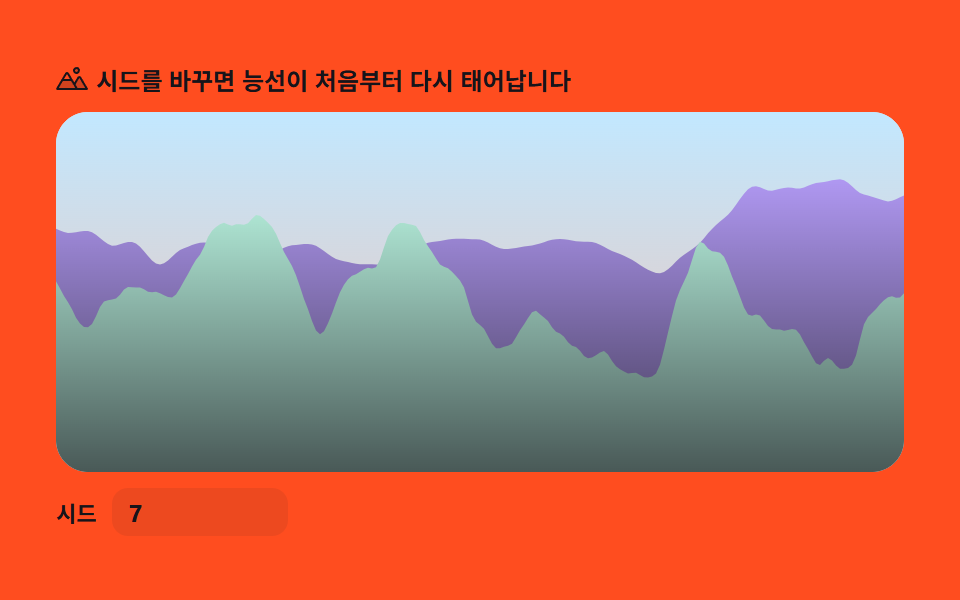 9 Perlin Noise Animations, No Libraries, Pure MathPerlin noise animation smooths raw randomness into values that connect with their neighbours, and out of that one functi See all demos in this post
If you like this effect - similar demos
 Creative UI08 Cloud volume — not a surface but stacking fog9 Ray Marching Scenes in Canvas (No WebGL)
 Creative UI01 One field layer — counting threshold-crossing pixels as a first metaball9 Metaball Effect Scenes, Marching Squares Canvas
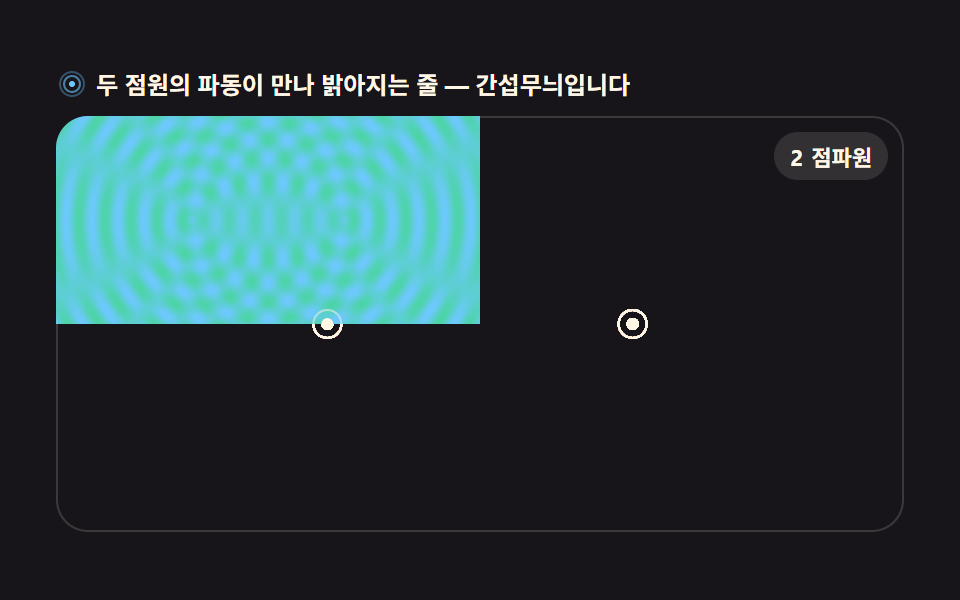 Creative UI02 Two-source ripple interference fieldWave Interference Simulation: 9 Canvas Scenes