06Polar rose Lissajous
Instead of Cartesian axes, a polar approach feeds the two-frequency ratio into the angle θ and derives the radius with Math.cos, so the same Lissajous math from item 01 comes out as a rotating flower-petal shape. Math.sin converts it back to x·y coordinates each requestAnimationFrame tick.
Best forMandala-style loading screens, decorative background patterns
Math.cosMath.sinrequestAnimationFrame
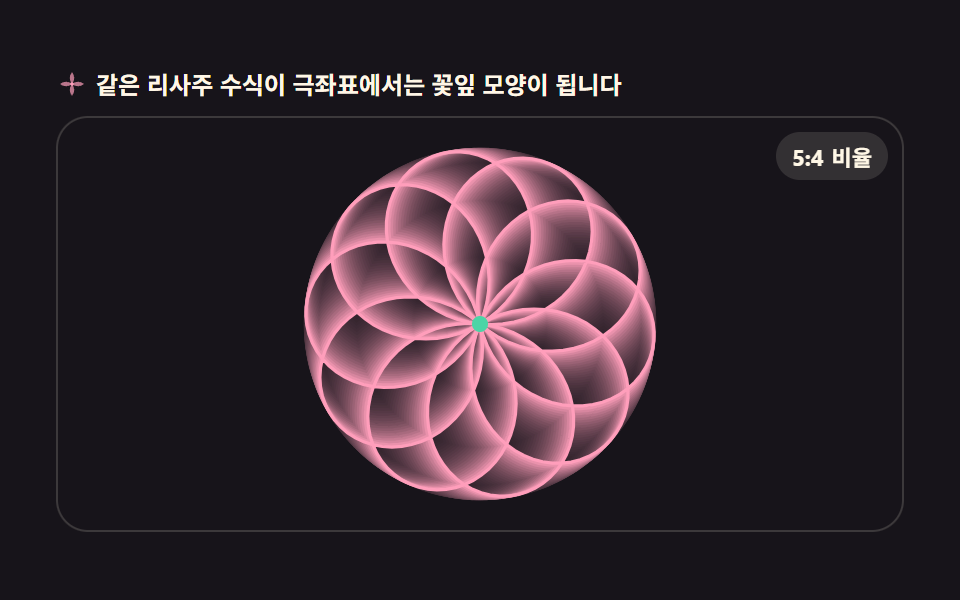
<main class="stage">
<div class="pr" id="pr">
  <p class="pr__hint">
    <svg class="pr__ico" viewBox="0 0 256 256" aria-hidden="true"><g fill="currentColor"><path d="M128 32c-24 32-24 64 0 96c24-32 24-64 0-96Zm0 96c-32 24-64 24-96 0c32-24 64-24 96 0Zm0 0c32-24 64-24 96 0c-32 24-64 24-96 0Zm0 0c-24 32-24 64 0 96c24-32 24-64 0-96Z" opacity=".7"/><circle cx="128" cy="128" r="14"/></g></svg>
    <span>The same Lissajous math blooms into petals in polar form</span>
  </p>
  <div class="pr__field" id="field" role="application" aria-label="Polar rose playground">
    <canvas class="pr__cv" id="cv"></canvas>
    <b class="pr__badge" aria-hidden="true"><span class="pr__badgeNum">5:4</span><span class="pr__badgeUnit">ratio</span></b>
  </div>
</div>
</main>
@use "../../../../site/static/demo-tokens" as *;
// 극좌표 로즈 리사주 — 각도 θ 에 두 주파수 비율을 넣어 극좌표로 반지름을 구하는 방식.
// 움직임은 전부 캔버스 rAF 루프 안에 있다. @keyframes 0개.
$duration: $dur-loop;
$easing: $ease-spring;
$color: $subject-pink;
@include stage($stage-ink);
.pr {
--petal: #{$subject-pink};
--core: #{$subject-mint};
--badge-bg: #{rgba($subject-cream, .12)};
--badge-fg: #{$subject-cream};
display: flex; flex-direction: column; gap: $sp-2;
width: 100%; max-width: 424px;
}
.pr__hint {
display: flex; align-items: center; gap: $sp-1; margin: 0;
font-weight: 700; font-size: clamp(10px, 2.8vw, 12px); line-height: 1.35;
color: $subject-cream;
}
.pr__ico { width: 16px; height: 16px; flex: 0 0 auto; color: $subject-pink; }
.pr__field {
position: relative; height: 208px;
border-radius: $r-card; overflow: hidden;
background: $stage-ink;
box-shadow: inset 0 0 0 1px rgba($subject-cream, .16);
}
.pr__cv { display: block; width: 100%; height: 100%; }
.pr__badge {
position: absolute; right: $sp-2; top: $sp-2;
display: flex; align-items: baseline; gap: $sp-1;
padding: $sp-1 $sp-2; border-radius: $r-pill;
background: var(--badge-bg);
color: var(--badge-fg); font-weight: 700; font-size: 11px;
}
@media (max-width: 340px) {
.pr__field { height: 124px; }
.pr__badge { font-size: 10px; padding: 0 $sp-1; }
}
@media (prefers-reduced-motion: reduce) {
.pr.is-still .pr__badge { opacity: .92 !important; }
}html, body {
margin: 0;
overflow: hidden;
}
.stage {
box-sizing: border-box;
min-height: 100vh;
display: grid;
place-items: center;
margin: 0;
background: #17141a;
font-family: -apple-system, "Segoe UI", "Noto Sans KR", sans-serif;
padding: clamp(8px, 4vw, 24px);
}
.pr {
--petal: #ff9ebb;
--core: #4cd4a6;
--badge-bg: rgba(255, 247, 230, 0.12);
--badge-fg: #fff7e6;
display: flex;
flex-direction: column;
gap: 8px;
width: 100%;
max-width: 424px;
}
.pr__hint {
display: flex;
align-items: center;
gap: 4px;
margin: 0;
font-weight: 700;
font-size: clamp(10px, 2.8vw, 12px);
line-height: 1.35;
color: #fff7e6;
}
.pr__ico {
width: 16px;
height: 16px;
flex: 0 0 auto;
color: #ff9ebb;
}
.pr__field {
position: relative;
height: 208px;
border-radius: 16px;
overflow: hidden;
background: #17141a;
box-shadow: inset 0 0 0 1px rgba(255, 247, 230, 0.16);
}
.pr__cv {
display: block;
width: 100%;
height: 100%;
}
.pr__badge {
position: absolute;
right: 8px;
top: 8px;
display: flex;
align-items: baseline;
gap: 4px;
padding: 4px 8px;
border-radius: 999px;
background: var(--badge-bg);
color: var(--badge-fg);
font-weight: 700;
font-size: 11px;
}
@media (max-width: 340px) {
.pr__field {
height: 124px;
}
.pr__badge {
font-size: 10px;
padding: 0 4px;
}
}
@media (prefers-reduced-motion: reduce) {
.pr.is-still .pr__badge {
opacity: 0.92 !important;
}
}// 극좌표 로즈 리사주 — 01 번과 같은 리사주 수식(두 주파수의 사인 합)이지만
// 직교좌표 대신 각도 θ 에 주파수 비율을 넣어 Math.cos 로 반지름을 구하는 극좌표 방식이라
// 회전하는 꽃잎 모양으로 나온다. Math.sin 으로 다시 x·y 좌표로 바꿔 requestAnimationFrame 마다 찍는다.
var root = document.getElementById('pr');
var field = document.getElementById('field');
var cv = document.getElementById('cv');
var ctx = cv.getContext('2d');
var css = getComputedStyle(root);
var PETAL = css.getPropertyValue('--petal').trim();
var CORE = css.getPropertyValue('--core').trim();
var K = 5 / 4; // 꽃잎 개수를 정하는 주파수 ratio n/d
var LOOP = 2; // 곡선이 회전 한 바퀴 도는 시간(초)
var TRAIL = 0.09;
var reduce = window.matchMedia('(prefers-reduced-motion: reduce)').matches;
var W = 0, H = 0, dpr = 1, raf = 0;
function fit() {
var r = field.getBoundingClientRect();
dpr = window.devicePixelRatio || 1;
W = r.width; H = r.height;
cv.width = Math.round(W * dpr);
cv.height = Math.round(H * dpr);
ctx.setTransform(dpr, 0, 0, dpr, 0, 0);
}
// 로즈 곡선 위 한 점 — r = cos(K·θ) 를 반지름으로, 회전(spin)을 더해 전체를 돌린다
function petalPoint(th, spin, R) {
var r = Math.cos(K * th) * R;
var a = th + spin;
return {
x: W * 0.5 + Math.sin(a) * r,
y: H * 0.5 + Math.cos(a) * r
};
}
function draw(sec) {
ctx.globalCompositeOperation = 'destination-out';
ctx.fillStyle = 'rgba(0,0,0,' + TRAIL + ')';
ctx.fillRect(0, 0, W, H);
ctx.globalCompositeOperation = 'source-over';
var spin = (sec % LOOP) / LOOP * Math.PI * 2 * 0.5;
var R = Math.min(W, H) * 0.42;
var N = 480; // K 가 분수라 한 바퀴를 다 그리려면 표본이 많이 필요하다
ctx.strokeStyle = PETAL;
ctx.lineWidth = 1.6;
ctx.beginPath();
for (var i = 0; i <= N; i++) {
var p = petalPoint(i / N * Math.PI * 8, spin, R);
if (i === 0) ctx.moveTo(p.x, p.y); else ctx.lineTo(p.x, p.y);
}
ctx.stroke();
ctx.fillStyle = CORE;
ctx.beginPath();
ctx.arc(W * 0.5, H * 0.5, 4, 0, Math.PI * 2);
ctx.fill();
}
function frame(now) {
draw(now / 1000);
raf = requestAnimationFrame(frame);
}
fit();
window.addEventListener('resize', function () { fit(); if (reduce) draw(0.4); });
if (reduce) {
// reduce — 루프 없이 회전 0.4의 한 장만 그린다(빈 화면이 아니다)
root.classList.add('is-still');
draw(0.4);
} else {
raf = requestAnimationFrame(frame);
}// PolarRoseLissajous — vanilla 판(run/303/demo/06-wave-polar-rose-lissajous/index.html) 의 React 포트.
// 극좌표 로즈 리사주 — 01 번과 같은 리사주 수식(두 주파수의 사인 합)이지만
// 직교좌표 대신 각도 θ 에 주파수 비율을 넣어 Math.cos 로 반지름을 구하는 극좌표 방식이라
// 회전하는 꽃잎 모양으로 나온다. Math.sin 으로 다시 x·y 좌표로 바꿔 requestAnimationFrame 마다 찍는다.
import { useEffect, useRef } from "react";
import type { CSSProperties } from "react";
import styles from "./PolarRoseLissajous.module.scss";
export type PolarRoseLissajousProps = {
duration?: number;
easing?: string;
accentColor?: string;
};
type Vars = CSSProperties & { "--duration"?: string; "--easing"?: string; "--color"?: string };
const HINT = "같은 리사주 수식이 극좌표에서는 꽃잎 모양이 됩니다";
const FIELD_LABEL = "극좌표 로즈 실험판";
const BADGE_TEXT = "5:4";
const BADGE_UNIT = "비율";
const K = 5 / 4; // 꽃잎 개수를 정하는 주파수 비율 n/d
const LOOP = 2; // 곡선이 회전 한 바퀴 도는 시간(초)
const TRAIL = 0.09;
export default function PolarRoseLissajous(props: PolarRoseLissajousProps) {
const duration = props.duration ?? 2;
const easing = props.easing ?? "cubic-bezier(.2, .8, .2, 1)";
const accentColor = props.accentColor ?? "#ff9ebb";
const rootRef = useRef<HTMLDivElement>(null);
const fieldRef = useRef<HTMLDivElement>(null);
const cvRef = useRef<HTMLCanvasElement>(null);
const vars: Vars = { "--duration": duration + "s", "--easing": easing, "--color": accentColor };
useEffect(() => {
const root0 = rootRef.current;
const field0 = fieldRef.current;
const cv0 = cvRef.current;
if (!root0 || !field0 || !cv0) return;
const ctx0 = cv0.getContext("2d");
if (!ctx0) return;
// 중첩 함수(클로저) 안에서는 가드로 좁힌 널 타입이 전달되지 않는다 — 확인된 값으로 다시 상수를 묶는다
const root: HTMLDivElement = root0;
const field: HTMLDivElement = field0;
const cv: HTMLCanvasElement = cv0;
const ctx: CanvasRenderingContext2D = ctx0;
const css = getComputedStyle(root);
const petal = css.getPropertyValue("--petal").trim();
const core = css.getPropertyValue("--core").trim();
const reduce = window.matchMedia("(prefers-reduced-motion: reduce)").matches;
let W = 0, H = 0, dpr = 1, raf = 0;
function fit() {
const r = field!.getBoundingClientRect();
dpr = window.devicePixelRatio || 1;
W = r.width; H = r.height;
cv!.width = Math.round(W * dpr);
cv!.height = Math.round(H * dpr);
ctx!.setTransform(dpr, 0, 0, dpr, 0, 0);
}
// 로즈 곡선 위 한 점 — r = cos(K·θ) 를 반지름으로, 회전(spin)을 더해 전체를 돌린다
function petalPoint(th: number, spin: number, R: number) {
const r = Math.cos(K * th) * R;
const a = th + spin;
return {
x: W * 0.5 + Math.sin(a) * r,
y: H * 0.5 + Math.cos(a) * r,
};
}
function draw(sec: number) {
ctx!.globalCompositeOperation = "destination-out";
ctx!.fillStyle = "rgba(0,0,0," + TRAIL + ")";
ctx!.fillRect(0, 0, W, H);
ctx!.globalCompositeOperation = "source-over";
const spin = (sec % LOOP) / LOOP * Math.PI * 2 * 0.5;
const R = Math.min(W, H) * 0.42;
const N = 480; // K 가 분수라 한 바퀴를 다 그리려면 표본이 많이 필요하다
ctx!.strokeStyle = petal;
ctx!.lineWidth = 1.6;
ctx!.beginPath();
for (let i = 0; i <= N; i++) {
const p = petalPoint(i / N * Math.PI * 8, spin, R);
if (i === 0) ctx!.moveTo(p.x, p.y); else ctx!.lineTo(p.x, p.y);
}
ctx!.stroke();
ctx!.fillStyle = core;
ctx!.beginPath();
ctx!.arc(W * 0.5, H * 0.5, 4, 0, Math.PI * 2);
ctx!.fill();
}
function frame(now: number) {
draw(now / 1000);
raf = requestAnimationFrame(frame);
}
function onResize() {
fit();
if (reduce) draw(0.4);
}
fit();
window.addEventListener("resize", onResize);
if (reduce) {
// reduce — 루프 없이 회전 0.4의 한 장만 그린다(빈 화면이 아니다)
root.classList.add("is-still");
draw(0.4);
} else {
raf = requestAnimationFrame(frame);
}
return () => {
cancelAnimationFrame(raf);
window.removeEventListener("resize", onResize);
root.classList.remove("is-still");
};
}, []);
return (
<main className={styles.stage}>
<div ref={rootRef} className={styles.pr} style={vars}>
<p className={styles["pr__hint"]}>
<svg className={styles["pr__ico"]} viewBox="0 0 256 256" aria-hidden="true"><g fill="currentColor"><path d="M128 32c-24 32-24 64 0 96c24-32 24-64 0-96Zm0 96c-32 24-64 24-96 0c32-24 64-24 96 0Zm0 0c32-24 64-24 96 0c-32 24-64 24-96 0Zm0 0c-24 32-24 64 0 96c24-32 24-64 0-96Z" opacity=".7"/><circle cx="128" cy="128" r="14"/></g></svg>
<span>{HINT}</span>
</p>
<div ref={fieldRef} className={styles["pr__field"]} role="application" aria-label={FIELD_LABEL}>
<canvas ref={cvRef} className={styles["pr__cv"]}></canvas>
<b className={styles["pr__badge"]} aria-hidden="true"><span className={styles["pr__badgeNum"]}>{BADGE_TEXT}</span><span className={styles["pr__badgeUnit"]}>{BADGE_UNIT}</span></b>
</div>
</div>
</main>
);
}06 Polar rose Lissajous — Measured area 17.09% · moving frames 23/23Original by GODRICH · SCSS and React ship in the zip · Wave Interference Simulation: 9 Canvas Scenes
The post this demo lives in
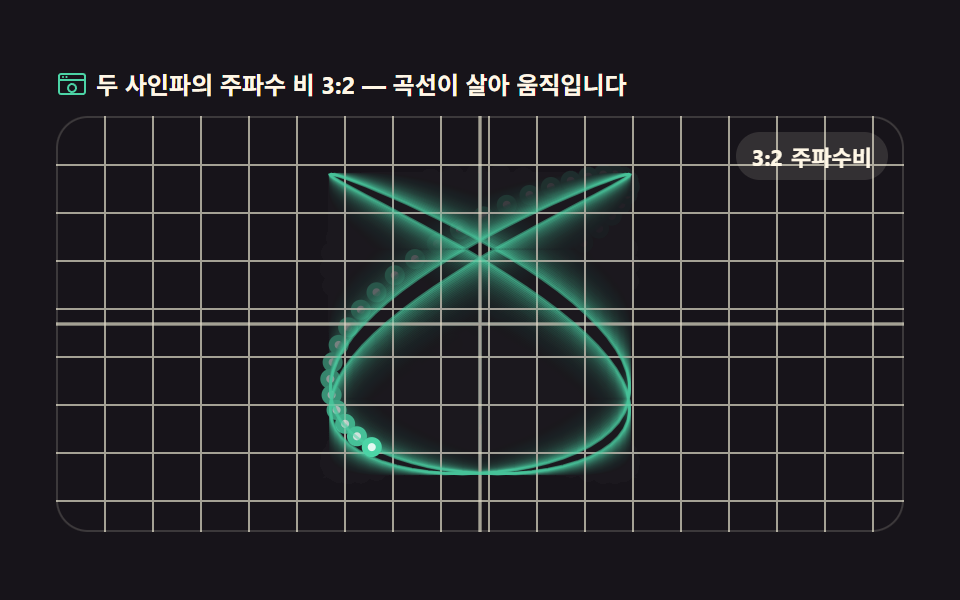 Wave Interference Simulation: 9 Canvas ScenesA wave interference simulation shows what happens on screen when two or more waves combine, and this set builds nine of See all demos in this post
If you like this effect - similar demos
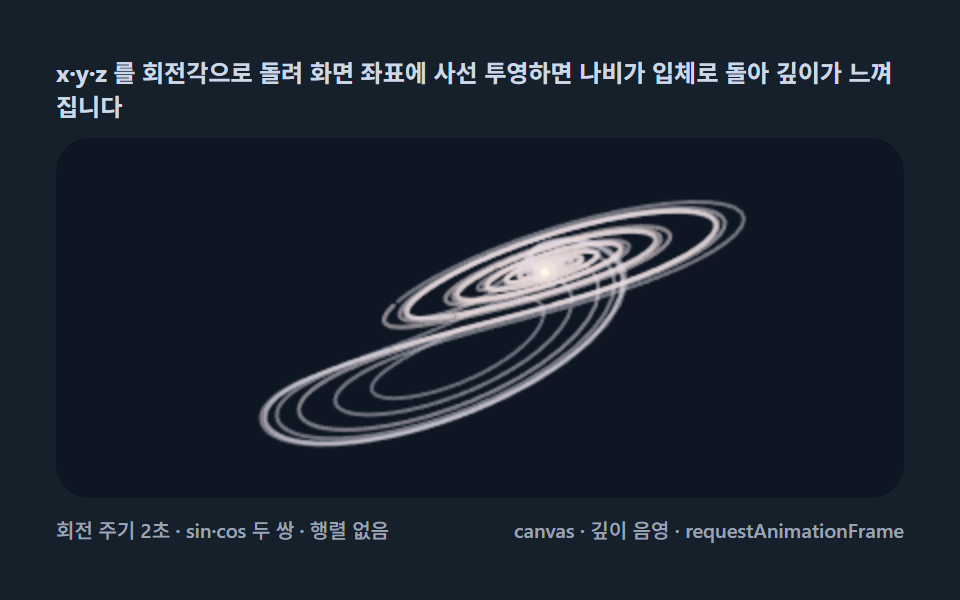 Creative UI02 3D rotation — spinning the orbit through oblique projectionLorenz Attractor: 9 Butterfly Chaos Demos
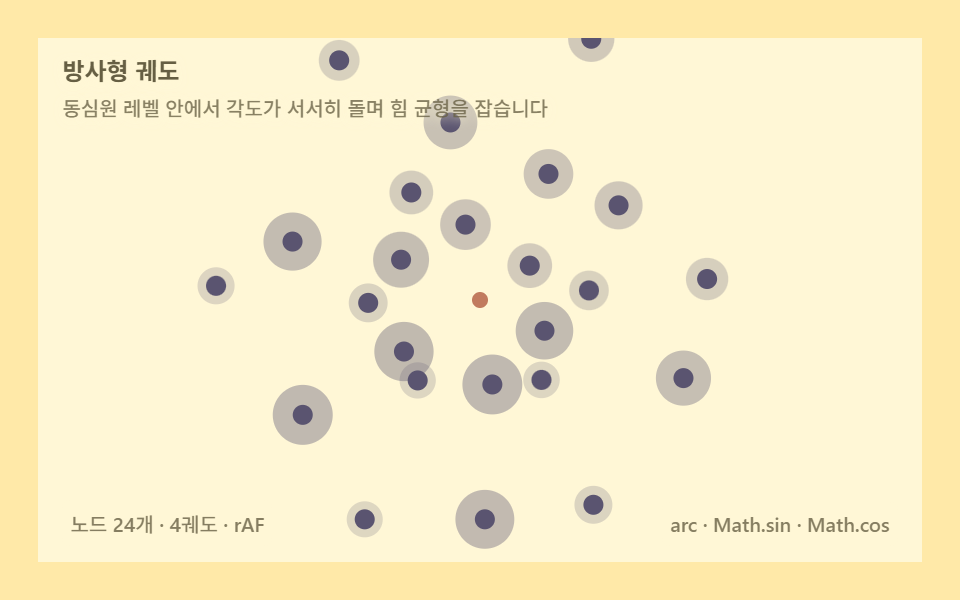 Creative UI06 Radial orbit — nodes settle while orbiting concentric levelsForce Directed Graph: 9 Network Layout Demos
 Creative UI06 Dragon curve — a folding rule that grows a paper dinosaurL-System Fractal Tree Generator: 9 Demos