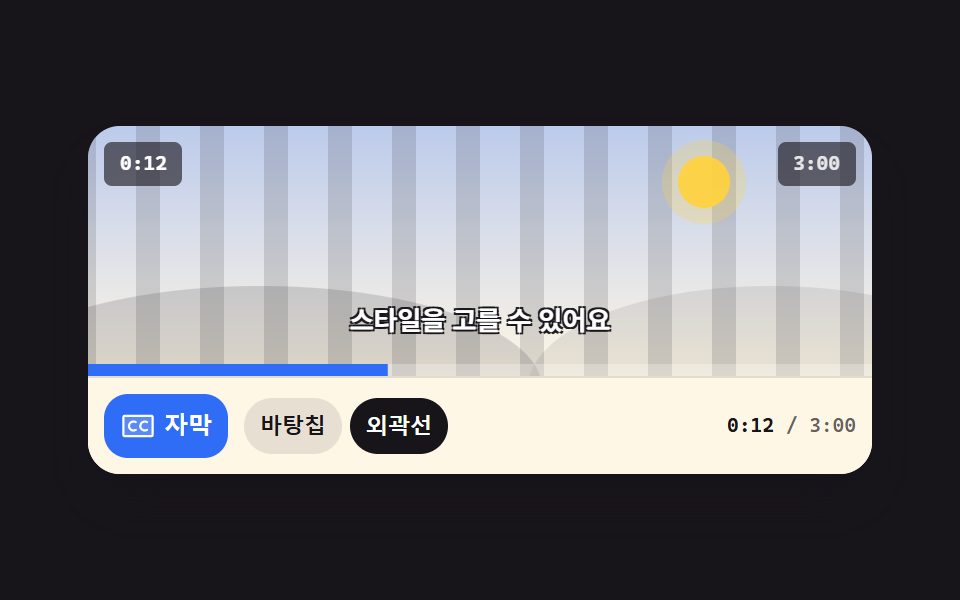
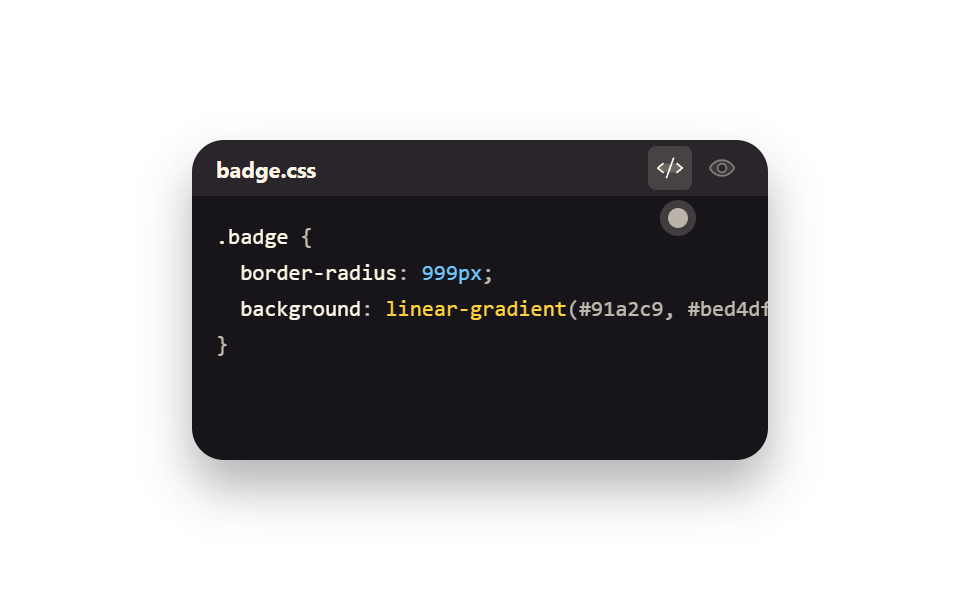
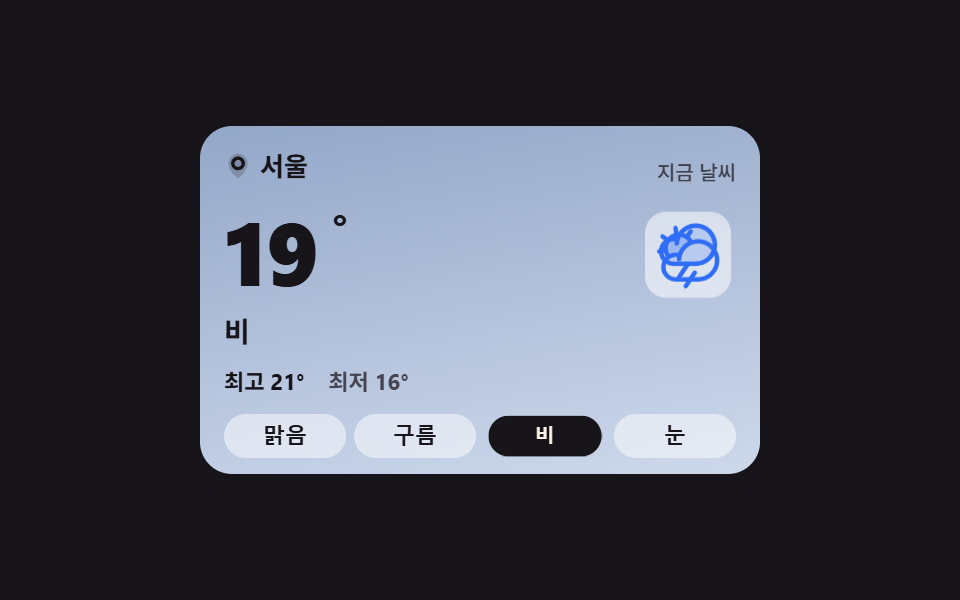
01Current-conditions card whose sky and copy swap together
Picking one of four conditions cuts the card from one sky layer to the other, and the temperature, the state line, and the high and low swap as one set.
Best forWeather summary atop a dashboard, travel and outdoor-event pages
opacitytransitionaria-pressed
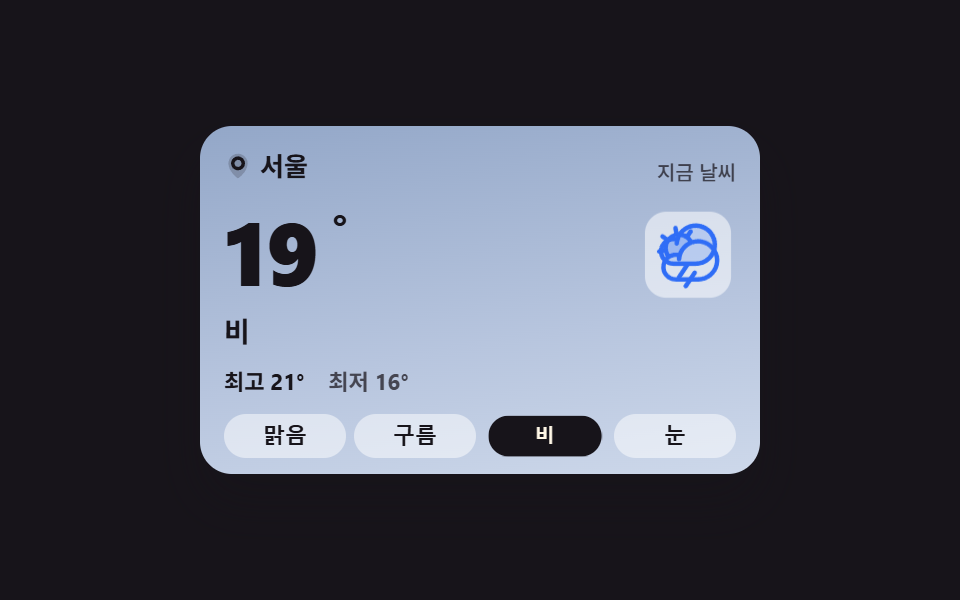
<main class="stage stage--ink">
  <section class="wc is-demo" id="wc" aria-label="Current weather card">
    <span class="wc__sky wc__sky--a" aria-hidden="true"></span>
    <span class="wc__sky wc__sky--b" aria-hidden="true"></span>
    <div class="wc__body">
      <header class="wc__head">
        <p class="wc__loc"><svg viewBox="0 0 256 256" width="14" height="14" fill="currentColor" aria-hidden="true"><path d="M128,16a88,88,0,0,0-88,88c0,75.3,80,132.17,83.41,134.55a8,8,0,0,0,9.18,0C136,236.17,216,179.3,216,104A88,88,0,0,0,128,16Z" opacity="0.2"/><path d="M128,40a64,64,0,1,0,64,64A64.07,64.07,0,0,0,128,40Zm0,96a32,32,0,1,1,32-32A32,32,0,0,1,128,136Z"/></svg>Seoul</p>
        <p class="wc__label">Right now</p>
      </header>
      <div class="wc__now">
        <p class="wc__temp">
          <span class="wc__swap"><span class="wc__v">24</span><span class="wc__alt" aria-hidden="true">19</span></span><span class="wc__deg">°</span>
        </p>
        <span class="wc__art" aria-hidden="true">
          <span class="wc__glyph wc__glyph--sunny"><svg viewBox="0 0 256 256" width="40" height="40" fill="currentColor"><path d="M184,128a56,56,0,1,1-56-56A56,56,0,0,1,184,128Z" opacity="0.2"/><path d="M120,40V16a8,8,0,0,1,16,0V40a8,8,0,0,1-16,0Zm72,88a64,64,0,1,1-64-64A64.07,64.07,0,0,1,192,128Zm-16,0a48,48,0,1,0-48,48A48.05,48.05,0,0,0,176,128ZM58.34,69.66A8,8,0,0,0,69.66,58.34l-16-16A8,8,0,0,0,42.34,53.66Zm0,116.68-16,16a8,8,0,0,0,11.32,11.32l16-16a8,8,0,0,0-11.32-11.32ZM192,72a8,8,0,0,0,5.66-2.34l16-16a8,8,0,0,0-11.32-11.32l-16,16A8,8,0,0,0,192,72Zm5.66,114.34a8,8,0,0,0-11.32,11.32l16,16a8,8,0,0,0,11.32-11.32ZM48,128a8,8,0,0,0-8-8H16a8,8,0,0,0,0,16H40A8,8,0,0,0,48,128Zm80,80a8,8,0,0,0-8,8v24a8,8,0,0,0,16,0V216A8,8,0,0,0,128,208Zm112-88H216a8,8,0,0,0,0,16h24a8,8,0,0,0,0-16Z"/></svg></span>
          <span class="wc__glyph wc__glyph--cloudy"><svg viewBox="0 0 256 256" width="40" height="40" fill="currentColor"><path d="M139.84,84.41v0a68.22,68.22,0,0,0-41.65,46v-.11a44.08,44.08,0,0,0-38.54,5h0a48,48,0,1,1,80.19-50.94Z" opacity="0.2"/><path d="M164,72a76.2,76.2,0,0,0-20.26,2.73,55.63,55.63,0,0,0-9.41-11.54l9.51-13.57a8,8,0,1,0-13.11-9.18L121.22,54A55.9,55.9,0,0,0,96,48c-.58,0-1.16,0-1.74,0L91.37,31.71a8,8,0,1,0-15.75,2.77L78.5,50.82A56.1,56.1,0,0,0,55.23,65.67L41.61,56.14a8,8,0,1,0-9.17,13.11L46,78.77A55.55,55.55,0,0,0,40,104c0,.57,0,1.15,0,1.72L23.71,108.6a8,8,0,0,0,1.38,15.88,8.24,8.24,0,0,0,1.39-.12l16.32-2.88a55.74,55.74,0,0,0,5.86,12.42A52,52,0,0,0,84,224h80a76,76,0,0,0,0-152ZM56,104a40,40,0,0,1,72.54-23.24,76.26,76.26,0,0,0-35.62,40,52.14,52.14,0,0,0-31,4.17A40,40,0,0,1,56,104ZM164,208H84a36,36,0,1,1,4.78-71.69c-.37,2.37-.63,4.79-.77,7.23a8,8,0,0,0,16,.92,58.91,58.91,0,0,1,1.88-11.81c0-.16.09-.32.12-.48A60.06,60.06,0,1,1,164,208Z"/></svg></span>
          <span class="wc__glyph wc__glyph--rainy"><svg viewBox="0 0 256 256" width="40" height="40" fill="currentColor"><path d="M224,92a68,68,0,0,1-68,68H76A44,44,0,1,1,90.2,74.34v.11A68.06,68.06,0,0,1,224,92Z" opacity="0.2"/><path d="M158.66,196.44l-32,48a8,8,0,1,1-13.32-8.88l32-48a8,8,0,0,1,13.32,8.88ZM232,92a76.08,76.08,0,0,1-76,76H132.28l-29.62,44.44a8,8,0,1,1-13.32-8.88L113.05,168H76A52,52,0,1,1,76,64a53.26,53.26,0,0,1,8.92.76A76.08,76.08,0,0,1,232,92Zm-16,0A60.06,60.06,0,0,0,96,88.46a8,8,0,0,1-16-.92q.21-3.66.77-7.23A38.11,38.11,0,0,0,76,80a36,36,0,0,0,0,72h80A60.07,60.07,0,0,0,216,92Z"/></svg></span>
          <span class="wc__glyph wc__glyph--snowy"><svg viewBox="0 0 256 256" width="40" height="40" fill="currentColor"><path d="M220,128a92,92,0,1,1-92-92A92.1,92.1,0,0,1,220,128Z" opacity="0.2"/><path d="M223.77,150.09a8,8,0,0,1-5.86,9.68l-24.64,6,6.46,24.11a8,8,0,0,1-5.66,9.8A8.25,8.25,0,0,1,192,200a8,8,0,0,1-7.72-5.93l-7.72-28.8L136,141.86v46.83l21.66,21.65a8,8,0,0,1-11.32,11.32L128,203.31l-18.34,18.35a8,8,0,0,1-11.32-11.32L120,188.69V141.86L79.45,165.27l-7.72,28.8A8,8,0,0,1,64,200a8.25,8.25,0,0,1-2.08-.27,8,8,0,0,1-5.66-9.8l6.46-24.11-24.64-6a8,8,0,0,1,3.82-15.54l29.45,7.23L112,128,71.36,104.54l-29.45,7.23A7.85,7.85,0,0,1,40,112a8,8,0,0,1-1.91-15.77l24.64-6L56.27,66.07a8,8,0,0,1,15.46-4.14l7.72,28.8L120,114.14V67.31L98.34,45.66a8,8,0,0,1,11.32-11.32L128,52.69l18.34-18.35a8,8,0,0,1,11.32,11.32L136,67.31v46.83l40.55-23.41,7.72-28.8a8,8,0,0,1,15.46,4.14l-6.46,24.11,24.64,6A8,8,0,0,1,216,112a7.85,7.85,0,0,1-1.91-.23l-29.45-7.23L144,128l40.64,23.46,29.45-7.23A8,8,0,0,1,223.77,150.09Z"/></svg></span>
        </span>
        <p class="wc__word wc__swap"><span class="wc__v">Sunny</span><span class="wc__alt" aria-hidden="true">Rain</span></p>
      </div>
      <p class="wc__range">
        <span class="wc__hi">High <span class="wc__swap"><span class="wc__v">27</span><span class="wc__alt" aria-hidden="true">21</span></span>°</span>
        <span class="wc__lo">Low <span class="wc__swap"><span class="wc__v">18</span><span class="wc__alt" aria-hidden="true">16</span></span>°</span>
      </p>
      <div class="wc__conds" role="group" aria-label="Choose a sky condition">
        <button class="wc__c is-on" type="button" data-cond="sunny" aria-pressed="true">Sunny</button>
        <button class="wc__c" type="button" data-cond="cloudy" aria-pressed="false">Cloudy</button>
        <button class="wc__c" type="button" data-cond="rainy" aria-pressed="false">Rain</button>
        <button class="wc__c" type="button" data-cond="snowy" aria-pressed="false">Snow</button>
      </div>
    </div>
  </section>
</main>@use "../../../../site/static/demo-tokens" as *;
// 하늘 상태를 고르면 카드 전체 — 하늘 배경·아이콘·온도·최고최저 — 가 한 세트로 맞바뀐다.
// 상태 교체는 steps(1, end) 컷: 크로스페이드로 겹치면 대표 이미지에 두 하늘이 반투명하게 겹친다(237 실측).
// 아이콘이 솟았다 내려앉는 pop 만 transform — 컷만으로는 움직인 프레임이 모자란다(252 실측).
$duration: $dur-loop;
$easing: $ease-spring;
$color: $subject-blue;
@include stage($stage-ink);
.wc {
position: relative;
box-sizing: border-box;
width: min(280px, 92vw);
overflow: hidden;
border-radius: $r-card;
color: $subject-ink;
box-shadow: $shadow-raised;
}
.wc * { box-sizing: border-box; }
// 두 하늘 겹 — 맑음(a)과 비(b). 기본은 a.
.wc__sky {
position: absolute;
inset: 0;
pointer-events: none;
}
.wc__sky--a { background: linear-gradient(170deg, #bfe3ff 0%, #dcefff 46%, #ffe9b0 100%); }
.wc__sky--b { background: linear-gradient(170deg, #93a7c8 0%, #b7c5de 60%, #cdd8ea 100%); opacity: 0; }
.wc__body {
position: relative;
display: grid;
gap: $sp-2;
padding: $sp-3 $sp-3 $sp-2;
}
.wc__head {
display: flex;
align-items: baseline;
justify-content: space-between;
gap: $sp-2;
}
.wc__loc {
display: inline-flex;
align-items: center;
gap: $sp-1;
margin: 0;
font-size: 13px;
font-weight: 700;
line-height: 1.3;
}
.wc__label {
margin: 0;
font-size: 10px;
font-weight: 500;
line-height: 1.3;
color: rgba($subject-ink, .72);
}
.wc__now {
display: grid;
grid-template-columns: 1fr auto;
align-items: center;
gap: $sp-2;
}
.wc__temp {
display: flex;
align-items: flex-start;
margin: 0;
font-size: 44px;
font-weight: 800;
line-height: 1;
font-variant-numeric: tabular-nums;
}
.wc__deg { font-size: 22px; font-weight: 700; }
.wc__word {
grid-column: 1 / -1;
margin: 0;
font-size: 14px;
font-weight: 700;
line-height: 1.3;
}
// 아이콘 네 겹 — 상태 클래스가 한 개만 보이게 한다
.wc__art {
position: relative;
display: grid;
place-items: center;
width: 48px;
height: 48px;
border-radius: $r-control;
background: rgba(255, 255, 255, .55);
}
.wc__glyph {
grid-area: 1 / 1;
display: grid;
place-items: center;
color: $subject-blue;
transition: none;
}
.wc__glyph--sunny { color: #ba9f72; }
.wc__glyph--rainy { opacity: 0; }
.wc__glyph--snowy { opacity: 0; color: #4a89c9; }
.wc.is-cloudy .wc__glyph--sunny,
.wc.is-rainy .wc__glyph--sunny,
.wc.is-snowy .wc__glyph--sunny { opacity: 0; }
.wc.is-cloudy .wc__glyph--cloudy { opacity: 1; }
.wc.is-rainy .wc__glyph--rainy { opacity: 1; }
.wc.is-snowy .wc__glyph--snowy { opacity: 1; }
.wc.is-cloudy .wc__sky--a,
.wc.is-rainy .wc__sky--a,
.wc.is-snowy .wc__sky--a { opacity: 0; }
.wc.is-cloudy .wc__sky--b,
.wc.is-rainy .wc__sky--b,
.wc.is-snowy .wc__sky--b { opacity: 1; }
// 실제 클릭: 아이콘이 한 번 솟았다 내려앉는다
@keyframes wc-pop {
0% { transform: translateY(3px) scale(.88); }
55% { transform: translateY(-3px) scale(1.04); }
100% { transform: translateY(0) scale(1); }
}
.wc__art.is-pop { animation-name: wc-pop; animation-duration: $dur-quick; animation-timing-function: $easing; animation-iteration-count: 1; }
.wc__range {
display: flex;
gap: $sp-3;
margin: 0;
font-size: 11px;
font-weight: 700;
line-height: 1.4;
font-variant-numeric: tabular-nums;
}
.wc__lo { color: rgba($subject-ink, .72); }
// 겹쳐 둔 두 번째 값 — 미리보기 루프에서만 보인다
.wc__swap { position: relative; display: inline-block; }
.wc__alt {
position: absolute;
inset: 0;
opacity: 0;
}
.wc__conds {
display: grid;
grid-template-columns: repeat(4, 1fr);
gap: $sp-1;
}
.wc__c {
padding: $sp-1 0;
border: 0;
border-radius: $r-control;
background: rgba(255, 255, 255, .5);
color: $subject-ink;
font-size: 11px;
font-weight: 700;
line-height: 1.3;
cursor: pointer;
&:focus-visible { outline: 2px solid $subject-blue; outline-offset: 2px; }
&.is-on { background: $subject-ink; color: $subject-cream; }
}
// ── 격자 미리보기 루프 (2초) ──
// 0~44% 맑음 → 45% 컷으로 비(아이콘 pop 함께) → 88% 맑음 복귀(90% 안)
@keyframes wc-a { 0%, 44% { opacity: 1; } 45%, 87% { opacity: 0; } 88%, 100% { opacity: 1; } }
@keyframes wc-b { 0%, 44% { opacity: 0; } 45%, 87% { opacity: 1; } 88%, 100% { opacity: 0; } }
@keyframes wc-va { 0%, 44% { opacity: 1; } 45%, 87% { opacity: 0; } 88%, 100% { opacity: 1; } }
@keyframes wc-vb { 0%, 44% { opacity: 0; } 45%, 87% { opacity: 1; } 88%, 100% { opacity: 0; } }
@keyframes wc-poploop {
0%, 42% { transform: translateY(0) scale(1); }
45% { transform: translateY(3px) scale(.88); }
58% { transform: translateY(-3px) scale(1.04); }
70%, 85% { transform: translateY(0) scale(1); }
88% { transform: translateY(3px) scale(.88); }
97%, 100% { transform: translateY(0) scale(1); }
}
@keyframes wc-press {
0%, 41% { transform: scale(1); }
45% { transform: scale(.9); }
57%, 100% { transform: scale(1); }
}
// 루프에서는 고른 단추의 강조도 상태와 함께 맞바뀐다 — 컷으로
@keyframes wc-on-a {
0%, 44% { background-color: $subject-ink; color: $subject-cream; }
45%, 87% { background-color: rgba(255, 255, 255, .5); color: $subject-ink; }
88%, 100% { background-color: $subject-ink; color: $subject-cream; }
}
@keyframes wc-on-b {
0%, 44% { background-color: rgba(255, 255, 255, .5); color: $subject-ink; }
45%, 87% { background-color: $subject-ink; color: $subject-cream; }
88%, 100% { background-color: rgba(255, 255, 255, .5); color: $subject-ink; }
}
.wc.is-demo {
.wc__sky--a { animation-name: wc-a; }
.wc__sky--b { animation-name: wc-b; }
.wc__glyph--sunny { animation-name: wc-a; }
.wc__glyph--rainy { animation-name: wc-b; }
.wc__sky--a, .wc__sky--b,
.wc__glyph--sunny, .wc__glyph--rainy {
animation-duration: $duration;
animation-timing-function: steps(1, end);
animation-iteration-count: infinite;
animation-fill-mode: backwards;
}
.wc__swap .wc__v { animation-name: wc-va; }
.wc__swap .wc__alt { animation-name: wc-vb; }
.wc__swap .wc__v, .wc__swap .wc__alt {
animation-duration: $duration;
animation-timing-function: steps(1, end);
animation-iteration-count: infinite;
animation-fill-mode: backwards;
}
.wc__art { animation-name: wc-poploop; animation-duration: $duration; animation-timing-function: $ease-out; animation-iteration-count: infinite; animation-fill-mode: backwards; }
.wc__c:nth-child(3) { animation-name: wc-press, wc-on-b; }
.wc__c:nth-child(1) { animation-name: wc-on-a; }
.wc__c:nth-child(1), .wc__c:nth-child(3) {
animation-duration: $duration, $duration;
animation-timing-function: $easing, steps(1, end);
animation-iteration-count: infinite, infinite;
animation-fill-mode: backwards, backwards;
}
}
@media (max-width: 340px) {
.wc__body { padding: $sp-2 $sp-2 $sp-1; }
.wc__temp { font-size: 36px; }
.wc__art { width: 40px; height: 40px; }
.wc__art svg { width: 32px; height: 32px; }
}
@media (prefers-reduced-motion: reduce) {
.wc.is-demo .wc__sky--a, .wc.is-demo .wc__sky--b,
.wc.is-demo .wc__glyph, .wc.is-demo .wc__swap .wc__v, .wc.is-demo .wc__swap .wc__alt,
.wc.is-demo .wc__art, .wc.is-demo .wc__c {
animation: none !important;
transform: none !important;
}
.wc.is-demo .wc__sky--a, .wc.is-demo .wc__glyph--sunny,
.wc.is-demo .wc__swap .wc__v { opacity: 1 !important; }
.wc.is-demo .wc__sky--b, .wc.is-demo .wc__glyph--rainy,
.wc.is-demo .wc__swap .wc__alt { opacity: 0 !important; }
.wc__art.is-pop { animation: none !important; }
}html, body {
margin: 0;
overflow: hidden;
}
.stage {
box-sizing: border-box;
min-height: 100vh;
display: grid;
place-items: center;
margin: 0;
background: #17141a;
font-family: -apple-system, "Segoe UI", "Noto Sans KR", sans-serif;
padding: clamp(8px, 4vw, 24px);
}
.wc {
position: relative;
box-sizing: border-box;
width: min(280px, 92vw);
overflow: hidden;
border-radius: 16px;
color: #17141a;
box-shadow: 0 14px 24px rgba(23, 20, 26, 0.32);
}
.wc * {
box-sizing: border-box;
}
.wc__sky {
position: absolute;
inset: 0;
pointer-events: none;
}
.wc__sky--a {
background: linear-gradient(170deg, #bfe3ff 0%, #dcefff 46%, #ffe9b0 100%);
}
.wc__sky--b {
background: linear-gradient(170deg, #93a7c8 0%, #b7c5de 60%, #cdd8ea 100%);
opacity: 0;
}
.wc__body {
position: relative;
display: grid;
gap: 8px;
padding: 12px 12px 8px;
}
.wc__head {
display: flex;
align-items: baseline;
justify-content: space-between;
gap: 8px;
}
.wc__loc {
display: inline-flex;
align-items: center;
gap: 4px;
margin: 0;
font-size: 13px;
font-weight: 700;
line-height: 1.3;
}
.wc__label {
margin: 0;
font-size: 10px;
font-weight: 500;
line-height: 1.3;
color: rgba(23, 20, 26, 0.72);
}
.wc__now {
display: grid;
grid-template-columns: 1fr auto;
align-items: center;
gap: 8px;
}
.wc__temp {
display: flex;
align-items: flex-start;
margin: 0;
font-size: 44px;
font-weight: 800;
line-height: 1;
font-variant-numeric: tabular-nums;
}
.wc__deg {
font-size: 22px;
font-weight: 700;
}
.wc__word {
grid-column: 1/-1;
margin: 0;
font-size: 14px;
font-weight: 700;
line-height: 1.3;
}
.wc__art {
position: relative;
display: grid;
place-items: center;
width: 48px;
height: 48px;
border-radius: 12px;
background: rgba(255, 255, 255, 0.55);
}
.wc__glyph {
grid-area: 1/1;
display: grid;
place-items: center;
color: #2f6df6;
transition: none;
}
.wc__glyph--sunny {
color: #ba9f72;
}
.wc__glyph--rainy {
opacity: 0;
}
.wc__glyph--snowy {
opacity: 0;
color: #4a89c9;
}
.wc.is-cloudy .wc__glyph--sunny,
.wc.is-rainy .wc__glyph--sunny,
.wc.is-snowy .wc__glyph--sunny {
opacity: 0;
}
.wc.is-cloudy .wc__glyph--cloudy {
opacity: 1;
}
.wc.is-rainy .wc__glyph--rainy {
opacity: 1;
}
.wc.is-snowy .wc__glyph--snowy {
opacity: 1;
}
.wc.is-cloudy .wc__sky--a,
.wc.is-rainy .wc__sky--a,
.wc.is-snowy .wc__sky--a {
opacity: 0;
}
.wc.is-cloudy .wc__sky--b,
.wc.is-rainy .wc__sky--b,
.wc.is-snowy .wc__sky--b {
opacity: 1;
}
@keyframes wc-pop {
0% {
transform: translateY(3px) scale(0.88);
}
55% {
transform: translateY(-3px) scale(1.04);
}
100% {
transform: translateY(0) scale(1);
}
}
.wc__art.is-pop {
animation-name: wc-pop;
animation-duration: 220ms;
animation-timing-function: cubic-bezier(0.2, 0.8, 0.2, 1);
animation-iteration-count: 1;
}
.wc__range {
display: flex;
gap: 12px;
margin: 0;
font-size: 11px;
font-weight: 700;
line-height: 1.4;
font-variant-numeric: tabular-nums;
}
.wc__lo {
color: rgba(23, 20, 26, 0.72);
}
.wc__swap {
position: relative;
display: inline-block;
}
.wc__alt {
position: absolute;
inset: 0;
opacity: 0;
}
.wc__conds {
display: grid;
grid-template-columns: repeat(4, 1fr);
gap: 4px;
}
.wc__c {
padding: 4px 0;
border: 0;
border-radius: 12px;
background: rgba(255, 255, 255, 0.5);
color: #17141a;
font-size: 11px;
font-weight: 700;
line-height: 1.3;
cursor: pointer;
}
.wc__c:focus-visible {
outline: 2px solid #2f6df6;
outline-offset: 2px;
}
.wc__c.is-on {
background: #17141a;
color: #fff7e6;
}
@keyframes wc-a {
0%, 44% {
opacity: 1;
}
45%, 87% {
opacity: 0;
}
88%, 100% {
opacity: 1;
}
}
@keyframes wc-b {
0%, 44% {
opacity: 0;
}
45%, 87% {
opacity: 1;
}
88%, 100% {
opacity: 0;
}
}
@keyframes wc-va {
0%, 44% {
opacity: 1;
}
45%, 87% {
opacity: 0;
}
88%, 100% {
opacity: 1;
}
}
@keyframes wc-vb {
0%, 44% {
opacity: 0;
}
45%, 87% {
opacity: 1;
}
88%, 100% {
opacity: 0;
}
}
@keyframes wc-poploop {
0%, 42% {
transform: translateY(0) scale(1);
}
45% {
transform: translateY(3px) scale(0.88);
}
58% {
transform: translateY(-3px) scale(1.04);
}
70%, 85% {
transform: translateY(0) scale(1);
}
88% {
transform: translateY(3px) scale(0.88);
}
97%, 100% {
transform: translateY(0) scale(1);
}
}
@keyframes wc-press {
0%, 41% {
transform: scale(1);
}
45% {
transform: scale(0.9);
}
57%, 100% {
transform: scale(1);
}
}
@keyframes wc-on-a {
0%, 44% {
background-color: #17141a;
color: #fff7e6;
}
45%, 87% {
background-color: rgba(255, 255, 255, 0.5);
color: #17141a;
}
88%, 100% {
background-color: #17141a;
color: #fff7e6;
}
}
@keyframes wc-on-b {
0%, 44% {
background-color: rgba(255, 255, 255, 0.5);
color: #17141a;
}
45%, 87% {
background-color: #17141a;
color: #fff7e6;
}
88%, 100% {
background-color: rgba(255, 255, 255, 0.5);
color: #17141a;
}
}
.wc.is-demo .wc__sky--a {
animation-name: wc-a;
}
.wc.is-demo .wc__sky--b {
animation-name: wc-b;
}
.wc.is-demo .wc__glyph--sunny {
animation-name: wc-a;
}
.wc.is-demo .wc__glyph--rainy {
animation-name: wc-b;
}
.wc.is-demo .wc__sky--a, .wc.is-demo .wc__sky--b,
.wc.is-demo .wc__glyph--sunny, .wc.is-demo .wc__glyph--rainy {
animation-duration: 2s;
animation-timing-function: steps(1, end);
animation-iteration-count: infinite;
animation-fill-mode: backwards;
}
.wc.is-demo .wc__swap .wc__v {
animation-name: wc-va;
}
.wc.is-demo .wc__swap .wc__alt {
animation-name: wc-vb;
}
.wc.is-demo .wc__swap .wc__v, .wc.is-demo .wc__swap .wc__alt {
animation-duration: 2s;
animation-timing-function: steps(1, end);
animation-iteration-count: infinite;
animation-fill-mode: backwards;
}
.wc.is-demo .wc__art {
animation-name: wc-poploop;
animation-duration: 2s;
animation-timing-function: ease-out;
animation-iteration-count: infinite;
animation-fill-mode: backwards;
}
.wc.is-demo .wc__c:nth-child(3) {
animation-name: wc-press, wc-on-b;
}
.wc.is-demo .wc__c:nth-child(1) {
animation-name: wc-on-a;
}
.wc.is-demo .wc__c:nth-child(1), .wc.is-demo .wc__c:nth-child(3) {
animation-duration: 2s, 2s;
animation-timing-function: cubic-bezier(0.2, 0.8, 0.2, 1), steps(1, end);
animation-iteration-count: infinite, infinite;
animation-fill-mode: backwards, backwards;
}
@media (max-width: 340px) {
.wc__body {
padding: 8px 8px 4px;
}
.wc__temp {
font-size: 36px;
}
.wc__art {
width: 40px;
height: 40px;
}
.wc__art svg {
width: 32px;
height: 32px;
}
}
@media (prefers-reduced-motion: reduce) {
.wc.is-demo .wc__sky--a, .wc.is-demo .wc__sky--b,
.wc.is-demo .wc__glyph, .wc.is-demo .wc__swap .wc__v, .wc.is-demo .wc__swap .wc__alt,
.wc.is-demo .wc__art, .wc.is-demo .wc__c {
animation: none !important;
transform: none !important;
}
.wc.is-demo .wc__sky--a, .wc.is-demo .wc__glyph--sunny,
.wc.is-demo .wc__swap .wc__v {
opacity: 1 !important;
}
.wc.is-demo .wc__sky--b, .wc.is-demo .wc__glyph--rainy,
.wc.is-demo .wc__swap .wc__alt {
opacity: 0 !important;
}
.wc__art.is-pop {
animation: none !important;
}
}// 하늘 상태를 고르면 카드 전체(하늘·아이콘·온도·최고최저)가 한 세트로 맞바뀐다.
// 값은 데이터 속성에 들어 있고, 화면 글자는 언어팩이 바꾼 텍스트 노드만 고친다.
var wcRoot = document.getElementById('wc');
// 상태 문구도 한 세트다 — 언어팩 사본이 이 한국어 글자를 통째로 바꾼다(04 의 drDetails 와 같은 방식)
var wcData = {
sunny: { temp: 24, hi: 27, lo: 18, word: 'Sunny' },
cloudy: { temp: 21, hi: 24, lo: 17, word: 'Cloudy' },
rainy: { temp: 19, hi: 21, lo: 16, word: 'Rain' },
snowy: { temp: -2, hi: 1, lo: -5, word: 'Snow' }
};
var wcSwaps = [
{ box: '.wc__temp .wc__swap', key: 'temp' },
{ box: '.wc__word', key: 'word' },
{ box: '.wc__hi .wc__swap', key: 'hi' },
{ box: '.wc__lo .wc__swap', key: 'lo' }
];
function wcApply(cond) {
wcRoot.classList.remove('is-sunny', 'is-cloudy', 'is-rainy', 'is-snowy');
wcRoot.classList.add('is-' + cond);
for (var i = 0; i < wcSwaps.length; i++) {
var box = wcRoot.querySelector(wcSwaps[i].box);
box.querySelector('.wc__v').textContent = String(wcData[cond][wcSwaps[i].key]);
}
var btns = wcRoot.querySelectorAll('.wc__c');
for (var j = 0; j < btns.length; j++) {
var on = btns[j].getAttribute('data-cond') === cond;
btns[j].setAttribute('aria-pressed', on ? 'true' : 'false');
btns[j].classList.toggle('is-on', on);
}
// 아이콘이 한 번 솟았다 내려앉는다 — 상태가 바뀌었다는 피드백
var art = wcRoot.querySelector('.wc__art');
art.classList.remove('is-pop');
void art.offsetWidth;
art.classList.add('is-pop');
}
wcRoot.addEventListener('click', function (e) {
var btn = e.target.closest('.wc__c');
if (!btn) return;
wcRoot.classList.remove('is-demo');
wcApply(btn.getAttribute('data-cond'));
});import { useState } from "react";
import type { CSSProperties } from "react";
import styles from "./WeatherCurrentCard.module.scss";
// vanilla 판(run/281/demo/01-weather-current-card/index.html) 의 React 포트.
// 하늘 상태를 고르면 카드 전체(하늘·아이콘·온도·최고최저)가 한 세트로 맞바뀐다.
export type WcCondition = {
id: string;
/** 단추에 쓰는 낱말 — 언어팩이 통째로 바꾼다 */
label: string;
/** 큰 온도 아래 붙는 하늘 낱말 */
word: string;
temp: number;
hi: number;
lo: number;
};
export type WeatherCurrentCardProps = {
location?: string;
label?: string;
hiLabel?: string;
loLabel?: string;
groupLabel?: string;
condsLabel?: string;
conditions?: WcCondition[];
/** 격자 미리보기 루프가 컷으로 맞바꾸는 두 번째 하늘 상태 */
loopTo?: string;
/** 격자 미리보기 2초 자동 루프. 사람이 손대면 꺼진다 */
demo?: boolean;
duration?: number;
easing?: string;
color?: string;
};
type Vars = CSSProperties & { "--duration"?: string; "--easing"?: string; "--color"?: string };
const DEFAULT_CONDITIONS: WcCondition[] = [
{ id: "sunny", label: "맑음", word: "맑음", temp: 24, hi: 27, lo: 18 },
{ id: "cloudy", label: "구름", word: "구름", temp: 21, hi: 24, lo: 17 },
{ id: "rainy", label: "비", word: "비", temp: 19, hi: 21, lo: 16 },
{ id: "snowy", label: "눈", word: "눈", temp: -2, hi: 1, lo: -5 },
];
function PinIcon() {
return (
<svg viewBox="0 0 256 256" width="14" height="14" fill="currentColor" aria-hidden="true"><path d="M128,16a88,88,0,0,0-88,88c0,75.3,80,132.17,83.41,134.55a8,8,0,0,0,9.18,0C136,236.17,216,179.3,216,104A88,88,0,0,0,128,16Z" opacity="0.2"/><path d="M128,40a64,64,0,1,0,64,64A64.07,64.07,0,0,0,128,40Zm0,96a32,32,0,1,1,32-32A32,32,0,0,1,128,136Z"/></svg>
);
}
function SunGlyph() {
return (
<svg viewBox="0 0 256 256" width="40" height="40" fill="currentColor"><path d="M184,128a56,56,0,1,1-56-56A56,56,0,0,1,184,128Z" opacity="0.2"/><path d="M120,40V16a8,8,0,0,1,16,0V40a8,8,0,0,1-16,0Zm72,88a64,64,0,1,1-64-64A64.07,64.07,0,0,1,192,128Zm-16,0a48,48,0,1,0-48,48A48.05,48.05,0,0,0,176,128ZM58.34,69.66A8,8,0,0,0,69.66,58.34l-16-16A8,8,0,0,0,42.34,53.66Zm0,116.68-16,16a8,8,0,0,0,11.32,11.32l16-16a8,8,0,0,0-11.32-11.32ZM192,72a8,8,0,0,0,5.66-2.34l16-16a8,8,0,0,0-11.32-11.32l-16,16A8,8,0,0,0,192,72Zm5.66,114.34a8,8,0,0,0-11.32,11.32l16,16a8,8,0,0,0,11.32-11.32ZM48,128a8,8,0,0,0-8-8H16a8,8,0,0,0,0,16H40A8,8,0,0,0,48,128Zm80,80a8,8,0,0,0-8,8v24a8,8,0,0,0,16,0V216A8,8,0,0,0,128,208Zm112-88H216a8,8,0,0,0,0,16h24a8,8,0,0,0,0-16Z"/></svg>
);
}
function CloudGlyph() {
return (
<svg viewBox="0 0 256 256" width="40" height="40" fill="currentColor"><path d="M139.84,84.41v0a68.22,68.22,0,0,0-41.65,46v-.11a44.08,44.08,0,0,0-38.54,5h0a48,48,0,1,1,80.19-50.94Z" opacity="0.2"/><path d="M164,72a76.2,76.2,0,0,0-20.26,2.73,55.63,55.63,0,0,0-9.41-11.54l9.51-13.57a8,8,0,1,0-13.11-9.18L121.22,54A55.9,55.9,0,0,0,96,48c-.58,0-1.16,0-1.74,0L91.37,31.71a8,8,0,1,0-15.75,2.77L78.5,50.82A56.1,56.1,0,0,0,55.23,65.67L41.61,56.14a8,8,0,1,0-9.17,13.11L46,78.77A55.55,55.55,0,0,0,40,104c0,.57,0,1.15,0,1.72L23.71,108.6a8,8,0,0,0,1.38,15.88,8.24,8.24,0,0,0,1.39-.12l16.32-2.88a55.74,55.74,0,0,0,5.86,12.42A52,52,0,0,0,84,224h80a76,76,0,0,0,0-152ZM56,104a40,40,0,0,1,72.54-23.24,76.26,76.26,0,0,0-35.62,40,52.14,52.14,0,0,0-31,4.17A40,40,0,0,1,56,104ZM164,208H84a36,36,0,1,1,4.78-71.69c-.37,2.37-.63,4.79-.77,7.23a8,8,0,0,0,16,.92,58.91,58.91,0,0,1,1.88-11.81c0-.16.09-.32.12-.48A60.06,60.06,0,1,1,164,208Z"/></svg>
);
}
function RainGlyph() {
return (
<svg viewBox="0 0 256 256" width="40" height="40" fill="currentColor"><path d="M224,92a68,68,0,0,1-68,68H76A44,44,0,1,1,90.2,74.34v.11A68.06,68.06,0,0,1,224,92Z" opacity="0.2"/><path d="M158.66,196.44l-32,48a8,8,0,1,1-13.32-8.88l32-48a8,8,0,0,1,13.32,8.88ZM232,92a76.08,76.08,0,0,1-76,76H132.28l-29.62,44.44a8,8,0,1,1-13.32-8.88L113.05,168H76A52,52,0,1,1,76,64a53.26,53.26,0,0,1,8.92.76A76.08,76.08,0,0,1,232,92Zm-16,0A60.06,60.06,0,0,0,96,88.46a8,8,0,0,1-16-.92q.21-3.66.77-7.23A38.11,38.11,0,0,0,76,80a36,36,0,0,0,0,72h80A60.07,60.07,0,0,0,216,92Z"/></svg>
);
}
function SnowGlyph() {
return (
<svg viewBox="0 0 256 256" width="40" height="40" fill="currentColor"><path d="M220,128a92,92,0,1,1-92-92A92.1,92.1,0,0,1,220,128Z" opacity="0.2"/><path d="M223.77,150.09a8,8,0,0,1-5.86,9.68l-24.64,6,6.46,24.11a8,8,0,0,1-5.66,9.8A8.25,8.25,0,0,1,192,200a8,8,0,0,1-7.72-5.93l-7.72-28.8L136,141.86v46.83l21.66,21.65a8,8,0,0,1-11.32,11.32L128,203.31l-18.34,18.35a8,8,0,0,1-11.32-11.32L120,188.69V141.86L79.45,165.27l-7.72,28.8A8,8,0,0,1,64,200a8.25,8.25,0,0,1-2.08-.27,8,8,0,0,1-5.66-9.8l6.46-24.11-24.64-6a8,8,0,0,1,3.82-15.54l29.45,7.23L112,128,71.36,104.54l-29.45,7.23A7.85,7.85,0,0,1,40,112a8,8,0,0,1-1.91-15.77l24.64-6L56.27,66.07a8,8,0,0,1,15.46-4.14l7.72,28.8L120,114.14V67.31L98.34,45.66a8,8,0,0,1,11.32-11.32L128,52.69l18.34-18.35a8,8,0,0,1,11.32,11.32L136,67.31v46.83l40.55-23.41,7.72-28.8a8,8,0,0,1,15.46,4.14l-6.46,24.11,24.64,6A8,8,0,0,1,216,112a7.85,7.85,0,0,1-1.91-.23l-29.45-7.23L144,128l40.64,23.46,29.45-7.23A8,8,0,0,1,223.77,150.09Z"/></svg>
);
}
// 상태 클래스 — 바닐라의 .is-sunny … 를 모듈 클래스로
const STATE_CLASS: { [k: string]: string } = {
sunny: styles.isSunny,
cloudy: styles.isCloudy,
rainy: styles.isRainy,
snowy: styles.isSnowy,
};
export default function WeatherCurrentCard({
location = "서울",
label = "지금 날씨",
hiLabel = "최고",
loLabel = "최저",
groupLabel = "현재 날씨 카드",
condsLabel = "하늘 상태 고르기",
conditions = DEFAULT_CONDITIONS,
loopTo = "rainy",
demo = true,
duration = 2000,
easing = "cubic-bezier(.2,.8,.2,1)",
color = "#2f6df6",
}: WeatherCurrentCardProps) {
const [cond, setCond] = useState("sunny");
const [live, setLive] = useState(demo);
// 아이콘이 솟았다 내려앉는 pop 을 다시 튜닌다 — key 를 바꿔 한 번짜리 애니메이션을 처음부터 돌린다
const [popTick, setPopTick] = useState(0);
const vars: Vars = { "--duration": `${duration}ms`, "--easing": easing, "--color": color };
const cur = conditions.filter((c: WcCondition) => c.id === cond)[0];
const alt = conditions.filter((c: WcCondition) => c.id === loopTo)[0];
function pick(id: string): void {
setLive(false);
setCond(id);
setPopTick((n: number) => n + 1);
}
const cls = [styles.wc, live ? styles.isDemo : "", STATE_CLASS[cond] || ""].filter(Boolean).join(" ");
return (
<main className={styles.stage}>
<section className={cls} style={vars} aria-label={groupLabel}>
<span className={`${styles.sky} ${styles["sky--a"]}`} aria-hidden="true" />
<span className={`${styles.sky} ${styles["sky--b"]}`} aria-hidden="true" />
<div className={styles.body}>
<header className={styles.head}>
<p className={styles.loc}><PinIcon />{location}</p>
<p className={styles.label}>{label}</p>
</header>
<div className={styles.now}>
<p className={styles.temp}>
<span className={styles.swap}><span className={styles.v}>{cur.temp}</span><span className={styles.alt} aria-hidden="true">{alt.temp}</span></span>
<span className={styles.deg}>°</span>
</p>
<span className={[styles.art, popTick > 0 ? styles.isPop : ""].filter(Boolean).join(" ")} key={popTick} aria-hidden="true">
<span className={`${styles.glyph} ${styles["glyph--sunny"]}`}><SunGlyph /></span>
<span className={`${styles.glyph} ${styles["glyph--cloudy"]}`}><CloudGlyph /></span>
<span className={`${styles.glyph} ${styles["glyph--rainy"]}`}><RainGlyph /></span>
<span className={`${styles.glyph} ${styles["glyph--snowy"]}`}><SnowGlyph /></span>
</span>
<p className={`${styles.word} ${styles.swap}`}><span className={styles.v}>{cur.word}</span><span className={styles.alt} aria-hidden="true">{alt.word}</span></p>
</div>
<p className={styles.range}>
<span className={styles.hi}>{hiLabel} <span className={styles.swap}><span className={styles.v}>{cur.hi}</span><span className={styles.alt} aria-hidden="true">{alt.hi}</span></span>°</span>
<span className={styles.lo}>{loLabel} <span className={styles.swap}><span className={styles.v}>{cur.lo}</span><span className={styles.alt} aria-hidden="true">{alt.lo}</span></span>°</span>
</p>
<div className={styles.conds} role="group" aria-label={condsLabel}>
{conditions.map((c: WcCondition) => (
<button
key={c.id}
className={[styles.c, c.id === cond ? styles.isOn : ""].filter(Boolean).join(" ")}
type="button"
aria-pressed={c.id === cond ? "true" : "false"}
onClick={() => pick(c.id)}
>{c.label}</button>
))}
</div>
</div>
</section>
</main>
);
}01 Current-conditions card whose sky and copy swap together — Measured area 33.206% · moving frames 11/23Original by GODRICH · SCSS and React ship in the zip · Weather Widget Design — 9 Widgets, No Library
The post this demo lives in
 Weather Widget Design — 9 Widgets, No LibraryWeather widget design is the sky card on a dashboard — temperature, hour strip, week bars. These nine are plain HTML, SC See all demos in this post