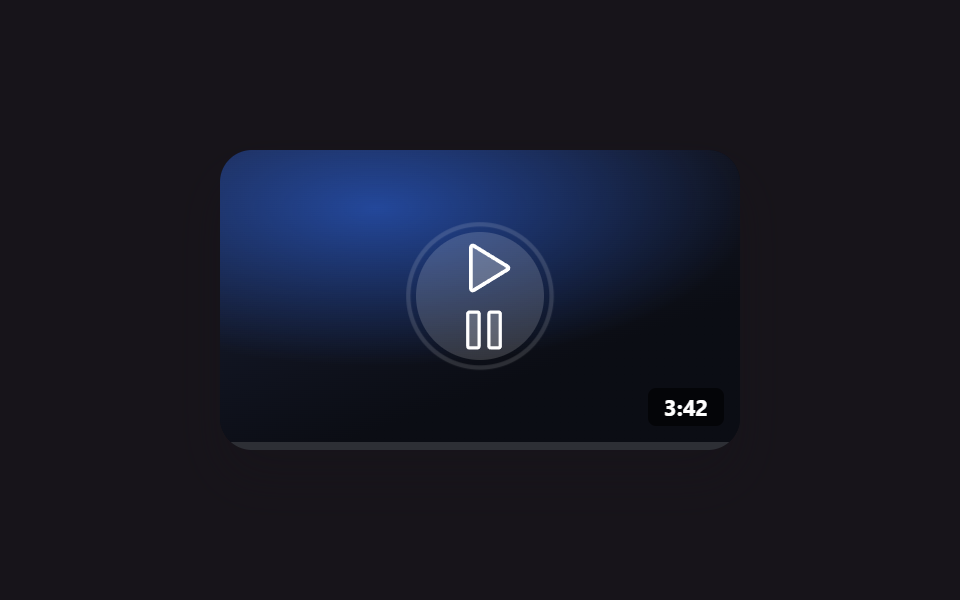
01YouTube responsive embed — a video frame that recomputes its ratio from the available width
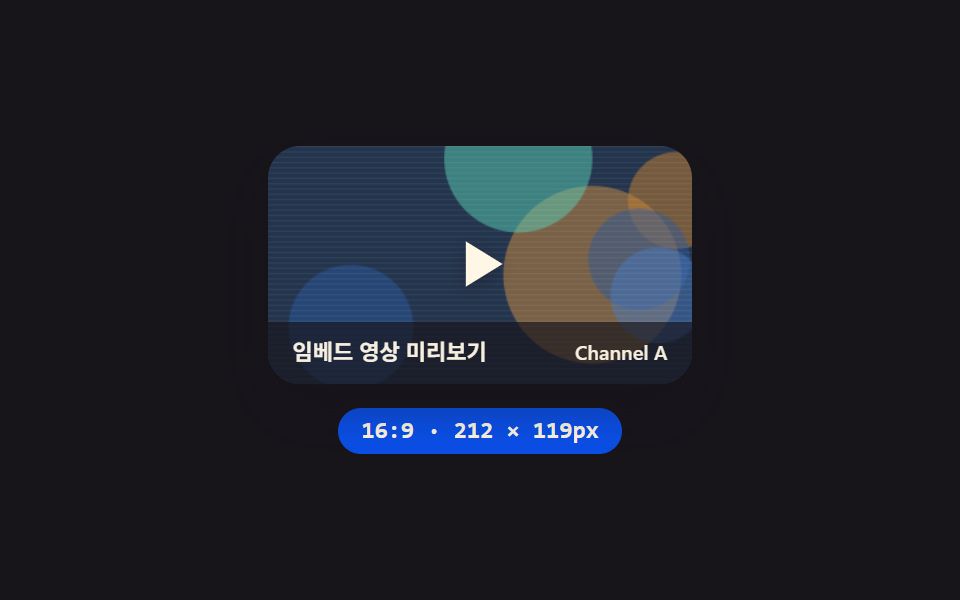
Whenever the card's width changes, the frame's height is recomputed from that width, so the video frame's aspect ratio stays exactly the same no matter how the screen size shifts.
Best forVideo-tutorial slots inside blog posts, intro-video sections on responsive landing pages
aspect-ratiogetBoundingClientRectrequestAnimationFrame
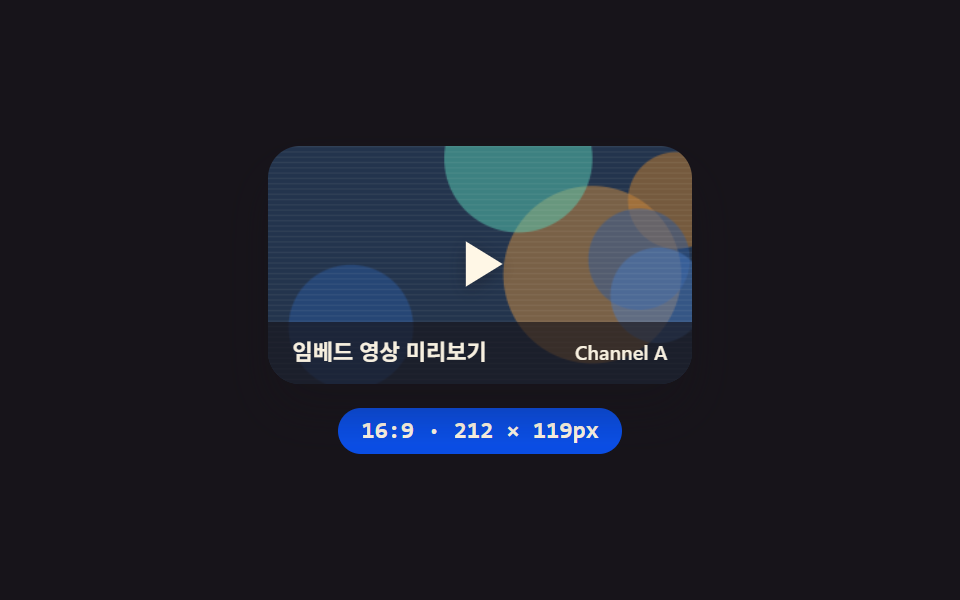
<main class="stage">
<section class="panel">
  <div class="frame" id="frame">
    <canvas class="thumb" id="thumb" width="320" height="180" aria-hidden="true"></canvas>
    <div class="playBtn" role="button" aria-label="Play">
      <svg class="playIcon" viewBox="0 0 24 24" aria-hidden="true"><polygon points="7,4 20,12 7,20"></polygon></svg>
    </div>
    <div class="scrim">
      <span class="scrimTitle">Embedded video preview</span>
      <span class="scrimChannel">Channel A</span>
    </div>
  </div>
  <div class="readout" id="readout">16:9 · 200 × 113px</div>
</section>
</main>
@use "../../../../site/static/demo-tokens" as *;
@include stage($stage-ink);
.panel {
display: flex;
flex-direction: column;
align-items: center;
gap: $sp-3;
}
.frame {
position: relative;
width: 200px;
aspect-ratio: 16 / 9;
border-radius: $r-card;
overflow: hidden;
box-shadow: $shadow-raised;
}
.thumb {
position: absolute;
inset: 0;
width: 100%;
height: 100%;
display: block;
}
.playBtn {
position: absolute;
inset: 0;
display: grid;
place-items: center;
}
.playIcon {
width: 34px;
height: 34px;
filter: drop-shadow(0 2px 4px rgba(23, 20, 26, .4));
polygon {
fill: $subject-cream;
}
}
.scrim {
position: absolute;
inset: auto 0 0 0;
display: flex;
align-items: center;
justify-content: space-between;
gap: $sp-2;
padding: $sp-2 $sp-3;
background: rgba(23, 20, 26, .66);
}
.scrimTitle,
.scrimChannel {
font-family: -apple-system, "Segoe UI", "Noto Sans KR", sans-serif;
color: $subject-cream;
opacity: .96;
}
.scrimTitle {
font-weight: 600;
font-size: 11px;
line-height: 1.3;
}
.scrimChannel {
font-weight: 500;
font-size: 10px;
line-height: 1.3;
}
.readout {
display: inline-flex;
align-items: center;
padding: $sp-1 $sp-3;
border-radius: $r-pill;
background: $subject-blue-deep;
color: $subject-cream;
font-family: "Space Mono", ui-monospace, monospace;
font-weight: 700;
font-size: 12px;
line-height: 1.3;
}
@media (max-width: 340px) {
.frame { width: 140px; }
.playIcon { width: 24px; height: 24px; }
.scrimTitle { font-size: 10px; }
.scrimChannel { font-size: 9px; }
.readout { font-size: 11px; }
}
@media (prefers-reduced-motion: reduce) {
.frame { transition: none; }
}html, body {
margin: 0;
overflow: hidden;
}
.stage {
box-sizing: border-box;
min-height: 100vh;
display: grid;
place-items: center;
margin: 0;
background: #17141a;
font-family: -apple-system, "Segoe UI", "Noto Sans KR", sans-serif;
padding: clamp(8px, 4vw, 24px);
}
.panel {
display: flex;
flex-direction: column;
align-items: center;
gap: 12px;
}
.frame {
position: relative;
width: 200px;
aspect-ratio: 16/9;
border-radius: 16px;
overflow: hidden;
box-shadow: 0 14px 24px rgba(23, 20, 26, 0.32);
}
.thumb {
position: absolute;
inset: 0;
width: 100%;
height: 100%;
display: block;
}
.playBtn {
position: absolute;
inset: 0;
display: grid;
place-items: center;
}
.playIcon {
width: 34px;
height: 34px;
filter: drop-shadow(0 2px 4px rgba(23, 20, 26, 0.4));
}
.playIcon polygon {
fill: #fff7e6;
}
.scrim {
position: absolute;
inset: auto 0 0 0;
display: flex;
align-items: center;
justify-content: space-between;
gap: 8px;
padding: 8px 12px;
background: rgba(23, 20, 26, 0.66);
}
.scrimTitle,
.scrimChannel {
font-family: -apple-system, "Segoe UI", "Noto Sans KR", sans-serif;
color: #fff7e6;
opacity: 0.96;
}
.scrimTitle {
font-weight: 600;
font-size: 11px;
line-height: 1.3;
}
.scrimChannel {
font-weight: 500;
font-size: 10px;
line-height: 1.3;
}
.readout {
display: inline-flex;
align-items: center;
padding: 4px 12px;
border-radius: 999px;
background: #0a4fe8;
color: #fff7e6;
font-family: "Space Mono", ui-monospace, monospace;
font-weight: 700;
font-size: 12px;
line-height: 1.3;
}
@media (max-width: 340px) {
.frame {
width: 140px;
}
.playIcon {
width: 24px;
height: 24px;
}
.scrimTitle {
font-size: 10px;
}
.scrimChannel {
font-size: 9px;
}
.readout {
font-size: 11px;
}
}
@media (prefers-reduced-motion: reduce) {
.frame {
transition: none;
}
}// 반응형 영상 프레임(01) — 폭을 sin 파형으로 바꾸면 aspect-ratio 가 세로를 다시 계산하고,
// 그 실측 높이를 매 프레임 getBoundingClientRect 로 읽어 리드아웃에 반영한다.
// 계산 겹: 폭 → 비율 재계산 → 실측 읽기 (transform·opacity 만 쓰는 원칙의 의도적 예외).
// 실키·실서버 요청 없음 — 폭 궤적은 고정 시나리오로 자동 재생한다.
(function () {
function mulberry32(seed) {
var a = seed >>> 0;
return function () {
a |= 0; a = (a + 0x6D2B79F5) | 0;
var t = Math.imul(a ^ (a >>> 15), 1 | a);
t = (t + Math.imul(t ^ (t >>> 7), 61 | t)) ^ t;
return ((t ^ (t >>> 14)) >>> 0) / 4294967296;
};
}
function drawSeedThumb(canvas, seed) {
var ctx = canvas.getContext('2d');
if (!ctx) return;
var rnd = mulberry32(seed);
var w = canvas.width, h = canvas.height;
var hues = [216, 32, 268, 168];
ctx.fillStyle = 'hsl(' + hues[Math.floor(rnd() * hues.length)] + ', 38%, 22%)';
ctx.fillRect(0, 0, w, h);
for (var i = 0; i < 6; i++) {
var cx = rnd() * w, cy = rnd() * h, r = (0.18 + rnd() * 0.3) * Math.min(w, h);
ctx.fillStyle = 'hsla(' + hues[Math.floor(rnd() * hues.length)] + ', ' + (44 + rnd() * 22).toFixed(1) + '%, ' + (38 + rnd() * 26).toFixed(1) + '%, .5)';
ctx.beginPath(); ctx.arc(cx, cy, r, 0, Math.PI * 2); ctx.fill();
}
ctx.fillStyle = 'rgba(255, 247, 230, .06)';
for (var j = 0; j < h; j += 4) ctx.fillRect(0, j, w, 1);
}
var frameEl = document.getElementById('frame');
var thumbEl = document.getElementById('thumb');
var readoutEl = document.getElementById('readout');
if (!frameEl || !thumbEl || !readoutEl) return;
drawSeedThumb(thumbEl, 101);
var reduce = window.matchMedia('(prefers-reduced-motion: reduce)').matches;
var narrow = window.matchMedia('(max-width: 340px)').matches;
var CYCLE_MS = 2000;
var BASE = narrow ? 140 : 200;
var RANGE = narrow ? 36 : 56;
function apply(t) {
var w = BASE + RANGE * Math.sin(2 * Math.PI * t / CYCLE_MS);
frameEl.style.width = w.toFixed(1) + 'px';
var rect = frameEl.getBoundingClientRect();
readoutEl.textContent = '16:9 · ' + Math.round(w) + ' × ' + Math.round(rect.height) + 'px';
}
apply(0);
if (reduce) return;
var start = null;
function loop(ts) {
if (start === null) start = ts;
var t = (ts - start) % CYCLE_MS;
apply(t);
requestAnimationFrame(loop);
}
requestAnimationFrame(loop);
})();import { useEffect, useRef } from "react";
import styles from "./EmbedYoutubeResponsive.module.scss";
// 반응형 영상 프레임 — 폭을 sin 파형으로 바꾸면 aspect-ratio 가 세로를 다시 계산하고,
// 그 실측 높이를 매 프레임 getBoundingClientRect 로 읽어 리드아웃에 반영한다.
// 계산 겹: 폭 → 비율 재계산 → 실측 읽기. 실키·실서버 요청 없음.
const CYCLE_MS = 2000;
function mulberry32(seed: number) {
let a = seed >>> 0;
return function () {
a |= 0; a = (a + 0x6D2B79F5) | 0;
let t = Math.imul(a ^ (a >>> 15), 1 | a);
t = (t + Math.imul(t ^ (t >>> 7), 61 | t)) ^ t;
return ((t ^ (t >>> 14)) >>> 0) / 4294967296;
};
}
function drawSeedThumb(canvas: HTMLCanvasElement, seed: number) {
const ctx = canvas.getContext("2d");
if (!ctx) return;
const rnd = mulberry32(seed);
const w = canvas.width, h = canvas.height;
const hues = [216, 32, 268, 168];
ctx.fillStyle = "hsl(" + hues[Math.floor(rnd() * hues.length)] + ", 38%, 22%)";
ctx.fillRect(0, 0, w, h);
for (let i = 0; i < 6; i++) {
const cx = rnd() * w, cy = rnd() * h, r = (0.18 + rnd() * 0.3) * Math.min(w, h);
ctx.fillStyle = "hsla(" + hues[Math.floor(rnd() * hues.length)] + ", " + (44 + rnd() * 22).toFixed(1) + "%, " + (38 + rnd() * 26).toFixed(1) + "%, .5)";
ctx.beginPath(); ctx.arc(cx, cy, r, 0, Math.PI * 2); ctx.fill();
}
ctx.fillStyle = "rgba(255, 247, 230, .06)";
for (let j = 0; j < h; j += 4) ctx.fillRect(0, j, w, 1);
}
export default function EmbedYoutubeResponsive() {
const frameRef = useRef<HTMLDivElement>(null);
const thumbRef = useRef<HTMLCanvasElement>(null);
const readoutRef = useRef<HTMLDivElement>(null);
useEffect(() => {
const frame = frameRef.current;
const thumb = thumbRef.current;
const readout = readoutRef.current;
if (!frame || !thumb || !readout) return;
drawSeedThumb(thumb, 101);
const reduce = window.matchMedia("(prefers-reduced-motion: reduce)").matches;
const narrow = window.matchMedia("(max-width: 340px)").matches;
const BASE = narrow ? 140 : 200;
const RANGE = narrow ? 36 : 56;
function apply(t: number) {
const w = BASE + RANGE * Math.sin((2 * Math.PI * t) / CYCLE_MS);
frame!.style.width = w.toFixed(1) + "px";
const rect = frame!.getBoundingClientRect();
readout!.textContent = "16:9 · " + Math.round(w) + " × " + Math.round(rect.height) + "px";
}
apply(0);
if (reduce) return;
let start: number | null = null;
let raf = 0;
function loop(ts: number) {
if (start === null) start = ts;
const t = (ts - start) % CYCLE_MS;
apply(t);
raf = requestAnimationFrame(loop);
}
raf = requestAnimationFrame(loop);
return () => cancelAnimationFrame(raf);
}, []);
return (
<div className={styles.stage}>
<section className={styles.panel}>
<div className={styles.frame} ref={frameRef}>
<canvas className={styles.thumb} ref={thumbRef} width={320} height={180} aria-hidden="true" />
<div className={styles.playBtn} role="button" aria-label="재생">
<svg className={styles.playIcon} viewBox="0 0 24 24" aria-hidden="true">
<polygon points="7,4 20,12 7,20" />
</svg>
</div>
<div className={styles.scrim}>
<span className={styles.scrimTitle}>임베드 영상 미리보기</span>
<span className={styles.scrimChannel}>Channel A</span>
</div>
</div>
<div className={styles.readout} ref={readoutRef}>16:9 · 200 × 113px</div>
</section>
</div>
);
}01 YouTube responsive embed — a video frame that recomputes its ratio from the available width — Measured area 26.864% · moving frames 23/23Original by GODRICH · SCSS and React ship in the zip · 9 YouTube Embed Code UI Patterns (Copy-Paste)
The post this demo lives in
 9 YouTube Embed Code UI Patterns (Copy-Paste)Nine embed UIs: a frame's height recomputes from its width, a lite facade times itself into a full frame after a delay, See all demos in this post
If you like this effect - similar demos
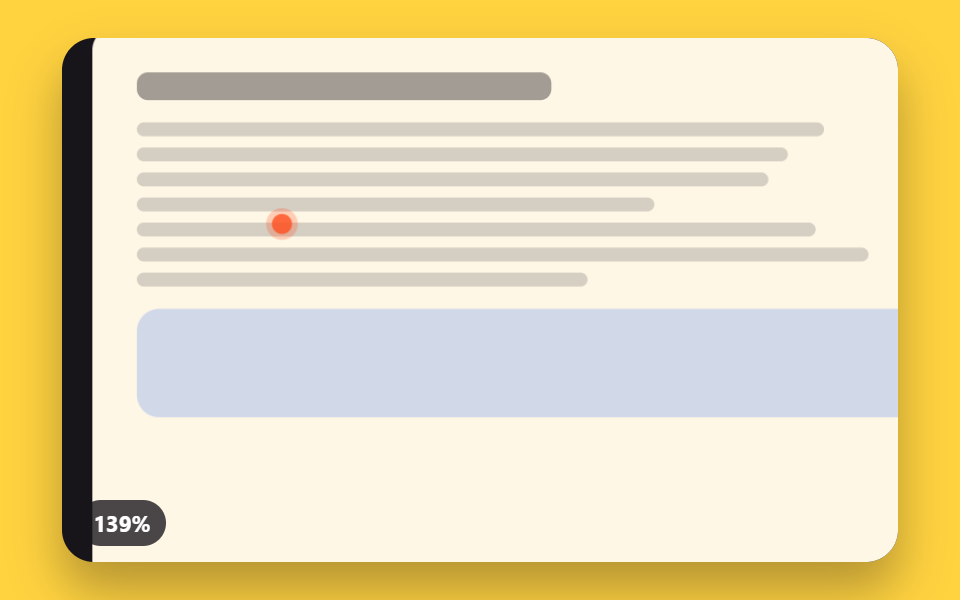 Embeds02 Focal Zoom That Calculates Its Center From the Pointer's CoordinatesPDF Viewer Implementation: 9 UI Patterns
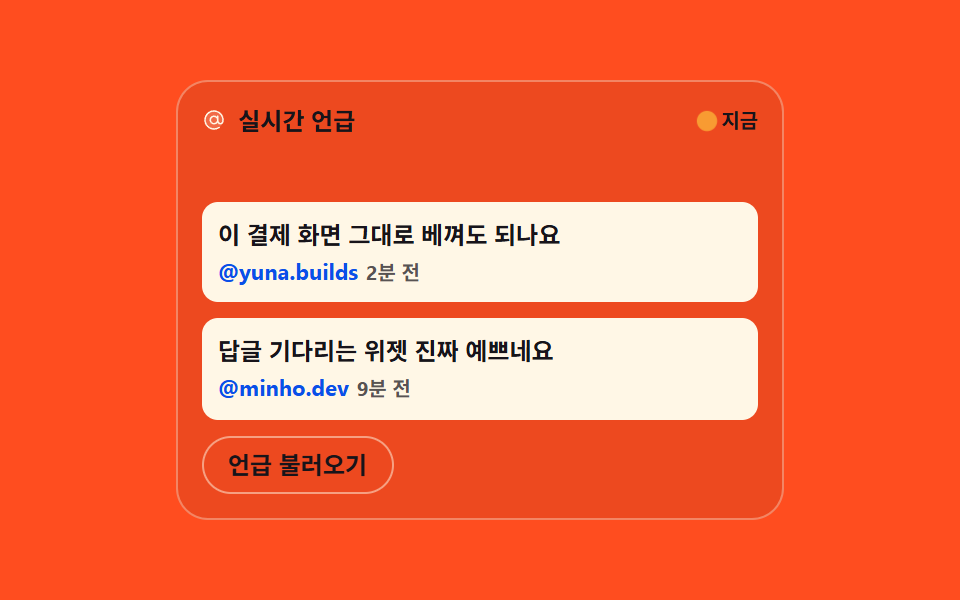 Embeds04 Social mention cards that roll in from the side9 Activity Feed UI Widgets — Sidebar-Ready Lists
 Embeds02 Video embed play-button overlay9 Social Share Button Design Embed Widgets