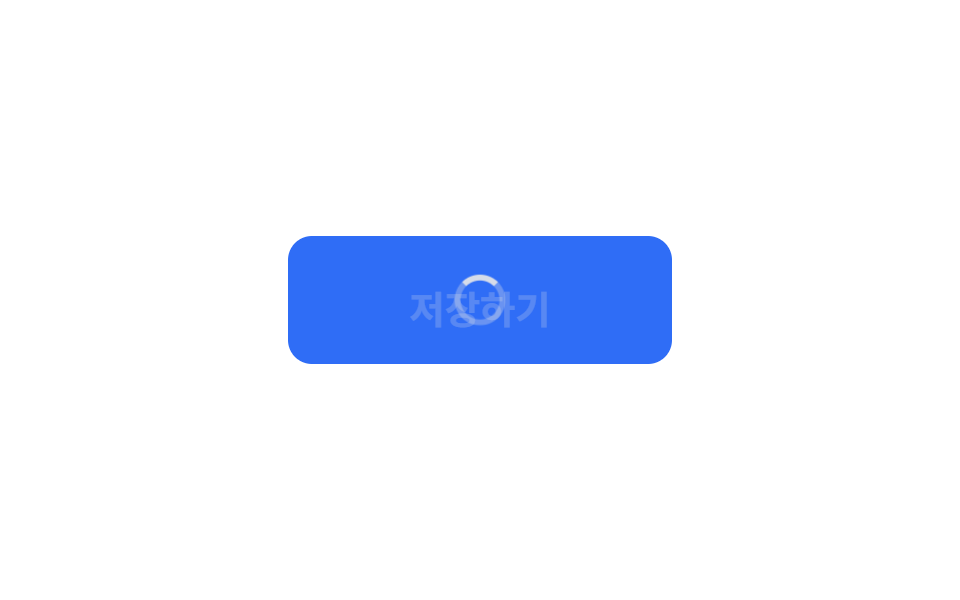
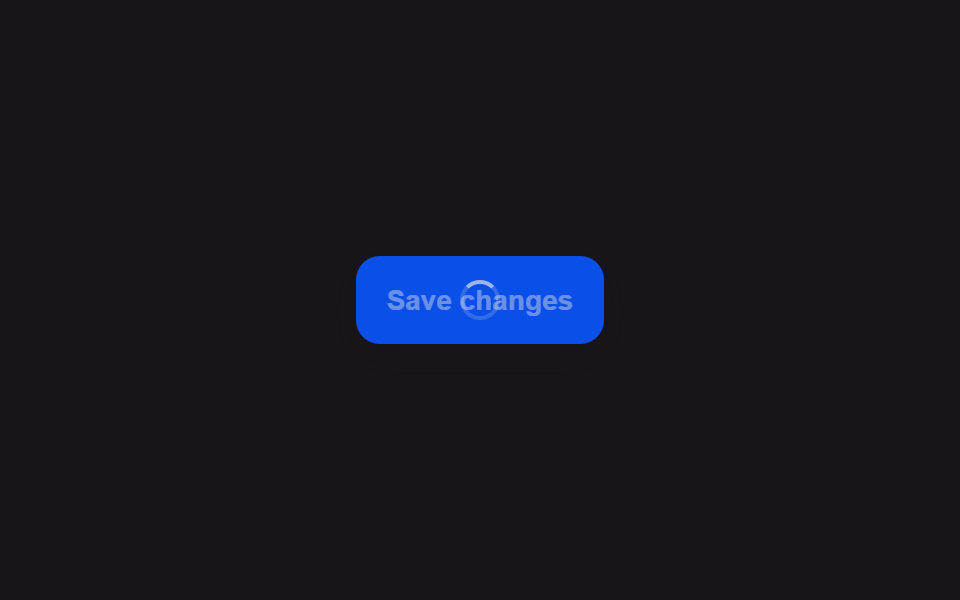
01ラベルがスピナーアイコンに自然に切り替わるボタン
ボタンを押した瞬間に文字が薄くなって消え、その場所に小さな円形スピナーが薄く現れて回り続け、その間ボタンの幅は変わらない。
使いどころフォーム送信ボタンがサーバーの応答を待つ間
lockWidthspinLooparia-busy
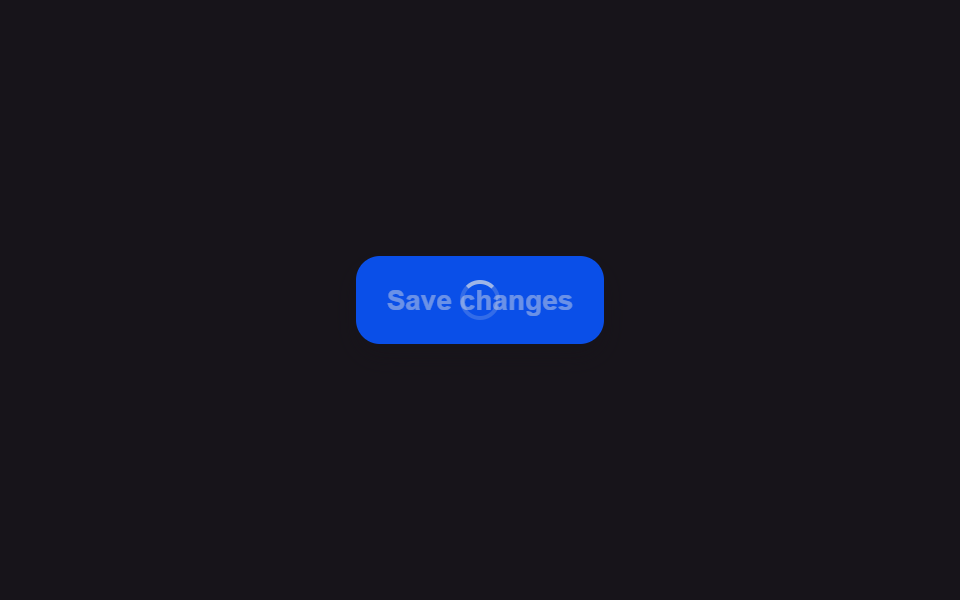
<main class="stage">
<div class="scene is-demo" id="scene">
  <button class="btn" id="btn" type="button">
    <span class="btnContent" id="content">
      <span class="btnLabel" id="label">Save changes</span>
      <span class="btnSpinner" id="spinnerWrap" aria-hidden="true"><span class="btnRing" id="ring"></span></span>
    </span>
  </button>
  <span class="visuallyHidden" id="status" role="status" aria-live="polite"></span>
</div>
</main>
@use "../../../../site/static/demo-tokens" as *;
// 변수 3개
$duration: $dur-base;
$easing: $ease-out;
$color: $subject-blue-deep;
// 계산 겹: index.html 의 lockWidth() 가 라벨이 보이는 순간의 버튼 실측 폭을 px 로 고정하고,
// spinLoop() 가 매 프레임 각도를 산술로 계산해 style.transform 에 적어 넣는다(트랜지션이 아니다).
@include stage($stage-ink);
.scene {
display: grid;
place-items: center;
}
.btn {
position: relative;
display: inline-flex;
align-items: center;
justify-content: center;
height: 44px;
padding: 0 $sp-5;
border: none;
border-radius: $r-control;
background: $color;
color: $subject-cream;
font-weight: 600;
font-size: 14px;
line-height: 1;
box-shadow: $shadow-press;
cursor: pointer;
transition: box-shadow $duration $easing;
&:focus-visible { outline: 2px solid $subject-cream; outline-offset: 3px; }
&:disabled { cursor: default; }
&:active:not(:disabled) { box-shadow: none; }
}
.btnContent {
position: relative;
display: inline-block;
min-width: 84px;
height: 18px;
}
.btnLabel,
.btnSpinner {
position: absolute;
inset: 0;
display: flex;
align-items: center;
justify-content: center;
white-space: nowrap;
}
.btnSpinner { opacity: 0; }
.btnRing {
width: 16px;
height: 16px;
border-radius: $r-pill;
border: 2px solid rgba($subject-cream, .28);
border-top-color: $subject-cream;
}
.visuallyHidden {
position: absolute;
width: 1px;
height: 1px;
overflow: hidden;
clip: rect(0 0 0 0);
white-space: nowrap;
}
@media (max-width: 340px) {
.btn { height: 40px; padding: 0 $sp-4; font-size: 13px; }
.btnContent { min-width: 72px; }
}
@media (prefers-reduced-motion: reduce) {
// 실사용 경로 적용 — index.html 의 runReduced() 가 회전 트윈 없이 opacity 만 즉시 바꾼다.
// scss 만: 남은 트랜지션을 전부 끈다.
* { transition: none !important; }
}html, body {
margin: 0;
overflow: hidden;
}
.stage {
box-sizing: border-box;
min-height: 100vh;
display: grid;
place-items: center;
margin: 0;
background: #17141a;
font-family: -apple-system, "Segoe UI", "Noto Sans KR", sans-serif;
padding: clamp(8px, 4vw, 24px);
}
.scene {
display: grid;
place-items: center;
}
.btn {
position: relative;
display: inline-flex;
align-items: center;
justify-content: center;
height: 44px;
padding: 0 20px;
border: none;
border-radius: 12px;
background: #0a4fe8;
color: #fff7e6;
font-weight: 600;
font-size: 14px;
line-height: 1;
box-shadow: 0 6px 12px rgba(23, 20, 26, 0.32);
cursor: pointer;
transition: box-shadow 300ms ease-out;
}
.btn:focus-visible {
outline: 2px solid #fff7e6;
outline-offset: 3px;
}
.btn:disabled {
cursor: default;
}
.btn:active:not(:disabled) {
box-shadow: none;
}
.btnContent {
position: relative;
display: inline-block;
min-width: 84px;
height: 18px;
}
.btnLabel,
.btnSpinner {
position: absolute;
inset: 0;
display: flex;
align-items: center;
justify-content: center;
white-space: nowrap;
}
.btnSpinner {
opacity: 0;
}
.btnRing {
width: 16px;
height: 16px;
border-radius: 999px;
border: 2px solid rgba(255, 247, 230, 0.28);
border-top-color: #fff7e6;
}
.visuallyHidden {
position: absolute;
width: 1px;
height: 1px;
overflow: hidden;
clip: rect(0 0 0 0);
white-space: nowrap;
}
@media (max-width: 340px) {
.btn {
height: 40px;
padding: 0 16px;
font-size: 13px;
}
.btnContent {
min-width: 72px;
}
}
@media (prefers-reduced-motion: reduce) {
* {
transition: none !important;
}
}(function () {
var FADE_MS = 180;
var SPIN_MS = 900;
var GAP_MS = 500;
var START_DELAY_MS = 200;
var DEG_PER_MS = 360 / 650;
var scene = document.getElementById('scene');
var btn = document.getElementById('btn');
var label = document.getElementById('label');
var spinnerWrap = document.getElementById('spinnerWrap');
var ring = document.getElementById('ring');
var status = document.getElementById('status');
var reduce = window.matchMedia('(prefers-reduced-motion: reduce)').matches;
var gen = 0;
var timers = [];
var rafId = 0;
function human() {
if (scene.classList.contains('is-demo')) {
scene.classList.remove('is-demo');
timers.forEach(function (t) { clearTimeout(t); });
timers = [];
}
}
function easeInOutQuad(p) { return p < .5 ? 2 * p * p : 1 - Math.pow(-2 * p + 2, 2) / 2; }
function fade(el, from, to, ms, myGen, onDone) {
var start = null;
function step(now) {
if (myGen !== gen) return;
if (start === null) start = now;
var p = Math.min(1, (now - start) / ms);
el.style.opacity = String(from + (to - from) * easeInOutQuad(p));
if (p < 1) requestAnimationFrame(step); else if (onDone) onDone();
}
requestAnimationFrame(step);
}
function spinLoop(myGen) {
var start = null;
function step(now) {
if (myGen !== gen) return;
if (start === null) start = now;
var angle = ((now - start) * DEG_PER_MS) % 360;
ring.style.transform = 'rotate(' + angle.toFixed(1) + 'deg)';
rafId = requestAnimationFrame(step);
}
rafId = requestAnimationFrame(step);
}
// 계산 겹: 라벨이 보이는 지금 이 순간의 버튼 실측 폭을 lockWidth() 가 px 로 고정한다 —
// 스피너로 바뀌며 콘텐츠 폭이 좁아져도 버튼이 함께 좁아지지 않는다.
function lockWidth() {
var w = btn.getBoundingClientRect().width;
btn.style.width = w + 'px';
}
function unlockWidth() { btn.style.width = ''; }
function startLoad(myGen) {
lockWidth();
btn.disabled = true;
btn.setAttribute('aria-busy', 'true');
status.textContent = '保存中';
fade(label, 1, 0, FADE_MS, myGen);
fade(spinnerWrap, 0, 1, FADE_MS, myGen, function () { spinLoop(myGen); });
}
function finishLoad(myGen) {
cancelAnimationFrame(rafId);
fade(spinnerWrap, 1, 0, FADE_MS, myGen);
fade(label, 0, 1, FADE_MS, myGen, function () {
btn.disabled = false;
btn.removeAttribute('aria-busy');
status.textContent = '保存完了';
unlockWidth();
});
}
function runAnimated() {
gen++;
var myGen = gen;
startLoad(myGen);
timers.push(setTimeout(function () { finishLoad(myGen); }, SPIN_MS));
}
function runReduced() {
gen++;
lockWidth();
btn.disabled = true;
btn.setAttribute('aria-busy', 'true');
status.textContent = '保存中';
label.style.opacity = '0';
spinnerWrap.style.opacity = '1';
timers.push(setTimeout(function () {
spinnerWrap.style.opacity = '0';
label.style.opacity = '1';
btn.disabled = false;
btn.removeAttribute('aria-busy');
status.textContent = '保存完了';
unlockWidth();
}, SPIN_MS));
}
btn.addEventListener('click', function () {
if (btn.disabled) return;
human();
if (reduce) runReduced(); else runAnimated();
});
// reduce: 실사용 경로 적용 — runReduced() 는 회전 트윈 없이 opacity 만 즉시 바꾼다.
// 아래 자동 루프는 시연 게이트만 — reduce 에서는 돌지 않는다.
function cycle() {
if (!scene.classList.contains('is-demo')) return;
runAnimated();
timers.push(setTimeout(function () {
timers.push(setTimeout(cycle, GAP_MS));
}, SPIN_MS));
}
if (!reduce) {
timers.push(setTimeout(cycle, START_DELAY_MS));
}
})();import { useEffect, useRef } from 'react';
import styles from './ButtonLoadingSpinnerSwap.module.scss';
const FADE_MS = 180;
const SPIN_MS = 900;
const GAP_MS = 500;
const START_DELAY_MS = 200;
const DEG_PER_MS = 360 / 650;
export default function ButtonLoadingSpinnerSwap() {
const sceneRef = useRef<HTMLDivElement>(null);
const btnRef = useRef<HTMLButtonElement>(null);
const labelRef = useRef<HTMLSpanElement>(null);
const spinnerWrapRef = useRef<HTMLSpanElement>(null);
const ringRef = useRef<HTMLSpanElement>(null);
const statusRef = useRef<HTMLSpanElement>(null);
useEffect(() => {
const scene = sceneRef.current;
const btn = btnRef.current;
const label = labelRef.current;
const spinnerWrap = spinnerWrapRef.current;
const ring = ringRef.current;
const status = statusRef.current;
if (!scene || !btn || !label || !spinnerWrap || !ring || !status) return undefined;
const reduce = window.matchMedia('(prefers-reduced-motion: reduce)').matches;
let gen = 0;
let timers: number[] = [];
let rafId = 0;
function human() {
if (scene!.classList.contains(styles['is-demo'])) {
scene!.classList.remove(styles['is-demo']);
timers.forEach((t) => window.clearTimeout(t));
timers = [];
}
}
function easeInOutQuad(p: number) { return p < .5 ? 2 * p * p : 1 - Math.pow(-2 * p + 2, 2) / 2; }
function fade(el: HTMLElement, from: number, to: number, ms: number, myGen: number, onDone?: () => void) {
let start: number | null = null;
function step(now: number) {
if (myGen !== gen) return;
if (start === null) start = now;
const p = Math.min(1, (now - start) / ms);
el.style.opacity = String(from + (to - from) * easeInOutQuad(p));
if (p < 1) requestAnimationFrame(step); else if (onDone) onDone();
}
requestAnimationFrame(step);
}
function spinLoop(myGen: number) {
let start: number | null = null;
function step(now: number) {
if (myGen !== gen) return;
if (start === null) start = now;
const angle = ((now - start) * DEG_PER_MS) % 360;
ring!.style.transform = 'rotate(' + angle.toFixed(1) + 'deg)';
rafId = requestAnimationFrame(step);
}
rafId = requestAnimationFrame(step);
}
// 계산 겹: 라벨이 보이는 지금 이 순간의 버튼 실측 폭을 lockWidth() 가 px 로 고정한다 —
// 스피너로 바뀌며 콘텐츠 폭이 좁아져도 버튼이 함께 좁아지지 않는다.
function lockWidth() {
const w = btn!.getBoundingClientRect().width;
btn!.style.width = w + 'px';
}
function unlockWidth() { btn!.style.width = ''; }
function startLoad(myGen: number) {
lockWidth();
btn!.disabled = true;
btn!.setAttribute('aria-busy', 'true');
status!.textContent = '저장하는 중';
fade(label!, 1, 0, FADE_MS, myGen);
fade(spinnerWrap!, 0, 1, FADE_MS, myGen, () => { spinLoop(myGen); });
}
function finishLoad(myGen: number) {
cancelAnimationFrame(rafId);
fade(spinnerWrap!, 1, 0, FADE_MS, myGen);
fade(label!, 0, 1, FADE_MS, myGen, () => {
btn!.disabled = false;
btn!.removeAttribute('aria-busy');
status!.textContent = '저장 완료';
unlockWidth();
});
}
function runAnimated() {
gen++;
const myGen = gen;
startLoad(myGen);
timers.push(window.setTimeout(() => { finishLoad(myGen); }, SPIN_MS));
}
function runReduced() {
gen++;
lockWidth();
btn!.disabled = true;
btn!.setAttribute('aria-busy', 'true');
status!.textContent = '저장하는 중';
label!.style.opacity = '0';
spinnerWrap!.style.opacity = '1';
timers.push(window.setTimeout(() => {
spinnerWrap!.style.opacity = '0';
label!.style.opacity = '1';
btn!.disabled = false;
btn!.removeAttribute('aria-busy');
status!.textContent = '저장 완료';
unlockWidth();
}, SPIN_MS));
}
function onClick() {
if (btn!.disabled) return;
human();
if (reduce) runReduced(); else runAnimated();
}
btn.addEventListener('click', onClick);
// reduce: 실사용 경로 적용 — runReduced() 는 회전 트윈 없이 opacity 만 즉시 바꾼다.
// 아래 자동 루프는 시연 게이트만 — reduce 에서는 돌지 않는다.
function cycle() {
if (!scene!.classList.contains(styles['is-demo'])) return;
runAnimated();
timers.push(window.setTimeout(() => {
timers.push(window.setTimeout(cycle, GAP_MS));
}, SPIN_MS));
}
if (!reduce) {
timers.push(window.setTimeout(cycle, START_DELAY_MS));
}
return () => {
btn.removeEventListener('click', onClick);
timers.forEach((t) => window.clearTimeout(t));
cancelAnimationFrame(rafId);
};
}, []);
return (
<main className={styles.stage}>
<div className={styles.scene + ' ' + styles['is-demo']} ref={sceneRef}>
<button className={styles.btn} ref={btnRef} type="button">
<span className={styles.btnContent}>
<span className={styles.btnLabel} ref={labelRef}>Save changes</span>
<span className={styles.btnSpinner} ref={spinnerWrapRef} aria-hidden="true">
<span className={styles.btnRing} ref={ringRef} />
</span>
</span>
</button>
<span className={styles.visuallyHidden} ref={statusRef} role="status" aria-live="polite" />
</div>
</main>
);
}01 ラベルがスピナーアイコンに自然に切り替わるボタン — 計測 累積面積 0.503% · 動いたフレーム 20/23GODRICH オリジナル · SCSS と React は zip に同梱 · ボタン ローディング 9種 — スピナーから成功チェックまでの状態遷移
このデモが属する記事
 ボタン ローディング 9種 — スピナーから成功チェックまでの状態遷移9種のボタン ローディングのうち、1つはスピナーが線を描くようにチェックマークへ形を変え、1つは文字の代わりに点が3つ順に大きくなっては小さくなり、1つはラベルが一定時間ごとに次の段階の文言へ上下にスライドして切り替わります。 この記事のデモをすべて見る