08矢印キーで1ピクセルずつ微調整移動
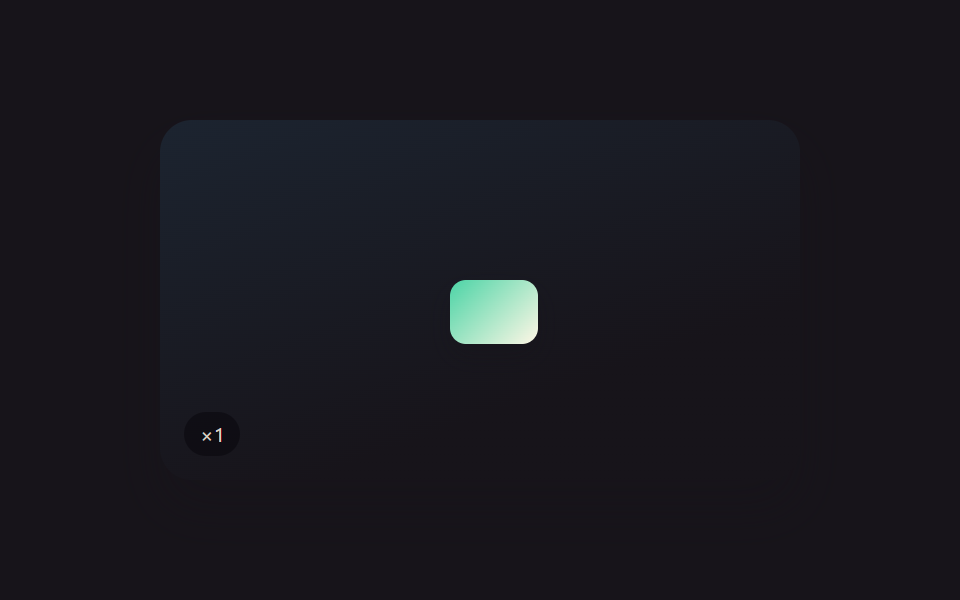
オブジェクトを選択した状態で矢印キーを1回押すたびにその方向へごく小さな一定距離だけ動き、押しっぱなしにすると最初の数回は同じ間隔で進んだ後、移動幅が徐々に大きくなっていく。
使いどころずれたオブジェクトをピクセル単位で合わせる
computeStepmoveBysimulateHold
<main class="stage">
<div class="scene is-demo" id="scene">
  <div class="frame" id="frame">
    <div class="draggable" id="draggable" tabindex="0" aria-label="矢印キーで移動、長押しで加速"></div>
  </div>
  <div class="readout" id="readout" aria-hidden="true">×<span id="rm">1</span></div>
</div>
</main>
@use "../../../../site/static/demo-tokens" as *;
// 변수 3개
$duration: $dur-enter;
$easing: $ease-out;
$color: $subject-mint;
// 계산 겹: index.html 의 computeStep() 이 키를 누르고 있는 경과 시간(elapsed)을 ACCEL_WINDOW_MS 로
// 나눈 몫을 가속 배수로 써서, 오래 누를수록 한 번의 keydown 반복마다 더 큰 픽셀을 이동시킨다.
@include stage($stage-ink);
.scene {
position: relative;
width: 320px;
height: 180px;
border-radius: $r-card;
overflow: hidden;
box-shadow: $shadow-raised;
background: linear-gradient(160deg, #1c2430, $stage-ink 70%);
}
.frame {
position: absolute;
left: 50%;
top: 50%;
width: 184px;
height: 108px;
margin-left: -92px;
margin-top: -54px;
}
.draggable {
position: absolute;
width: 44px;
height: 32px;
border-radius: $r-sm;
background: linear-gradient(135deg, $subject-mint, $subject-cream);
box-shadow: $shadow-press;
will-change: transform;
cursor: default;
&:focus-visible { outline: 2px solid $color; outline-offset: 3px; }
}
.readout {
position: absolute;
left: $sp-3;
bottom: $sp-3;
padding: $sp-1 $sp-2;
border-radius: $r-pill;
background: rgba(#050409, .5);
color: rgba($subject-cream, .85);
font-size: 10px;
font-variant-numeric: tabular-nums;
}
@media (max-width: 340px) {
.scene { width: 220px; height: 124px; }
.frame { width: 128px; height: 76px; margin-left: -64px; margin-top: -38px; }
.draggable { width: 34px; height: 24px; }
.readout { font-size: 9px; }
}
@media (prefers-reduced-motion: reduce) {
// 실사용 경로 적용 — keydown/keyup 의 이동은 트윈이 없어 이 블록이 끌 애니메이션이 사실상 없다.
// scss 만: 포커스 아웃라인 전환만 꺼서 잔여 트랜지션을 없앤다.
.draggable { transition: none; }
}html, body {
margin: 0;
overflow: hidden;
}
.stage {
box-sizing: border-box;
min-height: 100vh;
display: grid;
place-items: center;
margin: 0;
background: #17141a;
font-family: -apple-system, "Segoe UI", "Noto Sans KR", sans-serif;
padding: clamp(8px, 4vw, 24px);
}
.scene {
position: relative;
width: 320px;
height: 180px;
border-radius: 16px;
overflow: hidden;
box-shadow: 0 14px 24px rgba(23, 20, 26, 0.32);
background: linear-gradient(160deg, #1c2430, #17141a 70%);
}
.frame {
position: absolute;
left: 50%;
top: 50%;
width: 184px;
height: 108px;
margin-left: -92px;
margin-top: -54px;
}
.draggable {
position: absolute;
width: 44px;
height: 32px;
border-radius: 8px;
background: linear-gradient(135deg, #4cd4a6, #fff7e6);
box-shadow: 0 6px 12px rgba(23, 20, 26, 0.32);
will-change: transform;
cursor: default;
}
.draggable:focus-visible {
outline: 2px solid #4cd4a6;
outline-offset: 3px;
}
.readout {
position: absolute;
left: 12px;
bottom: 12px;
padding: 4px 8px;
border-radius: 999px;
background: rgba(5, 4, 9, 0.5);
color: rgba(255, 247, 230, 0.85);
font-size: 10px;
font-variant-numeric: tabular-nums;
}
@media (max-width: 340px) {
.scene {
width: 220px;
height: 124px;
}
.frame {
width: 128px;
height: 76px;
margin-left: -64px;
margin-top: -38px;
}
.draggable {
width: 34px;
height: 24px;
}
.readout {
font-size: 9px;
}
}
@media (prefers-reduced-motion: reduce) {
.draggable {
transition: none;
}
}(function () {
var KEYBOARD_NUDGE_PX = 1; // 변형 08 이 8 로 키운다 — 키 하나를 눌렀을 때의 기본 이동량
var ACCEL_WINDOW_MS = 450;
var MAX_MULT = 6;
var SIM_TICK_MS = 50;
var scene = document.getElementById('scene');
var draggable = document.getElementById('draggable');
var rm = document.getElementById('rm');
var reduce = window.matchMedia('(prefers-reduced-motion: reduce)').matches;
var frameW = 184, frameH = 108;
var tx = 70, ty = 38;
var holdStart = null;
var holdKey = null;
var timers = [];
function clamp(v, lo, hi) { return Math.min(hi, Math.max(lo, v)); }
// 눌린 시간(elapsed) → 가속 배수. 막 눌렀을 때는 1배, ACCEL_WINDOW_MS 마다 1배씩 커져
// MAX_MULT 에서 멈춘다 — 키를 오래 누를수록(브라우저 네이티브 키 반복이 이 함수를 계속 호출) 더 멀리 간다.
function computeStep(elapsedMs) {
var mult = 1 + Math.min(Math.floor(elapsedMs / ACCEL_WINDOW_MS), MAX_MULT - 1);
return { step: Math.max(1, Math.round(KEYBOARD_NUDGE_PX * mult)), mult: mult };
}
function moveBy(dx, dy, mult) {
tx = clamp(tx + dx, 0, frameW - 44);
ty = clamp(ty + dy, 0, frameH - 32);
draggable.style.transform = 'matrix(1,0,0,1,' + tx.toFixed(0) + ',' + ty.toFixed(0) + ')';
rm.textContent = String(mult);
}
var DIRS = {
ArrowUp: { dx: 0, dy: -1 },
ArrowDown: { dx: 0, dy: 1 },
ArrowLeft: { dx: -1, dy: 0 },
ArrowRight: { dx: 1, dy: 0 }
};
function human() {
if (scene.classList.contains('is-demo')) {
scene.classList.remove('is-demo');
timers.forEach(function (t) { clearTimeout(t); clearInterval(t); });
timers = [];
}
}
draggable.addEventListener('keydown', function (e) {
var dir = DIRS[e.key];
if (!dir) return;
human();
e.preventDefault();
if (!e.repeat || holdKey !== e.key) {
holdKey = e.key;
holdStart = performance.now();
}
var elapsed = performance.now() - holdStart;
var acc = computeStep(elapsed);
moveBy(dir.dx * acc.step, dir.dy * acc.step, acc.mult);
});
draggable.addEventListener('keyup', function (e) {
if (e.key === holdKey) { holdKey = null; holdStart = null; rm.textContent = '1'; }
});
draggable.style.transform = 'matrix(1,0,0,1,' + tx + ',' + ty + ')';
// reduce: 실사용 경로 적용 — 위 keydown/keyup 은 트윈 없이 매 이벤트마다 즉시 반영한다.
// 아래 자동 루프는 시연 게이트만 — 실제 키 대신 같은 computeStep() 을 내부 타이머로 흉내내며
// reduce 에서는 돌지 않는다.
var SEQUENCE = [
{ dir: DIRS.ArrowRight, holdTicks: 8 },
{ dir: DIRS.ArrowDown, holdTicks: 6 },
{ dir: DIRS.ArrowLeft, holdTicks: 8 },
{ dir: DIRS.ArrowUp, holdTicks: 6 }
];
var seqI = 0;
function simulateHold(entry, onDone) {
var tick = 0;
function step() {
if (!scene.classList.contains('is-demo')) return;
var elapsed = tick * SIM_TICK_MS;
var acc = computeStep(elapsed);
moveBy(entry.dir.dx * acc.step, entry.dir.dy * acc.step, acc.mult);
tick++;
if (tick < entry.holdTicks) {
timers.push(setTimeout(step, SIM_TICK_MS));
} else {
rm.textContent = '1';
onDone();
}
}
step();
}
function loop() {
if (!scene.classList.contains('is-demo')) return;
var entry = SEQUENCE[seqI % SEQUENCE.length];
seqI++;
simulateHold(entry, function () {
timers.push(setTimeout(loop, 400));
});
}
if (!reduce) {
timers.push(setTimeout(loop, 500));
}
})();import { useEffect, useRef } from 'react';
import styles from './XfKeyboardNudge.module.scss';
const KEYBOARD_NUDGE_PX = 1; // 변형 08 이 8 로 키운다 — 키 하나를 눌렀을 때의 기본 이동량
const ACCEL_WINDOW_MS = 450;
const MAX_MULT = 6;
const SIM_TICK_MS = 50;
const DIRS: Record<string, { dx: number; dy: number }> = {
ArrowUp: { dx: 0, dy: -1 },
ArrowDown: { dx: 0, dy: 1 },
ArrowLeft: { dx: -1, dy: 0 },
ArrowRight: { dx: 1, dy: 0 }
};
const SEQUENCE = [
{ dir: DIRS.ArrowRight, holdTicks: 8 },
{ dir: DIRS.ArrowDown, holdTicks: 6 },
{ dir: DIRS.ArrowLeft, holdTicks: 8 },
{ dir: DIRS.ArrowUp, holdTicks: 6 }
];
export default function XfKeyboardNudge() {
const sceneRef = useRef<HTMLDivElement>(null);
useEffect(() => {
const scene0 = sceneRef.current;
if (!scene0) return undefined;
const scene = scene0;
const draggable0 = scene.querySelector<HTMLDivElement>('.' + styles.draggable);
const rm0 = scene.querySelector<HTMLSpanElement>('#rm');
if (!draggable0 || !rm0) return undefined;
const draggable = draggable0;
const rm = rm0;
const reduce = window.matchMedia('(prefers-reduced-motion: reduce)').matches;
const frameW = 184, frameH = 108;
let tx = 70, ty = 38;
let holdStart = 0;
let holdKey: string | null = null;
let timers: number[] = [];
function clamp(v: number, lo: number, hi: number) { return Math.min(hi, Math.max(lo, v)); }
// 눌린 시간(elapsed) → 가속 배수. 막 눌렀을 때는 1배, ACCEL_WINDOW_MS 마다 1배씩 커져
// MAX_MULT 에서 멈춘다 — 키를 오래 누를수록(브라우저 네이티브 키 반복이 이 함수를 계속 호출) 더 멀리 간다.
function computeStep(elapsedMs: number) {
const mult = 1 + Math.min(Math.floor(elapsedMs / ACCEL_WINDOW_MS), MAX_MULT - 1);
return { step: Math.max(1, Math.round(KEYBOARD_NUDGE_PX * mult)), mult };
}
function moveBy(dx: number, dy: number, mult: number) {
tx = clamp(tx + dx, 0, frameW - 44);
ty = clamp(ty + dy, 0, frameH - 32);
draggable.style.transform = 'matrix(1,0,0,1,' + tx.toFixed(0) + ',' + ty.toFixed(0) + ')';
rm.textContent = String(mult);
}
function human() {
if (scene.classList.contains(styles['is-demo'])) {
scene.classList.remove(styles['is-demo']);
timers.forEach((t) => window.clearTimeout(t));
timers = [];
}
}
function onKeyDown(e: KeyboardEvent) {
const dir = DIRS[e.key];
if (!dir) return;
human();
e.preventDefault();
if (!e.repeat || holdKey !== e.key) {
holdKey = e.key;
holdStart = performance.now();
}
const elapsed = performance.now() - holdStart;
const acc = computeStep(elapsed);
moveBy(dir.dx * acc.step, dir.dy * acc.step, acc.mult);
}
function onKeyUp(e: KeyboardEvent) {
if (e.key === holdKey) { holdKey = null; rm.textContent = '1'; }
}
draggable.addEventListener('keydown', onKeyDown);
draggable.addEventListener('keyup', onKeyUp);
draggable.style.transform = 'matrix(1,0,0,1,' + tx + ',' + ty + ')';
// reduce: 실사용 경로 적용 — 위 keydown/keyup 은 트윈 없이 매 이벤트마다 즉시 반영한다.
// 아래 자동 루프는 시연 게이트만 — 실제 키 대신 같은 computeStep() 을 내부 타이머로 흉내내며
// reduce 에서는 돌지 않는다.
let seqI = 0;
function simulateHold(entry: { dir: { dx: number; dy: number }; holdTicks: number }, onDone: () => void) {
let tick = 0;
function step() {
if (!scene.classList.contains(styles['is-demo'])) return;
const elapsed = tick * SIM_TICK_MS;
const acc = computeStep(elapsed);
moveBy(entry.dir.dx * acc.step, entry.dir.dy * acc.step, acc.mult);
tick++;
if (tick < entry.holdTicks) {
timers.push(window.setTimeout(step, SIM_TICK_MS));
} else {
rm.textContent = '1';
onDone();
}
}
step();
}
function loop() {
if (!scene.classList.contains(styles['is-demo'])) return;
const entry = SEQUENCE[seqI % SEQUENCE.length];
seqI++;
simulateHold(entry, () => {
timers.push(window.setTimeout(loop, 400));
});
}
if (!reduce) {
timers.push(window.setTimeout(loop, 500));
}
return () => {
draggable.removeEventListener('keydown', onKeyDown);
draggable.removeEventListener('keyup', onKeyUp);
timers.forEach((t) => window.clearTimeout(t));
};
}, []);
return (
<main className={styles.stage}>
<div className={styles.scene + ' ' + styles['is-demo']} ref={sceneRef}>
<div className={styles.frame}>
<div
className={styles.draggable}
tabIndex={0}
aria-label="화살표 키로 이동, 오래 누르면 가속"
></div>
</div>
<div className={styles.readout} aria-hidden="true">×<span id="rm">1</span></div>
</div>
</main>
);
}08 矢印キーで1ピクセルずつ微調整移動 — 計測 累積面積 1.344% · 動いたフレーム 15/23GODRICH オリジナル · SCSS と React は zip に同梱 · ドラッグ ハンドル 9種 — キャンバスの自由変形ツールキット
このデモが属する記事
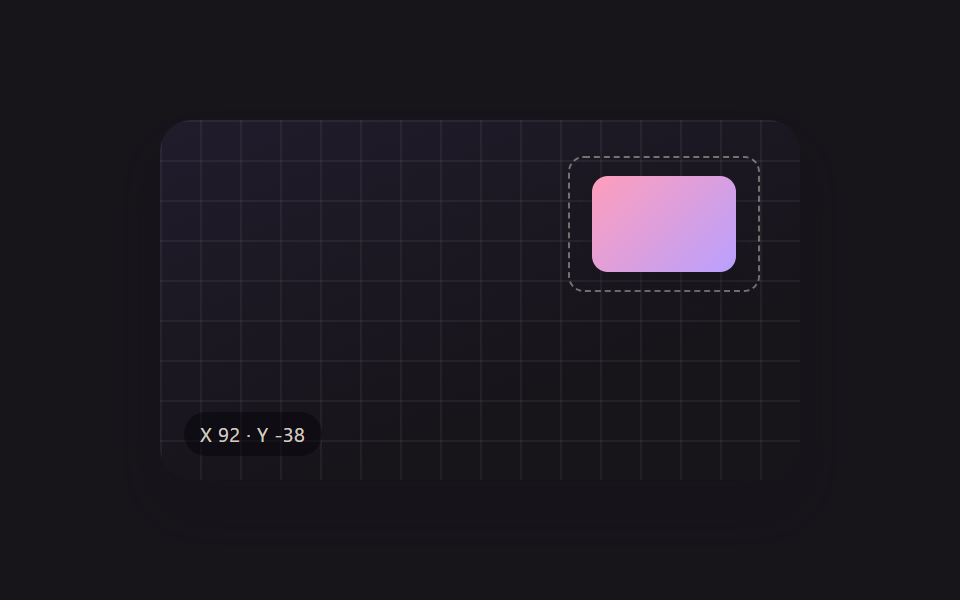 ドラッグ ハンドル 9種 — キャンバスの自由変形ツールキット9種のドラッグ ハンドルのうち、1つは回転ハンドルを弧を描いて引くと選択ボックスの中心を軸にオブジェクトごと回転し、1つは散らばったアイコンをワンクリックでグリッドへ一斉に整列させ、1つは方向キーを押し続けるほど移動幅が徐々に大きくなります この記事のデモをすべて見る