06ローディング切替
文字が消えてスピナーが現れる。幅は変えない。
使いどころ保存・送信など待たせる操作
300ms폭 유지체크로 끝
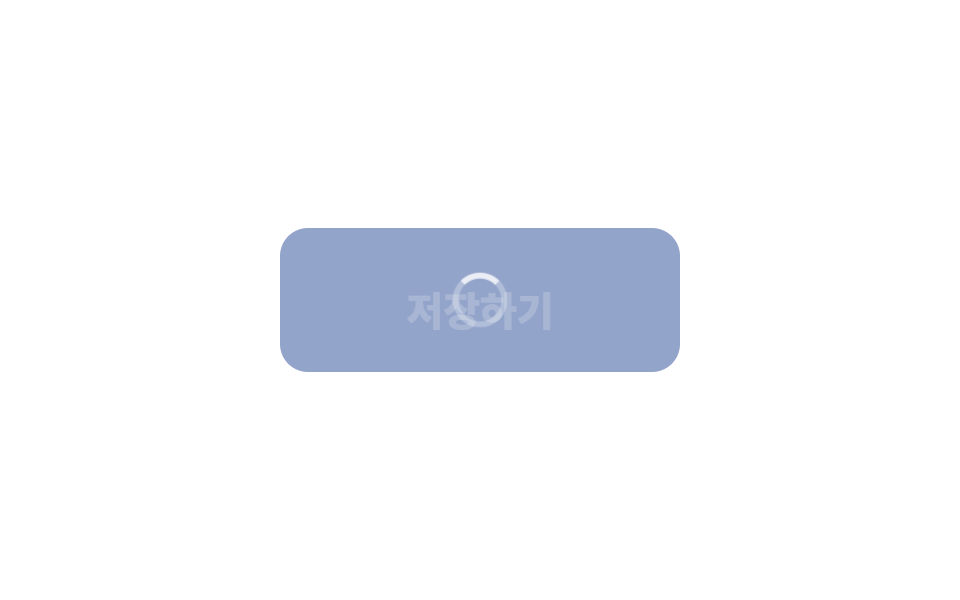
<main class="stage">
  <button class="btn is-demo" type="button"><span class="btn__label">保存</span><span class="btn__spin" aria-hidden="true"></span></button>
</main>
// ── 변수 3개 ──────────────────────────────────────────
$duration: 300ms; // 글자 ↔ 스피너 교체
$spin: 800ms; // 스피너 한 바퀴
$color: #93a4ca;
html, body { margin: 0; overflow: hidden; } // iframe 안에서 스크롤바가 생기지 않게 (실측 2026-09-09: body 여백 8px 이 100vh 를 넘겼다)
.stage { min-height: 100vh; display: grid; place-items: center; margin: 0; background: #ffffff; font-family: -apple-system, "Segoe UI", "Noto Sans KR", sans-serif; }
.btn {
position: relative;
display: grid;
place-items: center;
min-width: 200px; // 폭을 유지한다 — 줄어들면 옆 요소가 밀린다
border: 0;
border-radius: 14px;
padding: 22px 40px;
font-weight: 800;
font-size: 20px;
line-height: 1;
font-family: inherit;
color: #fff;
background: $color;
cursor: pointer;
&__label, &__spin { grid-area: 1 / 1; transition: opacity $duration, transform $duration; }
&__spin {
width: 22px; height: 22px;
border-radius: 50%;
border: 3px solid rgba(255, 255, 255, .35);
border-top-color: #fff;
opacity: 0;
transform: scale(.6);
animation: spin $spin linear infinite;
}
&.is-loading &__label { opacity: 0; transform: translateY(6px); }
&.is-loading &__spin { opacity: 1; transform: scale(1); }
&.is-demo &__label { animation: label-loop 2s ease infinite; }
&.is-demo &__spin { animation: spin $spin linear infinite, spin-loop 2s ease infinite; }
}
@keyframes spin { to { transform: rotate(360deg); } }
@keyframes label-loop { 0%, 30% { opacity: 1; transform: none; } 45%, 80% { opacity: 0; transform: translateY(6px); } 95%, 100% { opacity: 1; transform: none; } }
@keyframes spin-loop { 0%, 30% { opacity: 0; } 45%, 80% { opacity: 1; } 95%, 100% { opacity: 0; } }
@media (prefers-reduced-motion: reduce) {
.btn__label, .btn__spin { transition: none; animation: none !important; }
.btn.is-loading .btn__spin { opacity: 1; transform: none; border-top-color: rgba(255, 255, 255, .35); } // 돌지 않는 링
}html, body {
margin: 0;
overflow: hidden;
}
.stage {
min-height: 100vh;
display: grid;
place-items: center;
margin: 0;
background: #ffffff;
font-family: -apple-system, "Segoe UI", "Noto Sans KR", sans-serif;
}
.btn {
position: relative;
display: grid;
place-items: center;
min-width: 200px;
border: 0;
border-radius: 14px;
padding: 22px 40px;
font-weight: 800;
font-size: 20px;
line-height: 1;
font-family: inherit;
color: #fff;
background: #93a4ca;
cursor: pointer;
}
.btn__label, .btn__spin {
grid-area: 1/1;
transition: opacity 300ms, transform 300ms;
}
.btn__spin {
width: 22px;
height: 22px;
border-radius: 50%;
border: 3px solid rgba(255, 255, 255, 0.35);
border-top-color: #fff;
opacity: 0;
transform: scale(0.6);
animation: spin 800ms linear infinite;
}
.btn.is-loading .btn__label {
opacity: 0;
transform: translateY(6px);
}
.btn.is-loading .btn__spin {
opacity: 1;
transform: scale(1);
}
.btn.is-demo .btn__label {
animation: label-loop 2s ease infinite;
}
.btn.is-demo .btn__spin {
animation: spin 800ms linear infinite, spin-loop 2s ease infinite;
}
@keyframes spin {
to {
transform: rotate(360deg);
}
}
@keyframes label-loop {
0%, 30% {
opacity: 1;
transform: none;
}
45%, 80% {
opacity: 0;
transform: translateY(6px);
}
95%, 100% {
opacity: 1;
transform: none;
}
}
@keyframes spin-loop {
0%, 30% {
opacity: 0;
}
45%, 80% {
opacity: 1;
}
95%, 100% {
opacity: 0;
}
}
@media (prefers-reduced-motion: reduce) {
.btn__label, .btn__spin {
transition: none;
animation: none !important;
}
.btn.is-loading .btn__spin {
opacity: 1;
transform: none;
border-top-color: rgba(255, 255, 255, 0.35);
}
}// 누르면 로딩 → 1.5초 뒤 원래대로. 실제로는 fetch 가 끝났을 때 is-loading 을 뺀다.
var b = document.querySelector('.btn');
b.addEventListener('click', function () {
b.classList.remove('is-demo'); b.classList.add('is-loading'); b.disabled = true;
setTimeout(function () { b.classList.remove('is-loading'); b.disabled = false; }, 1500);
});import type { CSSProperties, ReactNode } from "react";
import styles from "./LoadingButton.module.scss";
export type LoadingButtonProps = { children: ReactNode; loading: boolean; duration?: number; spin?: number; color?: string; onClick?: () => void };
export default function LoadingButton({ children, loading, duration = 300, spin = 800, color = "#2f6df6", onClick }: LoadingButtonProps) {
const vars = { "--duration": `${duration}ms`, "--spin": `${spin}ms`, "--color": color } as CSSProperties;
return (
<button type="button" className={`${styles.btn} ${loading ? styles.loading : ""}`} style={vars} disabled={loading} aria-busy={loading} onClick={onClick}>
<span className={styles.label}>{children}</span>
<span className={styles.spinner} aria-hidden="true" />
</button>
);
}06 ローディング切替 — 計測 累積面積 1.013% · 動いたフレーム 15/23GODRICH オリジナル · SCSS と React は zip に同梱 · 【コピペOK】CSS ボタン アニメーション 9選(SCSS + React)
このデモが属する記事
 【コピペOK】CSS ボタン アニメーション 9選(SCSS + React)CSS ボタン アニメーションは、ボタンが操作に「反応した」ことを伝える小さな動きです。ホバー、押下、待機、失敗、確定。この記事ではこうした状況を9つ選び、それぞれ transform と opacity だけで実装しました。グリッドで触っ この記事のデモをすべて見る