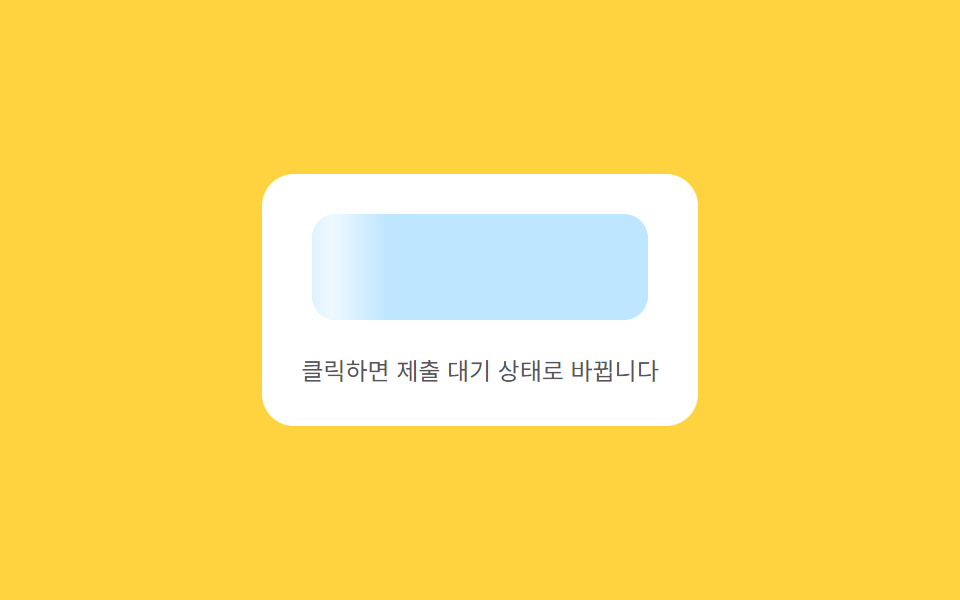
08流れる待機 — コンテンツが準備できるまで明るさの値が一方向へ流れるボタン
コンテンツが準備できていない状態の間、表面の明るさの値は片方の端からもう片方の端まで繰り返し流れ、コンテンツが準備できた状態になるとその流れが止まり実際の内容に変わります。
使いどころ非同期データ読み込みボタン、フォーム送信待機ボタン
BAND=34CYCLE=1100easeInOutSine
<main class="stage">
<div class="ctaskm is-demo" id="ctaskm">
  <div class="ctaskm__panel">
    <button class="ctaskm__btn ctaskm__btn--loading" id="ctaskmBtn" type="button">
      <span class="ctaskm__sweep" id="ctaskmSweep"></span>
      <span class="ctaskm__label" id="ctaskmLabel">フォームを送信する</span>
    </button>
    <span class="ctaskm__hint">クリックすると送信待機状態に変わります</span>
  </div>
</div>
</main>
@use "../../../../site/static/demo-tokens" as *;
// 계산 겹(sweep 위치의 sin 가감속)은 JS 에 있다 — 여기는 정적 배치만.
@include stage($stage-yellow);
.stage { position: relative; }
.ctaskm__panel {
display: flex;
flex-direction: column;
align-items: center;
gap: $sp-4;
padding: $sp-5;
border-radius: $r-card;
background: $stage-paper;
}
.ctaskm__btn {
position: relative;
overflow: hidden;
border: 0;
border-radius: $r-control;
background: $subject-sky;
color: $subject-ink;
font-family: inherit;
font-weight: 700;
font-size: 15px;
padding: $sp-4 $sp-5;
min-width: 168px;
cursor: pointer;
}
.ctaskm__btn--loading {
background: rgba($subject-sky, .45);
}
.ctaskm__sweep {
position: absolute;
top: 0;
bottom: 0;
left: 0;
width: 34%;
background: linear-gradient(90deg, rgba(255, 255, 255, 0) 0%, rgba(255, 255, 255, .75) 50%, rgba(255, 255, 255, 0) 100%);
pointer-events: none;
}
.ctaskm__label {
position: relative;
transition: opacity $dur-quick $ease-out;
}
.ctaskm__hint {
color: rgba($subject-ink, .72);
font-size: 12px;
text-align: center;
}
@media (max-width: 340px) {
.ctaskm__panel { padding: $sp-4; gap: $sp-3; }
.ctaskm__btn { padding: $sp-3 $sp-4; font-size: 14px; min-width: 148px; }
}
@media (prefers-reduced-motion: reduce) {
.ctaskm__label { transition: none !important; }
}html, body {
margin: 0;
overflow: hidden;
}
.stage {
box-sizing: border-box;
min-height: 100vh;
display: grid;
place-items: center;
margin: 0;
background: #ffd23f;
font-family: -apple-system, "Segoe UI", "Noto Sans KR", sans-serif;
padding: clamp(8px, 4vw, 24px);
}
.stage {
position: relative;
}
.ctaskm__panel {
display: flex;
flex-direction: column;
align-items: center;
gap: 16px;
padding: 20px;
border-radius: 16px;
background: #ffffff;
}
.ctaskm__btn {
position: relative;
overflow: hidden;
border: 0;
border-radius: 12px;
background: #6ec8ff;
color: #17141a;
font-family: inherit;
font-weight: 700;
font-size: 15px;
padding: 16px 20px;
min-width: 168px;
cursor: pointer;
}
.ctaskm__btn--loading {
background: rgba(110, 200, 255, 0.45);
}
.ctaskm__sweep {
position: absolute;
top: 0;
bottom: 0;
left: 0;
width: 34%;
background: linear-gradient(90deg, rgba(255, 255, 255, 0) 0%, rgba(255, 255, 255, 0.75) 50%, rgba(255, 255, 255, 0) 100%);
pointer-events: none;
}
.ctaskm__label {
position: relative;
transition: opacity 220ms ease-out;
}
.ctaskm__hint {
color: rgba(23, 20, 26, 0.72);
font-size: 12px;
text-align: center;
}
@media (max-width: 340px) {
.ctaskm__panel {
padding: 16px;
gap: 12px;
}
.ctaskm__btn {
padding: 12px 16px;
font-size: 14px;
min-width: 148px;
}
}
@media (prefers-reduced-motion: reduce) {
.ctaskm__label {
transition: none !important;
}
}(function () {
var root = document.getElementById('ctaskm');
var btn = document.getElementById('ctaskmBtn');
var sweep = document.getElementById('ctaskmSweep');
var label = document.getElementById('ctaskmLabel');
// 계산 겹: sweep 의 가로 위치 값을 ease-in-out(사인 곡선)으로 매 프레임 계산해
// 한쪽 끝(-BAND)에서 반대쪽 끝(100+BAND)까지 흐르게 한다 — 등속 CSS keyframe 이 아니라
// 위치 자체를 sin() 로 가감속시킨다.
var BAND = 34, CYCLE = 1100;
var raf = null, startT = 0, loading = false;
function easeInOutSine(t) { return -(Math.cos(Math.PI * t) - 1) / 2; }
function frame(now) {
var t = ((now - startT) % CYCLE) / CYCLE;
var e = easeInOutSine(t);
var pos = -BAND + e * (100 + BAND * 2);
sweep.style.transform = 'translateX(' + pos.toFixed(1) + '%)';
if (loading) { raf = requestAnimationFrame(frame); } else { raf = null; }
}
function startLoading() {
if (loading) { return; }
loading = true;
btn.classList.add('ctaskm__btn--loading');
label.style.opacity = '0';
startT = performance.now();
raf = requestAnimationFrame(frame);
setTimeout(function () {
loading = false;
btn.classList.remove('ctaskm__btn--loading');
label.style.opacity = '1';
label.textContent = '送信完了';
setTimeout(function () { label.textContent = 'フォームを送信する'; }, 500);
}, 1400);
}
function wireReal() {
btn.addEventListener('click', function () { root.classList.remove('is-demo'); stopAutoplay(); startLoading(); });
}
wireReal();
var autoplayTimer = null;
function stopAutoplay() { if (autoplayTimer) { clearInterval(autoplayTimer); autoplayTimer = null; } }
var reduce = window.matchMedia('(prefers-reduced-motion: reduce)').matches;
if (!reduce) { startLoading(); autoplayTimer = setInterval(startLoading, 2000); }
})();import { useEffect, useRef } from "react";
import styles from "./CtaBtnSkeletonShimmer.module.scss";
export type CtaBtnSkeletonShimmerProps = {
color?: string;
};
export default function CtaBtnSkeletonShimmer({
color = "#8fd3ff",
}: CtaBtnSkeletonShimmerProps) {
const rootRef = useRef<HTMLDivElement | null>(null);
useEffect(() => {
const root = rootRef.current;
if (!root) return;
const btn = root.querySelector<HTMLButtonElement>(`.${styles.btn}`);
const sweep = root.querySelector<HTMLSpanElement>(`.${styles.sweep}`);
const label = root.querySelector<HTMLSpanElement>(`.${styles.label}`);
if (!btn || !sweep || !label) return;
// 계산 겹: sweep 의 가로 위치 값을 ease-in-out(사인 곡선)으로 매 프레임 계산해
// 한쪽 끝(-BAND)에서 반대쪽 끝(100+BAND)까지 흐르게 한다 — 등속 CSS keyframe 이 아니라
// 위치 자체를 sin() 로 가감속시킨다.
const BAND = 34, CYCLE = 1100;
let raf: number | null = null, startT = 0, loading = false;
function easeInOutSine(t: number) { return -(Math.cos(Math.PI * t) - 1) / 2; }
function frame(now: number) {
const t = ((now - startT) % CYCLE) / CYCLE;
const e = easeInOutSine(t);
const pos = -BAND + e * (100 + BAND * 2);
sweep!.style.transform = "translateX(" + pos.toFixed(1) + "%)";
raf = loading ? requestAnimationFrame(frame) : null;
}
function startLoading() {
if (loading) return;
loading = true;
btn!.classList.add(styles.isLoading);
label!.style.opacity = "0";
startT = performance.now();
raf = requestAnimationFrame(frame);
window.setTimeout(() => {
loading = false;
btn!.classList.remove(styles.isLoading);
label!.style.opacity = "1";
label!.textContent = "제출 완료";
window.setTimeout(() => { label!.textContent = "양식 제출하기"; }, 500);
}, 1400);
}
function onClick() { stopAutoplay(); startLoading(); }
btn.addEventListener("click", onClick);
let autoplayTimer: number | null = null;
function stopAutoplay() { if (autoplayTimer !== null) { window.clearInterval(autoplayTimer); autoplayTimer = null; } }
const reduce = window.matchMedia("(prefers-reduced-motion: reduce)").matches;
if (!reduce) { startLoading(); autoplayTimer = window.setInterval(startLoading, 2000); }
return () => {
stopAutoplay();
if (raf !== null) cancelAnimationFrame(raf);
btn.removeEventListener("click", onClick);
};
}, []);
return (
<div ref={rootRef} className={styles.stage}>
<div className={styles.panel}>
<button className={`${styles.btn} ${styles.isLoading}`} type="button" style={{ background: color }}>
<span className={styles.sweep} />
<span className={styles.label}>양식 제출하기</span>
</button>
<span className={styles.hint}>클릭하면 제출 대기 상태로 바뀝니다</span>
</div>
</div>
);
}08 流れる待機 — コンテンツが準備できるまで明るさの値が一方向へ流れるボタン — 計測 累積面積 6.108% · 動いたフレーム 20/23GODRICH オリジナル · SCSS と React は zip に同梱 · CTA ボタン デザイン 9選 — 伸びる影から跳ねるバーまで
このデモが属する記事
 CTA ボタン デザイン 9選 — 伸びる影から跳ねるバーまで9つのうち1つは伸びる影の長さの値がホバー状態に応じて伸び縮みし、1つは周囲の進行の値が決まった時間の間に0まで減り、もう1つは引いた位置の値が基準を超えると確定した状態に変わります。cta ボタン デザインの9つの動きを見ていきます。 この記事のデモをすべて見る


