05ステッカーのポップ登場
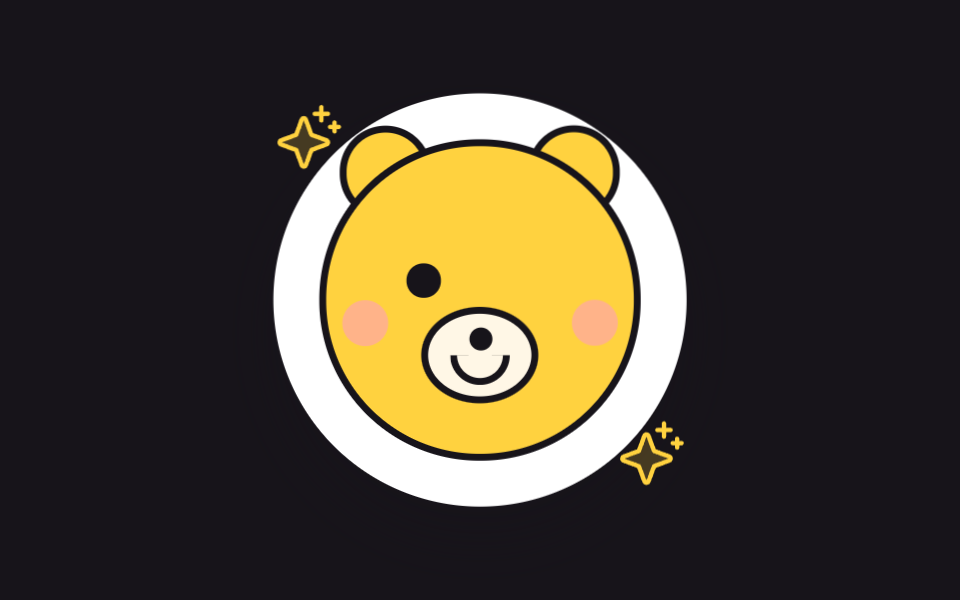
白い縁取りのキャラステッカーが無から飛び出し、少し大きくなりすぎてから収まります。5回目の押しで表情がウィンクに変わります。
使いどころプロフィール飾りのステッカー
transform-origincubic-bezierbox-shadow
<main class="stage">
<div class="st is-demo" id="st">
  <output class="st__count" id="stCount" aria-hidden="true">0</output>
  <button class="st__hit" type="button" aria-label="ステッカーを押す">
    <span class="st__sticker" id="stSticker" aria-hidden="true">
      <span class="st__face">
        <span class="st__ear st__ear--l"></span>
        <span class="st__ear st__ear--r"></span>
        <span class="st__eyeOpen st__eyeOpen--l"></span>
        <span class="st__eyeOpen st__eyeOpen--r"></span>
        <span class="st__eyeWink st__eyeWink--l"></span>
        <span class="st__eyeWink st__eyeWink--r"></span>
        <span class="st__snout"><span class="st__nose"></span><span class="st__mouth"></span></span>
        <span class="st__cheek st__cheek--l"></span>
        <span class="st__cheek st__cheek--r"></span>
      </span>
      <span class="st__spark st__spark--l"><svg xmlns="http://www.w3.org/2000/svg" width="1em" height="1em" viewBox="0 0 256 256"><g fill="currentColor"><path d="m194.82 151.43l-55.09 20.3l-20.3 55.09a7.92 7.92 0 0 1-14.86 0l-20.3-55.09l-55.09-20.3a7.92 7.92 0 0 1 0-14.86l55.09-20.3l20.3-55.09a7.92 7.92 0 0 1 14.86 0l20.3 55.09l55.09 20.3a7.92 7.92 0 0 1 0 14.86" opacity=".2"/><path d="M197.58 129.06L146 110l-19-51.62a15.92 15.92 0 0 0-29.88 0L78 110l-51.62 19a15.92 15.92 0 0 0 0 29.88L78 178l19 51.62a15.92 15.92 0 0 0 29.88 0L146 178l51.62-19a15.92 15.92 0 0 0 0-29.88ZM137 164.22a8 8 0 0 0-4.74 4.74L112 223.85L91.78 169a8 8 0 0 0-4.78-4.78L32.15 144L87 123.78a8 8 0 0 0 4.78-4.78L112 64.15L132.22 119a8 8 0 0 0 4.74 4.74L191.85 144ZM144 40a8 8 0 0 1 8-8h16V16a8 8 0 0 1 16 0v16h16a8 8 0 0 1 0 16h-16v16a8 8 0 0 1-16 0V48h-16a8 8 0 0 1-8-8m104 48a8 8 0 0 1-8 8h-8v8a8 8 0 0 1-16 0v-8h-8a8 8 0 0 1 0-16h8v-8a8 8 0 0 1 16 0v8h8a8 8 0 0 1 8 8"/></g></svg></span>
      <span class="st__spark st__spark--r"><svg xmlns="http://www.w3.org/2000/svg" width="1em" height="1em" viewBox="0 0 256 256"><g fill="currentColor"><path d="m194.82 151.43l-55.09 20.3l-20.3 55.09a7.92 7.92 0 0 1-14.86 0l-20.3-55.09l-55.09-20.3a7.92 7.92 0 0 1 0-14.86l55.09-20.3l20.3-55.09a7.92 7.92 0 0 1 14.86 0l20.3 55.09l55.09 20.3a7.92 7.92 0 0 1 0 14.86" opacity=".2"/><path d="M197.58 129.06L146 110l-19-51.62a15.92 15.92 0 0 0-29.88 0L78 110l-51.62 19a15.92 15.92 0 0 0 0 29.88L78 178l19 51.62a15.92 15.92 0 0 0 29.88 0L146 178l51.62-19a15.92 15.92 0 0 0 0-29.88ZM137 164.22a8 8 0 0 0-4.74 4.74L112 223.85L91.78 169a8 8 0 0 0-4.78-4.78L32.15 144L87 123.78a8 8 0 0 0 4.78-4.78L112 64.15L132.22 119a8 8 0 0 0 4.74 4.74L191.85 144ZM144 40a8 8 0 0 1 8-8h16V16a8 8 0 0 1 16 0v16h16a8 8 0 0 1 0 16h-16v16a8 8 0 0 1-16 0V48h-16a8 8 0 0 1-8-8m104 48a8 8 0 0 1-8 8h-8v8a8 8 0 0 1-16 0v-8h-8a8 8 0 0 1 0-16h8v-8a8 8 0 0 1 16 0v8h8a8 8 0 0 1 8 8"/></g></svg></span>
    </span>
  </button>
</div>
</main>
@use "../../../../site/static/demo-tokens" as *;
// 스티커 팝 등장 — 하얀 테두리를 두른 캐릭터 스티커가 0 에서 튀어나와 살짝 과하게 커졌다 앉는다.
// 등장은 스티커 전체의 scale(중심 원점) 하나. 표정 교체(윙크)는 두 눈을 겹쳐 두고
// visibility 로 한 프레임에 컷 — 크로스페이드하면 두 표정이 반투명하게 겹쳐 찍힌다.
// 반짝이 두 개(Phosphor sparkle duotone, 인라인)는 테두리에 걸쳐 스티커 느낌을 완성한다.
$duration: $dur-loop;
$easing: $ease-pop;
$color: $stage-yellow;
@include stage($stage-ink);
.st { position: relative; display: grid; place-items: center; }
.st__count {
position: absolute; top: 0; left: 50%; transform: translateX(-50%);
min-width: $sp-6; padding: 0 $sp-2; box-sizing: border-box;
background: $subject-cream; color: $subject-ink;
border-radius: $r-pill; text-align: center;
font-weight: 700; font-size: 12px; line-height: 20px;
}
.st__hit { border: 0; padding: 0; background: none; cursor: pointer; -webkit-tap-highlight-color: transparent; }
.st__hit:focus-visible { outline: 2px solid $color; outline-offset: 4px; border-radius: 50%; }
// 스티커 — 하얀 테두리(여백) + 그림자 + 살짝 기울임. 모든 등장 변형은 이 요소의 transform
.st__sticker {
position: relative; display: grid; place-items: center;
width: clamp(130px, 40vw, 180px); aspect-ratio: 1;
background: $stage-paper; border-radius: 50%;
box-shadow: $shadow-raised;
transform: rotate(-4deg);
transform-origin: 50% 50%;
}
// 곰 얼굴
.st__face {
position: relative; width: 74%; aspect-ratio: 1;
background: $color; border: 3px solid $subject-ink; border-radius: 50%;
}
.st__ear {
position: absolute; top: -7%; width: 26%; aspect-ratio: 1;
background: $color; border: 3px solid $subject-ink; border-radius: 50%;
z-index: -1;
}
.st__ear--l { left: 4%; }
.st__ear--r { right: 4%; }
// 눈 두 벌(열린 눈·윙크 눈)을 같은 칸에 겹치고 보이는 쪽만 visibility 로 고른다
.st__eyeOpen, .st__eyeWink { position: absolute; top: 38%; width: 11%; aspect-ratio: 1; }
.st__eyeOpen { background: $subject-ink; border-radius: 50%; }
.st__eyeOpen--l { left: 26%; }
.st__eyeOpen--r { right: 26%; }
.st__eyeWink { border-top: 4px solid $subject-ink; border-radius: 50%; visibility: hidden; }
.st__eyeWink--l { left: 26%; }
.st__eyeWink--r { right: 26%; }
.st--wink .st__eyeOpen--r { visibility: hidden; }
.st--wink .st__eyeWink--r { visibility: visible; }
.st__snout {
position: absolute; top: 52%; left: 50%; width: 34%; aspect-ratio: 1 / .8;
background: $subject-cream; border: 3px solid $subject-ink; border-radius: 50%;
transform: translateX(-50%);
}
.st__nose {
position: absolute; top: 18%; left: 50%; width: 22%; aspect-ratio: 1;
background: $subject-ink; border-radius: 50%;
transform: translateX(-50%);
}
.st__mouth {
position: absolute; top: 52%; left: 50%; width: 46%; height: 26%;
border: 3px solid $subject-ink; border-top: 0; border-radius: 0 0 $r-pill $r-pill;
transform: translateX(-50%);
}
.st__cheek {
position: absolute; top: 50%; width: 15%; aspect-ratio: 1;
background: $subject-pink; border-radius: 50%; opacity: .6;
}
.st__cheek--l { left: 5%; }
.st__cheek--r { right: 5%; }
// 반짝이 — 테두리에 걸친 장식
.st__spark {
position: absolute; width: 17%; aspect-ratio: 1; color: $color;
}
.st__spark--l { top: 2%; left: 0; }
.st__spark--r { bottom: 4%; right: 0; }
.st__spark svg { display: block; width: 100%; height: 100%; }
// ── 격자 미리보기 루프(2초): 팝 등장(0~30%) → 가만히(30~62%) → 윙크 컷(62~88%) → 복귀(90%)
.st.is-demo .st__sticker {
animation-name: stPop;
animation-duration: $duration;
animation-timing-function: $easing;
animation-iteration-count: infinite;
}
.st.is-demo .st__eyeOpen--r, .st.is-demo .st__eyeWink--r {
animation-name: stWink;
animation-duration: $duration;
animation-timing-function: steps(1, end);
animation-iteration-count: infinite;
}
@keyframes stPop {
0% { transform: rotate(-10deg) scale(0); }
14% { transform: rotate(0deg) scale(1.16); }
24% { transform: rotate(-4deg) scale(.96); }
32%, 58% { transform: rotate(-4deg) scale(1); }
64% { transform: rotate(-4deg) scale(1.05); }
72%, 100% { transform: rotate(-4deg) scale(1); }
}
@keyframes stWink {
0%, 61% { visibility: hidden; }
62%, 87% { visibility: visible; }
88%, 100% { visibility: hidden; }
}
// ── 눌렀을 때 살짝 튀는 반응(일회성) — 강한 이징으로 스티커가 쫀득 튕긴다
.st--nudge { animation: stNudge 420ms cubic-bezier(.2, 1.7, .4, 1) 1; }
@keyframes stNudge {
0% { transform: rotate(-4deg) scale(.92); }
50% { transform: rotate(2deg) scale(1.07); }
100% { transform: rotate(-4deg) scale(1); }
}
// ── 좁은 화면
@media (max-width: 340px) {
.st__count { font-size: 11px; line-height: 16px; }
.st__face, .st__ear, .st__snout { border-width: 2px; }
}
@media (prefers-reduced-motion: reduce) {
// 팝 등장을 끊면 다 나타난 스티커가 기울어진 채 앉아 있다 — 눌러도 표정만 바뀐다
.st.is-demo .st__sticker,
.st.is-demo .st__eyeOpen--r,
.st.is-demo .st__eyeWink--r,
.st--nudge {
animation: none !important;
}
}html, body {
margin: 0;
overflow: hidden;
}
.stage {
box-sizing: border-box;
min-height: 100vh;
display: grid;
place-items: center;
margin: 0;
background: #17141a;
font-family: -apple-system, "Segoe UI", "Noto Sans KR", sans-serif;
padding: clamp(8px, 4vw, 24px);
}
.st {
position: relative;
display: grid;
place-items: center;
}
.st__count {
position: absolute;
top: 0;
left: 50%;
transform: translateX(-50%);
min-width: 24px;
padding: 0 8px;
box-sizing: border-box;
background: #fff7e6;
color: #17141a;
border-radius: 999px;
text-align: center;
font-weight: 700;
font-size: 12px;
line-height: 20px;
}
.st__hit {
border: 0;
padding: 0;
background: none;
cursor: pointer;
-webkit-tap-highlight-color: transparent;
}
.st__hit:focus-visible {
outline: 2px solid #ffd23f;
outline-offset: 4px;
border-radius: 50%;
}
.st__sticker {
position: relative;
display: grid;
place-items: center;
width: clamp(130px, 40vw, 180px);
aspect-ratio: 1;
background: #ffffff;
border-radius: 50%;
box-shadow: 0 14px 24px rgba(23, 20, 26, 0.32);
transform: rotate(-4deg);
transform-origin: 50% 50%;
}
.st__face {
position: relative;
width: 74%;
aspect-ratio: 1;
background: #ffd23f;
border: 3px solid #17141a;
border-radius: 50%;
}
.st__ear {
position: absolute;
top: -7%;
width: 26%;
aspect-ratio: 1;
background: #ffd23f;
border: 3px solid #17141a;
border-radius: 50%;
z-index: -1;
}
.st__ear--l {
left: 4%;
}
.st__ear--r {
right: 4%;
}
.st__eyeOpen, .st__eyeWink {
position: absolute;
top: 38%;
width: 11%;
aspect-ratio: 1;
}
.st__eyeOpen {
background: #17141a;
border-radius: 50%;
}
.st__eyeOpen--l {
left: 26%;
}
.st__eyeOpen--r {
right: 26%;
}
.st__eyeWink {
border-top: 4px solid #17141a;
border-radius: 50%;
visibility: hidden;
}
.st__eyeWink--l {
left: 26%;
}
.st__eyeWink--r {
right: 26%;
}
.st--wink .st__eyeOpen--r {
visibility: hidden;
}
.st--wink .st__eyeWink--r {
visibility: visible;
}
.st__snout {
position: absolute;
top: 52%;
left: 50%;
width: 34%;
aspect-ratio: 1/0.8;
background: #fff7e6;
border: 3px solid #17141a;
border-radius: 50%;
transform: translateX(-50%);
}
.st__nose {
position: absolute;
top: 18%;
left: 50%;
width: 22%;
aspect-ratio: 1;
background: #17141a;
border-radius: 50%;
transform: translateX(-50%);
}
.st__mouth {
position: absolute;
top: 52%;
left: 50%;
width: 46%;
height: 26%;
border: 3px solid #17141a;
border-top: 0;
border-radius: 0 0 999px 999px;
transform: translateX(-50%);
}
.st__cheek {
position: absolute;
top: 50%;
width: 15%;
aspect-ratio: 1;
background: #ff9ebb;
border-radius: 50%;
opacity: 0.6;
}
.st__cheek--l {
left: 5%;
}
.st__cheek--r {
right: 5%;
}
.st__spark {
position: absolute;
width: 17%;
aspect-ratio: 1;
color: #ffd23f;
}
.st__spark--l {
top: 2%;
left: 0;
}
.st__spark--r {
bottom: 4%;
right: 0;
}
.st__spark svg {
display: block;
width: 100%;
height: 100%;
}
.st.is-demo .st__sticker {
animation-name: stPop;
animation-duration: 2s;
animation-timing-function: cubic-bezier(0.2, 1.4, 0.4, 1);
animation-iteration-count: infinite;
}
.st.is-demo .st__eyeOpen--r, .st.is-demo .st__eyeWink--r {
animation-name: stWink;
animation-duration: 2s;
animation-timing-function: steps(1, end);
animation-iteration-count: infinite;
}
@keyframes stPop {
0% {
transform: rotate(-10deg) scale(0);
}
14% {
transform: rotate(0deg) scale(1.16);
}
24% {
transform: rotate(-4deg) scale(0.96);
}
32%, 58% {
transform: rotate(-4deg) scale(1);
}
64% {
transform: rotate(-4deg) scale(1.05);
}
72%, 100% {
transform: rotate(-4deg) scale(1);
}
}
@keyframes stWink {
0%, 61% {
visibility: hidden;
}
62%, 87% {
visibility: visible;
}
88%, 100% {
visibility: hidden;
}
}
.st--nudge {
animation: stNudge 420ms cubic-bezier(0.2, 1.7, 0.4, 1) 1;
}
@keyframes stNudge {
0% {
transform: rotate(-4deg) scale(0.92);
}
50% {
transform: rotate(2deg) scale(1.07);
}
100% {
transform: rotate(-4deg) scale(1);
}
}
@media (max-width: 340px) {
.st__count {
font-size: 11px;
line-height: 16px;
}
.st__face, .st__ear, .st__snout {
border-width: 2px;
}
}
@media (prefers-reduced-motion: reduce) {
.st.is-demo .st__sticker,
.st.is-demo .st__eyeOpen--r,
.st.is-demo .st__eyeWink--r,
.st--nudge {
animation: none !important;
}
}var st = document.getElementById('st');
var sticker = document.getElementById('stSticker');
var count = document.getElementById('stCount');
var hits = 0;
// 다섯 번째 누름에 윙크, 여섯 번째에 원래 표정으로 돌아간다. 상태는 클래스 하나(.st--wink)
document.querySelector('.st__hit').addEventListener('click', function () {
st.classList.remove('is-demo');
hits = hits + 1;
count.textContent = String(hits);
sticker.classList.toggle('st--wink', hits % 5 === 0 && hits > 0);
sticker.classList.remove('st--nudge');
void sticker.offsetWidth;
sticker.classList.add('st--nudge');
});
st.addEventListener('pointerdown', function () { st.classList.remove('is-demo'); });// CuteStickerPopIn — vanilla 판(run/075/demo/05-cute-sticker-pop-in) 의 React 포트.
// 다섯 번째 누름에 윙크, 여섯 번째에 원래 표정. 누를 때마다 살짝 튀는 반응이 key 재마운트로 재시동된다.
import { useState } from "react";
import type { CSSProperties } from "react";
import styles from "./CuteStickerPopIn.module.scss";
export type CuteStickerPopInProps = {
duration?: number;
easing?: string;
color?: string;
};
type Vars = CSSProperties & { "--duration"?: string; "--easing"?: string; "--color"?: string };
const SPARKLE_SVG = (
<svg xmlns="http://www.w3.org/2000/svg" width="1em" height="1em" viewBox="0 0 256 256"><g fill="currentColor"><path d="m194.82 151.43l-55.09 20.3l-20.3 55.09a7.92 7.92 0 0 1-14.86 0l-20.3-55.09l-55.09-20.3a7.92 7.92 0 0 1 0-14.86l55.09-20.3l20.3-55.09a7.92 7.92 0 0 1 14.86 0l20.3 55.09l55.09 20.3a7.92 7.92 0 0 1 0 14.86" opacity=".2"/><path d="M197.58 129.06L146 110l-19-51.62a15.92 15.92 0 0 0-29.88 0L78 110l-51.62 19a15.92 15.92 0 0 0 0 29.88L78 178l19 51.62a15.92 15.92 0 0 0 29.88 0L146 178l51.62-19a15.92 15.92 0 0 0 0-29.88ZM137 164.22a8 8 0 0 0-4.74 4.74L112 223.85L91.78 169a8 8 0 0 0-4.78-4.78L32.15 144L87 123.78a8 8 0 0 0 4.78-4.78L112 64.15L132.22 119a8 8 0 0 0 4.74 4.74L191.85 144ZM144 40a8 8 0 0 1 8-8h16V16a8 8 0 0 1 16 0v16h16a8 8 0 0 1 0 16h-16v16a8 8 0 0 1-16 0V48h-16a8 8 0 0 1-8-8m104 48a8 8 0 0 1-8 8h-8v8a8 8 0 0 1-16 0v-8h-8a8 8 0 0 1 0-16h8v-8a8 8 0 0 1 16 0v8h8a8 8 0 0 1 8 8"/></g></svg>
);
export default function CuteStickerPopIn(props: CuteStickerPopInProps) {
const duration = props.duration ?? 2000;
const easing = props.easing ?? "cubic-bezier(.2, 1.4, .4, 1)";
const color = props.color ?? "#ffd23f";
const [hits, setHits] = useState<number>(0);
const [preview, setPreview] = useState<boolean>(true);
const vars: Vars = { "--duration": duration + "ms", "--easing": easing, "--color": color };
const wink = hits > 0 && hits % 5 === 0;
return (
<main className={styles.stage}>
<div className={styles.st + (preview ? " " + styles.isDemo : "")} style={vars}>
<output className={styles.count} aria-hidden="true">{hits}</output>
<button
className={styles.hit}
type="button"
aria-label="스티커 누르기"
onClick={() => setHits(hits + 1)}
onPointerDown={() => setPreview(false)}
>
<span
className={styles.sticker + (wink ? " " + styles.wink : "") + (hits > 0 ? " " + styles.nudge : "")}
key={"nudge" + hits}
aria-hidden="true"
>
<span className={styles.face}>
<span className={styles.ear + " " + styles.earL}></span>
<span className={styles.ear + " " + styles.earR}></span>
<span className={styles.eyeOpen + " " + styles.eyeOpenL}></span>
<span className={styles.eyeOpen + " " + styles.eyeOpenR}></span>
<span className={styles.eyeWink + " " + styles.eyeWinkL}></span>
<span className={styles.eyeWink + " " + styles.eyeWinkR}></span>
<span className={styles.snout}><span className={styles.nose}></span><span className={styles.mouth}></span></span>
<span className={styles.cheek + " " + styles.cheekL}></span>
<span className={styles.cheek + " " + styles.cheekR}></span>
</span>
<span className={styles.spark + " " + styles.sparkL}>{SPARKLE_SVG}</span>
<span className={styles.spark + " " + styles.sparkR}>{SPARKLE_SVG}</span>
</span>
</button>
</div>
</main>
);
}05 ステッカーのポップ登場 — 計測 累積面積 27.173% · 動いたフレーム 14/23GODRICH オリジナル · SCSS と React は zip に同梱 · css キャラクター アニメーション 9選 — かわいいキャラを動かすCSS
このデモが属する記事
 css キャラクター アニメーション 9選 — かわいいキャラを動かすCSScss キャラクター アニメーションとは、描いたキャラクターを画像ファイルなしでコードだけでまばたきさせたり跳ねさせたりする作りのことです。ハート目の顔からクッキーを分ける友だちまで9体を図形で組み、クリックするとキャラがすぐ反応するという この記事のデモをすべて見る