08保存したカーソル位置の値に正確に挿入する挿入方式
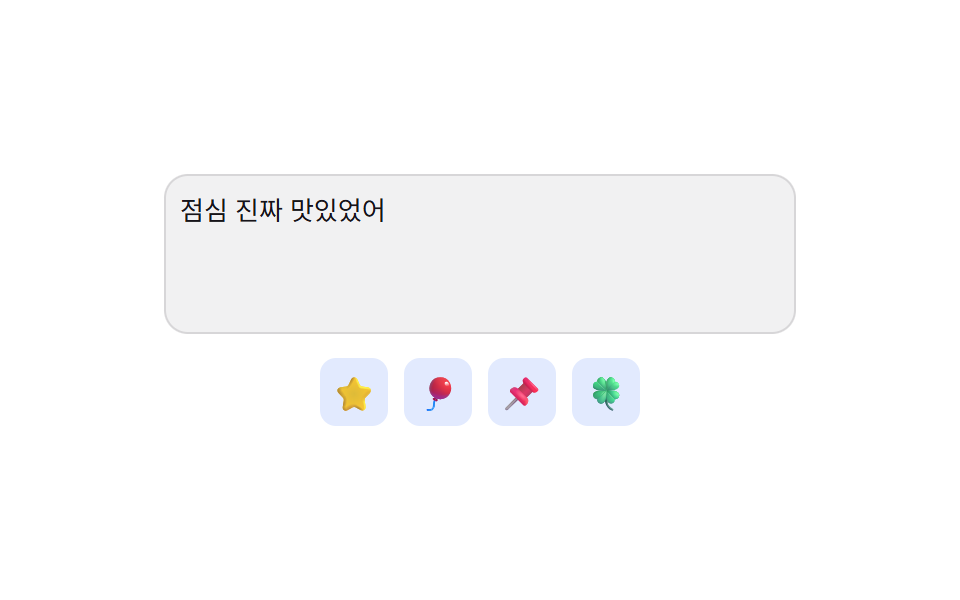
入力欄からフォーカスが外れる直前のカーソル位置の値をあらかじめ保存しておき、絵文字を選んだ瞬間その値が指していた文字の間に戻って挿入するため、カーソルが常に末尾に押し出されることがない。
使いどころ文中に絵文字を挟む長いコメント・メッセージ入力欄
savedStartselectionStartsetSelectionRange
<main class="stage">
<div class="ip is-demo" id="ip">
<textarea class="ip__field" id="ipField" rows="3" aria-label="メッセージ入力"></textarea>
<div class="ip__panel" role="group" aria-label="絵文字挿入">
<button class="ip__pick" type="button" aria-label="星">⭐</button>
<button class="ip__pick" type="button" aria-label="風船">🎈</button>
<button class="ip__pick" type="button" aria-label="画鋲">📌</button>
<button class="ip__pick" type="button" aria-label="四つ葉のクローバー">🍀</button>
</div>
<p class="ip__sr" role="status" aria-live="polite" id="ipLive"></p>
</div>
</main>@use "../../../../site/static/demo-tokens" as *;
// 계산 겹: index.html 이 blur 시각의 selectionStart/selectionEnd 값을 저장해 두고,
// 이모지를 고르면 그 값이 가리키던 글자 사이로 되돌아가 끼워 넣는다 — 끝에 붙이지 않는다.
@include stage($stage-paper);
.ip { display: flex; flex-direction: column; align-items: center; gap: $sp-3; width: 100%; padding: 0 $sp-3; }
.ip__field {
width: 100%; max-width: 300px; min-height: 64px; border: none; border-radius: $r-control;
background: rgba($subject-ink, .06); color: $subject-ink; font-size: 13px; line-height: 1.6;
padding: $sp-2; resize: none; box-shadow: 0 0 0 1px rgba($subject-ink, .12) inset;
font-family: inherit;
}
.ip__field:focus-visible { outline: 2px solid $subject-blue; outline-offset: 2px; }
.ip__panel { display: flex; gap: $sp-2; }
.ip__pick {
width: 34px; height: 34px; border: none; border-radius: $r-sm; background: rgba($subject-blue, .14);
font-size: 17px; cursor: pointer; display: flex; align-items: center; justify-content: center;
transform: scale(1); transition: transform $dur-quick $ease-spring, background $dur-quick $ease-out;
}
.ip__pick:hover, .ip__pick:focus-visible { background: rgba($subject-blue, .26); transform: scale(1.12); }
.ip__pick--pop { animation: ipPop $dur-quick $ease-pop; }
.ip__sr { position: absolute; width: 1px; height: 1px; overflow: hidden; clip: rect(0 0 0 0); margin: -1px; padding: 0; border: 0; }
@keyframes ipPop {
0% { transform: scale(.7); }
60% { transform: scale(1.22); }
100% { transform: scale(1); }
}
@media (max-width: 340px) {
.ip__field { max-width: 260px; min-height: 56px; font-size: 12px; }
.ip__pick { width: 28px; height: 28px; font-size: 14px; }
}
@media (prefers-reduced-motion: reduce) {
.ip__pick { transition: none; }
.ip__pick--pop { animation: none; }
}html, body {
margin: 0;
overflow: hidden;
}
.stage {
box-sizing: border-box;
min-height: 100vh;
display: grid;
place-items: center;
margin: 0;
background: #ffffff;
font-family: -apple-system, "Segoe UI", "Noto Sans KR", sans-serif;
padding: clamp(8px, 4vw, 24px);
}
.ip {
display: flex;
flex-direction: column;
align-items: center;
gap: 12px;
width: 100%;
padding: 0 12px;
}
.ip__field {
width: 100%;
max-width: 300px;
min-height: 64px;
border: none;
border-radius: 12px;
background: rgba(23, 20, 26, 0.06);
color: #17141a;
font-size: 13px;
line-height: 1.6;
padding: 8px;
resize: none;
box-shadow: 0 0 0 1px rgba(23, 20, 26, 0.12) inset;
font-family: inherit;
}
.ip__field:focus-visible {
outline: 2px solid #2f6df6;
outline-offset: 2px;
}
.ip__panel {
display: flex;
gap: 8px;
}
.ip__pick {
width: 34px;
height: 34px;
border: none;
border-radius: 8px;
background: rgba(47, 109, 246, 0.14);
font-size: 17px;
cursor: pointer;
display: flex;
align-items: center;
justify-content: center;
transform: scale(1);
transition: transform 220ms cubic-bezier(0.2, 0.8, 0.2, 1), background 220ms ease-out;
}
.ip__pick:hover, .ip__pick:focus-visible {
background: rgba(47, 109, 246, 0.26);
transform: scale(1.12);
}
.ip__pick--pop {
animation: ipPop 220ms cubic-bezier(0.2, 1.4, 0.4, 1);
}
.ip__sr {
position: absolute;
width: 1px;
height: 1px;
overflow: hidden;
clip: rect(0 0 0 0);
margin: -1px;
padding: 0;
border: 0;
}
@keyframes ipPop {
0% {
transform: scale(0.7);
}
60% {
transform: scale(1.22);
}
100% {
transform: scale(1);
}
}
@media (max-width: 340px) {
.ip__field {
max-width: 260px;
min-height: 56px;
font-size: 12px;
}
.ip__pick {
width: 28px;
height: 28px;
font-size: 14px;
}
}
@media (prefers-reduced-motion: reduce) {
.ip__pick {
transition: none;
}
.ip__pick--pop {
animation: none;
}
}(function () {
var root = document.getElementById('ip');
var field = document.getElementById('ipField');
var live = document.getElementById('ipLive');
var synthetic = false;
function human() { if (synthetic) return; if (root.classList.contains('is-demo')) root.classList.remove('is-demo'); }
// 계산 겹: 입력창이 초점을 잃기 직전(blur)에 selectionStart/selectionEnd 값을 저장해 두고,
// 이모지를 고르는 순간 그 값이 가리키던 文字 사이에 정확히 끼워 넣어 커서를 그 자리로 되돌린다.
// (끝에 이어붙이면 값을 안 쓴 것과 같다 — 저장된 위치 값을 실제로 읽어 쓰는 것이 계산 겹이다.)
var savedStart = 0;
var savedEnd = 0;
field.addEventListener('blur', function () {
savedStart = field.selectionStart;
savedEnd = field.selectionEnd;
});
field.addEventListener('input', function () {
live.textContent = '文字 ' + field.value.length + '個、カーソル ' + field.selectionStart + '番目';
});
var picks = Array.prototype.slice.call(document.querySelectorAll('.ip__pick'));
picks.forEach(function (btn) {
btn.addEventListener('click', function () {
human();
var emoji = btn.textContent;
var value = field.value;
var before = value.slice(0, savedStart);
var after = value.slice(savedEnd);
field.value = before + emoji + after;
var landAt = savedStart + emoji.length;
field.focus({ preventScroll: true });
field.setSelectionRange(landAt, landAt);
savedStart = landAt;
savedEnd = landAt;
live.textContent = before.length + '文字目の後ろに挿入、カーソル ' + landAt + '番目へ移動';
btn.classList.add('ip__pick--pop');
window.setTimeout(function () { btn.classList.remove('ip__pick--pop'); }, 260);
});
});
var reduce = window.matchMedia('(prefers-reduced-motion: reduce)').matches;
var DEMO_TEXT = 'お昼ご飯本当に美味しかった';
var MID = 5;
var step = 0, loopTimer = 0;
function runStep() {
if (!root.classList.contains('is-demo')) return;
synthetic = true;
if (step % 2 === 0) {
field.value = DEMO_TEXT;
field.focus({ preventScroll: true });
field.setSelectionRange(MID, MID);
field.blur();
} else {
var idx = (step / 2) % picks.length | 0;
picks[idx].dispatchEvent(new MouseEvent('click', { bubbles: true }));
}
synthetic = false;
step++;
loopTimer = window.setTimeout(runStep, 620);
}
if (!reduce) { loopTimer = window.setTimeout(runStep, 480); }
else { root.classList.remove('is-demo'); }
})();// EmojiPickerInsertCursorPositionPreserve — vanilla 판(run/402/demo/08-.../index.html) 의 React 포트.
// 계산 겹: 입력창이 blur 되는 순간의 selectionStart/selectionEnd 값을 저장해 두고, 이모지를
// 고르면 그 값이 가리키던 글자 사이로 되돌아가 끼워 넣는다 — 끝에 이어붙이지 않는다.
import { useEffect, useRef, useState } from "react";
import styles from "./EmojiPickerInsertCursorPositionPreserve.module.scss";
type Box<T> = { current: T };
const PICKS = [
{ ch: "⭐", label: "별" },
{ ch: "\u{1F388}", label: "풍선" },
{ ch: "\u{1F4CC}", label: "압정" },
{ ch: "\u{1F340}", label: "네잎클로버" },
];
const DEMO_TEXT = "점심 진짜 맛있었어";
const MID = 5;
export default function EmojiPickerInsertCursorPositionPreserve() {
const [isDemo, setIsDemo] = useState(true);
const [value, setValue] = useState("");
const [live, setLive] = useState("");
const [popIndex, setPopIndex] = useState(-1);
const isDemoRef = useRef(true) as unknown as Box<boolean>;
const synthRef = useRef(false) as unknown as Box<boolean>;
const valueRef = useRef("") as unknown as Box<string>;
const savedStartRef = useRef(0) as unknown as Box<number>;
const savedEndRef = useRef(0) as unknown as Box<number>;
const fieldRef = useRef(null) as unknown as Box<HTMLTextAreaElement>;
const loopTimerRef = useRef(0) as unknown as Box<number>;
const popTimerRef = useRef(0) as unknown as Box<number>;
function human() {
if (synthRef.current) return;
if (isDemoRef.current) { isDemoRef.current = false; setIsDemo(false); }
}
function onBlur() {
const el = fieldRef.current;
if (!el) return;
savedStartRef.current = el.selectionStart;
savedEndRef.current = el.selectionEnd;
}
function onInput(e: { target: { value: string; selectionStart: number | null } }) {
valueRef.current = e.target.value;
setValue(e.target.value);
setLive("글자 " + e.target.value.length + "개, 커서 " + (e.target.selectionStart ?? 0) + "번째");
}
function pick(i: number) {
human();
const emoji = PICKS[i].ch;
const start = savedStartRef.current;
const end = savedEndRef.current;
const cur = valueRef.current;
const before = cur.slice(0, start);
const after = cur.slice(end);
const next = before + emoji + after;
valueRef.current = next;
setValue(next);
const landAt = start + emoji.length;
savedStartRef.current = landAt;
savedEndRef.current = landAt;
setLive(before.length + "번째 글자 뒤에 끼워짐, 커서 " + landAt + "번째로 이동");
const el = fieldRef.current;
if (el) {
window.setTimeout(() => {
el.focus({ preventScroll: true });
el.setSelectionRange(landAt, landAt);
}, 0);
}
setPopIndex(i);
window.clearTimeout(popTimerRef.current);
popTimerRef.current = window.setTimeout(() => setPopIndex(-1), 260);
}
useEffect(() => {
const reduce = window.matchMedia("(prefers-reduced-motion: reduce)").matches;
let step = 0;
function runStep() {
if (!isDemoRef.current) return;
synthRef.current = true;
if (step % 2 === 0) {
valueRef.current = DEMO_TEXT;
setValue(DEMO_TEXT);
const el = fieldRef.current;
if (el) {
el.focus({ preventScroll: true });
el.setSelectionRange(MID, MID);
el.blur();
} else {
savedStartRef.current = MID;
savedEndRef.current = MID;
}
} else {
const idx = Math.floor(step / 2) % PICKS.length;
pick(idx);
}
synthRef.current = false;
step++;
loopTimerRef.current = window.setTimeout(runStep, 620);
}
if (!reduce) { loopTimerRef.current = window.setTimeout(runStep, 480); }
else { isDemoRef.current = false; setIsDemo(false); }
return () => { window.clearTimeout(loopTimerRef.current); window.clearTimeout(popTimerRef.current); };
// eslint-disable-next-line react-hooks/exhaustive-deps
}, []);
return (
<main className={styles.stage}>
<div className={styles.ip + " " + (isDemo ? styles.isDemo : "")}>
<textarea
className={styles.field}
rows={3}
aria-label="메시지 입력"
ref={fieldRef}
value={value}
onChange={onInput}
onBlur={onBlur}
/>
<div className={styles.panel} role="group" aria-label="이모지 삽입">
{PICKS.map((p, i) => (
<button
key={i}
type="button"
className={styles.pick + " " + (popIndex === i ? styles.pickPop : "")}
aria-label={p.label}
onClick={() => pick(i)}
>
{p.ch}
</button>
))}
</div>
<p className={styles.sr} role="status" aria-live="polite">{live}</p>
</div>
</main>
);
}08 保存したカーソル位置の値に正確に挿入する挿入方式 — 計測 累積面積 2.754% · 動いたフレーム 8/23GODRICH オリジナル · SCSS と React は zip に同梱 · 絵文字ピッカー 9パターン — 値で開閉
このデモが属する記事
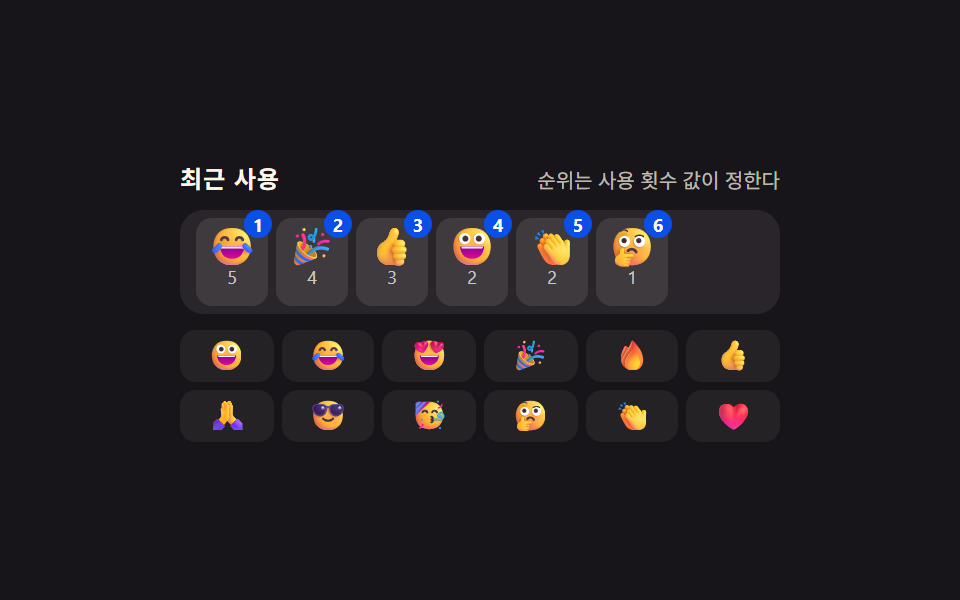 絵文字ピッカー 9パターン — 値で開閉入力欄の下に残る空間の値がパネルの高さより小さいときだけパネルは上に開く位置に変わり、押し続けた時間の値が決めたしきい値を超えたときだけ同じ絵文字のバリエーションが扇状に広がり、カーソル位置の値をあらかじめ保存していた場合だけ選んだ絵文字が この記事のデモをすべて見る