マジックアイ9種 — 深さマップを走査線シフトで織るステレオグラム
ピクセルの明るさを深さとして読み、同じ行の中で数ピクセルずらすと、平らな模様の中に立体が隠れます。ライブラリなしのコピペ隠れ絵エンジンです。マジックアイ(ステレオグラム)は、深さマップを決めて各行を左へ数ピクセル引き込んで複製するだけで、球・文字・山脈を粒の中に浮かべる仕組みです。
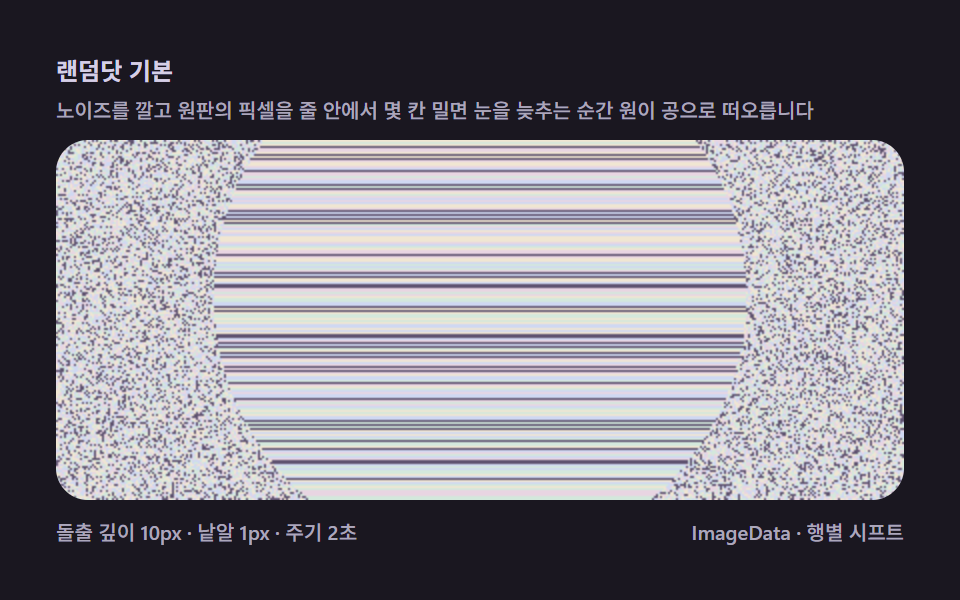 01 magic-eye-random-dot-basic
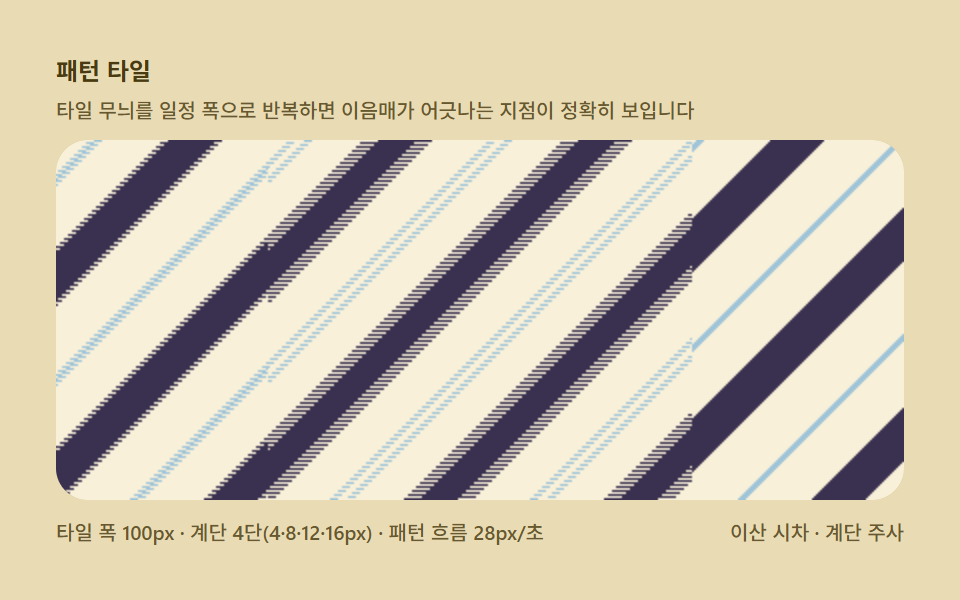 02 magic-eye-texture-pattern-repeat
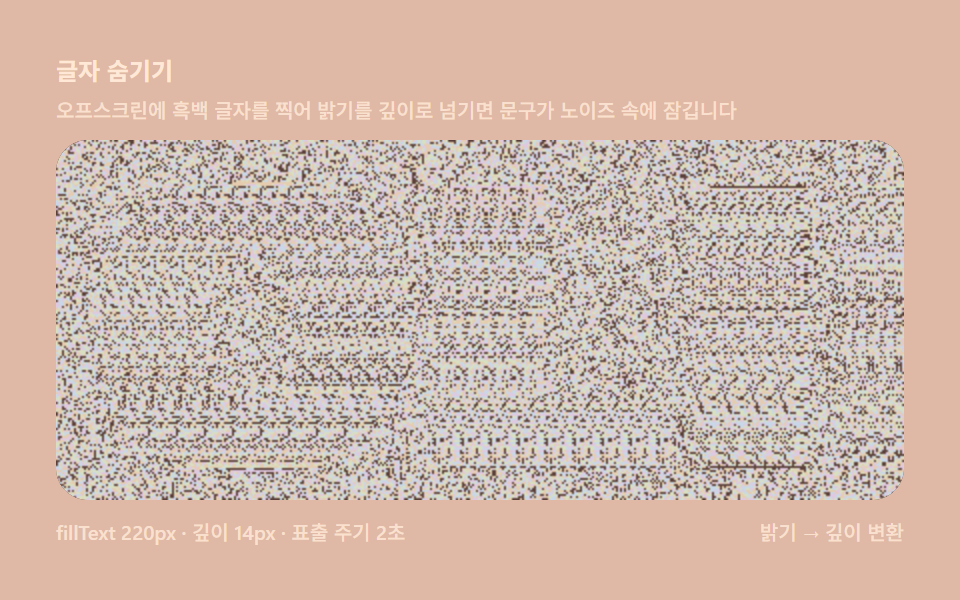 03 magic-eye-text-shape-depthmap
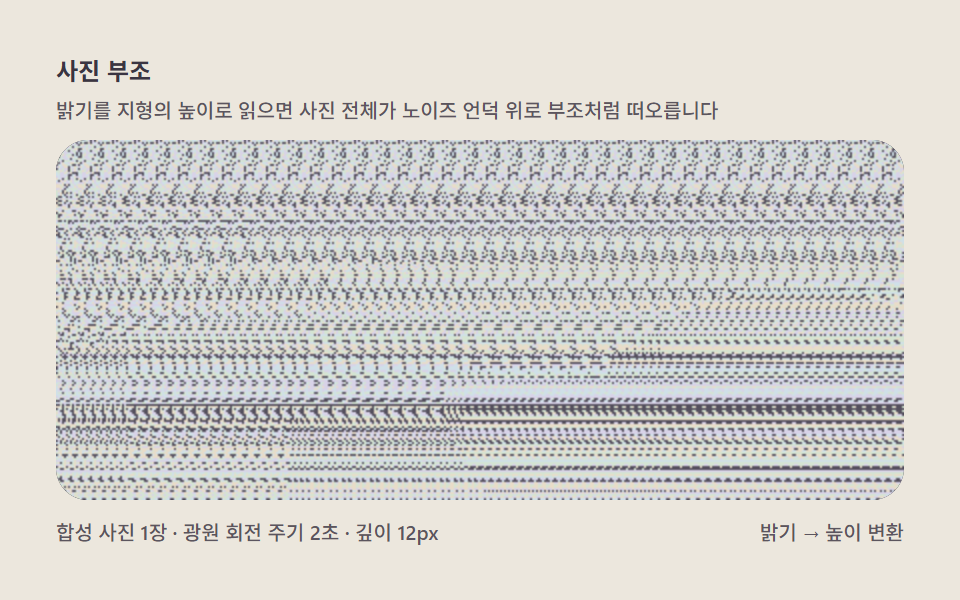 04 magic-eye-photo-depthmap-lift
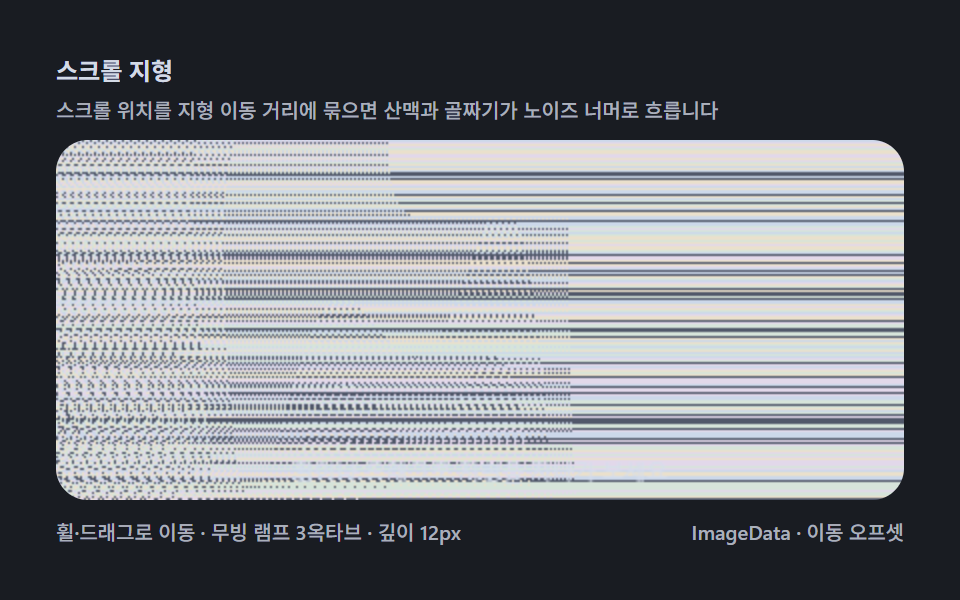 05 magic-eye-scroll-landscape-reveal
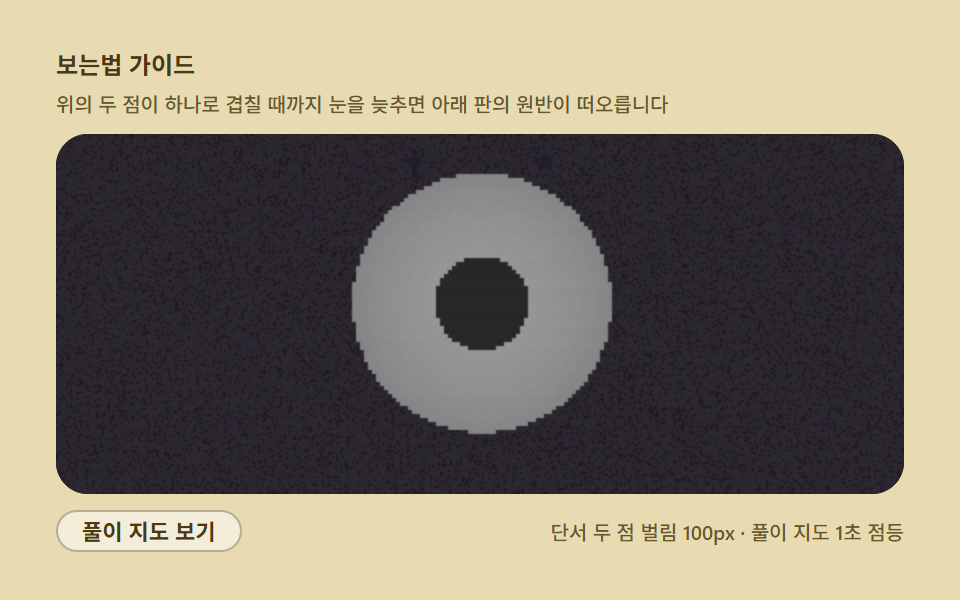 06 magic-eye-focus-blur-guide
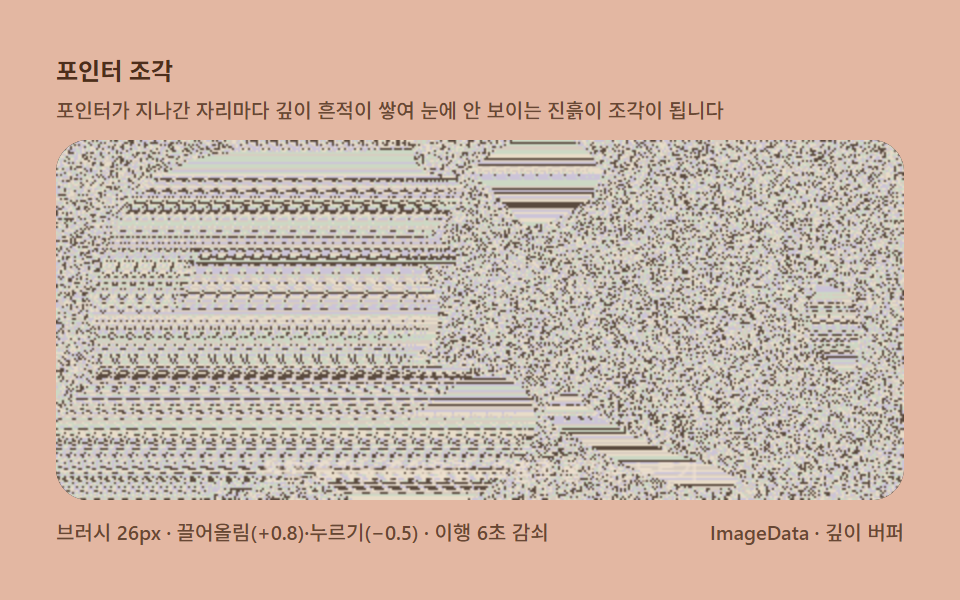 07 magic-eye-pointer-depth-sculpt
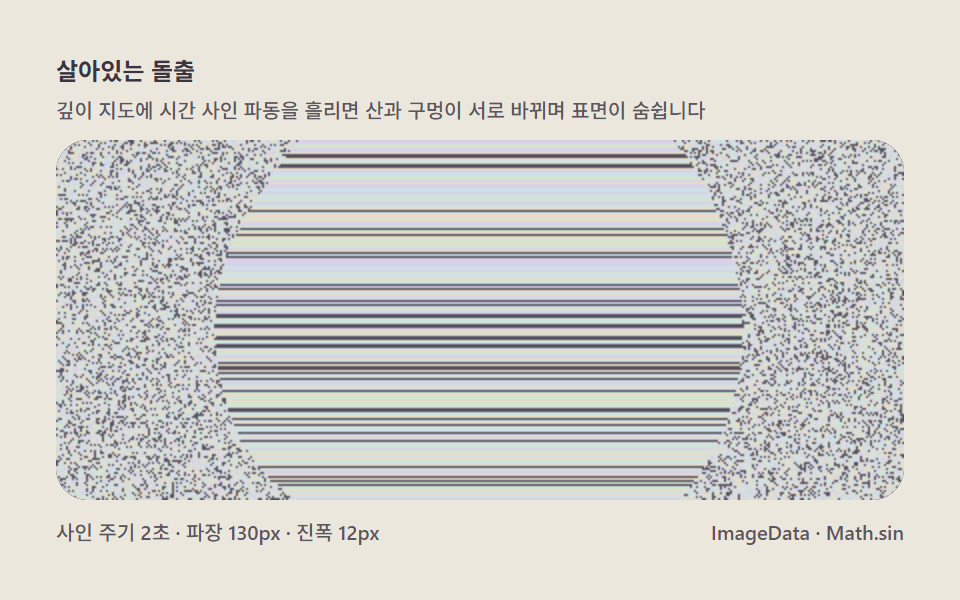 08 magic-eye-anim-depth-wave
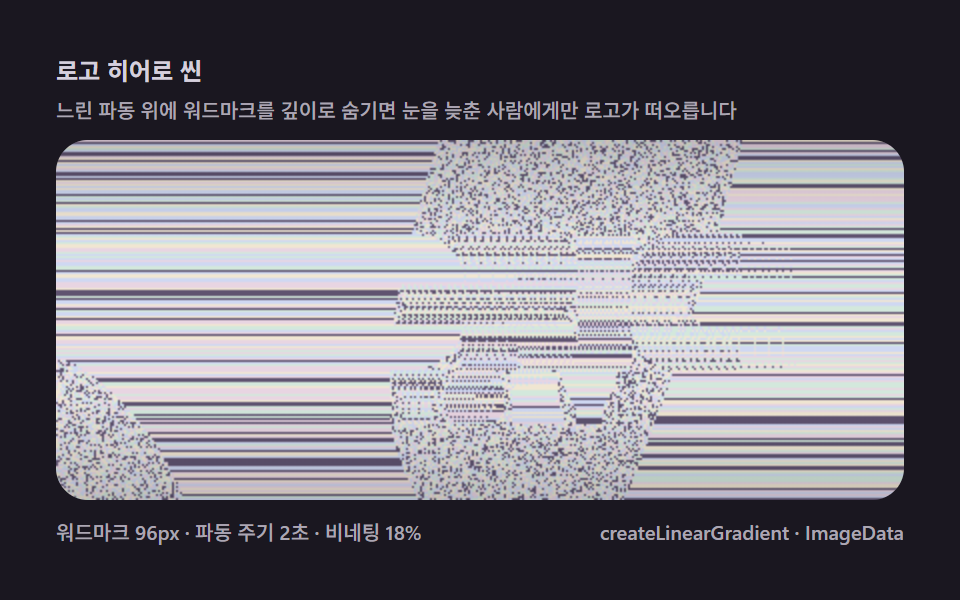 09 magic-eye-logo-hero-scene
自動再生 · タイルを押すとその項目へ · すべて1つのzip
- 01 ランダムドット基本 — 黙って浮かび上がる球の最初の画面
- 02 パターンタイル — 繰り返し幅が目の寄せる角度
- 03 文字隠し — fillTextで打った文字を深さマップに使う
- 04 写真レリーフ — 明るさを地形の高さとして読み上げる
- 05 スクロール地形 — すすった分だけ山脈が現れる
- 06 見方ガイド — 焦点誘導ドットと自己解答オーバーレイ
- 07 ポインタ彫刻 — 深さを押し込み引き上げる
- 08 生きる隆起 — 深さの波で息をする表面
- 09 ロゴヒーローシーン — ブランド文字を隠した表紙の場面
デモ
各盤は index.html と style.css の2ファイル単独で動き、追加の読み込みは一切ありません。24フレームの録画の間、九つのすべてが23フレームで動いていました(23/24)。05はホイールと横ドラッグで、07は左右のドラッグで操作でき、ほかの7つは開いた瞬間からひとりでに動きます。
| 盤 | 何が浮かぶか | 累積面積(%) | フレーム最大(%) | 強度平均 | フレーム |
|---|---|---|---|---|---|
| 01 ランダムドット基本 | 2秒周期で息をする半球の浮き上がり | 31.427 | 20.921 | 69.7 | 23/24 |
| 02 パターンタイル | 4段の階段視差と幅100pxのタイル | 52.806 | 12.343 | 155.2 | 23/24 |
| 03 文字隠し | fillText の明るさが浮かぶ単語 | 31.934 | 19.192 | 85.8 | 23/24 |
| 04 写真レリーフ | 明るさを高さに読んだ丘の彫刻 | 50.087 | 31.937 | 71.8 | 23/24 |
| 05 スクロール地形 | 旅する3オクターブの山脈と谷 | 51.918 | 36.326 | 71.8 | 23/24 |
| 06 見方ガイド | 2点の練習と解答マップの装置 | 52.87 | 52.87 | 66.0 | 23/24 |
| 07 ポインタ彫刻 | 左右のドラッグで刻む粘土の跡 | 34.71 | 13.015 | 76.0 | 23/24 |
| 08 生きる隆起 | ドームを横切る波長130pxのサイン | 31.176 | 22.983 | 71.1 | 23/24 |
| 09 ロゴヒーローシーン | 波とビネットに包まれたワードマーク | 52.539 | 31.517 | 69.9 | 23/24 |
この回で累積面積がどの盤も31%を超え、02・06・09・05・04が50%台に達するのは性質であって欠陥ではありません。マジックアイはノイズ(またはタイル)が画面全面を覆う深さのある画面なので、覆う面積は最初から大きく、盤の差はフレーム最大(同じフレームの中でどれだけ編み直されるか)と強度で開きます。強度平均は02の155.2が最も明るく、06は解答マップが点灯する瞬間にフレーム最大52.87%の頂点を迎えます。
半球の数式からポインター彫刻まで、マジックアイの奥行きを広げた順序
並び順の基準は、深さマップの源をどこまで遠くへ連れて行けるかです。01は座標ハッシュのノイズの上で息する半球という最小構成、02はノイズをタイルに置き換えて、離散視差とパターン周期の噛み合わせを模様として読みます。03で初めて絵(文字のラスタ)を源にし、04はその絵を合成写真へ、05は数式の地形と旅へ引き伸ばします。06は一度計算から離れて「見えない人」への案内そのものを装置にし、07で初めて手で深さを刻み、08が時間による波で静止画だったマジックアイを動く場面へ変えます。09が文字・遠景・ビネットを重ねてサービスの表紙へ組み立てて締めくくります。3行の速度式を積分して蝶を巻き上げるローレンツの9盤や複素平面を反復で掘り下げるマンデルブロの9盤と違うのは、この9種がすべて「深さを決めて行をずらす」1本のパイプラインを共有する点です。
項目別コード
ここからは各盤の定数と、動いている関数をそのまま引きます。行はどれもその盤のソースからの引用で、定数も名前も変えていません(03のdrawは関数の頭を省いて途中から、06の最後のブロックは解答オーバーレイの手前で切れます)。コメントだけこの記事の言葉に置き換えてあり、変数名と関数名は zip の中身と同じ英語のままです。
01ランダムドット基本 — 黙って浮かび上がる球の最初の画面
盤全面に座標ハッシュのノイズを敷き、中央の半球の深さだけが2秒周期で膨らんだり沈んだりします。目を平行に緩めた瞬間、円が球として浮かびます。累積面積31.427%・強度平均69.7は、粒1pxのノイズが全面を覆う画面として妥当な値です。
<main class="stage">
<div class="me is-demo" id="meRoot">
  <p class="me__hint">
    <span>ランダムドット基本</span>
    <span class="me__desc">ノイズを敷き、円盤のピクセルを行の中で数列ずらすと、目を緩めた瞬間に円が球になります</span>
  </p>
  <div class="me__field" role="application" aria-label="ランダムドット実験盤" tabindex="0">
    <canvas class="me__cv" id="meCv"></canvas>
  </div>
  <div class="me__bar">
    <span class="me__meta">隆起深度10px · 粒子1px · 周期2秒</span>
    <span class="me__meta me__meta--dim">ImageData · 行ごとのシフト</span>
  </div>
</div>
</main>
@use "../../../../site/static/demo-tokens" as *;
// 매직아이 기본(01) — @keyframes 를 두지 않는다.
// 움직임은 전부 캔버스 rAF 루프(행별 시프트 재계산)가 만든다.
// 무대 잉크 — 어두운 판 위 파스텔 노이즈로 입체를 띄운다.
$me-stage: #1a1720;
@include stage($me-stage);
$me-panel: #241f2d; // 스테레오 판 바닥 — 무대보다 한 단계 밝은 먹보라
$me-text: #d5cfe6; // 라벨 글자 — 밝은 라일락 회색
$me-p0: #cfd8f2; // 노이즈 파스텔 1 — 얼음 블루
$me-p1: #e8d5e2; // 노이즈 파스텔 2 — 벚꽃
$me-p2: #d3e8dc; // 노이즈 파스텔 3 — 민트 크림
$me-p3: #f0e6d2; // 노이즈 파스텔 4 — 크림
$me-p4: #5f5370; // 노이즈 어두운 칸 — 저채도 보라(명암 대비용)
$duration: $dur-loop;
$easing: $ease-out;
$color: $me-p0;
.me {
--me-p0: #{$me-p0};
--me-p1: #{$me-p1};
--me-p2: #{$me-p2};
--me-p3: #{$me-p3};
--me-p4: #{$me-p4};
display: flex; flex-direction: column; gap: $sp-2;
width: 100%; max-width: 424px;
}
.me__hint {
display: flex; flex-direction: column; gap: 0; margin: 0;
font-weight: 700; font-size: clamp(10px, 2.8vw, 12px); line-height: 1.35;
color: $me-text;
}
.me__desc {
margin-top: $sp-1;
font-weight: 500; font-size: clamp(9px, 2.4vw, 10px); line-height: 1.4;
color: rgba($me-text, .78);
}
.me__field {
position: relative; height: 180px;
border-radius: $r-card; overflow: hidden;
background: $me-panel;
box-shadow: inset 0 0 0 1px rgba($me-text, .16);
}
.me__field:focus-visible { outline: 2px solid $me-p0; outline-offset: 2px; }
.me__cv { display: block; width: 100%; height: 100%; }
.me__bar { display: flex; align-items: baseline; justify-content: space-between; gap: $sp-2; }
.me__meta { font-size: 10px; font-weight: 500; color: rgba($me-text, .78); }
@media (max-width: 340px) {
.me { gap: $sp-1; }
.me__field { height: 100px; }
.me__meta--dim { display: none; }
}
// reduce — rAF 를 돌리지 않고 부풀은 원판 한 장만 남는다.
@media (prefers-reduced-motion: reduce) {
.me.is-still .me__field { cursor: default !important; }
}html, body {
margin: 0;
overflow: hidden;
}
.stage {
box-sizing: border-box;
min-height: 100vh;
display: grid;
place-items: center;
margin: 0;
background: #1a1720;
font-family: -apple-system, "Segoe UI", "Noto Sans KR", sans-serif;
padding: clamp(8px, 4vw, 24px);
}
.me {
--me-p0: #cfd8f2;
--me-p1: #e8d5e2;
--me-p2: #d3e8dc;
--me-p3: #f0e6d2;
--me-p4: #5f5370;
display: flex;
flex-direction: column;
gap: 8px;
width: 100%;
max-width: 424px;
}
.me__hint {
display: flex;
flex-direction: column;
gap: 0;
margin: 0;
font-weight: 700;
font-size: clamp(10px, 2.8vw, 12px);
line-height: 1.35;
color: #d5cfe6;
}
.me__desc {
margin-top: 4px;
font-weight: 500;
font-size: clamp(9px, 2.4vw, 10px);
line-height: 1.4;
color: rgba(213, 207, 230, 0.78);
}
.me__field {
position: relative;
height: 180px;
border-radius: 16px;
overflow: hidden;
background: #241f2d;
box-shadow: inset 0 0 0 1px rgba(213, 207, 230, 0.16);
}
.me__field:focus-visible {
outline: 2px solid #cfd8f2;
outline-offset: 2px;
}
.me__cv {
display: block;
width: 100%;
height: 100%;
}
.me__bar {
display: flex;
align-items: baseline;
justify-content: space-between;
gap: 8px;
}
.me__meta {
font-size: 10px;
font-weight: 500;
color: rgba(213, 207, 230, 0.78);
}
@media (max-width: 340px) {
.me {
gap: 4px;
}
.me__field {
height: 100px;
}
.me__meta--dim {
display: none;
}
}
@media (prefers-reduced-motion: reduce) {
.me.is-still .me__field {
cursor: default !important;
}
}// 매직아이 기본(01) — 랜덤닷 스테레오그램의 최소 구현.
// 1) 시간이 지나도 같은 난수 노이즈를 깔는다(밑칠 baseIdx — 씨앗은 좌표만 받는다).
// 2) 깊이 지도 depth(x,y) 를 계산해 0..1 로 정규화한다(여기선 숨쉬는 반구 원판).
// 3) 각 행을 왼쪽에서 오른쪽으로 훑며, 깊이가 0인 칸은 밑칠 그대로 두고
// 깊이가 있는 칸은 col[x] = col[x - round(depth*MAXSHIFT)] 로 왼쪽에서 복사한다.
// 같은 낱알이 두 눈에 시차를 두고 들어와 입체로 읽히는 autostereogram 계산의 전부다.
// 원판이 주기 안에 부풀었다 가라앉으면 복사 거리가 바뀌어 원판 영역의 낱알이 다시 엮인다.
(function () {
// ── 변형 상수 블록 — 아래 값 하나만 바꿔 변형을 만든다 ──
var MAXSHIFT = 10; // 돌출 깊이(px) — 22로 올리면 공이 코앞까지 나온다(변형 1)
var CYCLE = 2.0; // 숨쉬기 주기(초)
// ────────────────────────────────────────────────────
var root = document.getElementById('meRoot');
var cvEl = document.getElementById('meCv');
if (!root || !cvEl) return;
var fieldEl = cvEl.parentElement;
var css = getComputedStyle(root);
function tokRGB(name) {
var s = css.getPropertyValue(name).trim();
var hx = s.length === 4
? s.charAt(1) + s.charAt(1) + s.charAt(2) + s.charAt(2) + s.charAt(3) + s.charAt(3)
: s.slice(1);
return [parseInt(hx.slice(0, 2), 16), parseInt(hx.slice(2, 4), 16), parseInt(hx.slice(4, 6), 16)];
}
var PAL = [];
for (var i = 0; i < 5; i++) PAL.push(tokRGB('--me-p' + i));
// ── 밑칠 노이즈 — 좌표만 받는 결정적 해시. 시간을 안 받으므로 프레임 사이에 같다(눈이 패턴을 기억한다) ──
function baseIdx(x, y) {
var h = (Math.imul(x + 11, 374761393) + Math.imul(y + 7, 668265263)) >>> 0;
h ^= h >>> 13;
h = Math.imul(h, 1274126177) >>> 0;
h ^= h >>> 16;
return ((h % PAL.length) + PAL.length) % PAL.length; // ^ 는 ToInt32 로 음수가 될 수 있어 접는다
}
var ctx = cvEl.getContext('2d');
var W = 0, H = 0, img = null;
function fit() {
var r = fieldEl.getBoundingClientRect();
W = Math.round(r.width); H = Math.round(r.height);
cvEl.width = W; cvEl.height = H;
img = ctx.createImageData(W, H);
}
// 깊이 지도 — 중앙 반구가 부풀었다 가라앉으며 살짝 위아래로도 흐른다. 0(배경) .. 1(최대 돌출)
function depthAt(x, y, t) {
var ph = t / CYCLE * Math.PI * 2;
var cx = W * 0.5, cy = H * 0.5 + Math.sin(ph) * H * 0.07;
var rad = Math.min(W, H) * 0.74;
var dx = (x - cx) / rad, dy = (y - cy) / rad;
var d2 = dx * dx + dy * dy;
if (d2 >= 1) return 0;
var bulge = 0.16 + 0.84 * (Math.sin(ph - Math.PI / 2) * .5 + .5);
return Math.sqrt(1 - d2) * bulge; // 반구 단면 × 숨쉬기
}
function draw(t) {
var d = img.data, x, y, di;
var col = new Int32Array(W); // 이 행의 낱알 팔레트 인덱스
for (y = 0; y < H; y++) {
for (x = 0; x < W; x++) {
var s = Math.round(depthAt(x, y, t) * MAXSHIFT);
if (s <= 0) {
col[x] = baseIdx(x, y); // 배경 — 밑칠 낱알 그대로
} else {
var from = x - s;
col[x] = from >= 0 ? col[from] : baseIdx(from + W, y); // 왼쪽에서 복사(화면 밖은 되감아)
}
}
for (x = 0; x < W; x++) {
var c = PAL[col[x]];
di = (y * W + x) * 4;
d[di] = c[0]; d[di + 1] = c[1]; d[di + 2] = c[2]; d[di + 3] = 255;
}
}
ctx.putImageData(img, 0, 0);
}
var reduce = window.matchMedia('(prefers-reduced-motion: reduce)').matches;
var t0 = -1;
function frame(now) {
if (t0 < 0) t0 = now;
draw((now - t0) / 1000);
requestAnimationFrame(frame);
}
window.addEventListener('resize', function () {
fit();
if (reduce) draw(0.5);
});
fit();
if (reduce) {
draw(0.5); // reduce — 부풀은 원판 한 장만 고정
root.classList.add('is-still');
} else {
requestAnimationFrame(frame);
}
})();// MagicEyeRandomDotBasic — vanilla 판(run/325/demo/01-magic-eye-random-dot-basic/index.html) 의 React 포트.
// 1) 시간이 지나도 같은 난수 노이즈를 깐다(밑칠 baseIdx — 씨앗은 좌표만 받는다).
// 2) 깊이 지도 depth(x,y) 를 계산해 0..1 로 정규화한다(여기선 숨쉬는 반구 원판).
// 3) 각 행을 왼쪽에서 오른쪽으로 훑며, 깊이가 0인 칸은 밑칠 그대로 두고
// 깊이가 있는 칸은 col[x] = col[x - round(depth*MAXSHIFT)] 로 왼쪽에서 복사한다.
// 같은 낱알이 두 눈에 시차를 두고 들어와 입체로 읽히는 autostereogram 계산의 전부다.
// 원판이 주기 안에 부풀었다 가라앉으면 복사 거리가 바뀌어 원판 영역의 낱알이 다시 엮인다.
import { useEffect, useRef, useState } from "react";
import type { CSSProperties } from "react";
import styles from "./MagicEyeRandomDotBasic.module.scss";
export type MagicEyeRandomDotBasicProps = {
duration?: string;
easing?: string;
color?: string;
maxshift?: number; // 돌출 깊이(px) — 22로 올리면 공이 코앞까지 나온다(변형 1)
cycle?: number; // 숨쉬기 주기(초)
};
// ── 변형 상수(기본값) — vanilla 판과 동일 ──
const MAXSHIFT = 10; // 돌출 깊이(px)
const CYCLE = 2.0; // 숨쉬기 주기(초) — 설정 초(2s)와 같아 한 주기가 한 루프
type Vars = CSSProperties & { "--duration"?: string; "--easing"?: string; "--color"?: string };
type Box<T> = { current: T };
type RGB = [number, number, number];
const FIELD_LABEL = "랜덤닷 실험판";
const META_LEFT = "돌출 깊이 10px · 낱알 1px · 주기 2초";
const META_RIGHT = "ImageData · 행별 시프트";
const HINT_TITLE = "랜덤닷 기본";
const HINT_DESC = "노이즈를 깔고 원판의 픽셀을 줄 안에서 몇 칸 밀면 눈을 늦추는 순간 원이 공으로 떠오릅니다";
export default function MagicEyeRandomDotBasic({
duration = "2s",
easing = "ease-out",
color = "#cfd8f2",
maxshift = MAXSHIFT,
cycle = CYCLE
}: MagicEyeRandomDotBasicProps) {
const rootRef = useRef<HTMLDivElement | null>(null);
const fieldRef = useRef<HTMLDivElement | null>(null);
const cvRef = useRef<HTMLCanvasElement | null>(null);
const ctxRef = useRef<CanvasRenderingContext2D | null>(null);
const palRef = useRef<RGB[] | null>(null);
const imgRef = useRef<ImageData | null>(null);
const wRef = useRef(0) as Box<number>;
const hRef = useRef(0) as Box<number>;
const rafRef = useRef(0) as Box<number>;
const [still, setStill] = useState(false);
const vars: Vars = { "--duration": duration, "--easing": easing, "--color": color };
function reduced(): boolean {
return window.matchMedia("(prefers-reduced-motion: reduce)").matches;
}
function tokRGB(root: HTMLDivElement, name: string): RGB {
const s = getComputedStyle(root).getPropertyValue(name).trim();
const hx = s.length === 4
? s.charAt(1) + s.charAt(1) + s.charAt(2) + s.charAt(2) + s.charAt(3) + s.charAt(3)
: s.slice(1);
return [parseInt(hx.slice(0, 2), 16), parseInt(hx.slice(2, 4), 16), parseInt(hx.slice(4, 6), 16)];
}
// ── 밑칠 노이즈 — 좌표만 받는 결정적 해시. 시간을 안 받으므로 프레임 사이에 같다(눈이 패턴을 기억한다) ──
function baseIdx(x: number, y: number): number {
const pal = palRef.current;
if (!pal) return 0;
let h = (Math.imul(x + 11, 374761393) + Math.imul(y + 7, 668265263)) >>> 0;
h ^= h >>> 13;
h = Math.imul(h, 1274126177) >>> 0;
h ^= h >>> 16;
return ((h % pal.length) + pal.length) % pal.length; // ^ 는 ToInt32 로 음수가 될 수 있어 접는다
}
function fit(): void {
const field = fieldRef.current;
const cv = cvRef.current;
const ctx = ctxRef.current;
if (!field || !cv || !ctx) return;
const r = field.getBoundingClientRect();
wRef.current = Math.round(r.width);
hRef.current = Math.round(r.height);
cv.width = wRef.current;
cv.height = hRef.current;
imgRef.current = ctx.createImageData(wRef.current, hRef.current);
}
// 깊이 지도 — 중앙 반구가 부풀었다 가라앉으며 살짝 위아래로도 흐른다. 0(배경) .. 1(최대 돌출)
function depthAt(x: number, y: number, t: number): number {
const W = wRef.current, H = hRef.current;
const ph = t / cycle * Math.PI * 2;
const cx = W * 0.5, cy = H * 0.5 + Math.sin(ph) * H * 0.07;
const rad = Math.min(W, H) * 0.74;
const dx = (x - cx) / rad, dy = (y - cy) / rad;
const d2 = dx * dx + dy * dy;
if (d2 >= 1) return 0;
const bulge = 0.16 + 0.84 * (Math.sin(ph - Math.PI / 2) * .5 + .5);
return Math.sqrt(1 - d2) * bulge; // 반구 단면 × 숨쉬기
}
function draw(t: number): void {
const ctx = ctxRef.current;
const img = imgRef.current;
const pal = palRef.current;
const W = wRef.current, H = hRef.current;
if (!ctx || !img || !pal) return;
const d = img.data;
const col = new Int32Array(W); // 이 행의 낱알 팔레트 인덱스
for (let y = 0; y < H; y++) {
for (let x = 0; x < W; x++) {
const s = Math.round(depthAt(x, y, t) * maxshift);
if (s <= 0) {
col[x] = baseIdx(x, y); // 배경 — 밑칠 낱알 그대로
} else {
const from = x - s;
col[x] = from >= 0 ? col[from] : baseIdx(from + W, y); // 왼쪽에서 복사(화면 밖은 되감아)
}
}
for (let x = 0; x < W; x++) {
const c = pal[col[x]];
const di = (y * W + x) * 4;
d[di] = c[0]; d[di + 1] = c[1]; d[di + 2] = c[2]; d[di + 3] = 255;
}
}
ctx.putImageData(img, 0, 0);
}
let t0 = -1;
function frame(now: number): void {
if (t0 < 0) t0 = now;
draw((now - t0) / 1000);
rafRef.current = requestAnimationFrame(frame);
}
useEffect(() => {
const root = rootRef.current;
const cv = cvRef.current;
if (!root || !cv) return;
const pal: RGB[] = [];
for (let i = 0; i < 5; i++) pal.push(tokRGB(root, "--me-p" + i));
palRef.current = pal;
ctxRef.current = cv.getContext("2d");
fit();
function onResize(): void {
fit();
if (reduced()) draw(0.5);
}
window.addEventListener("resize", onResize);
if (reduced()) {
draw(0.5); // reduce — 부풀은 원판 한 장만 고정
setStill(true);
} else {
t0 = -1;
rafRef.current = requestAnimationFrame(frame);
}
return () => {
window.removeEventListener("resize", onResize);
cancelAnimationFrame(rafRef.current);
};
// eslint-disable-next-line react-hooks/exhaustive-deps
}, [maxshift, cycle]);
const rootCls = still ? `${styles.root} ${styles.isStill}` : styles.root;
return (
<main className={styles.stage}>
<div className={rootCls} ref={rootRef} style={vars}>
<p className={styles.hint}>
<span>{HINT_TITLE}</span>
<span className={styles.desc}>{HINT_DESC}</span>
</p>
<div
className={styles.field}
ref={fieldRef}
role="application"
aria-label={FIELD_LABEL}
tabIndex={0}
>
<canvas className={styles.cv} ref={cvRef}></canvas>
</div>
<div className={styles.bar}>
<span className={styles.meta}>{META_LEFT}</span>
<span className={styles.metaDim}>{META_RIGHT}</span>
</div>
</div>
</main>
);
}01 · ランダムドット基本 — 黙って浮かび上がる球の最初の画面 — 計測 累積面積 31.427% · 動いたフレーム 23/23GODRICH オリジナル · SCSS と React は zip に同梱 · パスワードを見る
baseIdx — 時間を受け取らない決定論的ハッシュ
両目がパターンを覚えてこそ立体は浮かびます。乱数の代わりに座標だけを受け取るハッシュで、同じ (x, y) には毎フレーム同じ粒が返ります。
  function baseIdx(x, y) {
    var h = (Math.imul(x + 11, 374761393) + Math.imul(y + 7, 668265263)) >>> 0;
    h ^= h >>> 13;
    h = Math.imul(h, 1274126177) >>> 0;
    h ^= h >>> 16;
    return ((h % PAL.length) + PAL.length) % PAL.length;   // % は ToInt32 で負数になり得るので折る
  }
行ごとの複製シフト — この回の唯一の前提
描画は各行を左から右へなぞり、深さ0の画素は下地のまま、深さのある画素は Math.round(depth × MAXSHIFT) だけ左から引き込んで複製します。画面の外へ出る画素は内側の下地へ巻き戻して取ります。
    for (y = 0; y < H; y++) {
      for (x = 0; x < W; x++) {
        var s = Math.round(depthAt(x, y, t) * MAXSHIFT);
        if (s <= 0) {
          col[x] = baseIdx(x, y);                    // 背景 — 下塗りの粒そのまま
        } else {
          var from = x - s;
          col[x] = from >= 0 ? col[from] : baseIdx(from + W, y);  // 左から複製(画面外は巻き戻し)
        }
      }
    }
02パターンタイル — 繰り返し幅が目の寄せる角度
ノイズの代わりに幅100pxのタイル(斜めストライプ)を敷き、深さを4・8・12・16pxの4段の階段に置きます。シフトがタイル周期の倍数のときだけ継ぎ目が噛み合い、そうでなければずれて浮き上がるのが模様として読めます。タイル自体は毎秒28px(整数ピクセル)で上へ流れ、どの段が浮くかは2秒周期で入れ替わります。強度平均155.2は九つの中で最も明るく、累積面積は52.806%です。
<main class="stage">
<div class="me is-demo" id="meRoot">
  <p class="me__hint">
    <span>パターンタイル</span>
    <span class="me__desc">タイル模様を一定幅で繰り返すと、継ぎ目がずれる場所が正確に見えます</span>
  </p>
  <div class="me__field" role="application" aria-label="タイル精密盤" tabindex="0">
    <canvas class="me__cv" id="meCv"></canvas>
  </div>
  <div class="me__bar">
    <span class="me__meta">タイル幅 100px · 4段 (4·8·12·16px) · パターン流れ 28px/秒</span>
    <span class="me__meta me__meta--dim">離散視差 · 段差スキャン</span>
  </div>
</div>
</main>
@use "../../../../site/static/demo-tokens" as *;
// 패턴 타일(02) — keyframes 없음. rAF 계산이 전부.
// 무대 옐로 — 밝은 판 위 잉크 계열 타일 무늬로 이음매를 보여준다.
$me-stage: #e9dbb4;
@include stage($me-stage);
$me-panel: #f7e7b0; // 정밀 판 바닥 — 무대보다 한 단계 밝은 모래
$me-text: #4a3a12; // 라벨 글자 — 진한 갈색 잉크
$me-c0: #f8f0d8; // 타일 바탕 — 크림
$me-c1: #9fc4d8; // 보조선 — 파스텔 청회
$me-c2: #3a3050; // 사선 띠 — 진보라 잉크(크림과的大 대비)
$duration: $dur-loop;
$easing: $ease-out;
$color: $me-c2;
.me {
--me-c0: #{$me-c0};
--me-c1: #{$me-c1};
--me-c2: #{$me-c2};
display: flex; flex-direction: column; gap: $sp-2;
width: 100%; max-width: 424px;
}
.me__hint {
display: flex; flex-direction: column; gap: 0; margin: 0;
font-weight: 700; font-size: clamp(10px, 2.8vw, 12px); line-height: 1.35;
color: $me-text;
}
.me__desc {
margin-top: $sp-1;
font-weight: 500; font-size: clamp(9px, 2.4vw, 10px); line-height: 1.4;
color: rgba($me-text, .82);
}
.me__field {
position: relative; height: 180px;
border-radius: $r-card; overflow: hidden;
background: $me-panel;
box-shadow: inset 0 0 0 1px rgba($me-text, .2);
}
.me__field:focus-visible { outline: 2px solid $me-c2; outline-offset: 2px; }
.me__cv { display: block; width: 100%; height: 100%; }
.me__bar { display: flex; align-items: baseline; justify-content: space-between; gap: $sp-2; }
.me__meta { font-size: 10px; font-weight: 500; color: rgba($me-text, .82); }
@media (max-width: 340px) {
.me { gap: $sp-1; }
.me__field { height: 100px; }
.me__meta--dim { display: none; }
}
// reduce — 계단 한 장만 남는다.
@media (prefers-reduced-motion: reduce) {
.me.is-still .me__field { cursor: default !important; }
}html, body {
margin: 0;
overflow: hidden;
}
.stage {
box-sizing: border-box;
min-height: 100vh;
display: grid;
place-items: center;
margin: 0;
background: #e9dbb4;
font-family: -apple-system, "Segoe UI", "Noto Sans KR", sans-serif;
padding: clamp(8px, 4vw, 24px);
}
.me {
--me-c0: #f8f0d8;
--me-c1: #9fc4d8;
--me-c2: #3a3050;
display: flex;
flex-direction: column;
gap: 8px;
width: 100%;
max-width: 424px;
}
.me__hint {
display: flex;
flex-direction: column;
gap: 0;
margin: 0;
font-weight: 700;
font-size: clamp(10px, 2.8vw, 12px);
line-height: 1.35;
color: #4a3a12;
}
.me__desc {
margin-top: 4px;
font-weight: 500;
font-size: clamp(9px, 2.4vw, 10px);
line-height: 1.4;
color: rgba(74, 58, 18, 0.82);
}
.me__field {
position: relative;
height: 180px;
border-radius: 16px;
overflow: hidden;
background: #f7e7b0;
box-shadow: inset 0 0 0 1px rgba(74, 58, 18, 0.2);
}
.me__field:focus-visible {
outline: 2px solid #3a3050;
outline-offset: 2px;
}
.me__cv {
display: block;
width: 100%;
height: 100%;
}
.me__bar {
display: flex;
align-items: baseline;
justify-content: space-between;
gap: 8px;
}
.me__meta {
font-size: 10px;
font-weight: 500;
color: rgba(74, 58, 18, 0.82);
}
@media (max-width: 340px) {
.me {
gap: 4px;
}
.me__field {
height: 100px;
}
.me__meta--dim {
display: none;
}
}
@media (prefers-reduced-motion: reduce) {
.me.is-still .me__field {
cursor: default !important;
}
}// パターンタイル(02) — 반복 무늬 폭과 이산 시차의 관계.
// 노이즈 대신 폭 TILE=100px 짜리 타일 무늬(사다리꼴 스트라이프)를 깐다.
// 무늬가 주기적이면 시프트가 주기의 배수일 때 이음매가 딱 맞고, 그렇지 않으면 어긋나 도드라진다 —
// 깊이를 4단 계단으로 두면 단마다 어긋남의 크기가 달라 "몇 픽셀 밀었는지"가 무늬로 읽힌다.
// 계단이 좌우로 주사하며 한 단씩 올라오므로 어긋남의 띠가 화면을 흐른다.
(function () {
// ── 변형 상수 블록 ──
var TILE = 100; // 타일 폭(px) — 140으로 넓히면 눈을 더 멀리 늦춰야 한다(변형 2)
var STEPS = [4, 8, 12, 16]; // 계단 깊이(px)
var CYCLE = 2.0; // 주사 주기(초)
// ─────────────────
var root = document.getElementById('meRoot');
var cvEl = document.getElementById('meCv');
if (!root || !cvEl) return;
var fieldEl = cvEl.parentElement;
var css = getComputedStyle(root);
function tokRGB(name) {
var s = css.getPropertyValue(name).trim();
var hx = s.length === 4
? s.charAt(1) + s.charAt(1) + s.charAt(2) + s.charAt(2) + s.charAt(3) + s.charAt(3)
: s.slice(1);
return [parseInt(hx.slice(0, 2), 16), parseInt(hx.slice(2, 4), 16), parseInt(hx.slice(4, 6), 16)];
}
var C0 = tokRGB('--me-c0');
var C1 = tokRGB('--me-c1');
var C2 = tokRGB('--me-c2');
var ctx = cvEl.getContext('2d');
var W = 0, H = 0, img = null;
function fit() {
var r = fieldEl.getBoundingClientRect();
W = Math.round(r.width); H = Math.round(r.height);
cvEl.width = W; cvEl.height = H;
img = ctx.createImageData(W, H);
}
// 타일 무늬 — 캔버스 좌표(반복 주기 좌표)를 받아 색을 결정한다.
// 사선 스트라이프 + 링: 같은 타일이 반복되는지 바로 보이는 무늬.
function tileColor(px, py) {
var tx = ((px % TILE) + TILE) % TILE, ty = ((py % TILE) + TILE) % TILE;
var diag = (tx + ty) % TILE; // 사선 좌표
if (diag < 14 || diag > TILE - 14) return C2; // 굵은 사선 띠
var dx = tx - TILE * 0.5, dy = ty - TILE * 0.5;
var rr = Math.sqrt(dx * dx + dy * dy);
if (rr < 9) return C2; // 중앙 점
if (rr < 15) return C0; // 점 테두리
return (diag % 50 < 4) ? C1 : C0; // 바탕 + 가는 보조선
}
// 깊이 — 가로 4단 계단. 주사相位에 따라 어떤 단이 화면에 들어와 있는지 달라진다.
function depthAt(x, y, t) {
var band = (y * 4 + Math.floor(x / (W / 4))); // 대각 계단 인덱스
var scan = (t / CYCLE) % 1; // 0..1 주사 위상
var appear = ((band % 8) + 8) % 8 / 8; // 단마다 등장 시각을 엇갈리게
var lift = Math.max(0, Math.sin((scan - appear) * Math.PI * 2 - Math.PI / 2) * .5 + .5);
return lift * lift;
}
function shiftFor(x, y, t) {
var band = Math.floor(x / (W / 4)) % 4;
var d = depthAt(x, y, t);
return Math.round(STEPS[band] * d);
}
function draw(t) {
var d = img.data, x, y, di;
var flowY = Math.floor(t * 28); // 패턴 순환 — 타일이 천천히 아래로 흐른다(정수 픽셀)
for (y = 0; y < H; y++) {
var rowY = y + flowY;
for (x = 0; x < W; x++) {
var s = shiftFor(x, rowY, t);
var src = x - s;
// 타일 좌표계는 무한히 반복되므로 음수도 그냥 넘겨면 tileColor 가 되감는다
var c = tileColor(src, rowY);
di = (y * W + x) * 4;
d[di] = c[0]; d[di + 1] = c[1]; d[di + 2] = c[2]; d[di + 3] = 255;
}
}
ctx.putImageData(img, 0, 0);
}
var reduce = window.matchMedia('(prefers-reduced-motion: reduce)').matches;
var t0 = -1;
function frame(now) {
if (t0 < 0) t0 = now;
draw((now - t0) / 1000);
requestAnimationFrame(frame);
}
window.addEventListener('resize', function () {
fit();
if (reduce) draw(0.25);
});
fit();
if (reduce) {
draw(0.25); // reduce — 한 단이 뜬 계단 한 장만 고정
root.classList.add('is-still');
} else {
requestAnimationFrame(frame);
}
})();// MagicEyeTexturePatternRepeat — vanilla 판(run/325/demo/02-magic-eye-texture-pattern-repeat/index.html) 의 React 포트.
// 노이즈 대신 폭 TILE=100px 짜리 타일 무늬(사다리꼴 스트라이프)를 깐다.
// 무늬가 주기적이면 시프트가 주기의 배수일 때 이음매가 딱 맞고, 그렇지 않으면 어긋나 도드라진다 —
// 깊이를 4단 계단으로 두면 단마다 어긋남의 크기가 달라 "몇 픽셀 밀었는지"가 무늬로 읽힌다.
// 계단이 좌우로 주사하며 한 단씩 올라오므로 어긋남의 띠가 화면을 흐른다.
import { useEffect, useRef, useState } from "react";
import type { CSSProperties } from "react";
import styles from "./MagicEyeTexturePatternRepeat.module.scss";
export type MagicEyeTexturePatternRepeatProps = {
duration?: string;
easing?: string;
color?: string;
tile?: number; // 타일 폭(px) — 140으로 넓히면 눈을 더 멀리 늦춰야 한다(변형 2)
cycle?: number; // 주사 주기(초)
};
// ── 변형 상수(기본값) — vanilla 판과 동일 ──
const TILE = 100; // 타일 폭(px)
const STEPS = [4, 8, 12, 16]; // 계단 깊이(px)
const CYCLE = 2.0; // 주사 주기(초) — 설정 초(2s)와 같다
const FLOW = 28; // 패턴 순환 속도(px/초)
type Vars = CSSProperties & { "--duration"?: string; "--easing"?: string; "--color"?: string };
type Box<T> = { current: T };
type RGB = [number, number, number];
const FIELD_LABEL = "타일 정밀 판";
const META_LEFT = "타일 폭 100px · 계단 4단(4·8·12·16px) · 패턴 흐름 28px/초";
const META_RIGHT = "이산 시차 · 계단 주사";
const HINT_TITLE = "패턴 타일";
const HINT_DESC = "타일 무늬를 일정 폭으로 반복하면 이음매가 어긋나는 지점이 정확히 보입니다";
export default function MagicEyeTexturePatternRepeat({
duration = "2s",
easing = "ease-out",
color = "#3a3050",
tile = TILE,
cycle = CYCLE
}: MagicEyeTexturePatternRepeatProps) {
const rootRef = useRef<HTMLDivElement | null>(null);
const fieldRef = useRef<HTMLDivElement | null>(null);
const cvRef = useRef<HTMLCanvasElement | null>(null);
const ctxRef = useRef<CanvasRenderingContext2D | null>(null);
const c0Ref = useRef<RGB | null>(null);
const c1Ref = useRef<RGB | null>(null);
const c2Ref = useRef<RGB | null>(null);
const imgRef = useRef<ImageData | null>(null);
const wRef = useRef(0) as Box<number>;
const hRef = useRef(0) as Box<number>;
const rafRef = useRef(0) as Box<number>;
const [still, setStill] = useState(false);
const vars: Vars = { "--duration": duration, "--easing": easing, "--color": color };
function reduced(): boolean {
return window.matchMedia("(prefers-reduced-motion: reduce)").matches;
}
function tokRGB(root: HTMLDivElement, name: string): RGB {
const s = getComputedStyle(root).getPropertyValue(name).trim();
const hx = s.length === 4
? s.charAt(1) + s.charAt(1) + s.charAt(2) + s.charAt(2) + s.charAt(3) + s.charAt(3)
: s.slice(1);
return [parseInt(hx.slice(0, 2), 16), parseInt(hx.slice(2, 4), 16), parseInt(hx.slice(4, 6), 16)];
}
function fit(): void {
const field = fieldRef.current;
const cv = cvRef.current;
const ctx = ctxRef.current;
if (!field || !cv || !ctx) return;
const r = field.getBoundingClientRect();
wRef.current = Math.round(r.width);
hRef.current = Math.round(r.height);
cv.width = wRef.current;
cv.height = hRef.current;
imgRef.current = ctx.createImageData(wRef.current, hRef.current);
}
// 타일 무늬 — 캔버스 좌표(반복 주기 좌표)를 받아 색을 결정한다.
// 사선 스트라이프 + 링: 같은 타일이 반복되는지 바로 보이는 무늬.
function tileColor(px: number, py: number): RGB {
const C0 = c0Ref.current, C1 = c1Ref.current, C2 = c2Ref.current;
if (!C0 || !C1 || !C2) return C0 || [0, 0, 0];
const tx = ((px % tile) + tile) % tile, ty = ((py % tile) + tile) % tile;
const diag = (tx + ty) % tile; // 사선 좌표
if (diag < 14 || diag > tile - 14) return C2; // 굵은 사선 띠
const dx = tx - tile * 0.5, dy = ty - tile * 0.5;
const rr = Math.sqrt(dx * dx + dy * dy);
if (rr < 9) return C2; // 중앙 점
if (rr < 15) return C0; // 점 테두리
return (diag % 50 < 4) ? C1 : C0; // 바탕 + 가는 보조선
}
// 깊이 — 가로 4단 계단. 주사 위상에 따라 어떤 단이 화면에 들어와 있는지 달라진다.
function depthAt(x: number, y: number, t: number): number {
const W = wRef.current;
const band = Math.floor(y * 4 + Math.floor(x / (W / 4))); // 대각 계단 인덱스
const scan = (t / cycle) % 1; // 0..1 주사 위상
const appear = (((band % 8) + 8) % 8) / 8; // 단마다 등장 시각을 엇갈리게
const lift = Math.max(0, Math.sin((scan - appear) * Math.PI * 2 - Math.PI / 2) * .5 + .5);
return lift * lift;
}
function shiftFor(x: number, y: number, t: number): number {
const W = wRef.current;
const band = Math.floor(x / (W / 4)) % 4;
return Math.round(STEPS[band] * depthAt(x, y, t));
}
function draw(t: number): void {
const ctx = ctxRef.current;
const img = imgRef.current;
const W = wRef.current, H = hRef.current;
if (!ctx || !img) return;
const d = img.data;
const flowY = Math.floor(t * FLOW); // 패턴 순환 — 타일이 천천히 아래로 흐른다(정수 픽셀)
for (let y = 0; y < H; y++) {
const rowY = y + flowY;
for (let x = 0; x < W; x++) {
const s = shiftFor(x, rowY, t);
const src = x - s;
// 타일 좌표계는 무한히 반복되므로 음수도 그냥 넘겨면 tileColor 가 되감는다
const c = tileColor(src, rowY);
const di = (y * W + x) * 4;
d[di] = c[0]; d[di + 1] = c[1]; d[di + 2] = c[2]; d[di + 3] = 255;
}
}
ctx.putImageData(img, 0, 0);
}
let t0 = -1;
function frame(now: number): void {
if (t0 < 0) t0 = now;
draw((now - t0) / 1000);
rafRef.current = requestAnimationFrame(frame);
}
useEffect(() => {
const root = rootRef.current;
const cv = cvRef.current;
if (!root || !cv) return;
c0Ref.current = tokRGB(root, "--me-c0"); // 타일 바탕 — 크림
c1Ref.current = tokRGB(root, "--me-c1"); // 보조선 — 파스텔 청회
c2Ref.current = tokRGB(root, "--me-c2"); // 사선 띠 — 진보라 잉크
ctxRef.current = cv.getContext("2d");
fit();
function onResize(): void {
fit();
if (reduced()) draw(0.25);
}
window.addEventListener("resize", onResize);
if (reduced()) {
draw(0.25); // reduce — 한 단이 뜬 계단 한 장만 고정
setStill(true);
} else {
t0 = -1;
rafRef.current = requestAnimationFrame(frame);
}
return () => {
window.removeEventListener("resize", onResize);
cancelAnimationFrame(rafRef.current);
};
// eslint-disable-next-line react-hooks/exhaustive-deps
}, [tile, cycle]);
const rootCls = still ? `${styles.root} ${styles.isStill}` : styles.root;
return (
<main className={styles.stage}>
<div className={rootCls} ref={rootRef} style={vars}>
<p className={styles.hint}>
<span>{HINT_TITLE}</span>
<span className={styles.desc}>{HINT_DESC}</span>
</p>
<div
className={styles.field}
ref={fieldRef}
role="application"
aria-label={FIELD_LABEL}
tabIndex={0}
>
<canvas className={styles.cv} ref={cvRef}></canvas>
</div>
<div className={styles.bar}>
<span className={styles.meta}>{META_LEFT}</span>
<span className={styles.metaDim}>{META_RIGHT}</span>
</div>
</div>
</main>
);
}02 · パターンタイル — 繰り返し幅が目の寄せる角度 — 計測 累積面積 52.806% · 動いたフレーム 23/23GODRICH オリジナル · SCSS と React は zip に同梱 · パスワードを見る
tileColor — タイル座標だけで決まる模様
キャンバス座標をタイルの繰り返し座標へ畳み、斜めの太い帯・中央の点・細い補助線を返します。負の座標も TILE で割って巻き戻すので、どこへずれても同じタイルが現れます。
  function tileColor(px, py) {
    var tx = ((px % TILE) + TILE) % TILE, ty = ((py % TILE) + TILE) % TILE;
    var diag = (tx + ty) % TILE;                       // 斜め座標
    if (diag < 14 || diag > TILE - 14) return C2;      // 太い斜めの帯
    var dx = tx - TILE * 0.5, dy = ty - TILE * 0.5;
    var rr = Math.sqrt(dx * dx + dy * dy);
    if (rr < 9) return C2;                             // 中央の点
    if (rr < 15) return C0;                            // 点の縁
    return (diag % 50 < 4) ? C1 : C0;                  // 地 + 細い補助線
  }
shiftFor — 段ごとの離散視差
深さは帯ごとに時間差で持ち上がり、シフト量は段の値 STEPS[band] × 深さです。draw は各行を rowY = y + Math.floor(t × 28) でサンプルするので、タイルの模様が毎秒28pxで上へ流れます。
  function depthAt(x, y, t) {
    var band = (y * 4 + Math.floor(x / (W / 4)));      // 対角の階段インデックス
    var scan = (t / CYCLE) % 1;                        // 0..1 走査位相
    var appear = ((band % 8) + 8) % 8 / 8;             // 段ごとに現れる時刻をずらす
    var lift = Math.max(0, Math.sin((scan - appear) * Math.PI * 2 - Math.PI / 2) * .5 + .5);
    return lift * lift;
  }

  function shiftFor(x, y, t) {
    var band = Math.floor(x / (W / 4)) % 4;
    var d = depthAt(x, y, t);
    return Math.round(STEPS[band] * d);
  }
03文字隠し — fillTextで打った文字を深さマップに使う
オフスクリーンの canvas に 'SOLID'(220px)を白と黒で打ち、getImageData で読んだ明るさを 0..1 の深さへ渡します。以後は01と同じ行ごとの複製シフトで、単語が2秒周期でノイズの中に浮かんでは沈みます。深さの源は絵1枚なら何でもよい、という拡張の扉を開く項目で、累積面積31.934%・強度平均85.8です。
<main class="stage">
<div class="me is-demo" id="meRoot">
  <p class="me__hint">
    <span>文字隠し</span>
    <span class="me__desc">オフスクリーンに白黒の文字を打ち、明るさを深さとして渡すと、文句がノイズの中に沈みます</span>
  </p>
  <div class="me__field" role="application" aria-label="文字秘匿盤" tabindex="0">
    <canvas class="me__cv" id="meCv"></canvas>
  </div>
  <div class="me__bar">
    <span class="me__meta">fillText 220px · 深さ14px · 浮上周期2秒</span>
    <span class="me__meta me__meta--dim">明度 → 深さ 変換</span>
  </div>
</div>
</main>
@use "../../../../site/static/demo-tokens" as *;
// 글자 숨기기(03) — keyframes 없음. fillText 래스터 → 밝기 깊이 → 행별 시프트.
// 무대 오렌지 — 어두운 노이즈 칸으로 글자를 숨긴다.
$me-stage: #e0b8a6;
@include stage($me-stage);
$me-panel: #38241e; // 은닉 판 바닥 — 어두운 갈색 먹(노이즈가 잘 뜨는 어두운 바탕)
$me-text: #ffe8d6; // 라벨 글자 — 크림
$me-p0: #e6ccae; // 노이즈 파스텔 1 — 모래
$me-p1: #c8d8e8; // 노이즈 파스텔 2 — 파스텔 블루
$me-p2: #e0c8e0; // 노이즈 파스텔 3 — 라일락
$me-p3: #d8e0c0; // 노이즈 파스텔 4 — 올리브 크림
$me-p4: #5a4038; // 노이즈 어두운 칸 — 저채도 갈색
$duration: $dur-loop;
$easing: $ease-out;
$color: $me-p1;
.me {
--me-p0: #{$me-p0};
--me-p1: #{$me-p1};
--me-p2: #{$me-p2};
--me-p3: #{$me-p3};
--me-p4: #{$me-p4};
display: flex; flex-direction: column; gap: $sp-2;
width: 100%; max-width: 424px;
}
.me__hint {
display: flex; flex-direction: column; gap: 0; margin: 0;
font-weight: 700; font-size: clamp(10px, 2.8vw, 12px); line-height: 1.35;
color: $me-text;
}
.me__desc {
margin-top: $sp-1;
font-weight: 500; font-size: clamp(9px, 2.4vw, 10px); line-height: 1.4;
color: rgba($me-text, .84);
}
.me__field {
position: relative; height: 180px;
border-radius: $r-card; overflow: hidden;
background: $me-panel;
box-shadow: inset 0 0 0 1px rgba($me-text, .16);
}
.me__field:focus-visible { outline: 2px solid $me-p1; outline-offset: 2px; }
.me__cv { display: block; width: 100%; height: 100%; }
.me__bar { display: flex; align-items: baseline; justify-content: space-between; gap: $sp-2; }
.me__meta { font-size: 10px; font-weight: 500; color: rgba($me-text, .84); }
@media (max-width: 340px) {
.me { gap: $sp-1; }
.me__field { height: 100px; }
.me__meta--dim { display: none; }
}
// reduce — 떠오른 글자 한 장만 남는다.
@media (prefers-reduced-motion: reduce) {
.me.is-still .me__field { cursor: default !important; }
}html, body {
margin: 0;
overflow: hidden;
}
.stage {
box-sizing: border-box;
min-height: 100vh;
display: grid;
place-items: center;
margin: 0;
background: #e0b8a6;
font-family: -apple-system, "Segoe UI", "Noto Sans KR", sans-serif;
padding: clamp(8px, 4vw, 24px);
}
.me {
--me-p0: #e6ccae;
--me-p1: #c8d8e8;
--me-p2: #e0c8e0;
--me-p3: #d8e0c0;
--me-p4: #5a4038;
display: flex;
flex-direction: column;
gap: 8px;
width: 100%;
max-width: 424px;
}
.me__hint {
display: flex;
flex-direction: column;
gap: 0;
margin: 0;
font-weight: 700;
font-size: clamp(10px, 2.8vw, 12px);
line-height: 1.35;
color: #ffe8d6;
}
.me__desc {
margin-top: 4px;
font-weight: 500;
font-size: clamp(9px, 2.4vw, 10px);
line-height: 1.4;
color: rgba(255, 232, 214, 0.84);
}
.me__field {
position: relative;
height: 180px;
border-radius: 16px;
overflow: hidden;
background: #38241e;
box-shadow: inset 0 0 0 1px rgba(255, 232, 214, 0.16);
}
.me__field:focus-visible {
outline: 2px solid #c8d8e8;
outline-offset: 2px;
}
.me__cv {
display: block;
width: 100%;
height: 100%;
}
.me__bar {
display: flex;
align-items: baseline;
justify-content: space-between;
gap: 8px;
}
.me__meta {
font-size: 10px;
font-weight: 500;
color: rgba(255, 232, 214, 0.84);
}
@media (max-width: 340px) {
.me {
gap: 4px;
}
.me__field {
height: 100px;
}
.me__meta--dim {
display: none;
}
}
@media (prefers-reduced-motion: reduce) {
.me.is-still .me__field {
cursor: default !important;
}
}// 文字隠し(03) — fillText 로 찍은 글자를 깊이 지도로 쓴다.
// 오프스크린 캔버스에 글자를 흰색/검은 배경으로 그린 뒤 getImageData 로 밝기를 읽어
// 0(검은 배경) .. 1(글자 살) 깊이로 넘긴다. 이후는 01 과 같은 행별 복사 시프트.
// 글자 깊이가 주기 안에 0 → 1 → 0 으로 움직이므로 문구가 노이즈 속에서 떠올랐다 가라앉는다.
// 깊이 소스가 "그림 한 장"이면 뭐든 된다는 문을 여는 항목 — 사진(04)·로고(09)가 같은 길을 잇는다.
(function () {
// ── 변형 상수 블록 ──
var WORD = 'SOLID'; // 숨길 단어 — 몸통이 굵은 짧은 단어가 잘 뜬다
var FSIZE = 220; // fillText 크기(px)
var MAXSHIFT = 14; // 글자 깊이(px)
var CYCLE = 2.0; // 표출 주기(초)
// ─────────────────
var root = document.getElementById('meRoot');
var cvEl = document.getElementById('meCv');
if (!root || !cvEl) return;
var fieldEl = cvEl.parentElement;
var css = getComputedStyle(root);
function tokRGB(name) {
var s = css.getPropertyValue(name).trim();
var hx = s.length === 4
? s.charAt(1) + s.charAt(1) + s.charAt(2) + s.charAt(2) + s.charAt(3) + s.charAt(3)
: s.slice(1);
return [parseInt(hx.slice(0, 2), 16), parseInt(hx.slice(2, 4), 16), parseInt(hx.slice(4, 6), 16)];
}
var PAL = [];
for (var i = 0; i < 5; i++) PAL.push(tokRGB('--me-p' + i));
function baseIdx(x, y) {
var h = (Math.imul(x + 11, 374761393) + Math.imul(y + 7, 668265263)) >>> 0;
h ^= h >>> 13;
h = Math.imul(h, 1274126177) >>> 0;
h ^= h >>> 16;
return ((h % PAL.length) + PAL.length) % PAL.length; // ^ 는 ToInt32 로 음수가 될 수 있어 접는다
}
var ctx = cvEl.getContext('2d');
var W = 0, H = 0, img = null;
// ── 오프스크린 깊이 원본 — 글자 래스터 ──
var srcCv = document.createElement('canvas');
var srcCtx = srcCv.getContext('2d');
var depthBuf = null;
function fit() {
var r = fieldEl.getBoundingClientRect();
W = Math.round(r.width); H = Math.round(r.height);
cvEl.width = W; cvEl.height = H;
img = ctx.createImageData(W, H);
srcCv.width = W; srcCv.height = H;
srcCtx.fillStyle = '#000';
srcCtx.fillRect(0, 0, W, H);
srcCtx.fillStyle = '#fff';
srcCtx.textAlign = 'center';
srcCtx.textBaseline = 'middle';
var fs = Math.min(FSIZE, W * 0.46);
srcCtx.font = '900 ' + fs + 'px "Arial Black", "Segoe UI", sans-serif';
srcCtx.fillText(WORD, W * 0.5, H * 0.58);
var sd = srcCtx.getImageData(0, 0, W, H).data;
// 밝기 → 깊이. 좌우 1px 평균으로 가장자리 낙차를 무디게 한다(꺾여 보이지 않게)
depthBuf = new Float32Array(W * H);
var x, y, v, sum, n;
for (y = 0; y < H; y++) {
for (x = 0; x < W; x++) {
v = sd[(y * W + x) * 4] / 255;
sum = v; n = 1;
if (x > 0) { sum += sd[(y * W + x - 1) * 4] / 255; n++; }
if (x < W - 1) { sum += sd[(y * W + x + 1) * 4] / 255; n++; }
depthBuf[y * W + x] = sum / n;
}
}
}
function draw(t) {
var d = img.data, x, y, di;
var ph = t / CYCLE * Math.PI * 2;
var appear = Math.sin(ph - Math.PI / 2) * .5 + .5;
var amp = 0.12 + 0.88 * appear; // 최저 12% 유지 — 루프가 이어진다
var bob = Math.round(Math.sin(ph) * H * 0.09); // 글자가 위아래로 흐른다 — 행마다 깊이가 흐른다
var col = new Int32Array(W);
for (y = 0; y < H; y++) {
var sy = y - bob;
var rowOff = (sy >= 0 && sy < H ? sy : y) * W;
for (x = 0; x < W; x++) {
var s = Math.round(depthBuf[rowOff + x] * amp * MAXSHIFT);
if (s <= 0) {
col[x] = baseIdx(x, y);
} else {
var from = x - s;
col[x] = from >= 0 ? col[from] : baseIdx(from + W, y);
}
}
for (x = 0; x < W; x++) {
var c = PAL[col[x]];
di = (y * W + x) * 4;
d[di] = c[0]; d[di + 1] = c[1]; d[di + 2] = c[2]; d[di + 3] = 255;
}
}
ctx.putImageData(img, 0, 0);
}
var reduce = window.matchMedia('(prefers-reduced-motion: reduce)').matches;
var t0 = -1;
function frame(now) {
if (t0 < 0) t0 = now;
draw((now - t0) / 1000);
requestAnimationFrame(frame);
}
window.addEventListener('resize', function () {
fit();
if (reduce) draw(0.5);
});
fit();
if (reduce) {
draw(0.5); // reduce — 떠오른 글자 한 장만 고정
root.classList.add('is-still');
} else {
requestAnimationFrame(frame);
}
})();// MagicEyeTextShapeDepthmap — vanilla 판(run/325/demo/03-magic-eye-text-shape-depthmap/index.html) 의 React 포트.
// fillText 로 찍은 글자를 깊이 지도로 쓴다. 오프스크린 캔버스에 글자를 흰색/검은 배경으로 그린 뒤
// getImageData 로 밝기를 읽어 0(검은 배경) .. 1(글자 살) 깊이로 넘긴다. 이후는 01 과 같은 행별 복사 시프트.
// 글자 깊이가 주기 안에 0 → 1 → 0 으로 움직이므로 문구가 노이즈 속에서 떠올랐다 가라앉는다.
// 깊이 소스가 "그림 한 장"이면 뭐든 된다는 문을 여는 항목 — 사진(04)·로고(09)가 같은 길을 잇는다.
import { useEffect, useRef, useState } from "react";
import type { CSSProperties } from "react";
import styles from "./MagicEyeTextShapeDepthmap.module.scss";
export type MagicEyeTextShapeDepthmapProps = {
duration?: string;
easing?: string;
color?: string;
word?: string; // 숨길 단어 — 몸통이 굵은 짧은 단어가 잘 뜬다
fsize?: number; // fillText 크기(px)
maxshift?: number; // 글자 깊이(px)
cycle?: number; // 표출 주기(초)
};
// ── 변형 상수(기본값) — vanilla 판과 동일 ──
const WORD = "SOLID"; // 숨길 단어
const FSIZE = 220; // fillText 크기(px)
const MAXSHIFT = 14; // 글자 깊이(px)
const CYCLE = 2.0; // 표출 주기(초) — 설정 초(2s)와 같아 한 표출이 한 루프
type Vars = CSSProperties & { "--duration"?: string; "--easing"?: string; "--color"?: string };
type Box<T> = { current: T };
type RGB = [number, number, number];
const FIELD_LABEL = "글자 은닉 판";
const META_LEFT = "fillText 220px · 깊이 14px · 표출 주기 2초";
const META_RIGHT = "밝기 → 깊이 변환";
const HINT_TITLE = "글자 숨기기";
const HINT_DESC = "오프스크린에 흑백 글자를 찍어 밝기를 깊이로 넘기면 문구가 노이즈 속에 잠깁니다";
export default function MagicEyeTextShapeDepthmap({
duration = "2s",
easing = "ease-out",
color = "#c8d8e8",
word = WORD,
fsize = FSIZE,
maxshift = MAXSHIFT,
cycle = CYCLE
}: MagicEyeTextShapeDepthmapProps) {
const rootRef = useRef<HTMLDivElement | null>(null);
const fieldRef = useRef<HTMLDivElement | null>(null);
const cvRef = useRef<HTMLCanvasElement | null>(null);
const ctxRef = useRef<CanvasRenderingContext2D | null>(null);
const palRef = useRef<RGB[] | null>(null);
const imgRef = useRef<ImageData | null>(null);
const depthRef = useRef<Float32Array | null>(null);
const wRef = useRef(0) as Box<number>;
const hRef = useRef(0) as Box<number>;
const rafRef = useRef(0) as Box<number>;
const [still, setStill] = useState(false);
const vars: Vars = { "--duration": duration, "--easing": easing, "--color": color };
function reduced(): boolean {
return window.matchMedia("(prefers-reduced-motion: reduce)").matches;
}
function tokRGB(root: HTMLDivElement, name: string): RGB {
const s = getComputedStyle(root).getPropertyValue(name).trim();
const hx = s.length === 4
? s.charAt(1) + s.charAt(1) + s.charAt(2) + s.charAt(2) + s.charAt(3) + s.charAt(3)
: s.slice(1);
return [parseInt(hx.slice(0, 2), 16), parseInt(hx.slice(2, 4), 16), parseInt(hx.slice(4, 6), 16)];
}
function baseIdx(x: number, y: number): number {
const pal = palRef.current;
if (!pal) return 0;
let h = (Math.imul(x + 11, 374761393) + Math.imul(y + 7, 668265263)) >>> 0;
h ^= h >>> 13;
h = Math.imul(h, 1274126177) >>> 0;
h ^= h >>> 16;
return ((h % pal.length) + pal.length) % pal.length; // ^ 는 ToInt32 로 음수가 될 수 있어 접는다
}
// ── 오프스크린 깊이 원본 — 글자 래스터 ──
function rasterizeDepth(): void {
const W = wRef.current, H = hRef.current;
if (W <= 0 || H <= 0) return;
const srcCv = document.createElement("canvas");
srcCv.width = W; srcCv.height = H;
const srcCtx = srcCv.getContext("2d");
if (!srcCtx) return;
srcCtx.fillStyle = "#000";
srcCtx.fillRect(0, 0, W, H);
srcCtx.fillStyle = "#fff";
srcCtx.textAlign = "center";
srcCtx.textBaseline = "middle";
const fs = Math.min(fsize, W * 0.46);
srcCtx.font = "900 " + fs + 'px "Arial Black", "Segoe UI", sans-serif';
srcCtx.fillText(word, W * 0.5, H * 0.58);
const sd = srcCtx.getImageData(0, 0, W, H).data;
// 밝기 → 깊이. 좌우 1px 평균으로 가장자리 낙차를 무디게 한다(꺾여 보이지 않게)
const depthBuf = new Float32Array(W * H);
for (let y = 0; y < H; y++) {
for (let x = 0; x < W; x++) {
const v = sd[(y * W + x) * 4] / 255;
let sum = v, n = 1;
if (x > 0) { sum += sd[(y * W + x - 1) * 4] / 255; n++; }
if (x < W - 1) { sum += sd[(y * W + x + 1) * 4] / 255; n++; }
depthBuf[y * W + x] = sum / n;
}
}
depthRef.current = depthBuf;
}
function fit(): void {
const field = fieldRef.current;
const cv = cvRef.current;
const ctx = ctxRef.current;
if (!field || !cv || !ctx) return;
const r = field.getBoundingClientRect();
wRef.current = Math.round(r.width);
hRef.current = Math.round(r.height);
cv.width = wRef.current;
cv.height = hRef.current;
imgRef.current = ctx.createImageData(wRef.current, hRef.current);
rasterizeDepth();
}
function draw(t: number): void {
const ctx = ctxRef.current;
const img = imgRef.current;
const pal = palRef.current;
const depthBuf = depthRef.current;
const W = wRef.current, H = hRef.current;
if (!ctx || !img || !pal || !depthBuf) return;
const d = img.data;
const ph = t / cycle * Math.PI * 2;
const appear = Math.sin(ph - Math.PI / 2) * .5 + .5;
const amp = 0.12 + 0.88 * appear; // 최저 12% 유지 — 루프가 이어진다
const bob = Math.round(Math.sin(ph) * H * 0.09); // 글자가 위아래로 흐른다 — 행마다 깊이가 흐른다
const col = new Int32Array(W);
for (let y = 0; y < H; y++) {
const sy = y - bob;
const rowOff = (sy >= 0 && sy < H ? sy : y) * W;
for (let x = 0; x < W; x++) {
const s = Math.round(depthBuf[rowOff + x] * amp * maxshift);
if (s <= 0) {
col[x] = baseIdx(x, y);
} else {
const from = x - s;
col[x] = from >= 0 ? col[from] : baseIdx(from + W, y);
}
}
for (let x = 0; x < W; x++) {
const c = pal[col[x]];
const di = (y * W + x) * 4;
d[di] = c[0]; d[di + 1] = c[1]; d[di + 2] = c[2]; d[di + 3] = 255;
}
}
ctx.putImageData(img, 0, 0);
}
let t0 = -1;
function frame(now: number): void {
if (t0 < 0) t0 = now;
draw((now - t0) / 1000);
rafRef.current = requestAnimationFrame(frame);
}
useEffect(() => {
const root = rootRef.current;
const cv = cvRef.current;
if (!root || !cv) return;
const pal: RGB[] = [];
for (let i = 0; i < 5; i++) pal.push(tokRGB(root, "--me-p" + i));
palRef.current = pal;
ctxRef.current = cv.getContext("2d");
fit();
function onResize(): void {
fit();
if (reduced()) draw(0.5);
}
window.addEventListener("resize", onResize);
if (reduced()) {
draw(0.5); // reduce — 떠오른 글자 한 장만 고정
setStill(true);
} else {
t0 = -1;
rafRef.current = requestAnimationFrame(frame);
}
return () => {
window.removeEventListener("resize", onResize);
cancelAnimationFrame(rafRef.current);
};
// eslint-disable-next-line react-hooks/exhaustive-deps
}, [word, fsize, maxshift, cycle]);
const rootCls = still ? `${styles.root} ${styles.isStill}` : styles.root;
return (
<main className={styles.stage}>
<div className={rootCls} ref={rootRef} style={vars}>
<p className={styles.hint}>
<span>{HINT_TITLE}</span>
<span className={styles.desc}>{HINT_DESC}</span>
</p>
<div
className={styles.field}
ref={fieldRef}
role="application"
aria-label={FIELD_LABEL}
tabIndex={0}
>
<canvas className={styles.cv} ref={cvRef}></canvas>
</div>
<div className={styles.bar}>
<span className={styles.meta}>{META_LEFT}</span>
<span className={styles.metaDim}>{META_RIGHT}</span>
</div>
</div>
</main>
);
}03 · 文字隠し — fillTextで打った文字を深さマップに使う — 計測 累積面積 31.934% · 動いたフレーム 23/23GODRICH オリジナル · SCSS と React は zip に同梱 · パスワードを見る
オフスクリーンの文字ラスタ — 明るさを深さへ
白い文字を黒地に打ち、画素値を左右1pxずつ平均しながら深さバッファへ溜めます。1pxの平均は文字の縁の段差を丸めて、シフトの後に形が折れるのを防ぎます。
    srcCv.width = W; srcCv.height = H;
    srcCtx.fillStyle = '#000';
    srcCtx.fillRect(0, 0, W, H);
    srcCtx.fillStyle = '#fff';
    srcCtx.textAlign = 'center';
    srcCtx.textBaseline = 'middle';
    var fs = Math.min(FSIZE, W * 0.46);
    srcCtx.font = '900 ' + fs + 'px "Arial Black", "Segoe UI", sans-serif';
    srcCtx.fillText(WORD, W * 0.5, H * 0.58);
    var sd = srcCtx.getImageData(0, 0, W, H).data;

    // 明るさ → 深さ。左右1pxの平均で縁の段差を丸める(折れて見えないように)
    depthBuf = new Float32Array(W * H);
    var x, y, v, sum, n;
    for (y = 0; y < H; y++) {
      for (x = 0; x < W; x++) {
        v = sd[(y * W + x) * 4] / 255;
        sum = v; n = 1;
        if (x > 0)     { sum += sd[(y * W + x - 1) * 4] / 255; n++; }
        if (x < W - 1) { sum += sd[(y * W + x + 1) * 4] / 255; n++; }
        depthBuf[y * W + x] = sum / n;
      }
    }
depthBuf を読む draw — 浮上と上下の流れ
出現の振幅は最低12%を保つので、周期の切れ目に単語が完全に消えることはありません。bob は行ごとにサンプル行をずらし、単語をそっくり上下へ流します。
    var ph = t / CYCLE * Math.PI * 2;
    var appear = Math.sin(ph - Math.PI / 2) * .5 + .5;
    var amp = 0.12 + 0.88 * appear;                // 最低12%を保つ — ループがつながる
    var bob = Math.round(Math.sin(ph) * H * 0.09); // 単語が上下へ流れる
    var col = new Int32Array(W);
    for (y = 0; y < H; y++) {
      var sy = y - bob;
      var rowOff = (sy >= 0 && sy < H ? sy : y) * W;
      for (x = 0; x < W; x++) {
        var s = Math.round(depthBuf[rowOff + x] * amp * MAXSHIFT);
        if (s <= 0) {
          col[x] = baseIdx(x, y);
        } else {
          var from = x - s;
          col[x] = from >= 0 ? col[from] : baseIdx(from + W, y);
        }
      }
    }
04写真レリーフ — 明るさを地形の高さとして読み上げる
外部画像なしで canvas に「写真」(曇り空のグラデーション・丘3つ・丘の上のシルエット)を合成し、その明るさをそのまま高さに使います。光源が2秒周期で左右に往復すると丘の陰影が変わり、陰影こそ高さなのでレリーフ全体が生まれ変わります。累積面積50.087%・フレーム最大31.937%です。
<main class="stage">
<div class="me is-demo" id="meRoot">
  <p class="me__hint">
    <span>写真レリーフ</span>
    <span class="me__desc">明るさを地形の高さとして読むと、写真全体がノイズの丘の上にレリーフのように浮かびます</span>
  </p>
  <div class="me__field" role="application" aria-label="写真レリーフ変換器" tabindex="0">
    <canvas class="me__cv" id="meCv"></canvas>
  </div>
  <div class="me__bar">
    <span class="me__meta">合成写真1枚 · 光源回転周期2秒 · 深さ12px</span>
    <span class="me__meta me__meta--dim">明度 → 高さ 変換</span>
  </div>
</div>
</main>
@use "../../../../site/static/demo-tokens" as *;
// 사진 부조(04) — keyframes 없음. 합성 사진 밝기 → 깊이 → 행별 시프트.
// 무대 페이퍼 — 밝은 도화지 위 어두운 판에 부조를 띄운다.
$me-stage: #ece7dd;
@include stage($me-stage);
$me-panel: #2e2a36; // 부조 판 바닥 — 어두운 먹보라(노이즈가 잘 뜨는 바탕)
$me-text: #3a3542; // 라벨 글자 — 잉크보라
$me-p0: #d8d2e8; // 노이즈 파스텔 1 — 라일락 화이트
$me-p1: #cfe0e8; // 노이즈 파스텔 2 — 파스텔 스카이
$me-p2: #e8dcc8; // 노이즈 파스텔 3 — 크림
$me-p3: #d4e4d2; // 노이즈 파스텔 4 — 민트 크림
$me-p4: #55505e; // 노이즈 어두운 칸 — 저채도 보라
$duration: $dur-loop;
$easing: $ease-out;
$color: $me-p0;
.me {
--me-p0: #{$me-p0};
--me-p1: #{$me-p1};
--me-p2: #{$me-p2};
--me-p3: #{$me-p3};
--me-p4: #{$me-p4};
display: flex; flex-direction: column; gap: $sp-2;
width: 100%; max-width: 424px;
}
.me__hint {
display: flex; flex-direction: column; gap: 0; margin: 0;
font-weight: 700; font-size: clamp(10px, 2.8vw, 12px); line-height: 1.35;
color: $me-text;
}
.me__desc {
margin-top: $sp-1;
font-weight: 500; font-size: clamp(9px, 2.4vw, 10px); line-height: 1.4;
color: rgba($me-text, .82);
}
.me__field {
position: relative; height: 180px;
border-radius: $r-card; overflow: hidden;
background: $me-panel;
box-shadow: inset 0 0 0 1px rgba($me-text, .18);
}
.me__field:focus-visible { outline: 2px solid $me-p0; outline-offset: 2px; }
.me__cv { display: block; width: 100%; height: 100%; }
.me__bar { display: flex; align-items: baseline; justify-content: space-between; gap: $sp-2; }
.me__meta { font-size: 10px; font-weight: 500; color: rgba($me-text, .82); }
@media (max-width: 340px) {
.me { gap: $sp-1; }
.me__field { height: 100px; }
.me__meta--dim { display: none; }
}
// reduce — 광원 한 방향의 부조 한 장만 남는다.
@media (prefers-reduced-motion: reduce) {
.me.is-still .me__field { cursor: default !important; }
}html, body {
margin: 0;
overflow: hidden;
}
.stage {
box-sizing: border-box;
min-height: 100vh;
display: grid;
place-items: center;
margin: 0;
background: #ece7dd;
font-family: -apple-system, "Segoe UI", "Noto Sans KR", sans-serif;
padding: clamp(8px, 4vw, 24px);
}
.me {
--me-p0: #d8d2e8;
--me-p1: #cfe0e8;
--me-p2: #e8dcc8;
--me-p3: #d4e4d2;
--me-p4: #55505e;
display: flex;
flex-direction: column;
gap: 8px;
width: 100%;
max-width: 424px;
}
.me__hint {
display: flex;
flex-direction: column;
gap: 0;
margin: 0;
font-weight: 700;
font-size: clamp(10px, 2.8vw, 12px);
line-height: 1.35;
color: #3a3542;
}
.me__desc {
margin-top: 4px;
font-weight: 500;
font-size: clamp(9px, 2.4vw, 10px);
line-height: 1.4;
color: rgba(58, 53, 66, 0.82);
}
.me__field {
position: relative;
height: 180px;
border-radius: 16px;
overflow: hidden;
background: #2e2a36;
box-shadow: inset 0 0 0 1px rgba(58, 53, 66, 0.18);
}
.me__field:focus-visible {
outline: 2px solid #d8d2e8;
outline-offset: 2px;
}
.me__cv {
display: block;
width: 100%;
height: 100%;
}
.me__bar {
display: flex;
align-items: baseline;
justify-content: space-between;
gap: 8px;
}
.me__meta {
font-size: 10px;
font-weight: 500;
color: rgba(58, 53, 66, 0.82);
}
@media (max-width: 340px) {
.me {
gap: 4px;
}
.me__field {
height: 100px;
}
.me__meta--dim {
display: none;
}
}
@media (prefers-reduced-motion: reduce) {
.me.is-still .me__field {
cursor: default !important;
}
}// 写真レリーフ(04) — 사진 한 장의 밝기를 지형 높이로 읽어 올린다.
// 외부 이미지 없이 캔버스로 "사진"을 합성한다(구름 하늘 그라디언트 + 언덕 두 개 + 얼굴 실루엣 언덕).
// 광원 방향이 주기마다 돌면 언덕의 음영이 바뀌고, 음영이 곧 높이(깊이)라서 부조 전체가 살아 움직인다.
// 실 서비스에서는 드래그앤드롭된 임의 사진의 getImageData 를 같은 파이프라인에 넣으면 된다.
(function () {
// ── 변형 상수 블록 ──
var MAXSHIFT = 12; // 부조 깊이(px)
var CYCLE = 2.0; // 광원 회전 주기(초)
// ─────────────────
var root = document.getElementById('meRoot');
var cvEl = document.getElementById('meCv');
if (!root || !cvEl) return;
var fieldEl = cvEl.parentElement;
var css = getComputedStyle(root);
function tokRGB(name) {
var s = css.getPropertyValue(name).trim();
var hx = s.length === 4
? s.charAt(1) + s.charAt(1) + s.charAt(2) + s.charAt(2) + s.charAt(3) + s.charAt(3)
: s.slice(1);
return [parseInt(hx.slice(0, 2), 16), parseInt(hx.slice(2, 4), 16), parseInt(hx.slice(4, 6), 16)];
}
var PAL = [];
for (var i = 0; i < 5; i++) PAL.push(tokRGB('--me-p' + i));
function baseIdx(x, y) {
var h = (Math.imul(x + 11, 374761393) + Math.imul(y + 7, 668265263)) >>> 0;
h ^= h >>> 13;
h = Math.imul(h, 1274126177) >>> 0;
h ^= h >>> 16;
return ((h % PAL.length) + PAL.length) % PAL.length;
}
var ctx = cvEl.getContext('2d');
var W = 0, H = 0, img = null;
// 합성 사진 — 회전 광원 아래 언덕 지형. 라스터를 읽어 밝기 → 깊이로 쓴다.
var phCv = document.createElement('canvas');
var phCtx = phCv.getContext('2d');
function paintPhoto(t) {
var ang = t / CYCLE * Math.PI * 2;
var lx = W * 0.5 + Math.cos(ang) * W * 0.4; // 광원이 좌우로 돈다
var ly = H * 0.28 + Math.sin(ang) * H * 0.1;
// 하늘 — 세로 그라디언트(밝기가 위에서 아래로 낮아진다 = 뒤로 낮아지는 지형)
var sky = phCtx.createLinearGradient(0, 0, 0, H);
sky.addColorStop(0, '#e8e2d4');
sky.addColorStop(0.7, '#c9c0ae');
sky.addColorStop(1, '#b3a894');
phCtx.fillStyle = sky;
phCtx.fillRect(0, 0, W, H);
// 광원 패치 — 하늘의 가장 밝은 점(가장 앞으로 나온 봉우리로 읽힌다)
var glow = phCtx.createRadialGradient(lx, ly, 2, lx, ly, W * 0.16);
glow.addColorStop(0, '#ffffff');
glow.addColorStop(1, 'rgba(255,255,255,0)');
phCtx.fillStyle = glow;
phCtx.fillRect(0, 0, W, H);
// 언덕 세 개 — 포물선 낙차. 광원 쪽이 밝다(높이 음영)
function hill(cx2, baseY, halfW, lift, hue) {
var g2 = phCtx.createLinearGradient(cx2 - halfW, 0, cx2 + halfW, 0);
var lit = Math.max(0, Math.min(1, 0.5 + (lx - cx2) / W));
var r = Math.round(hue[0] + (255 - hue[0]) * lit * lift);
var g3 = Math.round(hue[1] + (255 - hue[1]) * lit * lift);
var b2 = Math.round(hue[2] + (255 - hue[2]) * lit * lift);
var dk = 0.82;
g2.addColorStop(0, 'rgb(' + Math.round(r * dk) + ',' + Math.round(g3 * dk) + ',' + Math.round(b2 * dk) + ')');
g2.addColorStop(0.5, 'rgb(' + r + ',' + g3 + ',' + b2 + ')');
g2.addColorStop(1, 'rgb(' + Math.round(r * dk) + ',' + Math.round(g3 * dk) + ',' + Math.round(b2 * dk) + ')');
phCtx.fillStyle = g2;
phCtx.beginPath();
phCtx.moveTo(cx2 - halfW, H);
for (var sx = -halfW; sx <= halfW; sx += 4) {
phCtx.lineTo(cx2 + sx, baseY - Math.cos(sx / halfW * Math.PI / 2) * lift * H * 0.3);
}
phCtx.lineTo(cx2 + halfW, H);
phCtx.closePath();
phCtx.fill();
}
hill(W * 0.24, H * 0.66, W * 0.30, 0.55, [96, 104, 88]);
hill(W * 0.62, H * 0.78, W * 0.34, 0.40, [80, 90, 78]);
hill(W * 0.88, H * 0.60, W * 0.22, 0.66, [110, 112, 92]);
// 실루엣 초상 — 오른쪽 언덕 위 이마·코·턱 곡선(부조의 주인공)
phCtx.fillStyle = '#8d8474';
phCtx.beginPath();
phCtx.moveTo(W * 0.30, H);
phCtx.lineTo(W * 0.30, H * 0.52);
phCtx.quadraticCurveTo(W * 0.33, H * 0.30, W * 0.44, H * 0.34); // 이마
phCtx.quadraticCurveTo(W * 0.50, H * 0.36, W * 0.50, H * 0.44); // 콧등
phCtx.quadraticCurveTo(W * 0.53, H * 0.56, W * 0.47, H * 0.66); // 입·턱
phCtx.quadraticCurveTo(W * 0.44, H * 0.78, W * 0.52, H);
phCtx.closePath();
phCtx.fill();
}
function fit() {
var r = fieldEl.getBoundingClientRect();
W = Math.round(r.width); H = Math.round(r.height);
cvEl.width = W; cvEl.height = H;
phCv.width = W; phCv.height = H;
img = ctx.createImageData(W, H);
}
function draw(t) {
paintPhoto(t);
var ph = phCtx.getImageData(0, 0, W, H).data;
var d = img.data, x, y, di;
var col = new Int32Array(W);
for (y = 0; y < H; y++) {
var rowOff = y * W;
for (x = 0; x < W; x++) {
var lum = ph[(rowOff + x) * 4]; // 밝기 0..255
var s = Math.round(lum / 255 * MAXSHIFT);
if (s <= 0) {
col[x] = baseIdx(x, y);
} else {
var from = x - s;
col[x] = from >= 0 ? col[from] : baseIdx(from + W, y);
}
}
for (x = 0; x < W; x++) {
var c = PAL[col[x]];
di = (y * W + x) * 4;
d[di] = c[0]; d[di + 1] = c[1]; d[di + 2] = c[2]; d[di + 3] = 255;
}
}
ctx.putImageData(img, 0, 0);
}
var reduce = window.matchMedia('(prefers-reduced-motion: reduce)').matches;
var t0 = -1;
function frame(now) {
if (t0 < 0) t0 = now;
draw((now - t0) / 1000);
requestAnimationFrame(frame);
}
window.addEventListener('resize', function () {
fit();
if (reduce) draw(0.3);
});
fit();
if (reduce) {
draw(0.3); // reduce — 광원이 오른쪽에 있는 부조 한 장만 고정
root.classList.add('is-still');
} else {
requestAnimationFrame(frame);
}
})();// MagicEyePhotoDepthmapLift — vanilla 판(run/325/demo/04-magic-eye-photo-depthmap-lift/index.html) 의 React 포트.
// 사진 한 장의 밝기를 지형 높이로 읽어 올린다. 외부 이미지 없이 캔버스로 "사진"을 합성한다
// (구름 하늘 그라디언트 + 언덕 두 개 + 얼굴 실루엣 언덕). 광원 방향이 주기마다 돌면 언덕의 음영이
// 바뀌고, 음영이 곧 높이(깊이)라서 부조 전체가 살아 움직인다.
// 실 서비스에서는 드래그앤드롭된 임의 사진의 getImageData 를 같은 파이프라인에 넣으면 된다.
import { useEffect, useRef, useState } from "react";
import type { CSSProperties } from "react";
import styles from "./MagicEyePhotoDepthmapLift.module.scss";
export type MagicEyePhotoDepthmapLiftProps = {
duration?: string;
easing?: string;
color?: string;
maxshift?: number; // 부조 깊이(px)
cycle?: number; // 광원 회전 주기(초)
};
// ── 변형 상수(기본값) — vanilla 판과 동일 ──
const MAXSHIFT = 12; // 부조 깊이(px)
const CYCLE = 2.0; // 광원 회전 주기(초) — 설정 초(2s)와 같아 한 바퀴가 한 루프
type Vars = CSSProperties & { "--duration"?: string; "--easing"?: string; "--color"?: string };
type Box<T> = { current: T };
type RGB = [number, number, number];
const FIELD_LABEL = "사진 부조 변환기";
const META_LEFT = "합성 사진 1장 · 광원 회전 주기 2초 · 깊이 12px";
const META_RIGHT = "밝기 → 높이 변환";
const HINT_TITLE = "사진 부조";
const HINT_DESC = "밝기를 지형의 높이로 읽으면 사진 전체가 노이즈 언덕 위로 부조처럼 떠오릅니다";
export default function MagicEyePhotoDepthmapLift({
duration = "2s",
easing = "ease-out",
color = "#d8d2e8",
maxshift = MAXSHIFT,
cycle = CYCLE
}: MagicEyePhotoDepthmapLiftProps) {
const rootRef = useRef<HTMLDivElement | null>(null);
const fieldRef = useRef<HTMLDivElement | null>(null);
const cvRef = useRef<HTMLCanvasElement | null>(null);
const ctxRef = useRef<CanvasRenderingContext2D | null>(null);
const palRef = useRef<RGB[] | null>(null);
const imgRef = useRef<ImageData | null>(null);
const phRef = useRef<HTMLCanvasElement | null>(null);
const phCtxRef = useRef<CanvasRenderingContext2D | null>(null);
const wRef = useRef(0) as Box<number>;
const hRef = useRef(0) as Box<number>;
const rafRef = useRef(0) as Box<number>;
const [still, setStill] = useState(false);
const vars: Vars = { "--duration": duration, "--easing": easing, "--color": color };
function reduced(): boolean {
return window.matchMedia("(prefers-reduced-motion: reduce)").matches;
}
function tokRGB(root: HTMLDivElement, name: string): RGB {
const s = getComputedStyle(root).getPropertyValue(name).trim();
const hx = s.length === 4
? s.charAt(1) + s.charAt(1) + s.charAt(2) + s.charAt(2) + s.charAt(3) + s.charAt(3)
: s.slice(1);
return [parseInt(hx.slice(0, 2), 16), parseInt(hx.slice(2, 4), 16), parseInt(hx.slice(4, 6), 16)];
}
function baseIdx(x: number, y: number): number {
const pal = palRef.current;
if (!pal) return 0;
let h = (Math.imul(x + 11, 374761393) + Math.imul(y + 7, 668265263)) >>> 0;
h ^= h >>> 13;
h = Math.imul(h, 1274126177) >>> 0;
h ^= h >>> 16;
return ((h % pal.length) + pal.length) % pal.length;
}
function fit(): void {
const field = fieldRef.current;
const cv = cvRef.current;
const ctx = ctxRef.current;
const phCv = phRef.current;
if (!field || !cv || !ctx || !phCv) return;
const r = field.getBoundingClientRect();
wRef.current = Math.round(r.width);
hRef.current = Math.round(r.height);
cv.width = wRef.current;
cv.height = hRef.current;
phCv.width = wRef.current;
phCv.height = hRef.current;
imgRef.current = ctx.createImageData(wRef.current, hRef.current);
}
// 합성 사진 — 회전 광원 아래 언덕 지형. 라스터를 읽어 밝기 → 깊이로 쓴다.
function paintPhoto(t: number): void {
const phCtx: CanvasRenderingContext2D | null = phCtxRef.current;
const W = wRef.current, H = hRef.current;
if (!phCtx || W <= 0) return;
const ang = t / cycle * Math.PI * 2;
const lx = W * 0.5 + Math.cos(ang) * W * 0.4; // 광원이 좌우로 돈다
const ly = H * 0.28 + Math.sin(ang) * H * 0.1;
const P: CanvasRenderingContext2D = phCtx;
// 하늘 — 세로 그라디언트(밝기가 위에서 아래로 낮아진다 = 뒤로 낮아지는 지형)
const sky = P.createLinearGradient(0, 0, 0, H);
sky.addColorStop(0, "#e8e2d4");
sky.addColorStop(0.7, "#c9c0ae");
sky.addColorStop(1, "#b3a894");
P.fillStyle = sky;
P.fillRect(0, 0, W, H);
// 광원 패치 — 하늘의 가장 밝은 점(가장 앞으로 나온 봉우리로 읽힌다)
const glow = P.createRadialGradient(lx, ly, 2, lx, ly, W * 0.16);
glow.addColorStop(0, "#ffffff");
glow.addColorStop(1, "rgba(255,255,255,0)");
P.fillStyle = glow;
P.fillRect(0, 0, W, H);
// 언덕 세 개 — 포물선 낙차. 광원 쪽이 밝다(높이 음영)
function hill(cx2: number, baseY: number, halfW: number, lift: number, hue: RGB): void {
const g2 = P.createLinearGradient(cx2 - halfW, 0, cx2 + halfW, 0);
const lit = Math.max(0, Math.min(1, 0.5 + (lx - cx2) / W));
const r = Math.round(hue[0] + (255 - hue[0]) * lit * lift);
const g3 = Math.round(hue[1] + (255 - hue[1]) * lit * lift);
const b2 = Math.round(hue[2] + (255 - hue[2]) * lit * lift);
const dk = 0.82;
g2.addColorStop(0, "rgb(" + Math.round(r * dk) + "," + Math.round(g3 * dk) + "," + Math.round(b2 * dk) + ")");
g2.addColorStop(0.5, "rgb(" + r + "," + g3 + "," + b2 + ")");
g2.addColorStop(1, "rgb(" + Math.round(r * dk) + "," + Math.round(g3 * dk) + "," + Math.round(b2 * dk) + ")");
P.fillStyle = g2;
P.beginPath();
P.moveTo(cx2 - halfW, H);
for (let sx = -halfW; sx <= halfW; sx += 4) {
P.lineTo(cx2 + sx, baseY - Math.cos(sx / halfW * Math.PI / 2) * lift * H * 0.3);
}
P.lineTo(cx2 + halfW, H);
P.closePath();
P.fill();
}
hill(W * 0.24, H * 0.66, W * 0.30, 0.55, [96, 104, 88]);
hill(W * 0.62, H * 0.78, W * 0.34, 0.40, [80, 90, 78]);
hill(W * 0.88, H * 0.60, W * 0.22, 0.66, [110, 112, 92]);
// 실루엣 초상 — 오른쪽 언덕 위 이마·코·턱 곡선(부조의 주인공)
P.fillStyle = "#8d8474";
P.beginPath();
P.moveTo(W * 0.30, H);
P.lineTo(W * 0.30, H * 0.52);
P.quadraticCurveTo(W * 0.33, H * 0.30, W * 0.44, H * 0.34); // 이마
P.quadraticCurveTo(W * 0.50, H * 0.36, W * 0.50, H * 0.44); // 콧등
P.quadraticCurveTo(W * 0.53, H * 0.56, W * 0.47, H * 0.66); // 입·턱
P.quadraticCurveTo(W * 0.44, H * 0.78, W * 0.52, H);
P.closePath();
P.fill();
}
function draw(t: number): void {
const ctx = ctxRef.current;
const phCtx = phCtxRef.current;
const img = imgRef.current;
const pal = palRef.current;
const W = wRef.current, H = hRef.current;
if (!ctx || !phCtx || !img || !pal) return;
paintPhoto(t);
const ph = phCtx.getImageData(0, 0, W, H).data;
const d = img.data;
const col = new Int32Array(W);
for (let y = 0; y < H; y++) {
const rowOff = y * W;
for (let x = 0; x < W; x++) {
const lum = ph[(rowOff + x) * 4]; // 밝기 0..255
const s = Math.round(lum / 255 * maxshift);
if (s <= 0) {
col[x] = baseIdx(x, y);
} else {
const from = x - s;
col[x] = from >= 0 ? col[from] : baseIdx(from + W, y);
}
}
for (let x = 0; x < W; x++) {
const c = pal[col[x]];
const di = (y * W + x) * 4;
d[di] = c[0]; d[di + 1] = c[1]; d[di + 2] = c[2]; d[di + 3] = 255;
}
}
ctx.putImageData(img, 0, 0);
}
let t0 = -1;
function frame(now: number): void {
if (t0 < 0) t0 = now;
draw((now - t0) / 1000);
rafRef.current = requestAnimationFrame(frame);
}
useEffect(() => {
const root = rootRef.current;
const cv = cvRef.current;
if (!root || !cv) return;
const pal: RGB[] = [];
for (let i = 0; i < 5; i++) pal.push(tokRGB(root, "--me-p" + i));
palRef.current = pal;
// 합성 사진용 오프스크린 캔버스 — ref 로 만들어 재사용한다
const phCv = document.createElement("canvas");
phRef.current = phCv;
phCtxRef.current = phCv.getContext("2d");
ctxRef.current = cv.getContext("2d");
fit();
function onResize(): void {
fit();
if (reduced()) draw(0.3);
}
window.addEventListener("resize", onResize);
if (reduced()) {
draw(0.3); // reduce — 광원이 오른쪽에 있는 부조 한 장만 고정
setStill(true);
} else {
t0 = -1;
rafRef.current = requestAnimationFrame(frame);
}
return () => {
window.removeEventListener("resize", onResize);
cancelAnimationFrame(rafRef.current);
};
// eslint-disable-next-line react-hooks/exhaustive-deps
}, [maxshift, cycle]);
const rootCls = still ? `${styles.root} ${styles.isStill}` : styles.root;
return (
<main className={styles.stage}>
<div className={rootCls} ref={rootRef} style={vars}>
<p className={styles.hint}>
<span>{HINT_TITLE}</span>
<span className={styles.desc}>{HINT_DESC}</span>
</p>
<div
className={styles.field}
ref={fieldRef}
role="application"
aria-label={FIELD_LABEL}
tabIndex={0}
>
<canvas className={styles.cv} ref={cvRef}></canvas>
</div>
<div className={styles.bar}>
<span className={styles.meta}>{META_LEFT}</span>
<span className={styles.metaDim}>{META_RIGHT}</span>
</div>
</div>
</main>
);
}04 · 写真レリーフ — 明るさを地形の高さとして読み上げる — 計測 累積面積 50.087% · 動いたフレーム 23/23GODRICH オリジナル · SCSS と React は zip に同梱 · パスワードを見る
paintPhoto — 光源の左右往復と空のグラデーション
光源角は t / CYCLE から作り、cos で横に・sin でわずかに縦へ動きます。空は上ほど明るい縦のグラデーションで、その明るさがそのまま手前の高さとして読まれます。
    var ang = t / CYCLE * Math.PI * 2;
    var lx = W * 0.5 + Math.cos(ang) * W * 0.4;   // 光源が左右へ往復する
    var ly = H * 0.28 + Math.sin(ang) * H * 0.1;

    // 空 — 縦グラデーション(明るさが上から下へ下がる = 奥へ下がる地形)
    var sky = phCtx.createLinearGradient(0, 0, 0, H);
    sky.addColorStop(0, '#e8e2d4');
    sky.addColorStop(0.7, '#c9c0ae');
    sky.addColorStop(1, '#b3a894');
    phCtx.fillStyle = sky;
    phCtx.fillRect(0, 0, W, H);
draw — 合成写真の明るさをシフトへ
もう1枚の canvas から読み取った赤チャンネルを明るさとしてシフト量に渡します。実サービスではドラッグ&ドロップされた任意の写真を、この1行に同じように通せばレリーフになります。
  function draw(t) {
    paintPhoto(t);
    var ph = phCtx.getImageData(0, 0, W, H).data;
    var d = img.data, x, y, di;
    var col = new Int32Array(W);
    for (y = 0; y < H; y++) {
      var rowOff = y * W;
      for (x = 0; x < W; x++) {
        var lum = ph[(rowOff + x) * 4];   // 明るさ 0..255
        var s = Math.round(lum / 255 * MAXSHIFT);
        if (s <= 0) {
          col[x] = baseIdx(x, y);
        } else {
          var from = x - s;
          col[x] = from >= 0 ? col[from] : baseIdx(from + W, y);
        }
      }
    }
    ctx.putImageData(img, 0, 0);
  }
05スクロール地形 — すすった分だけ山脈が現れる
地形の高さは波長の違う3つのサイン(重み0.45・0.30・0.18)とゆるいコサイン1つの和で、旅のオフセット travel を足した世界座標でサンプルします。ホイール(0.6倍)と横ドラッグ(1.2倍)で自分でも旅でき、自動走行の90px/秒は毎フレーム積み増されるので手を離しても途切れません。累積面積51.918%・フレーム最大36.326%です。
<main class="stage">
<div class="me is-demo" id="meRoot">
  <p class="me__hint">
    <span>スクロール地形</span>
    <span class="me__desc">スクロール位置を地形の移動距離に結ぶと、山脈と谷がノイズの向こうへ流れます</span>
  </p>
  <div class="me__field" role="application" aria-label="スクロール地形探査盤" tabindex="0">
    <canvas class="me__cv" id="meCv"></canvas>
  </div>
  <div class="me__bar">
    <span class="me__meta">ホイール・ドラッグで移動 · 移動ランプ3オクターブ · 深さ12px</span>
    <span class="me__meta me__meta--dim">ImageData · 移動オフセット</span>
  </div>
</div>
</main>
@use "../../../../site/static/demo-tokens" as *;
// 스크롤 지형(05) — keyframes 없음. 여행 오프셋이 깊이 샘플을 흐르게 한다.
// 무대 잉크 — 심야 탐사판 톤.
$me-stage: #191c22;
@include stage($me-stage);
$me-panel: #232830; // 탐사판 바닥 — 무대보다 한 단계 밝은 밤청
$me-text: #d3dae6; // 라벨 글자 — 밝은 청회
$me-p0: #ccd8ea; // 노이즈 파스텔 1 — 얼음 블루
$me-p1: #e2d8ea; // 노이즈 파스텔 2 — 라일락
$me-p2: #d6e4da; // 노이즈 파스텔 3 — 민트 크림
$me-p3: #eae0cc; // 노이즈 파스텔 4 — 크림
$me-p4: #51586a; // 노이즈 어두운 칸 — 저채소 청회
$duration: $dur-loop;
$easing: $ease-out;
$color: $me-p0;
.me {
--me-p0: #{$me-p0};
--me-p1: #{$me-p1};
--me-p2: #{$me-p2};
--me-p3: #{$me-p3};
--me-p4: #{$me-p4};
display: flex; flex-direction: column; gap: $sp-2;
width: 100%; max-width: 424px;
}
.me__hint {
display: flex; flex-direction: column; gap: 0; margin: 0;
font-weight: 700; font-size: clamp(10px, 2.8vw, 12px); line-height: 1.35;
color: $me-text;
}
.me__desc {
margin-top: $sp-1;
font-weight: 500; font-size: clamp(9px, 2.4vw, 10px); line-height: 1.4;
color: rgba($me-text, .78);
}
.me__field {
position: relative; height: 180px;
border-radius: $r-card; overflow: hidden;
background: $me-panel;
box-shadow: inset 0 0 0 1px rgba($me-text, .16);
cursor: grab;
touch-action: none;
}
.me__field:active { cursor: grabbing; }
.me__field:focus-visible { outline: 2px solid $me-p0; outline-offset: 2px; }
.me__cv { display: block; width: 100%; height: 100%; }
.me__bar { display: flex; align-items: baseline; justify-content: space-between; gap: $sp-2; }
.me__meta { font-size: 10px; font-weight: 500; color: rgba($me-text, .78); }
@media (max-width: 340px) {
.me { gap: $sp-1; }
.me__field { height: 100px; }
.me__meta--dim { display: none; }
}
// reduce — 골짜기 한 장만 남는다.
@media (prefers-reduced-motion: reduce) {
.me.is-still .me__field { cursor: default !important; }
}html, body {
margin: 0;
overflow: hidden;
}
.stage {
box-sizing: border-box;
min-height: 100vh;
display: grid;
place-items: center;
margin: 0;
background: #191c22;
font-family: -apple-system, "Segoe UI", "Noto Sans KR", sans-serif;
padding: clamp(8px, 4vw, 24px);
}
.me {
--me-p0: #ccd8ea;
--me-p1: #e2d8ea;
--me-p2: #d6e4da;
--me-p3: #eae0cc;
--me-p4: #51586a;
display: flex;
flex-direction: column;
gap: 8px;
width: 100%;
max-width: 424px;
}
.me__hint {
display: flex;
flex-direction: column;
gap: 0;
margin: 0;
font-weight: 700;
font-size: clamp(10px, 2.8vw, 12px);
line-height: 1.35;
color: #d3dae6;
}
.me__desc {
margin-top: 4px;
font-weight: 500;
font-size: clamp(9px, 2.4vw, 10px);
line-height: 1.4;
color: rgba(211, 218, 230, 0.78);
}
.me__field {
position: relative;
height: 180px;
border-radius: 16px;
overflow: hidden;
background: #232830;
box-shadow: inset 0 0 0 1px rgba(211, 218, 230, 0.16);
cursor: grab;
touch-action: none;
}
.me__field:active {
cursor: grabbing;
}
.me__field:focus-visible {
outline: 2px solid #ccd8ea;
outline-offset: 2px;
}
.me__cv {
display: block;
width: 100%;
height: 100%;
}
.me__bar {
display: flex;
align-items: baseline;
justify-content: space-between;
gap: 8px;
}
.me__meta {
font-size: 10px;
font-weight: 500;
color: rgba(211, 218, 230, 0.78);
}
@media (max-width: 340px) {
.me {
gap: 4px;
}
.me__field {
height: 100px;
}
.me__meta--dim {
display: none;
}
}
@media (prefers-reduced-motion: reduce) {
.me.is-still .me__field {
cursor: default !important;
}
}// スクロール地形(05) — 깊이 지도를 가로지르는 이동 거리를 입력에 묶는다.
// 지형 높이 = 무빙 램프 3옥타브(서로 다른 파장의 사인 합) — x 에 여행 오프셋을 더해 샘플한다.
// 휠·가로 드래그로 직접 여행하고, 손을 떼면 자동 주행이 이어받아 루프가 끊기지 않는다.
// 산맥이 노이즈 너머로 흐르는 대표 장면 — 스크롤 트리거와 픽셀 계산이 한 몸이다.
(function () {
// ── 변형 상수 블록 ──
var MAXSHIFT = 12; // 산 높이(px)
var SPEED = 90; // 자동 주행 속도(px/초)
// ─────────────────
var root = document.getElementById('meRoot');
var cvEl = document.getElementById('meCv');
if (!root || !cvEl) return;
var fieldEl = cvEl.parentElement;
var css = getComputedStyle(root);
function tokRGB(name) {
var s = css.getPropertyValue(name).trim();
var hx = s.length === 4
? s.charAt(1) + s.charAt(1) + s.charAt(2) + s.charAt(2) + s.charAt(3) + s.charAt(3)
: s.slice(1);
return [parseInt(hx.slice(0, 2), 16), parseInt(hx.slice(2, 4), 16), parseInt(hx.slice(4, 6), 16)];
}
var PAL = [];
for (var i = 0; i < 5; i++) PAL.push(tokRGB('--me-p' + i));
function baseIdx(x, y) {
var h = (Math.imul(x + 11, 374761393) + Math.imul(y + 7, 668265263)) >>> 0;
h ^= h >>> 13;
h = Math.imul(h, 1274126177) >>> 0;
h ^= h >>> 16;
return ((h % PAL.length) + PAL.length) % PAL.length;
}
var ctx = cvEl.getContext('2d');
var W = 0, H = 0, img = null;
function fit() {
var r = fieldEl.getBoundingClientRect();
W = Math.round(r.width); H = Math.round(r.height);
cvEl.width = W; cvEl.height = H;
img = ctx.createImageData(W, H);
}
// 지형 — 3옥타브 무빙 램프. wx = 세계 좌표(여행 오프셋 더한 x)
function terrain(wx, y) {
var v = 0;
v += Math.sin(wx * 0.011 + y * 0.004) * 0.45;
v += Math.sin(wx * 0.031 + 1.7 + y * 0.010) * 0.30;
v += Math.sin(wx * 0.074 + 4.2) * 0.18;
v += (Math.cos(wx * 0.005 + y * 0.006) * 0.5 + 0.5) * 0.35;
var front = y / H; // 화면 하단(앞쪽)이 더 높게 솟는다
var h01 = Math.max(0, Math.min(1, v * 0.5 + 0.5)) * (0.35 + 0.65 * front * front);
return h01;
}
function draw(travel, hover) {
var d = img.data, x, y, di;
var col = new Int32Array(W);
for (y = 0; y < H; y++) {
for (x = 0; x < W; x++) {
var s = Math.round(terrain(x + travel, y) * MAXSHIFT);
if (s <= 0) {
col[x] = baseIdx(x, y);
} else {
var from = x - s;
col[x] = from >= 0 ? col[from] : baseIdx(from + W, y);
}
}
for (x = 0; x < W; x++) {
var c = PAL[col[x]];
di = (y * W + x) * 4;
d[di] = c[0]; d[di + 1] = c[1]; d[di + 2] = c[2]; d[di + 3] = 255;
}
}
ctx.putImageData(img, 0, 0);
if (!hover) {
ctx.fillStyle = 'rgba(214, 222, 236, 0.8)';
ctx.font = '500 11px "Segoe UI", sans-serif';
ctx.textAlign = 'center';
ctx.fillText('ホイールやドラッグで地形を進んでみてください', W / 2, H - 10);
}
}
// ── 입력 — 휠 · 가로 드래그 ──
var travel = 0, hover = false, dragX = null;
fieldEl.addEventListener('wheel', function (ev) {
ev.preventDefault();
travel += (ev.deltaY + ev.deltaX) * 0.6;
hover = true;
}, { passive: false });
fieldEl.addEventListener('pointerdown', function (ev) {
dragX = ev.clientX; hover = true;
ev.preventDefault();
});
window.addEventListener('pointermove', function (ev) {
if (dragX === null) return;
travel -= (ev.clientX - dragX) * 1.2;
dragX = ev.clientX;
});
window.addEventListener('pointerup', function () { dragX = null; });
fieldEl.addEventListener('pointerenter', function () { hover = true; });
var reduce = window.matchMedia('(prefers-reduced-motion: reduce)').matches;
var t0 = -1, lastNow = -1;
function frame(now) {
if (t0 < 0) { t0 = now; lastNow = now; }
var dt = Math.min(0.05, (now - lastNow) / 1000 || 0.016);
lastNow = now;
travel += dt * SPEED; // 자동 주행 — 손이 있으면 휠·드래그가 겹쳐 더해진다
draw(travel, hover);
requestAnimationFrame(frame);
}
window.addEventListener('resize', function () {
fit();
if (reduce) draw(0, true);
});
fit();
if (reduce) {
draw(0, true); // reduce — 골짜기 한 장만 고정
root.classList.add('is-still');
} else {
requestAnimationFrame(frame);
}
})();// MagicEyeScrollLandscapeReveal — vanilla 판(run/325/demo/05-magic-eye-scroll-landscape-reveal/index.html) 의 React 포트.
// 깊이 지도를 가로지르는 이동 거리를 입력에 묶는다. 지형 높이 = 무빙 램프 3옥타브
// (서로 다른 파장의 사인 합) — x 에 여행 오프셋을 더해 샘플한다.
// 휠·가로 드래그로 직접 여행하고, 손을 떼면 자동 주행이 이어받아 루프가 끊기지 않는다.
// 산맥이 노이즈 너머로 흐르는 대표 장면 — 스크롤 트리거와 픽셀 계산이 한 몸이다.
import { useEffect, useRef, useState } from "react";
import type { CSSProperties } from "react";
import styles from "./MagicEyeScrollLandscapeReveal.module.scss";
export type MagicEyeScrollLandscapeRevealProps = {
duration?: string;
easing?: string;
color?: string;
maxshift?: number; // 산 높이(px)
speed?: number; // 자동 주행 속도(px/초)
};
// ── 변형 상수(기본값) — vanilla 판과 동일 ──
const MAXSHIFT = 12; // 산 높이(px)
const SPEED = 90; // 자동 주행 속도(px/초)
type Vars = CSSProperties & { "--duration"?: string; "--easing"?: string; "--color"?: string };
type Box<T> = { current: T };
type RGB = [number, number, number];
const FIELD_LABEL = "스크롤 지형 탐사판";
const META_LEFT = "휠·드래그로 이동 · 무빙 램프 3옥타브 · 깊이 12px";
const META_RIGHT = "ImageData · 이동 오프셋";
const HINT_TITLE = "스크롤 지형";
const HINT_DESC = "스크롤 위치를 지형 이동 거리에 묶으면 산맥과 골짜기가 노이즈 너머로 흐릅니다";
const GUIDE = "휠이나 드래그로 지형을 지나가 보세요";
export default function MagicEyeScrollLandscapeReveal({
duration = "2s",
easing = "ease-out",
color = "#ccd8ea",
maxshift = MAXSHIFT,
speed = SPEED
}: MagicEyeScrollLandscapeRevealProps) {
const rootRef = useRef<HTMLDivElement | null>(null);
const fieldRef = useRef<HTMLDivElement | null>(null);
const cvRef = useRef<HTMLCanvasElement | null>(null);
const ctxRef = useRef<CanvasRenderingContext2D | null>(null);
const palRef = useRef<RGB[] | null>(null);
const imgRef = useRef<ImageData | null>(null);
const travelRef = useRef(0) as Box<number>;
const hoverRef = useRef(false) as Box<boolean>;
const dragRef = useRef<number | null>(null) as Box<number | null>;
const wRef = useRef(0) as Box<number>;
const hRef = useRef(0) as Box<number>;
const rafRef = useRef(0) as Box<number>;
const [still, setStill] = useState(false);
const vars: Vars = { "--duration": duration, "--easing": easing, "--color": color };
function reduced(): boolean {
return window.matchMedia("(prefers-reduced-motion: reduce)").matches;
}
function tokRGB(root: HTMLDivElement, name: string): RGB {
const s = getComputedStyle(root).getPropertyValue(name).trim();
const hx = s.length === 4
? s.charAt(1) + s.charAt(1) + s.charAt(2) + s.charAt(2) + s.charAt(3) + s.charAt(3)
: s.slice(1);
return [parseInt(hx.slice(0, 2), 16), parseInt(hx.slice(2, 4), 16), parseInt(hx.slice(4, 6), 16)];
}
function baseIdx(x: number, y: number): number {
const pal = palRef.current;
if (!pal) return 0;
let h = (Math.imul(x + 11, 374761393) + Math.imul(y + 7, 668265263)) >>> 0;
h ^= h >>> 13;
h = Math.imul(h, 1274126177) >>> 0;
h ^= h >>> 16;
return ((h % pal.length) + pal.length) % pal.length;
}
function fit(): void {
const field = fieldRef.current;
const cv = cvRef.current;
const ctx = ctxRef.current;
if (!field || !cv || !ctx) return;
const r = field.getBoundingClientRect();
wRef.current = Math.round(r.width);
hRef.current = Math.round(r.height);
cv.width = wRef.current;
cv.height = hRef.current;
imgRef.current = ctx.createImageData(wRef.current, hRef.current);
}
// 지형 — 3옥타브 무빙 램프. wx = 세계 좌표(여행 오프셋 더한 x)
function terrain(wx: number, y: number): number {
const H = hRef.current;
let v = 0;
v += Math.sin(wx * 0.011 + y * 0.004) * 0.45;
v += Math.sin(wx * 0.031 + 1.7 + y * 0.010) * 0.30;
v += Math.sin(wx * 0.074 + 4.2) * 0.18;
v += (Math.cos(wx * 0.005 + y * 0.006) * 0.5 + 0.5) * 0.35;
const front = y / H; // 화면 하단(앞쪽)이 더 높게 솟는다
return Math.max(0, Math.min(1, v * 0.5 + 0.5)) * (0.35 + 0.65 * front * front);
}
function draw(travel: number, hover: boolean): void {
const ctx = ctxRef.current;
const img = imgRef.current;
const pal = palRef.current;
const W = wRef.current, H = hRef.current;
if (!ctx || !img || !pal) return;
const d = img.data;
const col = new Int32Array(W);
for (let y = 0; y < H; y++) {
for (let x = 0; x < W; x++) {
const s = Math.round(terrain(x + travel, y) * maxshift);
if (s <= 0) {
col[x] = baseIdx(x, y);
} else {
const from = x - s;
col[x] = from >= 0 ? col[from] : baseIdx(from + W, y);
}
}
for (let x = 0; x < W; x++) {
const c = pal[col[x]];
const di = (y * W + x) * 4;
d[di] = c[0]; d[di + 1] = c[1]; d[di + 2] = c[2]; d[di + 3] = 255;
}
}
ctx.putImageData(img, 0, 0);
if (!hover) {
ctx.fillStyle = "rgba(214, 222, 236, 0.8)";
ctx.font = '500 11px "Segoe UI", sans-serif';
ctx.textAlign = "center";
ctx.fillText(GUIDE, W / 2, H - 10);
}
}
let t0 = -1;
let lastNow = -1;
function frame(now: number): void {
if (t0 < 0) { t0 = now; lastNow = now; }
const dt = Math.min(0.05, (now - lastNow) / 1000 || 0.016);
lastNow = now;
travelRef.current += dt * speed; // 자동 주행 — 손이 있으면 휠·드래그가 겹쳐 더해진다
draw(travelRef.current, hoverRef.current);
rafRef.current = requestAnimationFrame(frame);
}
useEffect(() => {
const root = rootRef.current;
const cv = cvRef.current;
const field = fieldRef.current;
if (!root || !cv || !field) return;
const pal: RGB[] = [];
for (let i = 0; i < 5; i++) pal.push(tokRGB(root, "--me-p" + i));
palRef.current = pal;
ctxRef.current = cv.getContext("2d");
fit();
// ── 입력 — 휠 · 가로 드래그 ──
function onWheel(ev: WheelEvent): void {
ev.preventDefault();
travelRef.current += (ev.deltaY + ev.deltaX) * 0.6;
hoverRef.current = true;
}
function onPointerDown(ev: PointerEvent): void {
dragRef.current = ev.clientX; hoverRef.current = true;
ev.preventDefault();
}
function onPointerMove(ev: PointerEvent): void {
if (dragRef.current === null) return;
travelRef.current -= (ev.clientX - dragRef.current) * 1.2;
dragRef.current = ev.clientX;
}
function onPointerUp(): void { dragRef.current = null; }
function onPointerEnter(): void { hoverRef.current = true; }
field.addEventListener("wheel", onWheel, { passive: false });
field.addEventListener("pointerdown", onPointerDown);
window.addEventListener("pointermove", onPointerMove);
window.addEventListener("pointerup", onPointerUp);
field.addEventListener("pointerenter", onPointerEnter);
function onResize(): void {
fit();
if (reduced()) draw(0, true);
}
window.addEventListener("resize", onResize);
if (reduced()) {
draw(0, true); // reduce — 골짜기 한 장만 고정
setStill(true);
} else {
t0 = -1;
lastNow = -1;
rafRef.current = requestAnimationFrame(frame);
}
return () => {
field.removeEventListener("wheel", onWheel);
field.removeEventListener("pointerdown", onPointerDown);
window.removeEventListener("pointermove", onPointerMove);
window.removeEventListener("pointerup", onPointerUp);
field.removeEventListener("pointerenter", onPointerEnter);
window.removeEventListener("resize", onResize);
cancelAnimationFrame(rafRef.current);
};
// eslint-disable-next-line react-hooks/exhaustive-deps
}, [maxshift, speed]);
const rootCls = still ? `${styles.root} ${styles.isStill}` : styles.root;
return (
<main className={styles.stage}>
<div className={rootCls} ref={rootRef} style={vars}>
<p className={styles.hint}>
<span>{HINT_TITLE}</span>
<span className={styles.desc}>{HINT_DESC}</span>
</p>
<div
className={styles.field}
ref={fieldRef}
role="application"
aria-label={FIELD_LABEL}
tabIndex={0}
>
<canvas className={styles.cv} ref={cvRef}></canvas>
</div>
<div className={styles.bar}>
<span className={styles.meta}>{META_LEFT}</span>
<span className={styles.metaDim}>{META_RIGHT}</span>
</div>
</div>
</main>
);
}05 · スクロール地形 — すすった分だけ山脈が現れる — 計測 累積面積 51.918% · 動いたフレーム 23/23GODRICH オリジナル · SCSS と React は zip に同梱 · パスワードを見る
terrain — 3オクターブのサインの和
波長の違う3つのサインと1つのコサインを足し、画面の下端(手前)ほど高く持ち上げます。travel は x に足すだけなので、地形はどこまでも続きます。
  function terrain(wx, y) {
    var v = 0;
    v += Math.sin(wx * 0.011 + y * 0.004) * 0.45;
    v += Math.sin(wx * 0.031 + 1.7 + y * 0.010) * 0.30;
    v += Math.sin(wx * 0.074 + 4.2) * 0.18;
    v += (Math.cos(wx * 0.005 + y * 0.006) * 0.5 + 0.5) * 0.35;
    var front = y / H;                       // 画面下端(手前)がより高くそびえる
    var h01 = Math.max(0, Math.min(1, v * 0.5 + 0.5)) * (0.35 + 0.65 * front * front);
    return h01;
  }
自動走行は毎フレーム — 手を離しても積み続ける
travel への加算はホイール・ドラッグ・自動走行の3つが並列に効きます。盤に一度触れるまで、下端には「ホイールやドラッグで地形を通り過ぎてください」の1行が出ています。
  function frame(now) {
    if (t0 < 0) { t0 = now; lastNow = now; }
    var dt = Math.min(0.05, (now - lastNow) / 1000 || 0.016);
    lastNow = now;
    travel += dt * SPEED;   // 自動走行 — 毎フレーム積む(手があれば入力が上乗せされる)
    draw(travel, hover);
    requestAnimationFrame(frame);
  }
06見方ガイド — 焦点誘導ドットと自己解答オーバーレイ
「見えない」人のための案内盤です。盤の上に、視差100px(SEP)だけ離れた同じ点を2つ浮かべ、2秒周期でゆっくり開いたり閉じたりする間に目を緩める練習をさせます。ボタンで同じ深さマップ(中央のドーナツ、内側の穴は深さ0.22)をグレースケールの濃淡で重ねて見せ、周期の後半1秒は解答マップが自動で点灯します。累積面積とフレーム最大がともに52.87%なのは、マップ点灯の瞬間がこの盤の頂点だからです。
<main class="stage">
<div class="me is-demo" id="meRoot">
  <p class="me__hint">
    <span>見方ガイド</span>
    <span class="me__desc">上の2点が重なるまで目を緩めると、下の盤の円盤が浮かびます</span>
  </p>
  <div class="me__field" role="application" aria-label="見方練習盤" tabindex="0">
    <canvas class="me__cv" id="meCv"></canvas>
  </div>
  <div class="me__bar">
    <button class="me__btn" id="meBtn" type="button">解答マップを見る</button>
    <span class="me__meta">手がかり2点 間隔100px · 解答マップ1秒点灯</span>
  </div>
</div>
</main>
@use "../../../../site/static/demo-tokens" as *;
// 보는법 가이드(06) — keyframes 없음. 단서 두 점 벌림과 풀이 지도 점등을
// 전부 rAF 캔버스로 그린다(CSS 애니메이션은 캡처 시계와 어긋난다).
// 무대 옐로 — 밝은 연습판(파스텔 모래).
$me-stage: #e8dbb2;
@include stage($me-stage);
$me-panel: #2c2620; // 연습판 바닥 — 어두운 갈색 먹(노이즈가 잘 뜬다)
$me-text: #4a3a14; // 라벨 글자 — 진한 갈색 잉크
$me-p0: #e6dcc4; // 노이즈 파스텔 1 — 크림
$me-p1: #c8d4e4; // 노이즈 파스텔 2 — 파스텔 블루
$me-p2: #d8cbe0; // 노이즈 파스텔 3 — 라일락
$me-p3: #cfe2d0; // 노이즈 파스텔 4 — 민트 크림
$me-p4: #5e5346; // 노이즈 어두운 칸 — 저채도 갈색
$me-dot: #5d74c0; // 단서 점 — 파스텔 청(모래 판 위 또렷)
$duration: $dur-loop;
$easing: $ease-out;
$color: $me-dot;
.me {
--me-p0: #{$me-p0};
--me-p1: #{$me-p1};
--me-p2: #{$me-p2};
--me-p3: #{$me-p3};
--me-p4: #{$me-p4};
--me-dot: #{$me-dot};
display: flex; flex-direction: column; gap: $sp-2;
width: 100%; max-width: 424px;
}
.me__hint {
display: flex; flex-direction: column; gap: 0; margin: 0;
font-weight: 700; font-size: clamp(10px, 2.8vw, 12px); line-height: 1.35;
color: $me-text;
}
.me__desc {
margin-top: $sp-1;
font-weight: 500; font-size: clamp(9px, 2.4vw, 10px); line-height: 1.4;
color: rgba($me-text, .82);
}
.me__field {
position: relative; height: 180px;
border-radius: $r-card; overflow: hidden;
background: $me-panel;
box-shadow: inset 0 0 0 1px rgba($me-text, .2);
}
.me__field:focus-visible { outline: 2px solid $me-dot; outline-offset: 2px; }
.me__cv { display: block; width: 100%; height: 100%; }
.me__bar {
display: flex; align-items: center; justify-content: space-between; gap: $sp-2;
}
.me__btn {
font-family: inherit;
font-weight: 600; font-size: 11px; line-height: 1;
color: $me-text;
background: rgba(255, 255, 255, .5);
border: 1px solid rgba($me-text, .35);
border-radius: $r-pill;
padding: $sp-1 $sp-3;
cursor: pointer;
}
.me__btn:hover { background: rgba(255, 255, 255, .75); }
.me__btn:focus-visible { outline: 2px solid $me-dot; outline-offset: 2px; }
.me__meta { font-size: 10px; font-weight: 500; color: rgba($me-text, .82); }
@media (max-width: 340px) {
.me { gap: $sp-1; }
.me__field { height: 100px; }
.me__meta { display: none; }
}
// reduce — 완전히 벌어진 단서와 판 한 장만 남는다(캔버스가 직접 그린다).
@media (prefers-reduced-motion: reduce) {
.me.is-still .me__btn { cursor: default; }
}html, body {
margin: 0;
overflow: hidden;
}
.stage {
box-sizing: border-box;
min-height: 100vh;
display: grid;
place-items: center;
margin: 0;
background: #e8dbb2;
font-family: -apple-system, "Segoe UI", "Noto Sans KR", sans-serif;
padding: clamp(8px, 4vw, 24px);
}
.me {
--me-p0: #e6dcc4;
--me-p1: #c8d4e4;
--me-p2: #d8cbe0;
--me-p3: #cfe2d0;
--me-p4: #5e5346;
--me-dot: #5d74c0;
display: flex;
flex-direction: column;
gap: 8px;
width: 100%;
max-width: 424px;
}
.me__hint {
display: flex;
flex-direction: column;
gap: 0;
margin: 0;
font-weight: 700;
font-size: clamp(10px, 2.8vw, 12px);
line-height: 1.35;
color: #4a3a14;
}
.me__desc {
margin-top: 4px;
font-weight: 500;
font-size: clamp(9px, 2.4vw, 10px);
line-height: 1.4;
color: rgba(74, 58, 20, 0.82);
}
.me__field {
position: relative;
height: 180px;
border-radius: 16px;
overflow: hidden;
background: #2c2620;
box-shadow: inset 0 0 0 1px rgba(74, 58, 20, 0.2);
}
.me__field:focus-visible {
outline: 2px solid #5d74c0;
outline-offset: 2px;
}
.me__cv {
display: block;
width: 100%;
height: 100%;
}
.me__bar {
display: flex;
align-items: center;
justify-content: space-between;
gap: 8px;
}
.me__btn {
font-family: inherit;
font-weight: 600;
font-size: 11px;
line-height: 1;
color: #4a3a14;
background: rgba(255, 255, 255, 0.5);
border: 1px solid rgba(74, 58, 20, 0.35);
border-radius: 999px;
padding: 4px 12px;
cursor: pointer;
}
.me__btn:hover {
background: rgba(255, 255, 255, 0.75);
}
.me__btn:focus-visible {
outline: 2px solid #5d74c0;
outline-offset: 2px;
}
.me__meta {
font-size: 10px;
font-weight: 500;
color: rgba(74, 58, 20, 0.82);
}
@media (max-width: 340px) {
.me {
gap: 4px;
}
.me__field {
height: 100px;
}
.me__meta {
display: none;
}
}
@media (prefers-reduced-motion: reduce) {
.me.is-still .me__btn {
cursor: default;
}
}// 見方ガイド(06) — 안 되는 사람을 10초 안에 보게 만드는 접근성 항목.
// ① 手がかり 두 점: 판 위에 스테레오 시차(100px)만큼 벌어진 같은 점을 띄운다 —
// 두 점이 하나로 겹치는 순간 눈이 평행이 되고, 그 상태로 판을 보면 도넛이 떠오른다.
// 격자 미리보기(.is-demo)에서 점이 천천히 벌어졋다 모이며 그 각을 연습시킨다.
// ② 풀이 지도: 같은 깊이 지도를 회색 농담으로 캔버스에 겹쳐 그린다 — 노이즈로는 안 보이는
// 사람에게 "무엇이 어디에" 있는지 확정해 주고, 다시 숨기면 노이즈가 이해된다.
// 모든 움직임(점 벌림·지도 점등)을 rAF 캔버스로 그린다 — CSS 애니메이션은 캡처 시계와 어긋난다.
(function () {
// ── 변형 상수 블록 ──
var SEP = 100; // 手がかり 두 점 벌림(px) — 눈이 늦춰야 할 시차
var MAXSHIFT = 10; // 도넛 깊이(px)
var CYCLE = 2.0; // 手がかり 벌림 주기(초)
// ─────────────────
var root = document.getElementById('meRoot');
var cvEl = document.getElementById('meCv');
var btnEl = document.getElementById('meBtn');
if (!root || !cvEl || !btnEl) return;
var fieldEl = cvEl.parentElement;
var css = getComputedStyle(root);
function tokRGB(name) {
var s = css.getPropertyValue(name).trim();
var hx = s.length === 4
? s.charAt(1) + s.charAt(1) + s.charAt(2) + s.charAt(2) + s.charAt(3) + s.charAt(3)
: s.slice(1);
return [parseInt(hx.slice(0, 2), 16), parseInt(hx.slice(2, 4), 16), parseInt(hx.slice(4, 6), 16)];
}
var PAL = [];
for (var i = 0; i < 5; i++) PAL.push(tokRGB('--me-p' + i));
var DOT = tokRGB('--me-dot');
function baseIdx(x, y) {
var h = (Math.imul(x + 11, 374761393) + Math.imul(y + 7, 668265263)) >>> 0;
h ^= h >>> 13;
h = Math.imul(h, 1274126177) >>> 0;
h ^= h >>> 16;
return ((h % PAL.length) + PAL.length) % PAL.length;
}
var ctx = cvEl.getContext('2d');
var W = 0, H = 0, img = null;
function fit() {
var r = fieldEl.getBoundingClientRect();
W = Math.round(r.width); H = Math.round(r.height);
cvEl.width = W; cvEl.height = H;
img = ctx.createImageData(W, H);
}
// 깊이 — 중앙 도넛(안쪽 구멍이 낮다). 풀이 지도와 같은 식을 공유한다.
// 도넛은 천천히 떠오랐다 가라앉으며(bob) 깊이도 맥동한다 — 노이즈 판이 쉬지 않고 재엮긴다.
function depthAt(x, y, t) {
var ph = t / CYCLE * Math.PI * 2;
var cy = H * 0.54 + Math.sin(ph) * H * 0.08; // 수직 bob
var cx = W * 0.5;
var rad = Math.min(W, H) * 0.36;
var dx = (x - cx) / rad, dy = (y - cy) / rad;
var d2 = dx * dx + dy * dy;
if (d2 >= 1) return 0;
var ring = Math.sqrt(d2);
var hole = ring < 0.36 ? 0.22 : 1; // 안쪽 구멍은 낮게 — 입체로 읽으면 도넛
var pulse = 0.55 + 0.45 * (Math.sin(ph - Math.PI / 2) * .5 + .5); // 깊이 맥동
return Math.sqrt(1 - d2 * 0.25) * 0.92 * hole * pulse;
}
// 풀이 지도 알파 — 사람 토글(showMap) 또는 격자 주기 뒤 30% 점등
var showMap = false;
btnEl.addEventListener('click', function () {
showMap = !showMap;
btnEl.textContent = showMap ? '解答マップを隠す' : '解答マップを見る';
root.classList.remove('is-demo');
});
function draw(t) {
var ph = t / CYCLE * Math.PI * 2;
var d = img.data, x, y, di;
var col = new Int32Array(W);
for (y = 0; y < H; y++) {
for (x = 0; x < W; x++) {
var s = Math.round(depthAt(x, y, t) * MAXSHIFT);
if (s <= 0) {
col[x] = baseIdx(x, y);
} else {
var from = x - s;
col[x] = from >= 0 ? col[from] : baseIdx(from + W, y);
}
}
for (x = 0; x < W; x++) {
var c = PAL[col[x]];
di = (y * W + x) * 4;
d[di] = c[0]; d[di + 1] = c[1]; d[di + 2] = c[2]; d[di + 3] = 255;
}
}
ctx.putImageData(img, 0, 0);
// ── 격자 미리보기 연출(.is-demo 가 있을 때만) ──
if (root.classList.contains('is-demo')) {
// 手がかり 두 점 — 천천히 벌어졋다 모인다
var open = Math.max(0, Math.sin(ph - Math.PI / 2) * .5 + .5);
var px = open * SEP / 2;
ctx.fillStyle = 'rgba(' + DOT[0] + ',' + DOT[1] + ',' + DOT[2] + ',0.92)';
ctx.beginPath(); ctx.arc(W / 2 - px, 14, 3.5, 0, 6.2832); ctx.fill();
ctx.beginPath(); ctx.arc(W / 2 + px, 14, 3.5, 0, 6.2832); ctx.fill();
// 풀이 지도 — 주기 뒤 절반(1초) 동안 농담으로 겹쳐 그렷다 지운다
var litPhase = ph % (Math.PI * 2);
if (litPhase > Math.PI) {
var a = Math.min(1, (litPhase - Math.PI) / (Math.PI * 0.15));
var fade = Math.max(0, (Math.PI * 1.92 - litPhase) / (Math.PI * 0.08));
var alpha = Math.min(a, fade) * 0.9;
ctx.fillStyle = 'rgba(24, 20, 30, ' + alpha.toFixed(3) + ')';
ctx.fillRect(0, 0, W, H);
// 도넛을 밝은 농담으로 — 깊이를 그대로 밝기로 보여준다
var gy, gx;
for (gy = 0; gy < H; gy += 2) {
for (gx = 0; gx < W; gx += 2) {
var dp = depthAt(gx, gy, t);
if (dp <= 0) continue;
var v = Math.round(dp * 255 * alpha);
ctx.fillStyle = 'rgba(' + v + ',' + v + ',' + v + ',' + (0.9 * alpha).toFixed(3) + ')';
ctx.fillRect(gx, gy, 2, 2);
}
}
}
} else if (showMap) {
// 사람 토글 상태 — 지도를 계속 띄운다
var gy2, gx2;
ctx.fillStyle = 'rgba(24, 20, 30, 0.9)';
ctx.fillRect(0, 0, W, H);
for (gy2 = 0; gy2 < H; gy2 += 2) {
for (gx2 = 0; gx2 < W; gx2 += 2) {
var dp2 = depthAt(gx2, gy2, t);
if (dp2 <= 0) continue;
var v2 = Math.round(dp2 * 255);
ctx.fillStyle = 'rgba(' + v2 + ',' + v2 + ',' + v2 + ',0.9)';
ctx.fillRect(gx2, gy2, 2, 2);
}
}
}
}
var reduce = window.matchMedia('(prefers-reduced-motion: reduce)').matches;
var t0 = -1;
function frame(now) {
if (t0 < 0) t0 = now;
draw((now - t0) / 1000);
requestAnimationFrame(frame);
}
window.addEventListener('resize', function () {
fit();
if (reduce) draw(CYCLE / 2);
});
fit();
if (reduce) {
draw(CYCLE / 2); // reduce — 완전히 벌어진 단서와 판 한 장만 고정
root.classList.add('is-still');
} else {
requestAnimationFrame(frame);
}
})();// MagicEyeFocusBlurGuide — vanilla 판(run/325/demo/06-magic-eye-focus-blur-guide/index.html) 의 React 포트.
// 안 되는 사람을 10초 안에 보게 만드는 접근성 항목.
// ① 단서 두 점: 판 위에 스테레오 시차(100px)만큼 벌어진 같은 점을 띄운다 —
// 두 점이 하나로 겹치는 순간 눈이 평행이 되고, 그 상태로 판을 보면 도넛이 떠오른다.
// 격자 미리보기(isDemo)에서 점이 천천히 벌어졌다 모이며 그 각을 연습시킨다.
// ② 풀이 지도: 같은 깊이 지도를 회색 농담으로 캔버스에 겹쳐 그린다 — 노이즈로는 안 보이는
// 사람에게 "무엇이 어디에" 있는지 확정해 주고, 다시 숨기면 노이즈가 이해된다.
// 모든 움직임(점 벌림·지도 점등)을 rAF 캔버스로 그린다 — CSS 애니메이션은 캡처 시계와 어긋난다.
import { useEffect, useRef, useState } from "react";
import type { CSSProperties } from "react";
import styles from "./MagicEyeFocusBlurGuide.module.scss";
export type MagicEyeFocusBlurGuideProps = {
duration?: string;
easing?: string;
color?: string;
sep?: number; // 단서 두 점 벌림(px) — 눈이 늦춰야 할 시차
maxshift?: number; // 도넛 깊이(px)
cycle?: number; // 단서 벌림 주기(초)
};
// ── 변형 상수(기본값) — vanilla 판과 동일 ──
const SEP = 100; // 단서 두 점 벌림(px)
const MAXSHIFT = 10; // 도넛 깊이(px)
const CYCLE = 2.0; // 단서 벌림 주기(초) — 설정 초(2s)와 같다
type Vars = CSSProperties & { "--duration"?: string; "--easing"?: string; "--color"?: string };
type Box<T> = { current: T };
type RGB = [number, number, number];
const FIELD_LABEL = "보는법 연습판";
const META = "단서 두 점 벌림 100px · 풀이 지도 1초 점등";
const HINT_TITLE = "보는법 가이드";
const HINT_DESC = "위의 두 점이 하나로 겹칠 때까지 눈을 늦추면 아래 판의 원반이 떠오릅니다";
const BTN_SHOW = "풀이 지도 보기";
const BTN_HIDE = "풀이 지도 숨기기";
export default function MagicEyeFocusBlurGuide({
duration = "2s",
easing = "ease-out",
color = "#5d74c0",
sep = SEP,
maxshift = MAXSHIFT,
cycle = CYCLE
}: MagicEyeFocusBlurGuideProps) {
const rootRef = useRef<HTMLDivElement | null>(null);
const fieldRef = useRef<HTMLDivElement | null>(null);
const cvRef = useRef<HTMLCanvasElement | null>(null);
const ctxRef = useRef<CanvasRenderingContext2D | null>(null);
const palRef = useRef<RGB[] | null>(null);
const dotRef = useRef<RGB | null>(null);
const imgRef = useRef<ImageData | null>(null);
const wRef = useRef(0) as Box<number>;
const hRef = useRef(0) as Box<number>;
const rafRef = useRef(0) as Box<number>;
const demoRef = useRef(true) as Box<boolean>;
const mapRef = useRef(false) as Box<boolean>;
const [still, setStill] = useState(false);
const [showMap, setShowMap] = useState(false);
const vars: Vars = { "--duration": duration, "--easing": easing, "--color": color };
function reduced(): boolean {
return window.matchMedia("(prefers-reduced-motion: reduce)").matches;
}
function tokRGB(root: HTMLDivElement, name: string): RGB {
const s = getComputedStyle(root).getPropertyValue(name).trim();
const hx = s.length === 4
? s.charAt(1) + s.charAt(1) + s.charAt(2) + s.charAt(2) + s.charAt(3) + s.charAt(3)
: s.slice(1);
return [parseInt(hx.slice(0, 2), 16), parseInt(hx.slice(2, 4), 16), parseInt(hx.slice(4, 6), 16)];
}
function baseIdx(x: number, y: number): number {
const pal = palRef.current;
if (!pal) return 0;
let h = (Math.imul(x + 11, 374761393) + Math.imul(y + 7, 668265263)) >>> 0;
h ^= h >>> 13;
h = Math.imul(h, 1274126177) >>> 0;
h ^= h >>> 16;
return ((h % pal.length) + pal.length) % pal.length;
}
function fit(): void {
const field = fieldRef.current;
const cv = cvRef.current;
const ctx = ctxRef.current;
if (!field || !cv || !ctx) return;
const r = field.getBoundingClientRect();
wRef.current = Math.round(r.width);
hRef.current = Math.round(r.height);
cv.width = wRef.current;
cv.height = hRef.current;
imgRef.current = ctx.createImageData(wRef.current, hRef.current);
}
// 깊이 — 중앙 도넛(안쪽 구멍이 낮다). 풀이 지도와 같은 식을 공유한다.
// 도넛은 천천히 떠오랐다 가라앉으며(bob) 깊이도 맥동한다 — 노이즈 판이 쉬지 않고 재엮긴다.
function depthAt(x: number, y: number, t: number): number {
const W = wRef.current, H = hRef.current;
const ph = t / cycle * Math.PI * 2;
const cy = H * 0.54 + Math.sin(ph) * H * 0.08; // 수직 bob
const cx = W * 0.5;
const rad = Math.min(W, H) * 0.36;
const dx = (x - cx) / rad, dy = (y - cy) / rad;
const d2 = dx * dx + dy * dy;
if (d2 >= 1) return 0;
const ring = Math.sqrt(d2);
const hole = ring < 0.36 ? 0.22 : 1; // 안쪽 구멍은 낮게 — 입체로 읽으면 도넛
const pulse = 0.55 + 0.45 * (Math.sin(ph - Math.PI / 2) * .5 + .5); // 깊이 맥동
return Math.sqrt(1 - d2 * 0.25) * 0.92 * hole * pulse;
}
function draw(t: number): void {
const ctx = ctxRef.current;
const img = imgRef.current;
const pal = palRef.current;
const DOT = dotRef.current;
const W = wRef.current, H = hRef.current;
if (!ctx || !img || !pal || !DOT) return;
const ph = t / cycle * Math.PI * 2;
const d = img.data;
const col = new Int32Array(W);
for (let y = 0; y < H; y++) {
for (let x = 0; x < W; x++) {
const s = Math.round(depthAt(x, y, t) * maxshift);
if (s <= 0) {
col[x] = baseIdx(x, y);
} else {
const from = x - s;
col[x] = from >= 0 ? col[from] : baseIdx(from + W, y);
}
}
for (let x = 0; x < W; x++) {
const c = pal[col[x]];
const di = (y * W + x) * 4;
d[di] = c[0]; d[di + 1] = c[1]; d[di + 2] = c[2]; d[di + 3] = 255;
}
}
ctx.putImageData(img, 0, 0);
// ── 격자 미리보기 연출(demoRef 가 참일 때만) ──
if (demoRef.current) {
// 단서 두 점 — 천천히 벌어졌다 모인다
const open = Math.max(0, Math.sin(ph - Math.PI / 2) * .5 + .5);
const px = open * sep / 2;
ctx.fillStyle = "rgba(" + DOT[0] + "," + DOT[1] + "," + DOT[2] + ",0.92)";
ctx.beginPath(); ctx.arc(W / 2 - px, 14, 3.5, 0, 6.2832); ctx.fill();
ctx.beginPath(); ctx.arc(W / 2 + px, 14, 3.5, 0, 6.2832); ctx.fill();
// 풀이 지도 — 주기 뒤 절반(1초) 동안 농담으로 겹쳐 그렸다 지운다
const litPhase = ph % (Math.PI * 2);
if (litPhase > Math.PI) {
const a = Math.min(1, (litPhase - Math.PI) / (Math.PI * 0.15));
const fade = Math.max(0, (Math.PI * 1.92 - litPhase) / (Math.PI * 0.08));
const alpha = Math.min(a, fade) * 0.9;
ctx.fillStyle = "rgba(24, 20, 30, " + alpha.toFixed(3) + ")";
ctx.fillRect(0, 0, W, H);
// 도넛을 밝은 농담으로 — 깊이를 그대로 밝기로 보여준다
for (let gy = 0; gy < H; gy += 2) {
for (let gx = 0; gx < W; gx += 2) {
const dp = depthAt(gx, gy, t);
if (dp <= 0) continue;
const v = Math.round(dp * 255 * alpha);
ctx.fillStyle = "rgba(" + v + "," + v + "," + v + "," + (0.9 * alpha).toFixed(3) + ")";
ctx.fillRect(gx, gy, 2, 2);
}
}
}
} else if (mapRef.current) {
// 사람 토글 상태 — 지도를 계속 띄운다
ctx.fillStyle = "rgba(24, 20, 30, 0.9)";
ctx.fillRect(0, 0, W, H);
for (let gy = 0; gy < H; gy += 2) {
for (let gx = 0; gx < W; gx += 2) {
const dp = depthAt(gx, gy, t);
if (dp <= 0) continue;
const v = Math.round(dp * 255);
ctx.fillStyle = "rgba(" + v + "," + v + "," + v + ",0.9)";
ctx.fillRect(gx, gy, 2, 2);
}
}
}
}
let t0 = -1;
function frame(now: number): void {
if (t0 < 0) t0 = now;
draw((now - t0) / 1000);
rafRef.current = requestAnimationFrame(frame);
}
function toggleMap(): void {
const next = !mapRef.current;
mapRef.current = next;
demoRef.current = false; // 격자 연출을 물린다
setShowMap(next);
}
useEffect(() => {
const root = rootRef.current;
const cv = cvRef.current;
if (!root || !cv) return;
const pal: RGB[] = [];
for (let i = 0; i < 5; i++) pal.push(tokRGB(root, "--me-p" + i));
palRef.current = pal;
dotRef.current = tokRGB(root, "--me-dot");
ctxRef.current = cv.getContext("2d");
fit();
function onResize(): void {
fit();
if (reduced()) draw(cycle / 2);
}
window.addEventListener("resize", onResize);
if (reduced()) {
draw(cycle / 2); // reduce — 완전히 벌어진 단서와 판 한 장만 고정
setStill(true);
} else {
t0 = -1;
rafRef.current = requestAnimationFrame(frame);
}
return () => {
window.removeEventListener("resize", onResize);
cancelAnimationFrame(rafRef.current);
};
// eslint-disable-next-line react-hooks/exhaustive-deps
}, [sep, maxshift, cycle]);
const rootCls = still
? `${styles.root} ${styles.isStill}`
: `${styles.root} ${styles.isDemo}`;
return (
<main className={styles.stage}>
<div className={rootCls} ref={rootRef} style={vars}>
<p className={styles.hint}>
<span>{HINT_TITLE}</span>
<span className={styles.desc}>{HINT_DESC}</span>
</p>
<div
className={styles.field}
ref={fieldRef}
role="application"
aria-label={FIELD_LABEL}
tabIndex={0}
>
<canvas className={styles.cv} ref={cvRef}></canvas>
</div>
<div className={styles.bar}>
<button className={styles.btn} type="button" onClick={toggleMap}>
{showMap ? BTN_HIDE : BTN_SHOW}
</button>
<span className={styles.meta}>{META}</span>
</div>
</div>
</main>
);
}06 · 見方ガイド — 焦点誘導ドットと自己解答オーバーレイ — 計測 累積面積 52.87% · 動いたフレーム 23/23GODRICH オリジナル · SCSS と React は zip に同梱 · パスワードを見る
depthAt — 解答マップと同じ式を共有するドーナツ
練習盤も本番も同じ depthAt を使い、内側の穴を0.22と低くして立体で読むとドーナツになります。ドーナツは2秒周期で浮かんでは沈み、深さも脈動します。
  function depthAt(x, y, t) {
    var ph = t / CYCLE * Math.PI * 2;
    var cy = H * 0.54 + Math.sin(ph) * H * 0.08;              // 垂直の bob
    var cx = W * 0.5;
    var rad = Math.min(W, H) * 0.36;
    var dx = (x - cx) / rad, dy = (y - cy) / rad;
    var d2 = dx * dx + dy * dy;
    if (d2 >= 1) return 0;
    var ring = Math.sqrt(d2);
    var hole = ring < 0.36 ? 0.22 : 1;   // 内側の穴は低く — 立体で読むとドーナツ
    var pulse = 0.55 + 0.45 * (Math.sin(ph - Math.PI / 2) * .5 + .5);   // 深さの脈動
    return Math.sqrt(1 - d2 * 0.25) * 0.92 * hole * pulse;
  }
手がかりの2点 — ゆっくり開いては閉じる
2点は固定間隔ではなく、2秒周期でゆっくり開いては閉じます。開き幅が目の緩めるべき視差(100px)に達した瞬間に盤が融合するので、動きはキャプチャ時計に合う rAF の canvas で描きます。「ステレオグラム 見方」で検索して来た人も、この2点で寄せる距離をつかめます。
      // 手がかりの2点 — ゆっくり開いては閉じる
      var open = Math.max(0, Math.sin(ph - Math.PI / 2) * .5 + .5);
      var px = open * SEP / 2;
      ctx.fillStyle = 'rgba(' + DOT[0] + ',' + DOT[1] + ',' + DOT[2] + ',0.92)';
      ctx.beginPath(); ctx.arc(W / 2 - px, 14, 3.5, 0, 6.2832); ctx.fill();
      ctx.beginPath(); ctx.arc(W / 2 + px, 14, 3.5, 0, 6.2832); ctx.fill();
07ポインタ彫刻 — 深さを押し込み引き上げる
sculpt バッファ(Float32Array)に、ポインタが通った場所の深さを足し引きします。左ドラッグは +0.8(引き上げ)・右ドラッグは −0.5(押し込み)で、ブラシの直径は26px。跡は exp(−dt/6) の指数減衰で6秒かけて静かに沈み込み、目には何の変化もなく、目を緩めた瞬間に粘土の上の彫刻が浮かびます。累積面積34.71%・強度平均76.0です。
<main class="stage">
<div class="me is-demo" id="meRoot">
  <p class="me__hint">
    <span>ポインタ彫刻</span>
    <span class="me__desc">ポインタが通った場所に深さの跡が積もり、目に見えない粘土が彫刻になります</span>
  </p>
  <div class="me__field" role="application" aria-label="深さ彫刻盤" tabindex="0">
    <canvas class="me__cv" id="meCv"></canvas>
  </div>
  <div class="me__bar">
    <span class="me__meta">ブラシ26px · 引き上げ(+0.8)·押し込み(−0.5) · 6秒減衰</span>
    <span class="me__meta me__meta--dim">ImageData · 深さバッファ</span>
  </div>
</div>
</main>
@use "../../../../site/static/demo-tokens" as *;
// 포인터 조각(07) — keyframes 없음. sculpt 버퍼의 감쇠와 브러시가 전부다.
// 무대 오렌지 — 작업장 톤(파스텔 점토).
$me-stage: #e3b7a2;
@include stage($me-stage);
$me-panel: #2d2522; // 조각 판 바닥 — 어두운 갈색 먹(노이즈가 잘 뜬다)
$me-text: #4d2e1c; // 라벨 글자 — 진한 갈색 잉크
$me-p0: #e8dcc8; // 노이즈 파스텔 1 — 크림
$me-p1: #d8ccc0; // 노이즈 파스텔 2 — 웜 그레이
$me-p2: #ccc4d8; // 노이즈 파스텔 3 — 라일락
$me-p3: #ccd8c4; // 노이즈 파스텔 4 — 세이지
$me-p4: #5a4a3e; // 노이즈 어두운 칸 — 저채도 갈색
$duration: $dur-loop;
$easing: $ease-out;
$color: $me-p0;
.me {
--me-p0: #{$me-p0};
--me-p1: #{$me-p1};
--me-p2: #{$me-p2};
--me-p3: #{$me-p3};
--me-p4: #{$me-p4};
display: flex; flex-direction: column; gap: $sp-2;
width: 100%; max-width: 424px;
}
.me__hint {
display: flex; flex-direction: column; gap: 0; margin: 0;
font-weight: 700; font-size: clamp(10px, 2.8vw, 12px); line-height: 1.35;
color: $me-text;
}
.me__desc {
margin-top: $sp-1;
font-weight: 500; font-size: clamp(9px, 2.4vw, 10px); line-height: 1.4;
color: rgba($me-text, .82);
}
.me__field {
position: relative; height: 180px;
border-radius: $r-card; overflow: hidden;
background: $me-panel;
box-shadow: inset 0 0 0 1px rgba($me-text, .22);
cursor: crosshair;
touch-action: none;
}
.me__field:focus-visible { outline: 2px solid $me-p0; outline-offset: 2px; }
.me__cv { display: block; width: 100%; height: 100%; }
.me__bar { display: flex; align-items: baseline; justify-content: space-between; gap: $sp-2; }
.me__meta { font-size: 10px; font-weight: 500; color: rgba($me-text, .82); }
@media (max-width: 340px) {
.me { gap: $sp-1; }
.me__field { height: 100px; }
.me__meta--dim { display: none; }
}
// reduce — 조각 한 점만 남은 정지 판.
@media (prefers-reduced-motion: reduce) {
.me.is-still .me__field { cursor: default; }
}html, body {
margin: 0;
overflow: hidden;
}
.stage {
box-sizing: border-box;
min-height: 100vh;
display: grid;
place-items: center;
margin: 0;
background: #e3b7a2;
font-family: -apple-system, "Segoe UI", "Noto Sans KR", sans-serif;
padding: clamp(8px, 4vw, 24px);
}
.me {
--me-p0: #e8dcc8;
--me-p1: #d8ccc0;
--me-p2: #ccc4d8;
--me-p3: #ccd8c4;
--me-p4: #5a4a3e;
display: flex;
flex-direction: column;
gap: 8px;
width: 100%;
max-width: 424px;
}
.me__hint {
display: flex;
flex-direction: column;
gap: 0;
margin: 0;
font-weight: 700;
font-size: clamp(10px, 2.8vw, 12px);
line-height: 1.35;
color: #4d2e1c;
}
.me__desc {
margin-top: 4px;
font-weight: 500;
font-size: clamp(9px, 2.4vw, 10px);
line-height: 1.4;
color: rgba(77, 46, 28, 0.82);
}
.me__field {
position: relative;
height: 180px;
border-radius: 16px;
overflow: hidden;
background: #2d2522;
box-shadow: inset 0 0 0 1px rgba(77, 46, 28, 0.22);
cursor: crosshair;
touch-action: none;
}
.me__field:focus-visible {
outline: 2px solid #e8dcc8;
outline-offset: 2px;
}
.me__cv {
display: block;
width: 100%;
height: 100%;
}
.me__bar {
display: flex;
align-items: baseline;
justify-content: space-between;
gap: 8px;
}
.me__meta {
font-size: 10px;
font-weight: 500;
color: rgba(77, 46, 28, 0.82);
}
@media (max-width: 340px) {
.me {
gap: 4px;
}
.me__field {
height: 100px;
}
.me__meta--dim {
display: none;
}
}
@media (prefers-reduced-motion: reduce) {
.me.is-still .me__field {
cursor: default;
}
}// ポインタ彫刻(07) — 깊이 지도를 손으로 만지는 항목.
// sculpt 버퍼(Float32Array)에 포인터가 지나간 자리의 깊이를 더하고 빼고,
// 흔적은 6초에 걸쳐 지수 감쇠로 스며든다. 눈에는 아무 변화가 없다가
// 눈을 늦추는 순간 진흙 위에 쌓인 조각이 떠오른다 — 결과 확인 자체가 반전.
// 왼쪽 끌기는 끌어올림(+0.8), 오른쪽 끌기는 누르기(−0.5).
(function () {
// ── 변형 상수 블록 ──
var BRUSH = 26; // 브러시 지름(px)
var LIFT = 0.8; // 끌어올림(왼쪽 끌기) — 한 번 스치면 올라가는 깊이 계수
var PRESS = 0.5; // 누르기(오른쪽 끌기)
var DECAY = 6; // 이행 감쇠(초) — 흔적이 스며드는 시간
var MAXSHIFT = 10; // 최대 시프트(px)
// ─────────────────
var root = document.getElementById('meRoot');
var cvEl = document.getElementById('meCv');
if (!root || !cvEl) return;
var fieldEl = cvEl.parentElement;
var css = getComputedStyle(root);
function tokRGB(name) {
var s = css.getPropertyValue(name).trim();
var hx = s.length === 4
? s.charAt(1) + s.charAt(1) + s.charAt(2) + s.charAt(2) + s.charAt(3) + s.charAt(3)
: s.slice(1);
return [parseInt(hx.slice(0, 2), 16), parseInt(hx.slice(2, 4), 16), parseInt(hx.slice(4, 6), 16)];
}
var PAL = [];
for (var i = 0; i < 5; i++) PAL.push(tokRGB('--me-p' + i));
function baseIdx(x, y) {
var h = (Math.imul(x + 11, 374761393) + Math.imul(y + 7, 668265263)) >>> 0;
h ^= h >>> 13;
h = Math.imul(h, 1274126177) >>> 0;
h ^= h >>> 16;
return ((h % PAL.length) + PAL.length) % PAL.length;
}
var ctx = cvEl.getContext('2d');
var W = 0, H = 0, img = null, sculpt = null;
function fit() {
var r = fieldEl.getBoundingClientRect();
W = Math.round(r.width); H = Math.round(r.height);
cvEl.width = W; cvEl.height = H;
img = ctx.createImageData(W, H);
sculpt = new Float32Array(W * H); // 리사이즈의 흔적 리셋은 감수한다
}
// 브러시 — 선분 (x0,y0)→(x1,y1) 을 따라 반지름 r 원뿔로 찍는다
function brush(x0, y0, x1, y1, amount, r) {
r = r || BRUSH / 2;
var dist = Math.hypot(x1 - x0, y1 - y0);
var steps = Math.max(1, Math.ceil(dist / (r * 0.4)));
for (var i = 0; i <= steps; i++) {
var bx = x0 + (x1 - x0) * (i / steps);
var by = y0 + (y1 - y0) * (i / steps);
var x0i = Math.max(0, Math.floor(bx - r)), x1i = Math.min(W - 1, Math.ceil(bx + r));
var y0i = Math.max(0, Math.floor(by - r)), y1i = Math.min(H - 1, Math.ceil(by + r));
for (var yy = y0i; yy <= y1i; yy++) {
for (var xx = x0i; xx <= x1i; xx++) {
var dx = xx - bx, dy = yy - by;
var dd = Math.sqrt(dx * dx + dy * dy);
if (dd >= r) continue;
var fall = 1 - dd / r; // 원뿔 falloff — 가장자리는 얕게
var idx = yy * W + xx;
var v = sculpt[idx] + amount * fall;
sculpt[idx] = v < 0 ? 0 : (v > 1 ? 1 : v);
}
}
}
}
function draw() {
var d = img.data, x, y, di;
var col = new Int32Array(W);
for (y = 0; y < H; y++) {
var row = y * W;
for (x = 0; x < W; x++) {
var s = Math.round(sculpt[row + x] * MAXSHIFT);
if (s <= 0) {
col[x] = baseIdx(x, y);
} else {
var from = x - s;
col[x] = from >= 0 ? col[from] : baseIdx(from + W, y);
}
}
for (x = 0; x < W; x++) {
var c = PAL[col[x]];
di = (y * W + x) * 4;
d[di] = c[0]; d[di + 1] = c[1]; d[di + 2] = c[2]; d[di + 3] = 255;
}
}
ctx.putImageData(img, 0, 0);
if (root.classList.contains('is-demo')) {
ctx.fillStyle = 'rgba(240, 224, 208, 0.85)';
ctx.font = '500 11px "Segoe UI", sans-serif';
ctx.textAlign = 'center';
ctx.fillText('左ドラッグで引き上げ · 右ドラッグで押し込み', W / 2, H - 10);
}
}
// ── 사람 입력 — 왼쪽/오른쪽 끌기 ──
var mode = 0, lastX = null, lastY = null;
function localXY(ev) {
var r = fieldEl.getBoundingClientRect();
return [ev.clientX - r.left, ev.clientY - r.top];
}
fieldEl.addEventListener('contextmenu', function (ev) { ev.preventDefault(); });
fieldEl.addEventListener('pointerdown', function (ev) {
ev.preventDefault();
root.classList.remove('is-demo'); // 첫 손질에서 격자 연출을 물린다
mode = ev.button === 2 ? -1 : 1; // 오른쪽 버튼 = 누르기
var p = localXY(ev); lastX = p[0]; lastY = p[1];
fieldEl.setPointerCapture(ev.pointerId);
});
fieldEl.addEventListener('pointermove', function (ev) {
if (!mode) return;
var p = localXY(ev);
if (lastX !== null) {
brush(lastX, lastY, p[0], p[1], mode > 0 ? LIFT : -PRESS);
}
lastX = p[0]; lastY = p[1];
});
function endStroke() { mode = 0; lastX = null; lastY = null; }
fieldEl.addEventListener('pointerup', endStroke);
fieldEl.addEventListener('pointercancel', endStroke);
var reduce = window.matchMedia('(prefers-reduced-motion: reduce)').matches;
var t0 = -1, lastNow = -1, HOOKS = 5, prevXs = [], prevYs = [];
function frame(now) {
if (t0 < 0) { t0 = now; lastNow = now; }
var dt = Math.min(0.05, (now - lastNow) / 1000 || 0.016);
lastNow = now;
var t = (now - t0) / 1000;
// 격자 연출(.is-demo) — 갈고리 5개(리사주 궤적)가 판을 넓게 쓸고 다닌다
if (root.classList.contains('is-demo')) {
var RX = [0.40, 0.30, 0.44, 0.36, 0.24];
var RY = [0.36, 0.44, 0.24, 0.30, 0.40];
var CY = [0.5, 0.3, 0.7, 0.5, 0.5];
for (var g = 0; g < HOOKS; g++) {
var ph = t * 2.6 + g * 1.26;
var bx = W / 2 + Math.cos(ph) * W * RX[g];
var by = H * CY[g] + Math.sin(ph * 2 + g) * H * RY[g];
if (prevXs[g] !== null && prevXs[g] !== undefined) {
var amt = Math.sin(t * 1.9 + g) > -0.25 ? LIFT : -PRESS;
brush(prevXs[g], prevYs[g], bx, by, amt, 20 + (g % 3) * 5);
}
prevXs[g] = bx; prevYs[g] = by;
}
}
// 이행 감쇠 — 흔적이 6초에 걸쳐 스며든다
var k = Math.exp(-dt / DECAY);
for (var i = 0; i < sculpt.length; i++) {
if (sculpt[i] !== 0) sculpt[i] *= k;
}
draw();
requestAnimationFrame(frame);
}
window.addEventListener('resize', function () {
fit();
if (reduce) draw();
});
fit();
if (reduce) {
// reduce — 조각 한 점(브러시 자국 몇 개)만 남긴 정지 판
brush(W * 0.36, H * 0.5, W * 0.64, H * 0.5, LIFT);
brush(W * 0.5, H * 0.3, W * 0.5, H * 0.7, LIFT);
draw();
root.classList.add('is-still');
} else {
requestAnimationFrame(frame);
}
})();// MagicEyePointerDepthSculpt — vanilla 판(run/325/demo/07-magic-eye-pointer-depth-sculpt/index.html) 의 React 포트.
// 깊이 지도를 손으로 만지는 항목. sculpt 버퍼(Float32Array)에 포인터가 지나간 자리의 깊이를
// 더하고 빼고, 흔적은 6초에 걸쳐 지수 감쇠로 스며든다. 눈에는 아무 변화가 없다가
// 눈을 늦추는 순간 진흙 위에 쌓인 조각이 떠오른다 — 결과 확인 자체가 반전.
// 왼쪽 끌기는 끌어올림(+0.8), 오른쪽 끌기는 누르기(−0.5).
import { useEffect, useRef, useState } from "react";
import type { CSSProperties } from "react";
import styles from "./MagicEyePointerDepthSculpt.module.scss";
export type MagicEyePointerDepthSculptProps = {
duration?: string;
easing?: string;
color?: string;
brush?: number; // 브러시 지름(px)
lift?: number; // 끌어올림(왼쪽 끌기) — 한 번 스치면 올라가는 깊이 계수
press?: number; // 누르기(오른쪽 끌기)
decay?: number; // 이행 감쇠(초) — 흔적이 스며드는 시간
maxshift?: number; // 최대 시프트(px)
};
// ── 변형 상수(기본값) — vanilla 판과 동일 ──
const BRUSH = 26; // 브러시 지름(px)
const LIFT = 0.8; // 끌어올림(왼쪽 끌기)
const PRESS = 0.5; // 누르기(오른쪽 끌기)
const DECAY = 6; // 이행 감쇠(초)
const MAXSHIFT = 10; // 최대 시프트(px)
const HOOKS = 5; // 격자 연출 갈고리 수
type Vars = CSSProperties & { "--duration"?: string; "--easing"?: string; "--color"?: string };
type Box<T> = { current: T };
type RGB = [number, number, number];
const FIELD_LABEL = "깊이 조각 판";
const META_LEFT = "브러시 26px · 끌어올림(+0.8)·누르기(−0.5) · 이행 6초 감쇠";
const META_RIGHT = "ImageData · 깊이 버퍼";
const HINT_TITLE = "포인터 조각";
const HINT_DESC = "포인터가 지나간 자리마다 깊이 흔적이 쌓여 눈에 안 보이는 진흙이 조각이 됩니다";
const GUIDE = "왼쪽 끌기는 끌어올림 · 오른쪽 끌기는 누르기";
// 격자 연출 갈고리 — 리사주 궤적 계수
const RX = [0.40, 0.30, 0.44, 0.36, 0.24];
const RY = [0.36, 0.44, 0.24, 0.30, 0.40];
const CYc = [0.5, 0.3, 0.7, 0.5, 0.5];
export default function MagicEyePointerDepthSculpt({
duration = "2s",
easing = "ease-out",
color = "#e8dcc8",
brush = BRUSH,
lift = LIFT,
press = PRESS,
decay = DECAY,
maxshift = MAXSHIFT
}: MagicEyePointerDepthSculptProps) {
const rootRef = useRef<HTMLDivElement | null>(null);
const fieldRef = useRef<HTMLDivElement | null>(null);
const cvRef = useRef<HTMLCanvasElement | null>(null);
const ctxRef = useRef<CanvasRenderingContext2D | null>(null);
const palRef = useRef<RGB[] | null>(null);
const imgRef = useRef<ImageData | null>(null);
const sculptRef = useRef<Float32Array | null>(null);
const wRef = useRef(0) as Box<number>;
const hRef = useRef(0) as Box<number>;
const rafRef = useRef(0) as Box<number>;
const demoRef = useRef(true) as Box<boolean>;
const modeRef = useRef(0) as Box<number>;
const lastXRef = useRef<number | null>(null) as Box<number | null>;
const lastYRef = useRef<number | null>(null) as Box<number | null>;
const prevXsRef = useRef<(number | null)[]>([]) as Box<(number | null)[]>;
const prevYsRef = useRef<(number | null)[]>([]) as Box<(number | null)[]>;
const [still, setStill] = useState(false);
const vars: Vars = { "--duration": duration, "--easing": easing, "--color": color };
function reduced(): boolean {
return window.matchMedia("(prefers-reduced-motion: reduce)").matches;
}
function tokRGB(root: HTMLDivElement, name: string): RGB {
const s = getComputedStyle(root).getPropertyValue(name).trim();
const hx = s.length === 4
? s.charAt(1) + s.charAt(1) + s.charAt(2) + s.charAt(2) + s.charAt(3) + s.charAt(3)
: s.slice(1);
return [parseInt(hx.slice(0, 2), 16), parseInt(hx.slice(2, 4), 16), parseInt(hx.slice(4, 6), 16)];
}
function baseIdx(x: number, y: number): number {
const pal = palRef.current;
if (!pal) return 0;
let h = (Math.imul(x + 11, 374761393) + Math.imul(y + 7, 668265263)) >>> 0;
h ^= h >>> 13;
h = Math.imul(h, 1274126177) >>> 0;
h ^= h >>> 16;
return ((h % pal.length) + pal.length) % pal.length;
}
function fit(): void {
const field = fieldRef.current;
const cv = cvRef.current;
const ctx = ctxRef.current;
if (!field || !cv || !ctx) return;
const r = field.getBoundingClientRect();
wRef.current = Math.round(r.width);
hRef.current = Math.round(r.height);
cv.width = wRef.current;
cv.height = hRef.current;
imgRef.current = ctx.createImageData(wRef.current, hRef.current);
sculptRef.current = new Float32Array(wRef.current * hRef.current); // 리사이즈의 흔적 리셋은 감수한다
}
// 브러시 — 선분 (x0,y0)→(x1,y1) 을 따라 반지름 r 원뿔로 찍는다
function brushStroke(x0: number, y0: number, x1: number, y1: number, amount: number, r2?: number): void {
const sculpt = sculptRef.current;
const W = wRef.current, H = hRef.current;
if (!sculpt) return;
const r = r2 || brush / 2;
const dist = Math.hypot(x1 - x0, y1 - y0);
const steps = Math.max(1, Math.ceil(dist / (r * 0.4)));
for (let i = 0; i <= steps; i++) {
const bx = x0 + (x1 - x0) * (i / steps);
const by = y0 + (y1 - y0) * (i / steps);
const x0i = Math.max(0, Math.floor(bx - r)), x1i = Math.min(W - 1, Math.ceil(bx + r));
const y0i = Math.max(0, Math.floor(by - r)), y1i = Math.min(H - 1, Math.ceil(by + r));
for (let yy = y0i; yy <= y1i; yy++) {
for (let xx = x0i; xx <= x1i; xx++) {
const dx = xx - bx, dy = yy - by;
const dd = Math.sqrt(dx * dx + dy * dy);
if (dd >= r) continue;
const fall = 1 - dd / r; // 원뿔 falloff — 가장자리는 얕게
const idx = yy * W + xx;
const v = sculpt[idx] + amount * fall;
sculpt[idx] = v < 0 ? 0 : (v > 1 ? 1 : v);
}
}
}
}
function draw(): void {
const ctx = ctxRef.current;
const img = imgRef.current;
const pal = palRef.current;
const sculpt = sculptRef.current;
const W = wRef.current, H = hRef.current;
if (!ctx || !img || !pal || !sculpt) return;
const d = img.data;
const col = new Int32Array(W);
for (let y = 0; y < H; y++) {
const row = y * W;
for (let x = 0; x < W; x++) {
const s = Math.round(sculpt[row + x] * maxshift);
if (s <= 0) {
col[x] = baseIdx(x, y);
} else {
const from = x - s;
col[x] = from >= 0 ? col[from] : baseIdx(from + W, y);
}
}
for (let x = 0; x < W; x++) {
const c = pal[col[x]];
const di = (y * W + x) * 4;
d[di] = c[0]; d[di + 1] = c[1]; d[di + 2] = c[2]; d[di + 3] = 255;
}
}
ctx.putImageData(img, 0, 0);
if (demoRef.current) {
ctx.fillStyle = "rgba(240, 224, 208, 0.85)";
ctx.font = '500 11px "Segoe UI", sans-serif';
ctx.textAlign = "center";
ctx.fillText(GUIDE, W / 2, H - 10);
}
}
let t0 = -1;
let lastNow = -1;
function frame(now: number): void {
const sculpt = sculptRef.current;
const W = wRef.current, H = hRef.current;
if (t0 < 0) { t0 = now; lastNow = now; }
const dt = Math.min(0.05, (now - lastNow) / 1000 || 0.016);
lastNow = now;
const t = (now - t0) / 1000;
// 격자 연출(demoRef 참) — 갈고리 5개(리사주 궤적)가 판을 넓게 쓸고 다닌다
if (demoRef.current && sculpt) {
for (let g = 0; g < HOOKS; g++) {
const ph = t * 2.6 + g * 1.26;
const bx = W / 2 + Math.cos(ph) * W * RX[g];
const by = H * CYc[g] + Math.sin(ph * 2 + g) * H * RY[g];
const prevX = prevXsRef.current[g];
if (prevX !== null && prevX !== undefined) {
const amt = Math.sin(t * 1.9 + g) > -0.25 ? lift : -press;
brushStroke(prevX, prevYsRef.current[g] as number, bx, by, amt, 20 + (g % 3) * 5);
}
prevXsRef.current[g] = bx;
prevYsRef.current[g] = by;
}
}
// 이행 감쇠 — 흔적이 6초에 걸쳐 스며든다
if (sculpt) {
const k = Math.exp(-dt / decay);
for (let i = 0; i < sculpt.length; i++) {
if (sculpt[i] !== 0) sculpt[i] *= k;
}
}
draw();
rafRef.current = requestAnimationFrame(frame);
}
useEffect(() => {
const root = rootRef.current;
const cv = cvRef.current;
const field = fieldRef.current;
if (!root || !cv || !field) return;
const pal: RGB[] = [];
for (let i = 0; i < 5; i++) pal.push(tokRGB(root, "--me-p" + i));
palRef.current = pal;
ctxRef.current = cv.getContext("2d");
fit();
// ── 사람 입력 — 왼쪽/오른쪽 끌기 ──
const fld: HTMLDivElement = field;
function localXY(ev: PointerEvent): [number, number] {
const r = fld.getBoundingClientRect();
return [ev.clientX - r.left, ev.clientY - r.top];
}
function onContext(ev: MouseEvent): void { ev.preventDefault(); }
function onPointerDown(ev: PointerEvent): void {
ev.preventDefault();
demoRef.current = false; // 첫 손질에서 격자 연출을 물린다
modeRef.current = ev.button === 2 ? -1 : 1; // 오른쪽 버튼 = 누르기
const p = localXY(ev); lastXRef.current = p[0]; lastYRef.current = p[1];
try { fld.setPointerCapture(ev.pointerId); } catch { /* 캡처 실패는 무시 */ }
}
function onPointerMove(ev: PointerEvent): void {
if (!modeRef.current) return;
const p = localXY(ev);
if (lastXRef.current !== null) {
brushStroke(lastXRef.current, lastYRef.current as number, p[0], p[1], modeRef.current > 0 ? lift : -press);
}
lastXRef.current = p[0]; lastYRef.current = p[1];
}
function endStroke(): void { modeRef.current = 0; lastXRef.current = null; lastYRef.current = null; }
field.addEventListener("contextmenu", onContext);
field.addEventListener("pointerdown", onPointerDown);
field.addEventListener("pointermove", onPointerMove);
field.addEventListener("pointerup", endStroke);
field.addEventListener("pointercancel", endStroke);
function onResize(): void {
fit();
if (reduced()) draw();
}
window.addEventListener("resize", onResize);
if (reduced()) {
// reduce — 조각 한 점(브러시 자국 몇 개)만 남긴 정지 판
const W = wRef.current, H = hRef.current;
brushStroke(W * 0.36, H * 0.5, W * 0.64, H * 0.5, lift);
brushStroke(W * 0.5, H * 0.3, W * 0.5, H * 0.7, lift);
draw();
setStill(true);
} else {
t0 = -1;
lastNow = -1;
prevXsRef.current = [];
prevYsRef.current = [];
rafRef.current = requestAnimationFrame(frame);
}
return () => {
field.removeEventListener("contextmenu", onContext);
field.removeEventListener("pointerdown", onPointerDown);
field.removeEventListener("pointermove", onPointerMove);
field.removeEventListener("pointerup", endStroke);
field.removeEventListener("pointercancel", endStroke);
window.removeEventListener("resize", onResize);
cancelAnimationFrame(rafRef.current);
};
// eslint-disable-next-line react-hooks/exhaustive-deps
}, [brush, lift, press, decay, maxshift]);
const rootCls = still ? `${styles.root} ${styles.isStill}` : `${styles.root} ${styles.isDemo}`;
return (
<main className={styles.stage}>
<div className={rootCls} ref={rootRef} style={vars}>
<p className={styles.hint}>
<span>{HINT_TITLE}</span>
<span className={styles.desc}>{HINT_DESC}</span>
</p>
<div
className={styles.field}
ref={fieldRef}
role="application"
aria-label={FIELD_LABEL}
tabIndex={0}
>
<canvas className={styles.cv} ref={cvRef}></canvas>
</div>
<div className={styles.bar}>
<span className={styles.meta}>{META_LEFT}</span>
<span className={styles.metaDim}>{META_RIGHT}</span>
</div>
</div>
</main>
);
}07 · ポインタ彫刻 — 深さを押し込み引き上げる — 計測 累積面積 34.71% · 動いたフレーム 23/23GODRICH オリジナル · SCSS と React は zip に同梱 · パスワードを見る
brush — 円錐フォールオフで線分を刻む
ドラッグの軌跡を線分として刻み、中心ほど深く縁ほど浅い円錐の落ち込みを置きます。深さは 0..1 に挟んであり、盛りすぎも掘りすぎも自動で頭打ちになります。
  function brush(x0, y0, x1, y1, amount, r) {
    r = r || BRUSH / 2;
    var dist = Math.hypot(x1 - x0, y1 - y0);
    var steps = Math.max(1, Math.ceil(dist / (r * 0.4)));
    for (var i = 0; i <= steps; i++) {
      var bx = x0 + (x1 - x0) * (i / steps);
      var by = y0 + (y1 - y0) * (i / steps);
      var x0i = Math.max(0, Math.floor(bx - r)), x1i = Math.min(W - 1, Math.ceil(bx + r));
      var y0i = Math.max(0, Math.floor(by - r)), y1i = Math.min(H - 1, Math.ceil(by + r));
      for (var yy = y0i; yy <= y1i; yy++) {
        for (var xx = x0i; xx <= x1i; xx++) {
          var dx = xx - bx, dy = yy - by;
          var dd = Math.sqrt(dx * dx + dy * dy);
          if (dd >= r) continue;
          var fall = 1 - dd / r;               // 円錐フォールオフ — 縁は浅く
          var idx = yy * W + xx;
          var v = sculpt[idx] + amount * fall;
          sculpt[idx] = v < 0 ? 0 : (v > 1 ? 1 : v);
        }
      }
    }
  }
左右のドラッグと静かな減衰
入力は左右のドラッグだけです(pointerdown の button で切り替え)。触れた場所が明滅すると平行眼が壊れるので、跡は毎フレーム k = exp(−dt / DECAY) を掛けて6秒かけて静かに沈みます。盤を開いた直後の .is-demo の間は、リサジュー軌道で盤を広く掃く5つのフックが自動で跡を描き、最初のドラッグでこの演出は外れて盤は自分の彫刻に明け渡されます。
  fieldEl.addEventListener('pointerdown', function (ev) {
    ev.preventDefault();
    root.classList.remove('is-demo');   // 最初のひと撫でで5フックの掃引演出を外す
    mode = ev.button === 2 ? -1 : 1;    // 右ボタン = 押し込み
    var p = localXY(ev); lastX = p[0]; lastY = p[1];
    fieldEl.setPointerCapture(ev.pointerId);
  });
  fieldEl.addEventListener('pointermove', function (ev) {
    if (!mode) return;
    var p = localXY(ev);
    if (lastX !== null) {
      brush(lastX, lastY, p[0], p[1], mode > 0 ? LIFT : -PRESS);
    }
    lastX = p[0]; lastY = p[1];
  });
08生きる隆起 — 深さの波で息をする表面
基底の中央ドームの上を、波長130pxのサイン波が対角線に横切ります。峰は振幅12pxの最大シフトを作り、谷は0まで平らになり、シフトのある画素とない画素が行ごとに交互に流れます。サインの周期は2秒で、全体の振幅もその半分の位相でゆっくり息をします。累積面積31.176%・フレーム最大22.983%です。
<main class="stage">
<div class="me is-demo" id="meRoot">
  <p class="me__hint">
    <span>生きる隆起</span>
    <span class="me__desc">深さマップに時間のサイン波を流すと、山と穴が入れ替わり表面が息します</span>
  </p>
  <div class="me__field" role="application" aria-label="深さ波動盤" tabindex="0">
    <canvas class="me__cv" id="meCv"></canvas>
  </div>
  <div class="me__bar">
    <span class="me__meta">サイン周期2秒 · 波長130px · 振幅12px</span>
    <span class="me__meta me__meta--dim">ImageData · Math.sin</span>
  </div>
</div>
</main>
@use "../../../../site/static/demo-tokens" as *;
// 살아있는 돌출(08) — keyframes 없음. 시간 사인 파동이 깊이를 흐르게 한다.
// 무대 페이퍼 — 밝은 도화지(파스텔 크림).
$me-stage: #ece7dd;
@include stage($me-stage);
$me-panel: #2c2832; // 파동 판 바닥 — 어두운 먹보라(노이즈가 잘 뜨는 바탕)
$me-text: #3a3542; // 라벨 글자 — 잉크보라
$me-p0: #d8d2e8; // 노이즈 파스텔 1 — 라일락 화이트
$me-p1: #cfe0e8; // 노이즈 파스텔 2 — 파스텔 스카이
$me-p2: #e8dcc8; // 노이즈 파스텔 3 — 크림
$me-p3: #d4e4d2; // 노이즈 파스텔 4 — 민트 크림
$me-p4: #55505e; // 노이즈 어두운 칸 — 저채도 보라
$duration: $dur-loop;
$easing: $ease-out;
$color: $me-p0;
.me {
--me-p0: #{$me-p0};
--me-p1: #{$me-p1};
--me-p2: #{$me-p2};
--me-p3: #{$me-p3};
--me-p4: #{$me-p4};
display: flex; flex-direction: column; gap: $sp-2;
width: 100%; max-width: 424px;
}
.me__hint {
display: flex; flex-direction: column; gap: 0; margin: 0;
font-weight: 700; font-size: clamp(10px, 2.8vw, 12px); line-height: 1.35;
color: $me-text;
}
.me__desc {
margin-top: $sp-1;
font-weight: 500; font-size: clamp(9px, 2.4vw, 10px); line-height: 1.4;
color: rgba($me-text, .82);
}
.me__field {
position: relative; height: 180px;
border-radius: $r-card; overflow: hidden;
background: $me-panel;
box-shadow: inset 0 0 0 1px rgba($me-text, .18);
}
.me__field:focus-visible { outline: 2px solid $me-p0; outline-offset: 2px; }
.me__cv { display: block; width: 100%; height: 100%; }
.me__bar { display: flex; align-items: baseline; justify-content: space-between; gap: $sp-2; }
.me__meta { font-size: 10px; font-weight: 500; color: rgba($me-text, .82); }
@media (max-width: 340px) {
.me { gap: $sp-1; }
.me__field { height: 100px; }
.me__meta--dim { display: none; }
}
// reduce — 파동 한 장만 남는다.
@media (prefers-reduced-motion: reduce) {
.me.is-still .me__field { cursor: default; }
}html, body {
margin: 0;
overflow: hidden;
}
.stage {
box-sizing: border-box;
min-height: 100vh;
display: grid;
place-items: center;
margin: 0;
background: #ece7dd;
font-family: -apple-system, "Segoe UI", "Noto Sans KR", sans-serif;
padding: clamp(8px, 4vw, 24px);
}
.me {
--me-p0: #d8d2e8;
--me-p1: #cfe0e8;
--me-p2: #e8dcc8;
--me-p3: #d4e4d2;
--me-p4: #55505e;
display: flex;
flex-direction: column;
gap: 8px;
width: 100%;
max-width: 424px;
}
.me__hint {
display: flex;
flex-direction: column;
gap: 0;
margin: 0;
font-weight: 700;
font-size: clamp(10px, 2.8vw, 12px);
line-height: 1.35;
color: #3a3542;
}
.me__desc {
margin-top: 4px;
font-weight: 500;
font-size: clamp(9px, 2.4vw, 10px);
line-height: 1.4;
color: rgba(58, 53, 66, 0.82);
}
.me__field {
position: relative;
height: 180px;
border-radius: 16px;
overflow: hidden;
background: #2c2832;
box-shadow: inset 0 0 0 1px rgba(58, 53, 66, 0.18);
}
.me__field:focus-visible {
outline: 2px solid #d8d2e8;
outline-offset: 2px;
}
.me__cv {
display: block;
width: 100%;
height: 100%;
}
.me__bar {
display: flex;
align-items: baseline;
justify-content: space-between;
gap: 8px;
}
.me__meta {
font-size: 10px;
font-weight: 500;
color: rgba(58, 53, 66, 0.82);
}
@media (max-width: 340px) {
.me {
gap: 4px;
}
.me__field {
height: 100px;
}
.me__meta--dim {
display: none;
}
}
@media (prefers-reduced-motion: reduce) {
.me.is-still .me__field {
cursor: default;
}
}// 生きる隆起(08) — 깊이 지도에 시간 사인 파동을 흘린다.
// 기저 부풀음(중앙 돔) 위로 파장 130px 사인 파동이 대각선으로 지나가면
// 산과 구멍이 서로 바뀌며 표면이 숨쉰다 — 정지 화면이 전부였던 매직아이의
// 애니메이션 국면. 파동의 봉우리가 최대 시프트(12px)를 만들고 골은 0으로
// 눌러 시프트가 없는 칸과 있는 칸이 행마다 번갈아 흐른다.
(function () {
// ── 변형 상수 블록 ──
var CYCLE = 2.0; // 사인 주기(초)
var WAVELEN = 130; // 파장(px) — 이만큼 이동할 때마다 한 주기
var AMP = 12; // 최대 시프트(px) — 파동 진폭이자 최대 깊이
// ─────────────────
var root = document.getElementById('meRoot');
var cvEl = document.getElementById('meCv');
if (!root || !cvEl) return;
var fieldEl = cvEl.parentElement;
var css = getComputedStyle(root);
function tokRGB(name) {
var s = css.getPropertyValue(name).trim();
var hx = s.length === 4
? s.charAt(1) + s.charAt(1) + s.charAt(2) + s.charAt(2) + s.charAt(3) + s.charAt(3)
: s.slice(1);
return [parseInt(hx.slice(0, 2), 16), parseInt(hx.slice(2, 4), 16), parseInt(hx.slice(4, 6), 16)];
}
var PAL = [];
for (var i = 0; i < 5; i++) PAL.push(tokRGB('--me-p' + i));
function baseIdx(x, y) {
var h = (Math.imul(x + 11, 374761393) + Math.imul(y + 7, 668265263)) >>> 0;
h ^= h >>> 13;
h = Math.imul(h, 1274126177) >>> 0;
h ^= h >>> 16;
return ((h % PAL.length) + PAL.length) % PAL.length;
}
var ctx = cvEl.getContext('2d');
var W = 0, H = 0, img = null;
function fit() {
var r = fieldEl.getBoundingClientRect();
W = Math.round(r.width); H = Math.round(r.height);
cvEl.width = W; cvEl.height = H;
img = ctx.createImageData(W, H);
}
// 깊이 — 기저 돔 × 사인 파동. 파동이 대각선으로 흐르고 위상이 시간에 따라 진행한다.
function depthAt(x, y, t) {
var ph = t / CYCLE * Math.PI * 2;
// 기저 — 중앙 돔(화면 가장자리는 0). 중심이 천천히 수직으로 bob 한다.
var cx = W * 0.5, cy = H * 0.5 + Math.sin(ph) * H * 0.06;
var rad = Math.min(W, H) * 0.74;
var dx = (x - cx) / rad, dy = (y - cy) / rad;
var d2 = dx * dx + dy * dy;
if (d2 >= 1) return 0;
var dome = Math.sqrt(1 - d2) * 0.60;
// 파동 — 대각선 사인 + 직교 사인(파동면이 비틀린다), 파장 WAVELEN
var wpos = (x + y * 0.6) / WAVELEN * Math.PI * 2;
var wpos2 = (x * 0.4 - y) / (WAVELEN * 1.4) * Math.PI * 2;
var wave = Math.sin(wpos - ph) * 0.5 + 0.5;
var wave2 = Math.sin(wpos2 - ph * 0.7 + 2.1) * 0.5 + 0.5;
var v = dome * (0.28 + 0.44 * wave + 0.28 * wave2);
// 숨쉬기 — 전체 진폭이 주기의 절반 위상으로 느리게 부풀고 가라앉는다
var breathe = 0.68 + 0.32 * Math.sin(ph * 0.5);
return v * breathe;
}
function draw(t) {
var d = img.data, x, y, di;
var col = new Int32Array(W);
for (y = 0; y < H; y++) {
for (x = 0; x < W; x++) {
var s = Math.round(depthAt(x, y, t) * AMP);
if (s <= 0) {
col[x] = baseIdx(x, y);
} else {
var from = x - s;
col[x] = from >= 0 ? col[from] : baseIdx(from + W, y);
}
}
for (x = 0; x < W; x++) {
var c = PAL[col[x]];
di = (y * W + x) * 4;
d[di] = c[0]; d[di + 1] = c[1]; d[di + 2] = c[2]; d[di + 3] = 255;
}
}
ctx.putImageData(img, 0, 0);
}
var reduce = window.matchMedia('(prefers-reduced-motion: reduce)').matches;
var t0 = -1;
function frame(now) {
if (t0 < 0) t0 = now;
draw((now - t0) / 1000);
requestAnimationFrame(frame);
}
window.addEventListener('resize', function () {
fit();
if (reduce) draw(0);
});
fit();
if (reduce) {
draw(0); // reduce — 파동 한 장만 고정
root.classList.add('is-still');
} else {
requestAnimationFrame(frame);
}
})();// MagicEyeAnimDepthWave — vanilla 판(run/325/demo/08-magic-eye-anim-depth-wave/index.html) 의 React 포트.
// 깊이 지도에 시간 사인 파동을 흘린다. 기저 부풀음(중앙 돔) 위로 파장 130px 사인 파동이
// 대각선으로 지나가면 산과 구멍이 서로 바뀌며 표면이 숨쉰다 — 정지 화면이 전부였던 매직아이의
// 애니메이션 국면. 파동의 봉우리가 최대 시프트(12px)를 만들고 골은 0으로 눌러
// 시프트가 없는 칸과 있는 칸이 행마다 번갈아 흐른다.
import { useEffect, useRef, useState } from "react";
import type { CSSProperties } from "react";
import styles from "./MagicEyeAnimDepthWave.module.scss";
export type MagicEyeAnimDepthWaveProps = {
duration?: string;
easing?: string;
color?: string;
cycle?: number; // 사인 주기(초)
wavelen?: number; // 파장(px) — 이만큼 이동할 때마다 한 주기
amp?: number; // 최대 시프트(px) — 파동 진폭이자 최대 깊이
};
// ── 변형 상수(기본값) — vanilla 판과 동일 ──
const CYCLE = 2.0; // 사인 주기(초) — 설정 초(2s)와 같아 한 파동이 한 루프
const WAVELEN = 130; // 파장(px)
const AMP = 12; // 최대 시프트(px)
type Vars = CSSProperties & { "--duration"?: string; "--easing"?: string; "--color"?: string };
type Box<T> = { current: T };
type RGB = [number, number, number];
const FIELD_LABEL = "깊이 파동 판";
const META_LEFT = "사인 주기 2초 · 파장 130px · 진폭 12px";
const META_RIGHT = "ImageData · Math.sin";
const HINT_TITLE = "살아있는 돌출";
const HINT_DESC = "깊이 지도에 시간 사인 파동을 흘리면 산과 구멍이 서로 바뀌며 표면이 숨쉽니다";
export default function MagicEyeAnimDepthWave({
duration = "2s",
easing = "ease-out",
color = "#d8d2e8",
cycle = CYCLE,
wavelen = WAVELEN,
amp = AMP
}: MagicEyeAnimDepthWaveProps) {
const rootRef = useRef<HTMLDivElement | null>(null);
const fieldRef = useRef<HTMLDivElement | null>(null);
const cvRef = useRef<HTMLCanvasElement | null>(null);
const ctxRef = useRef<CanvasRenderingContext2D | null>(null);
const palRef = useRef<RGB[] | null>(null);
const imgRef = useRef<ImageData | null>(null);
const wRef = useRef(0) as Box<number>;
const hRef = useRef(0) as Box<number>;
const rafRef = useRef(0) as Box<number>;
const [still, setStill] = useState(false);
const vars: Vars = { "--duration": duration, "--easing": easing, "--color": color };
function reduced(): boolean {
return window.matchMedia("(prefers-reduced-motion: reduce)").matches;
}
function tokRGB(root: HTMLDivElement, name: string): RGB {
const s = getComputedStyle(root).getPropertyValue(name).trim();
const hx = s.length === 4
? s.charAt(1) + s.charAt(1) + s.charAt(2) + s.charAt(2) + s.charAt(3) + s.charAt(3)
: s.slice(1);
return [parseInt(hx.slice(0, 2), 16), parseInt(hx.slice(2, 4), 16), parseInt(hx.slice(4, 6), 16)];
}
function baseIdx(x: number, y: number): number {
const pal = palRef.current;
if (!pal) return 0;
let h = (Math.imul(x + 11, 374761393) + Math.imul(y + 7, 668265263)) >>> 0;
h ^= h >>> 13;
h = Math.imul(h, 1274126177) >>> 0;
h ^= h >>> 16;
return ((h % pal.length) + pal.length) % pal.length;
}
function fit(): void {
const field = fieldRef.current;
const cv = cvRef.current;
const ctx = ctxRef.current;
if (!field || !cv || !ctx) return;
const r = field.getBoundingClientRect();
wRef.current = Math.round(r.width);
hRef.current = Math.round(r.height);
cv.width = wRef.current;
cv.height = hRef.current;
imgRef.current = ctx.createImageData(wRef.current, hRef.current);
}
// 깊이 — 기저 돔 × 사인 파동. 파동이 대각선으로 흐르고 위상이 시간에 따라 진행한다.
function depthAt(x: number, y: number, t: number): number {
const W = wRef.current, H = hRef.current;
const ph = t / cycle * Math.PI * 2;
// 기저 — 중앙 돔(화면 가장자리는 0). 중심이 천천히 수직으로 bob 한다.
const cx = W * 0.5, cy = H * 0.5 + Math.sin(ph) * H * 0.06;
const rad = Math.min(W, H) * 0.74;
const dx = (x - cx) / rad, dy = (y - cy) / rad;
const d2 = dx * dx + dy * dy;
if (d2 >= 1) return 0;
const dome = Math.sqrt(1 - d2) * 0.60;
// 파동 — 대각선 사인 + 직교 사인(파동면이 비틀린다), 파장 wavelen
const wpos = (x + y * 0.6) / wavelen * Math.PI * 2;
const wpos2 = (x * 0.4 - y) / (wavelen * 1.4) * Math.PI * 2;
const wave = Math.sin(wpos - ph) * 0.5 + 0.5;
const wave2 = Math.sin(wpos2 - ph * 0.7 + 2.1) * 0.5 + 0.5;
const v = dome * (0.28 + 0.44 * wave + 0.28 * wave2);
// 숨쉬기 — 전체 진폭이 주기의 절반 위상으로 느리게 부풀고 가라앉는다
const breathe = 0.68 + 0.32 * Math.sin(ph * 0.5);
return v * breathe;
}
function draw(t: number): void {
const ctx = ctxRef.current;
const img = imgRef.current;
const pal = palRef.current;
const W = wRef.current, H = hRef.current;
if (!ctx || !img || !pal) return;
const d = img.data;
const col = new Int32Array(W);
for (let y = 0; y < H; y++) {
for (let x = 0; x < W; x++) {
const s = Math.round(depthAt(x, y, t) * amp);
if (s <= 0) {
col[x] = baseIdx(x, y);
} else {
const from = x - s;
col[x] = from >= 0 ? col[from] : baseIdx(from + W, y);
}
}
for (let x = 0; x < W; x++) {
const c = pal[col[x]];
const di = (y * W + x) * 4;
d[di] = c[0]; d[di + 1] = c[1]; d[di + 2] = c[2]; d[di + 3] = 255;
}
}
ctx.putImageData(img, 0, 0);
}
let t0 = -1;
function frame(now: number): void {
if (t0 < 0) t0 = now;
draw((now - t0) / 1000);
rafRef.current = requestAnimationFrame(frame);
}
useEffect(() => {
const root = rootRef.current;
const cv = cvRef.current;
if (!root || !cv) return;
const pal: RGB[] = [];
for (let i = 0; i < 5; i++) pal.push(tokRGB(root, "--me-p" + i));
palRef.current = pal;
ctxRef.current = cv.getContext("2d");
fit();
function onResize(): void {
fit();
if (reduced()) draw(0);
}
window.addEventListener("resize", onResize);
if (reduced()) {
draw(0); // reduce — 파동 한 장만 고정
setStill(true);
} else {
t0 = -1;
rafRef.current = requestAnimationFrame(frame);
}
return () => {
window.removeEventListener("resize", onResize);
cancelAnimationFrame(rafRef.current);
};
// eslint-disable-next-line react-hooks/exhaustive-deps
}, [cycle, wavelen, amp]);
const rootCls = still ? `${styles.root} ${styles.isStill}` : styles.root;
return (
<main className={styles.stage}>
<div className={rootCls} ref={rootRef} style={vars}>
<p className={styles.hint}>
<span>{HINT_TITLE}</span>
<span className={styles.desc}>{HINT_DESC}</span>
</p>
<div
className={styles.field}
ref={fieldRef}
role="application"
aria-label={FIELD_LABEL}
tabIndex={0}
>
<canvas className={styles.cv} ref={cvRef}></canvas>
</div>
<div className={styles.bar}>
<span className={styles.meta}>{META_LEFT}</span>
<span className={styles.metaDim}>{META_RIGHT}</span>
</div>
</div>
</main>
);
}08 · 生きる隆起 — 深さの波で息をする表面 — 計測 累積面積 31.176% · 動いたフレーム 23/23GODRICH オリジナル · SCSS と React は zip に同梱 · パスワードを見る
depthAt — ドーム × 対角サイン × 息
深さは3つの層の掛け算です。中央ドーム(縁は0)×対角と直交の2つのサイン×ゆっくり息をする振幅で、山と穴が入れ替わりながら表面が動きます。
  function depthAt(x, y, t) {
    var ph = t / CYCLE * Math.PI * 2;
    var cx = W * 0.5, cy = H * 0.5 + Math.sin(ph) * H * 0.06;
    var rad = Math.min(W, H) * 0.74;
    var dx = (x - cx) / rad, dy = (y - cy) / rad;
    var d2 = dx * dx + dy * dy;
    if (d2 >= 1) return 0;
    var dome = Math.sqrt(1 - d2) * 0.60;
    var wpos = (x + y * 0.6) / WAVELEN * Math.PI * 2;
    var wpos2 = (x * 0.4 - y) / (WAVELEN * 1.4) * Math.PI * 2;
    var wave = Math.sin(wpos - ph) * 0.5 + 0.5;
    var wave2 = Math.sin(wpos2 - ph * 0.7 + 2.1) * 0.5 + 0.5;
    var v = dome * (0.28 + 0.44 * wave + 0.28 * wave2);
    var breathe = 0.68 + 0.32 * Math.sin(ph * 0.5);
    return v * breathe;
  }
周期を縮めると脈打つようになる
3つ目の変形はこの CYCLE を2秒から1秒へ縮めます。眠るように息していた表面が脈打つように変わり、立体の輪郭の変わる速さが倍になります。
09ロゴヒーローシーン — ブランド文字を隠した表紙の場面
オフスクリーンに 'GODRICH'(96px)を打ち、明るさを深さへ渡したうえで、周期2秒・波長150pxのゆっくりしたサイン波を流します。文字は膨らんでは沈み、背後には1〜2pxの浅い遠景の地面が霞のように敷かれ、ビネット18%が縁を落として表紙として完成します。累積面積52.539%・フレーム最大31.517%です。
<main class="stage">
<div class="me is-demo" id="meRoot">
  <p class="me__hint">
    <span>ロゴヒーローシーン</span>
    <span class="me__desc">ゆっくりした波の上にワードマークを深さで隠すと、目を緩めた人にだけロゴが浮かびます</span>
  </p>
  <div class="me__field" role="application" aria-label="ブランド表紙盤" tabindex="0">
    <canvas class="me__cv" id="meCv"></canvas>
  </div>
  <div class="me__bar">
    <span class="me__meta">ワードマーク96px · 波周期2秒 · ビネット18%</span>
    <span class="me__meta me__meta--dim">createLinearGradient · ImageData</span>
  </div>
</div>
</main>
@use "../../../../site/static/demo-tokens" as *;
// 로고 히어로 씬(09) — keyframes 없음. 워드마크 깊이 × 느린 파동 × 비네팅.
// 무대 잉크 — 브랜드 대문의 심야 톤.
$me-stage: #1a1720;
@include stage($me-stage);
$me-panel: #241f2d; // 대문 판 바닥 — 어두운 먹보라(노이즈가 잘 뜨는 바탕)
$me-text: #d5d0dc; // 라벨 글자 — 밝은 라일락 회색
$me-p0: #cfd8f2; // 노이즈 파스텔 1 — 파스텔 퍼워더 블루
$me-p1: #e8d5e2; // 노이즈 파스텔 2 — 파스텔 로즈
$me-p2: #d3e8dc; // 노이즈 파스텔 3 — 파스텔 민트
$me-p3: #f0e6d2; // 노이즈 팔레트 4 — 파스텔 크림
$me-p4: #5f5370; // 노이즈 어두운 칸 — 저채도 보라
$duration: $dur-loop;
$easing: $ease-out;
$color: $me-p0;
.me {
--me-p0: #{$me-p0};
--me-p1: #{$me-p1};
--me-p2: #{$me-p2};
--me-p3: #{$me-p3};
--me-p4: #{$me-p4};
display: flex; flex-direction: column; gap: $sp-2;
width: 100%; max-width: 424px;
}
.me__hint {
display: flex; flex-direction: column; gap: 0; margin: 0;
font-weight: 700; font-size: clamp(10px, 2.8vw, 12px); line-height: 1.35;
color: $me-text;
}
.me__desc {
margin-top: $sp-1;
font-weight: 500; font-size: clamp(9px, 2.4vw, 10px); line-height: 1.4;
color: rgba($me-text, .78);
}
.me__field {
position: relative; height: 180px;
border-radius: $r-card; overflow: hidden;
background: $me-panel;
box-shadow: inset 0 0 0 1px rgba($me-text, .16);
}
.me__field:focus-visible { outline: 2px solid $me-p0; outline-offset: 2px; }
.me__cv { display: block; width: 100%; height: 100%; }
.me__bar { display: flex; align-items: baseline; justify-content: space-between; gap: $sp-2; }
.me__meta { font-size: 10px; font-weight: 500; color: rgba($me-text, .78); }
@media (max-width: 340px) {
.me { gap: $sp-1; }
.me__field { height: 100px; }
.me__meta--dim { display: none; }
}
// reduce — 대문 한 장만 남는다.
@media (prefers-reduced-motion: reduce) {
.me.is-still .me__field { cursor: default; }
}html, body {
margin: 0;
overflow: hidden;
}
.stage {
box-sizing: border-box;
min-height: 100vh;
display: grid;
place-items: center;
margin: 0;
background: #1a1720;
font-family: -apple-system, "Segoe UI", "Noto Sans KR", sans-serif;
padding: clamp(8px, 4vw, 24px);
}
.me {
--me-p0: #cfd8f2;
--me-p1: #e8d5e2;
--me-p2: #d3e8dc;
--me-p3: #f0e6d2;
--me-p4: #5f5370;
display: flex;
flex-direction: column;
gap: 8px;
width: 100%;
max-width: 424px;
}
.me__hint {
display: flex;
flex-direction: column;
gap: 0;
margin: 0;
font-weight: 700;
font-size: clamp(10px, 2.8vw, 12px);
line-height: 1.35;
color: #d5d0dc;
}
.me__desc {
margin-top: 4px;
font-weight: 500;
font-size: clamp(9px, 2.4vw, 10px);
line-height: 1.4;
color: rgba(213, 208, 220, 0.78);
}
.me__field {
position: relative;
height: 180px;
border-radius: 16px;
overflow: hidden;
background: #241f2d;
box-shadow: inset 0 0 0 1px rgba(213, 208, 220, 0.16);
}
.me__field:focus-visible {
outline: 2px solid #cfd8f2;
outline-offset: 2px;
}
.me__cv {
display: block;
width: 100%;
height: 100%;
}
.me__bar {
display: flex;
align-items: baseline;
justify-content: space-between;
gap: 8px;
}
.me__meta {
font-size: 10px;
font-weight: 500;
color: rgba(213, 208, 220, 0.78);
}
@media (max-width: 340px) {
.me {
gap: 4px;
}
.me__field {
height: 100px;
}
.me__meta--dim {
display: none;
}
}
@media (prefers-reduced-motion: reduce) {
.me.is-still .me__field {
cursor: default;
}
}// ロゴヒーローシーン(09) — 브랜드 워드마크를 깊이로 숨긴 대문 장면.
// 오프스크린 캔버스에 워드마크(GODRICH, 96px 굵은 글자)를 찍고 밝기를 깊이로 넘긴 뒤
// 그 위로 느린 사인 파동(주기 2초)을 흘린다 — 글자가 부풀었다 가라앉으며 숨쉰다.
// 비네팅 18%: 노이즈 판 위에 createLinearGradient 어두운 가장자리를 얹어 씬으로 완성한다.
(function () {
// ── 변형 상수 블록 ──
var MARK = 'GODRICH'; // 워드마크
var FS = 96; // 워드마크 크기(px)
var CYCLE = 2.0; // 파동 주기(초)
var WAVELEN = 150; // 파동 파장(px)
var VIG = 0.18; // 비네팅 강도(0..1)
var MAXSHIFT = 12; // 글자 최대 시프트(px)
// ─────────────────
var root = document.getElementById('meRoot');
var cvEl = document.getElementById('meCv');
if (!root || !cvEl) return;
var fieldEl = cvEl.parentElement;
var css = getComputedStyle(root);
function tokRGB(name) {
var s = css.getPropertyValue(name).trim();
var hx = s.length === 4
? s.charAt(1) + s.charAt(1) + s.charAt(2) + s.charAt(2) + s.charAt(3) + s.charAt(3)
: s.slice(1);
return [parseInt(hx.slice(0, 2), 16), parseInt(hx.slice(2, 4), 16), parseInt(hx.slice(4, 6), 16)];
}
var PAL = [];
for (var i = 0; i < 5; i++) PAL.push(tokRGB('--me-p' + i));
function baseIdx(x, y) {
var h = (Math.imul(x + 11, 374761393) + Math.imul(y + 7, 668265263)) >>> 0;
h ^= h >>> 13;
h = Math.imul(h, 1274126177) >>> 0;
h ^= h >>> 16;
return ((h % PAL.length) + PAL.length) % PAL.length;
}
var ctx = cvEl.getContext('2d');
var W = 0, H = 0, img = null;
var off = document.createElement('canvas'); // 워드마크 오프스크린
var offCtx = off.getContext('2d');
var markMap = null;
function fit() {
var r = fieldEl.getBoundingClientRect();
W = Math.round(r.width); H = Math.round(r.height);
cvEl.width = W; cvEl.height = H;
img = ctx.createImageData(W, H);
off.width = W; off.height = H;
renderMark();
}
// 워드마크를 오프스크린에 찍는다 — 2단 락업(대 워드마크 + 서브 워드)으로 판을 채운다
function renderMark() {
offCtx.clearRect(0, 0, W, H);
var fs = Math.min(FS, W * 0.21);
offCtx.textAlign = 'center'; offCtx.textBaseline = 'middle';
offCtx.fillStyle = '#fff';
// 판폭에 맞출 수 없으면 가로 축소 — 마크는 항상 화면을 꽉 채운다
    offCtx.font = '900 ' + fs + 'px "Segoe UI", "Arial Black", sans-serif';
    var tw = offCtx.measureText(MARK).width;
    var line1y = H * 0.42, line2y = H * 0.66;
    if (tw > W * 0.94) {
      offCtx.save();
      offCtx.translate(W / 2, line1y);
      offCtx.scale(W * 0.94 / tw, 1);
      offCtx.fillText(MARK, 0, 0);
      offCtx.restore();
    } else {
      offCtx.fillText(MARK, W / 2, line1y);
    }
// 서브 워드 — 자간을 벌려 브랜드 락업을 만든다
var sub = 'S T O R Y';
offCtx.font = '700 ' + Math.round(fs * 0.34) + 'px "Segoe UI", sans-serif';
var tw2 = offCtx.measureText(sub).width;
if (tw2 > W * 0.94) {
offCtx.save();
offCtx.translate(W / 2, line2y);
offCtx.scale(W * 0.94 / tw2, 1);
offCtx.fillText(sub, 0, 0);
offCtx.restore();
} else {
offCtx.fillText(sub, W / 2, line2y);
}
var id = offCtx.getImageData(0, 0, W, H);
var lum = new Float32Array(W * H);
var yy, xx;
for (yy = 0; yy < H; yy++) {
for (xx = 0; xx < W; xx++) {
var v = id.data[(yy * W + xx) * 4] / 255; // 흰 글자 → 1
if (v > 0.25) lum[yy * W + xx] = v;
}
}
// 두께 확장 — 깊이 맵만 3px 부풀려 스트로크 사이도 조각되게(화면 픽셀이 아니라 깊이만)
markMap = new Float32Array(W * H);
for (yy = 0; yy < H; yy++) {
for (xx = 0; xx < W; xx++) {
var base = lum[yy * W + xx];
if (base > 0) { markMap[yy * W + xx] = base; continue; }
var m = 0;
for (var oy = -3; oy <= 3 && !m; oy++) {
var sy2 = yy + oy; if (sy2 < 0 || sy2 >= H) continue;
for (var ox = -3; ox <= 3; ox++) {
var sx2 = xx + ox; if (sx2 < 0 || sx2 >= W) continue;
if (lum[sy2 * W + sx2] > 0) { m = 0.55; break; }
}
}
markMap[yy * W + xx] = m;
}
}
}
function depthAt(x, y, t) {
if (!markMap) return 0;
var ph = t / CYCLE * Math.PI * 2;
var breathe = 0.55 + 0.45 * Math.sin(ph + 0.8);
// 바닥 지면 — 판 전체에 아주 얕은 원거리 지형(1~2px)을 깐다. 마크 뒤 안개처럼
// 숨쉬며, 노이즈 배경 전체가 느리게 재엮인다(마크만으로는 면적이 좁다).
var fx = (x / W) * Math.PI * 2;
var fw = 0.5 + 0.5 * Math.sin(fx * 1.5 - ph * 0.5);
var fw2 = 0.5 + 0.5 * Math.sin(fx * 0.8 + y * 0.012 - ph * 0.34 + 2.0);
var floorD = (0.085 * fw + 0.075 * fw2) * breathe;
// 수직 bob — 마크를 천천히 떠오르게 한다(행마다 샘플이 흐른다)
var bob = Math.round(Math.sin(ph) * H * 0.08);
var sy = y - bob;
if (sy < 0 || sy >= H) sy = y;
var m = markMap[sy * W + x];
if (!m || m <= 0) return floorD;
// 느린 파동 — 마크를 대각선으로 가로지르는 사인이 글자를 부풀렸다 가라앉힌다
var wpos = ((x + y * 0.5) / WAVELEN) * Math.PI * 2;
var wave = Math.sin(wpos - ph) * 0.5 + 0.5;
var wave2 = Math.sin(((x * 0.4 - y) / (WAVELEN * 1.3)) * Math.PI * 2 - ph * 0.6 + 1.4) * 0.5 + 0.5;
var markD = m * (0.22 + 0.42 * wave + 0.36 * wave2) * breathe;
return markD > floorD ? markD : floorD;
}
function draw(t) {
var d = img.data, x, y, di;
var col = new Int32Array(W);
for (y = 0; y < H; y++) {
for (x = 0; x < W; x++) {
var s = Math.round(depthAt(x, y, t) * MAXSHIFT);
if (s <= 0) {
col[x] = baseIdx(x, y);
} else {
var from = x - s;
col[x] = from >= 0 ? col[from] : baseIdx(from + W, y);
}
}
for (x = 0; x < W; x++) {
var c = PAL[col[x]];
di = (y * W + x) * 4;
d[di] = c[0]; d[di + 1] = c[1]; d[di + 2] = c[2]; d[di + 3] = 255;
}
}
ctx.putImageData(img, 0, 0);
// 비네팅 18% — 노이즈 판 위에 어두운 가장자리를 얹는다(씬 완성)
var vg = ctx.createLinearGradient(0, 0, 0, H);
vg.addColorStop(0, 'rgba(12, 10, 18, ' + (VIG * 0.9).toFixed(3) + ')');
vg.addColorStop(0.28, 'rgba(12, 10, 18, 0)');
vg.addColorStop(0.72, 'rgba(12, 10, 18, 0)');
vg.addColorStop(1, 'rgba(12, 10, 18, ' + (VIG * 0.9).toFixed(3) + ')');
ctx.fillStyle = vg;
ctx.fillRect(0, 0, W, H);
}
var reduce = window.matchMedia('(prefers-reduced-motion: reduce)').matches;
var t0 = -1;
function frame(now) {
if (t0 < 0) t0 = now;
draw((now - t0) / 1000);
requestAnimationFrame(frame);
}
window.addEventListener('resize', function () {
fit();
if (reduce) draw(0);
});
fit();
if (reduce) {
draw(0);
root.classList.add('is-still');
} else {
requestAnimationFrame(frame);
}
})();// MagicEyeLogoHeroScene — vanilla 판(run/325/demo/09-magic-eye-logo-hero-scene/index.html) 의 React 포트.
// 브랜드 워드마크를 깊이로 숨긴 대문 장면. 오프스크린 캔버스에 워드마크(GODRICH, 96px 굵은 글자)를
// 찍고 밝기를 깊이로 넘긴 뒤 그 위로 느린 사인 파동(주기 2초)을 흘린다 — 글자가 부풀었다 가라앉으며 숨쉰다.
// 비네팅 18%: 노이즈 판 위에 createLinearGradient 어두운 가장자리를 얹어 씬으로 완성한다.
import { useEffect, useRef, useState } from "react";
import type { CSSProperties } from "react";
import styles from "./MagicEyeLogoHeroScene.module.scss";
export type MagicEyeLogoHeroSceneProps = {
duration?: string;
easing?: string;
color?: string;
mark?: string; // 워드마크
fs?: number; // 워드마크 크기(px)
cycle?: number; // 파동 주기(초)
wavelen?: number; // 파동 파장(px)
vig?: number; // 비네팅 강도(0..1)
maxshift?: number; // 글자 최대 시프트(px)
};
// ── 변형 상수(기본값) — vanilla 판과 동일 ──
const MARK = "GODRICH"; // 워드마크
const FS = 96; // 워드마크 크기(px)
const CYCLE = 2.0; // 파동 주기(초) — 설정 초(2s)와 같다
const WAVELEN = 150; // 파동 파장(px)
const VIG = 0.18; // 비네팅 강도(0..1)
const MAXSHIFT = 12; // 글자 최대 시프트(px)
type Vars = CSSProperties & { "--duration"?: string; "--easing"?: string; "--color"?: string };
type Box<T> = { current: T };
type RGB = [number, number, number];
const FIELD_LABEL = "브랜드 대문 판";
const META_LEFT = "워드마크 96px · 파동 주기 2초 · 비네팅 18%";
const META_RIGHT = "createLinearGradient · ImageData";
const HINT_TITLE = "로고 히어로 씬";
const HINT_DESC = "느린 파동 위에 워드마크를 깊이로 숨기면 눈을 늦춘 사람에게만 로고가 떠오릅니다";
const SUB_WORD = "S T O R Y"; // 서브 워드 — 자간을 벌린 브랜드 락업
export default function MagicEyeLogoHeroScene({
duration = "2s",
easing = "ease-out",
color = "#cfd8f2",
mark = MARK,
fs = FS,
cycle = CYCLE,
wavelen = WAVELEN,
vig = VIG,
maxshift = MAXSHIFT
}: MagicEyeLogoHeroSceneProps) {
const rootRef = useRef<HTMLDivElement | null>(null);
const fieldRef = useRef<HTMLDivElement | null>(null);
const cvRef = useRef<HTMLCanvasElement | null>(null);
const ctxRef = useRef<CanvasRenderingContext2D | null>(null);
const palRef = useRef<RGB[] | null>(null);
const imgRef = useRef<ImageData | null>(null);
const markRef = useRef<Float32Array | null>(null);
const wRef = useRef(0) as Box<number>;
const hRef = useRef(0) as Box<number>;
const rafRef = useRef(0) as Box<number>;
const [still, setStill] = useState(false);
const vars: Vars = { "--duration": duration, "--easing": easing, "--color": color };
function reduced(): boolean {
return window.matchMedia("(prefers-reduced-motion: reduce)").matches;
}
function tokRGB(root: HTMLDivElement, name: string): RGB {
const s = getComputedStyle(root).getPropertyValue(name).trim();
const hx = s.length === 4
? s.charAt(1) + s.charAt(1) + s.charAt(2) + s.charAt(2) + s.charAt(3) + s.charAt(3)
: s.slice(1);
return [parseInt(hx.slice(0, 2), 16), parseInt(hx.slice(2, 4), 16), parseInt(hx.slice(4, 6), 16)];
}
function baseIdx(x: number, y: number): number {
const pal = palRef.current;
if (!pal) return 0;
let h = (Math.imul(x + 11, 374761393) + Math.imul(y + 7, 668265263)) >>> 0;
h ^= h >>> 13;
h = Math.imul(h, 1274126177) >>> 0;
h ^= h >>> 16;
return ((h % pal.length) + pal.length) % pal.length;
}
// 워드마크를 오프스크린에 찍는다 — 2단 락업(대 워드마크 + 서브 워드)으로 판을 채운다
function renderMark(): void {
const W = wRef.current, H = hRef.current;
if (W <= 0 || H <= 0) return;
const off = document.createElement("canvas"); // 워드마크 오프스크린
off.width = W; off.height = H;
const offCtx = off.getContext("2d");
if (!offCtx) return;
offCtx.clearRect(0, 0, W, H);
const fsz = Math.min(fs, W * 0.21);
offCtx.textAlign = "center"; offCtx.textBaseline = "middle";
offCtx.fillStyle = "#fff";
// 판폭에 맞출 수 없으면 가로 축소 — 마크는 항상 화면을 꽉 채운다
offCtx.font = '900 ' + fsz + 'px "Segoe UI", "Arial Black", sans-serif';
const tw = offCtx.measureText(mark).width;
const line1y = H * 0.42, line2y = H * 0.66;
if (tw > W * 0.94) {
offCtx.save();
offCtx.translate(W / 2, line1y);
offCtx.scale(W * 0.94 / tw, 1);
offCtx.fillText(mark, 0, 0);
offCtx.restore();
} else {
offCtx.fillText(mark, W / 2, line1y);
}
// 서브 워드 — 자간을 벌려 브랜드 락업을 만든다
offCtx.font = '700 ' + Math.round(fsz * 0.34) + 'px "Segoe UI", sans-serif';
const tw2 = offCtx.measureText(SUB_WORD).width;
if (tw2 > W * 0.94) {
offCtx.save();
offCtx.translate(W / 2, line2y);
offCtx.scale(W * 0.94 / tw2, 1);
offCtx.fillText(SUB_WORD, 0, 0);
offCtx.restore();
} else {
offCtx.fillText(SUB_WORD, W / 2, line2y);
}
const id = offCtx.getImageData(0, 0, W, H);
const lum = new Float32Array(W * H);
for (let yy = 0; yy < H; yy++) {
for (let xx = 0; xx < W; xx++) {
const v = id.data[(yy * W + xx) * 4] / 255; // 흰 글자 → 1
if (v > 0.25) lum[yy * W + xx] = v;
}
}
// 두께 확장 — 깊이 맵만 3px 부풀려 스트로크 사이도 조각되게(화면 픽셀이 아니라 깊이만)
const markMap = new Float32Array(W * H);
for (let yy = 0; yy < H; yy++) {
for (let xx = 0; xx < W; xx++) {
const base = lum[yy * W + xx];
if (base > 0) { markMap[yy * W + xx] = base; continue; }
let m = 0;
for (let oy = -3; oy <= 3 && !m; oy++) {
const sy2 = yy + oy; if (sy2 < 0 || sy2 >= H) continue;
for (let ox = -3; ox <= 3; ox++) {
const sx2 = xx + ox; if (sx2 < 0 || sx2 >= W) continue;
if (lum[sy2 * W + sx2] > 0) { m = 0.55; break; }
}
}
markMap[yy * W + xx] = m;
}
}
markRef.current = markMap;
}
function fit(): void {
const field = fieldRef.current;
const cv = cvRef.current;
const ctx = ctxRef.current;
if (!field || !cv || !ctx) return;
const r = field.getBoundingClientRect();
wRef.current = Math.round(r.width);
hRef.current = Math.round(r.height);
cv.width = wRef.current;
cv.height = hRef.current;
imgRef.current = ctx.createImageData(wRef.current, hRef.current);
renderMark();
}
function depthAt(x: number, y: number, t: number): number {
const markMap = markRef.current;
const W = wRef.current, H = hRef.current;
if (!markMap) return 0;
const ph = t / cycle * Math.PI * 2;
const breathe = 0.55 + 0.45 * Math.sin(ph + 0.8);
// 바닥 지면 — 판 전체에 아주 얕은 원거리 지형(1~2px)을 깐다. 마크 뒤 안개처럼
// 숨쉬며, 노이즈 배경 전체가 느리게 재엮인다(마크만으로는 면적이 좁다).
const fx = (x / W) * Math.PI * 2;
const fw = 0.5 + 0.5 * Math.sin(fx * 1.5 - ph * 0.5);
const fw2 = 0.5 + 0.5 * Math.sin(fx * 0.8 + y * 0.012 - ph * 0.34 + 2.0);
const floorD = (0.085 * fw + 0.075 * fw2) * breathe;
// 수직 bob — 마크를 천천히 떠오르게 한다(행마다 샘플이 흐른다)
const bob = Math.round(Math.sin(ph) * H * 0.08);
let sy = y - bob;
if (sy < 0 || sy >= H) sy = y;
const m = markMap[sy * W + x];
if (!m || m <= 0) return floorD;
// 느린 파동 — 마크를 대각선으로 가로지르는 사인이 글자를 부풀렸다 가라앉힌다
const wpos = ((x + y * 0.5) / wavelen) * Math.PI * 2;
const wave = Math.sin(wpos - ph) * 0.5 + 0.5;
const wave2 = Math.sin(((x * 0.4 - y) / (wavelen * 1.3)) * Math.PI * 2 - ph * 0.6 + 1.4) * 0.5 + 0.5;
const markD = m * (0.22 + 0.42 * wave + 0.36 * wave2) * breathe;
return markD > floorD ? markD : floorD;
}
function draw(t: number): void {
const ctx = ctxRef.current;
const img = imgRef.current;
const pal = palRef.current;
const W = wRef.current, H = hRef.current;
if (!ctx || !img || !pal) return;
const d = img.data;
const col = new Int32Array(W);
for (let y = 0; y < H; y++) {
for (let x = 0; x < W; x++) {
const s = Math.round(depthAt(x, y, t) * maxshift);
if (s <= 0) {
col[x] = baseIdx(x, y);
} else {
const from = x - s;
col[x] = from >= 0 ? col[from] : baseIdx(from + W, y);
}
}
for (let x = 0; x < W; x++) {
const c = pal[col[x]];
const di = (y * W + x) * 4;
d[di] = c[0]; d[di + 1] = c[1]; d[di + 2] = c[2]; d[di + 3] = 255;
}
}
ctx.putImageData(img, 0, 0);
// 비네팅 18% — 노이즈 판 위에 어두운 가장자리를 얹는다(씬 완성)
const vg = ctx.createLinearGradient(0, 0, 0, H);
vg.addColorStop(0, "rgba(12, 10, 18, " + (vig * 0.9).toFixed(3) + ")");
vg.addColorStop(0.28, "rgba(12, 10, 18, 0)");
vg.addColorStop(0.72, "rgba(12, 10, 18, 0)");
vg.addColorStop(1, "rgba(12, 10, 18, " + (vig * 0.9).toFixed(3) + ")");
ctx.fillStyle = vg;
ctx.fillRect(0, 0, W, H);
}
let t0 = -1;
function frame(now: number): void {
if (t0 < 0) t0 = now;
draw((now - t0) / 1000);
rafRef.current = requestAnimationFrame(frame);
}
useEffect(() => {
const root = rootRef.current;
const cv = cvRef.current;
if (!root || !cv) return;
const pal: RGB[] = [];
for (let i = 0; i < 5; i++) pal.push(tokRGB(root, "--me-p" + i));
palRef.current = pal;
ctxRef.current = cv.getContext("2d");
fit();
function onResize(): void {
fit();
if (reduced()) draw(0);
}
window.addEventListener("resize", onResize);
if (reduced()) {
draw(0); // reduce — 대문 한 장만 고정
setStill(true);
} else {
t0 = -1;
rafRef.current = requestAnimationFrame(frame);
}
return () => {
window.removeEventListener("resize", onResize);
cancelAnimationFrame(rafRef.current);
};
// eslint-disable-next-line react-hooks/exhaustive-deps
}, [mark, fs, cycle, wavelen, vig, maxshift]);
const rootCls = still ? `${styles.root} ${styles.isStill}` : styles.root;
return (
<main className={styles.stage}>
<div className={rootCls} ref={rootRef} style={vars}>
<p className={styles.hint}>
<span>{HINT_TITLE}</span>
<span className={styles.desc}>{HINT_DESC}</span>
</p>
<div
className={styles.field}
ref={fieldRef}
role="application"
aria-label={FIELD_LABEL}
tabIndex={0}
>
<canvas className={styles.cv} ref={cvRef}></canvas>
</div>
<div className={styles.bar}>
<span className={styles.meta}>{META_LEFT}</span>
<span className={styles.metaDim}>{META_RIGHT}</span>
</div>
</div>
</main>
);
}09 · ロゴヒーローシーン — ブランド文字を隠した表紙の場面 — 計測 累積面積 52.539% · 動いたフレーム 23/23GODRICH オリジナル · SCSS と React は zip に同梱 · パスワードを見る
renderMark — 幅に合わせて横に潰すワードマーク
ワードマークが盤幅の94%を超えるときは measureText で測って横方向だけ圧縮し、常に画面を埋めます。字間を開けたサブワードでブランドのロックアップを作ります。
offCtx.font = '900 ' + fs + 'px "Segoe UI", "Arial Black", sans-serif';
var tw = offCtx.measureText(MARK).width;
var line1y = H * 0.42, line2y = H * 0.66;
if (tw > W * 0.94) {
offCtx.save();
offCtx.translate(W / 2, line1y);
offCtx.scale(W * 0.94 / tw, 1);
offCtx.fillText(MARK, 0, 0);
offCtx.restore();
} else {
offCtx.fillText(MARK, W / 2, line1y);
}
ビネット — 計算画面を表紙へ締める1枚
深さの編み直しの後に、上下の縁だけを暗くする18%のグラデーションを重ねます。マークの深さは遠景の地面と独立に息をするので、文字の浮き沈みの下で背景もそっと動きます。
    // ビネット18% — ノイズ盤の上に暗い縁を重ねる(場面の完成)
    var vg = ctx.createLinearGradient(0, 0, 0, H);
    vg.addColorStop(0, 'rgba(12, 10, 18, ' + (VIG * 0.9).toFixed(3) + ')');
    vg.addColorStop(0.28, 'rgba(12, 10, 18, 0)');
    vg.addColorStop(0.72, 'rgba(12, 10, 18, 0)');
    vg.addColorStop(1, 'rgba(12, 10, 18, ' + (VIG * 0.9).toFixed(3) + ')');
    ctx.fillStyle = vg;
    ctx.fillRect(0, 0, W, H);
なぜ平らな模様から立体が浮かぶのか — 両眼視差と深さマップ
マジックアイの正体は、同じ粒を両目に違う横位置で見せることです。ステレオグラムとは、この行ごとの複製シフトで手前の粒を詰め、遠くの粒はそのままに並べ、平行に緩めた両目が粒の対応を立体として融合する仕組みを指します。
視差は水平だけ — 行ごとの一方向複製
ステレオグラムの視差は水平方向だけです。だからこそ各行は左から右へ独立になぞり、深さのある画素だけを左から引き込んで複製します。縦のシフトが1pxでも混ざると粒の対応が崩れ、目が合わなくなります。
深さマップ — 0..1 に正規化して同じシフトへ
9つの盤で源は違います(息する半球・文字の明るさ・写真のラスタ・サインの和・ポインタの跡)。共通する規則は 0..1 への正規化と「同じ深さには同じシフト」だけで、この1本のパイプラインに差し込む源を入れ替えるだけで9つの場面ができます。距離場をレイで歩いて球面を探すレイマーチングの9盤が距離を奥行きに使うのに対し、この回は明るさと数式を横シフトに使います。
3つの変形のひとつがそのままreduced-motionのアクセシビリティ対応になる
| 名前 | 変更する値 | 変わる感触 |
|---|---|---|
| 隆起の深さ | 01 MAXSHIFT 10px → 22px | 球が目の前まで飛び出し、見方を知らない人にも見える。上げすぎると模様が破けて二重に見える |
| パターン幅 | 02 TILE 100px → 140px | 幅が広いほど目をより遠くまで緩めなければならず、違和感が増す。狭めれば逆にとても容易になる |
| 波の速度 | 08 CYCLE 2秒 → 1秒 | 眠るように息していた表面が脈打つように躍り、立体の輪郭の変わる速さが倍になる |
定数ブロックの1行だけを書き換える
どれもソース頭の定数ブロックの1行だけです。深さは飛び出し方・幅は目の寄せる距離・周期は速さと、つまみの性格がそれぞれ違います。
reduce-motion で止まっても立体は残る
九つの盤すべてに prefers-reduced-motion: reduce の分岐があり、ループを回さず各盤の代表場面を1枚描いて .is-still クラスを付けます。静止していても深さの編み目は残るので、動きを減らした訪問者にも結論の場面が届きます。
手が届く2枚と自動の7枚
05はホイールと横ドラッグ(0.6倍・1.2倍)、07は左ドラッグで引き上げ・右ドラッグで押し込みを受け付けます。ほかの7つは手を触れなくても完結し、盤の下の行には深さpx・周期秒の計測メタが常に表示されています。
MAXSHIFTを18px以上に上げると、そこで壊れる落とし穴
粒を毎フレーム振り直す
両目がパターンを覚えてこそ立体は浮かびます。下地のハッシュが時間を受け取るとフレームごとに粒が入れ替わり、目が対応を追えなくなって平面に戻ります。baseIdx が座標だけを受け取るのはこのためです。
MAXSHIFT を18px以上に上げる
10〜16pxが安定域で、02の階段も4〜16pxに収まっています。それを超えると隣の粒との対応が崩れて模様が破け、二重に見えます。18px以上では隣の粒がもう1つの対応候補になり、22pxは01の変形としてのみ試す値です。
細い文字を隠す
オフスクリーンで文字の肉幅が1〜2pxまで細くなると、シフトの後に形が溶けます。太くて短い単語('SOLID'・'GODRICH')がよく浮かぶのはこのためです。
zip の中には、九つの盤のフォルダーにそれぞれ index.html と style.css が収まっています。展開のパスワードは9kzb6vjjです。記事に引いた関数はコメントごと収まっているので、手元で行を突き合わせて確かめられます。
この画面はどこで使う — ブランドのヒーロー部と商品の背景
09 は繰り返し粒の中にワードマークを隠す場面なので、ランディングの最初の画面にそのまま置けます。文字は目が寄るまで見えないので、説明の一文を添えなくても訪問者の視線を数秒引き止められます。
04 は写真の明るさを立体の高さに置き換えるので、商品ページや紹介ページの背景テクスチャに向きます。05 はスクロールした分だけ山脈が現れる作りなので、スクロールテリングの途中の切り替え区間に差し込みやすい形です。
3つとも入れ替えるのは深さマップのもとになる画像だけで、粒の下地とシフトのループはそのままで構いません。
マジックアイを試す前によくある質問 FAQ
「ステレオグラム 作り方」を検索しています。コードを貼るだけで自分のページに置けますか?
置けます。zip から好きな盤1つのフォルダーを取り出し、index.html と style.css をそのままアップロードすれば動きます。ライブラリー・WebGL・CDN・外部画像を一切使っていないので、読み込みの設定は要りません。
どうしても立体が見えない人はどうすればよいですか?
06のガイド盤から始めてください。上部の2点が重なるまで目をゆっくり緩める練習をし、周期の後半1秒に点灯するグレースケールの解答マップで正解の形を確認できます。慣れてくれば、01の球も同じ距離感で浮かびます。
ノイズの粒は毎フレーム変わるのですか?
変わりません。下地の baseIdx は座標だけを受け取る決定論的ハッシュで、同じ位置には常に同じ粒が返ります。変わるのは深さマップのほうで、深さが変わると複製距離が変わり、粒の並びが編み直されます。
もっと読む
こんな記事もどうぞ
 クリエイティブUIマンデルブロ集合 9種 — 無限ズーム・ジュリア・バーニングシップを複素平面の1ピクセルずつ計算する
 クリエイティブUIローレンツアトラクター 9種 — 蝶の形のカオス軌道を1歩ずつ数値積分して積む
 クリエイティブUI物理エンジン 作り方 9選 — Verletロープからラグドールまで
 クリエイティブUIフォーリングサンド(falling sand simulator) 9種の作り方
 クリエイティブUIsnowflake generator 9種 — DLAで育つ雪結晶
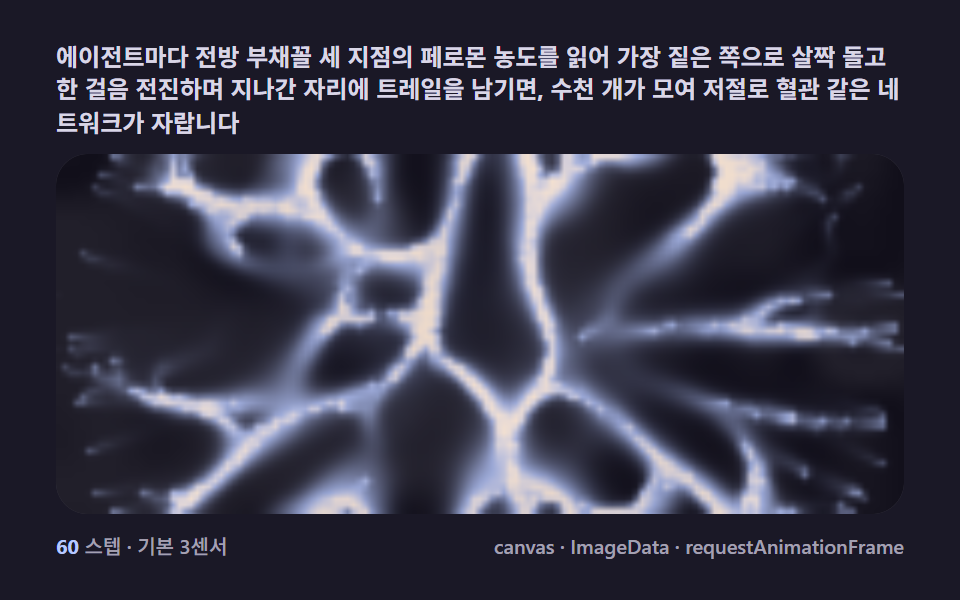 クリエイティブUI粘菌 迷路 9種 — 最短経路を自ら見つけるキャンバス
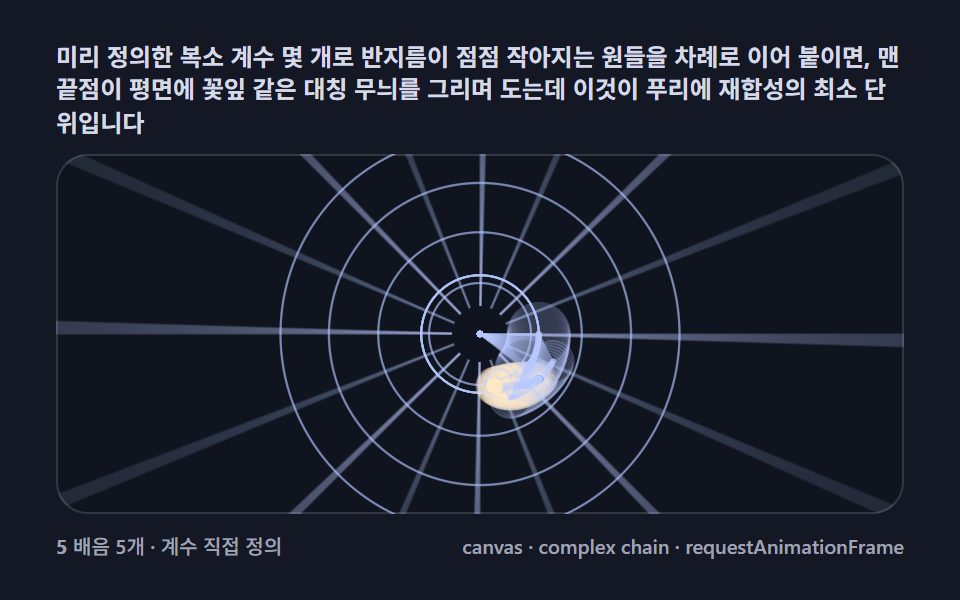 クリエイティブUIフーリエ変換 アニメーション 9種 — 円の連鎖で星とハートを描き直す
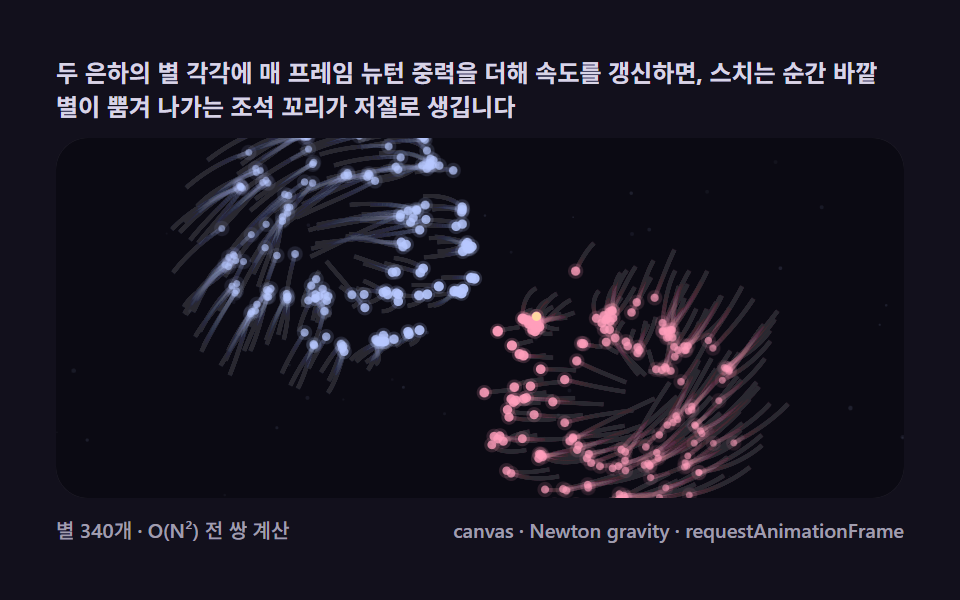 クリエイティブUI銀河 シミュレーション 9種 — ぶつかり合う星が渦巻腕と潮汐尾を作る
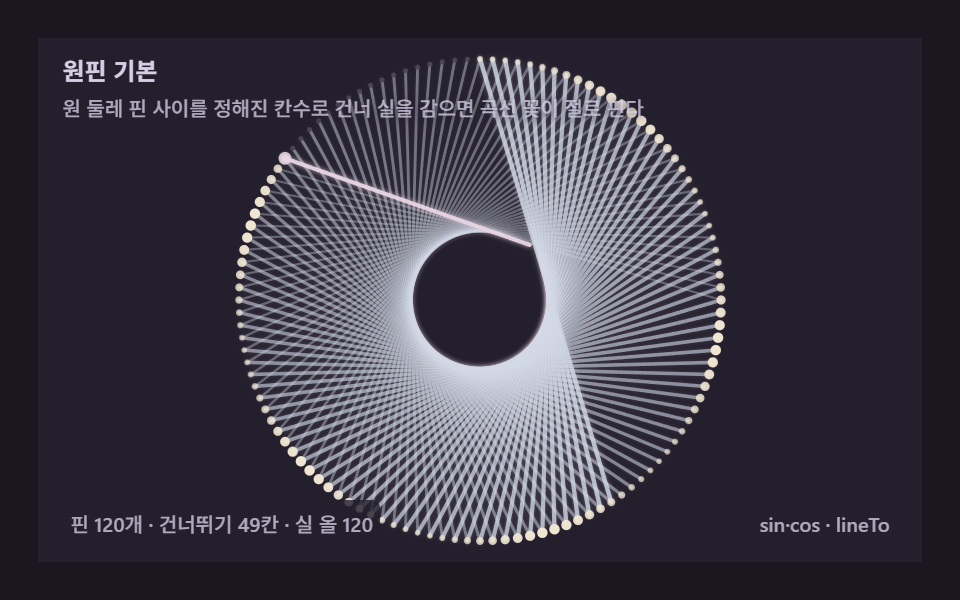 クリエイティブUIストリングアート9種 — 糸の一本一本を計算するキャンバス
 クリエイティブUIシェルピンスキーの三角形など9種 — 文字が枝を生むキャンバス