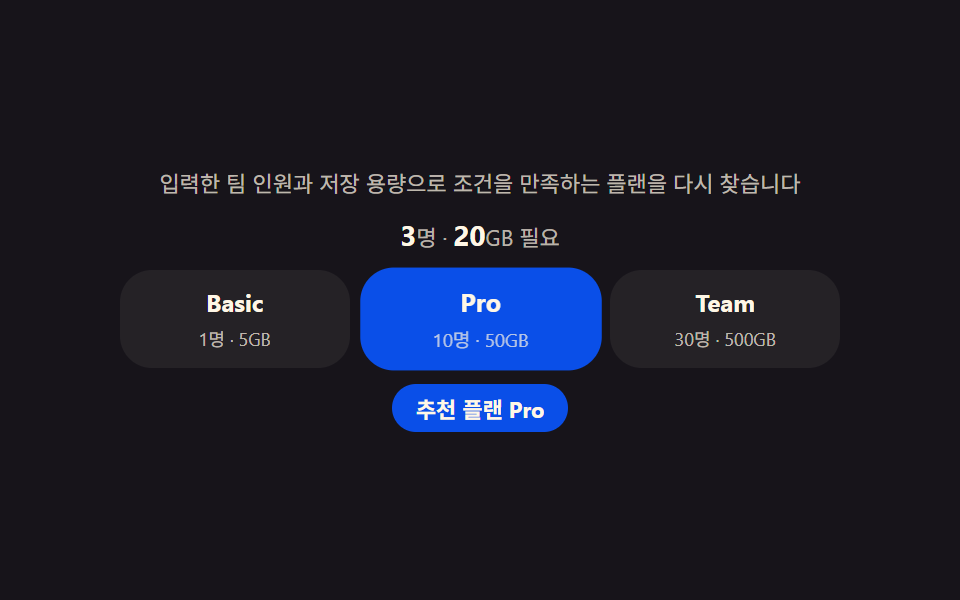
09料金フッター — 入力した条件から合うプランを自分で求めて強調するおすすめ
人数や容量などの条件を入力すると各プランの上限と順に比べて合うプランを自分で求め、その列だけ枠とバッジで強調します。
使いどころ料金ページ下部のおすすめセクション、プラン自動提案ウィジェット
querySelectorAllgrid-template-columnsscale(1.05)
<main class="stage">
<section class="panel">
  <p class="hint">入力したチーム人数と保存容量を満たすプランを再度探します。</p>
  <p class="inputLine"><span id="headcount">3</span><span class="inputUnit">人・ </span><span id="storage">20</span><span class="inputUnit">GB必要</span></p>
  <ul class="plans" id="plans">
    <li class="plan" id="plan0" data-name="Basic"><span class="planName">Basic</span><span class="planLimit">1人・5GB</span></li>
    <li class="plan" id="plan1" data-name="Pro"><span class="planName">Pro</span><span class="planLimit">10人・50GB</span></li>
    <li class="plan" id="plan2" data-name="Team"><span class="planName">Team</span><span class="planLimit">30人・500GB</span></li>
  </ul>
  <p class="chip" id="matchChip">おすすめプラン Basic</p>
</section>
</main>
@use "../../../../site/static/demo-tokens" as *;
$duration: $dur-quick;
$easing: $ease-pop;
$color: $subject-blue-deep;
@include stage($stage-ink);
.panel {
width: 100%;
max-width: 360px;
display: flex;
flex-direction: column;
align-items: center;
gap: $sp-2;
}
.hint {
margin: 0;
padding: 0 $sp-2;
text-align: center;
font-weight: 400;
font-size: 11px;
line-height: 1.4;
color: rgba($subject-cream, .72);
}
.inputLine {
margin: 0;
font-weight: 700;
font-size: 14px;
color: $subject-cream;
}
.inputUnit {
font-weight: 400;
font-size: 11px;
color: rgba($subject-cream, .70);
}
.plans {
margin: 0;
padding: 0;
list-style: none;
width: 100%;
display: grid;
grid-template-columns: repeat(3, 1fr);
gap: $sp-2;
}
.plan {
display: flex;
flex-direction: column;
align-items: center;
gap: $sp-1;
padding: $sp-2;
border-radius: $r-card;
background: rgba($subject-cream, .06);
transform: scale(1);
transition: background $duration $easing, transform $duration $easing;
}
.plan.is-match {
background: $color;
transform: scale(1.05);
}
.planName {
font-weight: 700;
font-size: 12px;
color: $subject-cream;
}
.planLimit {
font-weight: 400;
font-size: 9px;
color: rgba($subject-cream, .70);
}
.chip {
margin: 0;
padding: $sp-1 $sp-3;
border-radius: $r-pill;
background: $color;
color: $subject-cream;
font-weight: 700;
font-size: 11px;
}
@media (max-width: 340px) {
.panel { max-width: 280px; gap: $sp-1; }
.hint { font-size: 9px; }
.planName { font-size: 11px; }
}
@media (prefers-reduced-motion: reduce) {
.plan {
transition: none;
}
}html, body {
margin: 0;
overflow: hidden;
}
.stage {
box-sizing: border-box;
min-height: 100vh;
display: grid;
place-items: center;
margin: 0;
background: #17141a;
font-family: -apple-system, "Segoe UI", "Noto Sans KR", sans-serif;
padding: clamp(8px, 4vw, 24px);
}
.panel {
width: 100%;
max-width: 360px;
display: flex;
flex-direction: column;
align-items: center;
gap: 8px;
}
.hint {
margin: 0;
padding: 0 8px;
text-align: center;
font-weight: 400;
font-size: 11px;
line-height: 1.4;
color: rgba(255, 247, 230, 0.72);
}
.inputLine {
margin: 0;
font-weight: 700;
font-size: 14px;
color: #fff7e6;
}
.inputUnit {
font-weight: 400;
font-size: 11px;
color: rgba(255, 247, 230, 0.7);
}
.plans {
margin: 0;
padding: 0;
list-style: none;
width: 100%;
display: grid;
grid-template-columns: repeat(3, 1fr);
gap: 8px;
}
.plan {
display: flex;
flex-direction: column;
align-items: center;
gap: 4px;
padding: 8px;
border-radius: 16px;
background: rgba(255, 247, 230, 0.06);
transform: scale(1);
transition: background 220ms cubic-bezier(0.2, 1.4, 0.4, 1), transform 220ms cubic-bezier(0.2, 1.4, 0.4, 1);
}
.plan.is-match {
background: #0a4fe8;
transform: scale(1.05);
}
.planName {
font-weight: 700;
font-size: 12px;
color: #fff7e6;
}
.planLimit {
font-weight: 400;
font-size: 9px;
color: rgba(255, 247, 230, 0.7);
}
.chip {
margin: 0;
padding: 4px 12px;
border-radius: 999px;
background: #0a4fe8;
color: #fff7e6;
font-weight: 700;
font-size: 11px;
}
@media (max-width: 340px) {
.panel {
max-width: 280px;
gap: 4px;
}
.hint {
font-size: 9px;
}
.planName {
font-size: 11px;
}
}
@media (prefers-reduced-motion: reduce) {
.plan {
transition: none;
}
}// 플랜 추천 푸터(09) — 입력된 팀 인원(headcount)과 필요 용량(storage)을 각 플랜의 한도(LIMITS)와
// 비교해 두 조건을 모두 만족하는 가장 작은 플랜을 다시 찾아 강조한다(계산 한 겹).
(function () {
var headcountEl = document.getElementById('headcount');
var storageEl = document.getElementById('storage');
var plansEl = document.getElementById('plans');
var chip = document.getElementById('matchChip');
if (!headcountEl || !storageEl || !plansEl || !chip) return;
var reduce = window.matchMedia('(prefers-reduced-motion: reduce)').matches;
var planEls = Array.prototype.slice.call(plansEl.querySelectorAll('.plan'));
var LIMITS = [
{ name: 'Basic', seats: 1, storageGb: 5 },
{ name: 'Pro', seats: 10, storageGb: 50 },
{ name: 'Team', seats: 30, storageGb: 500 }
];
var NEEDS = [
{ headcount: 3, storage: 20 },
{ headcount: 1, storage: 3 },
{ headcount: 15, storage: 80 },
{ headcount: 30, storage: 400 }
];
function findMatch(need) {
for (var i = 0; i < LIMITS.length; i++) {
if (LIMITS[i].seats >= need.headcount && LIMITS[i].storageGb >= need.storage) return LIMITS[i].name;
}
return LIMITS[LIMITS.length - 1].name;
}
function apply(need) {
headcountEl.textContent = String(need.headcount);
storageEl.textContent = String(need.storage);
var match = findMatch(need);
planEls.forEach(function (el) {
el.classList.toggle('is-match', el.getAttribute('data-name') === match);
});
chip.textContent = 'おすすめプラン ' + match;
}
apply(NEEDS[0]);
if (!reduce) {
var idx = 0;
setInterval(function () {
idx = (idx + 1) % NEEDS.length;
apply(NEEDS[idx]);
}, 900);
}
})();// PricingFooter — vanilla 판(run/339/demo/09-pricing-footer/index.html) 의 React 포트.
// 입력된 팀 인원(headcount)과 필요 용량(storage)을 각 플랜의 한도(LIMITS)와 비교해 두 조건을
// 모두 만족하는 가장 작은 플랜을 다시 찾아 강조한다(계산 한 겹).
import { useEffect, useRef } from "react";
import styles from "./PricingFooter.module.scss";
export type PricingFooterProps = {
duration?: string;
easing?: string;
color?: string;
};
const HINT = "입력한 팀 인원과 저장 용량으로 조건을 만족하는 플랜을 다시 찾습니다";
type Limit = { name: string; seats: number; storageGb: number };
type Need = { headcount: number; storage: number };
const LIMITS: Limit[] = [
{ name: "Basic", seats: 1, storageGb: 5 },
{ name: "Pro", seats: 10, storageGb: 50 },
{ name: "Team", seats: 30, storageGb: 500 }
];
const NEEDS: Need[] = [
{ headcount: 3, storage: 20 },
{ headcount: 1, storage: 3 },
{ headcount: 15, storage: 80 },
{ headcount: 30, storage: 400 }
];
function findMatch(need: Need): string {
for (let i = 0; i < LIMITS.length; i++) {
if (LIMITS[i].seats >= need.headcount && LIMITS[i].storageGb >= need.storage) return LIMITS[i].name;
}
return LIMITS[LIMITS.length - 1].name;
}
export default function PricingFooter({
duration = "220ms",
easing = "cubic-bezier(.2,1.4,.4,1)",
color = "#0a4fe8"
}: PricingFooterProps) {
const headcountRef = useRef<HTMLSpanElement | null>(null);
const storageRef = useRef<HTMLSpanElement | null>(null);
const planRefs = useRef<(HTMLLIElement | null)[]>([]);
const chipRef = useRef<HTMLParagraphElement | null>(null);
useEffect(() => {
const headcountEl = headcountRef.current;
const storageEl = storageRef.current;
const chip = chipRef.current;
if (!headcountEl || !storageEl || !chip) return;
const reduce = window.matchMedia("(prefers-reduced-motion: reduce)").matches;
function apply(need: Need): void {
headcountEl!.textContent = String(need.headcount);
storageEl!.textContent = String(need.storage);
const match = findMatch(need);
planRefs.current!.forEach((el, i) => {
if (el) el.classList.toggle(styles.isMatch, LIMITS[i].name === match);
});
chip!.textContent = "추천 플랜 " + match;
}
apply(NEEDS[0]);
let timer = 0;
if (!reduce) {
let idx = 0;
timer = window.setInterval(() => {
idx = (idx + 1) % NEEDS.length;
apply(NEEDS[idx]);
}, 900);
}
return () => {
if (timer) window.clearInterval(timer);
};
// eslint-disable-next-line react-hooks/exhaustive-deps
}, []);
return (
<main className={styles.stage}>
<section className={styles.panel}>
<p className={styles.hint}>{HINT}</p>
<p className={styles.inputLine}>
<span ref={headcountRef}>3</span>
<span className={styles.inputUnit}>명 · </span>
<span ref={storageRef}>20</span>
<span className={styles.inputUnit}>GB 필요</span>
</p>
<ul className={styles.plans}>
{LIMITS.map((plan, i) => (
<li
key={plan.name}
className={styles.plan}
ref={(el: HTMLLIElement | null) => {
planRefs.current![i] = el;
}}
>
<span className={styles.planName}>{plan.name}</span>
<span className={styles.planLimit}>
{plan.seats}명 · {plan.storageGb}GB
</span>
</li>
))}
</ul>
<p className={styles.chip} ref={chipRef}>
추천 플랜 Basic
</p>
</section>
</main>
);
}09 料金フッター — 入力した条件から合うプランを自分で求めて強調するおすすめ — 計測 累積面積 14.082% · 動いたフレーム 7/23GODRICH オリジナル · SCSS と React は zip に同梱 · 価格表 デザイン9選 — 年払い切替・割引率まで計算して見せる
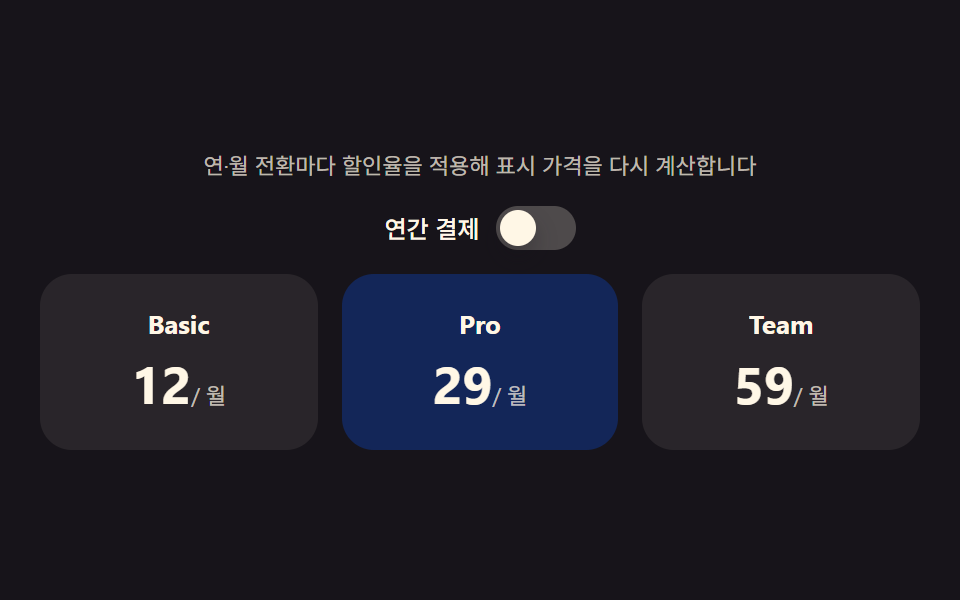
このデモが属する記事
 価格表 デザイン9選 — 年払い切替・割引率まで計算して見せる価格表 デザインは、料金プランのボタン一つ・数字一つに計算の層を重ねる考え方です。年払い・月払いの切替が変わるたびに各プランの価格を計算し直し、割引バッジは定価と割引価格の差を自分で求め、法人窓口セクションは利用量の値からその場で見積もりを この記事のデモをすべて見る