04サイズラジオチップ
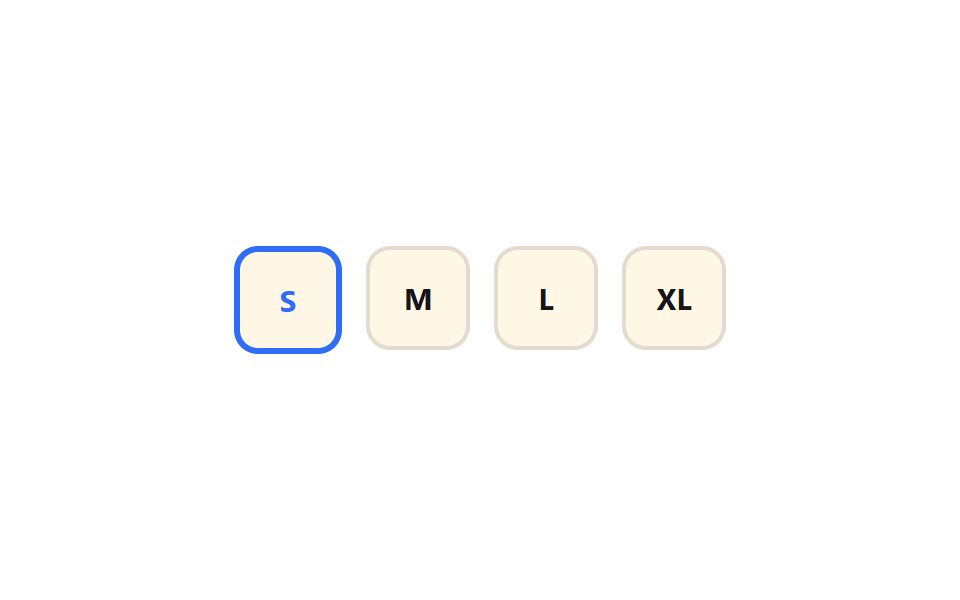
S・M・L・XLのラジオチップから一つを選ぶと、そのチップだけscale(0.94)に軽く沈んでから1に弾み戻り、枠線が太くなる。
使いどころECサイトの商品サイズ選択、予約人数選択
scale 바운스cubic-bezier 오버슈트0.3초
<main class="stage">
  <fieldset class="sz is-demo">
    <legend class="sr-only">サイズ</legend>
    <label class="sz__chip"><input type="radio" name="sz1" class="sz__input" checked><span>S</span></label>
    <label class="sz__chip"><input type="radio" name="sz1" class="sz__input"><span>M</span></label>
    <label class="sz__chip"><input type="radio" name="sz1" class="sz__input"><span>L</span></label>
    <label class="sz__chip"><input type="radio" name="sz1" class="sz__input"><span>XL</span></label>
  </fieldset>
</main>
@use "../../../../site/static/demo-tokens" as *;
// ── 변수 3개 ──────────────────────────────
$duration: $dur-enter;
$easing: $ease-pop;
$color: $subject-blue;
@include stage($stage-paper);
.sr-only {
position: absolute; width: 1px; height: 1px; padding: 0; margin: -1px;
overflow: hidden; clip: rect(0, 0, 0, 0); white-space: nowrap; border: 0;
}
.sz { display: flex; gap: $sp-3; border: 0; margin: 0; padding: 0; }
.sz__input { position: absolute; opacity: 0; pointer-events: none; width: 1px; height: 1px; }
.sz__chip {
position: relative;
display: grid; place-items: center;
width: $sp-12; height: $sp-12;
border-radius: $r-control;
background: $subject-cream;
border: 2px solid rgba($subject-ink, .12);
font-weight: 700;
font-size: 15px;
font-family: inherit;
color: $subject-ink;
cursor: pointer;
-webkit-tap-highlight-color: transparent;
transform: scale(1);
transition: transform $duration $easing, border-color $dur-quick $easing, color $dur-quick $easing;
}
.sz__chip:has(.sz__input:checked) {
border-color: $color;
border-width: 3px;
color: $color;
animation: sz-press-jelly $duration $easing;
}
@keyframes sz-press {
0% { transform: scale(1); }
35% { transform: scale(.84); }
70% { transform: scale(1.05); }
100% { transform: scale(1); }
}
// 눌림 젤리 보강: 눌릴 때 납작(scaleX .86 / scaleY 1.08 역바운스), 튀어오를 때 세로로 늘어났다 안착
@keyframes sz-press-jelly {
0% { transform: scaleX(1) scaleY(1); }
35% { transform: scaleX(.86) scaleY(1.08); }
65% { transform: scaleX(1.08) scaleY(.94); }
85% { transform: scaleX(.97) scaleY(1.03); }
100% { transform: scaleX(1) scaleY(1); }
}
@media (prefers-reduced-motion: reduce) {
.sz__chip { transition: none; animation: none !important; }
}html, body {
margin: 0;
overflow: hidden;
}
.stage {
box-sizing: border-box;
min-height: 100vh;
display: grid;
place-items: center;
margin: 0;
background: #ffffff;
font-family: -apple-system, "Segoe UI", "Noto Sans KR", sans-serif;
padding: clamp(8px, 4vw, 24px);
}
.sr-only {
position: absolute;
width: 1px;
height: 1px;
padding: 0;
margin: -1px;
overflow: hidden;
clip: rect(0, 0, 0, 0);
white-space: nowrap;
border: 0;
}
.sz {
display: flex;
gap: 12px;
border: 0;
margin: 0;
padding: 0;
}
.sz__input {
position: absolute;
opacity: 0;
pointer-events: none;
width: 1px;
height: 1px;
}
.sz__chip {
position: relative;
display: grid;
place-items: center;
width: 48px;
height: 48px;
border-radius: 12px;
background: #fff7e6;
border: 2px solid rgba(23, 20, 26, 0.12);
font-weight: 700;
font-size: 15px;
font-family: inherit;
color: #17141a;
cursor: pointer;
-webkit-tap-highlight-color: transparent;
transform: scale(1);
transition: transform 600ms cubic-bezier(0.2, 1.4, 0.4, 1), border-color 220ms cubic-bezier(0.2, 1.4, 0.4, 1), color 220ms cubic-bezier(0.2, 1.4, 0.4, 1);
}
.sz__chip:has(.sz__input:checked) {
border-color: #2f6df6;
border-width: 3px;
color: #2f6df6;
animation: sz-press-jelly 600ms cubic-bezier(0.2, 1.4, 0.4, 1);
}
@keyframes sz-press {
0% {
transform: scale(1);
}
35% {
transform: scale(0.84);
}
70% {
transform: scale(1.05);
}
100% {
transform: scale(1);
}
}
@keyframes sz-press-jelly {
0% {
transform: scaleX(1) scaleY(1);
}
35% {
transform: scaleX(0.86) scaleY(1.08);
}
65% {
transform: scaleX(1.08) scaleY(0.94);
}
85% {
transform: scaleX(0.97) scaleY(1.03);
}
100% {
transform: scaleX(1) scaleY(1);
}
}
@media (prefers-reduced-motion: reduce) {
.sz__chip {
transition: none;
animation: none !important;
}
}// .is-demo 자동 순환 (실제 클릭이 오면 멈춘다, 6줄)
var sz = document.querySelector('.sz');
var inputs = sz.querySelectorAll('.sz__input'); var i = 0;
var t = setInterval(function () { inputs[i % inputs.length].checked = true; i++; }, 480);
inputs.forEach(function (el) { el.addEventListener('pointerdown', function () { sz.classList.remove('is-demo'); clearInterval(t); }); });import { useState } from "react";
import type { CSSProperties } from "react";
import styles from "./ChipSelectSizeRadioPress.module.scss";
export type ChipSelectSizeRadioPressProps = {
legend?: string;
sizes?: string[];
duration?: number;
easing?: string;
ringColor?: string;
};
type Vars = CSSProperties & { "--duration"?: string; "--easing"?: string; "--ring"?: string };
export default function ChipSelectSizeRadioPress({
legend = "Size",
sizes = ["S", "M", "L", "XL"],
duration = 300,
easing = "cubic-bezier(.2,1.4,.4,1)",
ringColor = "#2f6df6",
}: ChipSelectSizeRadioPressProps) {
const [value, setValue] = useState(sizes[0]);
const vars: Vars = { "--duration": `${duration}ms`, "--easing": easing, "--ring": ringColor };
return (
<fieldset className={styles.sz} style={vars}>
<legend className={styles.srOnly}>{legend}</legend>
{sizes.map((s) => (
<label key={s} className={styles.chip} data-checked={value === s}>
<input
type="radio"
name="size"
className={styles.srInput}
checked={value === s}
onChange={() => setValue(s)}
/>
{s}
</label>
))}
</fieldset>
);
}04 サイズラジオチップ — 計測 累積面積 2.096% · 動いたフレーム 10/23GODRICH オリジナル · SCSS と React は zip に同梱 · セグメントコントロールUI 9選 — コピペOK
このデモが属する記事
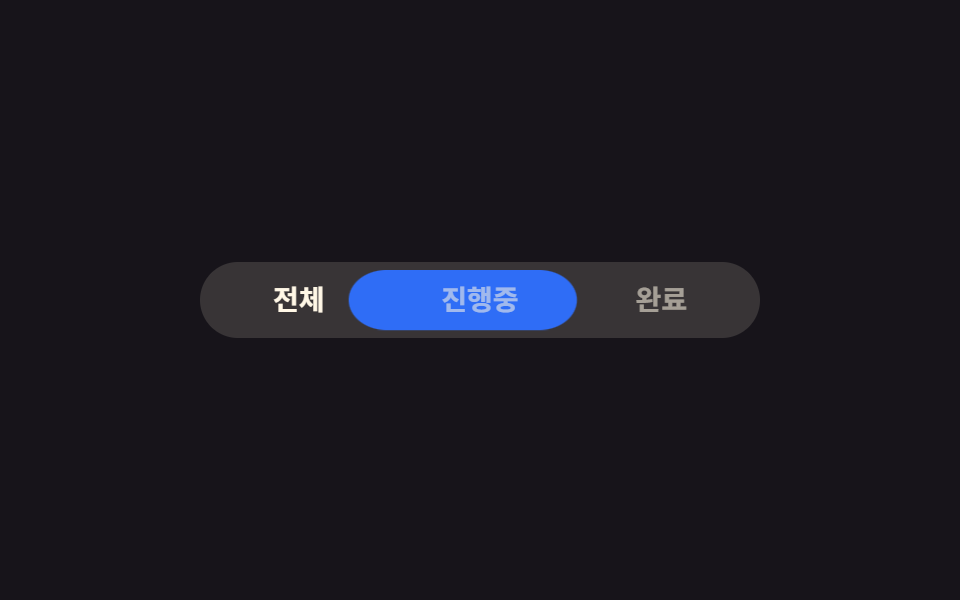 セグメントコントロールUI 9選 — コピペOKセグメントコントロールとは、iOSの設定画面でよく見る、いくつかの選択肢から一つを選ぶと背景のピルがその位置までスライドするタブ切り替えボタンです。セグメントコントロールから絵文字リアクション・カラースウォッチまで、名前は知らなくてもアプリ この記事のデモをすべて見る