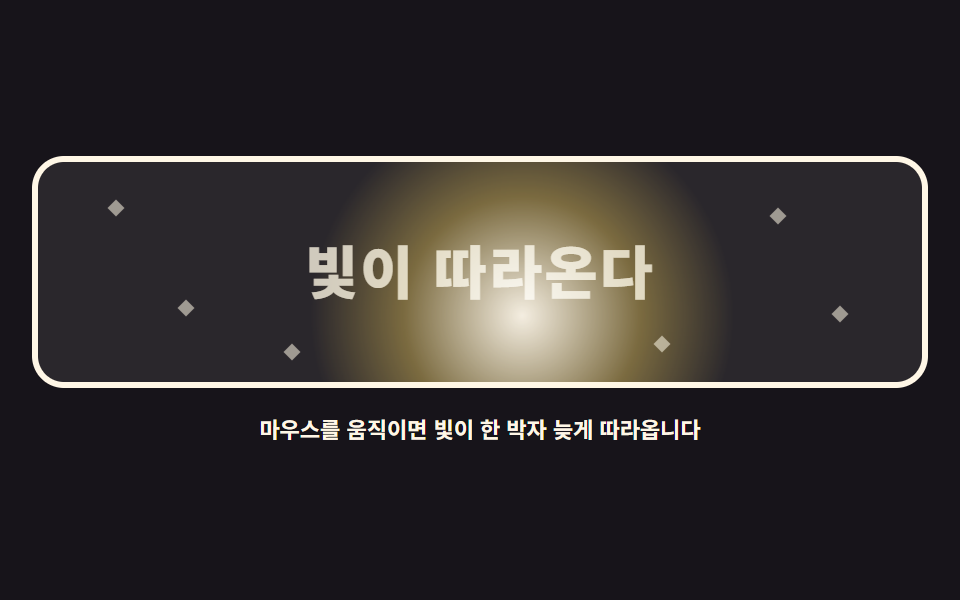
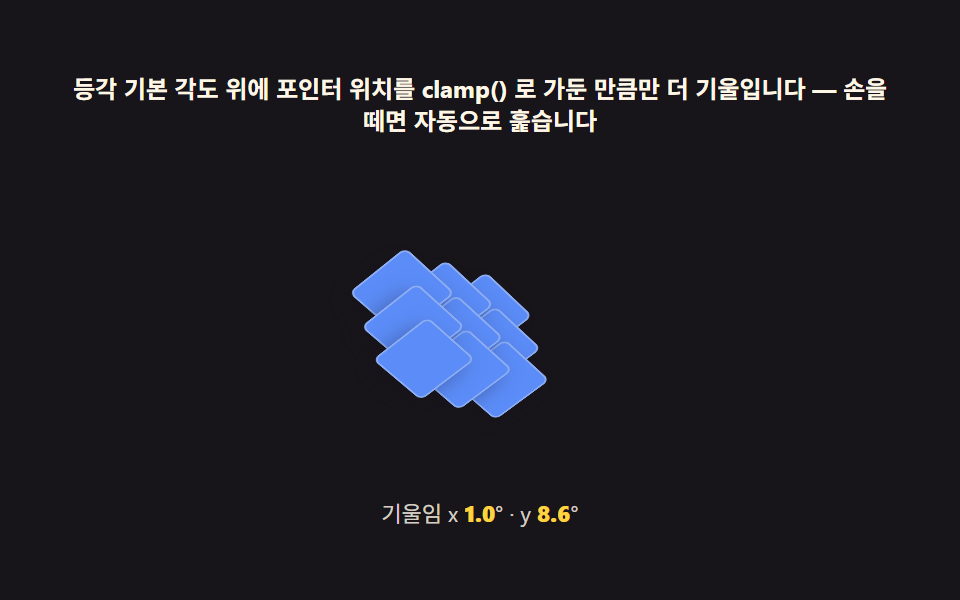
06커서를 광원으로 쓰는 하이라이트
커서 자리에 둥근 빛이 생기고 각진 면과 물결 면이 그 빛을 따라 밝아집니다.
쓰임어두운 배경의 기능 소개 카드, 다크 테마 대시보드의 강조 패널
radial-gradientconic-gradientmix-blend-mode
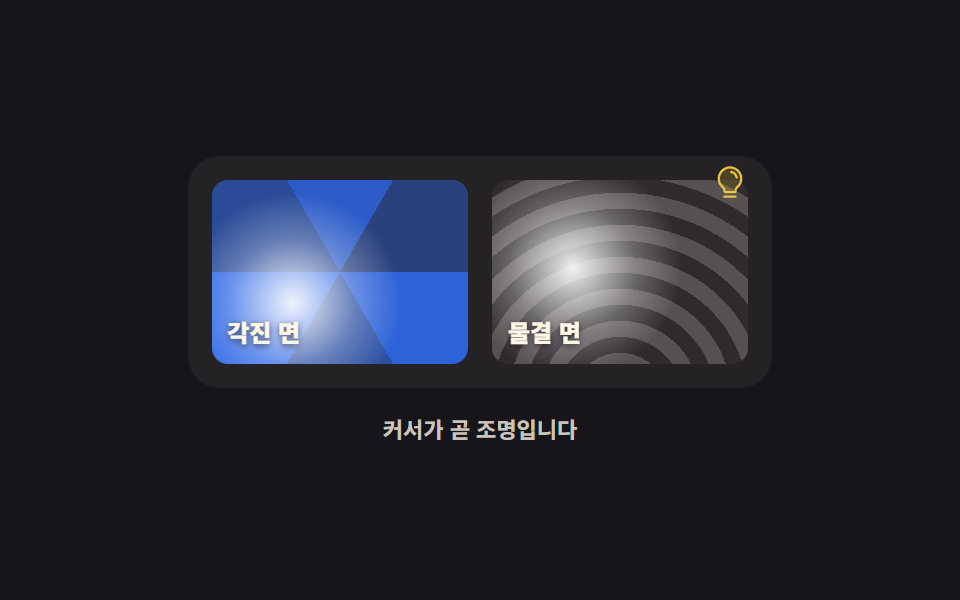
<main class="stage">
<div class="lt is-demo" id="lt">
  <div class="lt__panel" id="panel" role="img" aria-label="커서 자리에 생긴 빛이 각진 면과 물결 면을 따라 밝아지는 패널">
    <div class="lt__surface lt__surface--facet">
      <span class="lt__glow" aria-hidden="true"></span>
      <span class="lt__label">각진 면</span>
    </div>
    <div class="lt__surface lt__surface--wave">
      <span class="lt__glow" aria-hidden="true"></span>
      <span class="lt__label">물결 면</span>
    </div>
    <svg xmlns="http://www.w3.org/2000/svg" viewBox="0 0 256 256" class="lt__ico" aria-hidden="true"><g fill="currentColor"><path d="M208 104a79.86 79.86 0 0 1-30.59 62.92A24.29 24.29 0 0 0 168 186v6a8 8 0 0 1-8 8H96a8 8 0 0 1-8-8v-6a24.11 24.11 0 0 0-9.3-19A79.87 79.87 0 0 1 48 104.45C47.76 61.09 82.72 25 126.07 24A80 80 0 0 1 208 104" opacity=".2"/><path d="M176 232a8 8 0 0 1-8 8H88a8 8 0 0 1 0-16h80a8 8 0 0 1 8 8m40-128a87.55 87.55 0 0 1-33.64 69.21A16.24 16.24 0 0 0 176 186v6a16 16 0 0 1-16 16H96a16 16 0 0 1-16-16v-6a16 16 0 0 0-6.23-12.66A87.59 87.59 0 0 1 40 104.49C39.74 56.83 78.26 17.14 125.88 16A88 88 0 0 1 216 104m-16 0a72 72 0 0 0-73.74-72c-39 .92-70.47 33.39-70.26 72.39a71.65 71.65 0 0 0 27.64 56.3A32 32 0 0 1 96 186v6h64v-6a32.15 32.15 0 0 1 12.47-25.35A71.65 71.65 0 0 0 200 104m-16.11-9.34a57.6 57.6 0 0 0-46.56-46.55a8 8 0 0 0-2.66 15.78c16.57 2.79 30.63 16.85 33.44 33.45A8 8 0 0 0 176 104a9 9 0 0 0 1.35-.11a8 8 0 0 0 6.54-9.23"/></g></svg>
  </div>
  <p class="lt__hint">커서가 곧 조명입니다</p>
</div>
</main>
@use "../../../../site/static/demo-tokens" as *;
// 커서를 광원으로 쓰는 하이라이트 — 실제 빛 자리는 JS 가 면마다 자기 상자 기준 백분율(--mx·--my)로 넘긴다.
// 격자 미리보기(.is-demo)는 같은 두 값을 @property 로 등록해 @keyframes 로 움직인다 —
// 등록하지 않은 커스텀 속성은 보간되지 않아 빛이 뚝뚝 끊긴다.
// @property 는 그 값을 쓰는 요소 자신에게 상속돼야 한다 — inherits: true 로 두면 자식(빛)까지 따라온다
@property --mx { syntax: "<percentage>"; inherits: true; initial-value: 50%; }
@property --my { syntax: "<percentage>"; inherits: true; initial-value: 50%; }
$duration: $dur-loop;
$easing: linear;
$color: $subject-cream;
@include stage($stage-ink);
.lt { display: grid; justify-items: center; gap: $sp-3; width: 100%; }
.lt__panel {
position: relative;
display: grid; grid-template-columns: repeat(2, 1fr); gap: $sp-3;
width: clamp(216px, 56vw, 280px);
padding: $sp-3;
border-radius: $r-card;
background: rgba($subject-cream, .06);
}
.lt__panel:focus-visible { outline: 3px solid $subject-blue; outline-offset: $sp-2; }
.lt__surface {
position: relative; overflow: hidden;
height: clamp(72px, 19vw, 92px);
border-radius: $r-sm;
isolation: isolate;
}
// 각진 면은 원뿔 그라디언트로 접힌 다면체처럼, 물결 면은 반복 방사형으로 파문처럼 만든다
.lt__surface--facet {
background: conic-gradient(from 210deg at 50% 50%,
rgba($subject-blue, .92) 0deg 60deg, rgba($subject-blue, .55) 60deg 120deg,
rgba($subject-blue, .78) 120deg 180deg, rgba($subject-blue, .42) 180deg 240deg,
rgba($subject-blue, .86) 240deg 300deg, rgba($subject-blue, .6) 300deg 360deg);
}
.lt__surface--wave {
background: repeating-radial-gradient(circle at 50% 120%,
rgba($subject-cream, .22) 0 8px, rgba($subject-cream, .04) 8px 16px);
}
// 빛은 커서 자리에서 퍼지는 둥근 밝음이다. mix-blend-mode 로 아래 면의 무늬를 살린 채 밝힌다
.lt__glow {
position: absolute; inset: 0;
background: radial-gradient(circle 76px at var(--mx) var(--my),
rgba($stage-paper, .92), rgba($stage-paper, .28) 42%, rgba($stage-paper, 0) 72%);
mix-blend-mode: screen;
}
.lt__label {
position: absolute; left: $sp-2; bottom: $sp-2;
color: $color; font-weight: 800; font-size: clamp(10px, 2.6vw, 12px);
text-shadow: 0 1px 3px rgba($subject-ink, .7);
}
.lt__ico {
position: absolute; right: $sp-3; top: $sp-1;
width: 18px; height: 18px; color: rgba($stage-yellow, .9);
}
.lt__hint { margin: 0; color: rgba($subject-cream, .78); font-weight: 700; font-size: clamp(9px, 2.4vw, 11px); }
// ── 미리보기 루프: 커서가 왼쪽 아래에서 오른쪽 위로 대각선으로 지나간 것과 같은 경로
.lt.is-demo .lt__surface {
animation-name: ltSweep;
animation-duration: $duration;
animation-timing-function: $easing;
animation-iteration-count: infinite;
}
.lt.is-demo .lt__surface--wave { animation-name: ltSweepWave; }
@keyframes ltSweep {
0%, 6% { --mx: 6%; --my: 88%; }
46%, 58% { --mx: 92%; --my: 16%; }
94%, 100% { --mx: 6%; --my: 88%; }
}
// 오른쪽 면은 커서가 조금 늦게 닿는다 — 같은 경로를 한 박자 뒤에 지난다
@keyframes ltSweepWave {
0%, 22% { --mx: -18%; --my: 96%; }
62%, 74% { --mx: 68%; --my: 12%; }
96%, 100% { --mx: -18%; --my: 96%; }
}
@media (max-width: 340px) {
.lt__panel { gap: $sp-2; padding: $sp-2; }
.lt__surface { height: clamp(56px, 18vw, 72px); }
}
@media (prefers-reduced-motion: reduce) {
// 빛은 남기고 움직임만 끈다 — 빛이 어디 있는지가 이 부품의 정보다
.lt.is-demo .lt__surface { animation: none !important; --mx: 62% !important; --my: 34% !important; }
}@property --mx {
syntax: "<percentage>";
inherits: true;
initial-value: 50%;
}
@property --my {
syntax: "<percentage>";
inherits: true;
initial-value: 50%;
}
html, body {
margin: 0;
overflow: hidden;
}
.stage {
box-sizing: border-box;
min-height: 100vh;
display: grid;
place-items: center;
margin: 0;
background: #17141a;
font-family: -apple-system, "Segoe UI", "Noto Sans KR", sans-serif;
padding: clamp(8px, 4vw, 24px);
}
.lt {
display: grid;
justify-items: center;
gap: 12px;
width: 100%;
}
.lt__panel {
position: relative;
display: grid;
grid-template-columns: repeat(2, 1fr);
gap: 12px;
width: clamp(216px, 56vw, 280px);
padding: 12px;
border-radius: 16px;
background: rgba(255, 247, 230, 0.06);
}
.lt__panel:focus-visible {
outline: 3px solid #2f6df6;
outline-offset: 8px;
}
.lt__surface {
position: relative;
overflow: hidden;
height: clamp(72px, 19vw, 92px);
border-radius: 8px;
isolation: isolate;
}
.lt__surface--facet {
background: conic-gradient(from 210deg at 50% 50%, rgba(47, 109, 246, 0.92) 0deg 60deg, rgba(47, 109, 246, 0.55) 60deg 120deg, rgba(47, 109, 246, 0.78) 120deg 180deg, rgba(47, 109, 246, 0.42) 180deg 240deg, rgba(47, 109, 246, 0.86) 240deg 300deg, rgba(47, 109, 246, 0.6) 300deg 360deg);
}
.lt__surface--wave {
background: repeating-radial-gradient(circle at 50% 120%, rgba(255, 247, 230, 0.22) 0 8px, rgba(255, 247, 230, 0.04) 8px 16px);
}
.lt__glow {
position: absolute;
inset: 0;
background: radial-gradient(circle 76px at var(--mx) var(--my), rgba(255, 255, 255, 0.92), rgba(255, 255, 255, 0.28) 42%, rgba(255, 255, 255, 0) 72%);
mix-blend-mode: screen;
}
.lt__label {
position: absolute;
left: 8px;
bottom: 8px;
color: #fff7e6;
font-weight: 800;
font-size: clamp(10px, 2.6vw, 12px);
text-shadow: 0 1px 3px rgba(23, 20, 26, 0.7);
}
.lt__ico {
position: absolute;
right: 12px;
top: 4px;
width: 18px;
height: 18px;
color: rgba(255, 210, 63, 0.9);
}
.lt__hint {
margin: 0;
color: rgba(255, 247, 230, 0.78);
font-weight: 700;
font-size: clamp(9px, 2.4vw, 11px);
}
.lt.is-demo .lt__surface {
animation-name: ltSweep;
animation-duration: 2s;
animation-timing-function: linear;
animation-iteration-count: infinite;
}
.lt.is-demo .lt__surface--wave {
animation-name: ltSweepWave;
}
@keyframes ltSweep {
0%, 6% {
--mx: 6%;
--my: 88%;
}
46%, 58% {
--mx: 92%;
--my: 16%;
}
94%, 100% {
--mx: 6%;
--my: 88%;
}
}
@keyframes ltSweepWave {
0%, 22% {
--mx: -18%;
--my: 96%;
}
62%, 74% {
--mx: 68%;
--my: 12%;
}
96%, 100% {
--mx: -18%;
--my: 96%;
}
}
@media (max-width: 340px) {
.lt__panel {
gap: 8px;
padding: 8px;
}
.lt__surface {
height: clamp(56px, 18vw, 72px);
}
}
@media (prefers-reduced-motion: reduce) {
.lt.is-demo .lt__surface {
animation: none !important;
--mx: 62% !important;
--my: 34% !important;
}
}var lt = document.getElementById('lt');
var panel = document.getElementById('panel');
// 광원 위치는 면마다 자기 상자 기준 백분율로 넘긴다 — 같은 커서라도 면마다 밝아지는 자리가 다르다
function lightAt(clientX, clientY) {
var faces = panel.querySelectorAll('.lt__surface');
for (var i = 0; i < faces.length; i++) {
var r = faces[i].getBoundingClientRect();
faces[i].style.setProperty('--mx', ((clientX - r.left) / r.width * 100).toFixed(1) + '%');
faces[i].style.setProperty('--my', ((clientY - r.top) / r.height * 100).toFixed(1) + '%');
}
}
panel.addEventListener('pointermove', function (e) {
lt.classList.remove('is-demo');
lightAt(e.clientX, e.clientY);
});
// 키보드 경로: 화살표가 빛을 네 귀퉁이 쪽으로 20% 씩 옮긴다
panel.setAttribute('tabindex', '0');
var keyX = 50, keyY = 50;
panel.addEventListener('keydown', function (e) {
var keys = { ArrowLeft: [-20, 0], ArrowRight: [20, 0], ArrowUp: [0, -20], ArrowDown: [0, 20] };
var move = keys[e.key];
if (!move) { return; }
e.preventDefault();
lt.classList.remove('is-demo');
keyX = Math.max(0, Math.min(100, keyX + move[0]));
keyY = Math.max(0, Math.min(100, keyY + move[1]));
var r = panel.getBoundingClientRect();
lightAt(r.left + r.width * keyX / 100, r.top + r.height * keyY / 100);
});// LightHighlight — vanilla 판(run/290/demo/06-pointer-3d-light-highlight/index.html) 의 React 포트.
// 광원 위치는 면마다 자기 상자 기준 백분율(--mx·--my)로 넘긴다 — 같은 커서라도 면마다 밝아지는 자리가 다르다.
// 화살표 키는 빛을 20% 씩 옮겨 포인터 없이도 같은 경로를 낸다. 값·수치는 vanilla 와 같다.
import { useCallback, useRef, useState } from "react";
import type { CSSProperties, PointerEvent as ReactPointerEvent } from "react";
import styles from "./LightHighlight.module.scss";
export type LightHighlightProps = {
duration?: number;
easing?: string;
color?: string;
};
type Vars = CSSProperties & { "--duration"?: string; "--easing"?: string; "--color"?: string };
// useRef 는 T | null 을 돌려준다. 처음부터 값이 있고 절대 비지 않는 상자는 이렇게 좁혀 쓴다
type Box<T> = { current: T };
// 키보드 이벤트는 ambient react 타입에 없다 — 쓰는 두 가지만 지역 타입으로 적는다
type KeyEvt = { key: string; preventDefault(): void };
const FACE_COUNT = 2;
const KEY_STEP = 20;
const PANEL_LABEL = "커서 자리에 생긴 빛이 각진 면과 물결 면을 따라 밝아지는 패널";
const FACET_LABEL = "각진 면";
const WAVE_LABEL = "물결 면";
const HINT = "커서가 곧 조명입니다";
export default function LightHighlight({
duration = 2000,
easing = "linear",
color = "#fff7e6",
}: LightHighlightProps) {
const panelRef = useRef<HTMLDivElement | null>(null);
const facesRef = useRef<(HTMLDivElement | null)[]>(new Array(FACE_COUNT).fill(null)) as Box<(HTMLDivElement | null)[]>;
const keyRef = useRef<{ x: number; y: number }>({ x: 50, y: 50 }) as Box<{ x: number; y: number }>;
const [demo, setDemo] = useState(true);
const vars: Vars = { "--duration": `${duration}ms`, "--easing": easing, "--color": color };
const lightAt = useCallback((clientX: number, clientY: number): void => {
for (let i = 0; i < facesRef.current.length; i++) {
const face = facesRef.current[i];
if (!face) continue;
const r = face.getBoundingClientRect();
face.style.setProperty("--mx", (((clientX - r.left) / r.width) * 100).toFixed(1) + "%");
face.style.setProperty("--my", (((clientY - r.top) / r.height) * 100).toFixed(1) + "%");
}
}, []);
function setFace(index: number) {
return (el: HTMLDivElement | null): void => {
facesRef.current[index] = el;
};
}
function onPointerMove(event: ReactPointerEvent<HTMLDivElement>): void {
setDemo(false);
lightAt(event.clientX, event.clientY);
}
// 키보드 경로: 화살표가 빛을 네 귀퉁이 쪽으로 20% 씩 옮긴다
function onKeyDown(event: KeyEvt): void {
const keys: { [key: string]: [number, number] } = {
ArrowLeft: [-KEY_STEP, 0],
ArrowRight: [KEY_STEP, 0],
ArrowUp: [0, -KEY_STEP],
ArrowDown: [0, KEY_STEP],
};
const move = keys[event.key];
if (!move) return;
event.preventDefault();
const panel = panelRef.current;
if (!panel) return;
setDemo(false);
keyRef.current.x = Math.max(0, Math.min(100, keyRef.current.x + move[0]));
keyRef.current.y = Math.max(0, Math.min(100, keyRef.current.y + move[1]));
const r = panel.getBoundingClientRect();
lightAt(r.left + (r.width * keyRef.current.x) / 100, r.top + (r.height * keyRef.current.y) / 100);
}
const cls = [styles.root, demo ? styles.isDemo : ""].filter(Boolean).join(" ");
return (
<main className={styles.stage}>
<div className={cls} style={vars}>
<div
className={styles.panel}
ref={panelRef}
role="img"
aria-label={PANEL_LABEL}
tabIndex={0}
onPointerMove={onPointerMove}
onKeyDown={onKeyDown}
>
<div className={`${styles.surface} ${styles.surfaceFacet}`} ref={setFace(0)}>
<span className={styles.glow} aria-hidden="true"></span>
<span className={styles.label}>{FACET_LABEL}</span>
</div>
<div className={`${styles.surface} ${styles.surfaceWave}`} ref={setFace(1)}>
<span className={styles.glow} aria-hidden="true"></span>
<span className={styles.label}>{WAVE_LABEL}</span>
</div>
<svg xmlns="http://www.w3.org/2000/svg" viewBox="0 0 256 256" className={styles.ico} aria-hidden="true"><g fill="currentColor"><path d="M208 104a79.86 79.86 0 0 1-30.59 62.92A24.29 24.29 0 0 0 168 186v6a8 8 0 0 1-8 8H96a8 8 0 0 1-8-8v-6a24.11 24.11 0 0 0-9.3-19A79.87 79.87 0 0 1 48 104.45C47.76 61.09 82.72 25 126.07 24A80 80 0 0 1 208 104" opacity=".2"/><path d="M176 232a8 8 0 0 1-8 8H88a8 8 0 0 1 0-16h80a8 8 0 0 1 8 8m40-128a87.55 87.55 0 0 1-33.64 69.21A16.24 16.24 0 0 0 176 186v6a16 16 0 0 1-16 16H96a16 16 0 0 1-16-16v-6a16 16 0 0 0-6.23-12.66A87.59 87.59 0 0 1 40 104.49C39.74 56.83 78.26 17.14 125.88 16A88 88 0 0 1 216 104m-16 0a72 72 0 0 0-73.74-72c-39 .92-70.47 33.39-70.26 72.39a71.65 71.65 0 0 0 27.64 56.3A32 32 0 0 1 96 186v6h64v-6a32.15 32.15 0 0 1 12.47-25.35A71.65 71.65 0 0 0 200 104m-16.11-9.34a57.6 57.6 0 0 0-46.56-46.55a8 8 0 0 0-2.66 15.78c16.57 2.79 30.63 16.85 33.44 33.45A8 8 0 0 0 176 104a9 9 0 0 0 1.35-.11a8 8 0 0 0 6.54-9.23"/></g></svg>
</div>
<p className={styles.hint}>{HINT}</p>
</div>
</main>
);
}06 커서를 광원으로 쓰는 하이라이트 — 측정 누적면적 13.951% · 움직인 프레임 22/23GODRICH 원작 · zip 에 SCSS·React 포함 · 마우스를 따라오는 CSS 3D 회전 장면 9종
이 데모가 속한 글
 마우스를 따라오는 CSS 3D 회전 장면 9종마우스를 따라오는 효과는 화면 위 요소가 포인터 위치에 반응해 도는 CSS 3D 회전 장면입니다. CSS 3D 회전을 perspective 와 transform-style: preserve-3d, 바닐라 자바스크립트 이 글의 데모 전부 보기