02Chữ trạng thái shimmer
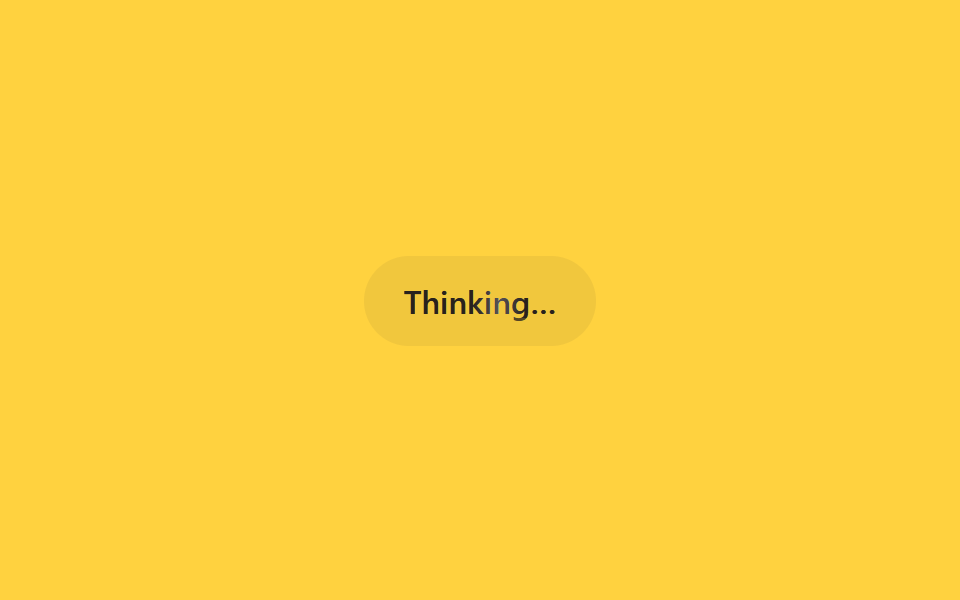
Trên màn hình chỉ có một câu trạng thái kiểu 'Thinking…', trong khi dải sáng rực quét qua từng chữ từ trái sang phải bằng animation background-position.
Dùng choCâu trạng thái đang tìm kiếm·tóm tắt, dòng báo công cụ đang chạy
background-positionbackground-clip: text1.6s
<main class="stage">
  <div class="sh-status is-demo">
    <span class="sh-label">Thinking…</span>
  </div>
</main>
@use "../../../../site/static/demo-tokens" as *;
// ── 변수 3개 ──────────────────────────────────────────
$duration: 1.6s;
$easing: linear;
$color: $subject-ink;
@include stage($stage-yellow);
.sh-status {
padding: $sp-3 $sp-5;
border-radius: $r-pill;
background: rgba(23, 20, 26, .06);
}
.sh-label {
display: inline-block;
font: 600 16px/1 -apple-system, "Segoe UI", sans-serif;
background-image: linear-gradient(
90deg,
rgba($subject-ink, .72) 0%,
rgba($subject-ink, .72) 42%,
$subject-cream 50%,
rgba($subject-ink, .72) 58%,
rgba($subject-ink, .72) 100%
);
background-size: 220% 100%;
-webkit-background-clip: text;
background-clip: text;
color: rgba($subject-ink, .72);
}
// 실사용: 상태 문구가 바뀔 때마다 JS 가 텍스트만 교체한다. 쉬머는 항상 재생
@keyframes sh-sweep {
0% { background-position: 120% 0; }
100% { background-position: -20% 0; }
}
.sh-status.is-demo .sh-label {
animation: sh-sweep $duration $easing infinite;
}
@media (prefers-reduced-motion: reduce) {
.sh-status.is-demo .sh-label {
animation: none !important;
background-position: 0 0 !important;
color: $color !important;
}
}html, body {
margin: 0;
overflow: hidden;
}
.stage {
box-sizing: border-box;
min-height: 100vh;
display: grid;
place-items: center;
margin: 0;
background: #ffd23f;
font-family: -apple-system, "Segoe UI", "Noto Sans KR", sans-serif;
padding: clamp(8px, 4vw, 24px);
}
.sh-status {
padding: 12px 20px;
border-radius: 999px;
background: rgba(23, 20, 26, 0.06);
}
.sh-label {
display: inline-block;
font: 600 16px/1 -apple-system, "Segoe UI", sans-serif;
background-image: linear-gradient(90deg, rgba(23, 20, 26, 0.72) 0%, rgba(23, 20, 26, 0.72) 42%, #fff7e6 50%, rgba(23, 20, 26, 0.72) 58%, rgba(23, 20, 26, 0.72) 100%);
background-size: 220% 100%;
-webkit-background-clip: text;
background-clip: text;
color: rgba(23, 20, 26, 0.72);
}
@keyframes sh-sweep {
0% {
background-position: 120% 0;
}
100% {
background-position: -20% 0;
}
}
.sh-status.is-demo .sh-label {
animation: sh-sweep 1.6s linear infinite;
}
@media (prefers-reduced-motion: reduce) {
.sh-status.is-demo .sh-label {
animation: none !important;
background-position: 0 0 !important;
color: #17141a !important;
}
}import { CSSProperties } from "react";
import styles from "./TextShimmerStatus.module.scss";
type Vars = CSSProperties & {
"--duration"?: string;
"--easing"?: string;
"--color"?: string;
};
export interface TextShimmerStatusProps {
duration?: string;
easing?: string;
color?: string;
label?: string;
}
export default function TextShimmerStatus({
duration = "1.6s",
easing = "linear",
color = "#17141a",
label = "Thinking…",
}: TextShimmerStatusProps) {
const style: Vars = {
"--duration": duration,
"--easing": easing,
"--color": color,
};
return (
<div className={styles.status} style={style}>
<span className={styles.label}>{label}</span>
</div>
);
}02 Chữ trạng thái shimmer — Diện tích đo được 0.287% · khung hình chuyển động 17/23Nguyên tác GODRICH · SCSS và React nằm trong tệp zip · 9 css loading animation cho AI chat, copy-paste
Bài viết chứa demo này
 9 css loading animation cho AI chat, copy-pasteBa chấm nhấp nhô, con trỏ chớp tắt, chữ hiện dần lúc bạn chờ câu trả lời trong khung chat AI như ChatGPT hay Claude đều Xem tất cả demo trong bài này