07Dừng lại trên footer
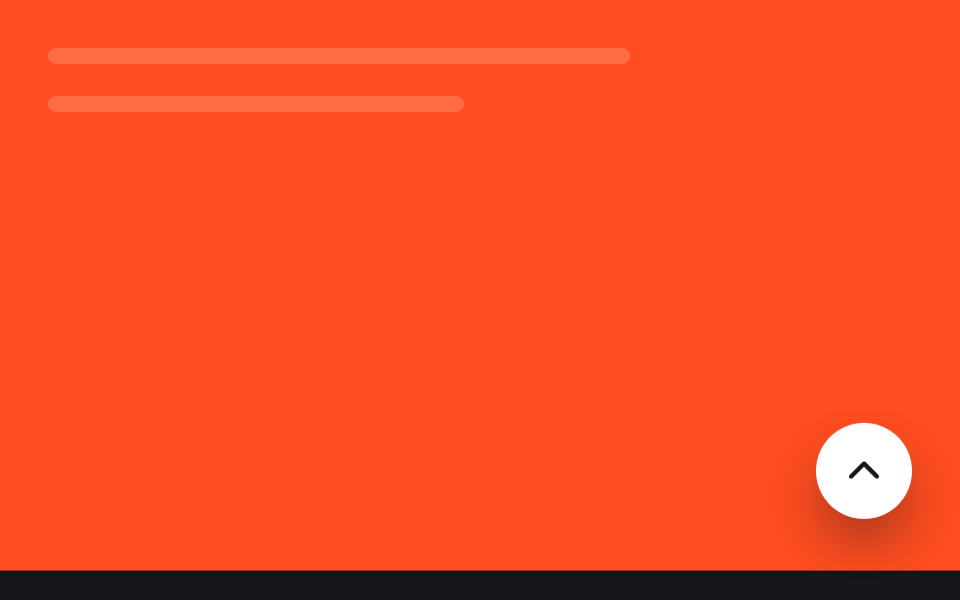
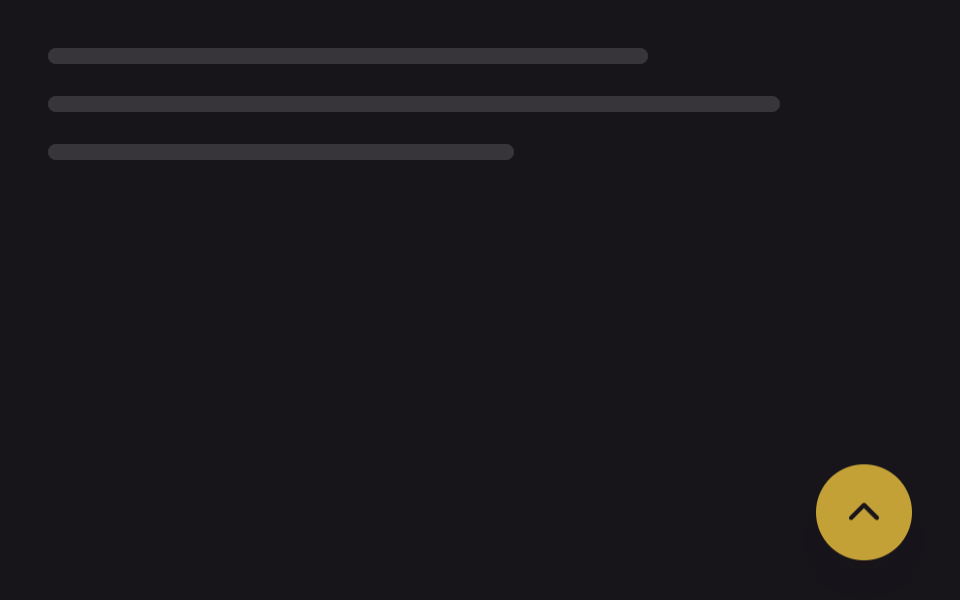
Bình thường nút nổi bám theo màn hình, nhưng khi footer áp sát thì nó tự nhấc lên bằng translateY để không bao giờ đè lên footer.
Dùng choSite footer nhiều link, trang footer ngắn dễ bị nút đè
IntersectionObservertranslateYJS 9줄
<main class="stage is-demo">
  <div class="page-mock" aria-hidden="true">
    <span class="page-mock__line"></span>
    <span class="page-mock__line"></span>
  </div>
  <footer class="footer-mock" aria-hidden="true"></footer>
  <button type="button" class="totop" aria-label="Lên đầu trang">
    <svg class="totop__arrow" viewBox="0 0 24 24" aria-hidden="true"><polyline points="5,15 12,8 19,15"/></svg>
  </button>
</main>
@use "../../../../site/static/demo-tokens" as *;
// ── 변수 3개 ──────────────────────────────────────────
$duration: 220ms; // 버튼이 들어 올려지는 실사용 전환 시간
$easing: $ease-out;
$color: $subject-ink; // 화살표 색
@include stage($stage-orange);
.stage { position: relative; overflow: hidden; }
.page-mock {
position: absolute;
inset: $sp-6 $sp-10 auto $sp-6;
display: flex;
flex-direction: column;
gap: $sp-4;
}
.page-mock__line {
display: block;
height: $sp-2;
border-radius: $r-xs;
background: rgba(#fff, .18);
}
.page-mock__line:nth-child(1) { width: 70%; }
.page-mock__line:nth-child(2) { width: 50%; }
.footer-mock {
position: absolute;
left: 0; right: 0; bottom: 0;
height: 64px;
background: $subject-ink;
transform: translateY(100%);
}
// 데모 루프 — 푸터가 올라오고, 버튼은 겹치지 않게 같은 박자로 위로 비켜준다 (캡처 주기 2s 고정)
.stage.is-demo .footer-mock { animation: footer-rise 2s $easing infinite; }
@keyframes footer-rise {
0%, 15% { transform: translateY(100%); }
55%, 100% { transform: translateY(0); }
}
.totop {
position: absolute;
right: $sp-6; bottom: $sp-6;
width: 48px; height: 48px;
border: 0;
border-radius: $r-pill;
background: $stage-paper;
display: grid;
place-items: center;
box-shadow: $shadow-raised;
cursor: pointer;
// 실제 사용: --lift 는 JS 가 IntersectionObserver 로 채운다
transform: translateY(calc(-1 * var(--lift, 0px)));
transition: transform $duration $easing;
}
.stage.is-demo .totop { animation: totop-lift 2s $easing infinite; }
@keyframes totop-lift {
0%, 15% { transform: translateY(0); }
55%, 100% { transform: translateY(-72px); }
}
.totop__arrow {
width: 22px; height: 22px;
fill: none;
stroke: $color;
stroke-width: 2.4;
stroke-linecap: round;
stroke-linejoin: round;
}
@media (prefers-reduced-motion: reduce) {
.footer-mock, .totop, .stage.is-demo .footer-mock, .stage.is-demo .totop { animation: none; transition: none; }
}html, body {
margin: 0;
overflow: hidden;
}
.stage {
box-sizing: border-box;
min-height: 100vh;
display: grid;
place-items: center;
margin: 0;
background: #ff4d1f;
font-family: -apple-system, "Segoe UI", "Noto Sans KR", sans-serif;
padding: clamp(8px, 4vw, 24px);
}
.stage {
position: relative;
overflow: hidden;
}
.page-mock {
position: absolute;
inset: 24px 40px auto 24px;
display: flex;
flex-direction: column;
gap: 16px;
}
.page-mock__line {
display: block;
height: 8px;
border-radius: 4px;
background: rgba(255, 255, 255, 0.18);
}
.page-mock__line:nth-child(1) {
width: 70%;
}
.page-mock__line:nth-child(2) {
width: 50%;
}
.footer-mock {
position: absolute;
left: 0;
right: 0;
bottom: 0;
height: 64px;
background: #17141a;
transform: translateY(100%);
}
.stage.is-demo .footer-mock {
animation: footer-rise 2s ease-out infinite;
}
@keyframes footer-rise {
0%, 15% {
transform: translateY(100%);
}
55%, 100% {
transform: translateY(0);
}
}
.totop {
position: absolute;
right: 24px;
bottom: 24px;
width: 48px;
height: 48px;
border: 0;
border-radius: 999px;
background: #ffffff;
display: grid;
place-items: center;
box-shadow: 0 14px 24px rgba(23, 20, 26, 0.32);
cursor: pointer;
transform: translateY(calc(-1 * var(--lift, 0px)));
transition: transform 220ms ease-out;
}
.stage.is-demo .totop {
animation: totop-lift 2s ease-out infinite;
}
@keyframes totop-lift {
0%, 15% {
transform: translateY(0);
}
55%, 100% {
transform: translateY(-72px);
}
}
.totop__arrow {
width: 22px;
height: 22px;
fill: none;
stroke: #17141a;
stroke-width: 2.4;
stroke-linecap: round;
stroke-linejoin: round;
}
@media (prefers-reduced-motion: reduce) {
.footer-mock, .totop, .stage.is-demo .footer-mock, .stage.is-demo .totop {
animation: none;
transition: none;
}
}// 실제 사용: 푸터 센티널이 화면에 들어오면 버튼을 그만큼 translateY 로 밀어 올린다 (9줄)
var btn = document.querySelector('.totop');
var footer = document.querySelector('footer');
new IntersectionObserver(function (entries) {
entries.forEach(function (e) {
var overlap = Math.max(0, e.intersectionRect.height);
btn.style.setProperty('--lift', overlap + 'px');
btn.classList.toggle('is-near-footer', e.isIntersecting);
});
}, { threshold: [0, 0.01, 1] }).observe(footer);import { useEffect, useRef, useState, type CSSProperties } from "react";
import styles from "./StopFooterButton.module.scss";
export type StopFooterButtonProps = {
/** 겹치지 않게 감시할 푸터 요소를 가리키는 선택자 (기본 "footer") */
footerSelector?: string;
duration?: number;
easing?: string;
};
type Vars = CSSProperties & { "--lift"?: string; "--duration"?: string; "--easing"?: string };
// 실제 사용: 푸터가 화면에 들어오면 겹친 높이만큼 translateY 로 버튼을 밀어 올린다
export default function StopFooterButton({
footerSelector = "footer",
duration = 2000,
easing = "ease-out",
}: StopFooterButtonProps) {
const [lift, setLift] = useState(0);
const observed = useRef(false);
useEffect(() => {
const footer = document.querySelector(footerSelector);
if (!footer || observed.current) return;
observed.current = true;
const io = new IntersectionObserver((entries) => {
entries.forEach((e) => setLift(Math.max(0, e.intersectionRect.height)));
}, { threshold: [0, 0.01, 1] });
io.observe(footer);
return () => io.disconnect();
}, [footerSelector]);
const vars: Vars = { "--lift": `${lift}px`, "--duration": `${duration}ms`, "--easing": easing };
return (
<button
type="button"
className={styles.totop}
style={vars}
aria-label="맨 위로"
onClick={() => window.scrollTo({ top: 0, behavior: "smooth" })}
>
<svg className={styles.arrow} viewBox="0 0 24 24" aria-hidden="true">
<polyline points="5,15 12,8 19,15" />
</svg>
</button>
);
}07 Dừng lại trên footer — Diện tích đo được 24.521% · khung hình chuyển động 11/23Nguyên tác GODRICH · SCSS và React nằm trong tệp zip · 9 nút back to top button css — hiện khi cuộn
Bài viết chứa demo này
 9 nút back to top button css — hiện khi cuộnNút back to top button css là nút nhỏ đưa bạn về đầu trang khi đã cuộn xuống sâu. Chín kiểu dưới đây chạy từ bản không A Xem tất cả demo trong bài này